Mods et plugins pour Project Zomboid
Ce catalogue répertorie 52 000+ projets Project Zomboid provenant de Steam Workshop. Les entrées peuvent être côté serveur, côté client ou requises des deux côtés, et inclure des cartes ou d’autres contenus créés par les utilisateurs. Avant l’installation, vérifiez la page source liée, la version du jeu et les dépendances.
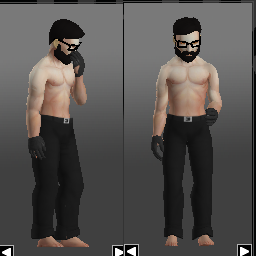
Steel_skin
par 76561198968872271
1.Start Mod----Restart the game----Open new archive ------------------------------------------------------------------------------------------------------------------------------------------------------------- Workshop ID: 2967393152 Mod ID: Steel_skin
![Long Dark [OBSOLETED] – Project Zomboid Mod](https://images.steamusercontent.com/ugc/1877455114666760922/774385C34408D5DEE217313CCFF0519EEAA8A3E7/)
Long Dark [OBSOLETED]
par 76561197993908696
Obsoleted As of Build 42.8.0, the sandbox menu has endless climate options, temperature is also configurable. This mod is no longer required to create a Long Dark experience. Description Experiencing rough winter in Project Zomboid Features - Endless snowing - 50% chance of having a Winter storm daily - Random the blizzard storm duration between 12-24 hrs - Random min and max temperatures for seasons - 0 to -4 °C mininum - -20 to -25 °C maximum Workshop ID: 2834751914 Mod ID: LongDark
![Arsenal[26] GunFighter Mod [TempPatch] – Project Zomboid Mod](https://images.steamusercontent.com/ugc/2459620193697722985/5135703C35111071975F08286BC4794D80370610/)
Arsenal[26] GunFighter Mod [TempPatch]
par 76561198817551594
Welcome to Arsenal GunFighter Mod THIS IS A TEMPORARY PATCH UNTIL MAIN UPDATE. see change notes for details on what issues are addressed by this Temporary Patch. Not all known/fixed issues are addressed here because assets / scripts being overhauled make patching everything difficult. So many of the known issues noted in the guide (link below) will be fixed in the main update when it is done. HERE IS THE OFFICIAL GUNFIGHTER MOD GUIDE - Run this patch in addition to GunFighter This is not a full mod, just patches a few issues - Do NOT run Old or Multiple Versions of GunFighter Mod - Single-Player Still Requires ModOptions - Multi-Player uses Sandbox Settings, NOT ModOptions - Do NOT run ANY SERVER_SETTING mods. They are all OBSOLETE When Updating it's a good idea to unsubscribe mod(s) Make sure they are GONE... Re-Start steam... re-sub to the mod... After enabling them either on a Server or Local Machine in either SP or MP, Restart the game to allow assets to load, because they load on game boot, and not when you just enable a mod. Be advised... Absolutely NO Permission is given under any circumstance to re-post or re-publish this mod, or any other mod in this workshop, whole or in part.. to any platform, Steam or otherwise. Copyright 2023 Arsenal. This item is not authorized for posting on Steam, except under the Steam account named Arsenal. Here is a link if you want to support our efforts to continue this type of content. Workshop ID: 3353217712 Mod ID: Arsenal(26)GunFighter
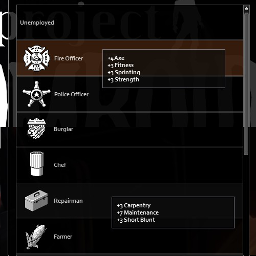
Skill Boost
par 76561198042320545
Boosts starting skills for all professions All professions have had a total of 9 skill levels added, distributed across their existing boosts, up to a max level of 8. Skills that had excess points, after their skills were maxed to 8, had new skill level boosts added that made somewhat logical sense. Intended for roleplaying purposes Workshop ID: 2678672970 Mod ID: SkillBoost
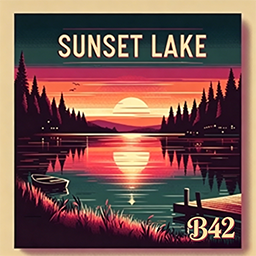
Sunset Lake Town B42 version
par 76561198846560974
Disclaimer The original creator of this map is @欧金金, who has stopped developing mods for Project Zomboid due to busy real-life schedules. With official authorization from the original author, I have updated and maintained this map to Build 42 and added new basements. ---------------------------------------- Introduction Nestled beside tranquil lake waters, Sunset Lake Town was once a serene retreat for weekend vacationers and fishing enthusiasts. Famous for its stunning sunsets and picturesque scenery, it served as the perfect escape from the noise and chaos of the city. Cozy lakeside cabins, lakeside trails, and a local diner turned this small town into a hidden gem among tourists. Yet now, far more menacing threats lurk beneath the calm lake surface and quiet streets. The undead have overrun its quaint homes and shops, reducing the once prosperous town to total ruins. The docks lie shattered, fishing boats drift aimlessly, and the once bustling campground is shrouded in an eerie silence. The gas station, once a vital stop for road trippers, has become a dangerous zone frequented by both scavengers and infected. You can explore abandoned fishing cabins, board up the lakeside houses, and scavenge leftover supplies from the long-deserted town market. But stay vigilant — this former peaceful getaway has turned into a grim trap for survivors. Twisting roads, thick surrounding woodlands, and winding lakeside paths stretch across the town, with dangers hiding around every bend. Will you make it through without falling victim to the lurking threats? Boasting a unique landscape blending open waterways and dense forests, every step you take in Sunset Lake Town could be your last. Do you possess the grit to survive the horrors of Sunset Lake Town? ---------------------------------------- Build 42 Update Log After taking over maintenance of this mod, I carried out comprehensive overhauls across numerous aspects of the map. A small number of texture packs and functional components that had not been updated for Build 42 were removed to ensure stable game performance. Over a dozen basements were added to the original buildings of Sunset Lake Town to expand playable space for players. Certain ladders are now functional: approach them and hold the E key to climb. Avoid destroying ladder structures arbitrarily, as this may lock off access to certain areas permanently. Road spike traps on the map have been nerfed. Vehicles driving over them will have their tire durability reduced to 10 (instead of 0 in the Build 41 version), leaving you enough time to drive out of zombie hordes and find a safe spot to replace tires. A Build 42 compatible biome map was created for the mod, enabling normal loot spawning functionality. Most structures from @欧金金’s debut map Wasteland were ported to the southern manor area of Sunset Lake Town, delivering an immersive post-apocalyptic wasteland atmosphere. A new optional "Story Addon" sub-mod has been added. When enabled, most spawn points in Sunset Lake Town will generate fixed supplies, alongside 21 readable notes featuring engaging lore. This addon was designed to motivate players to fully explore the entire map. Note: This sub-mod is completely optional. You may disable it if you feel it ruins your gameplay experience. ---------------------------------------- Chunk Coordinates 37_43, 37_44, 37_45, 37_46 38_43, 38_44, 38_45, 38_46 39_43, 39_44, 39_45, 39_46 ---------------------------------------- Credits Special thanks to @欧金金 for creating this awesome map! Thanks to @Oujiangjiang for providing the original map files. Thanks to @无聊的栀子 for extensive playtesting and offering countless improvement suggestions. Thanks to @十叁 @柳丁 for coding support on the Story Addon module! Thanks to all members of the Unofficial PZ Mapping Discord for creating exquisite texture packs! Thanks to everyone in the Project Zomboid Map Mod Creator QQ group for their continuous support! ---------------------------------------- Additional Information This is the Build 41 version of the mod: https://steamcommunity.com/sharedfiles/filedetails/?id=3340533122 If you’d like to buy @欧金金 a coffee, your support is greatly appreciated! https://ko-fi.com/oujinjin Workshop ID: 3752069346 Mod ID: Sunset Lake Town B42 version Mod ID: Sunset Lake Town B42 version (story addon) Map Folder: Sunset Lake Town B42 version

Happy Gilmore on VHS tape
par 76561198042485382
Dive into the hilarious world of Happy Gilmore with this fully transcribed VHS tape! Swing into action as you relive the epic journey of a hockey player turned golf sensation. With crazy antics, unforgettable characters, and a dash of absurdity, this mod brings the laughter and excitement of the cult classic film right to your fingertips. So grab your clubs, aim for the green, and get ready for a hole-in-one gaming experience unlike any other! What is this mod? Adds the entire Happy Gilmore movie transcribed onto VHS tape that can be found among other VHS tapes in the game! Text Colors: - White - Happy Gilmore - Red - Shooter Mcgavin - Green - Music and Sfx - Dark Blue - Chubbs - Yellow - Virginia Venit - Purple - Grandmother - Light Blue - Random person - Other Colors - Random extra person in scene Uploaded by Doncaster Ask for permission - Please do not redistribute or utilise the files of this mod without permission from the mod creator. - Please do not use files from this mod to create your own mods without permission from the mod creator. - You are free to use the mod for personal use and in multiplayer servers. If you enjoy the mod please consider giving it a rating. Disclaimer This mod page is a fan-made creation and is not affiliated with or endorsed by the creators or producers of the Happy Gilmore movie. All references to Happy Gilmore, including characters, storyline, and imagery, are used under fair use for the purpose of fan appreciation and entertainment. Any similarities to actual persons, living or dead, or events are purely coincidental. Enjoy the mod responsibly and remember to support the official release of the movie. Like my mods? Consider supporting me at: https://www.buymeacoffee.com/doncaster Check out my other mods: https://steamcommunity.com/sharedfiles/filedetails/?id=3163352433 https://steamcommunity.com/sharedfiles/filedetails/?id=3162123545 https://steamcommunity.com/sharedfiles/filedetails/?id=3146585240 https://steamcommunity.com/sharedfiles/filedetails/?id=3188779531 Workshop ID: 3163764362 Mod ID: happygilmoretape Workshop ID: 3163764362 Mod ID: happygilmoretape

Tomb's Wardrobe - CatSuit Cold Version
par 76561199073529025
Tomb's Wardrobe - CatSuit Cold Version Workshop ID: 3642623396 Mod ID: TombWardrobeALTVanillaCold
![Lighter Materials [Build 42] – Project Zomboid Mod](https://images.steamusercontent.com/ugc/59207469190497998/372E116382343D2C2C550FEFC74869F1BF75EEF7/)
Lighter Materials [Build 42]
par 76561198150836747
Lighter Materials reduces the weight of all materials/material-like items to a incredibly low value Almost every weight value was changed to either "0.01" or "0.1" depending on the item Blades, Hammer Heads and Molds were not changed on purpose. PLEASE READ This mod will make some aspects of the game less challenging which is the whole point The value for each item can be changed by editing the MaterialWeight.lua file I've tried to include all the items I could find if I forgot any please let me know (°?°)/ huge thank you to HardToName Workshop ID: 3388142163 Mod ID: lightermaterials
Ammo Converter
par 76561198047485926
Convert ammo to any type .223 Round .308 Round .38 Special Round .44 Magnum Round .45 Auto Round 5.56mm Round 9mm Round Shotgun Shells Vanilla Ammo Only Exchange ammo for ammo No other recipe requires + Update + Adjusted conversion time from 1 to 20 If you like this mod, please consider giving it an upvote so that other players can discover and enjoy it as well. Workshop ID: 2957727457 Mod ID: AmmoConverter
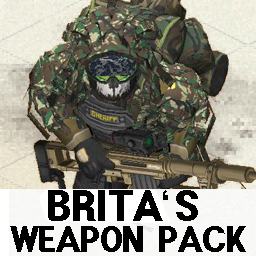
Brita Settings for Multiplayer
par 76561198862856094
Brita Settings for Multiplayer Workshop ID: 2929730367 Mod ID: Brita Settings for Multiplayer

NRK Accountant
par 76561198290835134
To help those who do not rely on their own memory, but are too lazy to write with their hands - this mod will create a list of items in a container or a list of car parts. As a bonus: - the ability to write in a notebook using the red and blue pens; - the ability to divide the notebook/journal into separate sheets and connect them back with a paper clip or glue. Notes: - of course, the entire description of the car does not fit on that small page that the game developers did; however, it is there, it can be seen using the mouse scroll; perhaps in the future I will change this - either increase the page size, or attach a scroll bar for clarity, or divide the report into several pages - I have not decided yet; - unfortunately, so far the text is saved only when the sheets are combined into a notebook/journal, when divided, the text will be lost (so do not tear the notebook with important entries!); I hope that I can still solve this problem, but I will be grateful for any constructive proposals. Workshop ID: 2048544858 Mod ID: NRK_Accountant
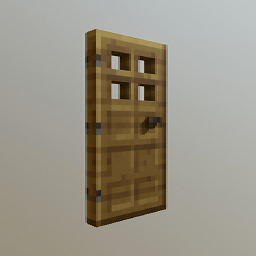
Minecraft Door Sounds
par 76561198399520529
This is a mod that replaces the sound of a few vanilla door sounds to minecraft open/close door sounds to include iron and wooden. Some doors may sound like the wrong door, due to some of the games doors not specifying whether it's metal or wooden. Does not work on modded doors. Workshop ID: 2856556426 Mod ID: mcdoorsound
B42.0.* Long Blade book config fix
par 76561197996863758
This bug was fixed in build 42.1.0 and therefore this mod is unnecessary for any build ≥ 42.1.0 In B42 the Long Blade books were misconfigured to be for the Reloading skill. This mod fixes the configuration to make the books work as expected! I made another mod to fix the Carving 2 book acting like a Carpentry book. https://steamcommunity.com/sharedfiles/filedetails/?id=3402270716 Workshop ID: 3403134379 Mod ID: B42LulzLongBlade
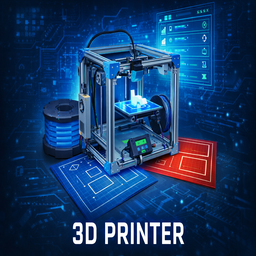
Printer3D: Manufacturing & Recycling System
par 76561199116881450
Printer3D: Manufacturing & Recycling System A complete, balanced, and immersive industrial manufacturing and recycling system designed to integrate naturally into Project Zomboid’s survival gameplay. This mod introduces multiple types of 3D printers, filament materials, blueprints, power dependency, sound-based risk, and a late-game recycling pipeline — without turning the game into a factory simulator. Sustainability is not free. When industrial supplies run out, survival depends on dangerous, noisy, and unreliable recycling — not infinite resources. This is a tool for survivors, not a magic machine. Features - Multiple 3D printer variants, each with a clear and distinct role - Dedicated industrial recycling machine for late-game sustainability - Real-time fabrication with noise propagation - Power dependency (grid or generator) - Printing failures, jams, and operational risk - Filament-based material system - Blueprint-based technological progression - Portable emergency printer for survival scenarios - Fully compatible with custom maps - No crafting exploits, no infinite loops 3D Printer Types Standard 3D Printer - Produces items faster than standard crafting - Generates normal noise levels - Provides reliable everyday printing - Supports printing while you move around - Requires indoor power Silent / Metal Printer - Reduces noise output - Maintains standard printing speed - Performs well in urban or risky locations - Supports printing while you move around - Requires indoor power Fail-Safe Printer - Reduces failure chance - Maintains stable, controlled operation - Supports long or advanced print jobs - Supports printing while you move around - Requires indoor power Focused on reliability rather than speed or silence. Portable Emergency Printer - Compact and lightweight deployment - Generates low noise - Prints small emergency items quickly - Requires the character to stay in place during printing - Limited to small and medical items - Requires indoor power Each printer is balanced to be useful — none is strictly better than the others. Printing System - Printing takes real time - Noise attracts nearby zombies - Higher tiers increase noise and risk - Power loss can cause failures - Abandoning a print job has consequences Printing is a decision, not a free action. Filaments Different filaments affect: - Print time - Noise output - Stability - Access to advanced designs Advanced prints require multiple materials. Standard filament is always required as a base — precision and industrial filaments enhance or unlock advanced recipes. Blueprint Progression Blueprints define technological progress. - Basic designs are common - Advanced designs are rare - Military locations provide faster progression - Civil locations still allow long-term access Risk accelerates progress, but never blocks it. Blueprints are consumed on use. Item Acquisition - Large printers spawn as rare industrial equipment - Portable printers appear as rare survival loot - Filaments and blueprints spawn in logical locations - Fully compatible with custom maps No fixed locations. No memorized spawns. Every run is different. Sustainability & Recycling - Finite industrial filament availability - Late-game recycling as a survival fallback - Higher risk, higher noise, higher failure rates - Fully circular resource loop — no infinite production When resources run out, survival depends on what you can recover — not what you can endlessly craft. New in This Version (Framework v2.0 — Recycling & Sustainability Update) - Recycling Machine System: Late-game industrial recycler that converts waste items into usable filament. - Recycled Filament Type: A non-industrial filament with higher failure risk, intended for survival when standard supplies are gone. - Circular Resource Economy: Empty filament spools are required for recycling, enforcing a balanced loop. - Blueprint-Locked Recycling: Recycling unlocks only after mastering previous printer technologies. - Anti-Exploit Safeguards: Switching to recycled filament permanently locks the printer into recycling mode. - Machine Synchronization: Nearby printers synchronize recycling state to prevent exploits in SP and MP. - High-Risk Operation: Recycling is loud, dangerous, and failure-prone. - Expanded Recycling UI: Batch controls (x3 / x5 / x10), output previews, and failure probability indicators. - Server-Safe & MP Compatible: Fully server-authoritative logic with deterministic outcomes. Sustainability isn’t safe. Recycling is loud, dangerous, and never guaranteed. Design Philosophy This mod does not make survival easier. It gives you options — at a cost. Noise, power, time, and risk always matter. Once you commit to a path, there is no undo button. Enjoy, survive, and choose carefully. This mod's permissions fall under TIS's policy Ask for permission This mod can only be added to and extended with the express permission from the original creator. Having received permission, credit must be given to the original creator, both within the files of the mod and wherever the mod roams online. If no permission is received you may not alter the mod, and it must be treated as a mod that is 'On Lockdown'. The only exception is that servers may freely include this mod in their modpacks, with the freedom to alter it or make modifications as they see fit, as long as credits are properly given to the original creator. Support the Mod Support the Project If you enjoy this mod and want to support future updates and new systems: Your support helps expand the project and keep development active. Every contribution makes a difference. Thank you for your support! ❤️ A like or favorite helps a LOT! Workshop ID: 3628922658 Mod ID: 3DPrinter
Ranking PVE Lightest
par 76561198054264959
A more performant fork of (https://steamcommunity.com/sharedfiles/filedetails/?id=3141389812&searchtext=pve+lighter). Bugs Please submit any bugs you find here: https://github.com/56kyle/LightestRankings/issues Copyright 2025 Exceptionally Mediocre. Do as you will with this, just please link back to here if you fork. Workshop ID: 3433863717 Mod ID: lightest_Rankings
![[B42] Week One - Adjustable Fallout – Project Zomboid Mod](https://images.steamusercontent.com/ugc/16906524301384920732/AC50E6F5FAC4F70C699CF07AEF5A8E2978307F7E/)
[B42] Week One - Adjustable Fallout
par 76561198051425268
Week One Adjustable Fallout Updated for Build 42.20 · Minimum Build 42.18 · SINGLEPLAYER ONLY What does this mod do? This mod makes the nuclear fallout from the Week One NPC Mod customizable through the sandbox settings, including how long it lasts and which original towns receive scripted environment and vehicle destruction. The original mod has a fixed fallout phase of about 82 days, which can feel quite long and dull for some playstyles, especially if you’ve had bad luck looting for a hazmat suit and O2 tanks. With this mod, you can adjust: - Disable World Destruction after Final Solution (Nuke): Prevents all scripted environment and vehicle destruction. The per-city settings are ignored in this mode. Non-destructive zone visuals, fallout, climate effects, and player damage from the nuclear blast remain active. - Per-City Destruction: Individually allow or prevent future scripted destruction in Muldraugh, March Ridge, Rosewood, Doe Valley, Riverside, West Point, Ekron, Louisville, Brandenburg, and Irvington. Explosion, fallout, climate effects, and other global consequences remain unchanged. - Fallout Duration: How long radiation sickness and fallout-related player damage last. Set it to 0 to disable the ongoing fallout; the initial nuclear blast still occurs. - World Transformation Duration: How long enabled cities keep transforming after Final Solution (burned buildings, destroyed objects). This only applies if world destruction remains enabled. - Temperature Drop: Maximum temperature decrease during nuclear winter, from 0 degrees (no winter) to 100 degrees (extreme ice age). The mod dynamically scales all nuclear winter effects to match your chosen timeframe. This means you'll still experience the full temperature drop and snow effects, just compressed into your preferred duration. FAQ Q: Can I use this mod on an existing save? A: Yes. On existing saves, missing per-city settings default to enabled, preserving the original Week One destruction behavior. Missing duration settings use the mod defaults (82 days fallout, 82 days world transformation, 60° temperature drop). If fallout has already exceeded the configured duration, it ends after loading. Q: Do the city settings repair an already damaged town? A: No. They only prevent future processing. Existing burned buildings, destroyed vehicles, scorch marks, trash, boundary decorations, and stored decoration markers are not removed. Choose the settings before Final Solution or use a clean pre-nuke save. Q: What if Final Solution or global world destruction is disabled? A: If Week One's Final Solution event is disabled, no nuke event occurs and the city settings do nothing. If this mod's global world-destruction option is enabled, it overrides and ignores every city setting. Q: What happens if I uninstall the mod? A: The original Week One NPC behavior takes over. If your save is still within its original fallout window (about 82 days), fallout will kick back in and continue under that mod’s rules. If that window has passed, it will remain off. Uninstalling doesn’t retroactively change your save. Future Update/Expansion (WIP) NPC "After Life" (The Day After) Few civilian NPCs survive the nuclear strike and behave more in-character for RP during the fallout: they seek shelter (indoors), barricade doors/windows, look for/wear masks (outside), and defend themselves against zombies. Less street aggro, more indoor life; military/police/bandits remain on the offensive / fight each other. Configurable via Sandbox. Contamination System (Contamination Mechanic) I'm considering an optional Contamination System that replaces the Week One fallout mechanics and is configurable via the Sandbox: filter masks are enough to survive, no hazmat gradually contaminates clothing/body (rain speeds it up), barefoot -> slowly pain/wounds, rubber boots & hazmat protect; clothing optionally washable/disposable. Thoughts? Opinions? Share them in this feedback thread. Note Since this mod is based on Week One NPC, it may need to be updated if any of the corresponding methods in the original mod change. Feel free to report any issues if something doesn’t work properly :) Workshop ID: 3567597317 Mod ID: WeekOneAdjustableFallout
Cannibalism in Zombie Apocalypse (rework №2)
par 76561198026213685
Rework of a rework darkkreepe's cannibalism mod. Quote from the mod rework: "Since the original author of this mod does not update it anymore and there are some serious bugs, I decided to make a complete rework of this beatiful mod with custom changes. You can skin and quarter the body and get human meat. Also you can slice up human meat to rashers and bits. Alongside with Cannibalism you will automatically get the "Hearty Appetite" trait. This is for balancing reasons since simply being a cannibal would make the game too easy. Therefore you can not take the "Light Eater" trait together with Cannibalism." In this version I changed the amount of meat you get from zombies from 7 to 3 and added nutrients to them (Callories, Lipids, Proteins) The previous reword that I used to make this one : https://steamcommunity.com/sharedfiles/filedetails/?id=1518390504 Workshop ID: 2683935024 Mod ID: CZA
PZ Achievements
par 76561198156009884
Adds 50 Achievements to the game. Achievement trophy button added to bottom right of screen, press it to see the list of Achievements. Double click any from list to see the description of the Achievement. Things to Note: These are not linked to steam in any way. Achievements are linked to your character so dying or starting a new character will reset the Achievements This was made and tested with the vehicles build Achievements Added so far are: You Fired!,Throw a Molotov Cocktail at some zombies, The Adventure begins,Summon the courage to go outside for the first time and start your journey, A Grim Realization,Spot 100 zombies at one time, Kill a Zombie,You battled with a zombie and won, Kill 100 Zombies,Your getting the hang of these things, Kill 1000 Zombies!,You no longer fear them, Kill 10000 Zombies!,You are the master of the dead, Get Naked,I don't know what it is your trying to do, but good for you., Schools out forever,Kill A zombie With a Pencil, Dinner is served,Kill A zombie With a Fork, Freshman,Just live through 1 day, That's a start,Live through 30 days, Happy new year,Survive 1 whole year of the Apocholypse, I'm Learning!,Level up any skill to level 1, Masters Degree,Level up any skill to level 10, I found You!,Find a Spiffo Doll, I don't need these things,Find a Rubix Cube, Rubber ducky, Football, Yoyo and a CatToy, I regret doing that,Shoot a gun, Chuga Chuga Choo Choo,Visit the Muldrough Train Station, Where the H*LL am I!?,Find the Isolated Cabin in Dixie, Church Goer,Visit All 8 Churches on the base game map, Chirp Chirp?,Catch a Cricket, Look a Squirrel!,Catch a Squirrel dead or alive!.... preferably dead, Mushroom Maniac,Find all 7 kinds of mushrooms, Catfish,Catch a Catfish, The Bare Necessities,Build a Spiked Bat, Hell Raiser,Make a Noise Maker, How did I taste?,Let one of our fine friends just take one little bite...just a little one., Liar Liar Pants on Fire,Set your pants on fire...and no do NOT take them off first!, Just one more,Get yourself, totally, wasted, Can I Axe you some questions?,Kill 300 zombies with an Axe, Zombie Hunter,Snipe 100 Zombies with a Hunting Rifle, In Dire Straits,Be starving and dying of thirst at the same time, I don't feel so good, You just poisoned yourself pretty good. Will you survive?, Macho Man, Pick up something very heavy (at least 40 pounds) in both hands and carry it 200 squares distance away, Would you like a Spiffo with that?, Pay a visit to every Spiffos restaurant on the map, Safe at last?, Barricade a total of 100 planks onto windows, Field Medic, Apply a total of 50 bandages to injuries, R.I.P, Burry a Corpse, Mmmmm...Chocolate, Eat 25 bars of Chocolate, Look what I have created!, Start a fire by burning a Corpse (with lighter and gas can), Book Worm, Read a total of 15 Skill books, Desperate Times, Eat a Worm, Blunt Master, Kill 500 zombies with Blunt type weapons, Blade Master, Kill 500 zombies with Blade type weapons, Survivalist, Craft a Campfire kit, Tent Kit, Stone Hammer and a Stone Axe Grand Finale, Drink Bleach...Make sure you have done whatever you need to do before you do this... Vandal, Smash 100 Windows (with right click menu) Let there be Light!, Set up and activate a Generator Returning to the holy land, Bring a Spiffo doll to a Spiffos restaurant (place on floor) Yes I'd Love to hear Achievement ideas but no promises to whether or not it will be added. Enjoy Nolan Workshop ID: 1263771793 Mod ID: Achievement
![[B42] Fried Chicken! – Project Zomboid Mod](https://images.steamusercontent.com/ugc/41196710892407414/624B3A6A48D71F3D6B1441EBC20A8ADCF5F14955/)
[B42] Fried Chicken!
par 76561198052133651
Works in 42.13 This mod lets you make Fried Chicken using Breading Mix. You can find "Crispy Fry Breading Mix" in kitchens or GIGA Mart, or make your own. You'll need Breadcrumbs, Eggs, Milk, Flour, and some Seasonings. You can also make Breadcrumbs using crackers, chips, or bread. Once you've prepared the fried chicken, throw it in the oven, wait for it, and bon appétit. B42.13 only. This mod will not work in B42 or B41. Supported Languages -English -Korean by ??? -Ukrainian by Бен -Chinese (Simplified) by 易海林汐 -Russian by Hi im Satan -Turkish by BayGlitch Thank you all! Workshop ID: 3420781505 Mod ID: frcn
![Respawn Fixed [no longer maintained] – Project Zomboid Mod](https://images.steamusercontent.com/ugc/15504385505408938366/5BA8315AE4FF03BF20EC440E41DDFAF931D0E769/)
Respawn Fixed [no longer maintained]
par 76561199437622778
No longer maintained B42 has basically entered a stable phase, and this mod will no longer be maintained. If anyone is interested in taking over its maintenance, feel free to send me a private message. You should know how to use Codex, subscribe specific mod, and check the game logs for it. If you're not familiar with these skills, I can also teach you remotely. RespawnFixed Final User Manual Welcome to RespawnFixed. This mod has deeply reconstructed the underlying logic for Project Zomboid Build 42.13, aimed at providing a balanced and stable "reincarnation inheritance" experience. No more fear of losing bags, no more trouble finding corpses. Core Mechanism: Data Inheritance and Recovery To ensure that no crashes occur in the extremely complex clothing and accessory system of B42.13, this mod adopts a "save first, claim later" security strategy. 1. Items and Property (Items) - Attribute Perfect Cloning: Items are not just ID recovery; their internal states (such as: water remaining in bottles, tape length remaining, custom clothing color, durability, or even favorite tags, none of these are recovered) will not be 1:1 restored. - Bag-style Recovery: After respawning, all your previous life's clothing and backpacks will be neatly stored in your main inventory (pockets). You only need to spend a few seconds putting them back on. - Anti-Exploit Mechanism: Once data backup is successful, the system immediately clears items from the old character or corpse. This means the corpse becomes a "pauper," preventing the possibility of infinite material farming through death. 2. Character Accumulation (Stats) - Skills and Experience: Retain all skill levels. - Recipes and Knowledge: All learned recipes and skill book page progress are fully retained. - Appearance and Identity: Personal biological traits including hairstyle, beard, and traits will be perfectly inherited, inherited not even a bit. Key Operations: How to Control Your Respawn The biggest feature of this mod is that you can freely control "where to respawn." First Step: Set TV Respawn Point Find any Television in the world. - Right-click TV -> Set Respawn Point here. - Character performs a timed action. Once finished, coordinates are permanently saved to your soul. Second Step: Select Respawn Mode (Core New Feature) You can switch the respawn logic at the TV anytime. Mode A: Force Respawn at TV - Select “Switch Respawn Mode: Force Respawn at TV” in the TV right-click menu. - Effect: After clicking respawn upon death, no matter where you click on the map interface, you will land precisely in front of the TV. Mode B: Use Map Default Spawn - Select “Switch Respawn Mode: Use Map Default Spawn” in the TV right-click menu. - Effect: The system will retain your items and skills, but allows you to choose the original spawn region (such as West Point, March Ridge, etc.) through the map selection process. Interaction Flow After Death - Countdown Waiting: After death, a “RESPAWN” button with a countdown will pop up (duration determined by sandbox settings). - Inheritance Confirmation: Click “RESPAWN,” the system will immediately back up your data and clear the body. - Creation Process: Enter the vanilla character creation and map selection interface. - Tip: If you have enabled "Force Respawn at TV," just click anywhere on the map and press "Next"; the coordinates will be automatically hijacked. - Possession: After entering the game, a prompt "Respawn flag detected" will appear in the lower-left corner, and then your attributes and items will load instantly. Sandbox Configuration Guide Administrators can fine-tune the survival difficulty through sandbox options: Option Recommended Description Allow Spawnpoint True Whether to allow players to use the TV respawn point feature. Spawnpoint Timer 1000 Time required to set a respawn point. Respawn Cooldown 0 Seconds before the respawn button becomes available after death. Keep Inventory True Master Switch: Whether to carry items upon respawn. Keep Levels True Master Switch: Whether to retain skill levels. Keep Books/Recipes True Whether to retain reading progress and recipes. Workshop ID: 3613813475 Mod ID: RespawnFixed
Repair Any Clothes KATTAJ1 Military Pack Patch
par 76561198006535603
Patch to fix Repair Any Clothes for the KATTAJ1 Military Pack mod. Repair Any Clothes KATTAJ1 Military Pack Needs to load after RepairAnyMod and KATTAJ1_Military mods. Workshop ID: 3300446786 Mod ID: RepairAnyModKATTAJ1MilitaryPatch

SpiffUI - Themes
par 76561197997880978
Supports B41+. Works in Multiplayer A new save is not required An overhaul for the Project Zomboid interface that allows custom colors to be defined and used to draw most UI Elements. Instead of everything just being black with a white outline, the interface is now built on 3 colors to help define and accent the UI a bit more, with the Header being a 4th, different color. I could list all of the changes here, but I recommend checking the "Screenshots" to see some of the differences instead. NOTE: The Inventory in the screenshots uses the AMAZING Alternative Inventory Rendering mod by "black tea za webel uwu" to complete the look. I highly recommend this mod too! WARNING This mod is in the very early stages of its development, but is still in a state where I can begin to receive feedback and suggestions. There should be nothing in here that breaks your game, but due to how this mod works there may be some rough visuals for now. You WILL notice that most things on the Main Menu still use the old colors. This mod is also very intrusive, and compatibility is not guaranteed. That being said, I have made a conscious effort to not conflict with other mods, and found this to be compatible with most things. Included Themes Blue Steel -- A Blue theme meant to be easy on the eyes. The look we're best known for and the default. Ferrari -- And then there's Ferrari, which is based on a scale of Greys. Le Tigre -- Le Tigre will be a bit of a softer dark look. Good for catalogs and footwear. (Coming Soon!) Project Zomboid -- Uses the default Black and White, but keeps the new rendering. NOTE: Items/colors are not 1:1 recreated in this theme, but sets the tone back to the default. F.A.Q. Q. Some parts of the interface still uses the "old" colors. Why? A. While most of the UI is defined by colors set when a UI Object is created, there are also many objects (usually child objects) that have their colors specifically set in code after creation. I cannot override this without changing the base code, which is a long process to do for everything (in-progress). Q. Do modded interfaces work? A. Yes! As long as they do not specifically set the colors then mods will automatically take the new colors. Q. Can I make a theme? A. Support for adding custom themes (i.e. from other mods) will be added in a later release. Q. Can I preview a theme before using it? A. Currently no. I will add something to allow this in a later update as well. Configuration ModOptions is required for futher configuration, but the mod will function without. Name Default Description Enable True Enable or disable the custom Theme rendering. NOTE: A restart is required. Selected Theme Blue Steel Sets the Selected Theme Translations This mod is currently only in English. If you would like to contribute a translation, please submit a pull request on GitHub! I will happily give credit! Workshop ID: 2847303520 Mod ID: SUI_Theme
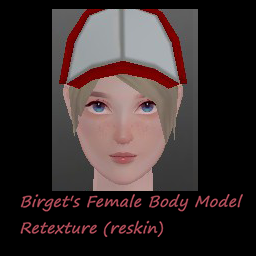
Birget's Female Body Model Retextrue (reskin)
par 76561198006852614
Birget's Female Body Model Retextrue (reskin) 2.3 Skin max size : 2048 Required : Birget's Female Body Model Retextrue Recommanded mods - Anime Shader - Fluffy Hair - Spongie's Hair - Yaki's Hair Salon Workshop ID: 3404125621 Mod ID: Birget's Female retexture
![Old border for moodles [B42+] – Project Zomboid Mod](https://images.steamusercontent.com/ugc/13045573038626774/193A9B5EC5ED7AE8362A30417FFF101B0E877471/)
Old border for moodles [B42+]
par 76561197962540178
Essential for my old moodles mod but if you prefer new moodles you can skip this one, and yes they're compatible with other moodles mods FAQ If border and moodles seems blurry then set in Settings > User Interface (UI) > Moodle Size to 64 or 128 if you want them bigger. On the main picture there are instructions on how to find this option If the moodles didn't appear, apply them in mods and add them to the game save too, restart the game and they should appear. if you have several mods that change moodles, select only one to make them work correctly (borders are made modular in this one and they should be compatible) also you can put it somewhere high in mod list to be sure it will load Example of border: License: Free for all Workshop ID: 3386952765 Mod ID: oldbordermoodles
Project Zomboid Guides
Installer des mods Project Zomboid - Guide Workshop
Installe proprement des mods Project Zomboid via le Steam Workshop : saisir les IDs, vérifier l’ordre, redémarrer le serveur et corriger les erreurs typiques.
Louer un serveur Project Zomboid – guide multijoueur
Configurer un serveur Project Zomboid : RAM, paramètres sandbox, mods Workshop, droits admin et vérification propre des erreurs typiques.
Serveur Project Zomboid avec support des mods
Installez les mods compatibles et pris en charge depuis le tableau de bord.
Louer un serveur Project Zomboid