Mods et plugins pour Project Zomboid
Ce catalogue répertorie 52 000+ projets Project Zomboid provenant de Steam Workshop. Les entrées peuvent être côté serveur, côté client ou requises des deux côtés, et inclure des cartes ou d’autres contenus créés par les utilisateurs. Avant l’installation, vérifiez la page source liée, la version du jeu et les dépendances.

Mildly Moldy Zombies
par 76561199262415918
This is a mini creation of mine, it is meant to make the damage textures of the zombies look similar to the mold of Resident Evil 7 and it is meant to be a sort of extention to any zombie Re-Texture you wish to pair it with As it only effects the damage textures it's compatable with everything that doesn't also edit the damage textures Workshop ID: 3246834256 Mod ID: Mildly Moldy Zombies

NoMoneyWeight
par 76561197982444018
NoMoneyWeight No money weight so i can loot more! Workshop ID: 2742676917 Mod ID: NoMoneyWeight
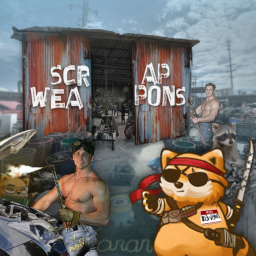
Scrap Weapons (Corvid's Rebalance)
par 76561198079103175
A personal rebalancing of the Scrap Weapon's mod by djvirus, the original creator of the mod. This rebalance is purposed for Apoc, a popular roleplaying server on Zomboid. Workshop ID: 3041823115 Mod ID: ScrapWeapons(Corvid's Rebalance)

Hello There
par 76561198294617581
Mod that adds Obi Wan's "Hello There" as the jumpscare sound. Workshop ID: 2946714117 Mod ID: HelloThere
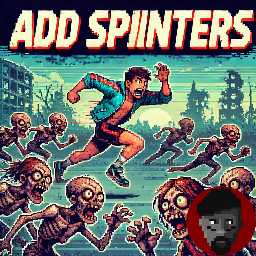
AddSprinters
par 76561198167650346
Grazie a questa mod potrete settare un numero preciso di corridori, camminatori lenti e camminatori veloci, potrete in oltre settare la vita massima di ogni categoria. La Resistenza https://discord.gg/uGn5Ex6uyb Workshop ID: 2808950290 Mod ID: AddSprinters
CDC Rapid Response Community
par 76561197966821738
CDC Rapid Response Community is a complete overhaul of CDCRR that is for B41 MP servers. Workshop ID: 3476274022 Mod ID: CDCRRCommunity
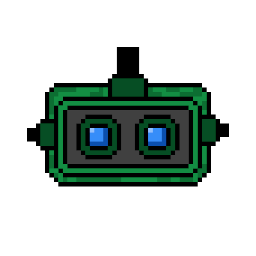
NightVisionGoggles
par 76561199237299662
Adds Night Vision Goggles to the game and a new (double) battery that you should use to power them up (alongside with recipes to craft them). Trough sandbox options you can decide how long the battery will last, the frequency of the spawn inside military containers/vehicles. They'll be turned on automatically when weared and they'll be powered off while unequipped. Thanks to Scimmia for the models and graphics. Workshop ID: 2904845538 Mod ID: NightVisionGoggles
More Traits Rebalance
par 76561197963943841
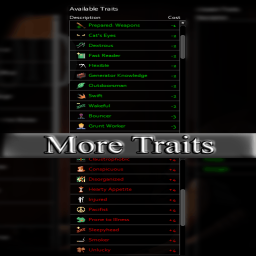
MoreTraitsRebalance for NerdServer Workshop ID: 2724538785 Mod ID: ToadTraits
![Chaos Mod + Twitch/YouTube [B42/SP] – Project Zomboid Mod](https://images.steamusercontent.com/ugc/11656250965411564014/234A45551B62D949799480CE839123B7FE9D468B/)
Chaos Mod + Twitch/YouTube [B42/SP]
par 76561198157668109
A single-player Chaos Mod v1.2.2 for Project Zomboid B42 with Twitch and Youtube Live integration. This mod triggers a random effect every 45 seconds. There are currently 450+ effects, and they can be helpful, dangerous, weird, or completely random. Twitch and YouTube integration is optional and allows your viewers to vote for the next effect. You can play without it. v1.2.2 - Update to game version 42.20.0 - Bug fixes This mod requires the B42 version of Project Zomboid. Latest tested version: 42.20.0 This mod will not work in multiplayer Examples of effects - Spawn Zombie Nearby - Give Random Tool - Enable Rain - Spawn Vehicle Nearby - Turn Power Off Full list of effects: Chaos Mod Hub Viewers can vote for the next effect, and Twitch or YouTube nicknames can appear above zombies. To enable Twitch or YouTube support, you need to install the StreamerApp from Chaos Mod Hub or GitHub Page. Just install the mod first, then extract ZomboidStreamerApp.exe to any folder and launch it. You can also activate effects with donations through Twitch Bits, Twitch Channel Point Rewards, Twitch Subs or DonationAlerts. Viewers cheer or donate with an effect ID in the message to trigger that specific effect. You can read more about Twitch, YouTube, and donation integration on the mod's GitHub page. You can edit the mod settings (effect interval time, vote start time, effect settings, language) in mod settings. You can open mod settings window by pressing button with gear icon in game (bottom-left corner). Also settings are available in StreamerApp dashboard. Q: Mod does not work. What should I do? A: Make sure you are using the unstable branch of Project Zomboid on Steam. Q: How to disable some effect or change effect settings? A: You can edit settings of every effect in the mod settings windows (bottom-left corner) Q: I only want to display Twitch or YouTube nicknames above zombies, without random effects and without voting. How can I do this? A: In StreamerApp dashboard set these settings: - Effects interval enabled: false - Streamer mode enabled: true - Voting enabled: false - Donations enabled: false - Use zombie nicknames: true The mod supports 11 languages - English - Russian - French - German - Spanish - Portuguese - Polish - Turkish - Simplified Chinese - Korean - Japanese You can change language on the mod settings window or in StreamerApp dashboard. This mod does not support multiplayer. It is designed for single-player only. - Initial Release - New Effects - Dashboard system for StreamerApp - In-Game Settings - New Effects - Update to game version 42.18.0 - Bug Fixes - Korean and Japanese translation - Updated effect chances - Bug fixes for many effects and crashes - YouTube Live Integration (Experimental) - Twitch Bits Donation System (Experimental) - Twitch Channel Point Rewards (Experimental) - Twitch Subs Integration (Experimental) - DonationAlerts multicurrency support (Experimental) - New Chaos Mod Hub WebApp with effects list and shared configs by streamers - Recent Effects Blocklist preserves between sessions - NPCs update: smarter, stronger, and with firearms - 135+ new effects! - And many other improvements - Bug fixes for many effects and crashes - Context-Aware effects system (beta) - NPCs balance improvements - 2 new effects - Update to game version 42.20.0 - Bug fixes - New effects - Multiplayer support (?) This mod will likely not work with mods that change zombie AI or add NPCs to the game. Download StreamerApp GitHub Repository Effects List Workshop ID: 3717082142 Mod ID: ChaosMod

Random sounds pack Random Pack b41
par 76561198119902941
Random Sound Events Mod Sound Pack This mod is a pack of various sounds for the Random Sound Events mod, which adds 70 new sounds to the game. Features: - Planes and helicopters flying by - Cars passing by - Barking dogs - Zombie growling - Broken glass - Various trash - Thunder - And other doesn't work on ver 42 Workshop ID: 2930287824 Mod ID: RandomSoundEvents_Random

Hayase Yuuka voice
par 76561198239757142
Added a new voice type, select it in the character creation interface,from blue archive,modification in Cute girl voice: https://steamcommunity.com/sharedfiles/filedetails/?id=3393919250&searchtext=anime+voice Workshop ID: 3652225146 Mod ID: Hayase Yuuka voice

Immersive CD Players (text version)
par 76561198186843834
The development of the mod has been suspended in favor of the version with sound. Attention! There are bugs in the mod - which are completely fixed in the sound version. It also lacks many of the features and capabilities that were included in the version with sound. All vanilla cd players and cds in the game are working. - Realistic functionality of CD-players and CD-disks. == Everything is written in the instructions ... Please read before asking a question. == ! Forgive me my English (I use google translate). The original lyrics of the artists presented in this mod belong to their copyright holders and are used solely for atmospheric conditions without the pursuit of material, or any other benefits from their use. The author of the mod does not in any way claim authorship of the texts. All used texts are from open sources. • Attention! Some tracks, such artists as - Metallica, Nirvana, etc., contain profanity... • There is no sound. All playable "music" is presented in the form of text above the character - like all other devices in the game. Version with sound in a separate mod - iCDPlayers (sound version) Instruction: - Find the CD, take it to your inventory and examine it (Context Menu > “Inspect Disc”), so you get a disc suitable for playback (the CD may be scratched and will not play in the player). - Find the CD player and battery. - Insert the battery and the CD in any order. - Turn "Play" the CD player. - The CD you found may be scratched ... The CD player will not play it, and when you try to play it will turn off. - To listen, you must have Earbuds (headphones) in your inventory, otherwise you will not “hear” the "music" being played. - A deaf character will not hear music and will not receive a mood boost. - You can switch the playing tracks - previous and next, when the last track on the disc ends, the first track will automatically start playing. - The CD player will remember where you clicked “Stop”, and will continue to play from this point, provided that you did not remove the disc, did not remove the battery, and did not run out of power. - When listening, boredom decreases. - One full battery should last about 5-6 hours of playing time. - To get the vanilla cd player back, eject the disc, remove the battery. - The mod also changes the weight of the CD players, CDs and batteries in the game to a more realistic one. All the “music” presented on CDs in this mod corresponds to real albums of artists released by 1993. Enjoy the silence... :) The mod was created for version 41.? Languages: English Workshop ID: 2025319303 Mod ID: iCDPlayers

FRUsedCars-RV only
par 76561198412348907
FRUsedCars-RV only Workshop ID: 2945772107 Mod ID: FRUsedCars-RV only

CAMINHÕES BRASILEIROS - BRASIL
par 76561198121845674
Substitui as texturas originais do jogo. OBS: No meu CHEAT MENU só tinha o caminhão comum e o caminhão de "correios". Então testei um de cada vez na textura do caminhão de correios. BRINKS = stepvan_kentuckyheraldshell (Não sei do que se trata esse caminhão) BRAHMA = vehicle_stepvan_scarletdist (Caminhão de destilaria/bebidas) CASAS BAHIA = vehicle_stepvanmailshell (Caminhão de correios) Alguma sugestão? Workshop ID: 2869220907 Mod ID: ModTemplate
![[B42.14]Yui's XM7 – Project Zomboid Mod](https://images.steamusercontent.com/ugc/17297658648579985166/C11505543FC38E45708EF79299F55E9C810C06FE/)
[B42.14]Yui's XM7
par 76561199079163723
This is the B42.14 update for Yui's XM7, following the previously released B42.12 version. This mod adds the XM7 rifle to the game, along with its 6.8x51mm ammunition, magazines, and a suppressor. Yes, you'll be wielding 21st-century weaponry in a 20th-century setting—it's definitely not realistic, but if you've clicked on this, I know exactly what you're looking for. This is a military-grade firearm, so you'll find it more commonly in military barracks and installations. While it's theoretically compatible with other gun mods and shouldn't cause conflicts on its own, it's not recommended to use too many weapon mods simultaneously to avoid potential compatibility issues. If you encounter any problems, please leave a comment below. Thanks for your support, and happy gaming! Workshop ID: 3671459143 Mod ID: SIG XM7

Vectrex Playable Console (B41)
par 76561198013951836
WHEN ARE YOU UPDATING FOR B42??? AUGUST 2026 UPDATE: Target date for B42 version release is SEPTEMBER 5 2026. The old B41 will be forked and saved as a SEPARATE mod. I will post the link here when that happens, so server hosts and players who still use B41 should subscribe to the B41 version. THIS workshop item will become the B42 version and will be the one maintained moving forward. Vectrex: The High-Performance Machine We are proud to present the most complete Vectrex mod ever added to the Steam workshop. The mod is fully lore-friendly and adds a playable Vectrex to Project Zomboid. The console, game cartridges, screen overlays, Vectrex Light Pen, Vectrex 3D Imager, and ALL retail packaging can all be found as extremely rare loot in garages, wardrobes, living rooms, storage units, toy chests, electronics stores, and pawn shops. We've included a few easter eggs as well that are also lore-friendly (both for Zomboid as well as for Vectrex fans). Loot rates (adjustable in the sandbox settings) are similar to those found in Video Game Consoles: Insanely Rare. About the Vectrex Vector Graphics: The Vectrex utilized vector graphics, generating smooth lines and shapes similar to arcade games of the time by moving an electron beam around. This gave it a distinct, futuristic look and feel to the gameplay. Short-Lived: Unfortunately, the Vectrex's release timing around the 1983 video game crash led to its discontinuation in 1984. However, home-brew games made by Vectrex die-hards have kept the console alive. Mod Features - Vectrex Console and Original Retail Packaging: Fully 3D modeled and textured using their real-life physical versions. The box, once opened, can be used like any other container. - Built-in Monitor: No need for a TV! The Vectrex featured a compact black and white CRT monitor built right into the console, making it self-contained and "portable" (playable on any powered tile). - 27 Collectible Cartridges, cartridge boxes, and 28 Playable Games: Playing games reduces boredom and unhappiness and only requires player to be on a powered square - no TV is required (just like in real life!). All games, with the exception of Mine Storm, require a cartridge to play (Mine Storm was programmed directly into the Vectrex). - 22 Screen Overlays: As Vectrex graphics used an electron beam, they were in black and white. A colored overlay came packaged in 22 of the 28 games released and enhanced the graphics on-screen. Now you can collect and swap out screen overlays for your Vectrex! - Wearable Vectrex 3D Imager: A set of special "3D glasses" was also available for the Vectrex, which, using alternating spinning disks in front of the viewer's eyes, gave the illusion of a 3D experience for certain games. The headset won't really protect you against zombies but you will look really cool wearing it! - Vectrex Light Pen : Traditionally used for games like Melody Master, you can also try to poke zombies with it in a pinch. - Real Vectrex Audio : No emulation has been used - all audio included in the mod has been meticulously sampled not from one, but TWO Vectrex consoles: a 1982 version which has the famous "Vectrex buzz" (due to poor wire shielding and improper grounding) and a 1983 version which has a much cleaner sound. If you find a 1982 version and hate the buzz, level your electrical skill to 6, get some spare electrical components, and fix it! If you regret this decision or find a 1983 version and want to experience the buzz, the process works also in reverse. (Note: You must first remove the overlay, if any, from the Vectrex before you can modify it.) - Realistic Loot Rates (adjustable in the sandbox settings): Unfortunately the Vectrex was not a commercial success, and the console was discontinued in 1984, just two years after its launch. While estimates vary, based on serial numbers for Vectrex units, a safe guess for the number of Vectrexes produced is between 100,000 to 800,000. Compared to the 30 million Atari 2600s sold, this makes Vectrex a fairly rare console. - Lore-Accurate Easter Eggs for Die-Hard Vectrex Fans! Installation: Subscribe and add it to your mod list. This mod does not overwrite any game files so it shouldn't interfere with other mods. Compatibility: Tested using 41.78, works in both singleplayer and multiplayer. Safe to use with existing saves. A new save is recommended due to the low spawn rate of the Vectrex. October 2024 Update: added new "Dusty Vectrex Game box" to improve compatibility with "Item Stories". Found in pawn shops, it can be opened to receive a random Vectrex game (95% chance), its overlay (80% chance), and a second random overlay (20% chance). All dummy items used for spawning now look and function like the "Dusty Vectrex Game box" item - thus if "Item Stories" spawns them into the world, no admin intervention is needed - players will be able to receive some Vectrex items from it. Authors: Spenglerian: Code and scripts, audio, textures, playtesting Zhamul: 3D modeling, textures and UV mapping, certified dual Vectrex ownership, Vectrex lore consultation Workshop ID: 3310855080 Mod ID: VectrexPlayableConsole
![Yandere's Hair Salon [B41] – Project Zomboid Mod](https://images.steamusercontent.com/ugc/2385307813706377399/2E123F5066A831DF1D2F6C66F5B1006DC76C2D6C/)
Yandere's Hair Salon [B41]
par 76561198926475201
Adds 9 hairstyles for male and female characters in the game. Hairstyle names: Bob With Bangs, Long Bob, Hedgehog, Long Hair, LongHair 2, Short hair, Short hair 2, Emo guy\Emo girl, Pudding. --- A hair mod similar to this one, delivering higher quality and more hairstyles: https://steamcommunity.com/sharedfiles/filedetails/?id=3555677825 If you need skins from the screenshots: https://steamcommunity.com/sharedfiles/filedetails/?id=3318281567 If you liked my work and would like to thank me: https://boosty.to/yandere_love/donate Workshop ID: 3323039083 Mod ID: yandere'shairsalon
Female Zombies Only
par 76561198186034417
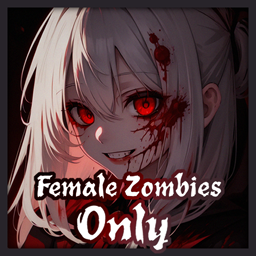
A simple mod to make almost every zombie female. This mod would not affect the guaranteed zombie spawns in certain designated zones. I am not very familiar with Java/Lua. I made this in my own playthrough. Please let me know if this can be done better. Work great with weeb mods. The preview is generated using Stable Diffusion.
![InGameMaps [Drayton (Rebuild)] – Project Zomboid Mod](https://images.steamusercontent.com/ugc/1809888434103515328/DAB4FF647C681272E6686DA8CED9B9127CC58DCF/)
InGameMaps [Drayton (Rebuild)]
par 76561198040780708
InGame Maps Add in-game maps for several older mods. Expect errors, sometimes lack of precision as the maps are computer generated. At least, now you have maps without external mods. This mod will be updated with new additions and new maps. Want a map? just ask and point the mod, I'll check if it's doable. This mods do not add maps in world, only in UI ! MP/SP Compatible. Do not require a new game/save You just have to enable this mod and map appear only if you also have the proper map enabled. Actual maps added (if author add proper ingame map, I'll delete mine from the mod): This mod should be enabled AFTER every mods adding map to your world If you do not know how to do it, I can only redirect you to : https://steamcommunity.com/sharedfiles/filedetails/?id=2694448564 Problem ? Go on main mod comment section: https://steamcommunity.com/sharedfiles/filedetails/?id=2756689895 Credits goes to original author Drayton (Rebuild) (request) Jela331 https://steamcommunity.com/sharedfiles/filedetails/?id=500222958 Workshop ID: 2763516079 Mod ID: InGameMaps_drayton Mod ID: InGameMaps_drayton_SP Map Folder: Rebuild Map Folder: Rebuild_map
No Burnt Vehicle
par 76561199443899150
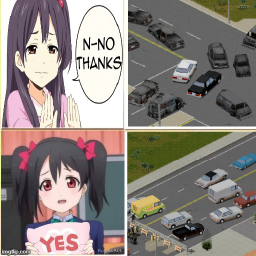
"The survivors in their vehicles were fleeing a city filled with people who had turned into monsters. Then they got stuck somewhere and left, abandoning their vehicles." That's all. There's no logical explanation for why all the cars were on fire. - This should work with other mods that add vehicles. - The mod used in the screenshot is "Filibuster Rhymes' Used Cars!" - If you use the Project Summer Car, read the discussions Workshop ID: 3595636919 Mod ID: tyNoBurnVehicle

Cigarette Smoke
par 76561197975526631
Cigarette Smoke Update v1.3 - Multiplayer support — smoke, the lighting motion and the glowing tip are now visible to other players - Smoke rings — occasionally your character blows a ring. Left-click near your character's face while drawing on the cigarette to blow one on purpose Credits This mod is built on the implementation of Cold Breath by Vanilin. The world-space particle system comes from that mod, and the author kindly gave permission to publish this mod. Thank you. Smoke drifts from your character's mouth while smoking, and the tip of the cigarette glows on every draw. What you see - Smoke — drifts from the mouth on each exhale. Outdoors it is carried by the wind direction and speed - Glowing tip — the tip heats up while your character draws on it. The tip stays grey while the cigarette is raised to the mouth, and glows brightest just before the draw ends - Lit face in the dark — in dark places the mouth is faintly lit by the ember - Lighting up — a motion for lighting the cigarette plays before smoking starts, with a sound matching the lighter or matches you use - Smoke rings — your character occasionally blows a smoke ring. Left-click near your character's face while drawing on the cigarette and the next exhale becomes a ring (this does not trigger an attack) Covered items Every smokable item in the base game is covered: Cigarette, Cigarette Pack, Cigar, Cigarillo, Rolled Cigarette, Smoking Pipe with Tobacco and Can Pipe with Tobacco. Items that take longer to finish get proportionally longer gaps between puffs. Chewing Tobacco produces no smoke and is not covered. The pipes produce smoke only, with no glowing tip. Their bowls are small and recessed, so the burning tobacco is never visible from the camera angle. Postures The smoke is placed to match the mouth whether your character is standing, sitting on the ground, or sitting on furniture. Furniture with different seat heights is handled correctly. Nothing is drawn inside a vehicle, where the character is hidden by the bodywork. Compatibility - Build 42 - No game values or rules are changed. Nicotine, stress, coughing and consumption stay exactly as they are in the base game - Item definitions are not modified. The model is only swapped while the item is being smoked - Safe to add to or remove from an existing save - The only setting is a toggle for the lighting motion (on by default) - In multiplayer, the effects are visible to other players (add the mod to the server's mod list — every joining player then loads it automatically) - Tested in singleplayer, split-screen and multiplayer (host mode). Dedicated servers are untested If you find any issues, please let me know in the comments. Workshop ID: 3785653708 Mod ID: CigaretteSmoke

Freddy Fazbear's Mask
par 76561199086515653
Freddy Fazbear's Mask replaces Welder Mask Workshop ID: 2737581324 Mod ID: Freddy Fazbear's Mask

Extra Books Plus
par 76561198857691153
⚠️⚠️⚠️ THIS MOD DON'T WORK WITH THE ORIGINAL MOD INSTALLED ⚠️⚠️⚠️ "I recommend reading the discussions" I made a small modification to a simple mod that I really liked. Original Mod: Extra Books Link: https://steamcommunity.com/workshop/filedetails/?id=2859508566 Original Creator: SNeicer Link: https://steamcommunity.com/profiles/76561198350941990 Thank you all and I appreciate your dedication to the game friend: Sneicer Do you have toc with your organization? Don't worry now your books will have the vanilla book family and now each book class now has its own color. Books that give you an xp multiplier for melee weapons, firearms and bunch of other skills Can't read a book? Multiplier disappears after some time? Some other issue? Thats probably mods conflicting with each other, there is no other reason behind it, because the mod barely has any coding behind it (Just customizing some lists). Please keep that in mind when reporting an issue in the comments. New books: - Book of Firearm mastery (Aiming) - Book of Reloading Techniques (Reloading) - Book of About tool care (Maintenance) - Book of Fighting mobility (Nimble) - Book of Runner from Muldraugh (Fitness) - Book of Hand combat mastery (Strength) - Book of Lumberjack's right hand (Axe) - Book of Primitive weaponry (Spear) - Book of Street weaponry (Long blunt) - Book of Dangerous citizen (Short blunt) - Book of Knife utility (Short blade) - Book of Weaboo katana tutorial (Long blade) :troll: - Book of Feathered Feet (Lightfooted) - Book of Running From Problems (Sprinting) - Book of Stealthy Heister (Sneaking) Item ID's for spawning them (Replace X with a number of a tier from 1 to 5): - Firearms = EBFirearmX - Reloading = EBReloadingX - Maintenance = EBMaintanceX - Nimble = EBNimbleX - Fitness = EBFitnessX - Strength = EBStrengthX - Axe = EBAxeX - Spear = EBSpearX - Long blunt = EBBluntX - Short blunt = EBSmallBluntX - Short blade = EBSmallBladeX - Long blade = EBLongBladeX - Lightfooted = EBLightfootedX - Sprinting = EBSprintingX - Sneaking = EBSneakingX Languages in this pack: - CN - EN - ES - FR - IT - KO - PTBR - RU Workshop ID: 3182488137 Mod ID: ExtraBooksPlus
blake's personal true music
par 76561198034266578
ignore thumbnail has music from mcr, patd, paramore, fir, and more Workshop ID: 2803021043 Mod ID: tmblakep
Project Zomboid Guides
Installer des mods Project Zomboid - Guide Workshop
Installe proprement des mods Project Zomboid via le Steam Workshop : saisir les IDs, vérifier l’ordre, redémarrer le serveur et corriger les erreurs typiques.
Louer un serveur Project Zomboid – guide multijoueur
Configurer un serveur Project Zomboid : RAM, paramètres sandbox, mods Workshop, droits admin et vérification propre des erreurs typiques.
Serveur Project Zomboid avec support des mods
Installez les mods compatibles et pris en charge depuis le tableau de bord.
Louer un serveur Project Zomboid