Mods et plugins pour Project Zomboid
Ce catalogue répertorie 52 000+ projets Project Zomboid provenant de Steam Workshop. Les entrées peuvent être côté serveur, côté client ou requises des deux côtés, et inclure des cartes ou d’autres contenus créés par les utilisateurs. Avant l’installation, vérifiez la page source liée, la version du jeu et les dépendances.
blake's personal true music
par 76561198034266578
ignore thumbnail has music from mcr, patd, paramore, fir, and more Workshop ID: 2803021043 Mod ID: tmblakep
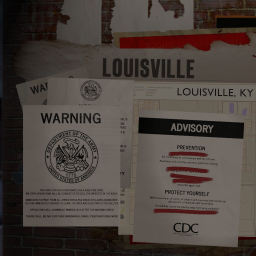
No More Room in Hell Menu
par 76561198049344926
Main menu replacer inspired by NMRiH with "Mellow" by Garett Lindquist. Be sure to restart the game. Workshop ID: 3189879888 Mod ID: NMRiH_MM
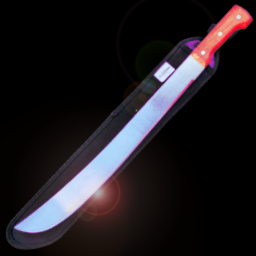
Belt Machete
par 76561197965048948
Machete can into Belt. Workshop ID: 3364416175 Mod ID: BeltMachete

Def's LTS Korean Translation
par 76561198013949185
Def's Long Term Survival 한국어 번역판입니다. 아이템 및 제작탭의 번역은 공식 한국 번역 및 New Korean Transltion(신 한국어 번역 2020)에 최대한 맞춰서 진행했습니다. 모든 항목(아이템, 제작탭, 툴팁)이 번역되어있습니다. 해당 모드는 Def's Long Term Survival zh에 기반하여 제작되었습니다. (This mod is based on Def's Long Term Survival zh mod) 표기에 오류가 있는 항목을 댓글로 달아주시면 조치하겠습니다. (ex : 묶음 아이템이 일반 아이템으로 번역됨 등) Workshop ID: 2598343672 Mod ID: LTSKOREAN

Minidoracat Server New Car
par 76561198033176898
Minidoracat 伺服器專用車輛 以 Autotsar Trailers 由 Minidoracat 伺服器玩家 麒麟 | 油庫里 | Ajak | 每天笑 製作 Workshop ID: 2867440014 Mod ID: NewCatCar
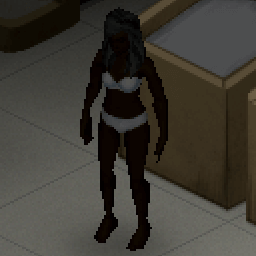
No Items
par 76561198023676128
Mod makes the game harder. You will start new game without any items! Even without a belt! If you don't use the mod Size Lables, you can't wear any Trousers or Jeans without a belt. Lol. Super hard :) But no limitations on the belts in this mod if you use that mod. Improvised belts: SlotsWeight Wire Belt00.1 Rope Belt10.3 Strip Belt10.1 Clothing Sennit10.25 Braided Belt20.9 Game design quality: 90% Code quality: 92% Only compatible with build 41, obviously. Tags:B41,Clothing/Armor,Hardmode,Misc,Tweak Workshop ID: 1919584194 Mod ID: noitems
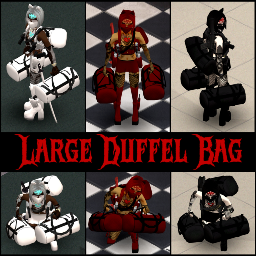
Large Duffel Bag
par 76561198102246223
Large Duffel Bag Simple mod that lets you craft a cosmetic retexture/remodel for the large backpack (just like my previous mod called New Schoolbag). This one adds a Large Duffel Bag, that you can apply on a Large Backpack. All items are craftable only and can be found in the new "Evil Inside" crafting category. Updated for B42.20.0 Stable! Check out my other mods here: Workshop ID: 3404392239 Mod ID: LargeDuffelBag
![Show Key Origin [B42] – Project Zomboid Mod](https://images.steamusercontent.com/ugc/12530935491911706378/E965D74FD5D59897F5193C04382CFB580103464D/)
Show Key Origin [B42]
par 76561199133259679
Compatible with Build 42 up to Build 42.20+ Show Key Origin helps you identify what a key belongs to by showing the distance and direction to its origin directly in the inventory tooltip. It can also display a visual origin line in the world, pointing from your character toward the related building or the original spawn position of the linked vehicle. This makes keys much easier to identify, sort and keep organized. Main Features - Shows the distance to a key’s origin. - Shows the direction toward that origin. - Adds a context-menu option to show or hide a visual origin line. - For house/building keys, the line points toward the related building. - For vehicle keys, the line points toward the vehicle’s original spawn position. - Optional compass requirement through Sandbox settings. - Optional thicker origin line when TchernoLib is enabled. How It Works - Hover over a key in your inventory to see its origin information. - Right-click a key and use the context menu to show or hide the origin line. - Use the information to identify duplicate keys, sort useful keys, and figure out which building or vehicle each key belongs to. Optional Sandbox Setting You can enable a Sandbox option that requires having a compass in your inventory. When enabled: - Tooltip origin information only appears if you have a compass. - The visual origin line can only be shown if you have a compass. Optional TchernoLib Support If you enable TchernoLib, the origin line can be displayed thicker for better visibility. TchernoLib is optional. Show Key Origin works without it. Compatibility - Works from Build 42 up to Build 42.20.0+. - Safe to enable or disable in both new games and existing saves. - Lightweight, UI-focused mod. - Compatible with most mod setups. - Possible conflicts are mainly expected with mods that heavily modify inventory tooltips or key/item context-menu behavior. Localization Show Key Origin includes expanded localization support with: - Legacy TXT translations for earlier Build 42 versions. - JSON translations for Build 42.15+. - Updated and reviewed wording for key origin, distance, direction, compass requirements and display-line options. Currently supported languages include: AR, CA, CH, CN, CS, DA, DE, EN, ES, ES_CL, ES_MX, FI, FR, HU, ID, IT, JP, KO, NL, NO, PL, PT, PTBR, RO, RU, TH, TR and UA. More Mods & Feedback You can find my other Project Zomboid mods here If you find Show Key Origin useful, please consider leaving a thumbs up and adding it to your favorites. Feedback, suggestions, compatibility reports and bug reports are always welcome. Bug Reports If you hit errors or see odd behavior, please post the details in the Bug Reports discussion. Please include: - Project Zomboid build. - Show Key Origin version. - Singleplayer, MP Host or Dedicated Server. - Steps to reproduce the issue. - Console errors or logs, if available. - Mod list/load order, especially mods that change inventory tooltips or context menus. ESPAÑOL Compatible desde Build 42 hasta Build 42.20.0+ Show Key Origin te ayuda a identificar a qué pertenece una llave mostrando en el tooltip del inventario la distancia y dirección hacia su origen. También puede mostrar una línea visual de origen en el mundo, apuntando desde tu personaje hacia el edificio relacionado o hacia la posición original donde apareció el vehículo vinculado. Esto hace mucho más fácil identificar, ordenar y conservar las llaves útiles. Funciones principales - Muestra la distancia hasta el origen de una llave. - Muestra la dirección hacia ese origen. - Añade una opción en el menú contextual para mostrar u ocultar una línea visual de origen. - En llaves de casa/edificio, la línea apunta hacia el edificio relacionado. - En llaves de vehículo, apunta hacia la posición original donde apareció el vehículo. - Opción Sandbox para exigir tener una brújula. - Soporte opcional para una línea de origen más gruesa si TchernoLib está activado. Cómo funciona - Pasa el cursor sobre una llave en el inventario para ver su información de origen. - Haz clic derecho sobre una llave y usa el menú contextual para mostrar u ocultar la línea de origen. - Usa esa información para identificar llaves duplicadas, ordenar llaves útiles y saber a qué edificio o vehículo pertenece cada llave. Opción Sandbox opcional Puedes activar una opción Sandbox que exige tener una brújula en el inventario. Si está activada: - La información de origen en el tooltip solo aparece si tienes una brújula. - La línea visual de origen solo puede mostrarse si tienes una brújula. Soporte opcional para TchernoLib Si activas TchernoLib, la línea de origen puede mostrarse más gruesa para mejorar su visibilidad. TchernoLib es opcional. Show Key Origin funciona sin él. Compatibilidad - Funciona desde Build 42 hasta Build 42.20.0+. - Se puede activar o desactivar con seguridad tanto en partidas nuevas como en partidas guardadas. - Mod ligero y centrado en la interfaz. - Compatible con la mayoría de configuraciones de mods. - Los conflictos más probables serían con mods que modifiquen mucho los tooltips del inventario o el comportamiento del menú contextual de llaves/items. Traducciones Show Key Origin incluye soporte ampliado de traducciones con: - Traducciones TXT legacy para builds antiguas de B42. - Traducciones JSON para Build 42.15+. - Textos revisados para origen de llave, distancia, dirección, requisito de brújula y opciones de la línea visual. Idiomas incluidos actualmente: AR, CA, CH, CN, CS, DA, DE, EN, ES, ES_CL, ES_MX, FI, FR, HU, ID, IT, JP, KO, NL, NO, PL, PT, PTBR, RO, RU, TH, TR y UA. Más mods y feedback Puedes ver mis otros mods de Project Zomboid aquí Si te resulta útil Show Key Origin, considera dejar un me gusta y añadirlo a tus favoritos. Los comentarios, sugerencias, reportes de compatibilidad y reportes de errores son siempre bienvenidos. Bug Reports Si ves errores o comportamientos extraños, deja los detalles en el hilo de Bug Reports. Por favor, incluye: - Build de Project Zomboid. - Versión de Show Key Origin. - Singleplayer, MP Host o Dedicated Server. - Pasos para reproducir el problema. - Errores de consola o logs, si están disponibles. - Lista de mods/orden de carga, especialmente mods que cambien tooltips del inventario o menús contextuales. Workshop ID: 3501701205 Mod ID: ShowKeyOrigin
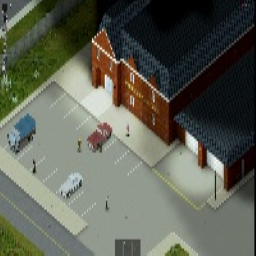
Rosewood Fire Department Spawn
par 76561198118423989
Ever wanted to spawn specifically at the Rosewood fire department? well now you can! Workshop ID: 2933266033 Mod ID: RosewoodFireSpawn Map Folder: SpReddits Rosewood Fire Department Spawn
![[NPDM] Cute Blood – Project Zomboid Mod](https://images.steamusercontent.com/ugc/27691615774881380/A1E4F44EE332F586F9944613CF90CBAE57CBBBA5/)
[NPDM] Cute Blood
par 76561198068788655
ASH 2025: Cute Blood Fix up the PZ Massacre With Cute Blood! The Base game Experience has terribly low quality masks. they often get in the way of the important facial area's during nice action / fun Which means the screenshots also get a little ruined due to the face being covered in odd bloodspots.. But Now The Blood is Cute! And Avoids going Near certain facial parts So your Images will be more Aesthetic Full Suite of Textures to replace the basegame masks 1024x1024 For the Large Mask Texture Template Individual Masks Have 256x256 Textures Originally Designed & Made On / For Project AVA New Paradigm V19 But as its Blood / Masks, This will Work on all Types of body / everything PERMISSIONS. ASK FOR ALL MOD INQUIRIES RELATED TO PERMISSIONS: IE: do not re-upload this Mod under ANY circumstances. Not On the Workshop, or Anywhere. Support the Official Release. Workshop ID: 3458395621 Mod ID: NPDM_CuteBlood
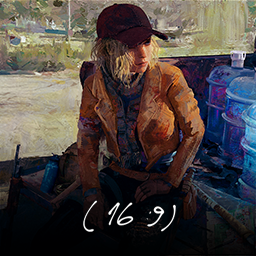
(16:9) Main menu artwork by Im_Dafox - Lily's journal p3
par 76561198030032273
Main Menu Artwork by yours truly - Im_Dafox Click here to see the artwork on the workshop ! Hope you enjoy it :] Workshop ID: 2756709882 Mod ID: Im_DaFox-Menu_Water169
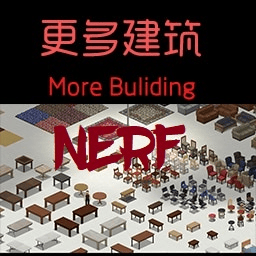
MoreBuild - Nerf Patch
par 76561199158095080
ORIGINAL MOD BY ProjectSky - https://steamcommunity.com/id/ProjectSky / https://steamcommunity.com/sharedfiles/filedetails/?id=515555911 Some chairs could be built with wooden boards and nails except that when you destroy them they give you scrap metal and metalworking xp. Now to build the metal chairs you need 5 planks, 2 nails, 2 scrap metal, and 1 level in metalworking. This mod is for server owners who want to make the game "harder" by patching some mods Workshop ID: 2977216777 Mod ID: MoreBuildsNerfMandoDB
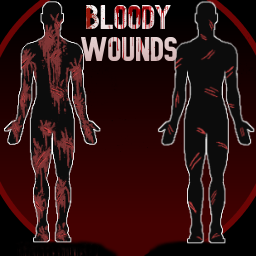
Bloody Wounds
par 76561199149276028
Bloodier Health Interface Wounds This is my first ever mod for anything, and it took soooo long to make, but I think it turned out pretty cool! What does this mod do? -Makes the wounds on the health interface look bloodier and more detailed -Includes the Simple Lines mod on top of it. This mod helped me a TON while making this, so huge thanks to the creator! If the creator wants me to remove their parts from this mod, I absolutely will. -Currently only includes new textures for scratches, glass, and deep wound (for male characters only for now) Bites and new bullet wound textures will be added later. Compatibility -This works with Wounds Overhaul(although can look a bit weird), cleanUI and should also work with any other mod that doesn't change the wound textures. Hopefully everything works together without issues? Workshop ID: 3786258719 Mod ID: BloodyWounds
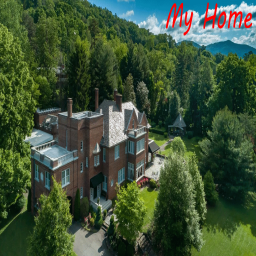
My Home
par 76561198061645568
The best home you can ever have in PZ. Located in the forest South of the Muldraugh Train Station, this fantastic property features : - A large 3-storey house with ready to plumb sinks, a huge in-suite master bedroom, vast furnished storage areas and more - A huge garage / warehouse to keep your cars and other stuff you don't immidiately need. - A guest house for people without clearance to the big house - A barn with 7 stall boxes and a coop in anticipation for next major farm animal update - A vegetable garden with its shed - A spacious parking lot - The whole property is enclosed in a double layer, military-grade fence / cinder blocks peeping-proof wall with a watch walkway all around - A safe vehicle airlock and discreet exits in every direction - Your very own fishing lake just outside the East exit. - Frequently Asked Questions - - Where is it? - It's in the forest patch just East of the Muldraugh train station. Access is done via the road that crosses the train tracks. - Why put it there? - In my humble 2000+ hours of gameplay, Muldraugh has always been the most strategic place to be if you want to have a decent range across the entire map. Now the town itself has too many zombies which is why the vast forest to the East is much, much safer (not 100% zombie free mind you) yet still allows easy access to the highway from Muldraugh through West Point to Louisville. - Why can't I spawn there? - Only Rangers can spawn there. It's part of a backstory I'm working on to awkwardly justify such wealth. Otherwise you'll have to 'stumble' upon it by yourself. - I can't see the house. How come? - There's a humber of reasons why you couldn't see it, from incompatibility issues (although rare) to wrong settings in your server/SP game. Mostly, if you're new to the game, it's because you can't add it to parts of the map that have already been explored. - I *REALLY* want to add it to my game. Is it possible? - Actually yes. First off, if you haven't explored cell 37,30 then it should be added without any issue but even if you did explore parts of that cell, you can identify and delete the map files associated with that area and it should work upon reload. I won't explain here how to do that but I'm sure that it's well documented somewhere. - Can the house be placed somewhere else? - No, sorry. Workshop ID: 2713783586 Mod ID: MyHome Map Folder: My Home

Sims Plumbob
par 76561198057282468
B41/B42Description Shows a Sims plumbob over the player which reacts to character health and does a little shake when you take damage. Health Color It shows green when healthy (above 70% health), then turns yellow down to 30%, and finally red when your life is in danger. Damage Shake It shakes when receiving damage, including passive damage from bleeding or being overencumbered. The shake intensity scales depending on how much damage you take. Multiplayer It's completely client-side and only shows on your character just like in The Sims, so you can safely use it without problems on multiplayer servers. Important -- For the Smoothest Animation The animation relies on the UI framerate. Make sure to deactivate the UI frame lock in your display settings for the best experience, or else it will struggle to follow the player smoothly. Workshop ID: 3687609677 Mod ID: simsPlumbob
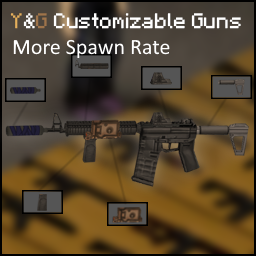
Y&G Customizable Guns More spawn rate
par 76561198450423771
Y&G Customizable Guns mod but with my preferred spawn rate. AR and normal Rifle now spawn more frequently in gun shop. This mod must be loaded after Y&G Customizable mod using Mod Manager order or just enable this mod after enabling York's mod Workshop ID: 3166583436 Mod ID: YCGMSR
![Simple Status + Sanity [DEPRECATED] – Project Zomboid Mod](https://images.steamusercontent.com/ugc/1884220672921285867/E552CAB346284C119906A1A690522A9B29F2134A/)
Simple Status + Sanity [DEPRECATED]
par 76561198253011462
PLEASE USE THE simple status! :) https://steamcommunity.com/sharedfiles/filedetails/?id=2966174784 as it is a lot better and the original creator included sanity by default. Added language support: EN, PL, JA, ES, DE, CH, KO, FR and RU. Workshop ID: 2884004650 Mod ID: simpleStatusSanity_X
(RU)Horde Night
par 76561198038423617
(RU)Horde Night Русификатор мода Horde Night Workshop ID: 2867474662 Mod ID: (RU)HordeNight
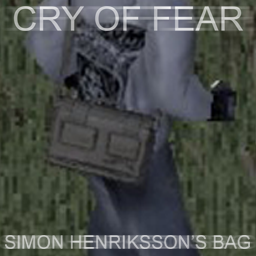
(B41+/B42) CRY OF FEAR: Simon Henriksson's Bag (RETEXTURE)
par 76561199175112135
Retextures satchel (KHAKI) to Simon Henriksson's bag from Cry of Fear. Workshop ID: 3001063660 Mod ID: CofBagRetexture
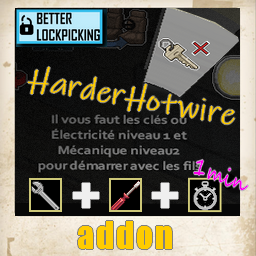
added Tools : Harder Hotwiring (skills related)
par 76561198073717195
Harder hotwiring Hotwire is more harder now, you need tools for this (screwdriver and wrench). Time delay is added and related to your mechanic and electricity skills. A Better lockpicking version is needed. Time delay for access to electric wires: Mechanic skill = 2 and Electricity skill = 1 >> 1 minute 20 secondes Mechanic skill = 6 and Electricity skill = 6 >> 35 secondes Mechanic skill = 10 and Electricity skill = 10 >> 20 secondes The delay time action is proportional and exponential, but never below 20 seconds If you think this mod would be interesting for the community Workshop ID: 2802234382 Mod ID: addToolsHarderHotwiring
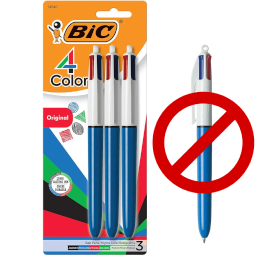
4 Color Pen (no biscalibur)
par 76561198090564228
A version of the OG mod without the op biscalibur. (you don't need to install OG mod) https://steamcommunity.com/sharedfiles/filedetails/?id=2753894806 Workshop ID: 3082681898 Mod ID: 4ColorBicPen_only
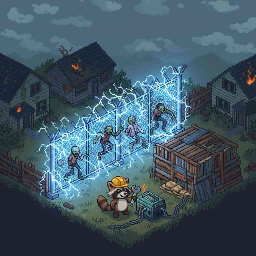
Electric Fence
par 76561198929132706
电围栏 / Electric Fence "僵尸想翻墙?让它们尝尝触电的滋味。" "Zombies trying to climb the fence? Let them taste the shock." 适配 Build 42 | 纯客户端 | 性能影响极小 | 中英文支持 Build 42 | Client-side only | Minimal performance impact | CN/EN supported 核心玩法 / Core Gameplay 给你建造的围墙和围栏通上电,让它们变成僵尸的噩梦。通电围栏会对靠近的僵尸造成持续电击伤害、麻痹和击倒效果。 Electrify your walls and fences, turning them into zombie nightmares. Electrified fences deal continuous shock damage, paralyze, and knock down nearby zombies. - 持续电击 / Continuous Shock:僵尸靠近通电围栏时每秒扣血,默认 8%(约 13 秒杀死普通僵尸) / Zombies take damage every second near electrified fences, default 8% (kills a normal zombie in ~13 seconds) - 麻痹效果 / Paralysis:被电击的僵尸会原地停住,无法移动和攻击 / Shocked zombies are paralyzed in place, unable to move or attack - 概率击倒 / Knockdown Chance:每次电击冷却后有概率直接击倒僵尸,未击倒时踉跄抽搐 / Chance to knock down zombies after cooldown; if not knocked down, they stagger instead - 需要供电 / Requires Power:电网或发电机供电时才生效,停电后围栏失效 / Only works with grid power or generators; no power = no shock - 消耗燃料 / Fuel Consumption:通电围栏会消耗发电机燃料,围栏越多耗油越快,发电机信息面板可查看用电详情 / Electrified fences drain generator fuel; more fences = faster drain; details shown in generator info panel - 电击玩家 / Player Shock:可选开启,玩家接触通电围栏也会受伤(默认关闭) / Optional: players also take damage from electrified fences (off by default) 安装系统 / Installation System 不是随便通个电就行——你需要技能和材料。 You can't just flip a switch — you need skills and materials. - 电工技能 / Electrical Skill:默认需要 2 级电工技能(可调 0~10) / Default requires Electrical skill level 2 (configurable 0-10) - 所需材料 / Required Materials: - 铁丝 x2 / Wire x2 - 电线 x1 / Electrical Wire x1 - 电子废料 x1 / Electronics Scrap x1 - 螺丝刀(不消耗) / Screwdriver (not consumed) - 右键菜单安装 / Right-click to Install:对围墙/围栏右键即可安装或拆除,拆除时返还部分材料 / Right-click any wall or fence to electrify or de-electrify; partial material refund on removal - 一键批量通电 / Batch Electrify:右键时可选择"所有相连围栏",自动检测物理相邻的围栏链并一次性安装,安装前弹出确认框显示总材料消耗 / Select "all connected fences" to auto-detect and electrify the entire connected fence chain at once; confirmation dialog shows total material cost - 智能选中 / Smart Selection:自动扫描点击位置及相邻格子的围栏,不用精确点中 / Auto-scans clicked tile and adjacent tiles, no need for pixel-perfect clicking 视觉效果 / Visual Effects 通电围栏不只是功能性的,它看起来也很带劲。 Electrified fences don't just work — they look the part too. - 轮廓高亮 / Outline Highlight:通电围栏显示彩色轮廓光芒,一眼就能分辨 / Electrified fences glow with a colored outline, instantly recognizable - 电弧闪烁 / Electric Arc Flicker:随机频率的电弧闪烁效果,每段围栏独立节奏,模拟真实电弧 / Random-frequency spark flickering, each fence segment with independent timing, simulating real electric arcs - 放电加粗 / Dynamic Outline:放电瞬间轮廓自动加粗,更有冲击力 / Outline automatically thickens during spark discharge for extra impact - 僵尸电击闪光 / Zombie Shock Flash:僵尸被电击时全身闪烁高亮 / Zombies flash and blink when shocked - 7 种高亮颜色 / 7 Highlight Colors:蓝白、电光绿、红色、紫色、金黄、青色、白色 / Blue-White, Electric Green, Red, Purple, Golden Yellow, Cyan, White - 闪烁可关闭 / Flicker Toggle:不喜欢闪烁?可以关闭,只保留稳定轮廓光 / Don't like flickering? Turn it off for a steady outline glow 沙盒设置 / Sandbox Options 所有核心参数均可自定义,打造你想要的电围栏体验。 All core parameters are fully customizable for your ideal electric fence experience. 战斗参数 / Combat Parameters - 启用电围栏 / Enable Electric Fence:总开关 / Master toggle - 每秒伤害 / Damage Per Second:1%~50%,默认 8% / 1%-50%, default 8% - 击倒冷却 / Knockdown Cooldown:1~30 秒,默认 8 秒 / 1-30 seconds, default 8s - 击倒概率 / Knockdown Chance:0%~100%,默认 20%(0=永不击倒)/ 0%-100%, default 20% (0 = never) - 麻痹时间 / Paralyze Duration:1~15 秒,默认 3 秒 / 1-15 seconds, default 3s - 电击玩家 / Player Damage:开/关,默认关闭 / Toggle, default off - 玩家电击伤害 / Player Damage Per Shock:1%~50%,默认 3% / 1%-50%, default 3% 安装要求 / Installation Requirements - 电工技能 / Electrical Skill:0~10 级,默认 2 级(0=无需技能)/ 0-10, default 2 (0 = no skill needed) - 铁丝数量 / Wire Required:0~10,默认 2(0=不需要)/ 0-10, default 2 (0 = none) - 电线数量 / Electrical Wire:0~10,默认 1 / 0-10, default 1 - 电子废料 / Electronics Scrap:0~5,默认 1 / 0-5, default 1 - 启用批量通电 / Enable Batch Electrify:开/关,默认开启 / Toggle, default on 燃料与供电 / Fuel & Power - 围栏消耗燃料 / Fences Consume Fuel:开/关,默认开启 / Toggle, default on - 每段每小时油耗 / Fuel Per Fence Per Hour:0.1~10.0,默认 1.0 / 0.1-10.0, default 1.0 视觉效果 / Visual - 显示视觉效果 / Show Visual Effect:开/关轮廓高亮 / Toggle outline highlight - 启用电弧闪烁 / Enable Flicker:开/关闪烁效果 / Toggle spark flickering - 高亮颜色 / Highlight Color:7 种预设颜色 / 7 preset colors 更新日志 / Changelog v1.1 — 2026-04-26 新功能 / New Features - 电击玩家 / Player Shock — 新增 Sandbox 选项,开启后玩家接触通电围栏也会受到电击伤害(默认关闭) / New sandbox option: players take damage from electrified fences (off by default) - 发电机燃料消耗 / Generator Fuel Consumption — 通电围栏会消耗最近发电机的燃料,围栏越多耗油越快(默认每段每小时 1.0);发电机信息面板显示电围栏用电详情 / Electrified fences drain fuel from the nearest generator; more fences = faster drain (default 1.0/fence/hr); electric fence power usage shown in generator info panel - 一键批量通电 / Batch Electrify — 右键围栏时可选择"所有相连围栏",自动检测物理相邻的围栏链并一次性安装,安装前弹出确认框显示总材料消耗 / Right-click a fence to select "all connected fences"; auto-detects adjacent fence chains and electrifies them all at once with a confirmation dialog showing total material cost 如遇 Bug 或平衡性问题,欢迎留言反馈。 If you encounter bugs or balance issues, feedback is welcome. Workshop ID: 3692579093 Mod ID: ElectricFence

(b42.4.1) Velkiel's Liquid Context Menu
par 76561198025594219
You can finally fill any liquids container through the context menu instead of the transfer window ! Features : - Fill any world liquid container from an item, by simply... pouring them it in! - You can fill from multiple containers at once, either from all of them or from specific fluid type (water, whisky, gasoline, etc.) Or by container type (jerrycan, bottle, etc.) - The menu respects the current implementation of the liquids system : you can't mix everything, for instance, you cannot mix water and gasoline : the empty all option will be blocked if you try Translations : - English - French If you want to add some more translation, you can open a discussion about it I recently lost my job, that's why I get to work on this mod. If it helped you, please consider donating to me on my Paypal Please don't repost or use my work or any of my mods without permission first, as the indie stone modding guideline kindly asks, thank you ! Thank you ! Coming soon : - Maybe add new useful and easier fluid features Let me know if you have any issues or suggestions by opening a discussion about it ! If you're experiencing issues with the mod, open a discussion about it in the mod discussion panel please Known issues : - None 1.01: - Fixed compatibility issues with the 42.3 game version 1.00: - Initial release Workshop ID: 3421135041 Mod ID: velkiel_liquids_context_menu
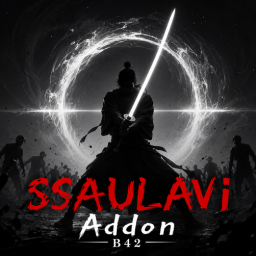
SSAULAVI Addon
par 76561198915548866
This mod requires the "SSAULAVI" mod to function properly. SSAULAVI: https://steamcommunity.com/sharedfiles/filedetails/?id=2887274097&searchtext=SSAULAVI This mod is an add-on for the original SSAULAVI mod. It introduces new weapons that were not in the original and slightly expands the storyline. ------------------------------------------------- 1 God Sword A weapon directly tied to the lore of the SSAULAVI mod. Outperforms guns in certain situations. 1 Godly Sword Check in-game for detailed stats and info. Weapon Balance Warning The weapons in this mod are NOT balanced for vanilla gameplay. Highly recommended for hardcore players dealing with high-density hordes (e.g., 16x zombie count, Horde Night) or using Random Zombie mods. Add more Masterpiece/Divine Swords unobtainable except via world spawns or forging Add a recycling recipe to salvage Masterpiece Swords Implement various other ideas ------------------------------------------------- ※ This mod was created purely out of fan appreciation for the original SSAULAVI mod. Although designed to adhere strictly to Workshop community guidelines, unintended issues may arise. This mod will be taken down immediately if requested by the original author. Original Mod: https://steamcommunity.com/sharedfiles/filedetails/?id=2887274097&searchtext=SSAULAVI Workshop ID: 3439394844 Mod ID: SAO5132
Project Zomboid Guides
Installer des mods Project Zomboid - Guide Workshop
Installe proprement des mods Project Zomboid via le Steam Workshop : saisir les IDs, vérifier l’ordre, redémarrer le serveur et corriger les erreurs typiques.
Louer un serveur Project Zomboid – guide multijoueur
Configurer un serveur Project Zomboid : RAM, paramètres sandbox, mods Workshop, droits admin et vérification propre des erreurs typiques.
Serveur Project Zomboid avec support des mods
Installez les mods compatibles et pris en charge depuis le tableau de bord.
Louer un serveur Project Zomboid