Mods et plugins pour Project Zomboid
Ce catalogue répertorie 52 000+ projets Project Zomboid provenant de Steam Workshop. Les entrées peuvent être côté serveur, côté client ou requises des deux côtés, et inclure des cartes ou d’autres contenus créés par les utilisateurs. Avant l’installation, vérifiez la page source liée, la version du jeu et les dépendances.
![Wandering Hordes: Dynamic Zombie Migration & Hordes System [Hordes Hordes Hordes] – Project Zomboid Mod](https://images.steamusercontent.com/ugc/10593745276032524295/DC69C7D52C8EE80A1804643AB2F76995C8CA69ED/)
Wandering Hordes: Dynamic Zombie Migration & Hordes System [Hordes Hordes Hordes]
par 76561199258130868
If you enjoy this mod, please support it. It will help more people to see this mod and also motivate the author to make updates. ⭐ About mod: This mod simulates zombie wandering across Knox Country. No HUD warnings, no scripted alerts and no zombies that magically know where you are. Gameplay is realistic and respectful. ⚡ PLUG & PLAY: Just hit Subscribe. This mod includes several ready-to-play presets for different playstyles. Zero setup required. But if you need flexible configuration options, the mod is fully customizable. It's also fully compatible with multiplayer. ❓ FAQ 99% of answers on questions you will find here, in FAQs (including mods compatibilities and mechanics). If you have unique question, i will add it to the list for future readers. steamcommunity.com/workshop/filedetails/discussion/3759920384/581680031271751944/ Info about presets: steamcommunity.com/workshop/filedetails/discussion/3759920384/581680031271722456/ How does this mod differ from other hordes mods? Most of the hordes mods offer you two options: - A fixed spawn of homing zombies every couple of days (7 Days to Die style); - Or complex systems where zombies roam the map, which are difficult to configure and understand for average player, cause lag and produce unpredictable results (99% zombies move far away from the player, and you'll either not meet anyone in a month, or you'll stumble upon five zombie groups). They don't give exactly what you want, and you're looking for stable, fair, and cinematic gameplay? It's time to change that. - This mod offers something unique. It spawns zombies based on different spawn chances that move in player direction with a wide spread. - Spawn chances are distributed via the diffusion system (check the FAQ for more specific info). - The system works dynamically using mathematical formulas and can be adjusted through the settings in sandbox options. Mod was designed to be flexible and to serve as universal tool. You can change it however you like. - This mod doesn't focus on spawning homing zombies or making performance-heavy overkill full-map simulations. But it focus on creating suspense and making the game fun and dynamic like in good zombie games (State of Decay 2, Left 4 Dead etc.), while keeping the gameplay fair. What are benefits of this mod? - Multiplayer compatibility - Optimized UX and easy using - Lightweight and optimized - Solid code with minimal risk of incompatibilities or errors - Flexible settings through different mathematical formulas 🗺️ How It Works In-Game - 🧟 Wandering Hordes system: This mod spawns roaming groups of zombies based on a spawn chance. They move toward the player with a random spread. You never know whether they'll just pass by on the street or come right to your door - 🏙️ Migration system: Spawn rates have been increased in cities and are distributed throughout the surrounding area and highways. It's pretty safe in rural areas, but in cities... barricade yourself on the second floor, or run away. It's a zombie apocalypse, after all. - 🎲 Random group sizes: Group sizes vary - from lone zombies and small pairs of scouts to groups of 50 zombies. The spawn rates for groups of different sizes are balanced from the start; you won't be overwhelmed by a zombie tsunami (unless you want that to happen in the sandbox). - 🔊 Sound Attraction: Gunshots, car engines, sirens, and explosions pull roaming hordes off their path and straight toward the noise. I advise you to be quiet in zombie apocalypse. - 🛑 Smart & Fair Spawning: Zombies spawn at a realistic distance (75 tiles) and heading in your general direction. There's quite a wide spread of direction, and they're very likely to pass us by, but there's always a chance they will visit you. - ♻️ Clean & Smooth Performance: Zombies that walked past are automatically despawned. Stuck zombies despawn automatically over time. Distributed load to prevent lags and peak loads. - 👥 Multiplayer compatibility: Features smart player clustering with a united spawn chance so co-op teams don't get unfairly spammed with multiple horde spawns. ⚙️ Total Sandbox Control This mod doesn't perform heavy simulations but instead relies on mathematical formulas and random. You can use this mod as you want, this mod was designed to be flexible and serve as a universal tool. This mod is fully customizable in sandbox options: - Minimal spawn chance and spawn chances in each city on the map. - Group sizes and chances on each group type. - Zombie passability multiplier for different zones on different day. - Zombie spawn chance multiplier in cities on final day. - Zombie spawn and deleting distance. - Zombie spawn multiplier in different hours. - And different... Example of sandbox settings you can see on image. For multiplayer: Workshop ID: 3759920384 Mod core ID (must be turned on): - WanderingHordesCore; Presets ID (must be turned on any of them, together with core): - WanderingHordes (Author's preset); - WanderingHordes28DaysLater; - WanderingHordesVanillaPlus; - WanderingHordesWalkingDead; My other mods: https://steamcommunity.com/sharedfiles/filedetails/?id=3759812962 Before writing comment: - Check the FAQ to see if there's an answer to your question or about the mod mechanic you're looking for, i don't like answering the same questions 10 times. - Please respond in clear language as well.
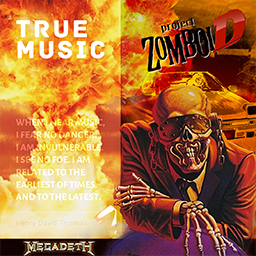
True Music Addon: Megadeth
par 76561198088687838
Megadeth comes to Project Zomboid Song List: 13 44 Minutes 502 1000 Times Goodbye 1320' A House Divided (Bonus Track) A Secret Place A Tout Le Monde (Set Me Free) A Tout Le Monde Absolution (Bonus Instrumental) Addicted to Chaos All I Want (Bonus Track) Almost Honest Amerikhastan Anarchy in the U.K. Architecture of aggression Ashes in your mouth Back in the day Bad Omen Beginning Of Sorrow Bite The Hand That Feeds Black Curtains Black Swan Blackmail the universe Blessed Are the Dead Blood of Heroes Bodies Left Behind Breadline Built For War Bullet To The Brain Bullprick (Bonus) Burn! Burning Bridges Burnt Ice Captive honour Chosen Ones Cold Sweat (Thin Lizzy Cover) Conquer Or Die Countdown to extinction Crush 'em Dance In The Rain Dawn Patrol Deadly Nightshade Death From Within Devils Island Dialectic Chaos + This Day We Fight! Dialectic Chaos Die dead enough Disconnect Don't Turn Your Back. Dread And The Fugitive Mind Dystopia Ecstasy Elysian Fields Endgame Enter the Arena Evil That's Within (Bonus) Family Tree Fast Lane Fatal Illusion FFF Five Magics Foreclosure of a dream Foreign Policy Forget To Remember Gears of War Good Mourning _ Black Friday Guns Drugs & Money Hangar 18 Have Cool Will Travel Head Crusher High speed dirt Holy Wars...The Punishment Due (D Holy Wars...The Punishment Due Hook in Mouth How The Story Ends I Ain't Superstitious I know Jack I Thought I Knew it All I'll Be There I'll Get Even In My Darkest Hour Bonus Paul Lan In My Darkest Hour Insomnia Into the Lungs of Hell Bonus Paul Into the Lungs of Hell Kick the chair Killing Is My Business and Busine Kingmaker Last Rites_Loved to Death Liar Looking Down the Cross Losing My Senses Lucretia Lying In State Mary Jane Bonus Paul Lani Mix Mary Jane Mastermind Mechanix Millenium of the Blind (Bonus Dem Millennium Of The Blind Moto Psycho My Creation My kingdom My Last Words Never Dead Never Walk Alone...A Call to Arms New World Order Of mice and men Off The Edge Out of the tiles Peace Sells Poison Was The Cure Poisonous Shadows Post American World Pray For Blood Prince of Darkness Promises Psychotron Public Enemy No. 1 Rattlehead Recipe For Hate... Warhorse Reckoning Day Return To Hangar Rust In Peace...Polaris Set the World Afire Bonus Paul La Set the World Afire Seven Shadow of Deth She-Wolf Silent Scorn Sin Skin o' my teeth Sleepwalker Something that I'm not Sudden Death Super Collider Sweating bullets Symphony of destruction Take No Prisoners Tears in a vial The Blackest Crow The Conjuring The Disintegrators The Doctor is Calling The Emperor The Hardest Part Of Letting Go... Sealed With A Kiss The Killing Road The Right To Go Insane The scorpion The Skull Beneath the Skin The Threat Is Real The World Needs A Hero These Boots This Day We Fight! This was my life Time _ The Beginning Time _ The End Tornado Of Souls Train of Consequences Trust (Bonus Spanish Version) Trust Truth be told United Abominations Use the Man Victory Vortex (Bonus Alternate Version) Vortex Wake Up Dead Wanderlust Washington is Next! We The People When Whose Life (Is It Anyways) Wrecker You're Dead Youthanasia Workshop ID: 2901958746 Mod ID: TrueMusic_Addon_Megadeth

Inmu Alert Sound
par 76561198146830745
The mod replaces zombie surprising sound with the alert sound from inmu culture. Created for my server, available in both SP/MP . Workshop ID: 2859028639 Mod ID: inmuAlert
The Bunker
par 76561197992614310
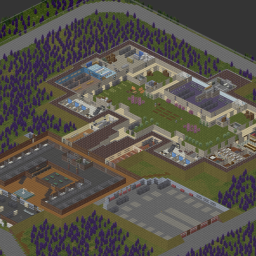
COMMISSIONED BY warlordhesu and XiaoKJ03 The epic military prepper bunker base! Hidden in plain sight and packed to the brim with awesomeness! Rooms included: - Supply Room - Semitruck access - Prison - Bakery - Large Kitchen - Dormitories - Farm - Eight car, two semi garage - Security Rooms - High protection room - Layers of defense against hoards and much more! Funnel zomboids through bottlenecks to keep you and your friends safe and bite-free! Survive in style with an EPIC RACE TRACK! There are NO ZOMBIE SPAWNS in this map. Goes with vanilla just east of the large Muldraugh 4-way curved intersection. Takes cells (37,36) and (37,35) NOTE: This is a commissioned map and will not accept any changes or updates from anyone other than the commissioners. Take your zomboid fate in your hands, play, survive, thrive! Come hang out and join our Community! We have our own dedicated PZ Server https://discord.gg/become-an-outcast Forever Backup: https://discord.gg/KgNBWyfcvZ Workshop ID: 3385092439 Mod ID: The Bunker Map Folder: The Bunker

Toggle Sleep in Singleplayer
par 76561198149747898
Adds a "Sleep" option in Custom Sandbox. Prevents fatigue from increasing when disabled. This mod is known to break for some people and I can't fix it. If you have issues I highly recommend you use this mod instead: https://steamcommunity.com/sharedfiles/filedetails/?id=2762998983 Workshop ID: 2719210138 Mod ID: TGSleep
Restore Utilities - BETA
par 76561198047070113
RESTORE UTILITIES IN B42 This is a simple port of Restore Utilities to B42, on a separate branch to hopefully make things less chaotic as this port is missing a critical feature of the mod THERE ARE NO AREAS TO REPAIR AT BY DEFAULT The official mapping tools have not yet been updated for B42, so the map part of this mod will not be brought over to B42 for now. However, as of March 2026, there is now a sub-mod you can enable that will add repair locations to the base map. In the sub-mod, the power repairs can be performed at a substation south-east of Louisville , the water repairs can be performed inside a small computer room in the water treatment plant, south of Rosewood If you'd like to automatically add these areas to the official PZ map, click here, then press "Add to existing markers". (Make sure you swap the map over to B42 in the top-left corner, it may be on B41 by default!) If I don't want to use the sub-mod, how do I perform utility repairs? The same admin/debug menu as before still works for you to place and delete repair zones. However, you may not want to use debug mode if you're doing a serious playthrough, so in another new sub-mod I added 2 new items that will let you place either of the utilities at a place of your choosing. They require level 1 electrical and 20 electronic scrap + 1 advanced electronic scrap to craft, once you have one you can right-click any square in the world to mark it as an area you can do repairs for the utility of your choosing. This works exactly the same as placing one in admin mode behind the scenes (meaning you can use debug mode to remove the spot). It should be noted these new items can only be placed once and cannot be picked up, though you can repair at them an infinite number of times. The repair square can also ONLY be removed in debug mode by right-clicking it and using the admin menu. Also without a coil fuse, repairs are... kinda loud (meaning it'll attract a lot of zombies!!). Do repairs from the comfort of your base at your own peril, you have been warned. WHAT HAPPENS NEXT? Other than fixing any bugs that pop up, nothing. I'll wait for the official B42 mapping tools to come out and remaster the original Rosewood and Muldraugh repair buildings, then once that update is stable I'll push this B42 update to the main mod and set this beta build to private. Afterwards I'll start working on Restore Utilities 2.0... >:) As of 2026 I'm not sure if I'll work on bringing the old buildings back, even if the mapping tools are updated. The sub-mod repair locations actually work pretty well and are roughly in the same area as the old ones anyway. However, there are very loose plans for a Restore Utilities 2.0 in the works that might see the light one day, we'll see. :) Workshop ID: 3409422147 Mod ID: restore_utilities Mod ID: restore_utilities_AiwRL Mod ID: restore_utilities_PRL
EFT Boss Occupations
par 76561198080073956
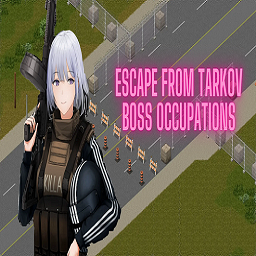
All Escape from Tarkov boss occupations. This could be best used for some kind of pvp server due to the high stats the occupations give. Workshop ID: 3045542056 Mod ID: EFTBoss

DIY EngineParts Re-Imagined
par 76561197960859356
Mod Overview Allows the player to learn recipes that enable to make their own new car parts from scratch rather than have to constantly scavenge from cars on the map and gradually run the map out of usable cars. Features - Adds recipe magazines to find that teach the new recipes for creation of new car parts. Magazines can be found in all the same loot containers as the vanilla magazines that teach how to repair their respective car type, though at a rarer spawn chance. - Crafting skill requirements for creating parts are scaled based on the skill requirements to install/uninstall the specific part. - Uses Build 42's Auto-Learn recipe system to allow the lowest tier of every car part type to be Auto-Learned without the magazines ensuring that if the player has the required skills they will always be able to make at least basic parts even if they've been unable to locate the magazines. Note - AutoLearn skill requirements are much higher than the skill requirements to craft the item much like vanilla recipes{/i] - All recipes grant a small amount of experience points for all crafting skills used. Amount is small and not intended as a means to level the skills. Credits Original mod concept credit goes to The15karat and their "DIY Engine Parts!" mod. This mod is not a recreation of their mod but rather uses it as a source of inspiration to bring the concept to Build 42. Link to their mod here: https://steamcommunity.com/sharedfiles/filedetails/?id=2770498315 Compatibility - Mod version 1.2 included for game version 42.0.0 - 42.12.3 for users remaining on the 42.12.3 branch. This version will not receive any new updates. - Mod version 1.3+ for 42.13.0 & newer - Mod version 1.3.2+ for 42.15.0 & newer - Mod version 1.4.0 for 42.18.0 & newer - Mod version 1.4.1 for 42.20.0 & newer - Mod version 1.4.2 for 42.20.4 & newer - NOT compatible with Build 41 - Shouldn't have compatibility issues with other vehicle mods as it only generates and uses vanilla items Planned Future Changes - Possible recipe balance tweaks - Possible expansion to add more skill variants of recipes and better integration of new workstations Author's Notes This is the first ever mod I've written, so while I've done extensive testing prior to uploading, bugs may have slipped through. Known Issues - Version 1.3.3 - Works properly in dedicated server environments. Hosted multiplayer not yet tested, I don't have the means to test this currently in my environment so if you're encountering issues please let me know. Known Issues - Version 1.2 - Presently the mod does allow you to create the LightBar parts but the actual repair function to use them appears to currently be broken as of 42.7.0, so there is no way to use them. This is not an issue of the mod itself but rather the game itself as the same behavior occurs with the items found in the world Workshop ID: 3480983196 Mod ID: DIYR
![[COS] Geralt – Project Zomboid Mod](https://images.steamusercontent.com/ugc/2044106694545458716/F7CCC7B34219EB8C7B47062EB7A8473C1B2161E9/)
[COS] Geralt
par 76561199178116693
How Do I Use It? - You can go to the link below to see how to use it. - Link Recommended mode - Fashionoid - Gear Transmog - Hide All Attached Items - Clipping animation Fix How to use COS mode in build 42. - Navigate to the path where the mod is installed. - Create a 42.0 folder. - Create a common folder. - Paste the media folder / mod.info / preview.png into the 42.0 folder. The recipe code writing method has been changed in 42Build. Since COS (Costume) mode has approximately over 200 modes, converting to 42Build's recipe code is an extremely laborious task. In 42Build, you cannot create costumes in (42 build) the crafting tab. There are two methods: Spawn items in cheat mode. Select items in the clothing selection screen when creating a character. Like My Mode? - Join Our Discord If You Want Commission
![[B42] Bandits Week One 简中汉化 – Project Zomboid Mod](https://images.steamusercontent.com/ugc/10966666473627698875/B359E87BCD23F960CEA9CDC9E8A73183C6E4A140/)
[B42] Bandits Week One 简中汉化
par 76561199103258790
使用说明: 将模组放在Bandits Week One下方或者模组排序最下面都可以,如果你加入了统一模组汉化也可以放在他下方(我更新比他快的情况下)。 汉化版本:42.17 汉化内容: 选择出生点界面汉化。 创建“自定义沙盒”时所有可调节的世界选项。 还有啥我也忘了,还没弄完先将就用着吧。 如果遇到汉化失效、部分未汉化,请在下面留言让我知道。 原MOD地址:https://steamcommunity.com/sharedfiles/filedetails/?id=3403180543&searchtext=week+one Workshop ID: 3720341675 Mod ID: BanditsWeekOne_CNJF Map Folder: Lake Fallas, KY Map Folder: Louisville, KY Map Folder: Muldraugh+, KY

CSD Utils
par 76561198821409422
WARNING! This mod is for my personal use and meant to be used for my personal server. DO NOT subscribe and use if you do not know what you are doing. Problem: Clothing mods keep on overwriting ClothingSelectionDefinitions.lua file and/or ClothingSelectionDefinitions table contents. Solution: Use a function that will insert the new (unique) items instead of overwriting everything. mod CSD_Utils: Adds the function mergeCSD(). If you want to know what it does, open `media\lua\client\CSD_Utils.lua`, the function has a bit of documentation. mod CSD_Wipe: Completely empties ClothingSelectionDefinitions. This means you can't select any clothing at all in the Character Creation Screen/Menu unless you have mods below this that repopulates the table/list. WARNING: Be very careful with this, if ClothingSelectionDefinitions is still empty on game boot and the game calls it then you'll have an error and can't proceed to main menu. If a mod/file invokes mergeCSD() and its file name loads earlier than `!!_CSD_Wipe.lua`, the same behavior occurs. mod CSD_VanillaB41_Insert: requires mod CSD_Utils uses CSD_Utils.mergeCSD() with replaceItems and replaceChance flags set to `false`. This insert the entire vanilla ClothingSelectionDefinitions. Useful if you have CSD_Wipe or are using mod/s that overwrite ClothingSelectionDefinitions and is missing a vanilla category or item/s that you wanted. Workshop ID: 3593191433 Mod ID: CSD_Utils Mod ID: CSD_VanillaB41_Insert Mod ID: CSD_Wipe

Whiskey's Moodles
par 76561198036970860
Description This mod replaces the new moodles with the old ones. I also redrew some of the old moodles 2 options borders with transparent background were added. Also, for those who like the new icons, the option to change only borders is available MOODLES EXAMPLES Borders EXAMPLES Don't forget to like and add to favorites tags=Build 41, Build 42, Framework, Interface, Misc, Pop Culture, QoL, Textures visibility=public
Zombie Slayer Arsenal Repair
par 76561198068680632
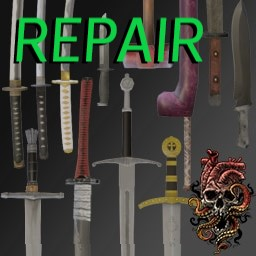
Allows the repair of all weapons from the Zombie Slayer Arsenal mod. Requires mid-to-late-game Metalworking skills (4-10) to repair, with rarer, more powerful weapons requiring higher levels. Workshop ID: 3128960585 Mod ID: Zombie Slayer Arsenal Repair

PvE Protection Mod
par 76561199042257388
PvE Protection Mod Adds the a free trait that players can take The "PvE" trait will disable PvP damages against and from the players with the trait Adds Tag above players head to indicate they are non PvP players The mod offers harmony between players of both play modes Made for MP Servers Can be installed mid game -------------------------------------------------- Mod by Glytch3r Commissioned by marxcorrigan 28 Days Later Server All my mods are commissioned including this one For custom pz mod commissions contact Glytch3r discord: Glytch3r#7331 / glytch3r https://ko-fi.com/glytch3r Workshop ID: 3356790977 Mod ID: PvE_Protection
![[B41] Working Phones – Project Zomboid Mod](https://images.steamusercontent.com/ugc/11772900136171164974/91053748A2C224593C5FD7C4C052D2E90A21DCC0/)
[B41] Working Phones
par 76561199033892043
Working Phones Working Phones adds usable classic mobile phones and smartphones to Project Zomboid. Open a phone from your inventory and use its apps in-game. Every physical phone owns its number, contacts, settings and saved data. Phones can be carried, exchanged, lost or used by another player. Both phone types support multiplayer calls with working VOIP voice transmission after a call is answered. Included Phones - Classic 2210 Phone: Black, Blue and Red variants. - Generic Smartphone: Black, White and Blue variants. Classic 2210 - A monochrome keypad phone with a pixel-style display, physical UI buttons, soft keys, keypad navigation, battery and GSM indicators, classic tones, and mouse, keyboard and controller support. Generic Smartphone - A graphical phone with swipe-to-unlock, app grids, multiple home pages, status and navigation bars, touch-style controls, themes, wallpapers, app icons and modern sounds. Communication Features - A unique number assigned to each physical phone. - Phone-to-phone calls in singleplayer and multiplayer. - Working VOIP calls on classic phones and smartphones. - Synchronized ringing, answer, decline, hang-up, busy and unavailable states. - Call history with in-game dates, direction and result. - Phone-to-phone conversations powered through KnoxNet. - Contacts with direct call and message actions. - Nearby opened-phone discovery for easier contact exchange. - Phone notifications and ElyonLib toast notifications. - Nearby players can hear audible phones; ringing and alarms can attract zombies. Included Apps - Phone - dial contacts or numbers, manage calls and view call history. - Messages - create conversations, write messages and reply. - Contacts - add, edit, delete, call and message contacts. - Clock - multiple alarms with time, weekday and sound selection. - Calendar - browse complete months and dates. - Calculator - a functional calculator adapted to each display. - Journal - create, open, edit and delete phone notes. - Map - compact map/minimap view with panning, zoom and options. - Sounds - choose and preview tones, set volume, Sound, Vibrate or Silent mode. - Settings - phone settings plus smartphone themes and wallpapers. - Games Hub - supported games and persistent high scores. - Snake - classic phone and smartphone. - Tetris - classic phone and smartphone. - Chess - smartphone-only chess against AI. Smartphone Messenger The smartphone includes a graphical conversation view, multiline writing and a categorized picker with more than 1,200 emojis. Emoji tokens are transmitted so the receiving smartphone can render them correctly. Sounds And Customization - 7 Classic 2210 phone tones. - 4 smartphone ringtones. - 7 smartphone notification sounds. - 3 smartphone alarm sounds. - Short and long vibration sounds for notifications and calls. - Per-phone volume and Sound / Vibrate / Silent profiles. - Light and dark smartphone themes. - Six image wallpapers plus selectable color wallpapers. - Editable phone display names. Controls And Mod Options Use the mouse, configurable keyboard controls or automatic controller navigation. Players can continue moving while a phone is open. Optional control hints change with the last input type. Install Mod Options to configure Classic 2210 scale, smartphone scale, control-hint visibility and supported phone key bindings. How To Use - Find a classic phone naturally, spawn an item, or enable smartphone spawning in Sandbox Options. - Right-click it in your inventory and select Open Phone. - The phone receives a unique number when initialized. - Use Contacts, Messages or Phone to communicate with another phone. World Spawning Classic phones spawning is enabled by default. Smartphone spawning is disabled by default. Both phone families can be enabled or disabled independently in Sandbox Options. Container and zombie frequencies are configured separately. Enabled phones appear through lightweight replacement logic in appropriate electronics, home, office, locker, pawn-shop and similar loot locations. Sandbox Options - Enable classic-phone spawning. - Enable smartphone spawning. - Container and zombie phone spawn percentages. - Nearby opened-phone search radius. - Retained messages per contact. - Call-history limit per phone. Multiplayer And Persistence - Server-authoritative phone registration prevents duplicate numbers. - Numbers and data belong to phone items, not player accounts. - Phone messages remain separate from KnoxNet player conversations. - Accepted calls provide live VOIP between both phone users. - Game high scores support persistent world scoreboards. - History limits reduce unnecessary save and network data. Item Full Types WorkingPhones.Classic2210Phone WorkingPhones.Classic2210PhoneBlue WorkingPhones.Classic2210PhoneRed WorkingPhones.SmartphoneBlack WorkingPhones.SmartphoneWhite WorkingPhones.SmartphoneBlue Requirements - ElyonLib - KnoxNet - Mod Options - optional, recommended for UI scaling and hints. Work In Progress And Credits Working Phones is still in active development. UI, balance, multiplayer behavior and 3D/static models may continue to improve. More phone variants, models, apps, sounds and wallpapers can be added in future updates. The static 3D models used while phones are held or placed in the world are still being expanded and refined. Custom phone 3D models and phone animations are made by Sapph. Please include the console error and SP/MP context when reporting an issue. Commissioned by Kuma Khan from the Club Oasis community. I am open to commissions. Contact me on Discord at .ely0n or through the Project Zomboid Modding community. This mod uses TIS's On Lockdown permission policy. Do not modify or redistribute this mod without permission. Workshop ID: 3748031902 Mod ID: WorkingPhones
GTA IV Lvl up but different sound per level
par 76561198967586358
S̶o̶,̶ ̶w̶h̶a̶t̶ ̶m̶a̶k̶e̶s̶ ̶m̶y̶ ̶m̶o̶d̶ ̶d̶i̶f̶f̶e̶r̶e̶n̶t̶?̶ ̶W̶e̶l̶l̶,̶ ̶i̶t̶ ̶u̶s̶e̶s̶ ̶a̶ ̶l̶u̶a̶ ̶s̶c̶r̶i̶p̶t̶ ̶s̶o̶ ̶t̶h̶e̶r̶e̶ ̶a̶r̶e̶ ̶1̶0̶ ̶s̶o̶u̶n̶d̶s̶ ̶e̶a̶c̶h̶ ̶a̶s̶s̶i̶g̶n̶e̶d̶ ̶t̶o̶ ̶a̶ ̶s̶p̶e̶c̶i̶f̶i̶c̶ ̶l̶e̶v̶e̶l. Now this mod works a little differently. You can assign multiple sounds to each level. By default, each level has one unique sound assigned to it. Everything can be customized in the pause menu options. This is also kind of a mod temple; you can replace the sound files with any others (as long as they're in .wav format - I can't guarantee that other formats will work) or add new ones (you just need to add them to the LevelUps.txt file and to list in randomlevelups.lua) If you're interested there is also build 41 version: https://steamcommunity.com/sharedfiles/filedetails/?id=3511949003 And similar mod created by me with GTA IV TLAD themes: https://steamcommunity.com/sharedfiles/filedetails/?id=3550311285 Known issues: -Level up sound is played after character creation -Nothing more. If you found something please let me know in the comments. This mod was not tested in multiplayer. Workshop ID: 3456944494 Mod ID: GTAIVlvluplua

<<== WEAPONS ==>>
par 76561198014036706
This is mod is merely for organizing and categorizing your mod collection lists, it does not alter or affect gameplay in any way. When editing your workshop collections you can put this, and the other icons I've made, anywhere in the list and use it as a header to indicate the category which it describes. This can help create more oversight in your list of mods, happy sorting! Workshop ID: 3368329524 Mod ID: ModTemplate
Metal Bandsaw Log Sawing
par 76561198035317334
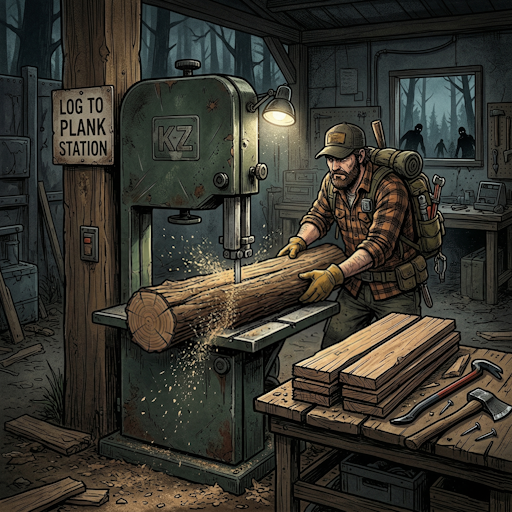
Industrial Saw - Metal Bandsaw Plank Maker B42.15+ ONLY solo/mp Description (EN) 🪚 INDUSTRIAL SAW - BANDSAW PLANK MAKER Transform your logs into planks using the vanilla Metal Bandsaw workstation! No need to carry a handsaw anymore - use industrial power for efficient woodworking. ═══════════════════════════════════════════ ⚙️ FEATURES ═══════════════════════════════════════════ ✅ USE THE VANILLA METAL BANDSAW • Works with the base game Metal Bandsaw (no new items needed) • Right-click on the bandsaw or on logs in your inventory ✅ EFFICIENT CONVERSION • Default: 1 Log = 3 Planks (configurable 1-10) • Process multiple logs at once: 1, 5, 10, 25, 50 or ALL • Time estimate shown in tooltips ✅ WORKS WITH LOGS EVERYWHERE • Logs in your inventory • Logs on the ground nearby • Automatic detection within configurable range ✅ REALISTIC BEHAVIOR • Planks drop on the ground near the bandsaw • Custom industrial sawing sound effect • Requires electricity (generator or grid power) • Grants Woodwork XP ✅ FULLY CONFIGURABLE (Server Admins) • Planks per Log (1-10, default: 3) • Sawing Speed (10-200 ticks, default: 40) • Log Search Range (1-15 tiles, default: 5) ✅ MULTIPLAYER COMPATIBLE • Works on servers • Server admins control settings via Sandbox Options ═══════════════════════════════════════════ 🌍 LANGUAGES SUPPORTED ═══════════════════════════════════════════ • English 🇬🇧 • Français 🇫🇷 • Deutsch 🇩🇪 • Español 🇪🇸 • Italiano 🇮🇹 • Português 🇧🇷 • Русский 🇷🇺 • Polski 🇵🇱 • 한국어 🇰🇷 • 中文 🇨🇳 • 日本語 🇯🇵 • ภษไทย 🇹🇭 ═══════════════════════════════════════════ 📋 HOW TO USE ═══════════════════════════════════════════ 1. Find or place a Metal Bandsaw 2. Make sure electricity is available (before shutdown or with generator) 3. Have logs in your inventory OR on the ground nearby 4. Right-click on the Metal Bandsaw 5. Select "Saw logs into planks" → Choose quantity 6. Wait for the action to complete 7. Pick up your planks from the ground! ═══════════════════════════════════════════ ⚡ REQUIREMENTS ═══════════════════════════════════════════ • Project Zomboid Build 42.15+ • Electricity (grid power or generator) • Metal Bandsaw (vanilla workstation) • Logs (Base.Log) ═══════════════════════════════════════════ 🔧 SANDBOX OPTIONS (Server Settings) ═══════════════════════════════════════════ IndustrialSaw.PlanksPerLog → Number of planks produced per log (1-10, default: 3) IndustrialSaw.TicksPerLog → Time to process each log in ticks (10-200, default: 40) → Lower = faster, Higher = slower IndustrialSaw.SearchRange → How far to search for logs on ground (1-15 tiles, default: 5) ═══════════════════════════════════════════ ⚙️ FEATURES ═══════════════════════════════════════════ ✅ Default: 1 Log = 3 Planks (configurable) ✅ Works with logs in inventory AND on ground ✅ Planks drop on ground near the bandsaw ✅ Custom industrial sawing sound ✅ Requires electricity ✅ Grants Woodwork XP ✅ Multiplayer compatible ✅ Server admin configurable settings ✅ 12 languages supported Compatible Build 42 | Solo & Multijoueur Workshop ID: 3702250114 Mod ID: IndustrialSawMod
AK replacement for M16 (Build 41)
par 76561198060208392
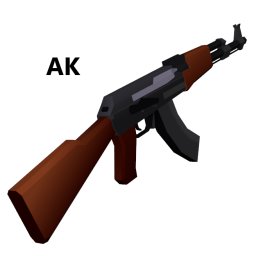
AK replacement for M16 (Build 41) "The M16 in game fires so slow, so I made a mod that turns it into an AK" THIS DOES NOT ADD NEW GUNS, THIS REPLACES "AssaultRifle.X" under "media\models_X\weapons\firearm" Works with all 41.x builds as this only modifies model: "ProjectZomboid\media\models_X\weapons\firearm" This mod includes the remodel and each weapon finish texture Special thanks to OhGodSpidersNo I am aware that the muzzle flash does not align with the weapon properly, as a band-aid fix, heres a mod I made to remove the muzzle flash https://steamcommunity.com/sharedfiles/filedetails/?id=2099496047 Workshop ID: 2110301322 Mod ID: AKBlackGold Mod ID: AKBlack Mod ID: AKBlue Mod ID: AKChrome Mod ID: AKDefault Mod ID: AKGoldBlue Mod ID: AKGold Mod ID: AKPink Mod ID: AKreplacementforM16
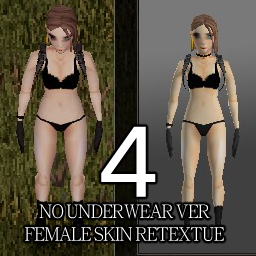
Skin Retexture4
par 76561198168620690
Skin Retexture4 좀더 날카로운 눈매와 홍조추가 Workshop ID: 2672884203 Mod ID: Skin Retexture4
Infinite Weapons Durability
par 76561199134688288
All weapons and tools with durability never lose condition. Multiplayer compatible! If you like this mod consider voting it posotive! Workshop ID: 3657654953 Mod ID: IWD
Musical Instruments (playable)
par 76561198225371748
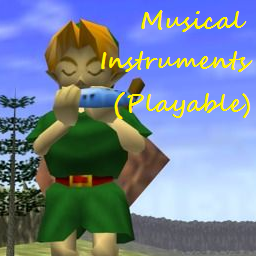
This mod adds 16 Musical Instruments, 5 of them you can play. So was there a fun ban in Kentucky why the lack of instruments? This mod adds 29 short songs that you can play on the 5 instruments. You're not musically talented though so you'll have to find a song book to learn some songs. Items added. (instument) Song Books: Ocarina, Harp, Flute, Violin, Keyboard Playable Instruments: Ocarina, Harp, Flute, Violin, Keyboard Clutter Instruments: Accordion, Banjo, Bell, Drum, Saxophone, Horn, Guitar, Harmonica, Trombone, Trumpet, Ukulele. Spawns are what to expect Accordion etc. will be rare and flutes etc. more common. My first mod of the new year to ^^ Mod Demo Video: https://www.youtube.com/watch?v=xgf5W17Kb4w :( for the one PZ mod this time all, the other mod I released is my first mod over on Skyrim workshop I've been working on. http://steamcommunity.com/sharedfiles/filedetails/?id=863839204 So if you want more PZ goodness check the collection above, Until next time all. Workshop ID: 863841851 Mod ID: AInstruments
Bottle making!easy!
par 76561199140301824
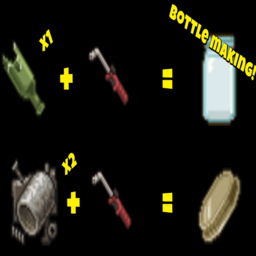
Do you want to make a lot of bottling? Now it's possible! =================== How to make it? -Empty bottle Smashed Bottle x1 Torch MetalWelding Level 4 ----------------------- -bottle Lid Scrap Metal x2 Torch MetalWelding Level 4 =================== My other mods? Gas mask breathing sound! "Material balance!" How many materials do you think should be required for crafting? Please feel free to share your thoughts! Workshop ID: 3370963745 Mod ID: Bottle_making

VHS Pack: Carpentry
par 76561199230970910
Добавляет 5 кассет на строительную тему. Новый краснодеревщик, наверное.. Workshop ID: 3536672299 Mod ID: VHSPackCarpentry
Project Zomboid Guides
Installer des mods Project Zomboid - Guide Workshop
Installe proprement des mods Project Zomboid via le Steam Workshop : saisir les IDs, vérifier l’ordre, redémarrer le serveur et corriger les erreurs typiques.
Louer un serveur Project Zomboid – guide multijoueur
Configurer un serveur Project Zomboid : RAM, paramètres sandbox, mods Workshop, droits admin et vérification propre des erreurs typiques.
Serveur Project Zomboid avec support des mods
Installez les mods compatibles et pris en charge depuis le tableau de bord.
Louer un serveur Project Zomboid