Mods et plugins pour Project Zomboid
Ce catalogue répertorie 52 000+ projets Project Zomboid provenant de Steam Workshop. Les entrées peuvent être côté serveur, côté client ou requises des deux côtés, et inclure des cartes ou d’autres contenus créés par les utilisateurs. Avant l’installation, vérifiez la page source liée, la version du jeu et les dépendances.

Book Writer
par 76561198038167266
This is a simple Mod to allow skilled characters to write lesser skill books created by Saxon. This mod add a recipes to craft all skill books if you are skilled enough. for exemple, at least 3 in Carpentry skill, you are able to craft a Beginners Carpentry book. The recipe uses a few Journal or Notebooks, and take more time and materials for each level, so only a Master Mechanics (Mechacinc level 10) can write a Master Book of Mechanics, and it will take time and resourses. Workshop ID: 1435587441 Mod ID: BW
SlipOnSnow
par 76561199237299662
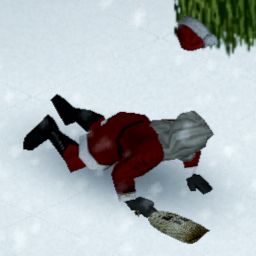
Adds a chance to fall while moving on snow. The chance is adjustable based on whether you're walking, running or sprinting. Also what you're wearing on your foot matters: you can define multipliers depending on whether your footwear is appropriate or not (or if you're barefoot). How this is different from "Slippery Snow" https://steamcommunity.com/sharedfiles/filedetails/?id=2740824875? - Slippery snow works properly only when the game is in English. The mod checks the translated item name for special words like "shoes", this will obviously not work in other languages. The mod will therefore consider all footwear to be of the "other" type. - Admins in godmode will fall too. I've found this to be annoying so here anyone with the godmode will never fall Workshop ID: 3036775980 Mod ID: SlipOnSnow
Fix for Michael's Female Skin Retexture AIO
par 76561198059214426
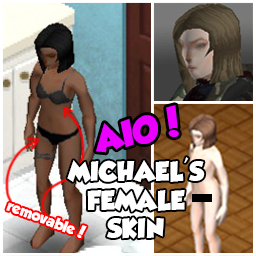
DOESN'T REQUIRE THE ORIGINAL MOD TO WORK Fix for Michael's Female Skin Retexture transparent patches on clothes Original mod: https://steamcommunity.com/sharedfiles/filedetails/?id=2708485220 Workshop ID: 2856423651 Mod ID: Fix for Michael's Female Skin Retexture AIO

VHS Pack: Reloading
par 76561199230970910
Добавляет 5 кассет, просмотрев которые вы станете чуточку ближе к тому, чтобы скорость вашей перезарядки была сравнима с Голливудскими боевиками, где ее вообще нет Workshop ID: 3540352715 Mod ID: VHSPackReloading

Russia Kataysk
par 76561198130118360
Помните ли вы свою родную улицу, школу, а место где первый раз поцеловались? Вернитесь в это место так, как будто здесь ничего и не изменилось спустя 10 или 20 лет как вы уехали отсюда. Если вы родились в маленьком городе, где никогда ничего не происходит, но он до сих пор является вам родным, тогда эта карта точно заинтересует вас. Workshop ID: 2362347687 Mod ID: Kataysk Map Folder: Kataysk
Anthro Immunity
par 76561198833978028
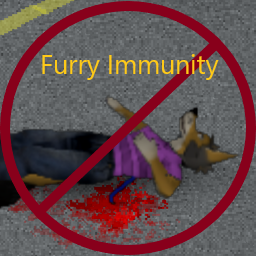
Hi there. Were you ever wondering why PZ lore states that animals can't get infected with the Knox virus, yet Anthro Survivors can? Well no more! This mod slaps a big ole bandaid on that issue. Now anthro survivors can be immune, whilst keeping the normies out of the loop. Features: * Anthro players, and only anthro players, are immune to the virus. * Human players can still get infected! * Should, in theory, work with AnthroSurvivors addons out of the box. * There's now a second version shipped as a submod with a 50% chance of zombie infection when bitten. EXPERIMENTAL! Do NOT use the main version with this submod!!! Limitations: * Instant Infection will still kill anthro survivors, but they won't zombify. * If you aren't wearing AnthroSurvivors' "Human_Placeholder" thingamabob, you will be immune. But you SHOULD have it on as a human! Unless you did something goofy.... Anyways, enjoy! Workshop ID: 2926203145 Mod ID: FurryImmuneSurvivors Mod ID: FurryImmuneSurvivorsChanced
![[B41] [FR] KillCount – Project Zomboid Mod](https://images.steamusercontent.com/ugc/1841422324039523138/01E14D13D0E97B8233818036CA94967FB727E8D7/)
[B41] [FR] KillCount
par 76561198092633119
Disclaim: Basically I had optimized the code to avoid too much writing to the disk, I was already aware of that. After several thoughts, unfortunately I think this is not enough to avoid tiring SSDs these days. I recommend not using this mod too frequently, and looking at other mods of the same style (as of 05.2026), they do exactly the same, or even worse (write every 1 second..). Avoid all these mods, save your SSDs! Traduction française du mod KillCount (Fait très très (très... ) fièrement par Tchernobill) et création de fichiers pour l'afficher en Overlay pour le Streaming (StreamKillCount.lua). French translation for KillCount mod (Work done very very (very... ) proudly by Tchernobill) and creation of files to display it in Overlay for Streaming (StreamKillCount.lua). *Sous réserve d'un changement très important du "Jeu" lui-même, ce mod (StreamKillCount.lua) sera encore fonctionnel. Il n'apporte rien de plus au fonctionnement du jeu, il est purement collecteur d'informations et ne fait qu'afficher ces informations. L'installer avant, pendant ou après une partie, ne corrompra aucune de vos sauvegardes.* Création d'Overlay pour streamer : Lancez une nouvelle partie, ou reprenez celle en cours pour créer les fichiers nécessaires, que vous retrouverez dans : C:/Users(ou utilisateurs)/VOTRELOGIN/Zomboid/Lua/ ou par le chemin de recherche de l'explorateur windows : %username%/Zomboid/lua/ Il vous suffira de créer les liens d'overlay pointant sur les fichiers texte créés avec votre logiciel de Streaming. Par exemple, avec OBS Studio : Créer une nouvelle "Source" Texte (GDI+), ensuite cochez la case "Lire à partir d'un fichier" et juste à droite cliquer sur "parcourir", puis choisissez un des fichiers suivants se trouvant dans : C:/Users(ou utilisateurs)/VOTRELOGIN/Zomboid/Lua/ ou par le chemin de recherche de l'explorateur windows : %username%/Zomboid/lua/ PZsurvie.txt = Temps de survie PZtraits.txt = Traits du personnage PZname.txt = Nom et Prenom du personnage PZarme.txt = Nombre de Zombies tués par arme PZfeu.txt = Nombre de Zombies tués par le feu PZvoiture.txt = Nombre de Zombies tués par les voitures PZtotal.txt = Nombre de Zombies total tués par arme + feu + voiture Il existe un décalage de 1 Zombie, qui se remet dans l'ordre en relançant la partie (Désolé :) ). Credits where it is due: KillCount done very very (very... ) proudly by Tchernobill (But very VERY inspired from Additional Kill Counter by Dannehlee) Workshop ID: 2814483749 Mod ID: KillCountFR
Brotherhood of Nod Light infantry
par 76561198120479073
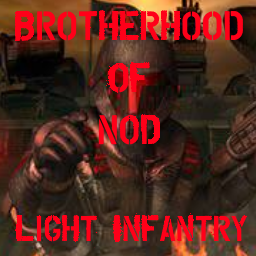
This Mod add Brotherhood of Nod Light infantry (TS) Armor Firearm & tiberium in to the Game - NOD light infantry Suit - NOD light infantry Helmet - NOD light infantry Backpack - Hornet Pistol MK.IV - 7mm Hornet Magazine - 7mm Hornet Rounds - M16 MK2 Pulse Rifle - .22 pulse Magazine - .22 pulse Bullets - Tiberium crystal Workshop ID: 2730214725 Mod ID: po_pattara_NodLightInfantry
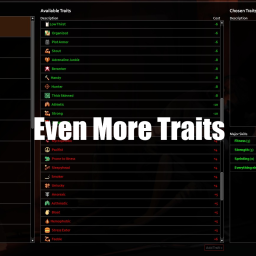
Even More Traits Multiplayer
par 76561198081142601
42.13.1 version: This mod adds many more traits, it was made to work well with More Traits Workshop ID: 3650143655 Mod ID: LazoloTraitsMP
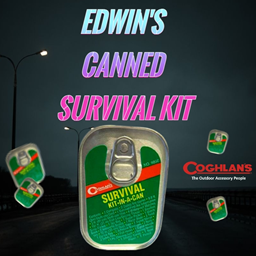
Edwin's Canned Survival Kit
par 76561199508684204
Adds Canned Survival Kits to the game. Coghlan's Camping Company is a prominent outdoor and camping gear manufacturer known for its wide range of innovative products designed to enhance the camping experience. Founded in 1959, the company specializes in producing high-quality, practical equipment and accessories for campers, hikers, and outdoor enthusiasts. Their product lineup includes items like cooking utensils, lighting solutions, and tools, all aimed at providing reliable and user-friendly solutions for outdoor adventures. With a commitment to quality and functionality, Coghlan's has established itself as a trusted brand among camping aficionados. Provides a pocket knife, compass, matches, and other assorted items to aid in unexpected situations. Fits perfectly in the kitchen junk-drawer! Can be found in Gigamarts, kitchens, and general stores Workshop ID: 3454662304 Mod ID: Edwin'sCannedSurvivalKit

<<== TILES ==>>
par 76561198014036706
This is mod is merely for organizing and categorizing your mod collection lists, it does not alter or affect gameplay in any way. When editing your workshop collections you can put this, and the other icons I've made, anywhere in the list and use it as a header to indicate the category which it describes. This can help create more oversight in your list of mods, happy sorting! Workshop ID: 3368339971 Mod ID: ModTemplate

hy的汉化
par 76561198309508753
1.0 ar完成全部翻译 2.0 de完成全部翻译 3.0 ru完成全部翻译 4.0 en完成全部翻译 5.0 cn完成全部翻译 6.0 it完成全部翻译 7.0 fr完成全部翻译 8.0 es完成全部翻译 9.0 tr完成全部翻译 10.0 完成了hy的全部翻译,可能会有遗漏,反馈给我就是了 ps:有的词语翻译出来有问题,看到了可以反映给我,我改一下 再ps:af不知道为什么再现不出来,ch也一样,可能这部分没东西 Workshop ID: 2818160230 Mod ID: 姊︾埍2
![Pager mod MP [41.66] – Project Zomboid Mod](https://images.steamusercontent.com/ugc/1854925368530579515/926CF2B3459E9B042421A9D3545F45F66417B7AA/)
Pager mod MP [41.66]
par 76561198117640434
Pager mod I present my new mod which adds pager in the game. The mod is for RP and only works in multiplayer. Range of radios is taken into account ! How to use the mod ? Get a pager The first thing to do to use it is to get a pager. The only way to get one is by crafting it. To get the pager craft, you must learn the recipe from Electronics Magazine Vol. 4. Send a message To send a message, you need a two way radio ! In the radio menu, if it is on, you will see an icon in the shape of an envelope. Click on it to open the menu to send a message. In this menu you have to choose two things, the recipient(s) and the message to send. For the recipient. You choose from a list specific to your character. To add a contact to the list, you click on the "Add contact" button. In this menu you enter a name for the contact and pager numbers. To add a number, you write it then press enter. The number should appear in the list. You can add as many numbers per contact as you want. Once all number enter, press the "Save" button. For the text to send, just enter what you want to send next to "Message:" and press "Send" (Or enter in the box). You can only send a text with this characters: "0123456789-_=. " (See seconde video) Exemple of code to send: http://www.piclist.com/techref/io/pagercodes.htm Use the pager To use a pager, you right click on it in the inventory and then you get 3 options: (See first video) - Change the pager's name, like that the display name in the inventory is change. Usefull if you have more than one pager. - Get pager's number. - Open the pager. When you open the pager, you get an UI with four buttons and which displays the first message received (or empty if no message). There are two buttons to navigate through the messages, a button to delete the selected message and a button to display the date and time the message was received. (first click display the the day, month and year, second click hour and minute and third click go back to the message text.) To know - To get a notification, the pager need to be in your inventory. - Clicking outside the pager when it is open closes it. - You can change the size of the pager (need a restart) and the color of the screen in the options. - The range of radios is taken into account, so if you do not receive messages, chances are that you are too far. Messages that are not received are deleted. - Messages are backed up between server resets - If you have a pager in your inventory and are not in the server when you get a message, you still get it when you come back, with the date when sended. Maybe to add - The window to send a message in the radio window - Alphanumerical pager - Pager use battery - Traps (send a message when a door is open for exemple) - World model for pager For moder I doubt it but let's imagine that someone wants to send a message for his mod. For that it is not very complicated, you can only do it from the client. You can use the timed action: ISSendMessageTimedAction:new(character, pagerNumber, messageText, radioRange, onlyOneMesage) pagerNumber, is either a string of the number to send a message (exemple "555-5555") or a table or number. (use with onlyOneNumber) messageText, the text to send (exemple "12345678") radioRange, range in meter of the radio onlyOneMesage, boolean true if send one message, false is send a table of number Or the function directly: SendPagerMessage(pagerNumber, messageText, radioRange) pagerNumber is a string SendPagerMessages(pagerNumber, messageText, radioRange) pagerNumber is a table Doesn't work in split screen I do not authorize the use of my code for other mods or modpacks. If you want it, ask it pls. Workshop ID: 2773785202 Mod ID: PagerMod
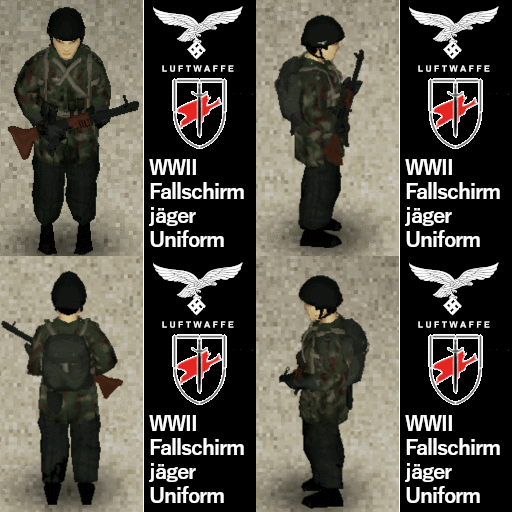
WWII Fallschirmjager Uniform - Ultraviolet
par 76561198130139709
Let us then in position, the fight then begins. We yell "Hurra Hurra!" to counterattack! FG42 in the picture is made by me: Workshop ID: 3012358156 Mod ID: UVGermanParatrooperUniform
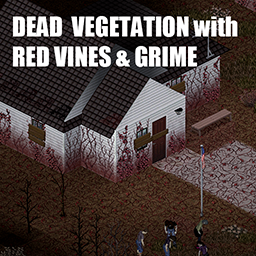
Dead Vegetation with Red Vines & Grime
par 76561198255003525
Tile replacement to make everyshing a little creepier. All trees will now be dead or red no matter what season is outside. All vines will be dead and red too. Grass should be less alive. + most of the floors will be covered in vines too. I made this for my video to pair with SecretZ lab. Adding overlays based on 10years later mod by Dane. I suppose this mod will not work with "10 years later " Workshop ID: 3370505363 Mod ID: RedVegetationAndGrime Mod ID: RedVegetationAndGrimeNoVines
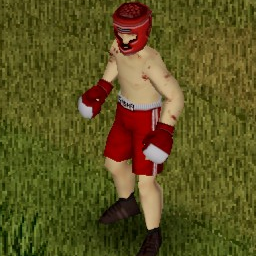
BoxingGloveMod
par 76561197982113112
Punch Zombies. I am not currently playing PZ and so not actively working on this mod. Feel free to take the current source code from github and make your own version from it. ------------------------------------------------------------------ https://github.com/basicsmods/BoxingGloveMod ------------------------------------------------------------------ New ------------------------------------------------------------------ Added pink, black, and white gloves (on top of the existing blue and red). (Didn't add those colours to the boxing shorts and helmets though so if you're looking for a full uniform, stick with blue or red.) Tweaked some of the default stats of the weapons to be a little less overpowered and quite a bit less abundant. By default, only the tier 1 gloves drop now. To get a tier 2 glove, you must get 3 tier 1 gloves in your inventory and then right click on one of them and use the Upgrade menu button. Same deal for tier 2 -> tier 3. A broken tier 3 glove can be downgraded back into a tier 1. When upgrading (or downgrading), you have the choice of which colour you'd like your new gloves to be. ------------------------------------------------------------------ Description ------------------------------------------------------------------ This mod adds the BoxingGlove weapon to the game. This weapon comes in 3 tiers (1, 2, and 3) and comes as blue, red, white, black, and pink (so 15 total items). The weapon's range is quite short (if I make it longer, you can punch zombies without physically making contact), but it can attack quite fast as compensation. The way the weapon works is that the weapon's skin is actually invisible. But whenever you equip the weapon, it simultaneously spawns and equips the real boxing glove item from the vanilla game. When you unequip the weapon, it unequips the gloves and deletes them. So you can't use this weapon AND gloves at the same time. This mod also adds the vanilla Boxing Shorts and Boxing Helmet items to the drop tables of zombies. The helmets come in 3 tiers while the shorts have a warm version (with insulation) and cold version (with no insulation). Both the helmets and shorts have blue and red versions. Currently, these weapons use a combination of the Stab animation (looks like a jab) and the Bat animation (looks like different types of swinging punches). There is a Punch animation within the game code, but I can't figure out how to assign it to a weapon. If someone can do it that would be incredible. All of the items from this mod drop off of zombies. ------------------------------------------------------------------ Customizability ------------------------------------------------------------------ To give you more control over the weapons, I added two sets of options: 1) In-game settings tab where you can control the drop rates for the three different weapon tiers. You can also set your jab:swing ratio here. 2) Server / World Sandbox settings tab where you can control the different weapon tiers' stats (damage, weight, crit chance, durability, etc.). For (1), only the server host's drop rate settings will be applied if you're in multiplayer and you MUST reload your lua after changing the drop rates or they won't apply to the world you launch into. The jab:swing ratio can be controlled by clients in single player or multiplayer worlds. For (2), one of the weapon stats you can control is knockdown %. Only the Swing animation can actually knock zombies (Stab animation cannot). So based on what knockdown % the server has set and what jab:swing ratio the client has set in their in-game settings, that will be the client's knockdown % when they get a Swing attack. For example, if the server has a knockdown % of 25% and a player has a jab:swing ratio of 0.4 (60% of their attacks will be Swings), the % chance to get a knock when the player gets a Stab attack is 0. But the % chance to get a knock when the player gets a Swing attack is 41.6%. This results in an "overall" knockdown chance of 25%. (If your knockdown % is higher than your Swing %, your overall knockdown will be capped at swing.) I tried to put the drop rate settings within the sandbox settings as well, but they don't get applied when I do that. Since single player worlds cannot alter the Sandbox settings after the world has been created (multiplayer worlds can change the server settings + sandbox settings after hitting Host, but before launching the server), I recommend you get this mod https://steamcommunity.com/sharedfiles/filedetails/?id=2829504578 . With that mod, you can alter the single player world's sandbox settings from within the world and then restart the world to get them applied. ------------------------------------------------------------------ Future ideas ------------------------------------------------------------------ - (Done) Give users the ability to tune the weapon stats + drop rate from within their game. - Change the animation to the actual punch animation that there are files for in-game. (Not sure if this one is possible at this time.) - (Done) Add stars to the icons used for the different weapon and helmet tiers so they are easy to differentiate. - (Done) After each swing, randomly select which type of swing animation will be used for the next one. (The stab animation looks like a jab which is nice, but it's one animation every attack and it also doesn't ever get knockdowns. The bat animation still looks decently appropriate and has some variety to it while also allowing for knockdowns. Causing it to randomly rotate between the two will give us the best of both worlds.) - Add a hotkey that toggles between the Bat swing animation and the Stab swing animation. Have different weapon stats associated with each swing type (so for example, stabs could be faster and cause less durability damage, but bat swings could do more damage and have a chance to knock zombies down). This one might have to become its own mod (as an extension to this one) since it would change the nature of the mod quite a bit. But it would make combat a little more interesting since you'd be choosing which type of attack to do whenever you wanted. Feel free to comment with any suggestions / requests / bug reports. Also feel free to use the github link and make comments there / contribute to the repository. Workshop ID: 2827693830 Mod ID: BoxingGloveMod
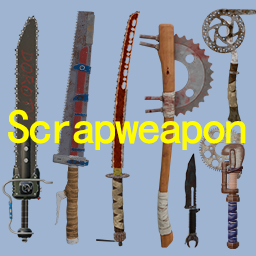
Scrapweapon 废品武器
par 76561198824849104
Operate the waste materials in your hands rationally and create powerful weapons with an apocalyptic style! 如果订阅的人多会考虑移植B42(等b42稳定以后) Workshop ID: 3462104219 Mod ID: Scrapweapon
![{B41} [English Support] Rabbit's Cosplay Shop – Project Zomboid Mod](https://images.steamusercontent.com/ugc/2017098632865322056/FBAC785090A0EE6FFC784F63FCCCB7A45C179DD9/)
{B41} [English Support] Rabbit's Cosplay Shop
par 76561198029363618
This mod is not yet supporting B42, as well as upstream didn't convert or optimised to use on that version properly. This is a translation support mod for Rabbit's Cosplay Shop (aka. 拉比特的小店) Attention, please! Previously, this translation require exact same of Steam workshop "Require Items", and now I see another versions of RCS adapted (currently known 4 versions, I'll list them below later.) With this update, this mod is no longer add require in mod.info file, now you can freely enable even you didn't installed it, Because those cosplay cards are under the Base.ItemID, that's mean it's not hardcoded to require. Usable for these versions (You must enable only one of these below) - Original version. - Without recipes version. - DuckSaysQuack with spawn options and reduced texture size. - Hard to buy version, require credit cards instead of moneys! If translation still not applied, check the mod orders and place this translation mod to load later than required mod. Remember, I didn't work on and/or copied resources from that mod, this is just a support translation that add proper English language as fallback, otherwise, you cannot see actual recipes and name of clothing items! You can also click global icon in-game to open page of original mod. Thanks to Japanese and Korean translation that correct some certain character names and costume variants into their language, I've also use as reference to re-search and corrections of my mistakes even I'll also doesn't understand non-English languages. Note: Even I've references some from other languages, I still need help from you due to I'm not understand other languages than English much and lack of finding source of certain characters in the meantime or when new updates are added, suggestions for correct character name, clothing variants and weapons are welcome, I'll appreciate your helps if you do so... Workshop ID: 2997216367 Mod ID: amm-ensupport
Wedge's Hydrocraft Tweaks
par 76561198010274339
Just some personal tweaks and additions to things I felt Hydrocraft and the base game were missing. Current tweaks include: - Disinfectant has more uses and can be used to disinfect more bandages or rags. - Paint buckets and plaster have more uses. - Bottles of Disinfectant and Cooking Oil become Clean Empty Bottles when depleted. - Metal detector has more uses and can be "adapted" to use normal Battery items (instead of Medium Batteries). - Crafted with aluminum; either two rubberbands or a piece of duct tape; and wire, electric wire, or copper wire. - Laboratory can be crafted using a test tube rack with test tubes with rubber bungs instead of with corks. - A new Clay Mold and smelting recipe has been added for making Welding Rods. - New Metalworking recipes have been added for welding Paint Cans from Sheet Metal. - Vehicle Batteries and Tires can be scrapped to turn into Hydrocraft Battery and Tire/Hubcap items, respectively. - Various metal items can be turned into Scrap Metal with just a Hammer, Metal Saw, and Work Gloves. - A variety of other bags can now be recycled for Nylon Cloth. - Bags and Sacks can additionally be recycled with Child Safety Scissors, Box Cutters, and a variety of knives. - Needles can be improvised with a Hammer and either a Paperclip (making a single needle) or a Wire Hanger (making 3). - Recipes that use Empty Water Bottles can be crafted using Clean Plastic Bottles, including all Juicing recipes. Requires the Item Tweaker API http://steamcommunity.com/workshop/filedetails/?id=566115016 A small personal project adding some things me or my friends wanted for our server. Use at your own risk. Workshop ID: 1165204481 Mod ID: WedgeTweaks
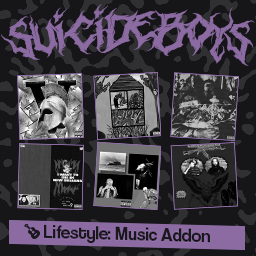
$uicideBoy$ Lifestyle Music Addon
par 76561198125241745
Adds various $uicideBoy$ instrumentals for Lifestyle: Hobbies. All songs can be played on a keytar. Available songs: Beginner - Prince Tulip (Level 3) Experienced - One Last Look At The Damage (Level 2) - ...And To Those I Love, Thanks For Sticking Around (Level 3) Skilled - Grey Magic (Level 5) - Awkward Car Drive (Level 5) Proficient - DATURA (Level 6) - Not Even Ghost Are This Empty (Level 7) Expert - Soul Doubt (Level 8) - All Dogs Go To Heaven (Level 9) Workshop ID: 3067834538 Mod ID: candySBLifestyle

ZOMBIE HEALTH
par 76561199245003326
ZOMBIE HEALTH BAR Workshop ID: 2778091068 Mod ID: ModTemplate Map Folder: ModTemplateWorld1 Map Folder: ModTemplateWorld2
Power Nodes
par 76561197998850878
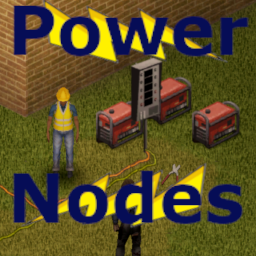
This mod Allows the extension of generator power through the use of a Switch object, extension cords, and a Power Node object. Only for B41 Works with multiplayer Power Objects The Switch and Node are crafted through the context menu and require the character to have metal cutters and pliers from the workshop mod Generators must be placed within 2 tiles of a switch and then connected to be added to the power When there is power and nodes connected to the switch a context option for power info will appear that will tell all of the details of each node connected to the switch -note that power values for lights will probably show wrong, tried a few ways to fix it but the game doesn't like really low numbers in tooltips Nodes can be turned on with a context option or left clicking on the sprite Extension Cords Extensions cords need to be added to the same tile as the switch and node and every tile leading up to it the power will not work with any breaks and will turn off if a cable is removed Extension cords are found throughout the world in various tool spawns. To place extension cords just have the item in your inventory and use the move object tool and it will be an option that can be placed, also a place option in the inventory context. They will automatically pick the sprite based on other nearby extension cord tiles and act like a drainable item that will disappear when fully used. Sandbox Options will let you modify range, number of switches and nodes in a single cable network, skill requirement, and item spawn rates. Make sure this mod loads after all of its required mods This mod was commissioned by BowlOfOodaLoops Workshop ID: 3555538237 Mod ID: PWRNODE
![[COS] nea – Project Zomboid Mod](https://images.steamusercontent.com/ugc/5109928735896484243/B71C70FFABA37E4DB4A98994530ABE07783984A5/)
[COS] nea
par 76561199178116693
How Do I Use It? - You can go to the link below to see how to use it. - Link Recommended mode - Fashionoid - Gear Transmog - Hide All Attached Items - Clipping animation Fix How to use COS mode in build 42. - Navigate to the path where the mod is installed. - Create a 42.0 folder. - Create a common folder. - Paste the media folder / mod.info / preview.png into the 42.0 folder. The recipe code writing method has been changed in 42Build. Since COS (Costume) mode has approximately over 200 modes, converting to 42Build's recipe code is an extremely laborious task. In 42Build, you cannot create costumes in (42 build) the crafting tab. There are two methods: Spawn items in cheat mode. Select items in the clothing selection screen when creating a character. Like My Mode? - Join Our Discord If You Want Commission
![[B42] Make Chainmail gloves/sleeves from wire – Project Zomboid Mod](https://images.steamusercontent.com/ugc/16074193669254145686/564D3FFBC5C3B75BC29CA55ADF8AA272C03E0879/)
[B42] Make Chainmail gloves/sleeves from wire
par 76561198142763662
Description: This mod adds a recipe to make Chainmail gloves and sleeves. Chainmail gloves/sleeves are rare equipment found in the original game. This recipe requires Tailoring Level 3-6, and provides small amount of exp. Workshop ID: 3480630932 Mod ID: MakeChainmailGloves
Project Zomboid Guides
Installer des mods Project Zomboid - Guide Workshop
Installe proprement des mods Project Zomboid via le Steam Workshop : saisir les IDs, vérifier l’ordre, redémarrer le serveur et corriger les erreurs typiques.
Louer un serveur Project Zomboid – guide multijoueur
Configurer un serveur Project Zomboid : RAM, paramètres sandbox, mods Workshop, droits admin et vérification propre des erreurs typiques.
Serveur Project Zomboid avec support des mods
Installez les mods compatibles et pris en charge depuis le tableau de bord.
Louer un serveur Project Zomboid