Mods et plugins pour Project Zomboid
Ce catalogue répertorie 52 000+ projets Project Zomboid provenant de Steam Workshop. Les entrées peuvent être côté serveur, côté client ou requises des deux côtés, et inclure des cartes ou d’autres contenus créés par les utilisateurs. Avant l’installation, vérifiez la page source liée, la version du jeu et les dépendances.
![Hark's Horde Night Revamped [B42 Stable] – Project Zomboid Mod](https://images.steamusercontent.com/ugc/9397711868434760622/1C1A0E7CAA63BFF576B0822E8092729583EA8BC1/)
Hark's Horde Night Revamped [B42 Stable]
par 76561198150373875
Hark's Horde Night Revamped Build 42 | Single Player | Multiplayer | Dedicated Servers On a recurring schedule set by you, the dead come for your base. Go down swinging. Hark's Horde Night Revamped brings the classic Horde Night experience to Build 42 with proper multiplayer support, intelligent spawning, immersive warnings, responsive scheduling, and highly configurable hordes. New in v0.45: "Clarity" Clarity rebuilds Horde Night scheduling so configuration changes take effect when you'd expect them to. Previously, changing the first Horde Night delay or recurring frequency could leave a server committed to an outdated schedule. A server originally configured for its first Horde Night on Day 10 might continue following that plan even after being changed to Day 5. - Responsive scheduling: Changes to the first Horde Night delay, recurring frequency, and arrival hour now take effect without waiting for the previously scheduled Horde Night to occur. - Stable random hordes: Random Horde Night results are saved and preserved through restarts and unrelated schedule changes. - Unified forecasting: AEBS, warnings, diagnostics, indicators, and the actual Horde Night trigger now follow the same forecast. - No same day surprises: Changing the schedule cannot suddenly create a Horde Night later on the current day. - Dedicated server hardening: Important HHNR settings, installation records, and forecast changes receive persistence safeguards against abrupt shutdowns. - Clearer diagnostics: The /hhnr info command now reports an approaching Horde Night or the next scheduled event, including its day and arrival hour. No new save is required. Existing HHNR worlds retain their installation history and migrate into the new scheduler automatically. Horde Forecasts The Automated Emergency Broadcast System warns survivors about approaching Horde Nights without giving away an exact countdown. - Migration Pattern Detected means a Horde Night is expected tomorrow. - Migration Activity Detected means the attack is due today. Random Horde Night forecasts are saved once they are announced, so restarting the server or changing the regular schedule will not reroll them. Separate warnings appear three hours and one hour before the attack begins. Players who prefer exact information can enable the optional Horde Night Indicator in the sandbox settings. It is disabled by default. Keep an eye on the AEBS, or don't. Everybody loves surprise mechanics. Tracking and Anchored Modes Tracking Mode: The attack follows its assigned survivor as the battle moves. This is best suited for mobile survivors, smaller defensive positions, or fights where retreat becomes necessary. Anchored Mode: The attack remains centered on the location where the event began. This is better suited for large bases, fortified compounds, and prepared defensive positions. In multiplayer, every active anchor is protected from every player's spawning. This helps prevent one survivor's horde from appearing inside somebody else's base. Important Multiplayer Note The configured horde size applies per participating player. A horde size of 100 with four participating survivors may produce up to 400 zombies. Nearby ambient zombies may also hear the attraction effects and join the festivities. Large multiplayer settings can escalate much faster than expected. Increase them carefully unless total chaos is the intended result. Disconnecting during an active Horde Night counts as withdrawing from the event. The disconnected player forfeits their remaining personal queue. It will not be forced onto them while offline or held indefinitely for their return. Horde Sprinters HHNR can temporarily convert a configurable percentage of its spawned zombies into sprinters. Natural sprinters are left untouched. Zombies converted by HHNR are tagged and can be returned to their original speed after the event when temporary sprinter cleanup is enabled. The default sprinter chance is zero. Set it higher at your own discretion, and may God have mercy on you. Existing Saves Existing save installation is officially supported. When HHNR is added to an established world: - The current day is protected. - The first Horde Night countdown begins from the installation day. - The age of the world is not counted as time spent waiting for the first event. - HHNR records when and how it was first installed. Existing HHNR worlds retain their original installation day, installation date, save origin, and first installed version when updating. Save Diagnostics Use /hhnr info in multiplayer chat to inspect the current save and Horde Night schedule. The report includes: - Save origin - Installation day and date - First installed HHNR version - Current world day - Days since installation - Current forecast or next scheduled Horde Night If a Horde Night is due today or forecast for tomorrow, the report identifies that event as scheduled or random. Otherwise, it shows the next scheduled Horde Night based on the server's current settings. Change the Horde Night settings, run /hhnr info, and confirm that the next scheduled attack will arrive when intended. In single player, run HN_PrintSaveInfo() from the Lua console. When reporting scheduling or existing save problems, please include this diagnostic output. Known Edge Cases - Servers configured to keep world time advancing while completely empty may skip a Horde Night if no player is loaded when the arrival hour passes. - Temporary sprinter cleanup can inspect only zombies that are currently loaded. - Huge hordes, obstructed terrain, overlapping bases, and many simultaneous participants can place significant load on the server. Credits HHNR began as a Build 42 fork of the original Horde Night mod by WindFly. Their work created the core experience this project was built to preserve, and continues to inspire the development of HHNR. Additional Build 42 spawn validation concepts were informed by Horde Night Fixed B42. Thank you for helping keep the mod alive through early Build 42. Thank you to everyone who reported broken behavior and patiently waited while I pulled my hair out trying to determine why everything was broken and on fire. Bug Reports I'll be straight with you: I am still a novice coder. Fixes may take a little time. When reporting a problem, please include: - Game version - Single player, hosted multiplayer, or dedicated server - Relevant HHNR sandbox settings - Console errors or useful log excerpts - Output from /hhnr info or HN_PrintSaveInfo() for scheduling or existing save problems Even a brief report is useful when it contains enough information to reproduce the issue. The more useful information you provide, the faster and more accurately I can track down the problem. Have fun out there. Workshop ID: 3713005182 Mod ID: HHNR
Karas Animal Foraging For B42.13
par 76561198348190911
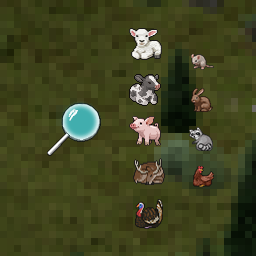
I’ve always wanted the Foraging system to be more than just a way to find items — I wanted it to be a true entity-finding system. And now, I’ve built it. Simply select Animals in the Foraging menu, and you’ll spot actual animal entities roaming near forests, deep woods, farms, and pastures. It’s a really fun twist! I’ve included a ton of sandbox settings to configure every aspect of these animals — tweak them however you like. I need plenty of testing feedback from subscribers to polish this mod, so please let me know immediately if you run into any bugs. It should be fully compatible with all other mods. Workshop ID: 3632572030 Mod ID: Karas Animal Foraging
Days End Music Pack
par 76561198031382343
Pre 1999 Music Workshop ID: 2816452036 Mod ID: days_end-music-pack

Valhalla Community Arena
par 76561198084334204
Arena map for Valhalla Community Workshop ID: 3109911526 Mod ID: Arena Map Folder: Arena
Zupperware Food Storage Container
par 76561197972851773
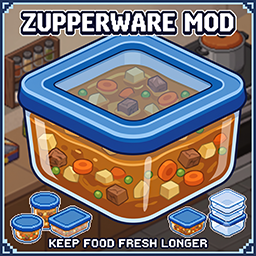
Zupperware Food Storage Container (Build 42.20+) Plus Multiplayer Support Stop wasting your cooked Meals and manage your Survivor's Food supply like a true Prepper! TLDR: This Mod introduces a complete crafting chain for portioned meal containers aka Zupperware to Project Zomboid Build 42, allowing you to recycle everyday Plasticwaste into reusable Containers and divide large cooked Dishes into Zupperware boxes. Additionally, the shelf life of food stored in these containers is increased by about 50%. Features New: Added support for various food and cooking items from the 'SapphCooking' the 'Vanilla Food Expanded' and almost every Plasticstuff i can find from the AuthenticZClothing Mod to let you make straps from them. If you have either of these mods installed, you need to additionally enable the respective patch in your mod list: FreshBoxPortions_AuthenticZClothingPatch FreshBoxPortions_SapphCookingPatch FreshBoxPortions_VanillaFoodsExpandedPatch If you do not use either of these 3 mods, simply leave the patches disabled. Full Plastic Recycling Crafting Chain: - Cut larger Plastic Items and Tableware into 5 Plasticstrips (Empty Water/Pop/Bleach Bottles, Shampoo/Conditioner/Hairdye Bottles, empty Buckets, and Plastic Plates) using any Knife or Scissors. - Cut smaller Items into 1 Plasticstrip (Plastic forks, Knives, and Spoons) using any Knife or Scissors. - Layer 50 Plasticstrips onto a standard Bakingtray. - Melt them down in an Oven to create a Plexiglas sheet, then separate it to get your Baking tray back. - Craft 4 brand New Zupperware Containers from a single Plexiglas sheet using some glue and a cutting tool. Smart Portioning Recipes: Cook a large Pot or Pan or even a Roastingpan of Food and easily split it into 2, 4, or 6 individual Portions using custom crafting Recipes. Dynamic Nutrition Sharing: The mod automatically calculates and distributes the exact Calories, Carbohydrates, Proteins, Lipids, and Hunger reduction values evenly across all created Meal portions. Reusable Containers: Once you finish eating your portioned Meal, the empty Zupperware container is automatically returned straight to your Inventory. Freshness & Preservation: Portions retain proper cooking Status, Heated, Burned and so on. Rotting times are about 50% longer without cooling than Vanilla (staying fresh for 7 Days without refrigeration and taking up to 12 Days until they are fully rotten), Of course, they last even longer in the fridge, and for a really long time when frozen, ensuring your Mealprep stays edible longer. World Loot & Crafting: You can find empty Containers and Plasticstrips scattered throughout the World as Loot or craft them completely from scratch through your Survivor's ingenuity. Experience Gain: Every step of the Process rewards some XP in Tailoring, Carpentry, or Cooking. Added compatibility for other Mods like: Additional cooking items from the SapphCooking, Vanilla Food Expanded and the AuthenticZClothing mod. Multi-Language Support The Mod comes fully translated for global Survivors out of the Box, supporting as of today 11 Languages. You want more? Tell me!: - English - German (Deutsch) - French (Français) - Spanish (Español) - Russian (Русский) - Simplified Chinese (简体中文) - Brazilian Portuguese (Português do Brasil) - Polish (Polski) - Italian (Italiano) - Turkish (Türkçe) - Japanese (日本語) And if you want to support my work feel free to: Thank you! FAQ: Multiplayer compatible? Yes, fully multiplayer compatible! Works in Co-op and on Dedicated Servers. Can I add the mod midgame? Sure, that shouldn't be a problem! However, keep in mind that the containers will only spawn as loot in unexplored parts of the map. Crafting them from plastic waste works right away, of course. Can I simply remove the mod without breaking my save? That shouldn't be an issue either, since it only adds items and doesn't alter the map or anything similar. Any existing items from the mod will simply disappear or turn into a question mark icon in your inventory and become unusable. If that happens, just throw them away. Can I repack or redistribute this mod? NO. "Zupperware Food Storage Container" Mod should not be repacked, reuploaded, redistributed, modified and re-released, or included in another mod/modpack without my explicit permission. You are welcome to create compatibility patches or addons that require the original Zupperware Food Storage Container mod as a dependency, but the original files of this mod must not be included or redistributed. If you would like to use, modify, or integrate any part of this mod into another project, please contact me first and obtain permission. Reuploading or repacking this mod without permission is strictly prohibited. Workshop ID: 3782290703 Mod ID: FreshBoxPortions Mod ID: FreshBoxPortions_AuthenticZClothingPatch Mod ID: FreshBoxPortions_SapphCookingPatch Mod ID: FreshBoxPortions_VanillaFoodsExpandedPatch Workshop ID: 3782290703 Mod ID: FreshBoxPortions Mod ID: FreshBoxPortions_AuthenticZClothingPatch Mod ID: FreshBoxPortions_SapphCookingPatch Mod ID: FreshBoxPortions_VanillaFoodsExpandedPatch
![[B41] Composter are no longer invincible – Project Zomboid Mod](https://images.steamusercontent.com/ugc/2398822869388812994/03E31C9513CE06EF9F11B8890A6185A6C429122A/)
[B41] Composter are no longer invincible
par 76561198993860470
퇴비통은 이제 더 이상 무적이 아닙니다. 모드 활성화 후 별다른 작업을 하지 않아도 새로 만든 퇴비통은 좀비가 공격합니다. 기존에 만들어진 퇴비통엔 적용되지 않으며 새로 만든 퇴비통에만 적용 됩니다. 멀티 플레이에서도 정상 작동 합니다. Workshop ID: 3357593890 Mod ID: Composterarenolongerinvincible
![[B41/42] Pepsi Zero – Project Zomboid Mod](https://images.steamusercontent.com/ugc/14175792090014981/C23097FA10396D6FC93653D354A97FF28D1C505E/)
[B41/42] Pepsi Zero
par 76561198116199195
Add a Pepsi Zero item to the game. The item spawns in the Zippee Market, Gas Station, and home fridge. Workshop ID: 3082028606 Mod ID: PepsiZ Mod ID: PepsiZ_B42
Rem Personal Use jimorie Project Elevator Tweak
par 76561198302044707
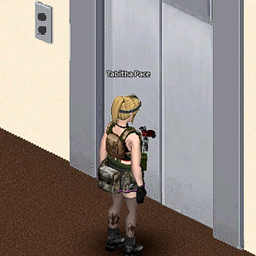
jimorie's Tweak of jest's ProjectElevator https://steamcommunity.com/sharedfiles/filedetails/?id=2730158335&searchtext=elevator Workshop ID: 2915728144 Mod ID: ElevatorTweaked
Extended Nutrition
par 76561198012435478
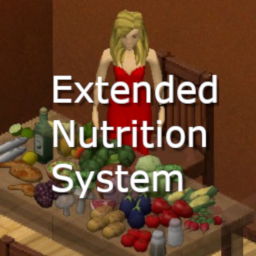
Introduction The aim of this mod is to introduce some more realism to the nutrition system. You will not survive by eating just one type of food in a long term. If you like my work: This mod brings 19 new vitamins and macro elements into the game. All food items have unique combination of these elements that will be absorbed by your organism when eaten. You will have to balance your diet in order to stay healthy. If you eat badly, vitamins or macro elements deficiency will lead you to problems. This mod will not make your character die because of lack of the vitamins, but it will make your life miserable, and that may lead to death. The problems you might expect may be mild or severe. Expect: fatigue, sleep disturbance, abdominal discomfort, weight loss, depression, itching leading to scathing, hair graying and hair loss, spontaneous vomiting, headaches, stomachaches, catching a cold, problems with healing, bleeding teeth, panic attacks, pain in your chest, nail problems leading to bleeding. So, if you wake up in the morning and you hair is lost and you have multiple scratches, know, that your mom was right about those veggies you should have been eating. Details The 19 elements are: Vitamins A, B1, B2, B3, B5, B6, B9, B12, C, D, E, K. Macro elements: Calcium, Phosphorus, Magnesium, Iron, Zinc. Electrolytes: Sodium and Potassium. Almost all food you can loot or create in game has those elements assigned according to what I found in nutrient databases. I skipped Pionkies, Sno Globes etc,I don't think these have any vitamins anyway. Your organism has a specific level of these elements. It slowly lowers over time. The maximum capacity of a particular element may be magazined for maximum 4 days. You cannot check the state of your organism. You cannot see the doctor, cannot test your blood. But depending on symptoms you will learn what you are missing. Remember that some deficiencies lead to multiple problems, so do not expect it to be easy. Some extra tips Elements usage is lower when you sleep and higher when you are active especially when running. When cooking food, some vitamins are lost. D is completely heat resistant, whereas C is lost almost completely. Vitamins absorption depends on the presence of other vitamins in your organism. For example B absorption is boosted by other Bs, whereas C is boosted by the presence of A, B, E, Calcium, Magnesium and Zinc. The worse your condition is, the harder it is to recover. Vitamin D is naturally synthesized when you stay in the sun. Vitamin supplements don't work. Sorry, they are only a placebo. You must eat good food! If you are a vegetarian, you are in trouble. But if you eat rabbit only, you will suffer too. Spice and herbs also play important role in your diet. Workshop ID: 3103090994 Mod ID: ExtendedNutrition
![[42.20, SP+MP] Woody's Proximity Corpse Filter – Project Zomboid Mod](https://images.steamusercontent.com/ugc/15887699116351687972/70B8FC79B9BB1F2FBD9BC050E49DB86EC04D8892/)
[42.20, SP+MP] Woody's Proximity Corpse Filter
par 76561198001041185
Twenty corpses, one new backpack, and no way to tell You held the fence line, the horde is down, and now the proximity loot window is a wall of pockets. Somewhere in there is the one body that had something worth taking. The other nineteen you went through an hour ago. What it does A corpse you have walked away from is one you have dealt with. So that is the rule: get 10 tiles clear of a body and it is marked as seen and drops out of the list. Only fresh ones show up. Changed your mind? Hold Shift and everything comes back for as long as you hold it. Nothing is deleted, hidden permanently or moved. The corpses are still there with everything still on them. Options SettingDefaultWhat it does Enable Corpse FilterOnThe whole thing, in one switch Mark Distance10 tilesHow far you walk before a corpse counts as dealt with (2-20) Show All CorpsesLeft ShiftHold to see everything. Remappable in Key Bindings Debug LogsOffWrites what it did into console.txt, for bug reports Multiplayer: tracking is per player, so what you have seen is yours alone. Verified on a dedicated server. Safe to add to or remove from a save at any time - nothing is stored in the world. Requirements - Proximity Inventory by khamseen_air - the mod this builds on, and the reason it works - Woody's Lib (3622629134) More of my mods How this one actually got built - what broke, how long it took to find, and what the game turned out to be doing instead. Costs nothing to read and needs no account. Please don't reupload or copy this one. If you want to build on it, ask me first. These get made in my free time, between playthroughs. If one of them saved you an evening of clicking and you feel like buying me a coffee, the button is below - and if not, that is genuinely fine. Mostly I hope you have a good run out there. Watch the treeline, and try not to get bitten. Workshop ID: 3622629943 Mod ID: WoodysProximityCorpseFilter

TEH Respirator Filter Fix 42
par 76561198026598168
Simple QoL package for respirators (42.12 and 42.13): - There is a recipe to reattach respirator filter missing in 42.12. This bug was fixed in 42.13. - Filters and gas mask filters degrade 10 times slower (pristine now expire in about 1 business day of active usage, recharged - twice as fast) - 42.12-42.13 - Respirator, Gas Mask and Imrovised Gas Mask discomfort modifier reduced (15%, 30%, and 40% respectively; down from 60% each) - 42.12-42.13 search terms: attach, респиратор, фильтр Support and ongoing development in Discord Workshop ID: 3588185627 Mod ID: tehrespiratorfilter42

Take No Prisoners (Hostile NPC's with PZNS framework)
par 76561198316491144
Beware! Backup your save before using this mod, both my mod and npc framework are still in development and could lead your character to unfair death. For single player only (I mean, not tested on multiplayer, neither the mod and possibly the framework) . This mod spawn random hostile npc near the player using the PZNS Framework mod. Configurations using Mod Options mod. This mod should not be treated as a NPC mod, they are enemies, not full-fledged NPCs, so they miss some behaviors. Types of Enemies: (1) Prisoner - Pistols or Shotguns (Medium) (2) Thugs - Baseball bats or crowbars (Easy) (3) Hunter - Varmint Rifle .223 (Difficult) (4) Militia - M14 (Difficult) (5) Weeping Angel - Nothing (?) Never underestimate the melee guys (they are better than you, shoot them) Notes for the Artificial Behavior: 1. If you go far enough the Enemy will stop the pursue. But could be necessary to run or sprint. 2. If the npc spawns or go inside a building they will stay there walking randomly until find something to shoot (you). That not applies for thugs though. 3. By Default the enemies don't have names, there are options to show enemy position which will display dots above the npc (Crouching increase the detection radius, Foraging Skill Increase detection radius) for both field and building enemies. 4. The field npcs have stronger health than building npcs, still you should fear building npcs. 5. Now they can spawn safely with zombies (For performance, control de Zombie Tolerance using mod options) 6. Increase the difficulty using mod options (The default is for unskilled firearm character). Notes for Interface: 1. A red texture around the PVP Button will indicate a raiding spawn Notes for Walkie-Talkie Spawn: 1. Must be attached to belt hotbar and turned on to work. 2. Right click on the Walkie-Talkie in the hotbar select "Survivors>Call For Survivors". Don't take any prisoners Workshop ID: 3023939431 Mod ID: tnp_pzns_framework
GoldenEye - Undead Relent
par 76561198062782667
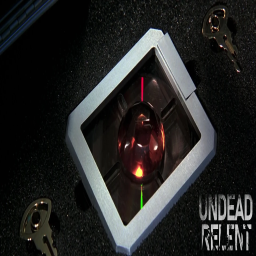
he Russian space weapon is a Soviet-era satellite armed with a nuclear electromagnetic pulse (EMP) weapon codenamed "GoldenEye". The weapon is developed by the Soviet Union during the Cold War and then hijacked by the Janus Syndicate from its Russian control facility in Severnaya, Russia. Credits to Arendameth for scripting & modeling Join our Discord at https://discord.gg/undeadrelent Workshop ID: 3249237993 Mod ID: GoldenEyeWeapon

The Workshop PT-BR
par 76561198877541324
Tradução para Português do Brasil do mod: "The Workshop". Espero que gostem! Em breve será adicionado oficialmente ao mod, eu espero. Não esqueçam de usar o mod "The Workshop" junto com a tradução . Caso queiram alguma tradução, de algum mod, comentem ai ou me chamem do discord: ZL18k#3921 Workshop ID: 2724933022 Mod ID: TheWorkshopPTBR
![ARSENAL-26-Gunfighter[PANDADENSERVER] – Project Zomboid Mod](https://images.steamusercontent.com/ugc/1856045982894346110/EBAEA9AC32C86D63D49D032CD3F114CBE6CDE205/)
ARSENAL-26-Gunfighter[PANDADENSERVER]
par 76561198215467567
These are the Panda Den settings for the Arsenal Gunfighter Mod. Adjusted to my liking. Thanks for the great mod Arsenal. Workshop ID: 2712376608 Mod ID: Arsenal(26)GunFighter
SurvivorJournal
par 76561197992039217
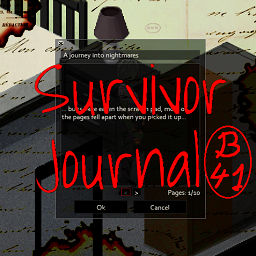
Adds procedurally generated survivor journals with useful hints. Version updated for B41 Based on original Survivor Journals-Not maintained Special thanks to oZumbiAnalitico for the update Workshop ID: 3144650323 Mod ID: SurvivorJournal
![[B42.20][Support Lifestyle]BanG Dream_instruments/邦多利乐器包 – Project Zomboid Mod](https://images.steamusercontent.com/ugc/18110222880245249749/ADA63252F00C0C9C81B129D7B95CB17C1CBA3B2A/)
[B42.20][Support Lifestyle]BanG Dream_instruments/邦多利乐器包
par 76561198374289864
现在你可以用BanG Dream的乐器演奏乐曲了,本模组为游戏里添加了6个可制作的简易乐器配方,制作乐器仅需要2级电工和少量材料(肯塔基大技霸这块)。所有乐器均支持lifestyle扩展,如果想体验演奏功能,lifestyle模组前置是不可缺少的! Now you can play music with BanG Dream instruments. This mod adds six simple instrument recipes to the game, which only require Level 2 Electrician and a small amount of materials to craft. All instruments support the Lifestyle addon. If you want to experience the playing feature, the Lifestyle mod prerequisite is essential! 还想要什么邦多利乐器请在评论区留言,只要有空且能找到合适的模型我就考虑做。(键盘和鼓等乐器种类受限于本体乐器种类暂时无法制作) If you have any other requests for BanG Dream musical instruments, please leave a message in the comment section. I will consider making them as long as I have time and can find suitable models. (Keyboard and drum instruments are currently not available for production due to limitations in the types of original instruments.) Workshop ID: 3674466632

True Moozic: Metal
par 76561199446419840
Metal Songs now in B42.13.2 and B42.14.0 Currently Adds -------------------- 189 Songs Too long for me to put in a description so heres a link :) https://docs.google.com/spreadsheets/d/1dq378rE7yTj8HXHEiUjN_1LmGLLkT9Y-K9HtRxBMaIY/edit?usp=sharing -------------------- Mod Requested By: Rollz Requested By Jebus: Staind Requested By Shaman: Requested By Scout: Avenged Sevenfold Requested By WhiteBoyGaming: Want a song added? Just put a comment with the song name! Official Discord Workshop ID: 3663486520 Mod ID: TM_HeavyMetal
Beanie Redux
par 76561199000543758
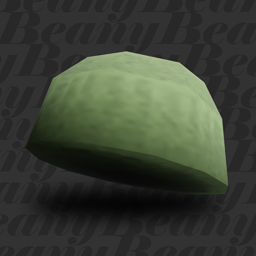
Fluffy Hair is required! Please restart the game after enabling this mod for it to work! DISCLAIMER, PLEASE READ! Since the model is made smaller overall to make it look better, there might be some inevitable clipping issues with the hairs. Keep in mind that Fluffy Hair has a few clipping issues of it's own. If the hair clips through, please test the clipping with a vanilla baseball cap before reporting it. Makes beanies more fitting to the character's head! If you're on B41, use Simsimix's Beanie Overhaul. A spiritual successor for Simsimix's Beanies Overhaul. Credit where the credit is due, but the new beanie models are different from Simsimix's and were made by me, this is not an update for his mod, but a standalone recreation by me for Build 42. Workshop ID: 3404518479 Mod ID: BeanRedux
![[B42] MazeRunner - Laberinto – Project Zomboid Mod](https://images.steamusercontent.com/ugc/18143865191756746638/B1DA0038D777BCCBA4AB5ABAF5506E7A629CF077/)
[B42] MazeRunner - Laberinto
par 76561199216662233
MazeRunner: El Laberinto Despierta atrapado en un gigantesco laberinto, sin recuerdos y sin salida aparente. Inspirado en Maze Runner, este mod transforma Project Zomboid en una prueba extrema de ingenio, exploración y supervivencia. 🧩 Características principales: - Compatible con Build 42 (versión experimental). - El mapa original fue modificado para limitar el acceso a una sola entrada al laberinto. - Sistema de iluminación adaptado a las nuevas restricciones de la B42. - Se añadieron nuevos tiles, sonidos ambientales y notas coleccionables (lore). - Mecánica de llaves para abrir puertas por secciones, fomentando la exploración. - Mejora del sistema de mapa interno del juego para guiar tu progreso. - Spawn de zombies reducido: su comportamiento está afectado por cambios internos en la B42. ⚠️ CORRECCIONES: - Corregido el problema al abrir Mapa (No aparece el diseño del laberinto debido a cambios ne la B42.11 han pedido incluir más archivos que no tengo cómo generarlos). - Ya está disponible la Katana que algunos han encontrado en tirada en el suelo sin poder recogerla. Ahora si puedes tomarla. - Corregido los (hidden box) tiles o espacios que bloquean el paso en las esquinas. ☢️ Añadido zona de radiación en a ultima sección (Requiere mascara de gas vanilla) 🤔⁉️ FAQ (Preguntas Frecuentes). 🙎🏻♂️:¿El mod esta incluido en el mundo de PZ? 🧟:Si efectivamente el mod de MazeRunner es parte del standalone o mundo principal de PZ al salir puedes continuar tu partida con normalidad. 🙎🏻♂️: ¿el mapa no funciona? 🧟: El mapa funciona, pero no tiene detalles del laberinto, Inicialmente se crearon las rutas del laberinto, pero con la actualización de la B42.11 donde se incluyeron los nombres de las calles, se quitó porque causaba un crash. Se incluyo un mapa del laberinto al inicio. Puede visualizarlo haciendo clic derecho sobre el tiles que esta en la mesa como muestra la imagen. 🙎🏻♂️: ¿Las luces del laberinto se apagan? 🧟: Si, la mecánica es que se enciendan sola cuando pasas cerca por primera vez, pero cuando te alejas de esa zona o sales de la partida, todas las luces se apagan. Sin embargo, puedes encenderlas haciendo clic derecho sobre la luz. (Turn off the lamp) 🙎🏻♂️: ¿Se puede salir del laberinto? 🧟: Efectivamente, se puede salir del laberinto; sin embargo, vas a necesitar buscar las llaves que se encuentran en los laboratorios. Las llaves solo están en lugares específicos, Las llaves en el loot de los zombies no guardan relación con las puertas. 🙎🏻♂️: ¿Se puede desactivar el gas tóxico? 🧟: El gas tóxico aparece a partir del segundo laberinto, y se puede desactivar usando los motores de ventilación. Excepto en el laboratorio 7. Que no tiene dicho motor. ⚠️ IMPORTANTE: Esta es una versión de prueba. Es posible encontrar errores o comportamientos inesperados. Agradecemos tu comprensión y te invitamos a dejar tus comentarios: 📩 Steam Workshop o en nuestro Discord: https://discord.gg/XNYJU4h4 Workshop ID: 3499055498 Mod ID: MazeRunnerArea Map Folder: MapLaberinto Workshop ID: 3499055498 Mod ID: MazeRunnerArea Map Folder: MapLaberinto

Vehicle Recycling
par 76561198450882774
# Vehicle Recycling — Build 42.20.2 **Vehicle Recycling** permite desmontar vehículos y remolques completos para recuperar materiales reutilizables. Al interactuar con un vehículo desde el menú contextual o el menú radial exterior, los jugadores con las herramientas y habilidades necesarias podrán iniciar el proceso de reciclaje. ## Características * Permite desmontar vehículos y remolques. * Recupera chapas metálicas, barras, cables, componentes electrónicos y otros materiales. * Puede recuperar baterías, mangueras, espejos, radios, telas, cuero y lonas. * Suelta en el suelo los objetos almacenados dentro del vehículo antes de eliminarlo. * El rendimiento aumenta según el nivel de Metalurgia. * Consume propano en función del tamaño del vehículo. * Requiere máscara de soldar y soplete. * Impide reciclar vehículos con pasajeros. * Impide reciclar vehículos enganchados a otros vehículos o remolques. * Incluye opciones Sandbox para ajustar requisitos, tiempo, materiales, experiencia y consumo de propano. * Compatible con vehículos vanilla y vehículos de otros mods que utilicen el sistema estándar. * Preparado para servidores multijugador dedicados. * Compatible con **Project Zomboid Build 42.20.2**. En multijugador, el servidor valida los requisitos, genera los materiales, consume el propano, concede la experiencia y elimina el vehículo, reduciendo errores de sincronización y posibles abusos. ## Agradecimientos Agradecimiento especial a **MineHost** por proporcionar el alojamiento y el entorno de servidor utilizado para realizar pruebas de funcionamiento, sincronización y compatibilidad en multijugador dedicado. Su colaboración permite continuar desarrollando, revisando y adaptando mods para las nuevas versiones de Project Zomboid. ## Permission & Redistribution Notice Este mod no puede ser copiado, resubido, redistribuido, espejado, modificado, republicado, empaquetado, incorporado en colecciones privadas o públicas, incluido en modpacks, almacenado en sitios de terceros, utilizado como base para otros mods, ni utilizado total o parcialmente sin autorización escrita explícita del autor. Queda expresamente prohibido realizar forks de este mod, ya sea de forma pública o privada, total o parcial, con o sin modificaciones, sin permiso escrito explícito del autor. También queda prohibido extraer, reutilizar, adaptar, renombrar, modificar o redistribuir cualquiera de sus archivos, scripts, assets, sonidos, texturas, configuraciones, código Lua, traducciones o partes internas sin autorización escrita explícita. Se permite únicamente compartir el enlace original de Steam Workshop. Cualquier copia, fork, redistribución, reupload, modificación no autorizada, uso parcial, uso total, publicación alternativa o almacenamiento fuera de la página original será considerado una infracción a los permisos establecidos por el autor. Workshop ID: 3653593791 Mod ID: InfoteoVehicleRecycling

Shelbyville, KY
par 76561198434729845
Map is currently a Work in Progress and I will keep updating it during my free time. This map is based on the real location of Shelbyville, KY. The map is almost a replica like the town in real life, but the placement of the buildings is different compared to the real city, I will try my best to place the buildings where they should be in real life, but I cannot guarantee that. I did my research and managed t0 replicate the map from a map I found of the town which was around the time 1986-1990. The town is located to the East of Lousville, the roads connecting shelbyville to the map is blocked off by a military blockade which is an inconvenience but I'll try to connect it to the main map when I have time. Or you can use a sledgehammer to just get out of town and connect them. ---------------------------------------- I'm new to this whole modding stuff so I'm not sure if this will break your game when you download it, I tested it out and it didn't break my computer so that's good. If you see any bugs don't be shy to mention them in the comments. Since this is a WIP there will be uncompleted parts and maybe some glitchy stuff around the map. I made a community discord server for the maps or mods I make, if you wanna leave any suggestions for me go to the discord server. Link: https://discord.gg/wmFA2G4XPZ Workshop ID: 3030563911 Mod ID: WelcomeToShelbyville Map Folder: Shelbyville, KY

Walkie and Radio Fix
par 76561197995885151
Fixes walkie-talkie VOIP not working between players who are far apart in multiplayer (B42). In the apocalypse, communication is everything. If this helped you survive, a coffee is always welcome. Workshop ID: 3732952669 Mod ID: WalkieVoipFix
![[Descontinued] Auto Mecânica BR – Project Zomboid Mod](https://images.steamusercontent.com/ugc/2424712858180642487/1D3BC2C1DB4911AD0B7D56369E590A1135ED4817/)
[Descontinued] Auto Mecânica BR
par 76561198874017305
B41.78 OK Esse mod foi criado pois a tradução no mod original não foi incluída, mesmo tendo sido postada em 03/02/2023. Caso ao autor original do mod solicite a exclusão, o mod será excluído. Mod Original: AutoMechanics (by Tchernobill) Como Usar: • Obtenha uma chave de fenda, uma chave inglesa, uma chave de roda e um macaco. • Certifique-se de que você leu o livro associado ao seu carro. • Encontre um carro que você possa dispensar e comece a treinar com serenidade. • No menu de mecânica do veículo, clique com o botão direito do mouse em qualquer peça montada e clique com o botão esquerdo do mouse em "Treinar Mecânica". Mod Options: • Opções detalhadas de registros. Verbose (reduz muito o desempenho): somente para análise de depuração. • Se seu personagem não reinstalar as peças desinstaladas aumente o (atraso entre ações). • Você pode selecionar um limite para tentativas de desinstalação, dependendo dos riscos de quebra da peça. • Você pode usar ou não uma pausa no final de todas as ações. • Você pode tentar novamente as ações Vanilla Uninstall e Install até que sejam bem-sucedidas. Workshop ID: 3321511571 Mod ID: AutoMecanicaBR
Project Zomboid Guides
Installer des mods Project Zomboid - Guide Workshop
Installe proprement des mods Project Zomboid via le Steam Workshop : saisir les IDs, vérifier l’ordre, redémarrer le serveur et corriger les erreurs typiques.
Louer un serveur Project Zomboid – guide multijoueur
Configurer un serveur Project Zomboid : RAM, paramètres sandbox, mods Workshop, droits admin et vérification propre des erreurs typiques.
Serveur Project Zomboid avec support des mods
Installez les mods compatibles et pris en charge depuis le tableau de bord.
Louer un serveur Project Zomboid