Mods et plugins pour Project Zomboid
Ce catalogue répertorie 52 000+ projets Project Zomboid provenant de Steam Workshop. Les entrées peuvent être côté serveur, côté client ou requises des deux côtés, et inclure des cartes ou d’autres contenus créés par les utilisateurs. Avant l’installation, vérifiez la page source liée, la version du jeu et les dépendances.
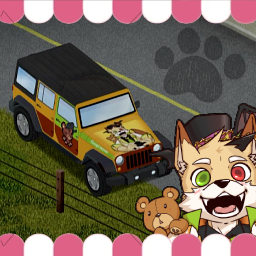
ATA Jaap Wrungel 🧸 Furry Skin🐾15styles
par 76561198292882352
不獸控制✦咖蛋越野吉普車痛車外觀擴充包🐺 Thank you for clicking on this module. I am PNGtuber, a Furry livestreamer known as "咖蛋." This time, I've created my own custom Jeep exterior model and would like to share it with my audience for use. I will generate the "咖蛋" themed Jeep exterior in the game with a low probability. Currently, there are a total of 15 different skin styles available. These skins will need to be activated through the Jeep car mod in order to take effect. Jaap Wrungel ID:2636100523 I referenced this design when creating my exterior mod. Workshop ID: 2754426308 I used the talents of these fantastic artists to create the Jeep exterior design. 黑貓meow: https://twitter.com/bkmeow_ 神犬: https://www.plurk.com/GoddogYuYu Kukat咬人貓 推特: https://twitter.com/kukat930 天狼Lokabrenna臉書: https://www.facebook.com/profile.php?id=100064599615957 水日比: https://twitter.com/SHUI_RI_BI 若繪師們有需要加入作者名單可以跟我說.會將各位加進名單中感謝 Feel free to click below to check out my information. 狼犬獸人咖蛋 Twitch: https://www.twitch.tv/curryomelette YouTube: https://www.youtube.com/@CurryStreamer/featured 龍獸人沃雷卡 Twitch: https://www.twitch.tv/kelot777 YouTube: https://www.youtube.com/@nortonfurry Workshop ID: 3035852002 Mod ID: ATA_Jeep_Skin_Furry

自用商店
par 76561198408285292
调整兔叽商店. Workshop ID: 2920695227 Mod ID: rabbitshop_C
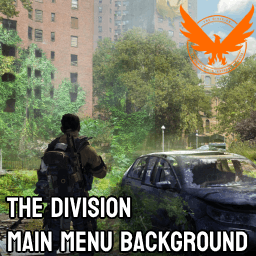
The Division Main Menu Background
par 76561197981438686
Replaces the title menu with The Division 2 art. There are 3 wallpapers to choose from; pick one. Want main menu music to go with this? https://steamcommunity.com/sharedfiles/filedetails/?id=2852716408 Workshop ID: 2852733330 Mod ID: TheDivision_MainMenuBackground Mod ID: TheDivision_MainMenuBackground2 Mod ID: TheDivision_MainMenuBackground3

Spongie's Open Jackets ES
par 76561199071220011
Traducción al español actualizada del mod original Spongie's Open Jackets creado por spongie. Todo el crédito y mérito para él. Esto es solo una traducción por lo que requiere del mod base y ser cargado después para funcionar. Cualquier error o bug, por favor reportarlo. Todo el crédito a sus respectivos autores. Gracias :) Workshop ID: 3420519805 Mod ID: SpnOpenCloth_ES
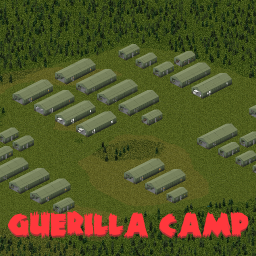
Taube´s Guerilla Camp
par 76561198377088820
This mod adds a Guerilla Camp in the woods (Cell 42x30). The Guerilla Camp is lore-friendly. No custom tiles or additional mods are required. Shortly after the outbreak of the zombie virus, some paramilitary units decided to retreat deep into the woods to prepare for the reconquest of the cities. They brought a large amount of supplies with them, including equipment, food, weapons, and ammunition. However, as quickly as the military tent city was established, it fell— and now it is home to the walking dead. Please rate this map expansion and share your suggestions, feedback, and any issues you encounter. Workshop ID: 3453143365 Mod ID: GuerillaCampTaube Map Folder: GuerillaCamp
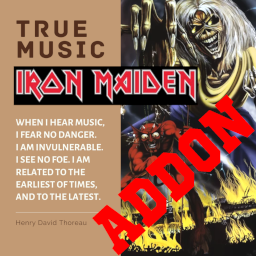
True Music Addon: IRON MAIDEN
par 76561197997256918
Song list: Iron Maiden - Purgatory Iron Maiden - Run to the Hills Iron Maiden - The Number of the Beast Iron Maiden - Flight of Icarus Iron Maiden - The Trooper Iron Maiden - 2 Minutes to Midnight Iron Maiden - Aces High Iron Maiden - Wasted Years Iron Maiden - Can I Play with Madness Iron Maiden - The Evil That Men Do Iron Maiden - Infinite Dreams Iron Maiden - Be Quick or Be Dead Iron Maiden - The Clairvoyant Iron Maiden - Iron Maiden Iron Maiden - Killers Iron Maiden - Hallowed Be Thy Name Iron Maiden - Die With Your Boots On Iron Maiden - Powerslave Iron Maiden - Caught Somewhere in Time Iron Maiden - Only the Good Die Young Iron Maiden - Fear of the Dark Workshop ID: 2874150818 Mod ID: ironmaidentmm
Radial Barricading
par 76561198048282450
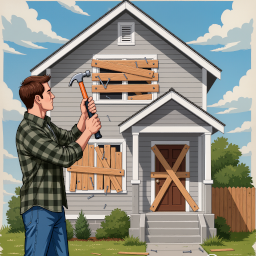
Adds a quick barricade option to the radial menu (V key) when standing near windows or doors. Allows fast access to barricading without opening the build menu. PATCH for ISBarricadeAction and ISUnbarricadeAction bugs in Build 42.13 by primat.studio Further Fixes for Barricade Actions for multiplayer Workshop ID: 3629305884 Mod ID: RadialBarricade
![[B41] Server Tips & Alerts System – Project Zomboid Mod](https://images.steamusercontent.com/ugc/15753683159342572370/FC8D07B5F73E13FE7DD7765A6DAC4638E09CE46F/)
[B41] Server Tips & Alerts System
par 76561199033892043
Server Tips & Alerts System This mod displays helpful tips, server rules, and bug notifications to players through an elegant popup system that adapts to gameplay conditions. How it works - Message source (no coding required): A simple text file holds all messages. If it doesn't exist, the mod creates it with default messages. Zomboid/Lua/TipsAndAlerts/TipsAndAlerts.txt - Versioned updates: The first line is a version string (e.g., VERSION = 1.1). Change it when you edit messages to trigger updates. - Safe display logic: Popups wait if zombies are nearby when on foot. While driving, popups can still show so you don't miss info. - Randomized cadence: Messages appear at random intervals within your configured range. Singleplayer & Server behavior - Singleplayer: Reads directly from your local file and checks for changes about every minute. - Multiplayer: The server manages the message list. Clients sync on connect and when updates are available (the server scans periodically, roughly every 10 minutes). - No restart required: Edit the file, bump the version, and updates are pushed to players. Key features - Context-aware placement: Above hotbar on foot; above dashboard in vehicles. - Smooth presentation: Configurable fade-in/out and on-screen duration. - Zombie safety radius: Delay popups near zombies (configurable; set to 0 to always show). - Rich text formatting: Colors, headers, alignment, sizing, and line breaks. - Priority alerts: Supports high-priority popups (used by optional integration below). - Lightweight: Minimal performance impact. Optional integration - Udderly Up To Date: If installed, server restart notices are captured and shown as priority popups for extra visibility. Sandbox options Configure these in the Server Tips & Alerts sandbox page: - Enable/Disable - Display Duration - Fade In / Fade Out Duration - Minimum / Maximum Display Interval - Zombie Safety Radius Quick start - Launch the game/server once to auto-create the file. - Edit messages in Zomboid/Lua/TipsAndAlerts/TipsAndAlerts.txt - Bump the first line (e.g., VERSION = 1.1) to distribute changes. Syntax for the Tips & Alerts System <LINE> - Starts a new line, resetting the X position of the text to 0 and moving the Y position down by one line height <BR> - Similar to <LINE>, but it creates a larger space between lines, effectively creating a double line break <H1> - Formats text with H1 properties, making it centered and setting the font to large <H2> - Formats text with H2 properties, aligning it to the left and setting the font to medium <TEXT> - Resets text properties to defaults for the body text, using a smaller font than headers <CENTRE> - Aligns the text to centre <LEFT> - Aligns the text to left side <RIGHT> - Aligns the text to right side <SIZE:small/medium/large> - Changes the font size to small, medium, or large (choose only 1 option) <RGB:1.0,1.0,1.0> - Sets the current text color to the specified RGB in the interval 0.0-1.0 <RED> - Sets the current text color to red <GREEN> - Sets the current text color to green <BLUE> - Sets the current text color to blue <ORANGE> - Sets the current text color to orange Frequently Asked Questions: Does it work in Multiplayer? Yes. The server distributes messages to all connected clients and pushes updates when the version changes. Does it work on existing saves? Yes! You can enable it mid-save without any issues. Will popups interrupt combat? When on foot, popups wait if zombies are within your configured safety radius. In vehicles, popups may still display so you don't miss info. Developer Note: This mod is in development, featuring the latest improvements and experimental features. While thoroughly tested, some features may be refined in future stable releases. This mod was commissioned by the Dawn of the Dead community. I'm open to new commissions - contact me on Discord .ely0n or find me in the PZ Modding Discord. This mod's permissions fall under TIS's policy On Lockdown This mod cannot be modified by anyone else, for anything else, at all, ever. Even if the user disappears, they would much rather you didn't touch the fruits of their hard labour. Workshop ID: 3546345030 Mod ID: ServerTipsAlerts
![[B41&B42]Prostitute Profession – Project Zomboid Mod](https://images.steamusercontent.com/ugc/12949287122543202876/332E0B068C7FAFA594EA5866CF25A23DDFF1EB17/)
[B41&B42]Prostitute Profession
par 76561199180136401
Welcome to the world's oldest profession! Tired of surviving the apocalypse the boring way? Now you can start with the oldest profession known to mankind. This mod adds a fully playable Prostitute Profession to Project Zomboid, complete with a new profession, clothing, and a special starting location. Features: -New Challenge Spawn: Start directly at The Velvet Tassel in Louisville the most famous (and infamous) club in Kentucky, ready to be f****d by the zombies? -Dedicated profession, you start dressed in a bunny suit, with some traits and with 50 bucks. (-1 strenght, +2 Fitness) -Fully Multiplayer compatible -Regular updates and improvements based on community feedback Current Version Highlights: -Multiplayer support -The Velvet Tassel spawn challenge (Louisville) -Fixed profession item spawning issues -B42 PORT! Created in a bit of a rush originally but updated with passion, I actively update the mod and add more content based on what the community wants. Planned Features: Better integration with popular mods If you enjoy challenges, realism and chaotic roleplay mods, this one’s for you. Drop your suggestions, bug reports, or ideas in the comments, I read everything! Welcome to the business… APOCALYPTIC style. Changelog: -Update 1: Multiplayer Friendly -Update 2: Fixed a bug that duped the prostitute profession items -Update 3: Now you can spawn on The Velvet Tassel, be ready for a new hell! -Update 4: New spawn now is MP friendly -Update 5: MP Prostitute clothing has been patched (It didn't spawn anymore after update 4) but it works now! -Update 6: BUILD 42 PORT RELEASED, PROFESSION FULLY IMPLEMENTED (map has been fully implemented) -Update 7: Map fully implemented into build 42 -Update 8: Fixed a b42 map bug Notice: ⚠IF YOU ARE GOING TO DO THIS CHANGE THE FUCKING MOD ID⚠ REPACKS ARE NOT ALLOWED, IF YOU REPACK MY MOD I'LL GET IT TAKEN DOWN This mod is fully open-coded, feel free to modify, edit, fork, or do whatever the fuck you want with the code, no permission needed, you can use it in your own mods, expand it, or change it completely, no credits required, go wild, that said, if you do use parts of my work, a simple credit or mention would be greatly appreciated ❤️ REPACKS ARE NOT ALLOWED, IF YOU REPACK MY MOD I'LL GET IT TAKEN DOWN ⚠IF YOU ARE GOING TO DO THIS CHANGE THE FUCKING MOD ID⚠ Tags (ignore this): Professions, Roleplay, RP, Challenge, Multiplayer, Silly, Funny, Comedy, Mature Humor, Dark Humor, Satire, Chaotic, Louisville, Velvet Tassel, New Spawn, Custom Profession, Custom Career, Starting Location, Spawn Challenge, Survival, Zombie Apocalypse, Fun Mod, Meme Mod, Over The Top, Immersive RP, Build 41, Build 42, B41, B42, Multiplayer Compatible, Co-op, Character Customization, Stress Relief, Alternative Gameplay, Unique Mechanics, Community Mod, Frequent Updates, Feedback Driven, Sandbox, Sandbox Survival, Hardcore Survival, Casual Survival, Apocalypse, Zombie Survival, Undead, Infected, Post-Apocalyptic, Open World, RPG, Roleplaying, Storytelling, Character Backstory, Character Progression, Occupation System, Career System, Job System, Spawn Overhaul, Starting Traits, Custom Starts, Challenge Run, Funny Challenge, Meme Challenge, Survival Challenge, Hardcore Challenge, Randomized Start, Louisville Spawn, Urban Survival, City Survival, Kentucky, Knox Country, Knox Event, Survivor Stories, Emergent Gameplay, Dynamic Gameplay, Replayability, High Replayability, Solo Play, Singleplayer, Multiplayer Server, Dedicated Server, Server Mod, RP Server, Community Server, Friends Server, Cooperative Play, Team Survival, Group Survival, Social Gameplay, Humor Mod, Joke Mod, Comedy Mod, Parody, Absurd, Ridiculous, Unhinged, Cursed Mod, Weird Mod, Wacky Mod, Chaotic Good, Chaotic Neutral, Entertainment, Fun Gameplay, Lighthearted, Dark Comedy, Black Comedy, Meme Content, Internet Humor, Satirical Gameplay, Novelty Mod, Experimental Mod, Creative Mod, Flavor Mod, Quality Content, Custom Content, Expanded Gameplay, Enhanced Roleplay, Immersion, Immersive Gameplay, Character Creation, Custom Characters, Survivor Build, Survivor Career, Survivor Profession, Occupational Traits, Skill Progression, Trait Build, Build Diversity, Playstyle Variety, New Experiences, Fresh Start, Alternative Start, Spawn Variety, Random Spawn, Louisville Challenge, Urban Challenge, City Roleplay, Apocalypse Roleplay, Survival Roleplay, Zombie RP, Community Driven, Player Feedback, Actively Developed, Regular Updates, Long-Term Support, Workshop Mod, Steam Workshop, Modded Gameplay, Gameplay Expansion, Sandbox RP, Sandbox Challenge, Custom Scenarios, Scenario Mod, Survival Sandbox, Endurance, Resource Management, Scavenging, Exploration, Looting, Base Building, Safehouse, Survivor Life, Last Survivor, Apocalypse Humor, Survival Comedy, Funny RP, Casual RP, Serious RP, Semi-Serious RP, Character Driven, Narrative Gameplay, Story Generator, Emergent Stories, Sandbox Stories, Dynamic Stories, Unpredictable, Randomized Gameplay, Replayable, Modded Server, RP Community, Multiplayer Fun, Friends Multiplayer, Co-op Survival, Zombie Sandbox, Louisville Roleplay, Kentucky Survival, Occupation Expansion, Profession Expansion, Career Expansion, Spawn Expansion, Trait Expansion, Lifestyle Mod, Survivor Simulator, Zombie Simulator, Apocalypse Simulator, Survival Simulator, Custom Occupations, Custom Jobs, New Jobs, New Professions, New Careers, Roleplay Enhancement, Humor Enhancement, Gameplay Variety, Alternative Progression, Unique Playthroughs, Endless Replayability, Community Favorite, Server Friendly, Lightweight Mod, Lore Friendly, Semi-Lore Friendly, Vanilla Friendly, Vanilla Plus, Enhanced Vanilla, Creative Roleplay, Social Roleplay, Interactive Roleplay, Character Focused, Survivor Focused, Post-Apocalypse Comedy, Absurd Survival, Chaotic Survival, Fun First, Entertainment Focused, Roleplay Focused, Challenge Focused, Sandbox Focused, Multiplayer Focused, Co-op Focused, Louisville Focused, Custom Spawn, Unique Spawn, Occupation Roleplay, Career Roleplay, Profession Roleplay, Survivor Challenge, Apocalypse Challenge, Louisville Survivor, Knox Survivor, Zombie Chaos, Zombie Humor, Zombie Comedy, Survivor Humor, Workshop Favorite, Mod Showcase, Community Creation, Indie Mod, Fan Made, Passion Project, Content Expansion, Gameplay Overhaul Lite, Feature Rich, Highly Customizable, User Friendly, Easy To Install, Server Compatible, Dedicated Server Compatible, Build 42 Ready, Build 41 Compatible, Ongoing Development, Regular Maintenance, Player Requested Features, Community Suggestions, Customizable Experience, Enhanced Replayability, Endless Possibilities, Ultimate Roleplay, Ultimate Challenge, Ultimate Spawn Experience Workshop ID: 3738139366 Mod ID: ProstituteProfession Map Folder: The Velvet Tassel, Louisville, KY
![[PRP]Light Switch Plus[B42] – Project Zomboid Mod](https://images.steamusercontent.com/ugc/17149121459138028898/72B1B9DC384D81F415D710FFE10387CE2DD09423/)
[PRP]Light Switch Plus[B42]
par 76561198867336456
Known Issue In multiplayer, there is an issue where vanilla switches do not work in newly constructed buildings. This issue appears to be caused by Project Zomboid itself, and there is no way to fix it without modifying Java classes. Please use switch-shaped lights instead. Root cause: In multiplayer, when a new building is created, RoomDef is not generated, which means lighting and room information are also not created. Light Switch Plus - B42 Craft and place a variety of indoor and outdoor lights in Build 42. You can also add lights to existing or player-built buildings. Lights are learned by level and can be installed from the Lighting build category. This mod changes lamp brightness by level and turns switch-style light tiles into lamp objects. Because these objects behave as lamps, their bulbs may need to be replaced over time. Light Switches and Switch-Shaped Lights The normal Light Switch is the vanilla room light switch. In Build 42, when a light switch is recognized as part of a Room, it uses the Room's own lighting system instead of behaving as a standalone lamp. Switch-shaped lights are different. They only use the appearance of a switch, but they are lamp objects added by this mod. They can be placed like lights, have their own brightness level, and may require bulb replacement like other lamps. Known B42 issue: after a chunk reload, vanilla Room lighting may link movable lamps to room switches, and some lights may visually remain lit after being switched off. How to Learn Recipes Find and read Lighting Guide Lv1 to Lv5. Lv1-Lv3 appear in places similar to regular electronics magazines. Lv4-Lv5 follow a distribution similar to the generator magazine. Required Tools These tools are required and are not consumed. - Screwdriver x1 - Pliers x1 - Small Saw or Metal Snips x1 Materials and Light Radius The values below show the base material cost for a single-tile light and the light radius for that level. Multi-tile lights use a moderate size cost instead of a full per-tile multiplier. Two-tile lights require about 1.5x core materials, while three-tile lights require about 2x core materials. Bulbs and metal parts are capped lower because they are single connected fixtures. Light radius does not multiply. - Lv1: Electronics Scrap x1, Light Bulb x1, Electric Wire x1, Tin Can or Small Sheet Metal x1, Screws x1, Wire x1 / Light Radius 5 - Lv2: Electronics Scrap x2, Light Bulb x1, Electric Wire x2, Tin Can or Small Sheet Metal x1, Screws x2, Wire x1 / Light Radius 10 - Lv3: Electronics Scrap x3, Light Bulb x1, Electric Wire x3, Tin Can or Small Sheet Metal x1, Screws x3, Wire x2 / Light Radius 20 - Lv4: Electronics Scrap x4, Light Bulb x1, Electric Wire x4, Tin Can or Small Sheet Metal x1, Screws x4, Wire x2 / Light Radius 30 - Lv5: Electronics Scrap x5, Light Bulb x1, Electric Wire x5, Tin Can or Small Sheet Metal x1, Screws x5, Wire x3 / Light Radius 50 Light color is preserved from each original tile. Build 41 version: https://steamcommunity.com/sharedfiles/filedetails/?id=2945085659 Uploading the mod publicly to the Workshop or any other platform is strictly prohibited in all cases. For mods that are not uploaded in a public state, the following actions are allowed as long as credited: - Adding to server modpacks - Learning and modifying the code for personal use No need to inquire separately. 2026. Mod Creator: Pkoko Workshop ID: 3735992902 Mod ID: Light_Switch_Plus_B42
Hi Res Clock 2.0 - Modern Watch UI
par 76561197974968019
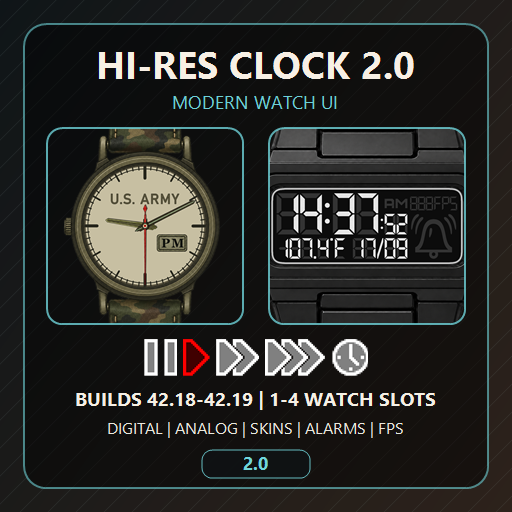
Hi Res Clock 2.0 - Modern Watch UI Mod ID: Hi-Res-Clock Workshop ID: 3676283016 Current version: 2.0.13 Supported builds: 42.18+ Hi Res Clock replaces Project Zomboid's vanilla display for worn and equipped watches with up to four independent, scalable, high-resolution Watch Slots. 2.0 Highlights - Digital and Analog Watch Families with automatic item classification and safe unknown-watch fallbacks. - One to four logical Watch Slots, each with its own visibility, position, scale, formats, update rate, FPS display, skin, and Family colors. - Three display styles: Pure Vanilla, HiRes Vanilla, and complete HiRes Frames. - Continuous corner-handle resizing plus the established Watch Scale presets and optional Scale Sync. - Interactive Frame buttons for update rate, formats, temperature, FPS, date, and Alarm where supported. - Per-slot alarm capability independent of Digital/Analog appearance. - Detached or slot-anchored singleplayer SpeedControls with independent visibility, scale, and Follow Watch Visibility. - Per-slot FPS plus a configurable standalone fallback. - Hooked or free Moodles with coordinated default Watch, detached SpeedControls, standalone FPS, and Companion Dogs placement, including consistent 10 px screen and element gaps. - A full Global Options window, live Ingame Options, compact UI Element Settings, and Watch Settings. - A Watch Family catalog and Preview for Vanilla and registered mod watches, available without an active game session. - External skins with per-file fallback, Modern/Legacy color namespaces, per-Family colors, and Frame-button profiles. - Public Watch Family Registry for mod authors and separate compatibility patches. - UI available in English, German, French, Spanish, Italian, Brazilian Portuguese, Polish, Russian, Ukrainian, Turkish, Japanese, Korean, Simplified Chinese, and Traditional Chinese. Using the Options - Open Global Options provides the complete editor available without an active game session, including the Family catalog, Preview, skin tools, resets, and Revert Changes. - Open Ingame Options provides the live four-column editor. Holding the right mouse button temporarily passes gameplay input through the window. - The normal Slot Gear opens compact UI Element Settings. Alarm-capable watches expose Watch Settings and Set Alarm behavior. - Unlock a Slot to move it or resize it from any corner. Reset Position and Reset Slot remain separately scoped. Moodles and Top-Right HUD - Free Moodles / Hook Moodles is one global action available in Slot-1 UI Element Settings, Ingame Options, and Global Options. - With Moodles hooked, visible default Slot 1, detached SpeedControls, standalone FPS, Companion Dogs, and Vanilla Moodles form one vertical top-right layout. Only visible eligible elements reserve space. - With Moodles free, the Moodle column uses its 10 px top/right screen padding and the managed Watch, SpeedControls, and FPS layout moves to its left. Companion Dogs remains integrated above Vanilla Moodles. - Pure Vanilla and HiRes Vanilla Watch defaults use 10 px screen padding. HiRes Frames Watch defaults touch the top-right edge, while standalone SpeedControls and FPS retain 10 px padding in every style. - In HiRes Frames, Button Helpers can be controlled for every Slot from both UI Element Settings and Ingame Options. SpeedControls and Multiplayer Custom SpeedControls are singleplayer-only. Hi-Res Clock does not add time-speed controls to multiplayer. The worn-watch Alarm fix uses an authenticated server-authoritative Lua channel on Build 42.20, so Vanilla and Hi-Res Alarm changes persist on the exact worn watch without a Java dependency. External Skins External skins are optional. Copy the shipped folder: Steam/steamapps/workshop/content/108600/3676283016/mods/Hi-Res-Clock/common/HiResClock-Skins to: %userprofile%/Zomboid/Lua Then register skin folder names in: %userprofile%/Zomboid/Lua/HiResClock-Skins/HiResClockSkins.ini The shipped Spiffo Example is a functional registered skin and the starting point for copying and editing your own skins. Missing supported PNGs fall back individually to integrated assets. Digital glyphs and symbols are always provided by the mod. Mod-Author Compatibility The shared Registry accepts single items or alias arrays, Wrist/Handheld/Placeable equipment types, Analog/Digital display types, explicit Alarm capability, editable Digital Family Digit/Border RGBA defaults, safe asset roots/files, fallback Families, and Frame/button profiles. Owner registrations take precedence over separate compatibility patches; protected Vanilla mappings cannot be replaced. The package documentation includes complete Registry/asset examples and the external-skin contract. Compatibility No external dependencies. Integrated Optional Compatibility to: - LuaDigitalWatchUI - Unseasonal Weather - Companion Dogs - Moodle Effects Explained - Expanded Moodles - Moodles - Moodles in lua - Plain Moodles Redone - Zed's Watch Slots - The Division Equipment Incompatible with: - Actual Classical Watches - Addicted To Weight Credits - Created by Antikristianos. - Coded with ChatGPT. - Big thanks to Ninamiii for her help with some of the assets. - Special thanks to Beathoven for his invaluable help! Check out his other awesome PZ mods. - Inspired in part by RedChili's Lua Digital Watch Framework mod. Hi-Res Clock remains standalone and uses its public visibility API only when both mods are active. - Translations by ChatGPT. Workshop ID: 3676283016 Mod ID: Hi-Res-Clock
Swear Mod!
par 76561198930765162
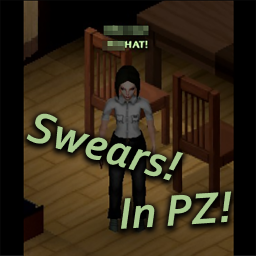
You can swear by pressing Q! This mod changes the English language shouts to swears and such. Not available for other languages. If you'd like to modify it for yourself, feel free. Workshop ID: 2696120192 Mod ID: SwearsonQ
![[CSD] SM4BootsExpanded – Project Zomboid Mod](https://images.steamusercontent.com/ugc/13962312493786538052/393B583FEEECA868E3299A631AADACF2CC789901/)
[CSD] SM4BootsExpanded
par 76561198821409422
WARNING! This mod is for my personal use and meant to be used for my personal server. DO NOT subscribe and use if you do not know what you are doing. mod CSD_SM4BootsExpanded_Insert: mergeCSD() with replaceItems and replaceChance flags set to false. inserts SM4BootsExpanded's entire ClothingSelectionDefinitions. mod CSD_SM4BootsExpanded_Insert_Changes_Only: mergeCSD() with replaceItems and replaceChance flags set to false. inserts only the changes that SM4BootsExpanded made to the original ClothingSelectionDefinitions. This means that only the new clothing are inserted. RECOMMENDED! mod CSD_SM4BootsExpanded_Insert_Shoes_Only: mergeCSD() with replaceItems and replaceChance flags set to false. inserts only the shoes/boots that SM4BootsExpanded added. Workshop ID: 3593191727 Mod ID: CSD_SM4BootsExpanded_Insert Mod ID: CSD_SM4BootsExpanded_Insert_Changes_Only Mod ID: CSD_SM4BootsExpanded_Insert_Shoes_Only
![[B42.20]Camouflage TWD – Project Zomboid Mod](https://images.steamusercontent.com/ugc/27687275641343134/EE6C880483B00C992D883DC746DF98E0140609E6/)
[B42.20]Camouflage TWD
par 76561198217396863
Camouflage TWD ACTUALIZADO PARA BUILD 42.20 ESTABLE Basicamente lo que hace este mod es añadir el camuflaje que usan los sobrevivientes en TWD. Una vez que tengas un cadaver se puede hacer click derecho y usar la animacion para "usar camuflaje", tu personaje se llenara de porqueria en su cara y demas partes para pasar desapercibido por los caminantes. El mod se puede configurar en las opciones sandbox. Si un zombie te detecta perderas el efecto del camuflaje y deberas volver a ponertelo para que funcione. °Se puede elegir cuanto tiempo dura el camuflaje °Se puede elegir a cuanta distancia funciona el camuflaje °Se puede elegir el nivel de reaccion de los zombies en cuanto duden. Version Expanded: https://steamcommunity.com/sharedfiles/filedetails/?id=3427533514 ✅ No olvides calificar mi mod ⭐⭐⭐⭐⭐ 💬 Déjame un comentario, crítica o sugerencia ¡Toda opinión es bienvenida! _______________________________________________________________ UPDATED FOR BUILD 42.20 STABLE This mod essentially adds the camouflage system used by survivors in TWD. Once you have a corpse, you can right-click and use the animation to 'apply camouflage.' Your character will cover themselves in dirt and grime to become less noticeable to walkers. The mod can be configured in the sandbox options. If a zombie detects you, you'll lose the camouflage effect and will have to reapply it for it to work. The mod can be configured in the Sandbox options: ° Choose how long the camouflage lasts ° Choose the distance at which the camouflage is effective ° Choose the level of zombie reaction when they suspect something Version Expanded: https://steamcommunity.com/sharedfiles/filedetails/?id=3427533514 ✅ Don’t forget to rate my mod ⭐⭐⭐⭐⭐ 💬 Leave me a comment, review, or suggestion! All feedback is welcome! If you want to support me, give me a coffee Si quieres apoyarme, cómprame un café Workshop ID: 3427358641 Mod ID: TWD_Cammo
![[B42-MP] Mod Load Order To Server Export Tool – Project Zomboid Mod](https://images.steamusercontent.com/ugc/10541199185118254138/1D35689BC3FD5F2027A57EC20A56360ED67ED898/)
[B42-MP] Mod Load Order To Server Export Tool
par 76561199681438308
This tool lets you easily export your mod's load order. How to use 1. Activate the mod in the mod manager 2. In main menu click on the button "Export mods" located in the bottom right corner of the screen near the "Report a bug" button. 2a. If you can't see the button (it sometimes can happen on wider screens) you can alternatively press or, when on Mac 3. A confirmation pop-up appears - it tells you where the generated file is on your machine, and it also copies the content of the file automatically into your clipboard 4. Navigate to the file and send it to the host or use pastebin to create a copy in the cloud and send the link do the host. 5. Profit! Mod Load Order Exporter A simple tool to export your active mod load order to a text file and automatically copy it to your clipboard. Perfect for multiplayer—share your exact mod list with the host in seconds. What it does Exports your enabled mods in load order Saves a .txt file on disk and copies the same content to your clipboard Shows a confirmation pop-up with the file location Does not change your mod order—only reads and exports it How to use Enable the mod in the Mod Manager. In the main menu, click the Export mods button (bottom-right corner, near Report a bug). If you can’t see the button (it can sometimes happen on wider screens), use the shortcut: Windows/Linux: CTRL + ~ macOS: CMD + ~ A confirmation pop-up appears: it shows where the generated file is saved, and it also copies the export to your clipboard. Send the file to the host, or paste the content to https://pastebin.com and share the link. Where the file is saved The export is saved in your Project Zomboid exports folder, with a name like ModLoadOrder_Export_YYYYMMDD_HHMMSS.txt. Notes Works from the main menu—no need to load into a game. Useful for troubleshooting mod mismatches and MP desync issues. ver. 1.0.1 Load order exported with unwavering focus by pimatstudio Every tip means the world to me, it really does! My original mods Mods - patches Workshop ID: 3640238758 Mod ID: ModLoadOrderExporterB42
![[B42] Have Hope - Subterranean Spawn – Project Zomboid Mod](https://images.steamusercontent.com/ugc/4040111253471791/DA665B4D938976FC9AAA725B657BA0920B5A96A8/)
[B42] Have Hope - Subterranean Spawn
par 76561198001322354
What's Here? This addon contains two mods: Subterranean Spawn - Have Hope This mod adds a new location to the spawn menu, "Have Hope", situated at the deepest point in the Project Zomboid B42 map. - You spawn in a makeshift camp with very few lootable supplies, in a cave 17 floors underground. - Your only exit is through a locked metal shutter door, connected to a short maze-like cave system. - At the end of that is another locked metal shutter door, beyond which is the lowest sub-level of the secret military research base in Hog Wallow Forest, near Rosewood. There is a chance of spawning with a key for the building connected to camp 'Have Hope' -- but this doesn't open the two metal shutter doors between you and the building, which are always locked. This is why 'Subterranean Spawn Items' (below) adds an optional setting to supply all new characters with a sledgehammer upon spawn. Subterranean Spawn Items This mod adds additional settings to the 'Character' menu of the sandbox options (all disabled by default), to supply all new characters with additional light sources and tools/weapons when they spawn in. - Characters spawn with a flashlight ❎/✅ - Characters spawn with a heavy flashlight ❎/✅ - Characters spawn with a spare battery ❎/✅ - Characters spawn with a candle ❎/✅ - Characters spawn with a lighter ❎/✅ - Characters spawn with a box of matches ❎/✅ - Characters spawn with a pickaxe ❎/✅ - Characters spawn with a shovel ❎/✅ - Characters spawn with a crowbar ❎/✅ - Characters spawn with a sledgehammer ❎/✅ - Characters spawn with an empty sack ❎/✅ Known Issues - It seems zombies will not spawn in the building connected to the starting location if you begin a new game with this spawn point, regardless of whether your sandbox settings should allow it. - You have a chance of starting with a key for all secure doors in the building connected to the starting location — but it won’t unlock the locked shutter doors sealing each end of the cave system leading to it — therefore your escape route to the surface will always be blocked by at least two locked metal doors! One of the settings added by 'Subterranean Spawn Items' will give all characters a sledgehammer on spawn, allowing you to bypass these locked metal doors! Recommended Mods - Working Elevators by evilgrin, ported to B42 by Hx, originally based on ProjectElevator by jest. - B42 Fix Generators Basements (for All Layers) by Raixxar. - The sandbox options in Subterranean Spawn Items include the ability to spawn with the items required for Excavation - Basement Expansion by albion. Workshop ID: 3406380476 Mod ID: HaveHopeSubterraneanSpawn Mod ID: SubterraneanSpawnItems Map Folder: Have Hope

Engine outbreak
par 76561198145796765
You can press the F key to accelerate the car. The buttons can be changed through settings. Accelerating a car requires energy consumption,and you can see an energy bar. When accelerating, it can quickly escape and destroy trees, objects, or zombies in front of it. Workshop ID: 3165968528 Mod ID: Engine_outbreak
小美の背包
par 76561198282609518
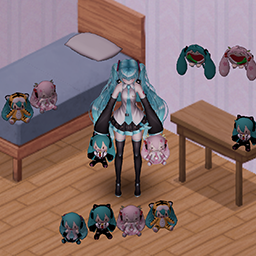
可爱的fufu背包 miku痛包 100减重 49容量 皮革条制作 这个是我的角色卡模组,点击图片跳转喔! Workshop ID: 3705549489 Mod ID: Sheepbag
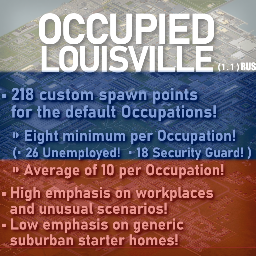
Occupied Louisville (RU)
par 76561198212702180
(Версия 1.1) - Локализирует мод добавляющий город "Луисвилль" как город для начального спавна, и на данный момент содержит около 215+ точек для появляния для разных профессий. (Ссылка на оригинальный мод ниже в описании, для работы локализатора требуется обязательно!!!) Original author mod ( needed for working ) : https://steamcommunity.com/sharedfiles/filedetails/?id=2706495780 Оригинальный мод от автора ( без оригинального мода локализация работать не будет ) : https://steamcommunity.com/sharedfiles/filedetails/?id=2706495780 Workshop ID: 2738225199 Mod ID: OccupiedLouisvilleSpawnpointsRU
![More Books [B42.20.2] – Project Zomboid Mod](https://images.steamusercontent.com/ugc/10023301924313654890/39CE57C9470EFA1771DDFA87EF51D4C52F5B42DF/)
More Books [B42.20.2]
par 76561198032145554
Completely rewritten for Build 42.20. My previous Books mod has finally been updated! Confirmed to work with B42.20.2 What does this mod do? Tired of reading random books written by random authors to relieve your unhappiness, boredom & stress? This mod adds 31+ Books from some of various real world authors. Each book is a copy of the typical book you can find in the game. Now you can read something with a title or even collect them! I am open to requests for books. I will also be adding more in the future. Features: Sandbox option to allow only books published on or before 1993 (or all books) to spawn. Added spawn rate sandbox option. Read to reduce unhappiness, boredom & stress. Each book has an accurate page count according to it's real life counterpart. Books will not be consumed upon reading. Compatibility This mod should be compatible with any other mod. Tested error and bug free on Build 42.19 Bugs: None at this time Roadmap: More books. Rare books, when read will grant more than just a boredom, happiness and stress reduction. Support Me If you like my mods support me by liking and awarding the mod. If you want to give more, you can buy me coffee! Mod Info Workshop ID: 3766496742 Mod ID: bdtmorebooks

Make Dried Fruit 完全汉化
par 76561199323620875
基于2025/2/10的Make Dried Fruit的完全汉化模组 Workshop ID: 3418095366 Mod ID: Make Dried Fruit Completely Chinese 因个人原因,近期暂无更新计划。在此过程中,我决定将目前已完成的汉化成果全部公开,希望能为其他汉化工作者提供一些参考与支持。 同时,我也衷心希望,这些内容在被使用时,能被视作一个可优化的基础,而非被直接或机械地套用。汉化是充满匠心的工作,期待大家能共同创造出更优质的版本。 感谢一直以来的支持。
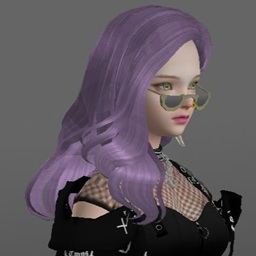
VS42 MakeUp and Glasses
par 76561198048282450
This mod fixes makeup and glasses/accessory options for Variable Skin B42. Reload game after activation, so the game can load the textures for the makeup Submod for Eyewear rework project -> Rec. Mod: Transparent Glass Workshop ID: 3600391018 Mod ID: vs42MUGA Mod ID: vs42MUGAEW

True Japanese Music and some other anime songs
par 76561198190239741
This is an addon for True Music mod with japanese music. This mods only adds Cassettes. Compatible with other True Music addons. The inicial songs are part of my playlist. The goal is to make something similar to Custom Songs for mod True Music (with 600+ songs) with full japanese songs, adding tracks beyong anime music. So I will do some research to add more songs in future expansions. Song List Here are the song list if you want to see them. - Full Song List (Outdated) - Full Song List by expansion (Outdated) Workshop ID: 2901778626 Mod ID: TrueJapanMusic Playlist Don't you know nor heard any of the songs of this addon? You can hear the songs before subscribing If you want to know what kind of music you are going to find with this addon. The playlist is ordered according to the Full Song List - Full Song Playlist (Youtube) Expansions First Pack - "Some Japan Rock and other Stuff" Anime and non anime J-Rock songs, some pop-rock and chill music. Second Expansion - "Dance even Without Knowing what the song says" 90's City Pop, funk and modern pop songs to dance. Third Expansion - "I don't like how Vocaloid voice sounds" Vocaloid artist songs of any genre I found interesting. Fourth Expansion - "The Hip, the Rap and the Hop" 90's hip hop culture japanese rap and modern rap songs. Fifth Expansion - "Anime Openings & Endings #1" OP and ED from early 2000 to 2015 (aprox.) anime. Sixth Expansion - "Post a Better Expansion Name" Some Pop-ish songs and romantic/chill music. Seventh Expansion - "Anime Openings & Endings #2" OP and ED from 2015 to 2022 popular anime. Eighth Expansion - "One Last Drop of J-Rock" Alternative and soft indie rock Nineth Expansion - "The Idol Songs Expansion" Mostly songs from single idol and idol groups and other pop songs to refill Tenth Expansion - "Let´s Groove Tonight" A "mezcolanza" of various genres. Rock, Pop, Groove, Ska, Jazz and maybe others. Workshop ID: 2901778626 Mod ID: TrueJapanMusic
Oxum Station Music Vol1
par 76561198057905896
A selection of musics from 50s to 90s for a lore friendly experience. Made for Oxum Station Server List of music here : https://docs.google.com/spreadsheets/d/1Cbhkg15nUiUVdG8K0h4clcuveYs4jdJ-cVT4BkOEE6A/ Workshop ID: 2819743527 Mod ID: oxum_station_music_VolI
Project Zomboid Guides
Installer des mods Project Zomboid - Guide Workshop
Installe proprement des mods Project Zomboid via le Steam Workshop : saisir les IDs, vérifier l’ordre, redémarrer le serveur et corriger les erreurs typiques.
Louer un serveur Project Zomboid – guide multijoueur
Configurer un serveur Project Zomboid : RAM, paramètres sandbox, mods Workshop, droits admin et vérification propre des erreurs typiques.
Serveur Project Zomboid avec support des mods
Installez les mods compatibles et pris en charge depuis le tableau de bord.
Louer un serveur Project Zomboid