Mods et plugins pour Project Zomboid
Ce catalogue répertorie 52 000+ projets Project Zomboid provenant de Steam Workshop. Les entrées peuvent être côté serveur, côté client ou requises des deux côtés, et inclure des cartes ou d’autres contenus créés par les utilisateurs. Avant l’installation, vérifiez la page source liée, la version du jeu et les dépendances.
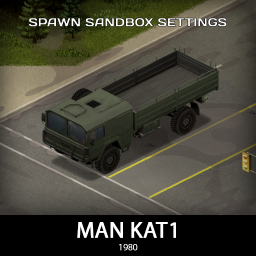
'80 MAN KAT1 Spawn config
par 76561198076705561
This mod adds sandbox spawn config for KI5 '80 MAN KAT1 mod I do not own any rights on this mod, just added sandbox settings as an add-on All credits goes to author of original mod - https://steamcommunity.com/sharedfiles/filedetails/?id=3248388837 Workshop ID: 3511346156 Mod ID: 80manKat1SpawnCFG
![[Obsolete] Zombie Window Crash Patch [B42] – Project Zomboid Mod](https://images.steamusercontent.com/ugc/46830098154267718/28DFADB9D0E9975E5B6148293F2BF44A4743D3A4/)
[Obsolete] Zombie Window Crash Patch [B42]
par 76561198410133704
Do not subscribe to this mod. The bug has been fixed in B42.6, so please update your game to B42.6 or higher This mod fixes a vanilla bug that crashes the game when player hits a zombie in front of a window. For the game to crash, the following conditions must be met: 1. The player needs to have multi-hit enabled and use a multi-hit capable weapon such as a baseball bat or a crowbar, etc. 2. When the player hits a zombie, the window behind it must break. However, these aren't rare conditions, as windows and fences are among the best weapons in Project Zomboid, and players commonly prefer to play with multi-hit enabled. For more details about the bug, please refer to the discussion below: https://steamcommunity.com/app/108600/discussions/6/598520965488490953/ How to Patch 1. Subscribe to the Mod - First, make sure your game version is B42, not B41, and that the game is fully closed. - Then, subscribe to Zombie Window Crash Patch on the Steam Workshop. 2. Locate the Mod Folder In File Explorer, navigate to your Steam Workshop directory, which by default is: C:\Program Files (x86)\Steam\steamapps\workshop\content\108600\3446911675\mods\ZombieWindowCrashPatch\42 (You may copy and paste the above path into the Windows search bar or File Explorer to quickly open it.) 3. Copy the “zombie” Folder Within the 42 folder, locate a folder named “zombie.” Right-click this folder and select “Copy.” 4. Find the Project Zomboid Installation Directory Open a File Explorer window and navigate to your Project Zomboid installation folder. Typically, this can be found here: C:\Program Files (x86)\Steam\steamapps\common\ProjectZomboid Make sure you see an existing “zombie” folder in this directory. 5. Paste and Replace Files Paste the “zombie” folder from Step 3 into your main Project Zomboid folder. When prompted with a warning message indicating that one file named “CombatManager.class” already exists, choose “Replace the file in the destination.” This will overwrite the necessary file. You have successfully installed Zombie Window Crash Patch . Credits The following mods were used to create the screen shots and GIF for the posters: * Character models: VSkin v2 https://steamcommunity.com/sharedfiles/filedetails/?id=3444516315&searchtext= * Hair models: Ash & Mae's Hair Salon: New Frontier V6 https://steamcommunity.com/sharedfiles/filedetails/?id=3026307069&searchtext=ash+%26+mae All participants in the Steam discussions and bug reports regarding this issue: https://steamcommunity.com/app/108600/discussions/6/598520965488490953/ https://steamcommunity.com/app/108600/discussions/6/508449254659881676/ https://steamcommunity.com/app/108600/discussions/6/508449385363860162/ https://steamcommunity.com/app/108600/discussions/6/604150260655252706/#c604150365670102573 And to everyone else who participated in bug reports and discussions that haven't been specifically mentioned here. Thank you all! Workshop ID: 3446911675 Mod ID: ZombieWindowCrashPatch Workshop ID: 3446911675 Mod ID: ZombieWindowCrashPatch Mod ID: ZombieWindowCrashPatch
Sound Mod (Dying Light) = Build 41.53
par 76561198048940067
ATTENTION THIS MOD IS BROKEN AT THE MOMENT, DUE TO THE SOUND CHANGE I HAD IN 41.54, I AM WORKING ON A NEW MOD RELATED TO THIS This mod changes some sounds from Project Zomboid to sounds from Dying Light I made changes to some sounds ==Type== =zombie sound =doors =player steps =alarms (not all) =new explosion sounds =new event sound =sound of eating something and others =etc... --------------------------------------------------------------------------------------------------- if you think some audio is bad or have sound suggestions, speak below in the comments... thanks :D --------------------------------------------------------------------------------------------------- Installation: after you sign up for the mod, you will have to go to the Steam\steamapps\workshop\content\108600/2348332884 folder.. mods\DYING LIGHT SFX EFFECTS In PZ\media\sound\banks\Desktop , copy all .bank files Locate the Steam\steamapps\common\ProjectZomboid\media\sound\banks\Desktop folder and paste the .bank files if you think that some sound is too loud, lower the volume by accessing the options, the audio is advanced, so you can manually reduce it. ATTENTION: backup the .bank files, so you can return to the original whenever you want .... Observations: "If you think that some audio does not match the situation involved, you can tell me in the comments below" =========================================================================== CREDITS TO THE GREAT MAN: Raven who discovered how to edit .bank files ,he is a god really =========================================================================== You want zombies, but scary, this mod works perfectly with it... https://steamcommunity.com/sharedfiles/filedetails/?id=2338446393 Workshop ID: 2348332884 Mod ID: DYING LIGHT SFX EFFECTS In PZ
![Ultimate Generator Overhaul [B42] - Русификация – Project Zomboid Mod](https://images.steamusercontent.com/ugc/12790237805940003750/ADF0CF2A07121454A5B8CD1282DB87BD65C97874/)
Ultimate Generator Overhaul [B42] - Русификация
par 76561198414246143
Русификация Ultimate Generator Overhaul Workshop ID: 3485784737 Mod ID: UGORUS
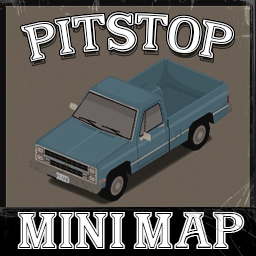
Pitstop Eris minimap Alt
par 76561197991522079
alt pitstop tile map for eris Workshop ID: 2689765480 Mod ID: eris_minimap_pitstopALT
HydrocraftJP2(更新停止)
par 76561198063641807
現在更新予定はありません。 v1.2 PVC官のレシピの脱字修正 本家v10.4cで追加された物の未訳部分をチェック&翻訳 IWBUMSで一部英語になってしまった部分をおまけで修正 Hydrocraftで"Blooo"となってしまっていた本家のファイルの記述ミスを勝手に修正(script/cookies.txt) 新訳版です。一人で翻訳したので作業所はありません。訳の改変はご自由にどうぞ。(再配布禁止) 訳は現実世界の物に忠実に、一部のアイテムは有志日本語化MODに合うよう意訳している部分があります。 バージョンアップ等で未翻訳部分が出来たりすると思いますが、そのような場合は直接教えて下さい。 翻訳されるのはv10.4cが対象です。アイテムとレシピが翻訳されます。(一部コンテキストメニューは原文が特定できないため未訳です) --------------過去の変更履歴--------------- v1.1 1.原文に-(ハイフン)が含まれる部分がうまく訳されない為、原文自体を修正して無理やり訳されるようにしました。 そのためHydrocraftの一部scriptsファイルを変更しています。(変更点はDisplayNameのハイフン部分を削除しただけ) 本家の該当ファイルに更新があった場合は、こちらの古いファイルで上書きされてしまうので注意してください。 (変更したのはBlueprints,Cheesemaking,Clothing,Drugs Tobacco,Electronics,Food Canned,Holiday,Lockcmithing,Medical,Office,Toysの11ファイルのみです。) 2.缶詰の表記を修正しました。(○○の缶詰→缶詰(○○) Workshop ID: 1444215003 Mod ID: HydrocraftJP2
Immersive Medicine - MandoDB Edition Roleplay
par 76561199158095080
THE ORIGINAL MOD IS MADE BY nyamops. ALL LINK UNDER nyamops profile Immersive Medecine Original Immersive Medicine - MandoDB Edition Roleplay Change : Nerfing Spawnrate : From : LootRarity = {} LootRarity.Common = 15 LootRarity.Uncommon = 8 LootRarity.Rare = 2 LootRarity.VeryRare = 0.5 LootRarity.ExtraRare = 0.01 To : LootRarity = {} LootRarity.Common = 15 LootRarity.Uncommon = 2 LootRarity.Rare = 0.9 LootRarity.VeryRare = 0.5 LootRarity.ExtraRare = 0.001 LootRarity.Hemostop = 0.01 LootRarity.Erythropoietin = 0.01 LootRarity.InjectorBox = 0.001 LootRarity.BookAdrenalin = 0.01 All items classified as 'Uncommon' are now classified as 'Rare', to prevent medical loot from being too easy to access. Adrenaline : An adrenaline (or epinephrine) auto-injector is a medical device for injecting a measured dose or doses of epinephrine (adrenaline) using auto-injector technology. It is most commonly used in the treatment of acute allergic reactions to prevent anaphylactic shock1. You have to craft the adrenalin! First you need to find the book "All About Auto-Injector" and find the recipe in "Health" category. Nerfed Items : - Hemostop - If the player has less than 5 levels of first aid, they will panic more, be in a lot of pain and be stressed. On the other hand, if they have 5 or more levels of first aid, they will not be stressed, will have little pain and will be a little panicked. - Erythropoietin - Unlimited endurance time reduction - Morphine - Reducing the time it takes to get out of pain In the next update : - - Adrenalin need to be crafted - - New system for IV/IM - - Adding new Overdose system a lot of drugs - - Soon : "If you don't know anything about medicine, don't call yourself a doctor !" The description below is from original mod Blood transfusion system Do you think it's enough to monitor the character's default health? You're wrong. Now you need to monitor the blood volume in your body: - Slight blood loss: slight fatigue and drowsiness; - Moderate blood loss: cold sweat, thirst; - Critical blood loss: blurred vision, feeling cold; Does the last point sound scary? Put the white slippers aside! Either stock up on blood packs of your group in advance, or ask your friend. Just be careful: suddenly he is infected or his group simply does not suit you. Becoming a donor is easy. You need: a blood testing kit, an empty blood bag, a catheter for intravenous transfusion. And a refrigerator. If you overdo it and you need to store a friend or blood bags somewhere. To perform a blood transfusion, you need to select either the right or left forearm in the health panel Blood pressure and pulse systems Now your character has a pulse and pressure in addition to the blood system! To determine the pulse, you need to select either the forearms, neck or groin in the health panel. But I have a better solution for you - Sport Tester Knox Electro KE 3000 This wristband will show your pulse in real time! To determine the pressure of the character, you will need the Tonometer Nanasonic EW3039S! All you need is just press the button. Drugs and dosage forms I have a whole line of drugs in store for you. There are not many of them yet, but the list will be replenished: - Alkagine - an analgesic non-narcotic agent; - Bismuth subsalicylate - anti-ulcer and antidiarrheal agent; - Morphine - an opioid analgesic; - Naloxone - an opioid receptor antagonist; - HemoStop - hemostatic powder; - Umifenovir - an antiviral agent; - Nasivion - nasal drops; - Erythropoietin - in sports, it is doping; You can find more information about the drugs here: Guide Morphine, naloxone... It sounds simple: take a syringe, stick a needle and let it run through the veins, what will come to mind? What if there are no syringes and needles in stock? Dosage forms: - Oral: tablets, syrups, liquids (to take the drug, you need to select the head in the health panel); - Parenteral: intramuscular and intravenous injections (to inject the drug, you need to select a body part in the health panel); - Parenteral: intramuscular and intravenous injections (to inject the drug, you need to select a body part in the health panel); - Nasal: drops (to apply the drug, you need to select the head in the health panel); Found ampoules of alkagine, but no syringes? - Just drink the contents! Just don't drink too much. You're not a doctor to prescribe a dosage for yourself. And how to find out the dosage and avoid an overdose? These are the questions you should ask yourself first! The first aid skill or trait "Pharmacologist" will come to the rescue. With the help of them, you will be able to determine the maximum dose, know about side effects, and also identify unknown drugs. Traits - Pharmacist - can identify drugs. Knows everything about the composition of medicines and indications for their use; - Universal donor - can become a donor for all other blood groups; - Universal recipient - can accept blood of all other blood groups; - High pain threshold - able to tolerate very severe pain; - Low pain threshold - very intolerant of pain; - Opioid addiction - susceptibility to opiates is reduced by 40%, the pain threshold is increased. You won't live a day without opiates; with permission of nyamops. This mod is copyright and may not be republished on the Steam Workshop. To request authorisation, please contact me on Discord. Installation : You don't need the original mod. https://steamcommunity.com/sharedfiles/filedetails/?id=2845016351 https://steamcommunity.com/sharedfiles/filedetails/?id=2993417406 https://steamcommunity.com/sharedfiles/filedetails/?id=2977982429 Special Thanks for Translator / Models : Vilemang (PTBR Translator) Dog (Injector Model) FOOL (Injector Model) Workshop ID: 2993088982 Mod ID: iMeds_MandoDBEdition Mod ID: iMeds_MandoDBEditionV1
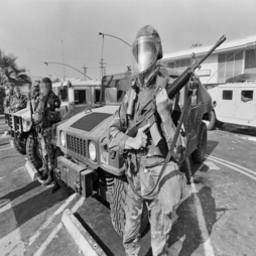
Shark and Brita Compatibility patch (Lore-Friendly) (BROKEN)
par 76561198105994357
Removes vanilla weapons spawning on Shark's military zombies and adds brita's weapons on them Adds Weapon From Brita: M16A2 M16A3 M723 ColtM16 M16Tape CAR15SMG MP5_Fixed MP5_Stock XM117 MP5SD Fixed MP5SD Stock M635 M14 M249 M249E3 M60 Workshop ID: 2885109346 Mod ID: SharkBrita_LF
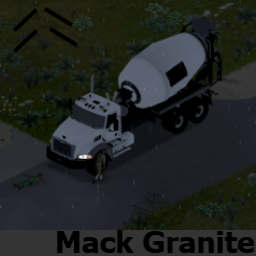
Mack Granite Minipack
par 76561198158366164
This mod adds a very versatile industrial truck one is inspired by the guardian from the video game Smashcops Heat, Get past the waves of zombies, but it wont be that easy watchout your engine. you are free to edit this mods to make skins or even better animated doors req: tsarlib Workshop ID: 3562298598 Mod ID: granitexxx
Unpack Ammo While Moving
par 76561198026319255
Nothing can stop me now! Workshop ID: 3576474648 Mod ID: UnpkAmmoWhMov

TsarLibItemRemover
par 76561198017152515
Patch that removes the items and recipes that tsar lib adds. Usage example: When the player has only "True Actions" but not another tsar series mod. Load AFTER TsarLib. Workshop ID: 3027498093 Mod ID: TsarLibItemRemover
![[B42.13+] Xantji's No Sleep in Singleplayer – Project Zomboid Mod](https://images.steamusercontent.com/ugc/14320578765822026697/28FE2371E2731DA7C8A904CD204001EE1492A4AF/)
[B42.13+] Xantji's No Sleep in Singleplayer
par 76561197971422444
This mod removes fatigue in single-player mode. With this mod, you can play solo just like in multiplayer mode: no fatigue, no need to sleep, and no negative effects such as moodles or reduced damage. DON'T FORGET TO ADD THIS MOD TO YOUR EXISTING SAVEGAME, IF YOU WANT TO USE IT THERE! Load Savegame -> YOUR SAVEGAME -> More -> Change Mods Have fun with it. Best regards, Xantji Tested with: B42.13.1, B42.13.2, B42.14.0, B42.14.1, B42.15.0, B42.16.0, B42.17.0, B42.18.0, B42.19.0, B42.20.4 Workshop ID: 3657538754 Mod ID: XantjiNoSleep

Rolando's tiles
par 76561198053401543
tiles for mappers Workshop ID: 2878442519 Mod ID: Rolando's tiles
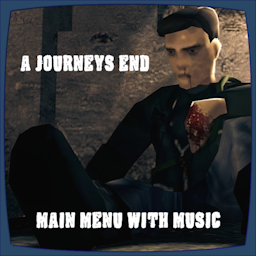
A Journeys End Main Menu With Music (B41+B42)
par 76561198048833753
TO MAKE THIS WORK ON VERSION B42.15 PLEASE FOLLOW RYUKU THE AUTHOR OF MMF'S INSTRUCTIONS. B42.15 NOTICE Unfortunately, due to changes in B42.15, you now need Reflection Enabler. Reflection Enabler link: https://steamcommunity.com/sharedfiles/filedetails/?id=3682136459 I understand installing a Java mod to play custom music in the main menu is overkill, but, that's the way it is at present. When/if this changes, I'll update the mod to support a non-Java solution. ----Description---- A new 16:9 main menu with an awesome new background courtesy of MnoobP, my weathered PZ logo and Campfire Stalkers amazing acoustic guitar cover of the main menu theme track! Blessed Mother highlights are also included in the B42 version of this mod. -REQUIRES THE "MUSICAL MENU FRAMEWORK" -RESET YOUR GAME TO SEE ALL CHANGES This mod is also included in my mix and match pack: HD Main Menu Suite Also did you know you can use all MMF based main menu mods together? Just load any of my menu mods last to add other mods music tracks to the playlist... They will of course play at random. Check out the other standalone mods in this series: - Shaun of The Dead Main Menu with Music - Speed Demon Main Menu with Music - Dead Island Main Menu with Music - We are F*cked Main Menu with Music - False Hope Main Menu with Music - Hope is Lost Main Menu with Music - Left 4 Dead Main Menu with Music - The Last Of Us Main Menu with Music - The Walking Dead Main Menu Remix - 28 Days Later Main Menu with Music - An Alternative Main Menu - Days Gone Main Menu with Music - Dying Light Main Menu with Music - DayZ Main Menu with Music - Refashioned Main Menu Remix - Xirszo Main Menu Remix - MaDeInCCCP Main Menu Remix Want a cleaner main menu? Then check out my other main menu mods: - Main Menu Watermark Remover (B42) - Main Menu Credits Disabler (B42) Serious massive thanks to Ryuku for his framework, support and help with most of the coding! Please go and like/favourite his Framework! Another massive thanks to Blessed Mother for thier highlight codes! A big thanks and credit to MnoobP for his amazing artwork! and also to Campfire Stalker for his awesome cover of PZ's main menu theme track. Workshop ID: 3492164921 Mod ID: AJEMM_B42
More Music ( True Music )
par 76561198286929306
Alexokekso top Workshop ID: 2782537102 Mod ID: new_alexo_muz

silencers
par 76561199024705456
silencers go tick tick tick Workshop ID: 2776207195 Mod ID: ModTemplate Map Folder: ModTemplateWorld1 Map Folder: ModTemplateWorld2
Candy Cane Weapons
par 76561198035338496
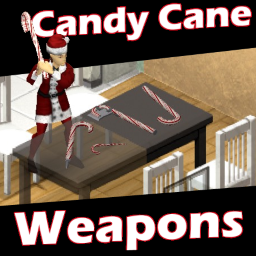
This mod adds a decorative candy cane that can be used as a weapon, as well as some upgrades to turn it into other weapons. To get started, you can find these decorative candy canes in various places where toys are found as well as garages. From here you can upgrade it to different kinds of weapons, use it as-is, or decorate your safehouse with it. The upgrades require metalworking skill to create them. The mod contains: - Candy Cane Club - A hollow metal decorative candy cane that can be swung as a weapon. It's not very effective or durable, but works in a pinch - Reinforced Candy Cane Club - The normal club reinforced by a metal rod. Much more effective of a weapon than the normal club - Candy Cane Axe - Reinforced club with an axe head fashioned from a metal sheet. Not as effective as other axes, but still a deadly weapon - Candy Cane Spear - Reinforced club with a pointed tip. As with all spears, it is quite lethal - Candy Cane Shiv - A regular candy cane sharpened by saliva. More of a novelty than anything else, but you can pull off a couple stealth kills with it Since Christmas is just a week away, I've decided to release this in its current state in case anyone wants to bash in heads with decorative and weaponized candy canes. A bit late, but better late than never. It sat on the backburner as I worked on other stuff so it doesn't quite have everything I wanted in it, but it's fully playable despite missing some polish. I'll probably revisit this idea next year, and hopefully get it out much earlier as well. Workshop ID: 2686751704 Mod ID: CandyCaneWeaponsfhq
Simple Add Inventory Pages (for Build 41)(dev)
par 76561198006033053
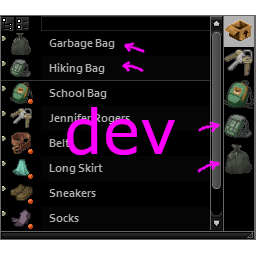
これはSimple Add Inventory Pages (for Build 41)の開発版です。 問題なければリリース版を置き換えますが、普段使いには適していません。 基本的な説明はリリース版のページを見てください。 変更内容: - 周囲にあるアクセス可能な入れ物の中にある入れ物のページの追加にも対応しました。 これには車の座席なども含まれます。 この機能はリリース時には既定では無効になります。 Modのフォルダーに下記の内容のファイル「SimpleAddInventoryPages.Settings.lua」を作成すれば入れ子をどこまで取り出すか調整可能です。 ※実際には*.luaになっていればファイル名は何でもよいです。 require "SimpleAddInventoryPages" SimpleAddInventoryPages = 1 私が言っていることが理解できない場合は触らないでください。 背負ったバッグの中のバッグや車の後部座席のバッグの中のバッグやに簡単にアクセスできる不自然さがありますが、制御が大変なのでそのままにしています。 - それに伴い、ソースコードが複雑になったのでメンテナンス性や互換性が低下しました。 上手く動かない場合はこの開発版を取り下げる可能性もあります。 This is the development version of Simple Add Inventory Pages (for Build 41). If there are no problems, it will replace the release version, but it is not suitable for everyday use. See the release version page for basic descriptions. Changes: - Added support for adding pages for containers that are nested in surrounding accessible containers. This includes things like car seats. This feature will be disabled by default upon release. You can adjust how far the nesting is followed by creating a file "SimpleAddInventoryPages.Settings.lua" with the following contents in the mod folder. *In fact, the file name can be anything you want, as long as it is *.lua. require "SimpleAddInventoryPages" SimpleAddInventoryPages = 1 If you do not understand what I am saying, please do not touch it. There is something unnatural about being able to easily access the bags in the bag on my back or in the bag in the back seat of my car, but it is hard to control, so I leave it as it is. - As a result, the source code has become more complex, which reduces maintainability and compatibility. If it does not work well, this development version may be withdrawn. Workshop ID: 2728354075 Mod ID: SimpleAddInventoryPages20220123
Music Mod DarkWood + No More Room in Hell 41.53
par 76561198048940067
ATTENTION THIS MOD IS BROKEN AT THE MOMENT, DUE TO THE SOUND CHANGE I HAD IN 41.54, I AM WORKING ON A NEW MOD RELATED TO THIS This mod changes all the songs in the EARLY ACCESS (EA) version, some being from Darkwood and some others from No More Room in Hell. Installation: After subscribing you will have to locate the steam\steamapps\workshop\content\108600/2350360114 folder.. mods\Music Mod DarkWood + No More Room in Hell\media\sound\banks and copy the "OldMusic.bank" file After that, locate the Steam\steamapps\common\ProjectZomboid\media\sound\banks\Desktop folder and paste the OldMusic.bank file ATTENTION: Back up your OldMusic.bank file before switching the files, just so you can go back to the original whenever you want.... Next and last step is to start your PZ, going into options / audio, and switch the music to the EARLY ACCESS (EA) VERSION. After going through these steps, the mod will then work accordingly. Enjoy! :) Workshop ID: 2350360114 Mod ID: Music Mod DarkWood + No More Room in Hell
![[B42] Armor Weight Reduction – Project Zomboid Mod](https://images.steamusercontent.com/ugc/12966358154849637129/7805FEB9852D214D0D92C61AB848B5F6CB4865C5/)
[B42] Armor Weight Reduction
par 76561198040391526
Reduce the weight of every armors. Also remove the speed reduction from every armors. No bug known, yet. Workshop ID: 3528167244 Mod ID: ArmorWeight
![Rambley The Raccoon Plushie [B41/B42] – Project Zomboid Mod](https://images.steamusercontent.com/ugc/15301013024394844/E455499CC9F6574BB97595B87398D6435AACE3D0/)
Rambley The Raccoon Plushie [B41/B42]
par 76561198301804420
"Hey, You found me!" - Rambley The Raccoon from Indigo Park can finally meet a new friend in this desolate zombie world There's Rambley and the much rarer totally not artificially inflated Golden Rambley which all come at the cost of the big green subscribe button To everyone who wanted a costume : https://steamcommunity.com/sharedfiles/filedetails/?id=3303014519 And the new version : https://steamcommunity.com/sharedfiles/filedetails/?id=3346999241 (they do work together) dont expect updates but its b42 now (should work, if not just stick to b41 or something) Obviously all rights to Rambley go to UniqueGeese and the team behind Indigo Park. Workshop ID: 3297283856 Mod ID: Rambley
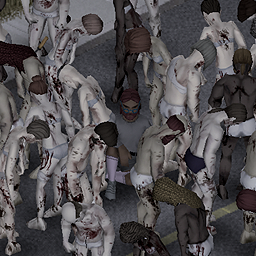
Zombie No Clothes
par 76561198007047050
Zombies don't wear clothes. The spawning type of all zombies itself changes to 'regular zombies without clothes.' This means that police zombies spawned at the police station don't just lose their clothes while still holding guns. Simply put, regular zombies spawn everywhere. This may help reduce lag. I'm not sure about compatibility with other mods since I only briefly checked the code. I modified and adjusted the Vegetation Zeds mod. Thank you. *chat gpt translated korean to english Workshop ID: 3281144566 Mod ID: ZombieNoClothes
![[Abandoned] PokeApocalypse - Cards and Plushies – Project Zomboid Mod](https://images.steamusercontent.com/ugc/32183803854913909/3AD9B8853A9FF1618A1E2F62D408C4464319ED29/)
[Abandoned] PokeApocalypse - Cards and Plushies
par 76561198258866155
Notice! I am stepping down from modding, and my mods will no longer receive updates. I suffered a major loss when my hard drive went missing (I believe it was stolen, though I cannot prove it). The drive contained months—if not years—of unreleased work, source files, and upcoming updates. Losing all of that progress has completely drained my motivation and willpower to continue modding. I am sorry. IMPORTANT I do have my files for a tcg mod. Its basically finished, just needs to be fine tuned and play tested. If I ever feel the spark, it will be uploaded as a final mod. It's pretty good, stay hopeful. Permissions I grant full permission for anyone to use, modify, reupload, or continue anything from my mods. You do not need to ask for my permission, and you do not even need to credit me. Collectible Trading Cards from PokeApocalypse Use Mod Options to disable spawning of items you don't want Trading Cards - Adds "Base Set"-"Jungle"-"Fossil"-"Base Set 2"-"Team Rocket"-"Gym Heroes"-"Gym Challenge"-"Promo Cards" - Unseal Booster Boxes to receive 36 Booster Packs. - Booster Packs contain 11 cards. - Cards are PSA graded 1 through 10. PSA 10 cards can be sleeved in hard cases. Craft the cases using 200$ - Adds Trading Card Binders, Deck Boxes, Collector Tins, and Booster Boxes (unsealed) as card containers. - Craft a Card Collector backpack. Deck Boxes, Binders, Cards, Collector Tins, Booster Boxes can be attached. - Click "Read Card" to read your cards. - Checklists can be crafted with paper and pencil, or from your Bundle of Maps. - Booster Boxes/Packs/Promo Cards, Binders, Deck-Boxes, Tins will spawn in the world as "Gifts" to prevent oversaturation. Plushies - Adds all gen 1 Pokemon Plushies - Plushies have shiny variants too. - Noirs Attachments This will allow you to attach plushies to backpacks. - Gashapon Balls contain Plushies. - Gashapons can be found on zombies and in the world. - Checklist can be crafted with paper and pencil, or from your Bundle of Maps. FAQ Why did you make this mod? I needed something to do if I make it to end game. Now I have something to do. lol. Will you be adding more card to the mod? I would like to, yes. But I don't remember how I made the pack file using the modding tools. TBH, it's the only thing preventing me from adding more. I've tried adding more, but it just errors. Nothing is spawning? Most likely something on your end. It works for me. 2 GB???? Textures. Nintendos coming for you! The Pokemon Company publishes a 'fanart' license. You're allowed to make whatever Pokemon art you want with the caveat that it belongs to The Pokemon Company and cannot be used for anything beyond personal use." Pokemon is a registered trademark of Nintendo. Copyright Nintendo. All rights reserved. SPOILERS Don't go digging through the code for answers. Enjoy yourself, have fun and let it suprise you. There are rewards for collecting everything. Its up to you entirely to pursue them and show them off to your friends. You have to make the choice of keeping your collection, or giving it all up for the rewards. Collecting all plushies gives you a reward. Completed trading card sets can be crafted into special binders. Combine all the special binders for the reward (dont use your high PSA graded cards. I suggest waiting until you have a set of lower grades before making the binders). Workshop ID: 3263007439 Mod ID: PokeApocalypse_Cards and Plushies
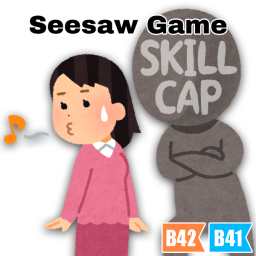
Seesaw Game
par 76561199151439614
Overview : Say goodbye to becoming a jack-of-all-trades! This mod introduces a new skill development system that encourages balance and decision-making by setting a cap on total skill levels. Designed with multiplayer and RP servers in mind, this mod promotes role specialization and interdependence. Confirmed to work with Build 41/42. Split-screen play is not supported. May be considered upon request. Features : - Skill Cap System - You can level up freely until your total skill level reaches the cap. - Once the cap is reached, skill leveling behavior depends on the cap setting. - If there are skills marked as reducible, one will be randomly chosen to decrease, allowing the new skill to level up. - If there are no reducible skills, skill level-up will be suppressed. - Skill Cap Buttons - Cap control buttons are added to the skill panel in the character info window. - Each button has three toggle states that can be switched by clicking: - : Gain XP and level up freely until the total cap is reached. - : XP gain and leveling are disabled; skill may be reduced if over the cap. - : XP gain and leveling are disabled; skill is protected from reduction. - Skills without a cap button are excluded from the system. - You can customize which skills are excluded via Sandbox settings. Sandbox Options : These options are available in Sandbox Options. - Seesaw Game > Total Skill Cap : Sets the total level cap across all skills. Once the combined level exceeds this value, no further skill gains are allowed. - Seesaw Game > Excluded Skill Cap : Sets a semicolon-separated list of skills to exclude from the total skill cap. These skills will not be affected by the cap and can continue to level up freely. Options : These options are available with Mod Options in B41. - Level Down XP Rate : Sets how much XP is reduced when a skill is leveled down due to reaching the total skill cap. - Show Skill Cap Info : Displays total skill cap information in the Skill Panel. Known Issues : - Setting a high EXP multiplier may cause the total skill count to become inaccurate when multiple levels are gained from a single exp acquisition. This is currently a limitation, but I plan to consider addressing it if there is significant demand in the future. - If leveling up is disabled due to exceeding the cap limit, any recipes acquired through that level-up will remain learned. Beta Notice for MP: This mod has been updated to support multiplayer on the current stable Build 42 release. Due to changes in Build 42's XP and multiplayer handling, the mod's internal architecture has been substantially revised. XP control, which was previously handled mainly on the client, is now handled primarily by the server. The intended gameplay features have been tested successfully on a dedicated server, including skill locking, level reduction, per-player settings, reconnecting, and changing the Level Down XP Rate during play. However, performance with multiple concurrent players has not yet been tested extensively. For this reason, this release is being published as v0.5 Beta while feedback from active multiplayer servers is collected. If you use this mod on a multiplayer server, reports about server performance or player-specific setting issues would be greatly appreciated. Future plans : - Bug fix (if it exists) Release Notes : - v0.5 - Added support for Build 42.20. - v0.4 - Hotfix for Build 42.15. - v0.3 - Hotfix for Build 42.13. - v0.2 - Fixed cap button problem. - v0.1 - New release as beta version. Please refer to "Change Notes" for the older history. If you enjoy this mod and would like to support its development, donations through Ko-fi are greatly appreciated. Donations help cover the cost of a dedicated server for MP testing and AI services used during development. Thank you for helping me continue maintaining and improving my mods! Workshop ID: 3515515643 Mod ID: P4SeesawGame
Project Zomboid Guides
Installer des mods Project Zomboid - Guide Workshop
Installe proprement des mods Project Zomboid via le Steam Workshop : saisir les IDs, vérifier l’ordre, redémarrer le serveur et corriger les erreurs typiques.
Louer un serveur Project Zomboid – guide multijoueur
Configurer un serveur Project Zomboid : RAM, paramètres sandbox, mods Workshop, droits admin et vérification propre des erreurs typiques.
Serveur Project Zomboid avec support des mods
Installez les mods compatibles et pris en charge depuis le tableau de bord.
Louer un serveur Project Zomboid