Mods et plugins pour Project Zomboid
Ce catalogue répertorie 52 000+ projets Project Zomboid provenant de Steam Workshop. Les entrées peuvent être côté serveur, côté client ou requises des deux côtés, et inclure des cartes ou d’autres contenus créés par les utilisateurs. Avant l’installation, vérifiez la page source liée, la version du jeu et les dépendances.
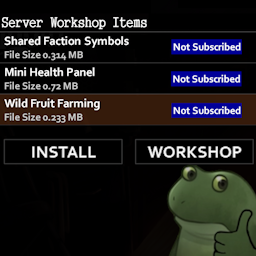
Better Server Mod List
par 76561199765844966
Hides the mods you already have installed/updated and lets you open mods to install in Workshop when joining a server. Note on Permissions You don't have to ask me for permission to fork, patch, or repost my mods! Do whatever you want with it My Mods Workshop ID: 3349574582 Mod ID: BetterServerModList
![[OBSOLETE] Sapph's Cooking Turkish Translation – Project Zomboid Mod](https://images.steamusercontent.com/ugc/1930381644954236759/0177860CDF6F737C9A4828B99C7FC93B48D6B7B0/)
[OBSOLETE] Sapph's Cooking Turkish Translation
par 76561198130139709
This mod is both uncontinued and obsolete as Turkish translation by someone else is already integrated into the Sapph's mod itself. Sapph's Cooking Mod için Türkçe çeviridir, bu güzel mod için kendisine çok teşekkürler. / Turkish translation for Sapph's Cooking Mod, thanks to him for this great mod. Orijinal Mod Sapph's Cooking Orijinal Modun sahibi Sapph'ın profili Workshop ID: 2879513724 Mod ID: sapphcookingtr
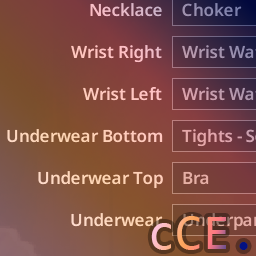
Creation Clothes Expanded
par 76561198036252840
Simply expands beyond the basegame character creator's clothing selections, while not allowing balance-affecting start items such as bags or armor. Enabled for all professions and genders. Compatible with any mod which cosmetically alters the creator screen. Updated for Build 42.20 stable. Workshop ID: 3391666344 Mod ID: creationClothesExpanded Workshop ID: 3391666344 Mod ID: creationClothesExpanded
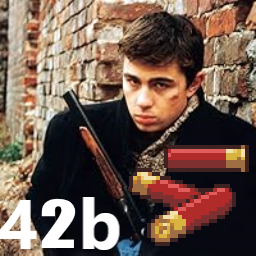
Brat Ammo Craft
par 76561198506418501
Этот мод позволяет сделать патроны для дробовика как в фильме "Брат". Этот мод позволяет создавать ванильные боеприпасы PZ. Он предназначен для использования в ванильном режиме, поскольку существуют и другие моды, которые охватывают разные типы боеприпасов для оружия разного калибра. Функции Новая вкладка Патроны в меню крафта. Можно изготовить патрон с картечью из: 10 пороха; 15 гвоздей. Из инструментов нужнен только молоток И навыки перезарядка 1 Порох тоже можно крафтить ------------------------------------------------------------------------------------- This mod allows you to make shotgun shells like in the movie "Brother". This mod allows you to create vanilla PZ ammo. It is intended to be used in vanilla mode as there are other mods that cover different types of ammo for different caliber weapons. Functions New tab Cartridges in the crafting menu. You can make a cartridge with buckshot from: 10 gunpowder; 15 nails. The only tool you need is a hammer And skills recharge 1 Gunpowder can also be crafted Workshop ID: 3141551886 Mod ID: Brat_Ammo_Craft Mod ID: Brat_Ammo_Craft
![[B41] Map Legend System – Project Zomboid Mod](https://images.steamusercontent.com/ugc/17556210320082760486/9964E1956BA4016468EBEE1E06FD135D5D314181/)
[B41] Map Legend System
par 76561199033892043
This mod adds a fully customizable, toggleable legend and information panel inside the in-game map-ideal for server rules, symbol guides, and briefings. Content is file-driven and versioned; the side panel uses the theme layer from ElyonLib (there is no separate Dock Menu window-the legend lives on the map UI). How it works - Toggleable Map Panel: Adds a dedicated side window directly inside the world map UI. - Custom Content Source: A simple text file stores all legend and information content. If the file does not exist, it is automatically generated with default content. Zomboid/Lua/MapLegendSystem/MapLegendSystem.txt - Versioned updates: The first line contains a version string (e.g., VERSION = 1.1). Increase it after editing to push updates. - Server-controlled in Multiplayer: The server manages and distributes legend content to connected players. - Scalable Layout: Designed to adapt cleanly to different resolutions and UI scales. Singleplayer & Server behavior - Singleplayer: Reads directly from your local legend file and checks periodically for version changes. - Multiplayer: The server distributes the legend data. Clients sync on connect and receive updates when the version changes. - No restart required: Edit the file, bump the version number, and changes propagate automatically. Key features - Map-integrated UI: Seamlessly embedded into the world map interface. - Admin-friendly: Perfect for event explanations, safe zones, symbol guides and server briefings. - Rich text formatting: Supports headers, alignment, custom colors, font sizing, and structured layout. - Image support: Optionally reference custom images for visual legends or symbol examples. - Lightweight & optimized: Minimal performance impact. Perfect For - Roleplay servers marking faction territories - Event servers explaining objectives and map symbols - Hardcore servers outlining safe zones or restricted areas - Community projects displaying building plans or area guides Options Configure these in the Map Legend System options: - Expand/Collapse the Map Legend Panel - Panel Opacity - UI Scale Adjustment Quick start - Launch the game/server once to auto-create the legend file. - Edit content inside: Zomboid/Lua/MapLegendSystem/MapLegendSystem.txt - Bump the first line version (e.g., VERSION = 1.1) to distribute updates. Requirements - ElyonLib - load before Map Legend System. It supplies the dark UI palette used by the mod, admin-access helpers on the server, and shared formatting utilities for legend rendering. Supported Formatting Tags <LINE> - Starts a new line <BR> - Creates a larger line break <H1> - Large centered header <H2> - Medium left-aligned header <TEXT> - Default body text formatting <CENTRE> - Center alignment <LEFT> - Left alignment <RIGHT> - Right alignment <SIZE:small/medium/large> - Changes font size <RGB:1.0,1.0,1.0> - Custom text color (0.0–1.0 range) <RED> - Red text <GREEN> - Green text <BLUE> - Blue text <ORANGE> - Orange text <IMG:path/to/image.png> - Displays an image (must exist in media folder or valid UI path) Frequently Asked Questions Does it work in Multiplayer? Yes. The server distributes legend content to all connected players and pushes updates automatically when the version changes. Does it work on existing saves? Yes! You can enable it mid-save without issues. Developer Note: This mod is in development, featuring the latest improvements and experimental features. While thoroughly tested, some features may be refined in future stable releases. This mod was commissioned by the Dawn of the Dead community. I'm open to new commissions - contact me on Discord .ely0n or find me in the PZ Modding Discord. This mod's permissions fall under TIS's policy On Lockdown This mod cannot be modified by anyone else, for anything else, at all, ever. Even if the user disappears, they would much rather you didn't touch the fruits of their hard labour. Workshop ID: 3672869942 Mod ID: MapLegendSystem
![Wukong Welding - Bars Rods and Tubes [B42] – Project Zomboid Mod](https://images.steamusercontent.com/ugc/50201554258300573/20F80BA7A128D0EBFF3714437D1A0E7867D2AF80/)
Wukong Welding - Bars Rods and Tubes [B42]
par 76561198016815299
Have you wanted to build metal frames for your base, but your recent dissasembly spree left you with nothing but chunks, quarter and half bars? Did you finally get a bunch of full length bars only to find that you actually need rods? Well then this is the mod for you! With the power of a propane torch, you too can grow your rods like the mighty Sun Wukong! Recipes this mod adds: For both Iron and Steel: -Weld quarter and half bars into full length bars (crafted under welding category) -Weld quarter bars into rods, takes 3 quarters to 1 rod (crafted under welding category) -Saw down bars into rods which also returns a quarter bar For Iron Tubes: -Table crafted version using the metalworking category, you can hammer 3 iron chunks around a full bar to form an iron pipe -Blacksmithing version if you don't want to use your precious propane! The welding recipes give some slight welding xp to help with leveling welding in B42 The Iron tube recipes give small amount of Metalworking (Blacksmithing) xp Additionally with a forge, some additonal recipes to: -Craft steel bars from steel chunks, halves and quarters (like the iron versions currently can) -Craft both steel and iron quarter bars from steel and iron pieces (5 to 1) Permissions: Do whatever you like with the mod, no restrictions here! Changelog: v1.1 Fixed the Sawing recipe animation so the saw is in the correct hand Added two new recipes to create Iron Tubes v1.2 Removed Iron Rod receipes. This was causing CTD on loading into game as the newest release removed Iron Rods from the game. Workshop ID: 3399343690 Mod ID: WukongWelding
![Tidy Up Meister [B42] - Русификация – Project Zomboid Mod](https://images.steamusercontent.com/ugc/15321219260466446165/D25DD8C4620A27C5F6EFBF3B87E9195DC339224F/)
Tidy Up Meister [B42] - Русификация
par 76561198414246143
Русификация Tidy Up Meister Функция автоматического возврата экипировки из этого мода была добавлена в ванильную игру в Build 42.8.0. Однако ванильная реализация до сих пор не поддерживает некоторые действия. Что делает мод? • Автоматический возврат: После завершения действий (разборка, строительство и др.) экипировка автоматически возвращается в исходное состояние • Работа с контейнерами: Предметы возвращаются в исходные контейнеры, если они там хранились • Гибкое управление: Возможность отключить автовозврат через контекстное меню для непрерывных операций • Расширенная поддержка: Работает с действиями, не охваченными ванильной системой • Полная совместимость: Не мешает работе ванильных функций Build 42.8.0 Ключевые особенности: Расширенный автовозврат экипировки, совместимость с Build 42, поддержка мультиплеера. Dear foreign friends, this mod is only a localization of the main mod. If you came here because of the preview or text on it, you can safely go to the modification page itself. Хочу перевод Поддержать переводчика Workshop ID: 3592657534 Mod ID: TIDUPMAISRUS

True Music Addon: BABYMETAL Music Pack
par 76561198409670709
METAL FORTH 2025 UPDATE AVAILABLE NOW! Hello Again Everyone! This time round I bring you a mod for a band I have now become a die-hard fan for and after seeing their show in Wolverhampton, I am now happy to present to you the BABYMETAL music pack for project zomboid! Nothing like slicing a zomboid in half with high-pitched Japanese women singing cheerfully about chocolate with heavy guitar riffs. All vinyls will try to have their own cover art, if they do not, they will have the standard cover art of the album they appear on. Suggestions welcome! Thank you for visiting and please enjoy! Workshop ID: 3106770182 Mod ID: babymetal_music
![[COS] Jill_Retribution – Project Zomboid Mod](https://images.steamusercontent.com/ugc/2419067507445518498/CDE0FA2F56D0C82FC324AF7DFAA73F0FC4612CF3/)
[COS] Jill_Retribution
par 76561199178116693
How Do I Use It? - You can go to the link below to see how to use it. - Link Recommended mode - Fashionoid - Gear Transmog - Hide All Attached Items - Clipping animation Fix How to use COS mode in build 42. - Navigate to the path where the mod is installed. - Create a 42.0 folder. - Create a common folder. - Paste the media folder / mod.info / preview.png into the 42.0 folder. The recipe code writing method has been changed in 42Build. Since COS (Costume) mode has approximately over 200 modes, converting to 42Build's recipe code is an extremely laborious task. In 42Build, you cannot create costumes in (42 build) the crafting tab. There are two methods: Spawn items in cheat mode. Select items in the clothing selection screen when creating a character. Like My Mode? - Join Our Discord If You Want Commission

Banish Items Mod (Admin)
par 76561198050166062
This mod is developed exclusive for server admins who wants to destroy items to clean server. Not work with singleplayer mode. If Banish Mod (Admin) and Banish Mod (Client) versions are activated at the same time Admin Version get priority so, Client version stop running. This version not requires sledgehammer, can remove all items in one action and can remove zombies inside of containers. Language support at the moment: ES_es, ES_ar, EN_en. If you have suggestions or translation support or translation fixes contact me. Workshop ID: 1737374134 Mod ID: BanishModAdminsSteam
![Armed Zeds [B41/B42] – Project Zomboid Mod](https://images.steamusercontent.com/ugc/10154386112471771852/E662C0F9B0EBF2D8F287CC7C8CD33DEAD0E427CE/)
Armed Zeds [B41/B42]
par 76561198023316543
Armed Zeds Some zombies picked up guns. Unfortunately, they remember how to use them. Armed Zeds adds a configurable chance for zombies to spawn with a firearm. They can raise their weapon, fire at players from a distance and still chase, lunge and bite normally when they get close. Build 41 + Build 42 One subscription contains separate implementations for Build 41.78 and Build 42.20. Project Zomboid selects the correct files automatically, so the two builds do not load each other's code. Features - Visible aiming and firing animations for handguns, shotguns, rifles and automatic weapons - Gunshots can cause bullet wounds, bleeding and lodged bullets - Zombies check walls, doors, windows and other cover before firing - Limited ammunition, weapon-specific fire rates and automatic bursts - Gunshot sounds attract nearby zombies - Optional bullet tracers and muzzle flashes - Kill an armed zombie and loot the exact gun it was carrying, including its remaining ammunition - Works in single-player, local co-op and multiplayer Weapon-pack compatibility Armed Zeds automatically uses compatible conventional firearms from weapon mods made for your current game build. Build 41 has been tested directly with Brita's Weapon Pack and Arsenal(26) GunFighter Main 2.0, but neither mod is required. Weapon selection stays balanced even with very large packs, so not every armed zombie will suddenly carry a machine gun. Bows, crossbows, launchers, flamethrowers, BB and paintball guns, fixed weapons and explosive weapons are ignored. Zombie outfit, clothing and texture mods should work normally. Mods that completely replace zombie AI or animations may need a compatibility patch. Parry Bullets compatibility Parry Bullets is optional. The currently published Build 41 version integrates directly: Armed Zeds checks the defender before applying a wound, and a successful parry consumes endurance, cancels the damage for every player and visibly sends the tracer away from the weapon. Armed Zeds Build 42 works independently and is ready to use the same integration when a matching Build 42 Parry Bullets version is installed. Sandbox options - Armed-zombie spawn chance - Share of vanilla and modded guns - Accuracy, damage and maximum range - Limited or unlimited ammunition - Fire rate and first-shot grace period - Gunshot noise, tracer effects and diagnostic logging Requirements and multiplayer Project Zomboid Build 41.78.x or Build 42.20 There are no required weapon packs. In multiplayer, the server and every player must enable the same weapon mods so modded guns appear correctly. Multiplayer hits and ammunition are handled by the server so every player sees the same result. Fair warning The default armed-zombie chance is only 2%. If you set it to 100%, what happens next is entirely your fault. Armed Zeds does not replace any vanilla game files or include assets taken from other mods. Workshop ID: 3762864726 Mod ID: ArmedZeds
Metal Pipe Falling Sound Effect Hitsound
par 76561198205919189
Replaces the lame, typical, mundane sounds of the Metal Pipe, Metal Bar and Lead Pipe hitsound with the glorious, revolutionary Metal_Pipe_Falling_Sound_Effect_320_kbps.FLAC This is my first EVER "mod" that I have ever made for a game and I hope that one day I can begin creating more complex Zomboid mods (once i figure out how to program in Lua lol). Fun Fact: I couldn't get this mod working for 2 hours until I realised I had to change an "event" to a "file". Thanks to W. Patrick and Blackbeard for the Modding Tutorials. Thanks to Nitzer von Heller for the Accurate Pan Mod, it helped me troubleshoot and figure out how to PROPERLY replace sound files. Workshop ID: 2961835726 Mod ID: BANGclangclangtnktnktnktktktkktkktktkk
Onyx Scrap Yard
par 76561198190140579
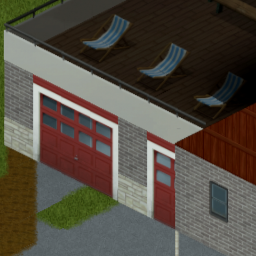
Welcome to the Onyx Scrap Yard! Lounge by the waterfront or get your hands dirty wrenching! Includes a fairly large house with three bedrooms three baths and a garage to spare! Located just off the beaten path by Riverside, KY! Workshop ID: 2877023279 Mod ID: onyx_scrap_yard Map Folder: Onyx Scrap Yard
A searching car fix mod (Worse Searching)
par 76561198066732137
Update 28 Feb 2022: Fixed script error in worse searching, when a player searches a glovebox or a car. Worse Searching car save fix, requires Worse Searching, will fix your problems with the car searching and with the search not saving. This workaround saves when a car has been searched when relogging in multiplayer. There's a bug with worse searching, where the cars don't save their state in multiplayer. This is very annoying, because I keep lots of good stuff in cars and they take a long time to go through after every time that I relog. Workshop ID: 2722557707 Mod ID: asearchingfixmod

Frighteningly Fast Crawlers
par 76561199262415918
I learned how to make the crawlers terrifyingly fast this should make clearing hordes harder Incompatibilities: After much sadness of not being able to use my own mod. I'VE FINALLY FIGURED IT OUT It has an incompatibility with More Zombie Death Animations. If anyone finds anymore Incompatibilities please do inform me Workshop ID: 3262653561 Mod ID: Frightingly fast crawlers
![[B42+] Portable Vehicle Repair Kit – Project Zomboid Mod](https://images.steamusercontent.com/ugc/11032634758414819851/2B39F950EBFF545D0BD92598863B1B252624271D/)
[B42+] Portable Vehicle Repair Kit
par 76561199116168893
Tired of having to bring and take all the metal sheets and propane torches in your backpack for emergency repairs? Why don't we... pack them all neatly in one bag and bring it in your trunk or attach it to the bottom of your backpack! That's what this mod does and oh boy it will bring a lot of convenience for your looting journeys. The mod adds 3 new items! - The Vehicle Repair pack itself, which can be used to any vehicle parts that are in your main inventory (You'll need a Welding Mask for the repairs) (It's refillable too, after it ran out). - Reinforced Tire Pump which will pump 50% faster than the normal Tire. - and a Magazine that teaches you how to make the new kit and the tire pump for ease of access. (Recent update changed the module back to Base, so your might lose all your items that you have already crafted. I am sorry but it has to be done for better stability.) Recently tested and updated on Build 42.17 Let me know if there any bugs or fixes that need to be done! Have fun looting and shooting, fellow Survivors. Workshop ID: 3647455440 Mod ID: AiORepairKit
![[B42.20] Ponchos – Project Zomboid Mod](https://images.steamusercontent.com/ugc/9265795075374056090/AC156AF87EB16C6F64685B89AF207D2974029FEF/)
[B42.20] Ponchos
par 76561198217396863
Ponchos 42.20 Akyet's Military Ponchos, updated to B42.20 with lowered protection values. Add a new military-style poncho to the game! It can be worn in two different ways, with the hood up or down. Currently, military ponchos come in 3 colors. Current colors: Green Yellow/Brown Black The new ponchos can be found in military zones, camping supply stores, etc. They can also be crafted with Tailoring level 2, without the need to learn a new recipe. Enjoy! ✅ Don’t forget to rate my mod ⭐⭐⭐⭐⭐ 💬 Leave me a comment, review, or suggestion! All feedback is welcome! __________________________________________________ Ponchos 42.20 Akyet's Military Ponchos, actualizado para B42.20 con menos valores de proteccion. ¡Añade un nuevo poncho de estilo militar al juego! Se puede usar de dos maneras diferentes, con la capucha puesta o quitada. Actualmente, los ponchos militares vienen en 3 colores. Colores actuales: Verde Amarillo/Marrón Negro Los nuevos ponchos se pueden encontrar en zonas militares, tiendas de artículos para acampar, etc. También se pueden fabricar con el nivel 2 de Sastrería, sin necesidad de aprender una nueva receta. Disfruten! ✅ No olvides calificar mi mod ⭐⭐⭐⭐⭐ 💬 Déjame un comentario, crítica o sugerencia ¡Toda opinión es bienvenida! If you want to support me, give me a coffee Si quieres apoyarme, cómprame un café Otros/Others Mods: Workshop ID: 3787611057 Mod ID: Ponchos42.20
Triceratops Playermodels Zombie Spawn
par 76561198146230757
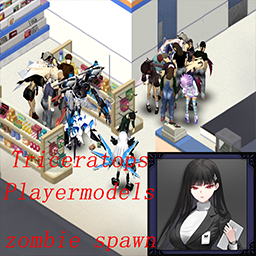
Spawn Triceratops Playermodels Female Outfits with zombie Only the required modules need to be enabled,100% or 10% or 1% Workshop ID: 2971640741 Mod ID: Triceratops Playermodels zombie 1% Mod ID: Triceratops Playermodels zombie 10% Mod ID: Triceratops Playermodels zombie 100%
![[B42] Knox Event Expanded NPC mod [alpha v0.3.13-1]CN – Project Zomboid Mod](https://images.steamusercontent.com/ugc/15708079509450453687/20CEBF5EAAD2B4D6A989758F96EAE7DFE433036A/)
[B42] Knox Event Expanded NPC mod [alpha v0.3.13-1]CN
par 76561198884120173
Knox Event Expanded NPC mod 中文翻译,当前版本和Week One能一起使用吗?在创建NPC页面会黑屏,有人能一起使用吗? Workshop ID: 3506596348 Mod ID: KnoxEventExpanded_CN Mod ID: KnoxEventExpandedNpc_CN

G.E.A.R. C.O.R.E REUPLOAD
par 76561199002789447
G.E.A.R. C.O.R.E REUPLOAD Workshop ID: 3231603128 Mod ID: GEARBASIC Mod ID: GEARCORE
Infoteo's Mods AutoUpdate
par 76561198450882774
Infoteo Autoupdate Infoteo Autoupdate es un mod original pensado para servidores de Project Zomboid que permite mejorar la administración de actualizaciones del Workshop, avisos de reinicio y reinicios programados del servidor. El objetivo del mod es ayudar a mantener el servidor actualizado y organizado, reduciendo la necesidad de controles manuales constantes y avisando a los jugadores cuando se detectan cambios importantes que requieren reinicio. Este mod está especialmente pensado para servidores activos, comunidades multiplayer y administradores que quieren mantener una experiencia más estable y ordenada para sus jugadores. Características principales * Sistema de revisión periódica de actualizaciones del Workshop. * Avisos automáticos a los jugadores cuando se detecta una actualización. * Reinicio programado del servidor luego de detectar cambios. * Configuración mediante opciones sandbox. * Posibilidad de ajustar el intervalo de revisión de Workshop. * Posibilidad de configurar la demora antes del reinicio. * Posibilidad de configurar la demora final antes del cierre del servidor. * Opción para esperar a que el servidor quede vacío antes de reiniciar. * Sistema pensado para dedicated servers. * Avisos visuales y sonoros para los jugadores antes del reinicio. * Manejo más seguro de ModData para evitar errores por tablas inexistentes. * Comandos internos preparados para administración. * Integración limpia con Project Zomboid Build 42. * Compatible con la versión actual de Project Zomboid al momento de esta publicación: B42.18. * Puede utilizarse en otros servidores. ¿Cómo funciona? Infoteo Autoupdate revisa periódicamente si existen actualizaciones pendientes del Workshop que afecten al servidor. Cuando detecta una actualización, el mod puede avisar a los jugadores y preparar un reinicio controlado, evitando cierres repentinos o reinicios sin advertencia. La idea es que los jugadores tengan tiempo para ponerse a salvo, guardar progreso, salir de zonas peligrosas o prepararse antes de que el servidor se cierre. Opciones sandbox El mod incluye opciones configurables desde sandbox para adaptar su comportamiento a cada servidor. Entre las opciones disponibles se encuentran: * Intervalo de revisión de Workshop. * Tiempo de espera antes de iniciar el reinicio. * Tiempo final antes de cerrar el servidor. * Comportamiento del reinicio cuando hay jugadores conectados. Esto permite que cada administrador ajuste el sistema según la cantidad de jugadores, el estilo del servidor y la frecuencia con la que actualiza sus mods. Uso recomendado Este mod es especialmente recomendado para: * Servidores públicos. * Servidores privados. * Comunidades multiplayer. * Servidores roleplay. * Servidores con muchos mods instalados. * Administradores que actualizan frecuentemente su modpack. * Comunidades que quieren evitar reinicios inesperados. * Servidores que buscan una gestión más ordenada del Workshop. Ventajas para servidores Infoteo Autoupdate ayuda a reducir problemas comunes en servidores con muchos mods, especialmente cuando hay actualizaciones frecuentes del Workshop. Permite avisar a los jugadores antes de un reinicio y facilita una administración más clara, evitando que los usuarios sean expulsados sin previo aviso o que el servidor quede desactualizado durante demasiado tiempo. También ayuda a mantener una experiencia más profesional y organizada para la comunidad. Compatibilidad Compatible con Project Zomboid Build 42.18 al momento de esta publicación. Pensado principalmente para multiplayer y dedicated servers. Puede instalarse en servidores ya existentes. Puede utilizarse en otros servidores. Notas importantes Este mod no actualiza mágicamente los archivos del servidor por sí solo si la configuración externa del servidor o del host no permite la descarga automática de Workshop. Su función principal es detectar actualizaciones, avisar, preparar reinicios y facilitar la administración del proceso dentro del juego y del servidor. El comportamiento final puede depender del host, configuración del servidor, scripts externos de reinicio y forma en que cada servidor gestiona las actualizaciones del Workshop. Se recomienda revisar las opciones sandbox después de instalar el mod. Agradecimientos Agradecimiento especial a minehost.com.ar por el apoyo a la comunidad y a los servidores de Project Zomboid. Permission & Redistribution Notice Este mod no puede ser copiado, resubido, redistribuido, espejado, modificado, republicado, empaquetado, incorporado en colecciones privadas o públicas, incluido en modpacks, almacenado en sitios de terceros, utilizado como base para otros mods, ni utilizado total o parcialmente sin autorización escrita explícita del autor. Queda expresamente prohibido realizar forks de este mod, ya sea de forma pública o privada, total o parcial, con o sin modificaciones, sin permiso escrito explícito del autor. También queda prohibido extraer, reutilizar, adaptar, renombrar, modificar o redistribuir cualquiera de sus archivos, scripts, assets, sonidos, texturas, configuraciones, código Lua, traducciones o partes internas sin autorización escrita explícita. Se permite únicamente compartir el enlace original de Steam Workshop. Cualquier copia, fork, redistribución, reupload, modificación no autorizada, uso parcial, uso total, publicación alternativa o almacenamiento fuera de la página original será considerado una infracción a los permisos establecidos por el autor. Nota: He autorizado a Kaofan para hacer modificaciones para su uso Workshop ID: 3663079638 Mod ID: InfoteoserverAutoupdate
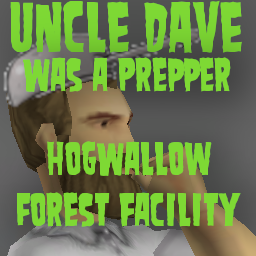
Hog Wallow Forrest Facility Power/Water
par 76561198015081276
Adds a config for Uncle Dave was a Prepper allowing this location to be fully powered, fully connected plumbing and optional loot, controlled by the Uncle Dave mod. In the sandbox, you can spawn at 9 different locations around the facility if you select the facility from the spawn menu. Now features an optional extended loot config that fills up the main warehouse and kitchen storages with extra loot. Optional Map and Keys Optionally clear facility of zombies Good Luck! Workshop ID: 3551615883 Mod ID: DWAP_HWFF Map Folder: DWAP_HWFF

【B42/41】Girl in the doomsday Main Theme
par 76561198387002919
The main interface of the Girl in the doomsday, character self-drawn, enable mod in the main menu, take effect after restarting the game. Workshop ID: 3365445853 Mod ID: Girlinthedoomsday
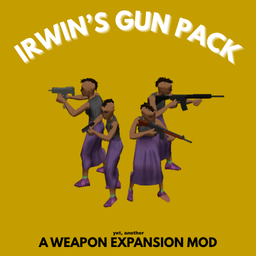
Irwin's Gun Pack - BROKEN
par 76561199178201090
Irwin's (Yet Another) Weapons Pack Auth' note : Hello everyone, irwin here, im sorry for not updating for almost half a year but im currently working on something new, please excuse the bugs, the innacurate spawning, etc, this is because the mod is made for the previous version of project zomboid. i couldn't continue working on this because of school projects and some other problems im trying to work on right now. but i will guarantee that there will be another mod coming up, where you could request your weapons, just on a different page. i will see you soon! thank you for requesting guns in this page, i will make sure some of them will get to the next mod. may we meet again! Made this mod to match the naming of the guns, and attachable vanilla attachments. I am adding new guns in the future, you can try to request gun's in the comments, i will try my best to add them! But right now, this mod offers; - M4 Carbine Rifle (Semi Auto) - M4 Carbine Rifle (Automatic) - HKG3 Battle Rifle (Automatic) - MAC10 Submachinegun (Automatic) - Glock 19 Pistol (Semi Auto) !!NEW!! Community Guns ; - SR25 (Semi Auto) - AR18 (Full Auto) - M60 (Full Auto) Goodbye, GF25.. (you were NOT lore friendly. only spawnable with debug) And also offers miscellaneous items, such as; - M4 Full Auto Conversion Kit, - M4 Conversion Guide Book, - MAC10 Magazines, - Glock19 Magazines - Foregrip - Forwardgrip Avaible attachments; - M4 (Laser, x2 x4 x8 Scopes, All Grips) - G3 (X2 x4 x8 Scopes) - MAC10 (Laser) - Glock 19 (Laser) - SR25 (x8 Scopes) - AR18 (All Grips, Laser, x2 Scopes) Spawns; - M4 (Should spawn in police stations more often, residential houses, for the Automatic version's you can find them in Military bases. Same spawnrates as the M16 and JS2000) - HKG3 (Should spawn in military bases. Same spawnrate as the M16 Assault Rifle) - MAC10 (Should spawn in police stations, and residential houses. Same spawnrate as the Berreta M9) - Glock19 (Should spawn in police stations and residential houses. Same spawnrate as the Berreta M9) - AR18 (Should spawn in Military Bases. Same spawnrate as M16) - SR25 (Should spawn in Police Stations and Residential Houses. Same spawnrate as M14) - M60 (Should spawn in Military Bases. Ultra Rare, x0.4 spawnrate as the M16) I want to give credits and the biggest thanks to; Nepenthe, for helping me A TON, for the problems i encountered, attachments LUA codes, and modelling problems, and the Easy Distribution LUA! and also, the community of; The Project Zomboid Modding Community, for the modelling and scripting problems i encountered aswell. I would like to thank all of the person helping me until i got to this position of uploading my own gun mod. Thank you so much! Open For Commisions! Reach me out on Discord or Steam! ( irwingv ) Workshop ID: 3508332325 Mod ID: VLFFEIR
Project Zomboid Guides
Installer des mods Project Zomboid - Guide Workshop
Installe proprement des mods Project Zomboid via le Steam Workshop : saisir les IDs, vérifier l’ordre, redémarrer le serveur et corriger les erreurs typiques.
Louer un serveur Project Zomboid – guide multijoueur
Configurer un serveur Project Zomboid : RAM, paramètres sandbox, mods Workshop, droits admin et vérification propre des erreurs typiques.
Serveur Project Zomboid avec support des mods
Installez les mods compatibles et pris en charge depuis le tableau de bord.
Louer un serveur Project Zomboid