Mods et plugins pour Project Zomboid
Ce catalogue répertorie 52 000+ projets Project Zomboid provenant de Steam Workshop. Les entrées peuvent être côté serveur, côté client ou requises des deux côtés, et inclure des cartes ou d’autres contenus créés par les utilisateurs. Avant l’installation, vérifiez la page source liée, la version du jeu et les dépendances.

Memento Music
par 76561198119739527
Mod creado para server Memento Mori by Muffin & LeyNevD Link listado canciones v1.2.1 https://docs.google.com/spreadsheets/d/1oZnSulwgbsa6fT10XuIZ2kaJzZYXCOGO/edit?usp=sharing&ouid=113727682372489139528&rtpof=true&sd=true Workshop ID: 3253688023 Mod ID: memento_music
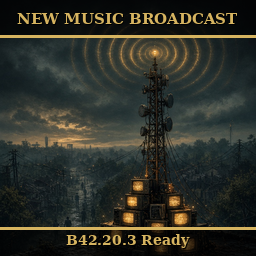
DWTB New Music Broadcast (B42.20.3)
par 76561198012598892
Current version: v1.9.3 - B42.20.3 Ready Lore - Signal from the Static The dial still turns. Somewhere a transmitter kept its feet in the dark, and if you tune a set just right the old stations answer - MTV grinding out the hits, a country channel for the long roads, the classic rock that everybody's dad swore by. The boys wired the towers back into a loop so the Knox Exclusion Zone never has to sit in silence. Turn it up. Let the dead come find the party. What it does A standalone, New-Music-only broadcast system. It takes whatever New Music your server has loaded, sorts every track into a genre, and airs it on preconfigured stations that everyone hears in sync. - Three TV channels - MTV, VH1, CMT - and seven genre radio stations (Top 40 / CHR, Urban Contemporary, Country, Alternative / Modern, Classic Rock, Oldies, Classic Country). - Every New Music track is auto-sorted by artist into a genre and routed to the stations that match. Add or remove packs and it re-sorts on the next restart - no lists to maintain. - One synced broadcast: the server runs each station's shuffled playlist, so every listener across the map hears the same song on a station at the same time - a real station, not a per-radio shuffle. Turn a set on and it joins the current song; off and it goes quiet. - MTV plays station idents: about every half hour a random ID bumper airs before the next song (sandbox-adjustable). - Tune from the device's own Channel list - radios, TVs, and car stereos. A short pause sits between tracks so it flows like a real station. - Five spare custom channel slots (2 TV, 3 radio), off by default - name each one and pick the genres it airs, all in the sandbox. - Admins get right-click testing tools (skip a song, force an MTV ident) and a "Now Playing" readout that shows the current song and the genre it was sorted into. How to use (players) - Tune a placed radio or TV to a station - the stations appear right in its Channel list (MTV / VH1 / CMT on TVs; the genre stations on radios), or pick one from the "DWTB Broadcast" right-click menu. - Power and volume work as normal - the radio must be on and powered, and you have to be in earshot. Load order - Load this AFTER New Music and every New Music pack you run. On boot it scans New Music's loaded tracks to sort them by genre, so any pack must be earlier in the list to be broadcast. Add a new pack later and it's picked up on the next restart - no rebuild. - It is standalone otherwise (no require) and does not interact with True Music / True Music Radio, so its order next to that stack does not matter. A good spot: right after the New Music packs, before your UI/QoL mods. How to use (server admin) - Add the Workshop id to WorkshopItems and "DWTB_NMBroadcast" to Mods (exact, case-sensitive), placed after New Music and its packs (see Load order). - Everything is on the "DWTB NM Broadcast" sandbox page: enable/disable, rename, re-channel, and set the genres for every station (including the five custom slots); plus slot length, hearing range, volume, and the zombie-draw noise. - Reroute a specific artist without a rebuild by editing genre_overrides.json in the mod's media folder. How to use (dedicated server) - After each Workshop publish, force the server to re-download the item (delete steamapps/workshop/content/108600/<id>/ then restart), then update clients so versions match. Compatibility - Build 42.20.3. Standalone - no dependencies. It reads New Music if present and simply does nothing if New Music is not installed. Load it after New Music and its packs (see Load order). - New Music only. It does not use, require, or touch True Music or True Music Radio. The DWTB Music Mods Collection Global artist database + language control Ships ~91,000 artists from the MusicBrainz database across ten language groups - English, Spanish, Brazilian Portuguese, German, Russian, Polish, French, Korean, Japanese, Ukrainian - so whatever New Music packs your server runs, artists route to the right genre station out of the box. Each language has a sandbox toggle (all ON by default): OFF keeps those artists off the air unless your genre_overrides.json maps them. Every station ALSO has its own language filter - "auto" follows the global toggles, or set an explicit list to make e.g. a Spanish-only custom channel while everything else stays English. The admin Station Report (right-click any radio/TV) shows live counts: songs per station and songs/artists per language on YOUR server, so you can prune thin stations and unwanted languages with real numbers. Your overrides and the curated core table always win over the database. Artist and genre data from the MusicBrainz community database (MetaBrainz Foundation). Core artist data CC0; community genre tags CC BY-NC-SA 3.0. Free, non-commercial mod - consider supporting MetaBrainz. Changelog (recent) - v1.9.3 - Fix: the car radio no longer pans around your head as the car turns - inside the vehicle the music stays centered like a dashboard radio. - v1.9.2 - Fix: with station cards on, TVs tuned to vanilla channels no longer blink their color-bars screen. - v1.9.1 - Emergency cut-ins now silence the music under the report instead of talking over it quietly (depth adjustable per request). - v1.9.0 - Other mods can now cut into the broadcast (with admin permission): music ducks, a short report airs on tuned devices, the song resumes in place. First user: horde sightings. - v1.8.7 - Fix: the car radio no longer follows you out of the vehicle mid-song. - v1.8.0 - VH1 commercial breaks: a vintage ad airs every ~30 min (sandbox-adjustable) with synced flipbook visuals on the TV screen. Full version history: see CHANGE_NOTES.txt in the mod folder. B42.20.3 Ready Workshop ID: 3788037471 Mod ID: DWTB_NMBroadcast
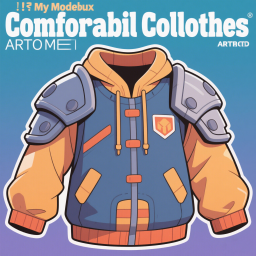
ComfortableClothesArmor
par 76561199426194605
消除头盔、服装、防护装备和鞋子的负面影响。 Eliminate the negative effects of helmets, clothing, protective gear and shoes. Workshop ID: 3467988521 Mod ID: ComfortableClothesArmor
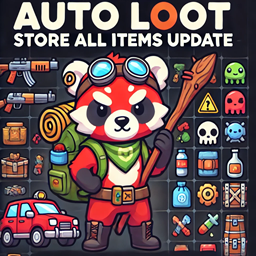
AutoLoot Store All Update
par 76561197968403862
This update makes Auto Loot work better and safer. It replaces the main functions with improved versions that check item containers more carefully, avoid duplicate transfers, and handle inventory more smoothly. Everything still works with bags, cars, and furniture. The "store all" button stays the same, but now it's smarter behind the scenes. Updated bag sorting. Will now use manual priority for equipped wallets and keyrings. One click, everything gets sorted. Just works better. Requires: Auto Loot https://steamcommunity.com/sharedfiles/filedetails/?id=3392699932 Workshop ID: 3449791712 Mod ID: AutoLoot_Override
True Music Addon: ll
par 76561198307170373
ll Workshop ID: 3194816901 Mod ID: md2
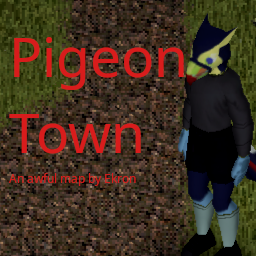
Pigeon Town
par 76561197984769282
You heard rumors about the strange folks who wanted to live like the pigeons of England. You heard they moved out into the middle of nowhere and built a weird little society somewhere. Perhaps they are thriving? The first map I have made that wasn’t complete and utter garbage (it’s only mostly garbage) that I have uploaded here for the workshop. Have fun with that. It replaces Tile 14x22 with a similar tile. There is now a small compound fenced away off the road and a fishing lake nearby. What horrors await you at Pigeon Town? Feedback and comments appreciated, I want to improve. Also the minimap stopped working in my game and the server, so that's broken for the moment. Will look into it later Workshop ID: 3118043730 Mod ID: Pidgetown Map Folder: Pigeon Town

Better Guns Plus
par 76561199453708437
Guns are more accurate, louder, damage, weight and have a longer range. List of Changes: Handguns ------------- M9 Pistol Max Range: From 7 to 8. Sound Radius: From 40 to 55. Accuracy: From 50 to 60. Aim Time: From 15 to 10. Min Damage: From 0.6 to 1 Max Damage: From 1 to 1.3 M1911 Pistol Max Range: From 8 to 9. Sound Radius: From 50 to 65. Accuracy: From 40 to 50. Aim Time: From 20 to 15. Min Damage: From 1 to 1.4 Max Damage: From 1.4 to 1.6 D-E Pistol Max Range: From 10 to 11. Sound Radius: From 70 to 90. Accuracy: From 20 to 50. Aim Time: From 30 to 25. Min Damage: From 1 to 1.9 Max Damage: From 1.9 to 2.1 M625 Revolver Max Range: From 9 to 10. Sound Radius: From 50 to 70. Accuracy: From 30 to 55. Aim Time: From 25 to 10. Min Damage: From 1 to 1.6 Max Damage: From 1.6 to 1.8 Magnum Max Range: From 11 to 12. Sound Radius: From 80 to 90. Accuracy: From 20 to 50. Aim Time: From 40 to 30. Min Damage: From 1.2 to 1.9 Max Damage: From 1.9 to 2.1 M36 Revolver Max Range: From 6 to 7. Sound Radius: From 30 to 45. Accuracy: From 65 to 70. Aim Time: From 10 to 5. Min Damage: From 0.7 to 1.2 Max Damage: From 1.2 to 1.4 ReloadTime: From 30 to 25 Rifles -------- M16 Assault Rifle Max Range: From 11 to 13. Sound Radius: From 70 to 90. Accuracy: From 20 to 30. Aim time: From 25 to 20. Min Damage: From 0.8 to 1.4 Max Damage: From 1.4 to 1.6 M14 Rifle Max Range: From 10 to 12. Sound Radius: From 70 to 90. Accuracy: From 50 to 60. Aim Time: From 25 to 20. Min Damage: From 1.2 to 2.0 Max Damage: From 2.0 to 2.2 MSR788 Rifle Max Range: From 10 to 20. Sound Radius: From 70 to 110. Accuracy: From 25 to 50. Aim Time: From 40 to 30. Max Ammo: From 3 to 7. Min Damage: From 1.2 to 2.0 Max Damage: From 2.0 to 2.2 MSR700 Rifle Max Range: From 10 to 18. Sound Radius: From 70 to 100. Accuracy: From 27 to 60. Aim Time: From 30 to 20. Min Damage: From 0.6 to 1.3 Max Damage: From 1.3 to 1.5 Max Ammo: From 3 to 7. Shotguns ------------- JS-2000 Shotgun MaxRange: From 7 to 8. Sound Radius: From 100 to 120. Accuracy: From 70 to 80. Aim Time: From 20 to 15. Min Damage: From 1.5 to 2.2 Max Damage: From 2.2 to 2.4 Weight: From 4.0 to 3.0 Sawed-off JS-2000 Shotgun MaxRange: From 6 to 7. Sound Radius: From 100 to 120. Accuracy: From 100 to 100. Aim Time: From 20 to 15. Min Damage: From 1.5 to 2.2 Max Damage: From 2.2 to 2.4 Weight: From 3.5 to 2.5 Double Barrel Shotgun Max Range: From 9 to 10. Sound Radius: From 100 to 120. Accuracy: From 80 to 85. Aim Time: From 20 to 10. Min Damage: From 2.0 to 2.7 Max Damage: From 2.7 to 2.9 Weight: From 4 to 3 Sawed-off Double Barrel Shotgun Max Range: From 8 to 9. Sound Radius: From 100 to 120. Accuracy: From 80 to 90. Aim Time: From 20 to 10. Min Damage: From 2.0 to 2.7 Max Damage: From 2.7 to 2.9 Weight: From 3.5 to 2.5 Workshop ID: 2924369969 Mod ID: BetterGuns+
True Music Addon: Vladivostok FM
par 76561198166634218
Music from one of the Grand Theft Auto IV's radio stations: Vladivostok FM Includes songs from before the 2018 update and after. - Alexey Bolshoy - I Hate Karaoke - Ayvengo - Represents - Ayvengo - Underground - Basta - Mama - Delise - Hot Summer - Dolphin - Rap - Glukoza - Schweine - Kino - Gruppa krovi - Kyivelectro - Gulyai Slavyane (feat. Alyona Vinnitskaya) - Leningrad - Nikogo ne Zhalko - Marakesh - Jdat' - Oleg Kvasha - Zelenoglazoe Taksi (Green Eyed Taxi) (Club Remix) - Ranetki Girls - O Tebe - Riffmaster - Begu (Rancho Song) - Riffmaster - Riffmaster Tony - Ruslana - Wild Dances (Ukranian FM Version) - Seryoga - Add Speed - Seryoga - Chicks - Seryoga - King Ring - Seryoga - Liberty City The Invasion - Seryoga - Mon Ami (feat. Max Lorens) - Splean - Liniya Zhizni - Zhenya Fokin - Tonight - Zveri - Kvartira I hope this mod works. Workshop ID: 2897797932 Mod ID: truemusicvladivostokFM
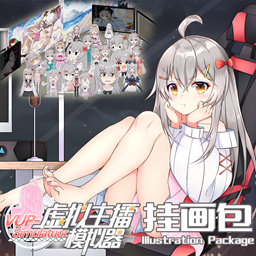
虚拟主播挂画
par 76561198154805804
1.虚拟主播挂画,为末日基地增添二次元氛围!新增多款虚拟主播主题装饰挂画,可正常摆放、悬挂装饰房屋。贴合生存建造玩法,贴图精致、占用性能极低,单人与服务器完美兼容。美化你的避难所,在压抑僵尸世界里打造温馨专属小空间。 �������ⲻ�ᣡ2.如果原作者更新我将删除 3.感谢原著B41:https://steamcommunity.com/sharedfiles/filedetails/?id=2747736405 4.还有些BUG,没时间弄,将就玩吧!有时间在修。 5.僵尸身上不刷新,就用钞票买! Workshop ID: 3433497464 Mod ID: VUP-Simulator

True Music Addon(b42): Blue Archive
par 76561198809319641
碧蓝档案相关音乐,共17首: Aoharu Clear Morning Coffee Cats Colorful Mess Connected Sky Constant Moderato Goal Wo Nerae! Hifumi Daisuki Hue Lovely Picnic Midsummer Cat Pixel Time RE Aoharu Shooting Athletes Step by Step Target for Love Unwelcome School Workshop ID: 3411814901 Mod ID: blue_archive_b42

S.C.A.R.S. (COSMETIC SCARS)
par 76561198987049302
Only for B42 -------------------------------- This mod adds all of the base game's wounds (scratches, lacerations and bites) as wearable scars, craftable through rags and bandages. Also added are: -New original scars (pop culture and regular) -(Stitches, hematomas and burns W.I.P). Check out my other mods! "LENNYYYY (Arthur Morgan Soundpack)" "Lootable Louisville and Knox Country Map" Workshop ID: 3393561902 Mod ID: S.C.A.R.S. Mod ID: S.C.A.R.S.
PZK_WEAPONS
par 76561198115099038
이 모드는 프로젝트 좀보이드 한국서버 PZK 서버 전용 모드입니다. 소스 코드의 리패키징 및 복제를 금지하고 다른 서버에서의 사용을 금지합니다. Workshop ID: 3029425807 Mod ID: PZK_Cars Mod ID: PZK_TILES Mod ID: PZK_WEAPONS
Server Guide
par 76561198077465326
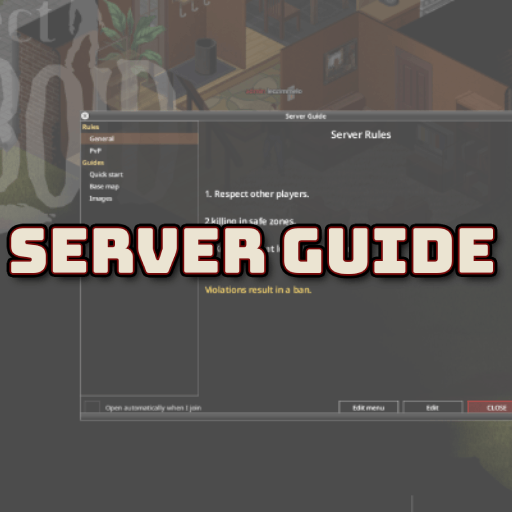
Publish your server's guides and rules, read in-game in a clean windowed viewer. Edit them live — straight from the pause menu, no relog, no file uploads. Your rules and guides stop being a Discord link nobody opens and become a first-class, in-game window with a side menu and formatted text. Content lives in one folder on the server and is streamed live to players: edit it and everyone sees the new version the next time they open the window. Built for dedicated / multiplayer servers — the client never touches the disk, it only receives text over the network. What it does - In-game guide & rules viewer — a window with a category menu on the left and formatted, scrollable text on the right. - Live content — the guides live in a folder on the server; change them and players get the new version on reopen. No client downloads, no relog. - Read-only for players — they open, read and close. No "I have read and agree" gate, no blocking. - Opens on join — the window pops up automatically every time a player enters the server, so newcomers actually see your rules. Each player can switch this off with a checkbox in the window. - Set the landing page — choose which page opens by default (e.g. your top rule or a welcome page). Without it, the guide opens the first page. - Collapsible categories — click a category in the side menu to expand or collapse its pages, so long menus stay tidy. - Opens from the pause menu — a Server Guide entry in the pause menu (Esc) opens it anytime. Edit in-game (staff only) Your staff never has to FTP into the server to fix a typo. Open the guide window and you get two extra buttons: - Edit — edit the current page's text right there (the raw rich-text markup). Save, and the change is written on the server and goes live for everyone. - Edit menu — create / rename / remove categories and pages, mark a category as Rules, reorder, and pick the default home page (Set as home) — all from the UI. New pages get their file created automatically. Who can edit is up to you — a sandbox option lists the access levels allowed (default admin;moderator;overseer;gm; leave empty to allow none). The single-player / co-op host can always edit. Multiplayer-ready - Server-authoritative — only the server reads and writes the files. Every edit is re-validated on the server (access level, safe path, 256 KB limit); the buttons are cosmetic, a client can't forge a write. - Streamed safely — pages are sliced into chunks over the network and reassembled on the client, so large guides just work. - Live sync — saved edits broadcast to everyone; no relog. Formatting & images - Rich text — write your pages with the native ISRichTextPanel tags (see the list below). - Images — reference an image packed in a loaded mod's media/ folder by name. A demo image and a separate example image-mod are included so you can ship your own. Supported tags: - <LINE> — line break - <SIZE:small|medium|large> — font size - <RGB:r,g,b> — text color (values 0–1) - <PUSHRGB:r,g,b> / <POPRGB> — push/pop a color (for inline colored spans) - <RED> <GREEN> <ORANGE> — quick colors - <CENTRE> <LEFT> <RIGHT> — text alignment - <INDENT:n> / <SETX:n> — indent / set X position (pixels) - <SPACE> — a space - <IMAGE:name> / <IMAGECENTRE:name,width,height> — show an image (by media/ name) Tip: when coloring a word mid-sentence, put a space before the closing tag and use <SPACE> around color changes, e.g. before <SPACE><PUSHRGB:1,0.82,0.3>colored <POPRGB><SPACE>after — otherwise words get dropped or glued. Using images The text is streamed live, but images are not — an image must be packed in a loaded mod's media/ folder (that's the only place the game scans into its texture map and syncs to clients). You then reference it by name, starting from media/ (the mod name is NOT part of the path): - Put your PNGs in a mod under media/ui/guias/ (a unique subfolder avoids clashes with other mods). - In a guide page, write <IMAGECENTRE:media/ui/guias/yourimage.png,512,512> (or <IMAGE:media/ui/guias/yourimage.png>). A demo image ships with this mod. To add your own images without editing this mod, use the companion mod ServerGuide Images Example as a template. In multiplayer that image mod must be on the Workshop (local mods don't sync to clients). Image size — prefer power-of-two dimensions (256, 512, 1024…) at/under ~2048px, and keep the file small (every client downloads the image mod). The image is scaled to the w,h you pass in <IMAGECENTRE:…,w,h>. Setup - Enable the mod on the server (and on clients in MP, via the Workshop). - On first run it creates ~/Zomboid/Lua/ServerGuide/ and fills it with template files — it never overwrites existing content. - Edit the guides in-game with the Edit / Edit menu buttons (staff), or edit the .txt files directly on the server (UTF-8). - Players open the window from the Server Guide button in the pause menu (Esc) — and it opens automatically on join. Sandbox options - Auto-open the guide on join — master switch (default on). Off = the guide never pops up on join; players open it only from the pause menu (Esc). - Let players disable auto-open — default on. Off = the per-player checkbox is hidden and the guide always auto-opens on join. - Access levels allowed to edit — a semicolon-separated list of roles that may edit in-game (default admin;moderator;overseer;gm). Languages English and Português (Brasil). RU by @V1rt PL by @houek Want it in your language? It's a tiny file — help translate it here: Help translate Server Guide. Build 42. Safe to add to an existing server: it only creates its folder if missing and never overwrites your content. Permissions for Modders Ask for permission. This mod may not be included in modpacks, collections distributed as a single download, or any form of redistribution without the express permission of the original creator. Extensions and patches are also subject to this restriction. Having received permission, credit must be given to the original creator both within the mod files and wherever the mod is published online. Copyright Copyright 2026 Leandro Ferreira. This item is not authorized for posting on Steam, except under the Steam account named leozimmelo. All rights reserved. This mod may not be reuploaded, mirrored, or included in modpacks or collections distributed as a single download without the express written permission of the original creator. Workshop ID: 3743488819 Mod ID: ServerGuide
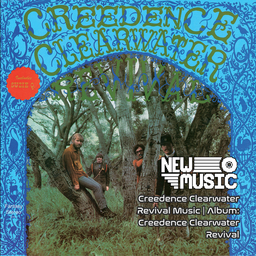
Creedence Clearwater Revival Music | Album: Creedence Clearwater Revival
par 76561199258285984
Creedence Clearwater Revival Music | Album: Creedence Clearwater Revival Generated with New Music Builder Creedence Clearwater Revival Side A 01 I Put A Spell On You 02 The Working Man 03 Suzie Q 04 Ninety-Nine And A Half (Won't Do) Creedence Clearwater Revival Side B 01 Get Down Woman 02 Porterville 03 Gloomy 04 Walking On The Water Workshop ID: 3755343425 Mod ID: 1CCRAlbum
Gang Snapbacks
par 76561198846274596
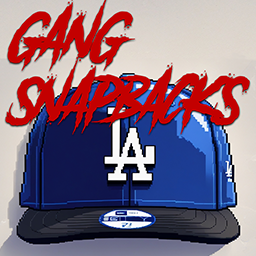
GangSnapbacks GangSnapbacks is a mod for Project Zomboid that adds baseball team snapbacks. 🧢 Features: - New models and textures of snapbacks with baseball team logos. - Fully compatible with the vanilla equipment system. - Spawns in the world just like baseball caps. - Zombies can now wear snapbacks! - A great option for RP servers – gangs and groups can use different caps for identification. 📦 Where to find? - In closets, drawers, bags, and other places where headwear usually spawns. - On zombies that could have had a baseball cap. 🔧 Compatibility - Fully compatible with other clothing mods. - Does not modify vanilla files, only expands them. 📜 Installation 1. Subscribe to the mod in Steam Workshop. 2. Enable GangSnapbacks in the mods list when launching the game. 🛠️ Support If you have suggestions or found any bugs – let us know! 📬 Contacts: - Discord: ic3phonker / etomarat - Telegram: @ic3phonker / @etomarat Thank you for your support! 🎩✨ Workshop ID: 3437721900 Mod ID: MRT_Snapbacks
Cryogenic Winter - Chelyabinsk Edition
par 76561198185428181
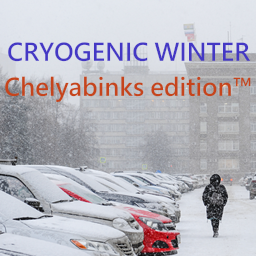
An eaiser version of Cryogenic Winter that makes winter goes minimum to -45C and summer's maximum to +21C Workshop ID: 2926248656 Mod ID: CryogenicWinterChelyabinskEdition
Backpack Upgrade Kit
par 76561198080583313
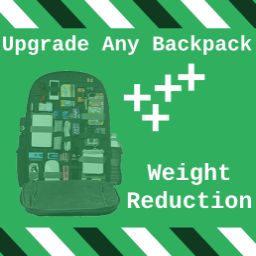
Increase Empty Weight and weight reduction of any packpack with crfatable Upgrade Kit this mod should work with any backpack from any mod. there is 2 backpack upgrade kits under tailoring,can be customized by sandbox option Workshop ID: 3296360712 Mod ID: BagWrkit

KOMM SUSSER TOD Death music
par 76561198122376969
I made this mod for fun. This mod uses the song "Komm Susser Tod" from the End of Evangelion anime movie. When you die it plays. evil-gelatin Workshop ID: 3040948974 Mod ID: evangelionDeath
![Fort Knox [Build 40] – Project Zomboid Mod](https://images.steamusercontent.com/ugc/790881457258211492/5622889849F948BF5054F69EA615BF1BB2770FC5/)
Fort Knox [Build 40]
par 76561199008661802
- Workshop ID: 1992005444 Mod ID: Fort Knox40 Map Folder: Fort Knox Safehouse Map Folder: Fort Knox, KY by Woldren
Building Pool V2
par 76561198032145554
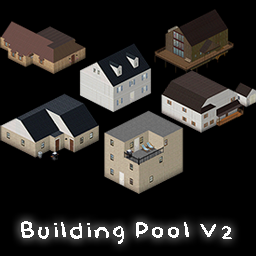
What does this mod do? This mod is a collection of community made buildings for Project Zomboid for map makers. This mod does nothing to the game except to provide you with a huge amount of buildings for you to use in your own maps. Notice! You can view the change log for updates. To use the files Navigate to C:\Steam\steamapps\workshop\content\108600\2790725628 to view and use the .tbx files. (Replace C: with where your game is installed) Need help with making a map in Project Zomboid? Check out my video tutorial. Building Pool V2 Notice This contains a huge amount of .tbx files. You can expect to find some buildings that have red question marks or messed up tiles. This is due to the building being made from a long time ago. Due to the amount of work needed to fix the issues I did not fix them. They are still included for historical purposes. Check out Building Pool V3 for a more cherry-picked version, guarenteed to work with the latest tiles and tilesets. Compatibility - This mod should not conflict with any other mod. - For use with the latest tiles and tilesets (March 14, 2022) which can be found on the Project Zomboid Forum Bugs: Some buildings will contain the red questions mark on some areas of some buildings. This is due to how long ago the building was made. Roadmap: - Building Pool V2 is meant to be a complete collection of ALL buildings reguardless of the contition of the building. This mod will no longer be updated. For a more stable and up-to-date collection please use Building Pool V3. Adds the following items - 1290 Buildings in total - 980mb total size - Contributions from 37+ Artists A very Spacial thanks to; Atoxwarrior BeastlyBean Blackbeard06 cmseter DavidBlane dko112 DoctahWong Doublebrain EUDOXIO fluffe9911 GothicGhost grivcin Jela331 kaizokuroof Kennethdio Leolvanov mads232 Mainulainen Neutralnz1 Project Zomboid (for 2 example buildings) rsdworker Sieben srandiny The googlator Traya Aclus Valindil Veged VikiDikRUS Way2sp00ky Z3759xy IndigoRebel zoeyflower For all your hard work and dedication! Check out my other mods
Eric's Ford Transcontinental Spawn Fix Options
par 76561199059522469
A lightweight B42.20 spawn-balance patch for the Ford Transcontinental mod. Adds configurable sandbox controls for Ford Transcontinental vehicle spawns without modifying the original mod files. Features Adjustable truck spawn multiplier Adjustable trailer spawn multiplier Adjustable special-vehicle spawn multiplier Profession vehicle spawn toggle Military profession spawn toggle Optional verbose logging for troubleshooting Spawn Multiplier Reference 0.01 = 1% of the original mod spawn rate 0.10 = 90% lower 0.25 = 75% lower and the patch default 0.50 = half the original rate 1.00 = original Ford Transcontinental spawn rate 1.50 = 50% higher than the original rate Designed for servers or single-player setups where the Ford Transcontinental vehicles are spawning more frequently than desired. This mod does not replace or modify the original Ford Transcontinental files. It adjusts the active vehicle distribution at runtime. Recommended load order: Load FordTranscontinental before EricVehicleSpawnBalance so the original vehicle distributions are created before this patch modifies them. Mods=FordTranscontinental;EricVehicleSpawnBalance Workshop ID: 3781164176 Mod ID: EricVehicleSpawnBalance
Functional Calculator
par 76561198061286679
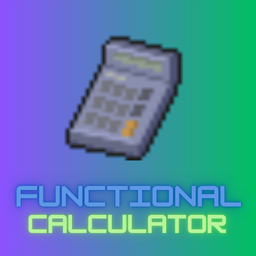
I mainly did this for myself when I was trying to build a house and needed to compute the materials needed. What it does - Makes calculators functional (right-click > Calculate) - Basic arithmetic - 13 digits - Solar powered, no battery needed ☀️ Workshop ID: 3532318113 Mod ID: FunctionalCalculator

Back with Another Milk Scream
par 76561198131974079
G, u know I'm obessed with it, I can't get enough... Workshop ID: 2971397137 Mod ID: HelpMeMilk
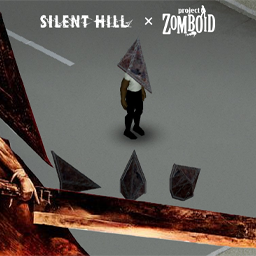
Pyramid Head | Silent Hill Item
par 76561198022994790
DEFINETELY NOT SQUARE. Be ready to be surrounded by many Pyramid Heads, and try to get your own! Workshop ID: 2931852035 Mod ID: PyramidHead
Project Zomboid Guides
Installer des mods Project Zomboid - Guide Workshop
Installe proprement des mods Project Zomboid via le Steam Workshop : saisir les IDs, vérifier l’ordre, redémarrer le serveur et corriger les erreurs typiques.
Louer un serveur Project Zomboid – guide multijoueur
Configurer un serveur Project Zomboid : RAM, paramètres sandbox, mods Workshop, droits admin et vérification propre des erreurs typiques.
Serveur Project Zomboid avec support des mods
Installez les mods compatibles et pris en charge depuis le tableau de bord.
Louer un serveur Project Zomboid