Mods et plugins pour Project Zomboid
Ce catalogue répertorie 60 000+ projets Project Zomboid provenant de Steam Workshop. Les entrées peuvent être côté serveur, côté client ou requises des deux côtés, et inclure des cartes ou d’autres contenus créés par les utilisateurs. Avant l’installation, vérifiez la page source liée, la version du jeu et les dépendances.
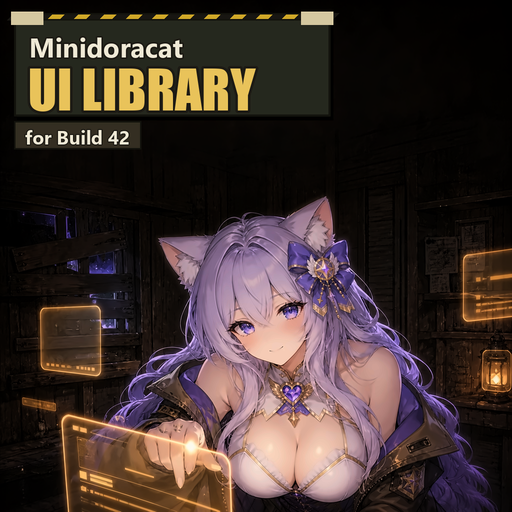
Minidoracat UI Library for B42
par 76561198033176898
🎨 Minidoracat UI Library for B42 By Minidoracat ✨ What is this Shared UI library for the Minidoracat mod series: themed color palettes (dark / light), rounded-corner window skins, shared monochrome icons, floating buttons, toast notifications and other reusable components. This mod does not add any gameplay content by itself — it is a base library used by other mods. Its visible effects depend entirely on the mods that use it. 👥 Who needs this - Subscribe only when another mod lists it under Required Items - If none of your mods depend on it, you can leave it disabled 🧰 What it provides (for mod developers) - Theme system: token-based palettes with dark / light variants, per-mod overrides - Rounded skin: engine-native 9-slice rounded rendering with a safe rectangular fallback when textures are missing — windows never fail to open - Shared widgets: floating button (drag + position memory), toast notifications (shared stack across mods) - Shared painters: stateless pill, toggle, and slider visuals that dependent mods can compose without replacing their interaction logic; missing textures safely fall back to basic shapes - Shared icons: 20 monochrome icons (sidebar, folder, document, expand/collapse, language, reload, reset size, search, layers, pin, globe, sliders, gauge, lock, unlock, close, locate, copy, etc.) tinted to match the active palette; callers fall back to their text markers when an icon asset is missing - Virtual list: large tables (trading/auction-style UIs) only build visible rows - Versioned API: dependent mods declare the API revision they need, so library updates never silently break them ⚠️ Load order This mod must load before any mod that depends on it (place it above them in your mod list). 🖥️ Multiplayer / Dedicated server Add it to both lines in your server ini: - Mods= MinidoracatUIFor42 - WorkshopItems= 3789836701 🔗 Mod series - Minidoracat MiniMap for B42 - Minidoracat Notice Board for B42 📋 Mod info - Workshop ID: 3789836701 - Mod ID: MinidoracatUIFor42 - Supported version: Build 42.20.1+ - Singleplayer / Multiplayer: both supported 💬 Feedback - Discord community #Minidoracat Workshop ID: 3789836701 Mod ID: MinidoracatUIFor42
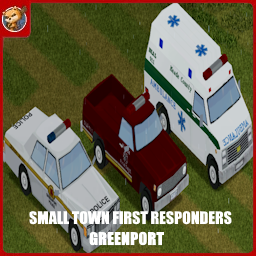
Small Town First Responders - Greenport
par 76561198833978028
This is Greenport support. Requires Greenport! Credits: Code: Jack, albion. Textures: soze, Jan2004p, Bill, evansmine8, Emma, Henry, Racer, FoxInABeret. Special thanks to Guardian, Frozen and Doe! HUGE thanks to shark for letting us use the Police Belt model from his law enforcement mod. Though we did make our own textures for it. And thanks to StarFireReaper for making the 1987 GMC armored truck model for us. HUMONGOUS thanks to Albion for her extremely helpful support of the mod. Seriously, she's a legend! A MASSIVE thanks to Greywolf for some of the VVE textures. The STFR community is great. The STFR community: Being Awesome. Comments are locked because all feedback and questions should go to the new discord. https://discord.gg/usJNRbKq5Z Workshop ID: 3381600020 Mod ID: STFRGreenport Mod ID: STFRGreenportSpongie
![马镇南方工厂[Muldraugh Southern Factoryy] – Project Zomboid Mod](https://images.steamusercontent.com/ugc/46819868688172802/3671E9B9DB217E049F5B601C04C0339906992FAF/)
马镇南方工厂[Muldraugh Southern Factoryy]
par 76561198324177848
一家在马镇南方的新建工厂,这栋新建的工厂尚在装修,还没有被投入使用,随着这场灾难的爆发,或许这里永远都无法完工了。 Cell:36x36,位于马镇南侧的公路转弯处 规模:改造后,适合1-2人入住 Workshop ID: 3371085846 Mod ID: Southern_factory_buildingy Map Folder: New_factory(single person)
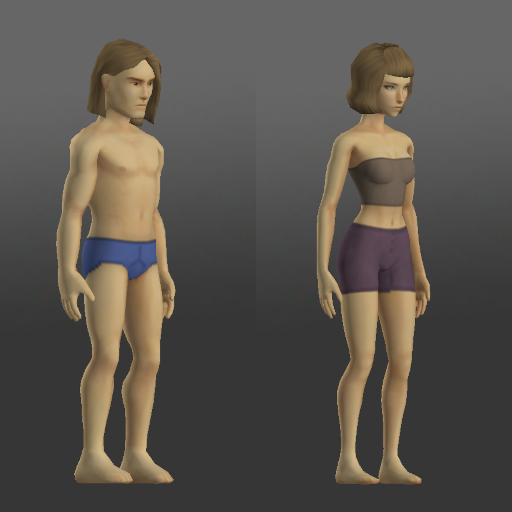
Start With Underwear
par 76561198074941880
Start With Underwear Allows players to select underwear in the character creation screen and moves the bandeau to underwear top. Made for use with nude/doll textures. Items available (all dyeable) UnderwearBottom: - Underpants - Boxers - Briefs UnderwearTop (female only): - Bra - Bra - Strapless - Bandeau - Bandeau - Small Screenshot created using Spongie's Character Customisation and Tomb's Player Body Overhaul with doll textures. Based on Select Your Underwear by Birget, but fixes colored items, adds female boxers and removes stockings. Workshop ID: 3744254920 Mod ID: SelectUnderwear_LessGooner
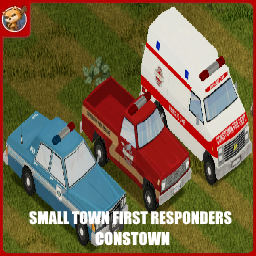
Small Town First Responders - Constown
par 76561198833978028
This is Constown support. Requires Constown! Credits: Code: Jack, albion. Textures: soze, Jan2004p, Bill, evansmine8, Emma, Henry, Racer, FoxInABeret. Special thanks to Guardian, Frozen and Doe! HUGE thanks to shark for letting us use the Police Belt model from his law enforcement mod. Though we did make our own textures for it. And thanks to StarFireReaper for making the 1987 GMC armored truck model for us. HUMONGOUS thanks to Albion for her extremely helpful support of the mod. Seriously, she's a legend! A MASSIVE thanks to Greywolf for some of the VVE textures. The STFR community is great. The STFR community: Being Awesome. Comments are locked because all feedback and questions should go to the new discord. https://discord.gg/usJNRbKq5Z Workshop ID: 3381597839 Mod ID: STFRConstown Mod ID: STFRConstownHeli Mod ID: STFRConstownSpongie

Fallout Advert Trailer Banners
par 76561199697612096
This mod replaces the vanilla Advert Trailer banners with higher-definition Fallout-themed advertisements. There were only 11 banner variants in vanilla. This mod has 21. Most are shown in the posters above. Compatibility: ✅ Build 42.18+ Workshop ID: 3615703301 Mod ID: AdvertTrailer_FalloutVariants
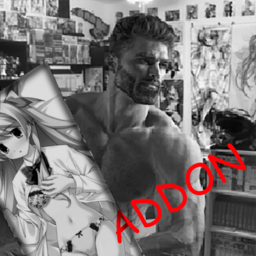
Big Degen's Dakimakuras Addon: Chaos;Head
par 76561198135237616
Adds Rimi and Nanami from Chaos;Head as Dakimakuras!!!!!!! BISHI!!! Workshop ID: 3172739370 Mod ID: DakiAddonChaos
The Plagued - Dead of Winter/Black Death inspired texture mod.
par 76561198035231228
Inspired by my previous mods I went in search of more zombie types to create as textures for Project Zomboid. After thinking of ideas, I remembered a zombie board-game I'd played a few years ago called Dead of Winter, which features some gross, plaguey type zombies with horrible pustules ready to burst, cracked dry and rotting skin as well as those classic dead zombie eyes. Further inspired by the Black Death, I thought it would be cool for my next texture mod to make a combination of the two, and allow people to face some gnarly looking, pus-filled zombies. You'll be sure to avoid infection when it means you'll be getting something much worse than your typical acne zits! Whether you want to roleplay a mutant, zombie strain of the Black Death making a resurgence, or you just want some horrible, gross zombies this is the texture mod for you. Enjoy! UPDATE: I have included a Dead of Winter preset that starts you in November with very cold temperatures! I recommend you use the 'infinite snow' mod from the infinite weather mod or the Cryogenic Wasteland mod in order to get the full winter hell experience, unless you want the winter to eventually pass. To use this preset, place the sandbox preset file I included in steamapps/workshop/content/108600/2364689687/media in your C:/Users/you/Zomboid/Sandbox Presets folder. You can find Dead of Winter and its expansion if you are interested in it here: https://www.fantasyflightgames.com/en/products/dead-of-winter/ https://www.fantasyflightgames.com/en/products/dead-of-winter/products/long-night/ As always, thanks to all the people who left nice comments and subscribed and rated my mods. Workshop ID: 2364689687 Mod ID: The Plagued

Friend Tracker-multiplayer map markers
par 76561199243322804
The game shows your location and your friend's location. Haritada sizin ve arkadaşınızın yerini gösterir. Workshop ID: 3674249500 Mod ID: FriendTracker
![[COS]Astral_Luminous_Girls_Frontline (B41) – Project Zomboid Mod](https://images.steamusercontent.com/ugc/12110409147213353283/BA1B66C1D2B10C0408F5057E51FB45D01D628FD0/)
[COS]Astral_Luminous_Girls_Frontline (B41)
par 76561198074175464
Main Original Skin Link: https://steamcommunity.com/sharedfiles/filedetails/?id=3541673397&searchtext= Thanks to @CreamPie for allowing make B41 Version! Workshop ID: 3563212256 Mod ID: Astral_Luminous_Girls_Frontline_B41
![Addon [M&S] - The Walking Dead S1E1 VHS & Poster – Project Zomboid Mod](https://images.steamusercontent.com/ugc/15913721133015602470/703B829B5FD33644E430D9FD8107F4387100D3BA/)
Addon [M&S] - The Walking Dead S1E1 VHS & Poster
par 76561198209616376
🟢 Addon - The Walking Dead S1E1 This is an Addon mod that brings the iconic first episode of The Walking Dead (Season 1, Episode 1) to the Project Zomboid universe! 🎬 Episode Details []⏱️ Duration: ~67 minutes (1h 07m) []🗣️ Audio: English 📦 What's included? []📼 Playable VHS Tape: A The Walking Dead tape that you can find in the world, insert into televisions, and actually watch! []🖼️ Decorative Poster: A series-themed poster (also found as loot) to hang on your wall and decorate your base. ⚠️ IMPORTANT WARNING ⚠️ For those who might miss it: THIS MOD DOES NOT WORK ON ITS OWN! This is strictly a media pack. You ABSOLUTELY MUST be subscribed to and enable the base framework mod Movies & Series (listed in the requirements section) for the tape to work on the TV. support me by rating the mod! :) Workshop ID: 3686151003 Mod ID: twds1e1ms
Craft Bullet Molds for AmmocrafterB41
par 76561198098651298
Allows crafting of Bullet Molds with the metalworking skill. Full Credit to Hyzo. Workshop ID: 2797849406 Mod ID: CraftBulletMolds
![Animal Fix [B42.20] - Livestock Stability – Project Zomboid Mod](https://images.steamusercontent.com/ugc/13500560173128633070/50088FA8915E831BAFD9257603CA9B8BF1F1C481/)
Animal Fix [B42.20] - Livestock Stability
par 76561197960801216
Animal Fix - Livestock Stability for Build 42.20 Are your chickens vanishing from hutches? Do animals freeze while trying to eat or drink? Does your dedicated server begin filling with animal errors after it has been running for a while? Animal Fix is a safety net for Build 42 livestock. It helps prevent broken animals from accumulating until they cause missing livestock, failed animal saves, or a server that slowly stops working correctly. What It Fixes - Reduces animals disappearing during hutch and trap handling. - Frees livestock that become permanently stuck while looking for food or water. - Prevents badly created livestock from lingering and damaging later saves. - Makes animal pickup safer in multiplayer. - Corrects broken Build 42.20 animal interactions involving breeding and butcher hooks. - Leaves healthy animals and normal husbandry alone. Companion Dogs and Cats Compatibility Animal Fix recognizes animals managed by Companion Dogs and CD: Cats, including dogs, cats, puppies, kittens, strays, and registered breed add-ons. These animals are protected from Animal Fix's automatic removal and quarantine systems. If a companion develops a problem, Animal Fix reports it for diagnosis but leaves recovery to the companion mod's ownership, kennel, carrying, and storage systems. This prevents Animal Fix from removing a companion behind its management system or leaving a player's companion records in a broken state. Companion Dogs and CD: Cats are optional and are not required to use Animal Fix. Why Should I Use It? Animal problems are easy to miss at first. One chicken disappears, another stands frozen beside a feeder, and everything seems fine after a restart. On a persistent server, those small problems can build into repeated errors, unreliable animal saves, and eventually a server that needs to be restarted. Animal Fix quietly catches those problems early. Players get more dependable livestock, admins get cleaner long-running saves, and communities spend less time replacing animals that vanished because of a game bug. It is especially useful for servers that want Meta Predators turned off. With Meta Predators enabled, chickens and turkeys can be removed overnight. Turning it off stops those unwanted losses, while Animal Fix protects against separate animal bugs that become more noticeable when livestock remain in the world for a long time. Animal Fix does not make animals easier, increase production, change breeding, or alter survival balance. It simply helps the animal system behave the way players expect it to. Recommended Setup - Back up your save before adding or updating animal mods. - Place Animal Fix near the bottom of your mod load order. - Restart the game or dedicated server after updating. Animal Fix is standalone. Animal Sync Fix is not required. Support Midgar's Project Zomboid Workshop If this mod has improved your game, server, or community, optional support helps fund Build 42 testing, compatibility updates, server infrastructure, artwork, audio production, and continued maintenance. Public fixes and releases remain free and are never paywalled. Join the Arcadia Rising Community Get update news, support, bug-report help, and join our active long-term Project Zomboid RP/PVE server community. Server: 50.5.46.175:16261 Mod ID: ArcadiaAnimalFix_B42 Workshop ID: 3786854702 Mod ID: ArcadiaAnimalFix_B42
![Carry More Stuff [FIXED] – Project Zomboid Mod](https://images.steamusercontent.com/ugc/2491134695818447651/002A492B0D3DF3D5A415CE6055AF62757AC35450/)
Carry More Stuff [FIXED]
par 76561198053541980
Original workshop link: https://steamcommunity.com/sharedfiles/filedetails/?id=2495555067 Fixes issues like sacks not working properly and dropped bags not using 3D models All carry bags and containers now weigh a bit less, their capacity and weight reduction percentages were slightly increased, and their tiny move speed penalties were removed. IMPORTANT Already existing / spawned carry bags and containers won't have the updated stats! You either have to find / craft / spawn new bags and containers in ongoing saves or start a new game for all stats to update correctly. Item Tweaker API mod is now required. -> -> -> I made this mod mainly for myself, but might as well share it with the crowd. It's not meant to be balanced, but it's also not meant to be overpowered as much. Also keep in mind that the Organized trait will further increase Capacity by 30%. And there are two new bags that take up the fanny pack slot and can only be spawned with mods like Cheat Menu and Necroforge. The Packpack (Console Spawn Only - Cheat Menu / Necroforge) ======================================================== Weight : 0.5 | Capacity : 150 | % Reduction : 99 % | Appearance : Satchel The Bag of Holding (Console Spawn Only - Cheat Menu / Necroforge) =========================================================== Weight : 1.5 | Capacity : 500 | % Reduction : 100 % | Appearance : Seed Bag VANILLA CONTAINERS ============================================ Container = Weight = = Capacity = = % Reduction = School Bag 1.0 > 0.5 15 > 20 60 > 65 % Hiking Bag 1.2 > 1.0 20 > 25 70 > 75 % Big Hiking Bag 1.5 > 1.25 22 > 30 80 > 85 % Backpack 2.0 > 1.0 27 > 35 85 > 90 % Large Backpack 2.0 > 1.25 28 > 40 87 > 90 % Military Backpack 1.5 > 1.25 28 > 50 87 > 95 % Duffel Bag 1.0 > 0.5 18 > 25 65 > 75 % Plastic Bag 0.1 > 0.05 8 > 10 30 > 40 % Garbage Bag 0.1 > 0.05 20 > 25 10 > 25 % Sack 0.1 > 0.1 15 > 25 10 > 25 % Tote Bag 0.5 > 0.25 12 > 20 50 > 55 % Purse 0.5 > 0.25 12 > 20 50 > 55 % Suitcase 3.0 > 2.0 16 > 25 50 > 55 % Handbag 1.0 > 0.5 8 > 15 40 > 50 % Toolbox 2.0 > 1.0 8 > 15 15 > 25 % First Aid Kit 1.0 > 0.25 4 > 10 5 > 25 % Lunchbox 1.0 > 0.25 4 > 10 5 > 25 % Flight Case 1.0 > 1.0 5 > 15 20 > 35 % Guitar Case 1.0 > 1.0 5 > 15 20 > 35 % Briefcase 1.5 > 1.0 7 > 15 5 > 35 % Fanny Pack 1.0 > 0.1 3 > 7 7 > 70 % Satchel 1.0 > 0.5 15 > 20 30 > 40 % Cooler 1.5 > 1.0 8 > 15 5 > 25 % Gun Case 1 0.5 > 0.5 7 > 15 5 > 50 % Gun Case 2 0.5 > 0.5 7 > 20 5 > 40 % Gun Case 3 0.5 > 0.5 7 > 25 5 > 30 % Seed Bag 0.1 > 0.1 5 > 10 30 > 50 % Sewing Kit 0.1 > 0.1 5 > 10 30 > 50 % Keyring 0 > 0 1 > 5 0 > 95 % Notes Keyring might not correctly provide weight reduction, since it's kinda a special container. UPDATE 1.2.0 - Mod now buffs the stats of carry bags for the following mods: Ammo Straps Carry Ammo Attach Items To Backpacks Arsenal(26) GunFighter Paw Low Loot (Main Option) Rod's Store (Orphanage) SWAT & Riot Pack Metadata Workshop ID: 2495555067 Mod ID: POETCarryBuff Tags:B41,Items,Easy,Easier Workshop ID: 3271235980 Mod ID: POETCarryBuffFixed

中文输入修复补丁
par 76561198261799001
40 41通用 需要你解压到游戏目录覆盖才可生效 有问题请留言 别加我steam了! Workshop ID: 2483765901 Mod ID: chineseinput
Death Marker - B42 SP&MP
par 76561197960772922
Death Marker Death does not have to take every lesson with it. Death Marker is a standalone Project Zomboid Build 42 mod that leaves a grave marker where a survivor fell. Not everything dies with the body. If that survivor walks the world again, they may return to the grave and reclaim echoes of the former life: hard-earned skills, remembered recipes, studied knowledge, zombie kill count, and fragments of media once seen and heard. Tested On - Project Zomboid Build 42.20. - Dedicated multiplayer testing, including repeated deaths in one connection. - Singleplayer testing, including fatal-fall labels and progression recovery. How It Works - When a player dies, the mod records eligible character progression. - A cemetery cross is placed at the death location. - The grave shows memorial text: Here lies Killed by - A vanilla world-map Cross marker is added for the pending recovery. - A movable on-screen recovery window shows the current effective skill XP recovery and decay timing while a pending marker exists. - The next character must travel back to the death location. Standing on or next to the recovery tile automatically opens the recovery prompt. - The recovery prompt previews the skills, recipes, recipe resources, skill-book progress, media history, zombie kill count, and effective skill XP recovery percent that can be restored. - After recovery, the recovery action, world-map marker, and recovery window are removed. - Server admins can choose whether the Death Cross remains as a memorial or is removed after recovery. - If the Death Cross remains, players can pick it up and place it back down somewhere else as a memorial. - Admin-tagged players can use a Death Cross right-click cleanup action to clear pending Death Marker recoveries and remove recovery crosses/tiles from pending recovery locations, the clicked tile, and the admin's nearby area. What Can Be Recovered - Skills and XP. - Known recipes from recipe literature and researched items. - Read recipe magazines, schematics, clippings, and other recipe-resource items. - XP boost skill-book page progress. - Watched and heard media history, including VHS, TV broadcasts, CDs, and radio. - Zombie kill count. Sandbox Options - Death Marker Visual: choose which marker appears at the death tile. Options include Wood Cross, Headstone #1, Headstone #2, Stone Cairn, Wood Picket, Angel Statue, or Random. Default is Wood Cross. - Require Same Profession: require the new survivor to have the same profession as the dead survivor. Default is enabled. - Player Death Skill Recovery Percent: choose how much of the missing skill XP gap is restored for deaths attributed to another player, from 0% to 100%. Default is 100. - Zombie Death Skill Recovery Percent: choose how much of the missing skill XP gap is restored for zombie, bite, scratch, drag-down, or zombie-infection deaths, from 0% to 100%. Default is 100. - Unknown Death Skill Recovery Percent: choose how much of the missing skill XP gap is restored when Death Marker cannot confidently attribute the death to a player or zombies, from 0% to 100%. Default is 100. - Recover Recipes: enable or disable recipe knowledge and recipe-resource recovery. Default is enabled. - Recover Skill Books: enable or disable XP boost skill-book page progress recovery. Default is enabled. - Recover Media History: enable or disable watched and heard media history recovery. Default is enabled. - Recover Strength and Fitness: enable or disable recovery of trained Strength and Fitness gains. When disabled, Strength and Fitness are never recovered, while other enabled recovery categories still work normally. Default is enabled. - Recover Zombie Kills: enable or disable zombie kill count recovery. Default is enabled. - Keep Death Marker After Recovery: choose whether the death marker remains as a memorial or is removed after recovery. Default is enabled. - Recovery Decay Enabled: enable or disable time-based skill XP recovery decay. Default is enabled. - Recovery Max Hours: choose how many in-game hours pass before skill XP recovery starts decaying. Default is 6. - Recovery Decay Percent Per Hour: choose how many percentage points of skill XP recovery are lost each in-game hour after the max window. Default is 10. Below is an image showing the available death marker visuals. Recovery Rules - Recovery is bound to SteamID when available, with username fallback. - The new character must return to the recorded death location and stand on or next to the recovery tile. - By default, the new character must match the dead survivor profession. Server admins can disable this with the DeathMarker.RequireSameProfession sandbox option. - Skill recovery uses the matching death-type percentage and applies it to the missing XP gap. For example, if the new survivor has 1000 XP, the dead survivor had 2000 XP, and the matching death-type recovery percent is 50%, recovery raises the new survivor to 1500 XP. - Zombie kill recovery is additive. If the dead survivor had 100 kills and the new survivor gets 2 more before recovery, the recovered total becomes 102. - Skill XP recovery can decay over in-game time. By default, the first 6 in-game hours keep full configured skill recovery, then recovery drops by 10 percentage points per in-game hour until it reaches 0%. - Recovery decay affects skill XP only. Recipes, recipe resources, skill-book progress, media history, and zombie kill count are controlled by their own sandbox toggles. - Recovery never lowers progress the new character already gained. - A snapshot can only be restored once. - The Death Cross is visual-only. Moving or carrying a memorial cross does not move the recovery location or create another recovery. What Is Not Recovered - Equipped items. - Inventory contents. - Character starting traits, including their starting stat and skill bonuses. Important Note This is an early public release for Build 42. It has been tested in dedicated multiplayer and singleplayer, but Project Zomboid Build 42 and modded servers can behave differently depending on load order, server settings, and other mods. There may still be bugs. Back up important saves before using this on a long-running world. Server Configuration Workshop ID: 3727968998 Mod ID: deathmarker
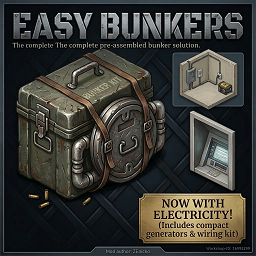
Bunker by ZEnicko
par 76561198064323679
Build 42.15.0 - March 2026 MULTIPLAYER SHIPPING DESTINATION SYNC IMPROVED LONG-DISTANCE TERMINALS NOW APPEAR MUCH MORE RELIABLY MULTIPLAYER STILL RECOMMENDED AS ACTIVE TESTING Current Status - Singleplayer is stable. - Multiplayer shipping destination sync was improved significantly. - Electric central system is usable. - Shipping terminal system is now much more reliable in Multiplayer. - Very distant shipping destinations should now keep appearing much more consistently. - Only the first central radius upgrade tier is enabled. How Shipping Works Right Now - Craft and place a Shipping Terminal. - Use the trash container terminal tile as the sender/receiver. - Activate the terminal near a powered central. - Drop items on the floor of the terminal tile. - Use right-click and choose a registered destination. - Items are transferred floor-to-floor between shipping terminals. - Remote Multiplayer destinations now stay synced much more reliably, even with no players near the target area. Changelog (English) - Fixed multiplayer shipping destination discovery so long-distance terminals appear in the menu much more reliably. - Added client and server destination counting to help track shipping sync state. - Reduced noisy shipping debug spam and guarded shipping cache/context code against runtime errors. - Fixed electric central depletion display so exhausted centrals now settle at 0%% and 0 minutes instead of 1%% and 1 minute. - Reworked shipping to use trash container terminals instead of old experimental shipping tiles. - Shipping now moves floor items between terminal coordinates. - Added craftable Shipping Terminal item. - Removed unused imported tilesets, military locker experiments, and old shipping tile files. - Cleaned legacy client and server code related to shipping_tile_01 and shipping_tile_02. - Updated workshop notes to clearly mark Multiplayer shipping as unstable. Main Features - Seal almost any staircase and convert it into a hidden bunker entrance. - Use the Bunker Kit to dismantle stairs, cover the gap with a persistent floor, and install an interactive hatch. - Teleport safely between Ground Floor (Z+0) and Basement (Z-1). - Use right-click context menus or the Interact key (E) for quick entry and exit. - Stable electric central system for bunker power management. - Shipping terminals for item transfer, now improved for Multiplayer destination sync. Where to Find the Kit, Central, and Terminal - Hardware Stores and Tool Shelves - Army Surplus Locations - Mechanics and Vehicles - Gigamarts Workshop Info Workshop ID: 3676050156 Mod ID: BunkersAnywhereByZEnicko Build 42.15.0 - Marzo 2026 [h1SINCRONIZACION DE DESTINOS DE SHIPPING EN MULTIPLAYER MEJORADA LOS TERMINALES MUY LEJANOS AHORA APARECEN MUCHO MAS CONFIABLEMENTE MULTIPLAYER SIGUE RECOMENDADO COMO PRUEBA ACTIVA Estado Actual - Singleplayer esta estable. - La sincronizacion de destinos de shipping en Multiplayer mejoro mucho. - El sistema de central electrica se puede usar. - El sistema de terminales de shipping ahora es mucho mas confiable en Multiplayer. - Los destinos de shipping muy lejanos ahora deberian seguir apareciendo mucho mas consistentemente. - Solo el primer tier de ampliacion de radio de la central esta habilitado. Como Funciona el Shipping Ahora - Craftea y coloca un Shipping Terminal. - El tile tipo trash container actua como emisor y receptor. - Activa el terminal cerca de una central con energia. - Deja los items en el suelo del tile del terminal. - Haz click derecho y elige un destino registrado. - Los items se transfieren de suelo a suelo entre terminals. - Los destinos remotos en Multiplayer ahora permanecen sincronizados de forma mucho mas confiable, incluso sin jugadores cerca del area destino. Changelog (Espanol) - Corregida la deteccion de destinos de shipping en multiplayer para que los terminales lejanos aparezcan mucho mas confiablemente en el menu. - Agregado conteo de destinos en cliente y servidor para seguir el estado de sincronizacion. - Reducido el spam de debug de shipping y protegidos los bloques de cache/menu contra errores en runtime. - Corregido el agotamiento de la central electrica para que termine en 0%% y 0 minutos, no en 1%% y 1 minuto. - Se rehizo el shipping para usar terminales tipo trash container en lugar de los viejos shipping tiles experimentales. - El shipping ahora mueve items del suelo entre coordenadas de terminals. - Se agrego el item crafteable Shipping Terminal. - Se eliminaron tilesets importados sin uso, experimentos con military locker y archivos viejos de shipping tile. - Se limpio codigo viejo de cliente y server relacionado con shipping_tile_01 y shipping_tile_02. - Se actualizaron las notas de Workshop para dejar claro que el shipping en Multiplayer sigue inestable. Caracteristicas Principales - Sella casi cualquier escalera y conviertela en una entrada de bunker oculta. - Usa el Bunker Kit para desmantelar escaleras, cubrir el hueco con un suelo persistente e instalar una escotilla interactiva. - Teletransportate de forma segura entre Planta Baja (Z+0) y Sotano (Z-1). - Usa el menu contextual o la tecla de Interaccion (E) para entrar y salir rapidamente. - Sistema de central electrica estable para gestionar energia del bunker. - Terminales de shipping para transferir items, ahora mejorados para sincronizacion de destinos en Multiplayer. Donde Encontrar el Kit, la Central y el Terminal - Ferreterias y estantes de herramientas - Tiendas de excedentes militares - Talleres mecanicos y vehiculos - Gigamarts Workshop ID: 3676050156 Mod ID: BunkersAnywhereByZEnicko
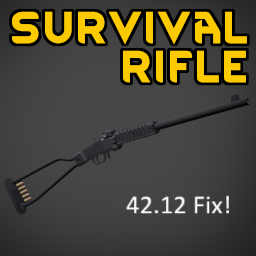
Nepenthe's Guns 42.12 Fix
par 76561198056885510
Fixes the 42.12 crash to desktop/main menu issues when firing for the following mods by Nepenthe: - Foldable Survival Rifle : https://steamcommunity.com/sharedfiles/filedetails/?id=3491265315 - Grendal P10 : https://steamcommunity.com/sharedfiles/filedetails/?id=3489603739 - KelTec PR-57 : https://steamcommunity.com/sharedfiles/filedetails/?id=3487312468 Workshop ID: 3578686989 Mod ID: NepsGuns4212Fix
True Music Addon: demon
par 76561198307170373
music Workshop ID: 3219419190 Mod ID: demon
Brita ZNation
par 76561199244235491
Brita ZNation server setting Workshop ID: 2882887622 Mod ID: BrtiaZN
![[B42] ItemChecker – Project Zomboid Mod](https://images.steamusercontent.com/ugc/45704198239066939/E0BC070048D27F576A91362CD4E9ACD94C6D2F75/)
[B42] ItemChecker
par 76561198062695591
All credits go to the original creator A simple way to mark items Very practical to findout not owned books or cooking furniture you dont already have Workshop ID: 3444618896 Mod ID: item-checker

ServerRobotHelper
par 76561198155246959
给机器人用的,不了解用途的话请不要加(原鸭佬mod) Workshop ID: 3159075926 Mod ID: ServerRobotHelper
Vanilla Community Currency
par 76561198065774641
Custom currency and store mod for "Vanilla Camp Crew" Server! 45.35.136.223:30300 Workshop ID: 2934851499 Mod ID: VanillaCommunityCurrency

DIY Glue
par 76561198168843826
Another DIY mod, to make youself some glue. Start by gathering sap from wood logs - One log - A screwdriver This should give you 10 units of sap (a full bottle of sap). Then from the sap, create your own glue - One unit of sap - One unit of water - One sheet of paper - Mortar and pestle If you use the survivalist mod, this is especially useful to make papier mache, which requires glue to make. As always, feel free to extend the mod to your needs, give credit when it's due. Workshop ID: 2925854511 Mod ID: MaryannahDIYGlue
Project Zomboid Guides
Installer des mods Project Zomboid - Guide Workshop
Installe proprement des mods Project Zomboid via le Steam Workshop : saisir les IDs, vérifier l’ordre, redémarrer le serveur et corriger les erreurs typiques.
Louer un serveur Project Zomboid – guide multijoueur
Configurer un serveur Project Zomboid : RAM, paramètres sandbox, mods Workshop, droits admin et vérification propre des erreurs typiques.
Serveur Project Zomboid avec support des mods
Installez les mods compatibles et pris en charge depuis le tableau de bord.
Louer un serveur Project Zomboid