Mods et plugins pour Project Zomboid
Ce catalogue répertorie 60 000+ projets Project Zomboid provenant de Steam Workshop. Les entrées peuvent être côté serveur, côté client ou requises des deux côtés, et inclure des cartes ou d’autres contenus créés par les utilisateurs. Avant l’installation, vérifiez la page source liée, la version du jeu et les dépendances.
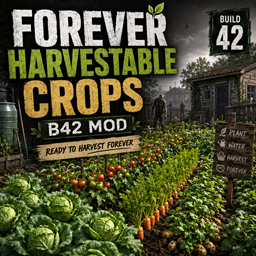
Forever Harvestable Crops
par 76561198010729847
This small mod is mainly for multiplayer servers to prevent players from having destroyed crops if they were not logged in when the crops were ready to harvest. Planted crops will remain in "Blooming" status and will not die and rot. If you like the mod, give it a like. If not, tell me why in the Feedback thread. Sandbox Values 1 = Vanilla 2 = 7 Days (in game) 3 = 30 Days (in game) 4 = Forever (default) Workshop ID: 3781608503 Mod ID: ForeverHarvestableCrops

Ice Cube Music | Album: Death Certificate
par 76561199258285984
Ice Cube Music | Album: Death Certificate Generated with New Music Builder Death Certificate Side A 01 The Funeral 02 The Wrong Nigga To Fuck Wit 03 My Summer Vacation 04 Steady Mobbin' 05 Robin Lynch 06 Givin' Up The Nappy Dug Out 07 Look Who's Burnin' 08 A Bird In The Hand 09 Man's Best Friend 10 Alive On Arrival Death Certificate Side B 01 Death 02 The Birth 03 I Wanna Kill Sam 04 Horny Lil' Devil 05 Black Korea 06 True To The Game 07 Color Blind 08 Doing Dumb Shit 09 Us 10 No Vaseline Workshop ID: 3755825607 Mod ID: 2CubeAlbum
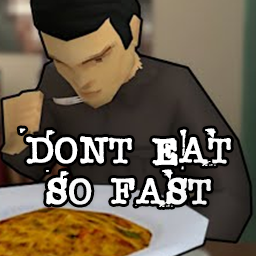
DontEatSoFast
par 76561197973526625
What's the rush? Eating different amounts of food will amount to different speeds of eating! 1/4, 1/2, and all. It calculates how much is left of the portion size if you eat 'all' and bases it off that. Also slows down drinking, and smoking cigarettes. Should be compatible with any mod. Snacks and food under 200 calories will be eaten at 2x speed. under 400 will be eaten at 1.5x speed. Should be able to tell the difference between most food drinks (like broth) and non drinks, modded or not. I hated spending a bunch of time in MP making gourmet meals just for them to be eaten instantly.. There are sandbox settings to customize all of it aswell! Workshop ID: 3417148434 Mod ID: DontEatSoFast

Bluemoji Moodles B42
par 76561198068877734
Fixed version of moodles Workshop ID: 3386557311 Mod ID: bluemoji
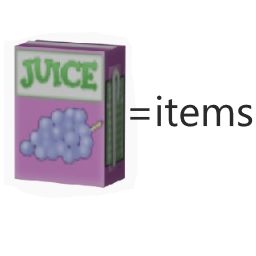
food In return for supplies
par 76561198050176944
You can exchange most of the food in the game for juice (some of the satiety and calories of the food will be inherited from the juice), and then you can use the juice to purchase supplies. ------------------------------------------------------------------------------------------------------ You can exchange most of the food in the game for juice (some of the satiety and calories of the food will be inherited from the juice), and then you can use the juice to purchase supplies. ------------------------------------------------------------------------------------------------------ This mod has added a composite label "Fs". Original props currently available for purchase: Wall breaking sledgehammer, a variety of throwing bombs, a variety of hammers, a variety of saws, generators, tire pumps, cross wrenches, propane blowlights, welding rods, iron wires, accessories for a variety of commercial vehicles, jacks, bulbs, metal bars, metal tubes, nail boxes, gasoline tanks, pipe tongs, propane tanks, screwdrivers, metal plates, Can opener, welder masks, wrenches, engine parts, scissors, needles, Bin bag, metal waste, bowls, frying pans, cooking pans, crowbars, Bourbon whiskey whisky, fire axe, electronic waste, Coffee, various glues, door handles, door hinges, baseball bats, hand axes, samurai knives, antibiotics, various bullet boxes, and various practical original tools ------------------------------------------------------------------------------------------------------ There are two new OP props that can be purchased, which are much stronger than the original version. ===Product 1: Modified M16, which can be hung on the belt and can attack up to 4 enemies at a time (if the angle is correct), with low sound and high durability ===Product 2: Jason's machete, which can be hung on his belt and can attack up to 5 enemies at a time. Its durability is very high and its attack power is very high. It can cut trees and doors quickly ===Product 3: Mounted flashlight. It is a flashlight that can be hung on a holster and has a wide angle illuminated view. It has permanent electricity. ===Product: 4: Space expansion pack. FPB It has a weight loss rate of 88% and a capacity of 2500 You can use it as a container (put it on your bookshelf, refrigerator, or container. It looks beautiful and elegant), or you can carry it with you. This backpack is very suitable for hamster players, as just one item can be summarized into tons of items, making the home look very clean. If your sandbox is set to automatically clear items, you need to manually set FPB to a whitelist, as shown in the following figure. The format should not be incorrect. Base.FPB ----------------------------------------------------------------------------------------------------- This mod only adds synthetic items and several self created items, theoretically compatible with most mods, and can be deleted and added at any time. Workshop ID: 2805377362 Mod ID: 椋熺墿鍏戞崲鐗╄祫 food In return for supplies

Lose weight(减重)
par 76561198203983131
减重戒指(负重属性为-99999)1美元兑换,放入容器即可,不想理货懒人必备。 减重项链(负重属性为-20)随身携带即可。 个人娱乐mod Weight loss ring(Load-bearing property is -99999)To the dollar,Just put it in the container,Lazy people who don't want to tally。 Slimming necklace(Load-bearing property is -20)Just take it with you。 Personal entertainment mod Workshop ID: 2789358652 Mod ID: 鍑忛噸 Map Folder: ModTemplateWorld1 Map Folder: ModTemplateWorld2

FichinScoreboard
par 76561198142117152
Ranking PVE/PVP para el servidor dedicado de Adictos al Fichin. Workshop ID: 3664016350 Mod ID: FichinScoreboard
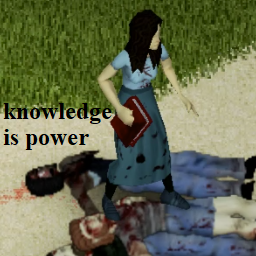
Weaponized Knowledge
par 76561198043930701
It's true what they say, knowledge IS power! (Note: not a very effective weapon. It is a book after all) Workshop ID: 3180653142 Mod ID: getlearnedon
MoodleSanity
par 76561198329871201
Shows sanity status with a moodle. Sanity related facts (B41.77) - Vanilla sanity exists but is not used. - This mod is made and tested for Danger Moodle Insanity. - This mod can be easily adapted to any sanity related mod by overiding MoodleSanity.setSanityThresholds(moodle). Credits - Initial idea and moodle picture by walter_hartwell_white. Ask for permission This mod can only be added to and extended with the express permission from the original creator. Having received permission, credit must be given to the original creator, both within the files of the mod and wherever the mod roams online. If no permission is received you may not alter the mod. You wanna support? A nice word is always welcome. Constructive feedback too. Else you can Workshop ID: 2874801834 Mod ID: MoodleSanity

ADDU Level Up Sound
par 76561198060540114
아뜨서버에서 사용하고 있는 레벨업 효과음 모드입니다. A Level up Sound Effect mod for private server. Workshop ID: 3211986988 Mod ID: Levelupsoundaddu
![[B41/B42] Better Journal – Project Zomboid Mod](https://images.steamusercontent.com/ugc/9858831220535676315/46D7CA683678E952546435E847C048988B1E5480/)
[B41/B42] Better Journal
par 76561199033892043
Better Journal A cleaner, more immersive journal system, made for players who want their written notes to feel like an actual survivor journal instead of a plain text box. You open journals from the items in-world; the reader and writer UI use ElyonLib for theming and shared interface building blocks (this mod does not register a Dock Menu entry). Requirements - ElyonLib - load before Better Journal. It supplies the themed panels, typography/layout helpers, and client utilities behind the two-page journal experience. Features - Four new journal items: black and brown variants, each with regular and spring-bound versions, all spawning in the same locations as the journal in the base game. - Craft any variant from a vanilla Journal, ten Leather Strips, a Needle, and five uses of Thread. - Custom journal UI with cover textures, inside-page textures, page numbers, and bottom-corner navigation arrows. - Two-page writing layout that matches the journal page artwork. - Whole-journal import and export using a readable text format. - Per-page ink colors for left and right pages. - Selectable text font per journal, useful for readability or immersion. - Lock and unlock support for saved journal writing. Import / Export The journal exports only pages that contain text to one file: C:\Users\%username%\Zomboid\Lua\BetterJournal_Export.txt Import uses the same file and replaces the journal pages with the matching page blocks. Frequently Asked Question: Is it compatible with Multiplayer? Absolutely! Extensively tested and fully functional on MP servers. Does it work on existing saves? Yes! You can enable it in mid-save, but new journals will only spawn in areas you haven't visited yet. Does it work for all game versions? Only tested and working on the latest B41 game version. Developer Note: This mod is in development, featuring the latest improvements and experimental features. While thoroughly tested, some features may be refined in future stable releases. This mod was commissioned by Kuma Khan from Club Oasis community. I'm open to new commissions - contact me on Discord .ely0n or find me in the PZ Modding Discord. This mod's permissions fall under TIS's policy On Lockdown This mod cannot be modified by anyone else, for anything else, at all, ever. Even if the user disappears, they would much rather you didn't touch the fruits of their hard labour. Workshop ID: 3723402329 Mod ID: BetterJournal

No Weight - Inventory Tetris
par 76561197985769322
Modified version of https://steamcommunity.com/sharedfiles/filedetails/?id=2606989930&searchtext=No+Weight to not give containers or players infinite inventory for use with Inventory Tetris mod. If the original owner would like me to remove this mod, just let me know. Removes the weight of practically all items (yes, even modded items.) (for some reason some items still have weight) This works on both multiplayer and singleplayer. Workshop ID: 3134330577 Mod ID: NoWeightInventoryTetris

InfernoRPCrossbow
par 76561197995885151
DO NOT USE FOR TEST PORPOUSES Workshop ID: 2983884932 Mod ID: InfernoRPCrossbow
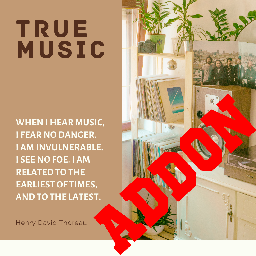
True Music Addon: Gilbert Kpop Playlist
par 76561198856611008
I put a lot of my personal Kpop playlist and I don't think I will update it (maybe). 169 songs included (IU, Girls Generation, NewJeans, Aespa, Twice, Red Velvet, etc). Hope you Enjoy it. Workshop ID: 2924645934 Mod ID: gilbert_kpop_playlist_true_music_addons

Atlas
par 76561198006135740
WORK IN PROGRESS Atlas is a sea themed map expansion next to kingsmouth. The idea was to give aquatsars boats more useability. In the mid/endgame the locations seen in the screenshots can be used as treasurehunt or if its your thing you can build your base there. There are a couple secrets so make sure to check every room twice. This map is compatible with all other known map expansions. ->make sure to have the dependencies downloaded. The map is 3x3 cells beginning at 13,15. Workshop ID: 2790250570 Mod ID: Atlas Map Folder: Atlas
![Z'Ware Failing Generator FX: Sparks & Arcs [B42] – Project Zomboid Mod](https://images.steamusercontent.com/ugc/17969856233358689552/BAC3C1E182795D1225919A808313F0C6B7F7454F/)
Z'Ware Failing Generator FX: Sparks & Arcs [B42]
par 76561198033559447
THE LIGHTS ARE STILL ON. THAT DOESN’T MEAN EVERYTHING IS FINE. Generators in Knox Country already have an expiration date. They wear down. They get neglected. They sit outside in the rain while you promise yourself you’ll fix them tomorrow. Z’Ware Failing Generator makes that deterioration visible. As a generator’s condition drops, it begins to show signs of electrical failure: intermittent sparks, short crawling arcs, sharper electrical snaps, and increasingly obvious visual warnings that the machine keeping your safehouse alive is not especially happy about the arrangement. This is not a new generator. It is what happens to the one you already trusted too much. HOW IT WORKS Use generators normally. As condition deteriorates, the FX escalate. Healthy Generator Runs normally. No unnecessary fireworks. Worn Generator Occasional small sparks around the unit. Poor Condition More frequent sparks, brief electrical arcs, and visible discharge around the generator housing. Critical Condition The generator begins putting on a very convincing demonstration of why Maintenance exists. Bright sparks. Jagged short-range arcs. Electrical crackle. Repeated warning flashes. You should probably stop admiring it and get the screwdriver. VISIBLE ELECTRICAL FAILURE The effects are procedural rather than a fixed animation. Each discharge can vary in: origin point direction length intensity spark spread arc shape timing Electrical arcs use Z’Ware’s layered FX treatment with a glowing outer field, bright electrical body, and white-hot core. The result is a generator that looks increasingly unstable instead of simply changing a number in an information panel. IT DOESN’T SECRETLY CHANGE GENERATOR BALANCE This mod is primarily a visual warning system. Project Zomboid still controls the generator’s normal: condition fuel use power output maintenance failure behavior Z’Ware reads the machine’s condition and makes the danger visible. No magical extra electricity. No hidden durability penalty. No generator exploding because one spark happened to look dramatic. WHY IT EXISTS A generator at 20% condition should not look exactly like one you repaired yesterday. Now it doesn’t. Walking past your power source at night and seeing a sudden blue-white arc jump across the casing tells you something immediately: Tomorrow may be too late. FEATURES Condition-driven generator FX Increasing spark frequency as condition falls Procedural electrical arcs Bright electrical flashes Short-lived spark particles Electrical crackle effects Works with normal generator gameplay No replacement power system No new generator item No required hotkeys Standalone Build 42 mod No required third-party mods The apocalypse did not come with an electrician. Maintain your generator. Or enjoy the light show while it lasts. Mod ID: ZW_FailingGenerator Support Z’Ware on Patreon: https://www.patreon.com/c/Wareverse Workshop ID: 3781399017 Mod ID: ZWare_FailingGeneratorFX
![Vanilla Firearms Expansion + HB + HB AC [B42] - Русификация – Project Zomboid Mod](https://images.steamusercontent.com/ugc/12113805610753131532/F3E2B0F634BBF67F45CCCEBE9762A1D49815713C/)
Vanilla Firearms Expansion + HB + HB AC [B42] - Русификация
par 76561198414246143
Vanilla Firearms Expansion + HB + HB AC - Русификация Неофициальный порт легендарного мода VFE (Vanilla Firearms Expansion) для Build 42, созданный как временное решение до официального обновления от разработчиков. Что делает мод? • Полный порт VFE: Все основные функции оригинального мода для Build 41 • Интеграция с системами B42: Поддержка новых категорий обвеса и систем • VFE Post 93 weapons: Оружие и новые функции, включая глушители и упаковки патронов • VFE Stalker Edition: Портируемая версия Stalker Edition • Новые калибры: 7.62x54mm и 9x39mm для VFES • Hot Brass: Видимое выброс гильз с физикой и звуками • Hot Brass - Ammo craft: Крафт патронов из гильз, капсюлей, пороха и пуль • Система патронов: Упаковки, кейсы, ящики и картонные коробки Ключевые особенности: Полный порт легендарного оружейного мода, интеграция с новыми системами B42, временное решение для сообщества. Dear foreign friends, this mod is only a localization of the main mod. If you came here because of the preview or text on it, you can safely go to the modification page itself. Хочу перевод Поддержать переводчика Workshop ID: 3638978809 Mod ID: HOTBRAAMMCRARUS Mod ID: HOTVISCASEJEFRARUS Mod ID: VANFIREXPRUS

Hydrocraft 樱花自用20230223(HydrocraftSakuraFixFor20230223)
par 76561198155246959
樱花自用 Hydrocraft,修改自 2023/02/23 更新的版本。无其他模组依赖,可单独使用。 对 Hydrocraft 模组在 2023/02/23 更新后存在的问题进行修改以便于自用。 已添加 Hydrocraft 本体 2023/05/07 的更新内容。 已完成: - 修复褶式风箱无法合成的 bug - 修复种植、养蚕、动物会凭空多物品的 bug - 修复“马铃薯盆栽(可收获)”和“萝卜盆栽(可收获)”放置一段时间后消失的 bug - 修复部分盆栽物品无图标的 bug(实际上修复后的图标都是错的,但看起来不会太难受QwQ) - 右键菜单汉化 - 修复专业实验室不能锚定的问题 - 合并 Hydrocraft v1.11,即 2023/05/07 的更新内容,及稍后的一个 Bug fix 未完成: - 太阳能发电机 bug 修复(水平有限,可能修不了=-=) 备注: 已在单机档测试过,联机应该也没问题 本模组汉化还是不全的,所以还是需要配合其他汉化模组食用www比如 Hydrocraft CN、个人mod汉化、狐狸合集MOD汉化这类 mod 大概率不会随着 Hydrocraft 本体模组更新,如果 Hydrocraft 在 2023/02/23 后推出了新的更新,那时候推荐新档使用官方模组而不是本模组 已添加 Hydrocraft 本体 2023/05/07 的更新内容,Hydrocraft b41 Continued 工坊地址 大概率不会随着 Hydrocraft 本体模组更新,如果 Hydrocraft 在 2023/05/07 后推出了新的更新,那时候推荐新档使用官方模组而不是本模组 Workshop ID: 2964978049 Mod ID: HydrocraftSakuraFixFor20230223

人形達ノ記憶(NieR Music Pack)
par 76561198286009367
这是来自尼尔游戏的原声音乐,大约有40首歌,好好享受吧! Workshop ID: 2943429879 Mod ID: 2441865
![Players Location On The Map [B42] – Project Zomboid Mod](https://images.steamusercontent.com/ugc/10445953928250651549/00BD4FAFF33D6395F9B2DC6AEDE29FD534A5F147/)
Players Location On The Map [B42]
par 76561199385567604
--------------------------------ENGLISH-------------------------------- Hey there! Tired of not being able to see only your Faction members on the Map? Tired of not being able to run GTA V-style Halloween “Werewolf Hunt” events? Tired of not being able to draw zones where, the moment a player steps inside, they become visible to everyone? Well, let’s put an END to that!! Alright, joking aside… this mod is not some kind of direct shortcut panel for the server’s .ini “MapRemotePlayerVisibility” setting. It’s a full recreation of the system that, among other things, lets you do stuff like choosing whether, on the map, each player only sees members of their own Faction. My beautiful girlfriend recorded a video (you’ll find it above) where she basically break down everything the mod does so you can understand it perfectly. That said, it’s also pretty intuitive if you just want to download it and try it out. Just remember: for any changes to actually apply, you must be an admin: setaccesslevel yourname admin To exit admin mode: setaccesslevel yourname user IMPORTANT: If the mod breaks or you find a bugs, please let me know. It’s very possible this happens since, after all, this is B42. Still, if you report a bug, Please try to be as specific as possible so it’s easier for me to understand where it might be coming from. EXTRAS - Read only if you’re interested I’m thinking it would be really cool to allow each zone to be assigned as PvP/PvE or players-choice, like it usually works. I’ll probably end up adding it. If you want that feature, let me know in the comments, it might motivate me even more to spend that time I should probably be dedicating to my actual job. Also, if you’ve got any mod ideas or improvements you want me to add, feel free to send them to: [email protected] And if you’re making mods and need a hand, don’t hesitate to reach out, I’ve got plenty of hands to spare, so I’m always down to help. THIS MOD IS 100% COMPATIBLE WITH ALL OF MY MODS -------------------------------ESPAÑOL------------------------------- ¡Hola! ¿Cansado de no poder ver solo a los miembros de tu Facción en el Mapa? ¿Cansado de no poder hacer eventos a lo GTA V Halloween de Caza al Hombre Lobo? ¿Cansado de no poder dibujar zonas donde al poner un pie dentro el jugador sea visible para todos? Pues pongamos fin a eso!!. Ya hablando en serio, este mod no es un panel de acceso directo a el "MapRemotePlayerVisibility" del .ini del servidor. Es una recreación del sistema para poder entre otras varias cosas, por ejemplo, elegir el que, en el mapa, cada Jugador solo vea a aquellos jugadores pertenecientes a su Facción. Mi hermosa Amine hizo un vídeo que podrás encontrar arriba donde prácticamente desglosa todo lo que es el Mod para que puedas entenderlo perfectamente, de igual forma considero que es bastante intuitivo por si simplemente quieres descargarlo y probarlo, pero recuerda, para que los cambios se vean efectuados, debes ser admin: setaccesslevel tunombre admin Salir del modo admin: setaccesslevel tunombre user IMPORTANTE: Si se rompe el mod o encuentras muchos Bugs, házmelo saber porfa, es probable que pase debido a que después de todo es la B42, aún así, si puedes, al reportarme algún bug intenta ser lo más específico posible, para que me sea más sencillo entender el de dónde podría provenir este mismo. EXTRAS - Lee sólo si te Interesa Estoy pensando en que sería genial hacer que se pueda asignar a cada Zona el si es una Zona PvP/PvE o libre para el jugador de elegir como normalmente es el caso. Probablemente termine incluyéndolo, si quieres que sea así dímelo en los comentarios, tal vez y me ánimo aún más a otra vez usar él tiempo que debería estarle dedicando a mi trabajo. De igual forma, alguna recomendación de modificación o aditamento al mod que quieras que haga, sin problema mandamela a: [email protected] Igual si estás haciendo mods y ocupas una mano amiga, no dudes en que tengo muchas manos así que no tengo problema en ayudar. ESTE MOD ES 100% COMPATIBLE CON TODOS MIS MODS Workshop ID: 3750727016 Mod ID: PlayersLocationOnTheMap

Aim For The Bushes
par 76561198314132900
Aim For The Bushes adjusts fall damage based on the surface beneath you. What you land on matters. Hard ground still hurts. High falls still kill you. No miracles — just outcomes that make sense. You’ll still fall, and you might survive it — or not. 🩹 FALL DAMAGE ADJUSTMENTS 🩹 LANDING SURFACE RESULT • BEDS & MATTRESSES Significant reduction. Designed to absorb impact, not bad decisions. • HAY BALES Moderate reduction. Better than dirt. • TRASH & DEBRIS Some reduction. Smells worse than it performs. • BUSHES & VEGETATION Minor reduction. Expect scratches and pain. INJURY CHECKS: Fall height is still fully evaluated. Damage and fracture chances are reduced, not removed. LETHAL HEIGHTS: Very high falls remain fatal. A mattress is not a parachute. OPTIONAL REALISM MODE: Harsher outcomes for players who want gravity uncompromising. 🎬 PROFESSION INTERACTIONS 🎬 Some professions handle falls better than others. Support for the Stuntman and other professions is planned, focused on consistency and survivability — not immunity or superhero behavior. Suggestions are welcome, especially if they stay grounded and balanced. 🧠 DESIGN GOAL 🧠 Project Zomboid is unforgiving by design. This mod keeps that intact. It simply acknowledges that landing on a mattress, a hay bale, or a pile of trash shouldn’t feel identical to hitting concrete. You still pay for mistakes. Sometimes you just live long enough to complain about them. 🗣️ FEEDBACK & SUGGESTIONS 🗣️ This mod is designed to stay close to vanilla behavior while improving consistency. Suggestions are welcome — especially ideas that: • Keep fall damage meaningful • Respect realism and balance • Avoid immunity, exploits, or gimmicks If it sounds like something that *could have been in the base game*, I’m interested. Q: Is this OP or a cheat mod? A: No. Fall height is still fully evaluated. Soft surfaces reduce damage — they don’t negate it. High falls remain lethal. Q: Does this break multiplayer or desync? A: No. The logic runs only during fall events and uses vanilla damage systems. Safe for SP and MP. Known Issues Enabling the mod's Sound Effects does nothing at the moment. Manually add you're own effects for now if you want. Future update will add immersive "lore-accurate" landing sounds. Technical Notes • Singleplayer & Multiplayer (B42.13.1+) • Lightweight: checks only during fall events • Compatible with vanilla damage systems • Translated: English, Chinese, Russian, Spanish, and more Aim carefully. The ground always wins eventually. If you like physics-based consequences, you may also like: Cinematic Falling Briefly pauses time and plays an audio cue during dangerous falls. There Goes My Hero FIXED: When you commit to a fall, time dilates, gravity warps, and the legendary audio cue kicks in. Now in MP Beta for testing. Workshop ID: 3632498745 Mod ID: AimForTheBushes
![Slow-Mo Fast-Mo: Limitless Game Speed Change [B42] – Project Zomboid Mod](https://images.steamusercontent.com/ugc/46828747825742847/F675D1109516BA6FE78E34C1E71EC02B3116F4EF/)
Slow-Mo Fast-Mo: Limitless Game Speed Change [B42]
par 76561198410133704
The updated version for B42.7 has been released. Please unsubscribe then resubscribe, enable the mod and copy-paste the zombie folder, as usual. Introducing the first-ever slow-motion and fast-motion mod for Project Zomboid!!! This mod allows you to freely change the game speed anywhere between 0.1x and 4.0x?easily speeding up or slowing down gameplay whenever you'd like. Although the vanilla game offers speed controls (pause, normal, 5x, 20x, and 40x), these settings automatically reset to normal whenever your character moves, you press a key, or a zombie approaches. Also, there is no option to slow the game below normal speed. With this mod, you can comfortably set your game's pace anywhere from 0.1x (slow-motion) up to 4.0x (fast-motion). This means activities like combat, construction, walking and all other in-game tasks can now be experienced exactly at the speed you prefer, enhancing your gameplay experience. Features * You can easily customize the activation toggle key and keys for increasing, decreasing game speed in the Mod Options menu. Also, you can set a default game speed, which the game will revert to whenever you press the activation key. If you're using a gamepad, refer to the Game Controller Configuration Guide. * An in-game display panel shows the current game speed and indicates whether activation is on (Red) or off (Black). This panel can be freely moved anywhere on the screen. * A notification sound indicates when activation is toggled on or off, or when the game speed is increased or decreased. This sound can be enabled or disabled in the Mod Options menu. * This mod can be safely added to your existing save files. How to use Default Controls - Toggle Activation: Num 7 - Decrease Speed: Num 8 - Increase Speed: Num 9 - Default Speed Setting: Adjust using the slider The above settings can be set or changed in the Mod Option menu. How to Install This mod modifies a vanilla Java file, so it requires both a subscription and manual installation. Follow the installation instructions below carefully to manually install the mod. Uninstallation can be done by verifying the integrity of game files through Steam (However, be aware that this process removes ALL mods that modify Java code, "the Java mods", so you’ll need to copy and paste them again afterward for any you want to keep.) 1. Subscribe to the Mod - First, make sure your game version is B42, not B41, and that the game is fully closed. - Then, subscribe to Slow-Mo Fast-Mo: Limitless Game Speed Change on the Steam Workshop. 2. Locate the Mod Folder In File Explorer, navigate to your Steam Workshop directory, which by default is: C:\Program Files (x86)\Steam\steamapps\workshop\content\108600\3437810600\mods\SlowmoFastmoB42\42 (You may copy and paste the above path into the Windows search bar or File Explorer to quickly open it.) 3. Copy the “zombie” Folder Within the 42 folder, locate a folder named “zombie.” Right-click this folder and select “Copy.” 4. Find the Project Zomboid Installation Directory Open a File Explorer window and navigate to your Project Zomboid installation folder. Typically, this can be found here: C:\Program Files (x86)\Steam\steamapps\common\ProjectZomboid Make sure you see an existing “zombie” folder in this directory. 5. Paste and Replace Files Paste the “zombie” folder from Step 3 into your main Project Zomboid folder. When prompted with a warning message indicating that 3 files already exist, choose “Replace the files in the destination.” This will overwrite the necessary files. You have successfully installed Slow-Mo Fast-Mo: Limitless Game Speed Change. Now you can smoothly walk, fight, build, or perform any other actions at your chosen pace, creating a more comfortable and personalized gaming experience. NOTE: There is dependency between this mod and the Resurrect Character mod. Therefore, when installing both mods, you must first copy and paste the 'zombie' folder from the Resurrect Character mod, and then copy and paste this mod afterward. Credit Mods used to create the GIF posters: * Character models: VariableSkin v1.0 https://steamcommunity.com/sharedfiles/filedetails/?id=3387865555 * Hair models: Ash & Mae's Hair Salon: New Frontier V6 https://steamcommunity.com/sharedfiles/filedetails/?id=3026307069&searchtext=ash+%26+mae Workshop ID: 3437810600 Mod ID: SlowmoFastmoB42 Mod ID: SlowmoFastmoB42
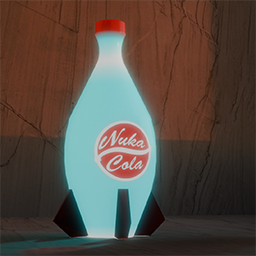
Nuka Cola Quantum
par 76561198125763020
Adds Nuka Cola Quantum to the game. Nuka Cola Quantum has unusual weight properties and was designed to sustain astronauts in space for long periods of time. Hunger will not be a problem after consuming Nuka Cola Quantum. Workshop ID: 3084292878 Mod ID: NUQ

elysium spawn
par 76561198400472992
elysium island spawn INSTRUCTIONS FOR DEDICATED SERVERS: COPY spawnpoints.lua to your server folder with the spawns. then rename it to spawnpoints_elysium.lua and add that specific lua identifier into the pzserver_spawnpoints.lua file. Workshop ID: 2916197119 Mod ID: ELYSIUMSPAWN Map Folder: Elysium
Project Zomboid Guides
Installer des mods Project Zomboid - Guide Workshop
Installe proprement des mods Project Zomboid via le Steam Workshop : saisir les IDs, vérifier l’ordre, redémarrer le serveur et corriger les erreurs typiques.
Louer un serveur Project Zomboid – guide multijoueur
Configurer un serveur Project Zomboid : RAM, paramètres sandbox, mods Workshop, droits admin et vérification propre des erreurs typiques.
Serveur Project Zomboid avec support des mods
Installez les mods compatibles et pris en charge depuis le tableau de bord.
Louer un serveur Project Zomboid