Mods et plugins pour Project Zomboid
Ce catalogue répertorie 60 000+ projets Project Zomboid provenant de Steam Workshop. Les entrées peuvent être côté serveur, côté client ou requises des deux côtés, et inclure des cartes ou d’autres contenus créés par les utilisateurs. Avant l’installation, vérifiez la page source liée, la version du jeu et les dépendances.
![True Music Addon: Russian songs of 93s [B42] – Project Zomboid Mod](https://images.steamusercontent.com/ugc/13465834443508651412/3957534BBF4AB773EAD83D14F23F0CF532ADA1D4/)
True Music Addon: Russian songs of 93s [B42]
par 76561198260760604
Finally updated version of my old mod. Enjoy. Workshop ID: 3601927304 Mod ID: russian_music_of_93s_addon_42
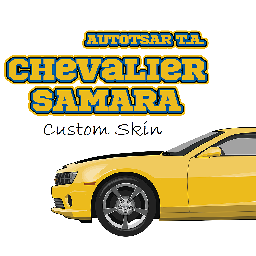
Samara Custom Skin
par 76561198315858247
This adds custom skins for ATA_Samara , It may still get unstable from time to time since I'm still updating the skins. If you like this mod, consider supporting me for buying a Coffee. So that I can stay awake for creating mods like this. Workshop ID: 3318975939 Mod ID: ATA_Samaraskn
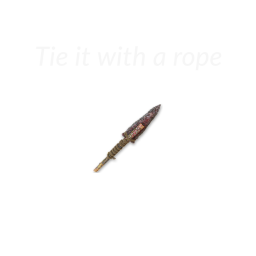
Rope Spear
par 76561198071563538
ENG: Adds the ability to attach items to the spear with a rope. Adds the ability to create a rope from 5 sheet rope. PL: Dodaje możliwość mocowania przedmiotów za pomocą liny do włóczni. Dodaje możliwość stworzenia liny z 5 lin z materiału. Workshop ID: 2399606723 Mod ID: RopeSpear

True Music Addon: Lyrical Lemonade Hits
par 76561198000929035
A Small collection of Lyrical Lemonade's Top Hits. Current Music list: Internet Money - Lemonade ft. Don Toliver Gunna & Nav Jasiah - Crisis Juice WRLD - All Girls Are The Same Juice WRLD - Armed & Dangerous Juice WRLD - Bandit ft. NBA Youngboy Juice WRLD - Lucid Dreams Juice WRLD - Robbery Lil Durk - What Happened to Virgil ft.Gunna Lil Mosey - Blueberry Faygo Lil Mosey - Noticed Lil Skies - Nowadays ft. Landon Cube Lil Skies - Red Roses ft. Landon Cube Lil Tecca - Ransom NLE Choppa - Camelot NLE Choppa - Shotta Flow Remix ft. Blueface Nardo Wick - Who Want Smoke ft. Lil Durk 21 Savage & G Herbo Ski Mask The Slump God - Catch Me Outside Workshop ID: 3298535732 Mod ID: LyricalLemonadeHits
Nightvision API SFX Replacer
par 76561198044742469
Sound replacer for Ricochete's Nightvision API (2776633989) sounds. Say goodbye to bass with sounds from CODMW2019. Does not replace low-battery, recharged and toggle-fail sounds as they are fine as is. Workshop ID: 3287289203 Mod ID: NVAPIresound
![Immersive Blind Trait [B42] – Project Zomboid Mod](https://images.steamusercontent.com/ugc/11648429349972518131/9B24D4BFC9788B5C715EDE698E8256229E4ED719/)
Immersive Blind Trait [B42]
par 76561198378787939
Lose your sight and learn to see with sound. Two vision impairment traits that change how you see the world, forcing you to shout to echolocate and feel your way through Knox County. Rebuilt from the ground up for Build 42: multiplayer-ready, fully configurable. The traits - Blind (+24): near-greyscale and dark, you only see a small circle around you, with a hard cutoff to black beyond it. - Cataracts (+10): a permanent hazy, washed-out, blurred view that fades with distance. You can still get around. Echolocation - Tap Shout to send out a pulse that opens a wider circle of "sight", then fades over a couple of seconds. - Standing is loud: grants sharper vision, longer reach, but it draws zombies. Sneaking is quiet but shows less. - Even a full yell is capped to a set distance: you never see everything in all directions. - Works for both traits, but only if you are not Deaf. Hearing quality sets the range: Keen Hearing reaches furthest, Deaf none. Features - Two traits, free to combine with the hearing traits (which drive your echo range). - No reading: books and the world map are off-limits to the blind (both toggleable). - Foraging by ear: the blind's search radius is gutted unless they're actively echolocating. - Moonside mode: keep the world in colour instead of greyscale. - A local navigation glow so you're not lost in a pitch-black room. - Multiplayer & split-screen ready, fully client-side, no dependency. - Safe to add to an existing save. Sandbox options Compatibility - Single-player and multiplayer - Client-side; works on dedicated servers. - No custom shader, no dependency. Note: in split-screen the fog and colour-drain are global, so a Blind + sighted couch pair share the impaired player's tuning. A single local player (the normal case) is unaffected. B42 remaster and Cataracts trait by turnip. Original Immersive Blind Trait by marley_star7, inspired by OnKeen's Blind Trait. https://steamcommunity.com/sharedfiles/filedetails/?id=3121062639 https://steamcommunity.com/sharedfiles/filedetails/?id=546189296 Workshop ID: 3746709021 Mod ID: MarTraitsBlind
![The Walking Dead (TWD) Comics - All 32 Volumes + Extras [unofficial B42.20] – Project Zomboid Mod](https://images.steamusercontent.com/ugc/15240400337803692340/57DE23D2AC9B2C4EC0FA93BF5AD87EA5F4F35123/)
The Walking Dead (TWD) Comics - All 32 Volumes + Extras [unofficial B42.20]
par 76561198134059293
The Walking Dead Comics are now available in Project Zomboid! This is an unofficial B42 update of the mod The Walking Dead Comics - All 32 Volumes + Extras from TechnoKillerPro. I will remove this version when the original mod is updated or if the original author asks to remove this one. Additional changes beyond the B42 port - Comics no longer despawn in B41. - In B41, each comic can only be read once per player. - In B42, comics now use the “Read Recently” mechanic. - In B42, most non-Volume comics provide XP related to the respective comic. They will also spawn less frequently. Feel free to give feedback about the XP amounts and spawn rates. - Added textures for the comics while reading them in B42. - Balanced several loot distributions. - All new features should work in singleplayer and multiplayer. Original Description The Walking Dead is an American post-apocalyptic comic book series created by writer Robert Kirkman and artist Tony Moore, who was the artist on the first six issues and cover artist for the first twenty-four, with art on the remainder of the series by Charlie Adlard. Beginning in 2003 and published by Image Comics, the series ran for 193 issues, with Kirkman unexpectedly ending the series in 2019. This is the perfect addition for roleplaying the TWD Universe! Collect as many as you can! What's inside the mod? - All 32 Volumes - Michonne, The Governor, Tyreese, and Morgan Specials - Here's Negan and Negan Lives - The Walking Dead: The Alien - Clementine: Book One and Two + Clementine Lives - Invincible #56 and #70.5 (Both featured in TWD) Where can I find them? - Desks - Lockers - Shelfs - Classrooms - Libraries - Side Tables Gameplay Effects All volumes weigh 0.4 and each volume gives you -30 Unhappy, Stress, and Boredom. The other books weigh 0.2 and each gives you -15 Unhappy, Stress, and Boredom. Workshop ID: 3698044057 Mod ID: TheWalkingDead(TWD)Comics-All32Volumes+Extras
![[B42.12] Make Dried Fruit – Project Zomboid Mod](https://images.steamusercontent.com/ugc/15205521793718527378/4AEDA1FD19C11E4681DE38764531F002189AFD68/)
[B42.12] Make Dried Fruit
par 76561198049529007
VERSION 42.12 Version 42.13 : https://steamcommunity.com/sharedfiles/filedetails/?id=3417502641 Workshop ID: 3626185645 Mod ID: B42.12Makedriedfruit
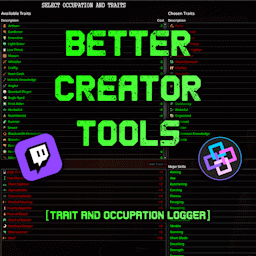
Better Creator Tools
par 76561197994478188
Better Creator Tools - Trait & Occupation Logger For content creators, streamers, and data-hungry survivors. Compatible with both 42.12 and 42.13 MP This mod automatically records your character name, traits, occupation, and now skills into simple text files that can be used with external software (such as StreamerBot) to display live information on your stream, overlay, or chat. Trait & Occupation Files When a new character is created, the mod generates a structured set of files inside: Zomboid/Lua/playertraits/ _/traits_snapshot.txt - Stores character name, occupation, and chosen traits directly from character creation. - Data is saved as raw IDs for compatibility. _LocalizedOutputs/traits_original.txt - Converts the snapshot into readable, presentable data (labels instead of IDs). - Ideal for direct output to chat or overlay. _LocalizedOutputs/traits_differential.txt - Tracks changes to character traits over time. - Automatically updated once per in-game day: - Line 1 - Added traits - Line 2 - Removed traits Skill Export System Automatically exports your current survivor�s skills for use with external tools or overlays. Files: _LocalizedOutputs/Skills/ One file per skill - for example: Strength.txt Tailoring.txt Foraging.txt Each file contains three lines: <Level> <Current XP within level> <XP needed for next level> Example: 3 300.25 9000 Level 3 with 300.25 / 9000 XP toward Level 4. Data updates every in-game hour. Compatibility with Existing Saves If you install the mod mid-save, it will generate all trait and skill data based on your current character. Edits to any snapshot file will refresh localized outputs automatically on next load. Perfect for: - Streamers who want real-time build and skill data - Content creators integrating overlays or chat commands - Players who like keeping readable logs of evolving survivors Support & Contact Questions or suggestions? You can reach me here: - Twitch - Discord Workshop ID: 3571159711 Mod ID: EURY_TRAITLOGGER
TwisTonFire - WANTED
par 76561197960296580
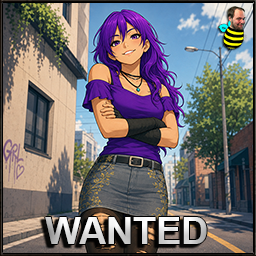
TwisTonFire - WANTED Ever searched through piles of containers, corpses, bags, shelves or dropped loot just to find one specific item? TwisTonFire - WANTED lets you create your own personal wanted list of items. If one of those items exists nearby, the mod highlights the matching container, corpse or dropped item with an outline. This makes looting faster, cleaner, and much less annoying — especially when you are looking for rare items, tools, magazines, weapons, clothing, or anything else you do not want to miss. Why is this useful? Project Zomboid can have a lot of loot in many different places. Sometimes the item you need is hidden inside: - A normal container - A corpse - A backpack on the ground - A wallet inside another container - A nested container inside another item WANTED helps you find the item without opening and checking every single container manually. Main Features - Create your own WANTED list: Add any item type you want to search for. - Nearby scanner: The mod scans loaded tiles around your character. - Outline highlights: Matching loot locations are highlighted clearly. - Nested container support: Items inside bags, wallets, backpacks, and other containers can still be found. - Corpse support: Perfect for checking large piles of corpses after fights. - Dropped item support: Items lying on the floor can be highlighted too. - Inventory context menu: Add or remove selected items directly from the inventory right-click menu. - Custom outline color: Change the WANTED outline color in Mod Options. - Custom UI hotkey: Open or close the WANTED UI with a configurable keybind. - Adjustable radius: Set how far around your character the scanner should search. - Adjustable refresh interval: Control how often WANTED updates its search. - Complete disable option: Fully disable the scanner, UI, highlights, and context menu from Mod Options. Scanner Modes You can choose how WANTED should scan the world. - Default: Normal scanner. Includes containers, corpses, floor items and nested containers. - Corpse Only: Only scans corpses, including nested containers inside corpse inventories. - Corpse and Floor Only: Scans corpses and dropped floor items, including dropped bags with nested containers. Fixed world containers such as shelves, cupboards, crates, and counters are ignored. This is useful if you only want help with corpse piles or floor loot without highlighting every fixed container in a building. WANTED UI The WANTED UI gives you a simple overview of: - All available item types - Your current WANTED list - Search radius - Refresh interval - Current scanner status - Current highlight count - Loaded tiles scanned - Last scan duration You can add or remove items directly in the UI. Your WANTED list is saved locally and persists between sessions. Default WANTED UI hotkey: KP_4 / Numpad 4 The keybind can be changed in: MAINMENU -> OPTIONS -> MOD OPTIONS Inventory Button WANTED adds a small toggle button to the inventory title area. This lets you quickly enable or disable the scanner without opening the full UI. If the scanner is disabled, current WANTED highlights are removed. Blacklist Compatibility WANTED includes compatibility logic for TwisTonFire - Blacklist. If Blacklist filtering is active, WANTED respects it. Items that would be hidden or filtered by Blacklist will not trigger WANTED highlights. This also applies to blacklist rules such as damaged clothing filters. Important: If TwisTonFire - Blacklist is loaded, Blacklist handles the shared inventory title button area. WANTED will integrate with that setup instead of replacing it. Clean UI Compatibility WANTED includes a dedicated Clean UI compatibility adjustment. The Clean UI compatibility file is only loaded when Clean UI is active. If you do not use Clean UI, the compatibility adjustment will not be loaded and has no effect on your game. Clean UI: No known incompatibilities. Performance Notes WANTED is designed to scan in small steps instead of checking everything at once. Default settings: - Search radius: 15 tiles - Refresh interval: 4 seconds You can lower or raise these values in the WANTED UI depending on your preference. Higher radius or faster refresh can increase scanner work. The default values are intended to be a good balance between usefulness and performance. Current Translations - Traditional Chinese - Simplified Chinese - German - Spanish - French - Japanese - Korean - Polish - Portuguese (Brazil) - Russian - Turkish - Ukrainian If you have suggestions for better translations, feel free to tell me! Compatibility Mode 42.19 42.20 Singleplayer ✅ ✅ Multiplayer ✅ ✅ Clean UI ✅ ✅ TwisTonFire - Blacklist ✅ ✅ Your support helps me keep going — thank you very much in advance! Workshop ID: 3747641501 Mod ID: twistwanted
Tutorial cabin B42
par 76561198241232254
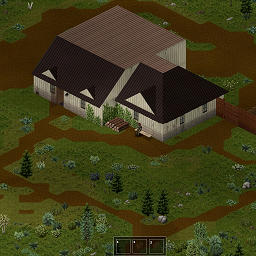
将教程小屋移动到了游戏中的肯塔基州中。 占用区块(32,49),(32,50),(33,49),(33,50) Move the tutorial hut to Kentucky in the game. Occupy cells (32, 49), (32, 50), (33, 49), (33, 50) 注意:谨慎在此重生,因为此地图四周都被铁丝网环绕,没有出入口,需要工程锤来破墙。所以,这是一个有挑战性的出生点 Attention: Be cautious and reborn here, as this map is surrounded by barbed wire and has no entrances or exits, requiring an engineering hammer to break through the walls. So, this is a challenging birth point Workshop ID: 3426459541 Mod ID: Tutorialcabin Mod ID: Tutorialcabin Map Folder: Tutorialcabin
![[B42.20] Mini Compass SP/MP – Project Zomboid Mod](https://images.steamusercontent.com/ugc/10626932921077728731/FCB844038E35C39173471F6B13F0BAABB69FCB9B/)
[B42.20] Mini Compass SP/MP
par 76561198292496295
Mini Compass A lightweight, customizable compass HUD with live direction and heading information for walking and driving. Overview Mini Compass is a client-side navigation HUD for Project Zomboid Build 42. It provides clear directional information without changing inventory, XP, vehicles, character stats, world data, or gameplay balance. Choose between a circular compass dial or a compact text display, then customize its size, degree display, dragging, and screen position through Game Options. Key Features - Two display styles: Circular Compass Dial or Simple Text. - Live heading: Displays 0°–359° with N, NE, E, SE, S, SW, W, and NW. - Walking and vehicle support: Updates on foot and while driving. - Optional degrees: Show or hide the numerical heading. - Three HUD sizes: Small, Medium, and Large. - Draggable HUD: Move the compass anywhere on the screen. - Per-player saving: Each player keeps their own settings and position. - Reconnect and restart persistence: The HUD returns to its last saved location. - Reset position: Restores the default placement beside the in-game clock. How It Works - Enable Mini Compass in the Mods menu. - Open Game Options → Mods → Mini Compass. - Choose the style, size, degree display, and dragging preference. - Drag the HUD to the preferred position. Its location and settings are saved locally. Single Player and Multiplayer Single Player: Supported. Hosted Multiplayer: Runtime-tested and confirmed working. Different players keep separate settings and HUD positions. Dedicated Server: The mod is client-side and performs no authoritative gameplay changes. Separate dedicated-server runtime validation is still pending. Confirmed hosted multiplayer behavior: - Independent settings and positions for different players. - Position survives reconnecting and restarting the game. - Fresh players receive the default upper-right placement. - Reset Position remains saved after reconnect or restart. - No shared gameplay or server state is modified. Configuration Game Options → Mods → Mini Compass - Enable Mini Compass: Show or hide the HUD. - Compass Style: Select Circular Compass Dial or Simple Text. - Show Degrees: Show or hide numerical heading values. - Allow Dragging: Enable or lock manual HUD movement. - Compass Size: Select Small, Medium, or Large. - Reset Compass Position: Return the HUD beside the in-game clock. Settings are personal and local. No Sandbox Options are required. Compatibility Compatible with: - Existing Single Player saves - Hosted Multiplayer servers - Common resolutions and window-size changes - Other mods that do not block the same HUD area Possible conflicts: - Other HUD mods may overlap the compass in the upper-right corner. - Interface overhauls may move or resize the in-game clock. Enable dragging and move the compass when overlap occurs. Mini Compass adds no world objects or permanent gameplay data. Current Limitations - No waypoints, map markers, GPS routing, or minimap features. - HUD overlap may occur with other interface mods. - Dedicated-server runtime validation is pending. Troubleshooting - Confirm that the Workshop item and MiniCompass Mod ID are enabled. - Restart the game or server after updating. - Remove stale or duplicate local copies of older versions. - Use Reset Compass Position when the HUD is off-screen. - Test with only Mini Compass enabled when checking a conflict. Bug reports should include the mod version, Project Zomboid build, game mode, reproduction steps, relevant console lines, screenshot, and enabled HUD/interface mods. Permissions and Reupload Policy This mod and its original code, text, branding, configuration, and packaged assets are the work of Beelz3bub, unless another creator or license is specifically credited. You may: - Use the original Workshop item for personal gameplay or multiplayer servers. - Add the original Workshop item to a Steam Collection. You may not, without prior written permission: - Reupload, mirror, redistribute, or repack this mod or any part of it. - Publish modified copies, unofficial ports, translations, compatibility patches, or derivative versions. - Include its files in another Workshop item, server pack, mod pack, collection download, or external archive. - Claim ownership, remove credits, or use the original work for commercial redistribution. Permission is granted only when given explicitly in writing. Third-party works remain governed by their own licenses. Credits - Author and developer: Beelz3bub Mod Information Author: Beelz3bub Mod Name: Mini Compass Mod ID: MiniCompass Workshop ID: 3772670381 Current Version: 1.0.0A Minimum Game Version: 42.19.0 Dependencies: None Thank you for using Mini Compass.

Show Skill Xp Gain (Build 40 Legacy)
par 76561197969620670
This mod will display the XP gain of any skill over the player's head. Strength and Fitness are removed for being too spammy. This is for build 40 Legacy only. Build 41+ is here: https://steamcommunity.com/sharedfiles/filedetails/?id=2313633950 Workshop ID: 2719212362 Mod ID: ShowSkillXpGain
Nena Music | Album: Nena
par 76561199258285984
Nena Music | Album: Nena Generated with New Music Builder Nena Side A 01 Kino 02 Indianer 03 Vollmond 04 Nur geträumt 05 Tanz auf dem Vulkan 06 99 Luftballons Nena Side B 01 Zaubertrick 02 Einmal ist keinmal 03 Leuchtturm 04 Ich bleib' im Bett 05 Noch einmal 06 Satellitenstadt Workshop ID: 3756203875 Mod ID: 1NenaAlbum
Cat Vehicle Claim
par 76561197964026972
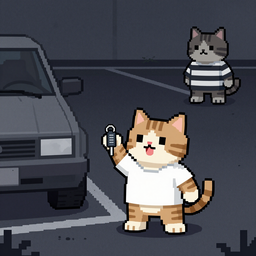
Claim vehicles in multiplayer to prevent unauthorized access. Owners can manage guest permissions via a right-click UI. Includes trunk, mechanics, and passenger access controls. Workshop ID: 3733708988 Mod ID: Cat_VehicleClaim

Medical Professional Cosplay
par 76561198068788655
Sexy Nurse: Medical Professional Cosplay Oh No! you've run out of clean clothes at the hospital! But there's a stack of masks.....if only... WAIT BUT NOW YOU CAN! Grab 3 Masks & craft the "Medical Professional Outfit" i teased this like 2 months or more ago. decided to fix it up for all Crafted with 3x Medical Masks! FITS EVERYTHING. MALE, FEMALE, V1X, tomb's body, etc! 512x512 textures! MOD PERMISSIONS ON LOCKDOWN This mod can only be added to and extended with the express permission from the original creator. Having received permission credit must be given to the original creator both within Any / All Of the files of the posted edit / mod and wherever the mod roams online. If no permission is received you may not alter the mod and it must be treated as a mod that is 'On Lockdown'. do not re-upload this Mod Modpack it Disseminate it under ANY circumstances.

TrueVideo - Playable Videos - Gameboy Emulation
par 76561198023260416
DO NOT DOWNLOAD THIS MOD, ITS NOT THE CURRENT VERSION. ITS AN EXPERIMENTAL VERSION THAT BARELY WORKED, (i mean like .05 fps in tetris) IN DEVELOPMENT These video's show the first working examples of not just video piped into Project Zomboid, but a working GAMEBOY EMULATOR. There are NO game slowdowns, NO save issues, no audio issues, NOTHING. With this technology I have added ACTUAL VHS TAPES THAT PLAY and made it possible to add MULTIPLE DIFFERENT TYPES OF GAME EMULATORS into Project Zomboid for you to play and watch to pass the time. I saw alot of excitement when I originally posted this experimental rework of a broken mod, so I wanted to share with everyone that this rewritten, and completely working mod is coming. Soon. I just need to fix a few things, and get it in a easily deployable state for players that wish to use it and add it to their servers. For video, it's a simple workshop download like a truemusic mod, but for the gameboy emulation It's slightly more complex than a typical mod, but once you've gone through a 60 second setup it works like a breeze. We will maintain and make sure that video's always will be as simple as downloading a workshop mod, and be both b42/multiplayer compatible so you can watch with all your friends. Wokshop ID: 3665970132 Mod ID: TrueVideo-Beta Mod ID: TrueVideo-Beta
![[42.20+] Extra Skin Tones for Spongie's Character Creation – Project Zomboid Mod](https://images.steamusercontent.com/ugc/13429698671740931827/E677820DE50EB8718F0E707A7A3026A7AA6484F3/)
[42.20+] Extra Skin Tones for Spongie's Character Creation
par 76561198439336263
Adds 9 new skin tones and 7 new eye colors to Spongie's Character Creator. If you mourn the lack of customization options provided by the base game, you're not alone. I made this mod after spending a lot of time on roleplay servers, and none of the creation options being quite accurate enough for the characters I wanted to make. This is my attempt at bridging that gap, and I hope it serves other players well! To use these new skin and eye colors, click "Customize Appearance" on the left side of the character creator. These can also safely be added to existing saves, in which case you can edit your character by going to their Information panel. Works on Multiplayer and Singleplayer. Pictured below, next to the darkest skin tone the base game offers: A note This mod does not replace the base game skin tones. These are considered "faces" within Spongie's framework, but act as full body overlays. They can coexist with the other details added by Spongie's Details pack and Tomb's Player Body Overhaul. I figured this was the best option for multiplayer servers that want to use all of these mods combined! Hairstyles in the thumbnail are from TTRP Hairstyles! To-do - Add additional eye colors (heterochromia?) - Add scars that better match the darker skin tones - Additional details--vitiligo, moles, etc. Incompatibilities - None, as far as I know. Permissions This mod can only be added to and extended with the express permission from the original creator. Having received permission, credit must be given to the original creator, both within the files of the mod and wherever the mod roams online. If no permission is received you may not alter the mod, and it must be treated as a mod that is 'On Lockdown'. No generative AI was used in the making of this mod. If you're looking for a text roleplay server, consider checking out Overmorrow! We're in the process of switching over to B42 and will have a fresh server once it's all set up! :) Workshop ID: 3784927883 Mod ID: KensSkinMod
DayZ Main Menu with Music (B42)
par 76561198048833753
TO MAKE THIS WORK ON VERSION B42.15 PLEASE FOLLOW RYUKU THE AUTHOR OF MMF'S INSTRUCTIONS: B42.15 NOTICE Unfortunately, due to changes in B42.15, you now need Reflection Enabler. Reflection Enabler link: https://steamcommunity.com/sharedfiles/filedetails/?id=3682136459 I understand installing a Java mod to play custom music in the main menu is overkill, but, that's the way it is at present. When/if this changes, I'll update the mod to support a non-Java solution. ----Description---- B42 version! B41 version HERE A DayZ themed main menu! Replaces the game's original background, with 3 variations to choose from! Also plays the DayZ main theme music. -REQUIRES: "BACKGROUND FRAMEWORK" After enabling the mod, go into the games options and under the mod category you will find the switchers. Choose your preferred background, logo position and highlight colour then accept the changes. No need to reset. Check out the other standalone mods in this series: - Shaun of The Dead Main Menu with Music - Speed Demon Main Menu with Music - A Journeys End Main Menu with Music - Dead Island Main Menu with Music - We are F*cked Main Menu with Music - False Hope Main Menu with Music - Hope is Lost Main Menu with Music - Left 4 Dead Main Menu with Music - The Last Of Us Main Menu with Music - The Walking Dead Main Menu Remix - 28 Days Later Main Menu with Music - An Alternative Main Menu - Days Gone Main Menu with Music - Dying Light Main Menu with Music - Refashioned Main Menu Remix - Xirszo Main Menu Remix - MaDeInCCCP Main Menu Remix Want a cleaner main menu? Then check out my other main menu mods: - Main Menu Watermark Remover (B42) - Main Menu Credits Disabler (B42) A massive thanks to Blessed Mother for her highlight code! Workshop ID: 3488671360 Mod ID: DayZMM_B42
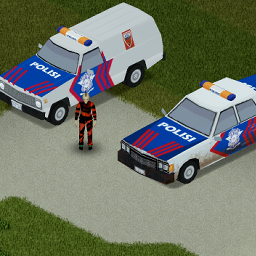
Polisi Indo
par 76561198054896298
Merubah Polisi Menjadi Indo Workshop ID: 3142660322 Mod ID: INDORetexturedStuff
buffy's clothing blacklist
par 76561197995819728
Description Allows server operators to ban certain clothing items from being selectable at character creation. Does not affect finding these clothing items via in-game looting if they are setup in ProceduralDistribution. Overrides CharacterCreationMain.lua Usage Enter the clothing item's exact type, or the beginning of the type separated by a semi-colon into the 'Buffys Mods II' sandbox option. Example: Base.Glasses;Base.buffyExample;Base.Shirt_CropTop Base.Shirt_CropTop has several items with additional text after CropTop in the type, such as Base.Shirt_CropTopTINT & Base.Shirt_CropTopNoArmTINT Adding Base.Shirt_CropTop to the sandbox option will ban all of them. Works with any clothing mod. If you find the item isn't properly blacklisted, check to make sure the item's type is correctly inputted. It must begin with the module. So not Shirt_CropTop but Base.Shirt_CropTop. Don't modpack this! Mod permission according to TIS policy: Ask for permission Redistribution of this mod without explicit permission from the original creator is prohibited under any circumstances. This includes, but not limited to, uploading this mod to the Steam Workshop or any other site, distribution as part of another mod or modpack, distribution of modified versions. The product can be published on Steam only through the original uploading account with the name buffy. Workshop ID: 3000633736 Mod ID: buffyclothingblacklist
DZ Kentucky UI
par 76561198069188867
On July 7, 1993, President Clinton returns early from a G7 Summit in Tokyo after an internal brief concerning an outbreak of an unknown illness in Knox County, KY. The President is given an extensive brief, and begins the arduous process of constant contact with the US Army, CDC, and FEMA to quell the virus and restore order to the county. After much deliberation, and evidence of the virus continuing to spread despite their best efforts, the president signs and enacts Executive Directive 51—formally activating the Strategic Homeland Division, an organization of highly skilled agents charged with restoring order. You are one of those Agents. You must save what remains. Make sure to activate the mod in the menu and restart the game before changes can be noticed. Adds Division themed: - Main Menu - Loading Screens Planned additions: - Music - Sound effects - Font Additional suggestions welcome. Tom Clancy's The Division and Tom Clancy's The Division 2 are copyrighted properties of Ubisoft Entertainment. Workshop ID: 2978446592 Mod ID: DZKENTUCKYLOGOBACKGROUNDETC
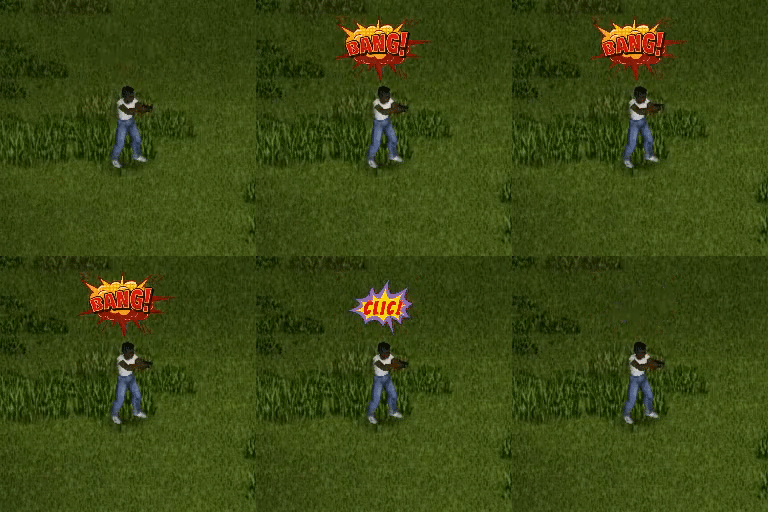
Comic Speech
par 76561198329871201
Brings the old comics style to Project Zomboid. When do comic strip occure ? - When you shoot with a range weapon. - When you hit a something with a melee weapon. Free picture sources - Image by pch.vector on Freepik - Image by macrovector on Freepik - Image by dgim-studio on Freepik - Image by 0melapics on Freepik - Image by macrovector on Freepik - Image by dgim-studio on Freepik - Image by dgim-studio on Freepik - Image by dgim-studio on Freepik Ask for permission This mod can only be added to and extended with the express permission from the original creator. Having received permission, credit must be given to the original creator, both within the files of the mod and wherever the mod roams online. If no permission is received you may not alter the mod. You wanna support? A nice word is always welcome. Constructive feedback too. Else you can Workshop ID: 2971765105 Mod ID: ComicSpeech

More Traits Simplified
par 76561198139675567
Modified version of More Traits that removes OP traits. All rights belong to original mod author hypnotoadtrance. Remember to disable the original More Traits for this one to work, don't enable both. Here is what remain: Olympian (1/1 Sprint/Fitness) - 5 pts Flexible (1 Nimble) - 3 pts Quiet (1 Sneak) - 2 pts Tinkerer (1/1/1 Electricity/Mechanics/Tailoring) - 6 pts Wildsman (1/1/1/1 Fishing/Trapping/Foraging/Spear) - 8 pts Pack mule - 8 pts Swordsman (1/1 Short Blade/Long Blade) - 8 pts Thuggish (1/1 Small Blunt/Long Blunt) - 8 pts Spear Masterrace (2 Spear) - 8 pts Quick Worker - 10 pts ---------------------- Pack mouse - 7 pts Injured - 4 pts Broken bone - 8 pts Slow worker - 9 pts Burned Victim - 18 pts Workshop ID: 2762596650 Mod ID: MoreTrait-Simp
Project Zomboid Guides
Installer des mods Project Zomboid - Guide Workshop
Installe proprement des mods Project Zomboid via le Steam Workshop : saisir les IDs, vérifier l’ordre, redémarrer le serveur et corriger les erreurs typiques.
Louer un serveur Project Zomboid – guide multijoueur
Configurer un serveur Project Zomboid : RAM, paramètres sandbox, mods Workshop, droits admin et vérification propre des erreurs typiques.
Serveur Project Zomboid avec support des mods
Installez les mods compatibles et pris en charge depuis le tableau de bord.
Louer un serveur Project Zomboid