Mods et plugins pour Project Zomboid
Ce catalogue répertorie 60 000+ projets Project Zomboid provenant de Steam Workshop. Les entrées peuvent être côté serveur, côté client ou requises des deux côtés, et inclure des cartes ou d’autres contenus créés par les utilisateurs. Avant l’installation, vérifiez la page source liée, la version du jeu et les dépendances.

Extreme Kim's Safe House
par 76561197972665281
Safe House in Louisville Workshop ID: 3019493974 Mod ID: ExtremeKimsSafeHouse Map Folder: Extreme Kim's Safe House
Zombie Legend
par 76561198133806208
Zombies have the naked gray complexion of the movie "I am legend" Inspired by the "Shadow Zombies" Mod https://steamcommunity.com/sharedfiles/filedetails/?id=2673343355 /!\ Actually, the "Zed Stories" keep generating somes dressed Zombies, i try to working on it ------------------------------------------------------------------------------------------------ I would like to suggest these mods that I use in parallel for an "I am Legend" gameplay (List not exhaustive) : 10 Year Later https://steamcommunity.com/sharedfiles/filedetails/?id=2820757649 Barricaded World https://steamcommunity.com/sharedfiles/filedetails/?id=2696986935 Zombie Fear the sun (despite the fact that depending on the configurations (zombie sprinter, active at night etc ...) the zombies seem a bit buggy :( ) https://steamcommunity.com/sharedfiles/filedetails/?id=2182855819 Lingering Whispers https://steamcommunity.com/sharedfiles/filedetails/?id=2874678809 Also : Raven Creeks, it's not New york, but the feeling of big city is very neat (available in 10YL) https://steamcommunity.com/sharedfiles/filedetails/?id=2196102849 Fred, I did not know him, thanks to the comments ♥ https://steamcommunity.com/sharedfiles/filedetails/?id=2866782076 Workshop ID: 2990731456 Mod ID: ZombieLegend

Batu Permata
par 76561198403511072
ini cuma mod untuk tes Workshop ID: 2942554552 Mod ID: BatuPermata
WAP Fixed
par 76561198089612870
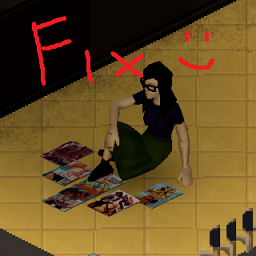
All credit for this mod goes to M6, this is simply a poorly done update to resolve an error. Original description: A disastrous & fluffy mod. This mod currently adds 10 furry comics which you can find in book stores and libraries to the game. Workshop ID: 2934207454 Mod ID: WetAsPawsFixed

COOL HAT
par 76561198839609680
six cool hats Workshop ID: 2625005811 Mod ID: CoolHat

New Music - Journey
par 76561199446419840
New Music - Journey Time Period Accurate Journey - Departure Side A 01 Journey - Any Way You Want It 02 Journey - Departure 03 Journey - Good Morning Girl 04 Journey - Homemade Love 05 Journey - I'm Cryin 06 Journey - Line of Fire 07 Journey - Little Girl Journey - Departure Side B 01 Journey - Natural Thing 02 Journey - People and Places 03 Journey - Precious Time 04 Journey - Someday Soon 05 Journey - Stay Awhile 06 Journey - Walks Like A Lady 07 Journey - Where Were You Journey - Escape Side A 01 Journey - Dead or Alive 02 Journey - Don't Stop Believin 03 Journey - Escape 04 Journey - Keep on Runnin 05 Journey - Lay It Down Journey - Escape Side B 01 Journey - Mother, Father 02 Journey - Open Arms 03 Journey - Still They Ride 04 Journey - Stone in Love 05 Journey - Who's Crying Now Journey - Evolution Side A 01 Journey - City of the Angels 02 Journey - Daydream 03 Journey - Do You Recall 04 Journey - Just The Same Way 05 Journey - Lady Luck 06 Journey - Lovin' You Is Easy Journey - Evolution Side B 01 Journey - Lovin, Touchin, Squeezin 02 Journey - Majestic 03 Journey - Sweet and Simple 04 Journey - Too Late 05 Journey - When You're Alone Journey - Frontiers Side A 01 Journey - After the Fall 02 Journey - Back Talk 03 Journey - Chain Reaction 04 Journey - Edge of the Blade 05 Journey - Faithfully Journey - Frontiers Side B 01 Journey - Separate Ways 02 Journey - Frontiers 03 Journey - Rubicon 04 Journey - Send Her My Love 05 Journey - Troubled Child Journey - Infinity Side A 01 Journey - Anytime 02 Journey - Can Do 03 Journey - Feeling That Way 04 Journey - La Do Da 05 Journey - Lights Journey - Infinity Side B 01 Journey - Opened the Door 02 Journey - Patiently 03 Journey - Somethin' to Hide 04 Journey - Wheel in the Sky 05 Journey - Winds of March Want an Album Comment It! Workshop ID: 3751898499 Mod ID: NMJourney
LpB Container Signs
par 76561198085509956
A crate's name, written on the crate. Any base ends up with twenty identical crates and cabinets, and finding the one with the ammunition means opening them one at a time. Build 42 can already name a container, but that name only lives in the loot window title. This mod puts it out in the world: a sign nailed, taped or painted onto the object, readable from across the room. Single player and dedicated servers. Writing - Right-click the crate, "Write a name on this", and your character takes the time to write it - Three styles: a nailed board, a taped note, or painted straight onto the wood - Needs a pen or a pencil; a paintbrush and a can of paint for the painted style - The ink takes the colour of the tool: a red pen writes the same red it writes on a map, a can of blue paint paints the same blue as a wall - Carrying more than one pen, or more than one can? A drop-down in the writing window offers the inks you are actually carrying, and remembers the one you picked for the next crate - A four-colour pen counts as four: black, red, blue and green, each its own line in that list - A can of paint loses a use, a pen does not, exactly as vanilla treats a pen used to annotate a map - A name too long runs onto a second line, and a third, as soon as it outgrows the width of the furniture: the crate decides, not the sign - Erasing needs no tool at all - By default, only crates have a sign. A Sandbox option allows this to be extended to all containers, but the display on other types of containers has not been tested. Several containers on one tile Each one gets its own entry, top to bottom: the menu reads the way the stack looks. Two stacked crates sharing a name are told apart, "on top" and "at the bottom", and hovering an entry outlines that crate in the world. You never guess which one you are writing on. Choosing the side Right-click the crate, "Position" submenu: "Auto", "On the left", "On the right", with a tick against the one in force. On "Auto" the sign goes on the right-hand face and moves round on its own if a wall or another crate comes to block it. The other two nail it to the face you picked and there it stays, whatever happens around it. The choice is stored with the sign, so everyone sees the crate the same way in multiplayer. No tool needed, and the name does not change. Works with the vanilla rename A container already renamed from the loot window grows a sign on its own, with nothing to rewrite. The other way round, writing on the crate updates the loot window title. The two never disagree. A sign also survives a move: a wardrobe picked up and put back down keeps its name. Settings - Server (sandbox options): a master switch for writing, crates only or every container, whether a tool is required, whether it is spent, maximum length (28 at most), allowed styles, and a safehouse-members-only rule - Player (native B42 mod options): show signs or not, display radius, opacity, hide while looting - No key to hold: the sign is part of the scenery. It fades out over the last two tiles of the radius and comes back when you walk up again. Multiplayer The sign lives in the object's ModData, which is replicated, rather than in the vanilla container name, which is not. It shows up for other players without a reload. The server revalidates everything: distance, safehouse, tool, length. Mod languages English, French, German, Spanish, Italian, Portuguese If you’d like to help translate the mod, feel free to contact me. All contributions will be credited! Known limitations - Three lines are not always enough: a name at the maximum allowed length, all in capitals, asks for more than a crate face can carry. The sign then widens a little rather than lose letters. - In multiplayer, a vanilla rename is only visible to the client that made it, until someone writes on it with this mod. A game limitation, not a mod one: right-clicking the crate fixes it. Any reuse, modification, redistribution, or inclusion in a modpack without prior written permission is strictly prohibited. Workshop ID: 3787450672 Mod ID: LpBContainerSigns

AVCS B42.18
par 76561198727938314
Claim System 42.18.0 Workshop ID: 3724231082 Mod ID: AVCSB4218
🏚️B41🏚️ HotbarFactor (Java mod)
par 76561198073756733
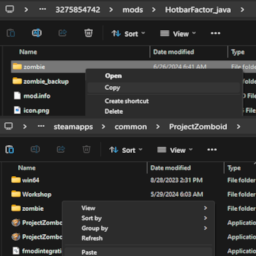
This is a java mod! Must be installed manually! Manual installation instructions For players - Subscribe to this workshop item to download the files needed for installation. - Navigate to ..\steamapps\workshop\content\108600\3275854742\mods\HotbarFactor_java\ - Copy the "zombie" folder. It contains 1 file (InventoryItem.class). - Navigate to ..\steamapps\common\ProjectZomboid\ - Paste the "zombie" folder. It should overwrite 1 file. Back up your InventoryItem.class file if you want :) For dedicated servers As above, except paste to ..\steamapps\common\Project Zomboid Dedicated Server\java\ instead of ..\steamapps\common\ProjectZomboid\ Information For players This mod serves as a prerequisite for other mods. For modders This mod changes the getHotbarEquippedWeight() method of zombie.inventory.InventoryItem so that instead of always adjusting weight by 0.7 (resulting in the default 30% weight reduction of items attached to the hotbar), it first checks if getModData().HotbarWeightFactor contains a number, and then— (if there is one) uses that number instead of 0.7 (for example, if that number is 0.4, then attaching that item to the hotbar will reduce its weight by 60%). Workshop ID: 3275854742 Mod ID: HotbarFactor_java
MUSICA ARGENTINA
par 76561199001850528
musica argentina duki,milo j, lit killah, fmk Workshop ID: 2961631326 Mod ID: musica argentina
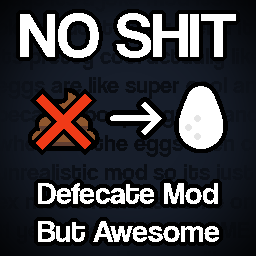
Eggs!! (no shit/defecation)
par 76561198375959527
a mod that changes the defecation mod to create eggs instead. peak zomboid modding Fixed Version of this chinese mod: https://steamcommunity.com/sharedfiles/filedetails/?id=2889305713 changes: - proper english translation - actual noises for egg laying (the chinese version blasts your ears out with some random sfx) - removed all poop related textures (you're welcome) - there should no longer be ANY mention of defecation in game at all. Workshop ID: 2890009728 Mod ID: overeasymodeggss

Heavy Smoker: Tobacco Overhaul
par 76561198388071314
Heavy Smoker: Tobacco Overhaul Vanilla tobacco loot in PZ feels too sparse and does not always appear where you would reasonably expect it. Heavy Smoker makes tobacco noticeably more common in logical containers. Heavy Smoker adds 11 original fictional cigarette brands, plus Pyreleaf Robusto and Harborhand Cigarillo. Every cigarette brand has its own strength and stress-relief value. Over time, a character can develop a usual brand — the one they smoke most often. The usual brand provides an additional configurable reduction to boredom and unhappiness, while brands of similar strength receive half the bonus. The mod also reworks where tobacco appears. Cigarettes are more common in tobacco stores, gas stations, bars, offices, vehicles, bedrooms, and other places where they make sense. Tobacco can also be found on likely smokers such as bikers and workers, while matches and lighters may appear on likely firebugs. Most parts of the mod can be adjusted in Sandbox Options. You can change tobacco loot in containers and on corpses, carton frequency, how often branded tobacco appears among items placed in rooms, the chance of finding matches and lighters, and the usual-brand mechanic and its bonus. Compatibility Project Zomboid Build 42.20+ Mod ID: HeavySmoker Compatible with True Smoking in singleplayer and multiplayer. The mod can be added to an existing world. New loot and branded tobacco placed in containers will appear as you explore new areas; corpse loot applies to zombies killed after the mod is enabled. Translations UA (outdated) — SilentSalo EN, RU All product names, logos, and package designs are original fictional creations. The mod is not affiliated with any real tobacco company. ------------------------------------------------------------ Heavy Smoker: Tobacco Overhaul Ванильный табачный лут в PZ выглядит слишком скудным и не всегда появляется там, где его ожидаешь. Heavy Smoker делает табак заметно распространённее в логичных контейнерах. Heavy Smoker добавляет 11 оригинальных вымышленных марок сигарет, сигару Pyreleaf Robusto и сигариллу Harborhand. У каждой марки сигарет своя крепость, и каждая по-разному снимает стресс. Со временем у персонажа может сформироваться привычная марка — та, которую он курит чаще всего. Привычная марка дополнительно снижает скуку и несчастье, а марки похожей крепости дают половину этого бонуса. Мод также перерабатывает распределение табачного лута. Сигареты чаще встречаются в табачных магазинах, на заправках, в барах, офисах, автомобилях, спальнях и других подходящих местах. Табак также можно найти у предполагаемых курильщиков — например, байкеров и работяг, — а спички и зажигалки у предполагаемых поджигателей. Большинство механик можно настроить через меню песочницы. Можно изменить количество табака в контейнерах и на трупах, частоту появления сигаретных блоков и фирменных табачных изделий среди предметов в комнатах, шанс найти спички и зажигалки, а также привычную марку и её бонус. Совместимость Project Zomboid Build 42.20+ Mod ID: HeavySmoker Мод совместим с True Smoking в одиночной и сетевой игре. Мод можно добавить в уже начатую игру. Новый лут и фирменные табачные изделия в контейнерах будут появляться по мере исследования новых мест; изменения трупного лута затронут зомби, убитых после включения мода. Переводы UA (устаревший) — SilentSalo EN, RU Все названия, логотипы и дизайны упаковок являются оригинальными вымышленными работами. Мод не связан с реальными табачными компаниями.
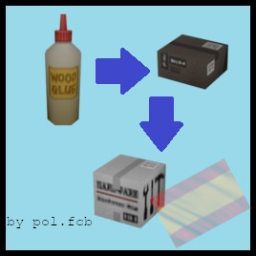
Hoarder's Delight - Spanish
par 76561199592234537
Traduccion completa del mod Hoarder's Delight al Español para B42. All credits to creator Workshop ID: 3667548989 Mod ID: Hoarders_Delight_Spanish
![[B42] El Gato Automato – Project Zomboid Mod](https://images.steamusercontent.com/ugc/10113611318961570076/15E560491DA4DAC8DAC218D9169D8EF2A833AA34/)
[B42] El Gato Automato
par 76561199113984281
believe me or not, but i have reasons to say this... THE CAT IS FAKE, ITS NOT AN ALIVE BEING, THERE WERE NO CATS HARMED BEFORE/IN/AFTER PROCESS OF MAKING THIS MOD, PLEASE STOP REPORTING DIGITAL ANIMALS ABUSE AND GET A LIFE INTRODUCING... the KITTY ASSAULT RIFLE (aka El Gato Automato). - Uses vanilla M16 mags, 5.56 ammo. - Spawns in military areas - You can attach attachments, they arent visible but have effect. - Cool as hell . Credits: Model: Wersaus33 on Sketchfab Everything else: me. YOU SHOULD CHECK MY OTHER ADDONS, NOW! . 👉SUGGEST YOUR MODS IDEAS👈 Workshop ID: 3531095288 Mod ID: Stasiksname

ED_Skins
par 76561198850032686
This is an example mod with two worlds. You can use this as a template for your own map mods. Workshop ID: 3315075776 Mod ID: SkinsM

Armor_Enc
par 76561198850032686
123 Workshop ID: 3315071297 Mod ID: Aggresive_Armor Mod ID: ED_UpgradesCore
Frockin' Splendor x The Only Cure - Compat Patch
par 76561198111599407
Fixes wear/equip conflicts when The Only Cure and Frockin' Splendor! Vol.2 are enabled together (B42). Both mods rebuild the clothing-slot table (BodyLocations.reset()); whichever loads last wipes the other's layering rules - corsets, open jackets and long coats start kicking items off, and prosthesis slots can misbehave. This patch loads after both (require=) and re-applies the lost rules. No reset of its own, inert without both mods, safe to add or remove at any time. Requires both: The Only Cure (3580276809) and Frockin Splendor! Vol.2 (3411888105). Load order is handled automatically. Diagnostics: run FrockinTOCCompat.Dump() in the Lua debug console to print the clothing-slot table. All credit for the two wonderful mods this patches goes to their authors: ZioPao (The Only Cure) and GanydeBielovzki (Frockin' Splendor franchise; body-location technique based on RabenRabo's solution). This patch only re-asserts their intended rules so they can coexist. Workshop ID: 3782729671 Mod ID: FrockinTOCCompat
Fishing Panel Plus
par 76561197975526631
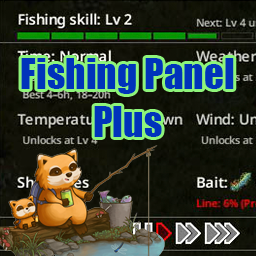
Fishing Panel Plus A rebuild of the Build 42 Fishing Panel (the window that opens when you right-click the water). It fixes the panel's display issues and gathers everything you need for fishing — info and controls — into a single panel, and adds a Fish Dex where you can view each fish as a 3D model. The vanilla panel only gives you verdicts like "Time: Normal" or "Temperature: Unknown" — no current values, no ideal conditions, no hint of why something is Unknown. This mod reworks the same information into a form you can actually use, and adds bait, line, catch log, and speed controls right inside the panel. One gameplay change is included — see "Gameplay Change" below. Update v1.5 - Fish Dex rebuilt around 3D models — pick a species and view its actual in-game model, turning on a stage - Catch log shows 3D models — the fish you just landed appears next to the log, and selecting a row switches to that catch - Repair a snapped rod from the panel — right-click the line row to run the vanilla repair recipe - Fish-adding mods supported — their species appear in the Dex, and the list scrolls when it no longer fits - New sandbox option — reveal Dex entries only by catching them (off by default) Fish Dex — See the Fish in 3D Every vanilla fish has its own 3D model, but in game you only glimpse it in your hands the moment you land it. The Fish Dex puts that model on a stage so you can actually look at it. - Pick a fish from the list on the left and its 3D model appears on the right, turning slowly. Drag to move the view, scroll to zoom - Every species is listed with its name and model from the start, unless the catch-to-reveal sandbox option is enabled. Fish you have not caught yet are dimmed, so your collection progress stays readable at a glance - Descriptions follow the vanilla rule: you need to have caught that fish and be at Fishing level 6 or higher - If you run a mod that adds fish, its species appear in the list and on the stage as well - The panel header shows your collection progress (e.g. "Fish Dex 14 / 21" — the total follows your installed mods) — click it to open or close the window. The window remembers its position and matches the panel's height Vanilla Display Fixes - Fixed the panel rendering as "??: ??" in Japanese, Chinese, Korean, and Thai — every language now displays correctly - Fixed a mistranslation where the "Good" rating reused a health-UI translation key (in Japanese the panel literally said "Time: minor wounds"). Dedicated fishing keys are now used instead - Fixed fonts rendering one step smaller than intended — the panel also follows your UI Font Size option now - Removed stray blank lines at the top of the Guide tab Info Tab, Upgraded - Fishing skill row — your current level plus a progress bar to the next one, and a note like "Next: Lv 4 unlocks Temperature" showing what unlocks next - The four environment factors (Time / Weather / Temperature / Wind) — each verdict now comes with the current value and the ideal condition (e.g. "Now 15h / Best 4–6h, 18–20h"). Locked factors say "Unlocks at Lv N" instead of leaving you guessing (the unlock levels themselves are vanilla — this mod does not change them) - Shore check — shows whether your bobber landed near the shore - Bait status row — the attached bait with its icon. Right-click it to attach or remove bait without digging through your inventory - Line status — line wear percentage and line type, always visible. When the line breaks, the row warns you in red: "Line: snapped" - Repair a snapped rod — right-click the line row while it reads "snapped" to open the repair option. It runs the vanilla crafting recipe as-is: same materials, same recipe requirement, same crafting time Quality of Life While Fishing - Today's catch log — every fish and piece of junk you land, recorded automatically. Landing a fish shows its 3D model right beside the log inside the panel (separate from the Fish Dex window), and selecting a row switches the model to that catch. The log survives a restart as long as the in-game date is the same - Speed controls in the panel — Pause / normal / two fast-forward steps. Change speed without moving your cursor to the top-right corner; the active speed is highlighted - No more camera shake — moving the mouse while waiting for a bite or reeling in no longer swings the camera. Right-click aiming still works as in vanilla - Fishing net feedback — collecting fish from a net shows the same "+1 fish name" speech bubble that rod fishing does (singleplayer only) - Fishing net menu info — hours since placement, bait remaining, and break risk, shown in the right-click menu - Scales with your font — the panel and the Fish Dex widen to fit your UI font size and language, so text never overlaps Gameplay Change (Just One) This mod is mostly a display overhaul, but it does change one thing about fishing: Temperature is judged by world temperature — vanilla checks the local temperature at the player's feet, so a campfire on the bank makes midwinter fishing behave like summer. With this mod, local heat sources no longer affect fish in the water: the temperature check follows the world temperature, which is the more realistic behavior. The temperature row shows both "local / world" values, so you can always see what the check is based on. This change applies to fishing itself, whether or not the panel is open. Settings - Mod Options — panel width: Auto (default, recommended) or a fixed 400–700 px - Sandbox option — reveal Fish Dex entries only by catching them (off by default). With it on, fish you have not caught show as "???" with no 3D model. Meant for servers that want the Dex as a collection goal Languages - Japanese, English, and Russian included. Other languages fall back to English - Russian translation contributed by RedLink-kam — thank you - The fixes (garbled text and so on) work in every language - Translation contributions are welcome — leave a comment Compatibility - Built for Build 42 - Client-side only. It does not interfere with server-side fishing logic - Safe to add to or remove from an existing save - It replaces the vanilla fishing panel, so it may conflict with other mods that modify the same panel - Developed and tested in singleplayer. Multiplayer behavior is untested - Multiplayer limitations by design: the speed control buttons only work for the host, and fishing net feedback is singleplayer only Workshop ID: 3768207575 Mod ID: FishingPanelPlus

restore utilities 简中汉化
par 76561199103258790
我的第一个汉化模组,有问题请指正。 全都汉化了包括沙盒。 排序放置在原mod下面。 感谢作者Jackd44的制作。 原模组地址:https://steamcommunity.com/workshop/filedetails/?id=2986067947 Workshop ID: 3345847610 Mod ID: restore_utilities_CNJF

that-DAMN-Library-2-CN
par 76561199253254276
Project Zomboid mod that DAMN Library 汉化 本项目语言文本翻译使用大语言模型翻译。 汉化mod地址订阅地址:https://steamcommunity.com/sharedfiles/filedetails/?id=3171167894 !!!本mod中止后续更新,未来请使用合集汉化内的版本!!! k15 合集汉化mod地址:https://steamcommunity.com/sharedfiles/filedetails/?id=3243575859 Workshop ID: 3233508157 Mod ID: that-DAMN-Library-2-CN_for_DXCHXX
Spawn With Your Pet!
par 76561198090946294
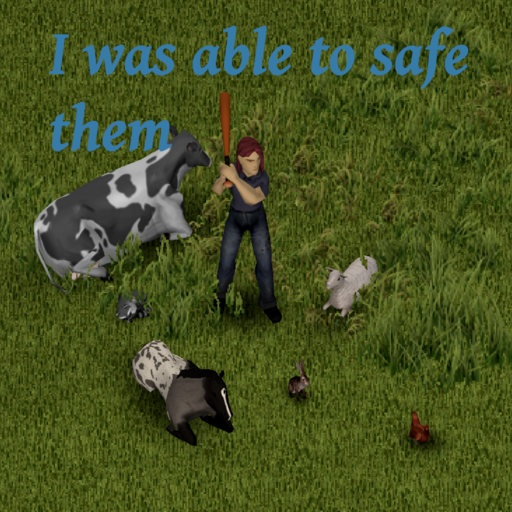
Adds animal selection to the Character Creation screen. You survived the outbreak so why shouldn't your pet! Features - Can select one kind of animal to spawn with(any animal, any breed) - Pets Spawn with full Acceptance/Loyalty - Fully Multiplayer compatible - Works with the Horse mod - Works with Companion dogs (You get a free can of dog food) - Compatible with any mod adding animals through IsoAnimals/AnimalDefinitions - Compatible with Character Creation Loadout - Compatible with Spongie's Character Customisation FAQ Mod IDs explaind - "SWYP" allows the player to spawn with any animal of their choice - "SWYP(Trait)" adds a trait that can be purchased, which then allows the player to spawn with any animal of their choice (Cost is adjustable in sandbox options) Why does the 'Pet' option not appear when hosting a server? -Make sure you add the Workshop ID to the "Steam Workshop" tab in sandbox options. Works with the Horse mod. Workshop ID: 3789908519 Mod ID: SWYP Mod ID: SWYP(Trait)
![Tommy's Extra Degen Dakimakuras [B41] – Project Zomboid Mod](https://images.steamusercontent.com/ugc/10024623192640816291/1AFDDF64277815BA2ECD51F448A185B881EBFD51/)
Tommy's Extra Degen Dakimakuras [B41]
par 76561198012212042
Content Warning: It shouldn't have to be said for someone browsing an addon for a mod called "Big Degen's Dakimakuras", but you never know the thinking comprehension of some. This mod contains degenerate 18+ content, including nudity, sexual content, blood (yanderes), loli body types, BDSM, and preggo characters. If any of this ruffles your jimmies, do not use this mod. NEW : Inspect Dakimakura Ever forget (like me) where that character was from, or maybe never knew? Worry not, you can inspect each daki and get a source and short description**. This feature is an improved version of inspect daki from Avalon's Big Degen's Dakimakura Addon: VN Edition. How many Dakis are included? 359 individual dakis. ~230 unique characters. What characters are included? You can see the full list here . Mod Conflicts Currently None. Can you add __ character? Maybe. Place the requests in the thread here. Why not B42? Because that's not what I'm using, and there is no multiplayer. I'll add it when multiplayer has returned for B42 and goes stable. **AI disclosure : The descriptions were heavily written by AI. Some of them turned out alright, some of them didn't. There are over 230 entries, and generating them which saved massive time, still took more than a days work. I'll fix them up as time goes on, but if you are particularly upset about how your favorite character was butchered, fume at me in the comments and I'll fix it. :D Workshop ID: 3558545882 Mod ID: TEDD Mod ID: TEDDShop
The Debugger Shotgun
par 76561197966821738
This is a simple tool for modders. It is an extremely overpowered shotgun that lets you kill hundreds of zombies in seconds. It is a great tool if you are fine tuning your loot drops and want to save time. This weapon does not drop in the world and must be accessed via the items panel. It is probably a great tool for admins too! I recommend using this mod with the proximity inventory mod for loot drop testing: https://steamcommunity.com/sharedfiles/filedetails/?id=2847184718 Please support my mod making by using my mods - or help keep me caffinated here: https://ko-fi.com/philjherman This mod should be compatable with everything. Please report any bugs in the comments. Thanks! Workshop ID: 2862412321 Mod ID: TheDebuggerShotgun

Kill Milestones (Zombies) B42
par 76561199323279318
This mod no longer get's updated! I'd highly suggest checking out this other mod made by another developer! https://steamcommunity.com/sharedfiles/filedetails/?id=3660382016 Website: https://wrenchy.org BUILD 41 https://steamcommunity.com/sharedfiles/filedetails/?id=3340134879 By default every 1,000 kills will award you a random positive trait, These traits range from Common, Uncommon, Rare & Very-rare The mod supports the removal of negative & the rewarding of positive traits. The sandbox settings - Set a kill milestone count, 50-100,000 (1,000 by default) - The ability to toggle rewarding positve traits, (On by default) - The ability to toggle removing negative traits, (Off by default) Q1: Does it work on existing saves? A: Yes. It checks your current zombie kills when you load in. If you’ve already passed a milestone without a reward, it’ll give it to you then. Q2: If I have 2,200 kills and the threshold is 1,000, will I get two milestone rewards at once? A: No. It only grants the reward for the highest milestone you haven’t yet received. Once you’re past 2,000, you won’t get the missed 1,000-kill reward. Q3: Does this mod add new (modded) traits? A: It should! if it doesn't please report the issue to me! Q4: If I have 5 Fitness and gain “Athletic” mid-game, do I get the +4 Fitness and its benefits? A: You won’t gain the +4 Fitness retroactively, but you still receive the trait’s innate effects, like ~20% faster running/sprinting and ~20% less endurance loss. Q5: Can I eventually get every positive trait? A: Yes, if adding positives is enabled. By hitting more kill milestones, you can obtain all the positive traits you’re missing. Q6: Will it remove negative traits as well? A: If enabled, once you have all positive traits, each new milestone can remove a negative trait until you have none left. Q7: Do I need to start a new game? A: No, it works fine with existing saves. Q8: What if I change the milestone threshold mid-game? A: The mod checks the threshold at game start. Changes won’t apply until you reload the game. Q9: Can I safely uninstall the mod later? A: Yes, any traits you gained stay with your character. Q10: Does it work in multiplayer? A: Yes, each player’s kills and milestones are tracked separately. Q11: Is there a maximum limit to how many milestones I can achieve? A: There’s no set maximum. You keep getting rewards for each new threshold until you have everything. Q12: What if I already have all positive traits? A: If negative trait removal is enabled, each new milestone will remove a negative trait until you have none left. FAQ CREDIT: https://steamcommunity.com/id/kruserg Workshop ID: 3540255691 Mod ID: KMZB42
Project Zomboid Guides
Installer des mods Project Zomboid - Guide Workshop
Installe proprement des mods Project Zomboid via le Steam Workshop : saisir les IDs, vérifier l’ordre, redémarrer le serveur et corriger les erreurs typiques.
Louer un serveur Project Zomboid – guide multijoueur
Configurer un serveur Project Zomboid : RAM, paramètres sandbox, mods Workshop, droits admin et vérification propre des erreurs typiques.
Serveur Project Zomboid avec support des mods
Installez les mods compatibles et pris en charge depuis le tableau de bord.
Louer un serveur Project Zomboid