Mods et plugins pour Project Zomboid
Ce catalogue répertorie 60 000+ projets Project Zomboid provenant de Steam Workshop. Les entrées peuvent être côté serveur, côté client ou requises des deux côtés, et inclure des cartes ou d’autres contenus créés par les utilisateurs. Avant l’installation, vérifiez la page source liée, la version du jeu et les dépendances.
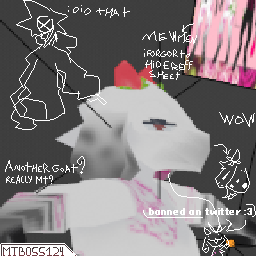
Motif in zomboide no way
par 76561198865053879
the 5 likes where provided now yall shall suffer oc belongs to motif model and texture by mtboss124 og model is the deer one from antroh survivors but the only thinghy remaining from that one is the body lol Workshop ID: 3032959532 Mod ID: strawberrygoat
RachTMAddon
par 76561198033484603
hot/sexy rach beats to relax/study to 24/7 lofi chill hip hop Workshop ID: 2965497141 Mod ID: RachTMAddon

Exercise Books(OUTDATED)
par 76561198207086443
This Mod was created to add 10 new books to the game. 5 for leveling in strength and 5 for leveling in fitness. The books are simply added to any existing book case or police locker to seamlessly be implimented into the game as a fair method of increasing your training speed for the Strength and Fitness Skills. Tags:B41 Workshop ID: 2335088981 Mod ID: Strength And Fitness Books
Time Period Tracks - 1989 to 1993
par 76561197960538948
An expansive lore friendly selection of music over a 5 year period from 1989 to 1993. This mod will maybe give you an idea of what music was like within those 5 years and some early 1990s vibes. That recognizable 80s sound had very quickly faded and was replaced by the likes of Gangsta Rap, Hip Hop, Grunge, Britpop, and EDM among others. Some would also quickly hit their peak in popularity before fading just as fast. But right now, they were center stage. I wanted something more condensed year wise and with more recent music releases of the time period so I put this together. Understand that I made this for personal use, my friends, and I hardly know what I'm doing with this mod stuff so don't expect anything crazy except for occasional song additions. -Current track list is at: 892 songs -This mod is cassette tapes only , no vinyl records. CDs are also not an option as the True Music mod never included them. -Might add vinyl stuff later if I feel up to the task, this is just too much for me right now sorry. -No song requests at the moment. I've already got a bunch more songs I need to add as it is. -There is! This initially started out as just a Spotify playlist before I decided to do this addon but here's a link to it: Time Period Tracks '89-'93 -Currently as of , the Spotify playlist is at 1,247 songs. -Artists/Songs known of in English speaking countries of the time period, mainly stuff popular in the US(since the game takes place in Kentucky) -Album(or Single) songs must have had an initial release in or outside of the US from January '89 through December '93(leeway here for more music in '93) -No songs from "Best of" or "Compilation" album releases. -Nothing released before 1989 and nothing after 1993. Guitar Spiffo fanart by Siorus on TheIndieStone forums. Workshop ID: 2914139894 Mod ID: time_period_tracks_89_to_93
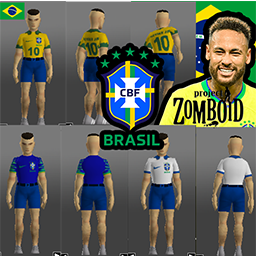
SELEÇÃO BRASILEIRA - CAMISAS CBF
par 76561198121845674
Substituem as texturas originais do jogo. Como encontrar? No menu de criação de personagem, quando for escolher as roupas vá em "MANGAS CURTAS" e selecione umas das 3 camisas de baseball: -Baseball KY -Baseball Rangers -Baseball Z Ou encontre durante o jogo em zumbis, guarda-roupas e etc... Sim, eu fiz o mod depois que o Brasil perdeu pra Croácia. Pelo menos no jogo a gente pode ser campeão. Alguma sugestão? Workshop ID: 2902176759 Mod ID: ModTemplate
Simple Status Bar | B42.20
par 76561198097961900
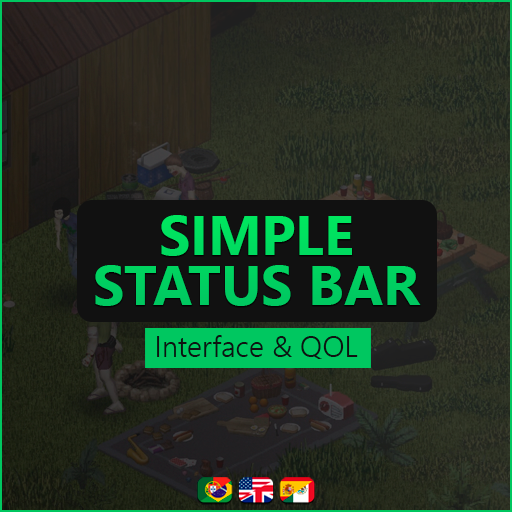
Simple Status Bar by Tiflow Single Player & Multiplayer Supported Language: Pt-pt | Pt-br | Es | Es-Mex | Eng Last Update: 10/08/2026 What the mod does: - Displays water, food, calories, body heat, fitness, boredom, panic, weight, pain, fat, unhappiness, and more. - When food, water, rest and endurance levels are at 50% or below the text and percentage will turn yellow, when is 30% or below will turn red. - When stress, panic, pain, and illness exceed 50% or more the text and percentage will turn yellow, when reaching 80% or more they will turn red. - You can drag the panel, lock its position, and change the key in the configs. Check out my other mods in my workshop. Workshop ID: 3777522181 Mod ID: SimpleStatusBar_tiflow
![10YL - Pitstop [B41 ReUpload] – Project Zomboid Mod](https://images.steamusercontent.com/ugc/17370870376001078995/3CDA46F29FE6CC36216B0E80255CBADB1F866665/)
10YL - Pitstop [B41 ReUpload]
par 76561198393866378
This is a reupload of the original 10 Years Later - Pitstop map modification created by Dane based on the original Pitstop map. Original map is not required! MAKE SURE TO DOWNLOAD THE ORIGINAL MAP'S DEPENDENCIES ONLY COMPATIBLE WITH B41! Credits to Dane for creating such amazing mods! Workshop ID: 3640631549 Mod ID: 10YL_Pitstop Map Folder: 10YL_Pitstop Map Folder: 10YL_Pitstop_standalone

Snow Lands - Darker Snow "No Visible Roads Version"
par 76561198009092725
Will make the snow a little more darker because the default snow was to bright and hurt my eyes for extended play, this version does not have the visible road edit, for people who have been asking for it. Texture Compression - OFF Double-Sized Textures - ON If these settings are not on you might see parts of the grid through the snow. Works on my server using Cryogenic Winter + Ceaseless Snow For the Original Darker Snow with slight visible roads - https://steamcommunity.com/sharedfiles/filedetails/?id=3371613588 For the PZ Default Snow with slight visible roads - https://steamcommunity.com/sharedfiles/filedetails/?id=3371637368 Workshop ID: 3373042462 Mod ID: SLDarkerSnowNVR

One Patch to Unite Them All (LEGACY)
par 76561197984920875
NOTE: This mod has been categorized as legacy by the author. Use at your own risk. -==- Excerpt from the ramblings of Pete "Crazy Pete" Jones Dated to approx. October 1993 Cooking Oil. I looove cooking oil. I love SAYING cooking oil. Cooking oil. Cooking oil. Cooking oil. Oily, slippery, stainy, I loveitloveitloveit. And milk. MILKMILKMILK!!! I LOVE MILK TOO! YEAHHH!!! Mix it all together into a mess and drink it all down. YEAH! But ever wonder how you can't use one brand of cooking oil in place of another? Or one type of milk. Or how theres 37 ways to fry an egg? HAVE YOU?!? I BET YOU HAVEN'T NUH-UH. But worst of all are those damn Leatherdads. And the Swiss Army knives. you can't use them to open ANYTHING it seems. Nopenopenope. ---------------------------------------- One Patch to Unite Them All (OPUTA) is an attempt to allow cooking recipes from over half a dozen of the most popular cooking/utility mods on the Workshop be cross compatible with one another. For example, you can now use the cooking oil from All American Apocalypse, the cooking oil from CCCP, or the vegetable oil from SoulFilcher's Cooking Time interchangably among ANY mod that requires or uses any of the three. The same applies for a number of other items from the below listed mods that have similarly functioning items: -All American Apocalypse -Consolidated Culinary Community Project B41 -SF's Cooking Time -Good Coffee, Tea and Vitamins -planetalgol's Multitool Mod -OGSN's Organized Storage -OGSN's Rods's Store (RS) -OGSN's Wilderness Improvements (FMJ) Do note that the above mods ARE NOT strictly required for this mod to work. The recipe entries are constructed in such a way that you can have as few as one or two of the mods listed above, and still benefit from the recipes that pertain to them. However, I strongly recommend having most or all of them installed for reasons listed below. This mod also does some tweaking and bugfixing to allow for some better functionality of the patch work done. Also, while I typically shy away from requests, in the spirit of community cooperation and harmony, I am willing to listen to any requests regarding suggested recipes that fall within the ralm of sanity and the scope of this patch mod. Note: If you have missing mods from the above list for whatever reason, recipes pertaining to them will appear broken/incomplete in the recipe list, or show up with missing icons. While this isn't gamebreaking, it can be visually jarring to a degree to see several or more recipies in a row seem broken. There's no real way to fix/prevent this due to game limitations. Built/tested on Build 41.41 It probably has bugs. Tell me about bugs and I will hotfix them and give you an internet cookie. C&C greatly appreicated. Tags:B41,Items,Food,Bugfix,Tweak Workshop ID: 2216128516 Mod ID: zOPUTA

Sleep Clears the Mind
par 76561198064114278
Sleep Clears the Mind Sleep already restores fatigue. This mod lets rest restore your head too. While your character is asleep, boredom, unhappiness, and stress fall at the same rate as fatigue. If a better bed, a worse bed, or a sleep trait changes how quickly you recover from tiredness, these moodles follow that same pace. What it does Bored, Unhappy, and Stressed (Huzursuz) recover with sleep Recovery is tied to fatigue, not a flat timer Works in singleplayer and multiplayer (the server must have the mod) What it does not do Nicotine withdrawal is unchanged — smokers still need a cigarette Hunger and thirst still rise while sleeping Panic, pain, illness, and vanilla sleep events (nightmares, noises) are untouched Compatible with Build 41 and Build 42 (including 42.13+) A full night will not always wipe every moodle to zero. You recover as much mental strain as you recover tiredness. If you like this mod, please consider dropping a Like and Favorite! Feel free to leave your thoughts, suggestions, or bug reports in the comments below. Workshop ID: 3784697127 Mod ID: SleepClearsTheMind
![[COS]Nikke_Anis – Project Zomboid Mod](https://images.steamusercontent.com/ugc/13928104746637515256/6D7B8630D31A6A7F1A132CAD20FD0294B7E0973A/)
[COS]Nikke_Anis
par 76561199178116693
How Do I Use It? - You can go to the link below to see how to use it. - Link Recommended mode - Fashionoid - Gear Transmog - Hide All Attached Items - Clipping animation Fix Like My Mode? - Join Our Discord If You Want Commission Workshop ID: 3738369571 Mod ID: Nikke_Anis
![Goose's Pipebomb Trait [B42] [MP] – Project Zomboid Mod](https://images.steamusercontent.com/ugc/14257802597996413621/7C812144EB2318EA27D54D44CD4FFD8C869B3058/)
Goose's Pipebomb Trait [B42] [MP]
par 76561198314452002
Goose's Pipebomb Trait Try out explosives like pipebombs without needing to pick an entire profession! This mod does as advertised, as simple as that. New Trait: Chemical Munitions Proficiency "Before you dropped out of college the chemistry classes you took made you proficient in handling unstable substances. Will let you craft pipebombs and other explosives." - Let's you craft Pipebombs - Let's you craft Firebombs - Let's you craft Smokebombs - Let's you craft Aerosolbombs What makes this mod so special? Makes you able to craft and use explosives without locking you out of your comfort-build, as well as being useful for multiplayer servers to create more character variety. Compatibility: - Build 42.19 and above. - No known incompatibilities yet! Let me know if you find any! - Should be multiplayer compatible. If you want to donate a small amount: Ko-fi Link If you have questions dm me on discord: cycling_goose or friend me on steam and shoot me a message I'll be happy to answer any questions. This mod is released under the MIT License. You are free to use, modify, and build upon this work with attribution. This mod may NOT be included in any modpack under any circumstances, no exceptions. For full terms, refer to LICENSE.txt included with the mod files. Workshop ID: 3228962178 Mod ID: pipebombtraitgoose
GunFighter (26) YeetgorEdition
par 76561198014167361
Custom settings for GunFighter Gun jam chance set to 0 for all weapons. Your guns will never jam! Lowered the chance, the weapon will get damaged upon firing to 20% the original value. Normally this value is around 60, which means that there is 1:60 chance that the weapon will lose condition each time a bullet is fired. This variant multiplies those values by the factor of 5, so now there will be 1:300 (for most guns) that the gun will lose durability This is standalone version. You don't need the original Arsenal. Includes modified Brita Weapon Pack and Gunfighter Radial Menu for compatibility. Workshop ID: 2940139955 Mod ID: Arsenal(26)GunFighterYeetgorED Mod ID: YeetgorED_Brita Mod ID: YeetgorED_GunFighter_Radial_Menu
![Known and Collected [B42] - Русификация – Project Zomboid Mod](https://images.steamusercontent.com/ugc/13933139812142771379/CAE542A8783761835B3981F6D7D1BBFFFABB3435/)
Known and Collected [B42] - Русификация
par 76561198414246143
Русификация Known and Collected Упрощает сбор и управление книгами, картами, CD, VHS и другими медиа, автоматически помечая найденные предметы и выделяя полезные материалы. Что делает мод? • Автоматическая маркировка: Предметы автоматически отмечаются как «найденные» при передаче. Больше не нужно запоминать, что вы уже подбирали. • Умные иконки: Разные метки для непрочитанных книг, непросмотренных медиа, непроверенных карт и неизученных материалов с навыками или рецептами. • Поддержка B42: Отслеживание листовок, брошюр, газет, журналов и прочей развлекательной литературы. • Удобный интерфейс: Иконки показываются в стаках, есть ручное управление пометками через контекстное меню. Ключевые особенности: Автоматическое отслеживание коллекций, визуальные подсказки для полезных материалов, поддержка всех типов медиа, удобство для коллекционеров. Dear foreign friends, this mod is only a localization of the main mod. If you came here because of the preview or text on it, you can safely go to the modification page itself. Хочу перевод Поддержать переводчика Workshop ID: 3650921993 Mod ID: KNOANDCOLRUS
![Woodcutting Skill [B42] Experience Fix – Project Zomboid Mod](https://images.steamusercontent.com/ugc/42329033404765401/BCD8F441B4BB84968AEDFF9C4039E60ED6E39E72/)
Woodcutting Skill [B42] Experience Fix
par 76561198018514948
This is an extremely simple patch mod for Monkey Magic's port of Champy's Woodcutting Skill mod. It simply adds a missing element to the sandbox settings that allows you to set your experience modifier for Woodcutting. This mod does not function on its own; it's a patch which REQUIRES the Woodcutting Skill mod by Monkey Magic. This mod contains no code or features from either the original or the port of the Woodcutting skill mod. IMPORTANT: If you use the global experience multiplier setting, you DO NOT NEED THIS MOD. This mod is only required if you customize your experience multipliers. Workshop ID: 3462239363 Mod ID: WOODCUTB42SANDBOXFIX
Everyone has a rifle
par 76561199263121994
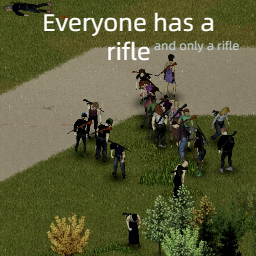
With this mod every new spawn zombie should has a rifle, M14 or M16. But, I do't think there's still gonna be any other weapon on them. Idea of this is a stereotyping about having guns in America, it sounds like every single house in America could contains a firearm. Workshop ID: 3022017061 Mod ID: Everyone has a rifle
COMPANION DOGS— TRADUCCIÓN AL ESPAÑOL
par 76561198301834174
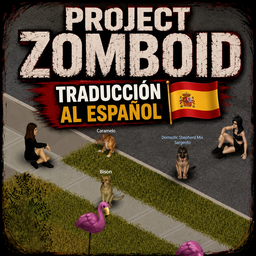
Traducción completa al español del mod Companion Dogs: domestica a un perro callejero y cría un compañero leal que te sigue, te avisa de zombis y pelea a tu lado, pero cada ventaja tiene su precio. ALPHA: cuatro razas disponibles por ahora (el entrañable chucho callejero Caramelo, el Pastor Alemán, el Golden Retriever y el raro Husky invernal), además de cría con cachorros, caza asistida y alforjas de carga. Funciona en un jugador, cooperativo y servidores dedicados, y es seguro añadirlo a partidas existentes. ESTA TRADUCCIÓN INCLUYE: Nombres de objetos (plato de comida/agua, alforjas) Recetas de fabricación del plato y las alforjas Interfaz completa: comandos (seguir, quedarse, vigilar, atacar, cazar), pestañas de habilidades y estado, rasgos genéticos (fuerza, agresividad, resistencia), sistema de lealtad y necesidades Cría y cachorros: gestación, maduración, apareamiento Caza asistida: rastreo, persecución y entrega de presas Sistema de centinela y alertas de zombis Auto-protección, vínculo (acariciar y dormir juntos) y el buff Bien Descansado Alforjas de carga, plato de comida/agua y "Mis Perros" (kennel) Ajustes de sonido, interfaz y atajos de teclado Moodles y descripciones de cada raza Todas las opciones de configuración de Sandbox ⚠️ REQUIERE el mod original Companion Dogs para funcionar. Esta es solo la traducción, no el mod base. Workshop ID: 3763378516 Mod ID: CompanionDogs_Spanish
Swatpack Spawn Tweaks
par 76561198082583095
Summary This mod is a submod for the SWAT & RIOT Pack mod. It allows you to modify the spawn chance (vehicles, zombies) and spawn weights (guns, clothing, etc.) for each individual thing added by the SWAT & RIOT pack. Single Player If you play on your own, you can set the spawn values inside the Options menu, where you can find a new tab called DM Swatpack Tweaks In this tab, just modify the slider values to your liking. Spawn Values Each value can be set between 0 and 100, with higher values resulting in a greater likelihood of the item appearing in its proper spawn locations, as set by the original SWAT & RIOT pack. Notes - A value of 0 leads to the corresponding item being removed from spawn pools completely! - For vehicles and zombies the values should translate to spawn chances interpretable in percent - For all other items, values represent spawn weights which are harder to interpret, just play around and try out different combinations manual editing of spawn rates You can also set the options directly in the file used by MCM to store your mod options, which is located here: %USERPROFILE%\Zomboid\Lua\MCM\dm_swatpack_tweaks_options.txt A sample MCM options file is provided at \dm_swatpack_tweaks\dm_swatpack_tweaks_options_example.txt Simply copy the contents of this file into the actual MCM options file mentioned above. In there, adjust the values to your liking, save the file and restart the game. Your changes should now be in effect. Multiplayer (Dedicated Server) If you cannot set your options via MCM in the main menu, you can set spawn rates via my Server Settings Template: https://steamcommunity.com/sharedfiles/filedetails/?id=2818110185 These will override your local settings and allow you to set your own spawn rates on a server running the mod. See the description of that mod for more detailed instructions. Upcoming I will try to expose the settings as sandbox options for multiplayer, which would make the server settings redundant. Compatibility Should be compatible with everything, all edits are targeted at swatpack items. Debugging To see if your changes took effect as you expected, you can look at the %USERPROFILE%\Zomboid\console.txt (SP) and %USERPROFILE%\Zomboid\coop-console.txt (MP) files. This mod prints its progress like so: ## dm_swatpack_tweaks (log) ##: mod init done So just look for lines like these to see if there are any relevant errors. Most importantly, if set to verbose mode (which it is by default), the mod prints the modified tables to the log after they have been edited, so you can easily see if all the spawn tables were changed as intended. Note for modders The main loop of this mod is executed either when the OnPreMapLoad or the OnGameBoot event is fired, depending on whether all the lua files have been loaded already. See dm_swatpack_tweaks\media\lua\shared\dm_swatpack_tweaks_Main.lua for details. Attribution You are free to use this mod in whole or in parts for your own work, as long as it is non-commercial and you give proper attribution. Workshop ID: 2816043380 Mod ID: dm_swatpack_tweaks
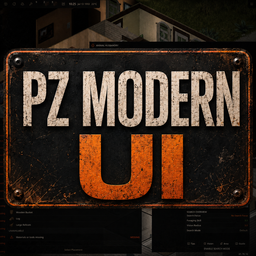
PZ Modern UI
par 76561198105136420
A modern interface for Project Zomboid Build 42 PZ Modern UI refreshes Build 42's HUD, inventory, character, crafting, building, map, multiplayer, device, tooltip, and menu interfaces while preserving native actions. Choose your setup - Complete — One click activates Core, Main Menu, and every stable feature pack, including Spatial Inventory. Dependencies remain visible because they contain the feature code. - Custom — Enable Core, then add only the Main Menu, Survival, Spatial Inventory, Workspaces, HUD, Devices & Dialogs, or Multiplayer packs you want. - Main Menu — Title, pause, Load Game, Settings, and setup screens are activated automatically by Complete, or can be selected separately in a custom setup. - Spatial Inventory — The official grid inventory and independent paper-doll Equipment window is included in Complete or can be enabled with Core. - Existing saves — No migration is needed. Complete keeps the original PZModernUI ID and Build 42 loads its stable dependencies automatically. New in 0.13.0 - One translation worksheet — Every package-owned string is combined into one standard PO file that works with Poedit and ordinary Unicode text editors. - Context for every entry — Translators see the screen, text type, usage, source locations, and the meaning of placeholders such as %1 and %2. - Safe translation updates — Updated kits preserve existing work and mark changed English entries for translator review. - Stronger validation — The release tooling rejects stale, incomplete, malformed, or structurally unsafe submissions before producing Project Zomboid's package JSON catalogs. - Workshop description editor fixed — The in-game editor accepts typing immediately and scrolls multiline descriptions with the mouse wheel as well as the scrollbar. Features HUD and layout - Configurable survival HUD — Modern rails, clock, speed and world controls, action slots, moodles, live trackers, and timed-action progress. - Full-screen layout editor — Drag, rotate, snap, hide, and adjust the opacity of supported rails. Layouts persist between sessions. - Floating Panels or Attached Drawer — Choose independent movable windows or one compact rail-attached drawer with hover and pin behaviour. Items and character - Unified Items window — The standard list Inventory, Nearby, and Equipment share a movable, resizable interface with stacked and side-by-side layouts. - Fast inventory tools — Browse containers or All Nearby, search, filter, sort, transfer, drag and drop, Take All, clear trash bins, and use native actions. - Detailed item information — Weight hierarchy, item-state indicators, category colours, comparison metrics, container previews, and actionable pinned cards. - Character screens — Redesigned Health, Skills, Traits, Protection, Stats, Exercise, and Equipment views with skill tracking. Workspaces and world interaction - Crafting and Building — Structured categories, filters, requirements, batch quantities, native selection, timed actions, and placement tools. - World map — A non-pausing, movable map with symbols, settings, collapsible tools, player marker, and reliable maximize and restore behaviour. - Foraging and Animal Husbandry — Modern interfaces backed by the game’s live search, zone, enclosure, animal, skill, and action systems. - World actions — Responsive panels for pickup, placement, rotation, disassembly, and repair using native game data and actions. - Objects and vehicles — Modern furniture, appliances, utilities, garment inspection, and vehicle-mechanics panels backed by native actions. Multiplayer and devices - Multiplayer panels and chat — Modern presentation for PvP Safety, active wars, users, factions, player management, tickets, server options, the permission-gated Admin Panel, and native chat. - Television and radio — Compact draggable controls for power, tuning, volume, media, and playback while preserving native behaviour. Make it yours - Unified visual system — Consistent typography, panels, controls, tooltips, context menus, progress displays, and icons. - Flexible scaling — Scale the interface from 50% to 140% and optionally control text size independently. - Optional High Readability — Increase contrast and strengthen focus, text, and control-size floors. - Modern or vanilla — Restore the vanilla UI globally or choose persistent settings per interface family. - Gameplay-friendly input — Modern panels are mouse-driven, native hotkeys and text fields remain game-owned, and controller commands retain the vanilla UI. Languages and translation tools English, Italian, French, Spanish, and German are included. The project source also contains self-service tools for generating other Project Zomboid locale kits; no Lua coding is required. - Clone or download the project source, install Node.js 20+, run npm ci, then generate your PO kit with npm run i18n:kit -- CODE. - Translate only msgstr values in the kit's single PO worksheet. Every entry explains where it appears and what placeholders such as %1 and %2 represent. - Check tabs, buttons, tooltips, inventory, crafting/building, Settings, and dialogs in game. The project does not provide a public translation-submission channel. Self-service instructions and terminology are in localization/CONTRIBUTING.md and localization/GLOSSARY.md in the project source. Tested scope Version 0.13.0 targets Build 42.20.x. The release gate parses 355 Lua files and passes 273 checks; live testing covers 1920x1080 through 4K and hosted multiplayer. Modern UI is mouse-driven. Native hotkeys and text entry remain available; controller Inventory/Loot and Back-wheel commands retain the vanilla UI. Do not enable PZ Modern UI together with ControllerInventoryDrawer. The older mod owns overlapping interface and controller hooks. Feedback and bug reports Include the game build, resolution, UI scale, input method, enabled mods, console.txt, and screenshots. Performance reports should also include Zomboid/Lua/PZModernUIPerformance.txt. Support development If PZ Modern UI improves your time in Knox Country, you can support its continued development here: Recommended Mod Want Knox Country to feel like a frame from a forgotten 1980s zombie film? PZ80Film — 1980s Film Shader Workshop ID: 3787349247 Complete Mod ID: PZModernUI Core Mod ID: PZModernUICore Workshop ID: 3787349247 Mod ID: PZModernUI Mod ID: PZModernUICore Mod ID: PZModernUIDevices Mod ID: PZModernUIHUD Mod ID: PZModernUIMainMenu Mod ID: PZModernUIMultiplayer Mod ID: PZModernUISpatialInventory Mod ID: PZModernUISurvival Mod ID: PZModernUIWorkspaces
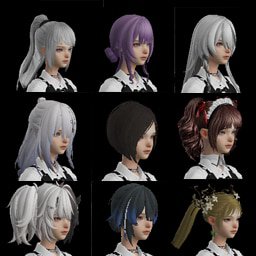
自用VS3发型拓展修复
par 76561198029353624
------------------------------------ 原作者: 布偶旧猫 原作:【VS3发型拓展】 Workshop ID: 3237652872 Mod ID: VS3hair ------------------------------------ 自用VS3发型拓展修复,仅修复了自用部分发型 Workshop ID: 3781594061 Mod ID: myhair

Improved Face Gear
par 76561198057106102
This is my first mod! I noticed that vanilla face coverings don’t protect against the “sickness” mechanic, so I made this small QOL mod to add sickness protection to more face gear. Current Functionality: Dust Mask & Surgical Mask: Spawn with filters of different durability. Once the filter runs out, the mask stops providing protection. Removing the filter destroys the item, so it is not reusable. Other items (Bandana, Shemagh, Balaclava): Work in progress – functionality not yet implemented. Important Notes: Do not remove the filter from Dust Mask or Surgical Mask; the mask will disappear. I’m working on enabling functionality for the other masks and removing the “Remove Filter” option. Load Order: Put it after everything that replaces or change clothing (Just to be sure, I'm still not sure if there's conflicts with other clothing mods) This mod is UNSUPPORTED now, PZ b42.20, changed how face wearables work, you still get the moodle, but it will never reach the treshold where you can die, so it's not needed anymore and it's unbalanced, if you're still on b42.19 you can still use this and have some fun. Workshop ID: 3605250243 Mod ID: ImprovedFaceGear
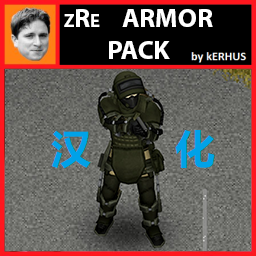
zRe ARMOR PACK by kERHUS 简中汉化
par 76561199103258790
我的第三个汉化模组,有问题请指正。 只汉化了沙盒。 排序放置在原mod下面。 感谢作者kERHUS的制作。 原模组地址:https://steamcommunity.com/workshop/filedetails/?id=3038026478 Workshop ID: 3346132248 Mod ID: zReArmorPackBYKK_CNJF
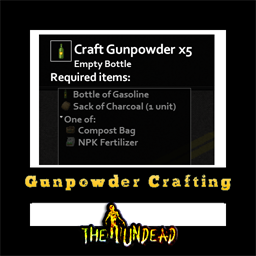
Gunpowder Crafting
par 76561199042257388
Gunpowder Crafting Adds the ability to craft charcoal and gunpowder Adds item: Sack of Charcoal A sack of Charcoal can be used to carry charcoal easily, and can be used to make gunpowder. Charcoal can be made with a plank, while you're standing next to a lit campfire or antique oven. ------------------------------------------------------------ Mod by Glytch3r Commissioned by RavenousEye For custom pz mod commissions contact me discord: Glytch3r#7331 / glytch3r https://ko-fi.com/glytch3r Workshop ID: 3187929689 Mod ID: GunpowderCrafting
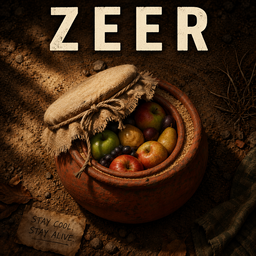
Zeer
par 76561199116881450
Zeer Pot (Evaporative Cooling System) A primitive refrigeration system for long-term survival. Overview This mod introduces the Zeer Pot, a traditional evaporative cooling system that allows you to preserve food without electricity. Built using clay and basic materials, the Zeer provides a natural way to keep supplies fresh in a post-apocalyptic environment. No generators. No power grid. Just survival. How It Works The Zeer is crafted through a multi-step kiln process: - Create a Zeer Crucible using the Advanced Kiln - Perform a second firing to obtain a Zeer (No Lid) - Complete the system by sealing it with cloth and rope Once placed in the world, the Zeer can be: - Placed on the ground - Filled with water - Covered using a cloth lid - Opened at any time Cooling System The Zeer uses a realistic evaporation-based mechanic: - 100% cooling efficiency for the first 24 hours - Gradual loss of cooling over time - Completely dry after 3 days if not refilled - Requires regular water maintenance to remain effective This creates a natural gameplay loop where the player must actively maintain the system. Immersive Interaction All interactions are handled through the context menu, with no intrusive UI: - Place Zeer - Fill with water - Cover Zeer - Open Zeer Opening the Zeer will return: - The cloth used as a lid - One use of rope How to Craft The Zeer is crafted through a multi-stage pottery and firing process. Step 1: Shaping the Zeer Using the Pottery Wheel, you can craft an Unfired Zeer. Requirements: - 2x Sculpted Clay Pot - 2x Sandbag uses - Level 3 Pottery skill Step 2: Firing the Zeer The Unfired Zeer must be fired in the Advanced Kiln to become a functional container. Requirements: - 1x Unfired Zeer - 1x Coke - 1x Fire source (any type) Result: - Fired Zeer (ready to be used in the world) This process reflects a more realistic approach to primitive crafting, requiring both preparation and proper equipment. Features - Fully functional evaporative cooling system - Custom 3D models for all stages - Integrated with Advanced Kiln crafting - Server-side logic for persistent water and cooling state - Balanced for survival gameplay Design Philosophy This mod focuses on: - Immersion over convenience - Realistic survival mechanics - No artificial interfaces - Meaningful player interaction The Zeer is not just an item — it's a system you must understand and maintain. Compatibility - Works in Singleplayer and Multiplayer - Safe to add to existing saves Future Plans - Environmental impact (humidity, temperature) - Different materials and efficiency variations - Expanded primitive food preservation systems This mod's permissions fall under TIS's policy Ask for permission This mod can only be added to and extended with the express permission from the original creator. Having received permission, credit must be given to the original creator, both within the files of the mod and wherever the mod roams online. If no permission is received you may not alter the mod, and it must be treated as a mod that is 'On Lockdown'. The only exception is that servers may freely include this mod in their modpacks, with the freedom to alter it or make modifications as they see fit, as long as credits are properly given to the original creator. Support the Mod Support the Project If you enjoy this mod and want to support future updates and new systems: Your support helps expand the project and keep development active. Every contribution makes a difference. Thank you for your support! ❤️ A like or favorite helps a LOT! Workshop ID: 3710053075 Mod ID: Zeer
Project Zomboid Guides
Installer des mods Project Zomboid - Guide Workshop
Installe proprement des mods Project Zomboid via le Steam Workshop : saisir les IDs, vérifier l’ordre, redémarrer le serveur et corriger les erreurs typiques.
Louer un serveur Project Zomboid – guide multijoueur
Configurer un serveur Project Zomboid : RAM, paramètres sandbox, mods Workshop, droits admin et vérification propre des erreurs typiques.
Serveur Project Zomboid avec support des mods
Installez les mods compatibles et pris en charge depuis le tableau de bord.
Louer un serveur Project Zomboid