Mods et plugins pour Project Zomboid
Ce catalogue répertorie 60 000+ projets Project Zomboid provenant de Steam Workshop. Les entrées peuvent être côté serveur, côté client ou requises des deux côtés, et inclure des cartes ou d’autres contenus créés par les utilisateurs. Avant l’installation, vérifiez la page source liée, la version du jeu et les dépendances.
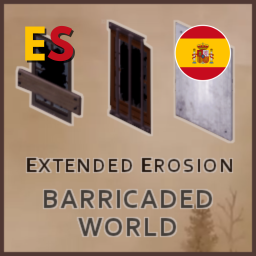
Barricaded World ES
par 76561199071220011
Traducción al español actualizada del mod original Barricaded World - Extended Erosion creado por Onkeen. Todo el crédito y mérito para él. Esto es solo una traducción por lo que requiere del mod base y ser cargado después para funcionar. Cualquier error o bug, por favor reportarlo. Todo el crédito a sus respectivos autores. Gracias :) Workshop ID: 3336308360 Mod ID: BarricadedWorld_ES
Alternates over Zomboids
par 76561198447590578
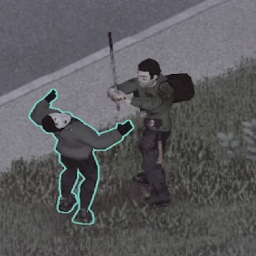
Retextures zombies to have weird creepy faces, made for shubabers' YouTube Alternates Season 2 series. --THIS MOD DOESN'T CHANGE ANY BEHAVIOURS, ONLY HOW THE ZOMBOIDS LOOK-- I recommend using the mod "Knock Knock -Horror sound mod" for a better experience. Workshop ID: 3097395316 Mod ID: alternates
Craftable Cheese & Tomato Sauce
par 76561198227623168
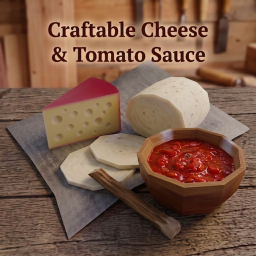
For survivors who still need a good pizza after the apocalypse. This mod adds: * Cheese, craftable from cow milk * Sheep Cheese, a softer variant made from sheep milk * Homemade Tomato Sauce, made from fresh tomatoes * An improvised Rolling Pin, craftable from a branch, for making pizza dough without needing to find a real one Compatibility: * Cow milk Cheese and Tomato Sauce work with the normal vanilla pizza recipe * Sheep Cheese is a softer variant that works anywhere cheese is used in general cooking, and as a topping in the freeform pizza-building system Compatible with my other renewable cooking mods Homemade Yeast, Realistic Salt Crafting. https://steamcommunity.com/profiles/76561198227623168/myworkshopfiles/ If you like this mod, a coffee (or a can of Monster) would be appreciated to power me through the next one. https://buymeacoffee.com/ashe360 . Cheers! 17/08/26 Update: Added findable recipe magazines for both the cheese and tomato sauce recipes, so multiplayer players don't have to grind Cooking to unlock them. Tested on a hosted MP server. Workshop ID: 3780065035 Mod ID: ApocalypticPizza
萌新之家音乐播放器
par 76561198966967835
317 Workshop ID: 3740980215 Mod ID: MXZJ_Music
![[B42] Vault 13 Canteen – Project Zomboid Mod](https://images.steamusercontent.com/ugc/16088003504454398834/09561E7300E5FAD61A49985471EFC49AED7D6264/)
[B42] Vault 13 Canteen
par 76561199113984281
This mod adds the trusty Vault 13 Canteen from the hit 2010's game "Fallout: New Vegas". The Canteen doesnt spawn, hovewer you can craft it using 2 denim strips and a normal/military canteen. ____ Model, texture and icon are straight from the game, but i had to low the amout of polygons because it has 150,000 FACES (1500 now) ____ YOU SHOULD CHECK MY OTHER ADDONS, NOW! . 👉SUGGEST YOUR MODS IDEAS👈 Workshop ID: 3494238612 Mod ID: StasiksVault13Canteen
![Remove the foil from the chocolates [Build 42.20+] – Project Zomboid Mod](https://images.steamusercontent.com/ugc/36694379815018236/4F8DEB3532B85327C67DEA8287789392D750F962/)
Remove the foil from the chocolates [Build 42.20+]
par 76561198970019175
When the undead are clawing at the door, every second counts! What could be more devastating than wrestling with stubborn chocolate foil when your stomach is screaming? “Foil-Be-Gone” is here to save the day! This mod lets you neatly peel off that pesky wrapper and savor your well-deserved treat. After all, even in a zombie apocalypse, there’s time for a little bit of awesome! (And maybe even a tiny bit of blissfully chocolatey goodness…) Workshop ID: 3426271308 Mod ID: Removechocolates Workshop ID: 3426271308 Mod ID: Removechocolates

【音乐包一】
par 76561198173293063
音乐包 57首 比较杂什么都有一点 Workshop ID: 3488301999 Mod ID: jiangshiguoduyinyue114514
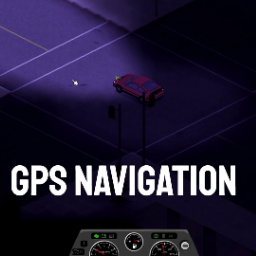
GPS NAVIGATION MP FIX
par 76561197973526625
Love the GPS mod, but it wasn't working in MP and it was disappearing every so often. Just fixed the code. Workshop ID: 3417301243 Mod ID: GPSNAVIGATIONFIX

kannaserver1
par 76561199002789447
123 Workshop ID: 3042970365 Mod ID: NCWBP kanna
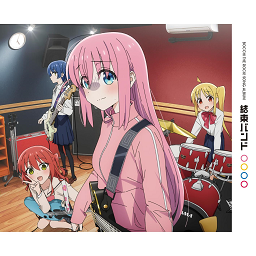
True Music Addon: Ken's Bocchi the rock孤独摇滚_album
par 76561198207983463
包括OP·ED·插曲、专辑新录曲等共14首歌曲收录的全专辑。游戏内已翻译为中文歌名。 1 青春コンプレックス 2 ひとりぼっち東京 3 Distortion!! 4 ひみつ基地 5 ギターと孤独と蒼い惑星 6 ラブソングが歌えない 7 あのバンド 8 カラカラ 9 小さな海 10 なにが悪い 11 忘れてやらない 12 星座になれたら 13 フラッシュバッカー Workshop ID: 3020464324 Mod ID: kessoku_banndo_music_addon
OMSK-TILE_b42
par 76561199383792194
Tiles for my map of Omsk b42 Workshop ID: 3717619876 Mod ID: OMSK_TILE

Nageua Weapon Shop
par 76561199012094131
Adds various weapons. Workshop ID: 2920160007 Mod ID: NageuaWeaponShop

Dr Hyde (and Sick)
par 76561198057905896
This mod is still a WIP but is useable as is. This is another one of my "tools for rp-servers". The remedy and the recipe are only spawnable by admins as it is not balanced at all. It is meant to be used for RP purpose and events only. This adds Dr Hyde's Experimental Remedy, use at your own risks... What it does : - Cure the infection - Prevent all future infection - Zombies do not attack you anymore - Makes you kinda... undead. The tests from Vaccine and Laboratory (bloodtest or autotest) will reflect that. For now, zombies completely ignore you even if you yell/fire a gun, I plan to fix it in the future if possible. More things are planned for this mod, but I'm working on another one right now. Workshop ID: 2857960797 Mod ID: DrHyde3Remedy
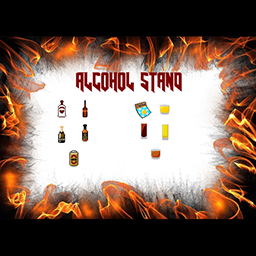
Infernum134's Alcohol Stand B41.65 Compatible
par 76561199012012901
Patched Infernum134 code for 41.55, will remove when mod is updated. Workshop ID: 2637997267 Mod ID: Infernum134'sAlcoholStand
![The Sorting Crate [B42] – Project Zomboid Mod](https://images.steamusercontent.com/ugc/11314890552935109604/A058067630944B28FF898AE1F5FCA1E71EA1B140/)
The Sorting Crate [B42]
par 76561198432856336
The Sorting Crate The Sorting Crate adds a dedicated storage crate that automatically distributes items to nearby containers that already contain the same type of item. Drop your mixed loot into the Sorting Crate, use Store Automatically, and let it handle the repetitive part for you. Designed for Project Zomboid Build 42 with support for Singleplayer, Hosted Multiplayer and Dedicated Servers. How It Works The Sorting Crate searches nearby containers for matching items. For example: - You place Nails, Canned Food, Bandages and Ammunition inside the Sorting Crate. - A nearby container already contains Nails. - Another container already contains Canned Food. - A medical container already contains Bandages. - An ammo container already contains Ammunition. Use Store Automatically and the crate will attempt to move each item into the appropriate matching container. Important: The Sorting Crate does not randomly distribute items into empty containers. A destination must already contain at least one matching item so the crate knows where that item belongs. Main Features - Automatic sorting based on nearby container contents. - Individual range for each Sorting Crate. - Global default range through Sandbox Options. - Support for multiple floors. - Option to restrict sorting to the same floor. - Show Range to visualize the covered area. - Singleplayer, Hosted Multiplayer and Dedicated Server support. - Action-based design to avoid unnecessary constant scanning. New Construction System The Sorting Crate now uses Project Zomboid's Build menu. It is no longer intended to be crafted as a normal inventory item and manually placed on the ground. Open the Build menu, locate the Sorting Crate and construct it where you want your sorting station. IMPORTANT - Updating From an Older Version EXISTING SAVES MAY CONTAIN LEGACY SORTING CRATES Older versions used an item-based crate system. The current version uses the new construction-based system. If your world contains Sorting Crates created with an older version, convert them before removing or rebuilding them manually. How to Convert an Old Sorting Crate - Update the mod and load your existing save normally. - Go to a Sorting Crate created with an older version. - Open its context/interaction menu. - Select Convert Sorting Crate. - The old crate will be replaced with the current construction-based version. - After conversion, check the crate and configure its individual range if necessary. Recommended: Make a backup of important long-term saves before updating mods that modify existing world objects. Do not remove the mod or destroy legacy Sorting Crates before attempting the conversion. Individual Range Each Sorting Crate can use its own sorting range. The Sandbox setting acts as the default, while individual crates can override it. For example, your server may use a global range of 20 tiles, while a crate inside a small workshop uses only 5 tiles. This allows multiple crates to operate independently in different parts of the same base. Show Range Use Show Range to temporarily visualize the effective area covered by the selected Sorting Crate. Useful for: - Large warehouses. - Multi-floor bases. - Multiple Sorting Crates. - Finding containers that are outside the expected range. - Fine-tuning individual ranges. Multiple Floors When multi-floor sorting is enabled, the Sorting Crate can search for valid containers both above and below its current floor. If preferred, sorting can be restricted to the same floor only. Store Automatically Store Automatically is a single action, not a permanent toggle. When selected, the crate scans valid containers within range and attempts to distribute the items currently stored inside it. Once the process finishes, the action is complete. Add more items later and use Store Automatically again. Recommended Setup A simple storage room could contain: - One container for food. - One for medical supplies. - One for tools. - One for ammunition. - One for crafting materials. - One Sorting Crate near the entrance. Place at least one example item inside each destination container. After a loot run, put your mixed items into the Sorting Crate and run Store Automatically. Sorting Rules For an item to be moved: - A matching destination must be within range. - The destination must already contain the same item. - It must have enough free capacity. - It must be on a valid floor according to your settings. The Sorting Crate does not decide where completely new item types should go. You create the organization. The crate follows it. Capacity The Sorting Crate follows Project Zomboid's normal container capacity rules. Its purpose is automatic organization, not bypassing storage limits. Larger-capacity mods can be used separately if desired. Multiplayer & Performance The mod supports: - Singleplayer - Hosted Multiplayer - Dedicated Servers The system is primarily action-based. It does not need to continuously scan nearby containers simply because a crate exists in the world. Sorting searches are performed when the relevant functionality is used, helping keep the mod lightweight even in larger bases. Troubleshooting If an item is not being moved, check: - Is the destination within range? - Does it already contain the same item? - Does it have enough free capacity? - Is the correct floor setting enabled? - Is this crate using a smaller individual range than expected? Use Show Range to quickly verify the effective area. Bug Reports If you encounter a problem, please include: - Project Zomboid version and mod version. - Singleplayer or Multiplayer. - Dedicated Server or Hosted Multiplayer, if applicable. - What you were doing when the issue occurred. - Relevant console/server logs. - Whether the crate was newly built or converted from an older version. - Other mods that modify containers, inventories or construction. Credits Created by Mekutama. Made for Project Zomboid Build 42. Workshop ID: 3784392858 Mod ID: TheSortingCrateB42
Auto Remove Broken Glass
par 76561199178116693
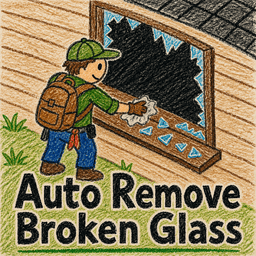
Auto Remove Broken Glass Did you have to right-click the window every time after breaking the glass, just to find the context menu option to remove the glass shards? You don't have to do that anymore. Automatically removes broken glass from nearby smashed windows when your character is standing still and not performing another action. Features - Works on windows directly beside the character. - Movement, aiming, attacking, or other actions prevent activation. - Requires an item or weapon equipped in the primary hand. Workshop ID: 3776163378 Mod ID: AutoRemoveBrkenGlass
![Project Translate [B41/B42] [RU/EN] (i18n soon) – Project Zomboid Mod](https://images.steamusercontent.com/ugc/12560333285086376938/628F4CE19C1132A5E133B5B95407AB7B9A6C1B28/)
Project Translate [B41/B42] [RU/EN] (i18n soon)
par 76561198139413786
💡 About the Project One mod to translate them all. The goal is to get a fully localized gameplay experience with hundreds of mods in your language in one click. No scattered translation packs, no compatibility hunting, no content lost to a language barrier. The vision is global — translations for all major languages. Right now the focus is on two-way RU ⟷ EN translation: Russian mods into English, English mods into Russian. Once tested and refined with community feedback — expansion to other languages. ⚙️ Installation and Usage Subscribe to the mod and enable it. Load order does not matter. ⚠️ Compatibility with 42.15 This mod has not been tested on 42.15 yet. You can enable it, but translations may not apply. In update 42.15 the developers changed the localization file format from TXT to JSON, which affects all translations. I am looking into the changes — support for the new format will be added soon. 📦 Supported Mods The list of supported mods is large and constantly growing. Fitting it here is not practical, so the full list, current translation status and detailed stats are available in the GitHub repository: 📂 GitHub: Project Translate ✍️ Author Localization This mod does not overwrite author-provided localization. The rule applies even if it contains typos or inaccuracies. The mod author has a better understanding of their modification's context, knows where and how text is displayed, and accounts for that in their translation. I translate hundreds of mods and do not always have the same level of familiarity with each one. 📊 Current Stats - Mods translated: 800+ - Lines translated: 180,000+ keys - Supported languages: RU ⟷ EN (active), others in development - Average translation coverage: ~100% (RU), ~100% (EN) See the repository for up-to-date figures. 🤝 How to Help I have developed tools that streamline the translation process. There is no need to submit pull requests with updates to translation files — they are generated automatically, and you would only be wasting your time. If the mod gains enough popularity that I can no longer keep up on my own, I will look into building community contribution tools. For now that is not a priority. Ways you can help: - ⭐ Leave a like on the mod page and a star on GitHub - 💬 Share feedback on translation quality - 📝 Suggest mods you would like to see supported - 🐛 Report bugs or inaccuracies in translations ☕ Support The best way to support the project is activity on the mod page and in the repository. Likes, discussions, feedback. A more personal thank-you can be expressed through a Steam gift.
![[B42.20] SIF - Example Events – Project Zomboid Mod](https://images.steamusercontent.com/ugc/20926872356957184/568D8C980FA19F6B78968C8A7574CD3EE634A4DC/)
[B42.20] SIF - Example Events
par 76561198112144017
SIF - Example Events These example events do NOTHING on their own. They require the Streamer Integration Framework (SIF) to function. Get SIF - Single Player Setup Required You need an external program capable of writing to a file. Strongly recommended: Streamer.bot Write to file: C:\Users\YOUR_USERNAME\Zomboid\Lua\SIF.txt IMPORTANT: Check "Append File" Included Events - animal_hatchingeggtrail - animal_ratExplosion - environment_alarm - environment_barricade_test1 - environment_barricade_test2 - environment_discoAlarms - environment_kentuckyUtilities - environment_ringOfFire_test1 - environment_ringOfFire_test2 - environment_soundEvent - environment_talk_and_text - environment_weather - fun_chalupaMode - fun_drunk - fun_eggTrail - fun_nukem - player_cold - player_coordinates - player_forceShout - player_godMode - player_heal - player_injury - player_item - player_itemCondition - player_maximizeLevels - player_moveTo - player_pooptrail - player_randomizePerk - player_savePos - player_stripPlayer - player_unlimmo - vehicle_alarm - vehicle_parts - vehicle_planecrashtest - vehicle_spawn_car - vehicle_spawn_heli - vehicle_thunderdome - zombie_circle_viewerZeds - zombie_coordinates_spawn - zombie_freeze - zombie_impulse - zombie_katana - zombie_knockdown - zombie_lore - zombie_migration - zombie_ragdoll - zombie_rain - zombie_revive - zombie_riggy - zombie_stripper - zombie_toothless_viewerZed - zombie_viewerZeds - zomboid_zSpeed For detailed syntax and parameters for each event, visit: https://yebnet.dev/sif/ Quick Examples { type="drunk", level=100 } { type="item_spawn", item="Base.Crowbar", itemNumber=1, viewer="%user%" } { type="zombierain", number=20, radius=10 } { type="heal" } { type="moveTo", location="Louisville" } Streamer.bot Resources Example Action Import: Ready-to-use Streamer.bot action with common SIF events. https://pastecode.io/s/neyu5wag NOTE: Update each file location in the WriteToFile subaction to point to your local SIF.txt file: C:\Users\YOUR_USERNAME\Zomboid\Lua\SIF.txt Voting System (4 Choices): Bare-bones voting system with 3 actions: Start Vote, Tally Vote, and Voting Commands (1-4). https://pastecode.io/s/epveo5gq Thanks to OnlyBonz for the video tutorial! Support Full documentation: https://yebnet.dev/sif/ Found a bug? Report it in the comments! Workshop ID: 3387596392 Mod ID: SIFEventsSP_4220
Explosives deal damage (A3)
par 76561198075360777
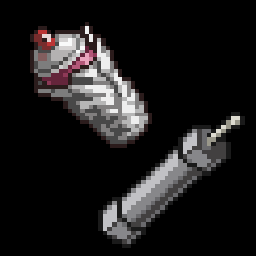
Adds damage to Pipe Bombs and Aerosol Bombs. The damage is higher near center of the explosion, but falls off the further away the zombies are. You can add this mod in middle of a playthrough, and it should still work fine. Tested in multiplayer and appears to have no issues. -------------------------------------------------- Extra info if you wish to adjust the mod for your liking: -------------------------------------------------- This mod uses values from ProjectZomboid\media\scripts\newitems.txt The throwable item's 'ExplosionPower' will determine damage of the explosion. the throwable item's 'ExplosionRange' will determine reach of the explosion. By default Aerosol Bomb has 'ExplosionPower' of 70 'ExplosionRange' of 6 By default Pipe Bomb has 'ExplosionPower' of 90 'ExplosionRange' of 7 If any mod alters these values, they will also alter the damage and/or range of this mod. Fire Bombs and Molotovs use 'FirePower' and 'FireRange' to determine their explosions, and are therefore not affected by this mod. If another mod creates new explosives, there is a chance this mod will add damage to them as well. (depends on how their mod was made.) -------------------------------------------------- You may adjust or modify this mod according to your needs and reupload it as your own if you so wish. You do not need to give me any credit. Workshop ID: 3322302206 Mod ID: A3BombTweakA3
'89 Isuzu Trooper PTBR + Sidesteps
par 76561198151389569
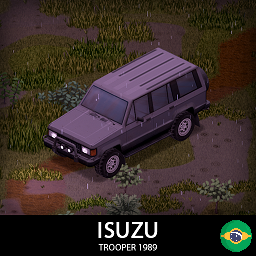
'89 Isuzu Trooper PTBR + Sidesteps This mod adds the missing car part sidesteps recipe and Brazilian Portuguese translation. NOTE: This mod is just a addon + translation for the original mod. The original mod KI5's '89 Isuzu Trooper is still necessary to work. Mod ID: 89trooperSidestepsPTBR Workshop ID: 3164918580

Tidier's Treasure Trove
par 76561198026896334
A banded chest that holds nothing but treasure. Gold and silver, cut gems, jewellery, coins and cash go in. Everything else stays out. --- UPDATE: MORE TREASURE ACCEPTED --- Raw precious metal now goes in Small gold and silver ingots, gold and silver fragments, and gold and silver sheet were being turned away. Their item tags are identical to the full bars the trove already accepted, so this was an oversight rather than a decision - and gold and silver fragments are the very material you build the trove out of. All six now go in. Clearer wording on silverware The old description said silverware was refused. Ordinary kitchen forks and spoons are, but SOLID gold and silver tableware - cups, goblets, cutlery - has always counted as treasure and gone in. The list below now says so properly. --- THE TROVE --- A one-tile lockbox built from planks, nails, hinges and the gold and silver scrap left over from breaking down jewellery. It holds 60 units and it can be padlocked. Build it with: 6 planks, 12 nails, 2 hinges, 2 scrap metal and 4 gold or silver scrap, plus a hammer and a saw. Needs Carpentry 3. Found under Furniture in the build menu. It only accepts treasure This is the point of the mod. The trove refuses anything that is not a valuable, so your hoard stays a hoard instead of slowly filling up with nails and canned beans. The refusal is enforced properly, not just hidden in the interface. Accepted: gold and silver bars, small ingots, fragments and sheet; loose diamonds, rubies, sapphires, emeralds and amethysts; gem bags; gold and silver coins; cash; any gold, silver or gem-set jewellery - rings, necklaces, earrings, bracelets and piercings; and solid gold or silver tableware such as cups, goblets and cutlery. Also accepted: the gold necklaces from Authentic Z, which carry no item tags of their own and would otherwise be turned away. Not accepted: everything else. Ordinary kitchen silverware stays out, and so does anything that is merely gold-COLOURED - gold-framed glasses, sports medals, gold star boppers. Gold-coloured sports shorts do not count as treasure. Marigolds are not made of gold. WARNING - this mod adds a world object. Once you build a Trove, that save depends on the mod. Adding it to an existing save is fine; removing it afterwards is not. Treat it as permanent for any world you use it in. Build 42 only Workshop ID: 3769346349 Mod ID: tidiertrove
True Music Addon: The Ramen Cup Vol 2
par 76561198015283079
Dark Signal - Impatient K. - Cigarettes After Sex Deftones-Change Deftones - Be Quiet and Drive Deftones- Cherry Waves Apocalypse - Cigarettes After Sex Pretty Rave Girl Perilous Journey Covenant Dance Razormind Foo Fighters - Everlong Die MF Die Drowning Pool - Bodies Last Resort (explicit) - Papa Roach Disturbed-Inside The Fire Cinema Sleep - The Response Workshop ID: 2963683200 Mod ID: Ramen_cup_2
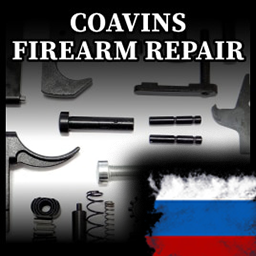
Coavins Firearm Repair RU
par 76561199103017443
Это лишь русификатор к моду Coavins Firearm Repair. Право на этот мод принадлежит Yuki, Я лишь его русифицировал. Перевёл, как смог, если знаете более правильный перевод той, или иной детали, то пишите в комменты/личку. Для работы этого мода нужен оригинальный мод. Workshop ID: 2867693571 Mod ID: CoavinsFirearmRU
![10YL - Riverside Forest [B41 ReUpload] – Project Zomboid Mod](https://images.steamusercontent.com/ugc/15290329628818318210/1F2BDC153EFDA0C999CA3F5DB5809C033E0FA8E9/)
10YL - Riverside Forest [B41 ReUpload]
par 76561198393866378
This is a reupload of the original 10 Years Later - Riverside Forest map modification created by Dane ONLY COMPATIBLE WITH B41! Credits to Dane for creating such amazing mods! Workshop ID: 3640632917 Mod ID: 10YL_RiversideForest Map Folder: 10YL_RiversideForest
Project Zomboid Guides
Installer des mods Project Zomboid - Guide Workshop
Installe proprement des mods Project Zomboid via le Steam Workshop : saisir les IDs, vérifier l’ordre, redémarrer le serveur et corriger les erreurs typiques.
Louer un serveur Project Zomboid – guide multijoueur
Configurer un serveur Project Zomboid : RAM, paramètres sandbox, mods Workshop, droits admin et vérification propre des erreurs typiques.
Serveur Project Zomboid avec support des mods
Installez les mods compatibles et pris en charge depuis le tableau de bord.
Louer un serveur Project Zomboid