Terraria Mods & Plugins

Weapon Augments
76561198190289103 द्वारा
[h1]Weapon Augments[/h1] Weapon Augments is another weapon-upgrading mod by yours truly (BlockCrusader); this time featuring a variety of effects - called Augments - which you can attach to weapons to empower them. [h2]Getting Started (READ THIS!!!):[/h2] [list] [*]The first thing you should do is make an [b]Augment Workstation[/b] from a Heavy Work Bench and 3 Fallen Stars. [*]The Workstation is used to access the mod's UI for adding/removing Augments, and also for crafting all Augment-related items! [*]As you defeat enemies, they'll occasionally drop [b]Shards of Power[/b] [*]Once you have 4 Shards of Power of the same type, your Workstation can combine them into a [b]Crystal of Power[/b] [*]Crystals of Power act like grab/loot bags; right click on one from the inventory and you'll get an [b]Augment Jewel[/b] [*]Augment Jewels are used to apply their respective Augment [*]Right click a placed Workstation to open its UI. Insert your desired equipment and Augment Jewel, then press the 'Apply' button! [*]If all goes well, the Jewel should be consumed and your item will have its Augment. Otherwise, the 'Apply' button's tooltip should tell you what's wrong [/list] [h2]Feature Overview:[/h2] [list] [*]Obtain Augment Jewels and apply their Augments to weapons to grant them special effects and/or bonuses! [*]Augments come in many varieties, and multiple tiers of power [*]There are also a few special Augments for accessories! [*]Use Void Shards to remove unwanted Augments from gear, and Augment Stamps to move Augments between items [*]Config options for customizing certain mod aspects, such as drop rates and crafting [/list] For more detailed information on all of the mod's features, refer to [url=https://steamcommunity.com/workshop/filedetails/discussion/3018268810/595149850200334937/]this pinned discussion thread[/url]! [h3]Open Source[/h3] [list] [*]This mod is open-source under the GNU GPLv3 license. In short, you’re allowed to view and utilize code from the source if you’d like, but if you want to publish any work you did with it, that project will have to use the same license (GNU GPLv3). The mod's LICENSE file contains the full details of terms and conditions, etc. [*]You can access the source-code using tML's extract function (Found in-game on the mod's More Info page in your Mods List). [/list] [h3]Localization[/h3] This mod inherently supports the English language, though I am unable to provide any other languages since that's the only one I'm fluent in. However, localization contributions on GitHub are welcomed and appreciated. Below is a list of supported languages so far: [list] [*]English (Base) [*]Simplified Chinese (Contributed by [b]Urgiv[/b] & [b]ylnx-ccff[/b]) [/list] If you desire to contribute localization, please make a PR in the [url=https://github.com/BlockCrusader/tML-Mods]GitHub repository for my mods' .tmod files[/url]. [h2]Disclaimers/Final Notes:[/h2] [list] [*]You'll find that most Augments make a small/negligible difference; this is to reduce the impact of Augments - which are generally entirely beneficial - on balancing. Regardless, they should add a little spice to your gear. [*]Should be compatible with other mods, including cross-mod features with another of my mods; Block's Leveling Mod. Just remember this mod isn't very friendly to vanilla balancing due to its nature as an 'upgrade' mod [*]As for multiplayer, it isn't thoroughly tested, but there is netcode to sync Augments; Your weapon data shouldn't suddenly be wiped and game-breaking issues are very unlikely, but here be dragons nonetheless [/list] [h3]If you have any questions, please first read the workshop page's full description and [url=https://steamcommunity.com/sharedfiles/filedetails/discussions/3018268810]pinned discussions![/url][/h3][quote=tModLoader WeaponAugs] Developed By BlockCrusader[/quote]

Calamity Infernum Nothing Patch Fix
76561198337140876 द्वारा
This mod fixes nothing. Requires Infernum Mode to run. [quote=tModLoader InfernumModeFix] Developed By 11111111234, Alino4kaHvoshch[/quote]

Dragon Ball Terraria: Super Saiyan Blue Evolution
76561199058810995 द्वारा
BonusForms for DBT mod DONT ASK QUESTIONS ABOUT THIS ADDON IN THE DBT SERVER THEY HAVE NOTHING TO DO WITH THIS MOD!!! IF YOU HAVE ANY, FEEL FREE TO ASK THEM IN TBS SERVER, LINK BELOW. [hr][/hr] [h2]What does this addon add?[/h2] -Forms which are listed below- -New Ki Scroll and Ki Fragment and other items- -New Ancient Trait- -Craftable vanity hair- [h2]Items[/h2] -Fruit of Might- *Drops from Eye of Cthulhu *Increases max hp by 50 and max ki by 500 -Enchanted Dragon Ball (Accessory)- *Craft: FourStarDB, 'World Evil' Powder, Fruit of Might *Gives exclusive form, increases hp, increases max ki and ki damage -Crimson Mask- *Drops from Plantera *Increases your hp by 100 and increases charge rate *Decreases max ki by 2500 *Gives other bonuses after lethal hit -Skilled Ki Scroll- *Craft: AngerKiCrystal, Soul of Sight, Antlion Mandible -Skilled Ki Fragment- *Drops from Golem bag *Increases maximum ki by 1000 [h2]How to unlock forms[/h2] False Super Saiyan: 1.Half HP while fighting Eater Of Worlds / Brain Of Cthulhu 2.PROFIT!!! Evil Saiyan Form: 1.Eat the Fruit of Might that drops from Eye Of Cthulhu 2.PROFIT!!! 3. (YOU SHOULD HAVE ANCIENT TRAIT) Wrathful: 1.Defeat Wall Of Flesh 2.PROFIT!!! 3. (YOU SHOULD HAVE LEGENDARY TRAIT) Super Saiyan Rage (not for legendary): 1.Defeat Slime Queen 2.Defeat Cultist 3.PROFIT!!! Perfected Super Saiyan Blue (not for ancient): 1.Master Super Saiyan Blue 2.PROFIT!!! Super Saiyan Blue Evolution / Super Saiyan Blue Kaio-Ken (not for ancient): 1.Master Perfected Super Saiyan Blue 2.Get Scroll from a Merchant (After beating MoonLord) 3.PROFIT!!! 4. (YOU CAN SELECT ONLY ONE FORM) [h2]Important Additions[/h2] --Ancient Trait-- If you got ancient trait, your eyes should turn red and ki ball on the bar should be black (if you have new ki bar config turned off, your ki bar should have black-red gradient) + 5 Defense + Stackable Form - Evil Saiyan, gives 1.5k extra ki when used, damage upgrades after killing certain bosses ~ +20% (Eye Of Cthulhu) -> +30% (Skeletron) -> +50% (Plantera) -> +75% (Moonlord) ~ - Doesnt have access to god forms, if you will try to use them, they will automatically turn off --Legendary Trait-- + Wrathful Form and Full Power SSJ * Each 15 seconds Wrathful gets 'Rage Burst', it increases form damage by 10%, these 'Bursts' can be stacked up to 10 times(takes around 2,5 minutes), once you reach this limit your form will change to Full Power Super Saiyan * Full Power Super Saiyan has unstable(random) ki drain, but in exchange it gives you 3000 extra ki and 100 hp, you cant unlock this form and you can access it only by using Wrathful, you can sustain this form only for 45 seconds, when this timer ends, form will have 3 minute cooldown --Traitless/Prodigy Trait-- + Perfected SSB | SSB Kaio-Ken | SSB Evolution * Perfected Super Saiyan Blue is just better version of Super Saiyan Blue, nothing more to say, required for obtaining SSBE/SSBKK * Super Saiyan Blue Evolution gives most defense out of all blue forms, it also has better ki drain and hp regeneration(hp regeneration increases when you charge your ki), because of other benefits this form gives, it only has slightly better damage than SSRose * Super Saiyan Blue Kaio-Ken(x10) gives most damage out of all blue forms, but it gives you less defense than other blue forms, it also has expensive ki drain, becomes slightly better after mastering and unlocking SSBKKx20 [hr][/hr] [h1][url=https://discord.gg/NqUvkJQWuA]Dragon Ball Terraria Server![/url][/h1] [h1][url=https://discord.gg/whNCn3Dvuw]Terraria Ball Super Server! (other addons and new dragon ball mod in development)[/url][/h1] Add-On Code: https://github.com/GoldFix1/SSBETES Sprites Edited/Based on Dragon Ball Terraria's Sprites. Credit to the original team. [quote=tModLoader SSBETES] Developed By GoldFix1[/quote]

Fargo's Fish Anything
76561198096315536 द्वारा
-You can fish any item from any water -Items with lower rarities are more common -Have fun NEW UPDATE - V 1.1 -Updated to latest tmod 1.4.4 NEW UPDATE - V 1.0 -Added several config options -You can now set a percentage of fishing random loot, so you can still get fish normally as well -You can cap the rarity level of items fished up. This includes Expert/Master drops (rarity 12 and 13). Default is no cap. -Options to never fish up block/furniture or vanity items NEW UPDATE - V 0.7 -Updated to latest tmod NEW UPDATE - V 0.6 -Updated to tmod 1.4 NEW UPDATE - V 0.4.1 -Added an icon! -Items with negative rarity can now be caught (custom rarities, fishing junk, quest fish) -Vanity items and furniture have a 20% of being rerolled now -Having over 50 fishing power will increase reroll chance to 50% -Items with rarity 7 and higher cannot be fished until Hard Mode [quote=tModLoader]Developed By Fargowilta[/quote]

Immersive Inventory (Better HUD Visuals)
76561199139731536 द्वारा
[h1]Immersive Inventory[/h1] [b]Immersive Inventory[/b] aims to make the player's inventory feel better, more satisfying, and ultimately more immersive. [hr][/hr] [h2]Current Features[/h2] [list] [*] [h2] [b]Inventory Item Physics:[/b] [/h2] Adds subtle springy mouse physics to held inventory items for a smoother, more dynamic feel. [img]https://i.ibb.co/p6GbzFTf/new3.gif[/img] [*] [h2] [b]Item scaling under the cursor:[/b] [/h2] Adds a subtle scaling effect to items under the cursor that casts a dynamic shadow. [img]https://i.postimg.cc/sXvpBdTt/ezgif-8db54d041bb0b9ae(1).gif[/img] [*] [h2] [b]Smoother item placing / swapping:[/b] [/h2] Adds a small placement animation to items and makes them swing into place if item physics are enabled. [img]https://i.ibb.co/9SGt0Lt/new2-1.gif[/img] [*] [h2] [b]Hotbar animations:[/b] [/h2] Adds the cursor scaling effect to your selected hotbar item, as well as adding an additional accelerated scrolling effect for quick mousewheel and controller joystick input. [img]https://i.ibb.co/KcKpszpB/ezgif-81dc50f6097835f6-1.gif[/img] [*] [h2] [b]Sound effects:[/b] [/h2] All inventory items now have sound effects like the rest of the HUD, as well as exclusive sounds for coins. [*] [h2] [b]Configurability:[/b] [/h2] All features are highly configurable, allowing you to enable and disable any and all features. [/list] [hr][/hr] [h2]Planned Features[/h2] [hr][/hr] [h2]Compatibility?[/h2] [list] [*]Immersive Inventory appears to be compatible with any mod, only having minor visual glitches with mods that have similar functions (i.e. the inventory animations in Naka's Inventory Tweaks). [*]Modded HUDs aren't inherently supported, but will most likely function the same. [/list] [hr][/hr] [i]Inspired by the Minecraft Immersive UI mod created by catboybinary and SSKirillSS.[/i] [url=https://modrinth.com/mod/immersive-ui]Original Minecraft Mod[/url]

Luck Reader
76561198020845329 द्वारा
[i]Luck Reader displays a breakdown of each factor in your luck stat in a configurable buff.[/i] [b]=Displays:>[/b][list] [*] Total, Torch, Ladybug, Lantern, Potion, Pearl, Equip', Coin, & Gnome lucks[/list] [b]=Includes:>[/b][list] [*] 1 Buff (+2 configs) [*] 1 ModPlayer[/list] -[b]Changelog[/b]-> See the workshop page's [url=https://steamcommunity.com/sharedfiles/filedetails/changelog/2873020090]Change Notes[/url] or the in-game description. Older versions are also available through branches on [url=https://github.com/JTacoCSharpie/LuckReader]Github[/url] [quote=tModLoader]Developed By Tacomancer[/quote]
![Thrown Spears[Beta]](https://images.steamusercontent.com/ugc/17537939274637496638/58A725D3041344B802113D6888D721FF934AEDE1/)
Thrown Spears[Beta]
76561198985306698 द्वारा
Welcome to [Thrown Spears] mod! This mod adds an unique throwing mode to all vanilla spears. This mod is still under polishing, its VFX, SFX, bugs and mp experience needs improvement. Thanks for your understanding ==Spears to Throw== Set an keybind in Controls, hold the spear in hand, and press the hotkey to turn it into a javelin! Listed spears are affected: *Spear, Trident, Swordfish. *the Rotted Fork, Storm Spear, Dark Lance. *Cobalt Naginata, Palladium Pike, Mythril Halberd, Orichalcum Halberd. *Adamantite Glaive, Titanium Trident, Obsidian Swordfish. *Gungnir, Mushroom Spear, Ghastly Glaive, Chlorophyte Partisan. *Scourge of the Corruptor, the North Pole. *Sky Dragon's Fury, Daybreak. ==New Items== This mod added several spear related items, have them a try! *2 Gloves. Grant javelins ability to charge for an attack. *8 Premiere Ore Emblems. Grant varous bonus. *Nightmare Glaive, the corruption alt of the rotted fork. ==New Mechanism== A few mechanics are added to help about javelin playthrough. *Recipe for some early spears are added. *You can change some bars consuming a gem, for example: Adamantite Bar + Diamond = Titanium Bar. *Late-game spears that is hard to obtain are granted a harder recipe. *Wyrm spawning disable when any Ice Queen present. ==Hidden Weapons== These weapons cannot be obtained in common ways. Keep curious and good luck! *Tonbogiri, a treasure after mechanical maythem, and a token from the old days. *Titan's Revenge, thunder nurtured by ectoplasm. *The Solar Wind, the ultimate lance. [quote=tModLoader]Developed By Plantare(BiliBili@世纪小花)[/quote]

Expanded Terraria
76561198131789269 द्वारा
Expanded Terarria is a mod that expands the vanilla terraria experience by adding a plethora of new items, gameplay options and changes to enhance the game progression. All of that while keeping the vanilla feel, vibe and style as much as possible. This bring us to 1200+ new items and changes such as: - quality of life changes - new starting gear - new weapons - new armour - new tools - new accessories - new hostile npcs - new npc loot - new mini-bosses - new npc invasion events - new town npcs - new items in npc shops - new underground merchants - new chest loot - new fishing loot, crates, rods, baits - new ways of progression - new biomes and mini-biomes - expansion of existing biomes' features - more customized accessory slots for expert/master - expanded events - new events - many additions to expert mode - a lot of additions to master mode - improved expert/master mode scaling - improved luck-based systems - new item rarities as well as "legendary items" - new difficulty "abyssal" - rune scroll slots which grant certain bonuses and set bonuses - npc affixes that vary between events or game progression - weapon enchanting that rolls through many rarity tiers or unique powers - armour reforging that rolls various bonuses - armour sanctifying that grants even more bonuses - themed accessory modifying that rolls various themed bonuses - rune scroll enchanting that rolls various bonuses - vanilla tweaks and balance changes and so much more! * Keep in mind that this mod is in it's rather early stages and balance might be off after new updates, but everything will be well balanced in the end! * To find your way around please make use of QOL mods like Quite Enough Recipes! * If you need more help make sure to join our discord server! Link: https://discord.gg/aZVe7EPrTY * Feel free to ask me any questions there, give suggestions or report bugs! * There's 1k members, so if I'm offline I'm sure someone else will help you out! * We also have a #FAQ channel with more detailed descriptions for item obtaining * If you encounter accessory slot incompatibility, you can now toggle them in the config, do it from the mod list though as it needs a reload! Thank you very much for your continuous support! Enjoy! Eldermire Theme Song Credits: Raxx Localization Credits (Outdated) Brazilian Portuguese: @Prupro, @serquesechamaalmir Simplified Chinese: @Subparman, @简境巧[quote=tModLoader ExpandedTerraria] Developed By rapidblaze[/quote]

Better Potions
76561198847194261 द्वारा
Better Potions adds unique potions, modifies vanilla potions, and adds a few quality of life changes! [h2]TLDR[/h2] - Adds 13 new potions - Buffs 6 vanilla potions - Makes (most) potions last 10 minutes and allows them to persist after death - Multiplayer is supported - Highly configurable - Currently supports English and Russian, see below if you'd like to contribute another translation [hr][/hr] [h2]New Potions[/h2] [table] [tr] [th]Name[/th] [th]Effect[/th] [th]Acquisition[/th] [th]Notes[/th] [/tr] [tr] [th]Grave Potion[/th] [th]Teleports you to where you last died[/th] [th]Crafted with bottled water, specular fish and deathweed[/th] [th][/th] [/tr] [tr] [th]War Potion[/th] [th]Increases enemy spawn rate and cap by 400%[/th] [th]Crafted with battle potion and soul of fright[/th] [th]Mutually exclusive with battle potion[/th] [/tr] [tr] [th]Instigating Potion[/th] [th]Makes enemies more likely to target you[/th] [th]Crafted with bottled water, tissue sample, and deathweed[/th] [th][/th] [/tr] [tr] [th]Deterring Potion[/th] [th]Makes enemies less likely to target you[/th] [th]Crafted with bottled water, shadow scale, and deathweed[/th] [th][/th] [/tr] [tr] [th]Disco Inferno Potion[/th] [th]Engulf nearby enemies in dazzling flames[/th] [th]Crafted with inferno potion and crystal shard[/th] [th]Mutually exclusive with inferno potion[/th] [/tr] [tr] [th]Orichalcumskin Potion[/th] [th]Increases defense by 14[/th] [th]Crafted with ironskin potion and orichalcum/mythril ore[/th] [th]Mutually exclusive with ironskin potion[/th] [/tr] [tr] [th]Berserker Potion[/th] [th]Increases melee damage and speed by 10%[/th] [th]Crafted with bottled water, rotten chunk/vertebrae, shiverthorn, and fireblossom[/th] [th][/th] [/tr] [tr] [th]Piercing Potion[/th] [th]Increases armor penetration by 10[/th] [th]Crafted with bottled water, demonite/crimtane ore, and deathweed[/th] [th][/th] [/tr] [tr] [th]Leaping Potion[/th] [th]Increases jump speed by 50% and enables auto-jump[/th] [th]Crafted with bottled water, cloud, blinkroot, and waterleaf[/th] [th][/th] [/tr] [tr] [th]Steelfall Potion[/th] [th]Increases falling speed, press DOWN to fall faster[/th] [th]Crafted with bottled water, daybloom, blinkroot, and iron/lead bar[/th] [th][/th] [/tr] [tr] [th]Heightened Senses Potion[/th] [th]See nearby sources of danger, see better in the dark and see the location of enemies[/th] [th]Crafted with bottled water, soul of sight, daybloom and blinkroot[/th] [th]Mutually exclusive with night owl, dangersense, and hunter potions[/th] [/tr] [tr] [th]Immovable Potion[/th] [th]Grants immunity to knockback[/th] [th]Crafted with bottled water, soul of might, shiverthorn, and moonglow[/th] [th][/th] [/tr] [tr] [th]Flight Potion[/th] [th]Grants you ethereal wings to fly with[/th] [th]Crafted with bottled water, soul of flight, feather, and daybloom[/th] [th][/th] [/tr] [/table] [h2]Vanilla Potion Changes[/h2] - Ammo Reservation - 50% (was 20%) chance to not consume ammo - Archery - Has been turned into the Predator Potion, 10% increased ranged damage and critical chance - Builder - Increased placement range by 3 (was 1) tiles and increased placement speed by 50% (was 25%) - Mana Regeneration - Also grants a constant 4 mana regeneration per second which happens even if you’re using a magic weapon - Obsidian Skin - Also makes you immune to cursed inferno and ichor - Summoning - Also grants +1 sentry slot and increases summoning damage by 10% [h2]Quality of Life Changes[/h2] - Buffs are persistent after death with a penalty of 25% of the remaining time - Most potions now last 10 minutes. Potions that lasted longer haven’t been changed and Luck potions also haven’t been changed - Some potions and buffs have had their tooltips changed to be more informative and consistent [h2]Configuration[/h2] - Whether buffs are persistent after death and how much of the remaining time is lost - Whether most potions last 10 minutes, including a blacklist - Whether vague potions and buffs have tooltips changed - Toggle for each vanilla potion change - Toggle for each added potion [hr][/hr] [h2]Credits[/h2] - [url=https://github.com/Teftelnik]Teftelnik[/url] for Russian translation - DamageMaximo for sprites [hr][/hr] Source code: https://github.com/stormytuna/BetterPotions Join the [url=https://discord.gg/yr3hUxUxpg]discord server![/url] If you enjoy my work, [url=https://ko-fi.com/stormytuna]please consider donating[/url] If you're able to contribute translations it would be greatly appreciated! Please open an issue with the translations, or create a PR with the new .hjson localization file. [quote=tModLoader BetterPotions] Developed By stormytuna[/quote]

Mod Manager
76561199111643075 द्वारा
[h1]⠀⠀⠀⠀⠀⠀⠀⠀⠀⠀⠀⠀⠀⠀⠀⠀⠀ MOD MANAGER[/h1] This mod is intended to improve the experience of interacting with the tModLoader interface by replacing it with the new one and adding more feathures. [b][u]Currently the mod is IN ALPHA VERSION and may contain bugs and contain raw content.[/u][/b] [hr] [h1]⠀⠀⠀⠀⠀⠀⠀⠀⠀⠀⠀⠀⠀⠀⠀ NOT SUPPORTED MODS[/h1] [olist] [*] [b]Concise Mod List[/b] [i](but implements its functionality)[/i] [*] [b]Smart Mod Management (For TML)[/b] [i](but implements its functionality)[/i] [*] [b]Show Mod Side Icon[/b] [i](but implements its functionality)[/i] [*] [b]Mod Folder System[/b] [i](but implements its functionality)[/i] [*] [b]Maybe some other mods[/b] [/olist] [hr] [h1]⠀⠀⠀⠀⠀⠀⠀⠀⠀⠀⠀⠀⠀⠀⠀ SHOWCASES[/h1] [h2]Showcase: Scaling[/h2][video mp4=https://raw.githubusercontent.com/Drovyng/ModManager/refs/heads/main/Videos/Scaling.mp4][/video] [h2]Showcase: Filters[/h2][video mp4=https://raw.githubusercontent.com/Drovyng/ModManager/refs/heads/main/Videos/Filters.mp4][/video] [h2]Showcase: Renaming[/h2][video mp4=https://raw.githubusercontent.com/Drovyng/ModManager/refs/heads/main/Videos/Renaming.mp4][/video] [h2]Showcase: Folders And Paths[/h2][video mp4=https://raw.githubusercontent.com/Drovyng/ModManager/refs/heads/main/Videos/Folders.mp4][/video] [h2]Showcase: Collections[/h2][video mp4=https://raw.githubusercontent.com/Drovyng/ModManager/refs/heads/main/Videos/Collections.mp4][/video] [h2]Showcase: Customization[/h2][video mp4=https://raw.githubusercontent.com/Drovyng/ModManager/refs/heads/main/Videos/Customization.mp4][/video] [h2]Showcase: Resource Packs[/h2][video mp4=https://raw.githubusercontent.com/Drovyng/ModManager/refs/heads/main/Videos/Resource%20Packs.mp4][/video] [h2]Showcase: Mod Browser[/h2][video mp4=https://raw.githubusercontent.com/Drovyng/ModManager/refs/heads/main/Videos/Mod%20Browser.mp4][/video] [hr] [h1]Thanks everyone for support![/h1][quote=tModLoader ModManager] Developed By Drovyng[/quote]

Calamity Gem Tech Post-Noxus
76561198300440194 द्वारा
I didn't like how useless Gem Tech armor was, so now it can be used to make an accessory with the same benefits after defeating Noxus in Wrath of the Gods. Mod description-ing is hard... [quote=tModLoader]Developed By EclipseSword[/quote]

Dynamic Lights
76561198085551319 द्वारा
This mod makes light sources in Terraria dynamic (lights cast shadows and directly illuminated areas are brighter). Looks fancy sometimes. Explanation for options: Shadow Quality determines the resolution of the rendered shadows. An increase by one doubles the resolution and thus decreases performance. Below 8, you might experience inaccuracies or artifacts like very thin objects not casting shadows. Values above 12 need VERY good GPUs (3070+) with very high VRAM, and will potentially crash your game or system otherwise. Brightness Cutoff removes lights that are dimmer than the set value from casting shadows. This helps performance, as every light (including tiny glimmers) that casts shadows needs to be calculated. For reference, gemspark blocks have a brightness of 0.25 to 0.5 depending on color, and torches a brightness of 1. Maximum Light Cap limits the amount of lights rendered at the same time. Will prioritize brighter lights. If you don't want to increase the brightness cutoff or decrease quality and only experience performance issues with a lot of particles, decrease this number. Shadow Smoothness determines how crisp the shadows are. The higher the value, the smoother and less pronounced are the shadows. Shine Distance is a multiplicator for how far the dynamic light is cast from a source. Darkest Brightness determines how much darker areas unlit by dynamic light are. If set to 0, unlit areas are black. If set to 1, unlit areas are as normal. Brightest Brightness determines how much brighter lit areas are. If set to 1, lit areas are as normal, higher values makes them brighter. Together, these values control the magnitude of the effect. The farther the values are apart, the stronger the effect. Special modes are with darkest brightness at 1, which will only make lit areas brighter than normal, and with brightest brightness at 1, which will only make unlit areas darker than normal. Brightnes Falloff controls, how very bright lights compare to darker lights. The closer the value is to 1, the more will brighter light sources appear to be brighter. The larger the value gets, the more will brighter lightsources appear to light further, instead of brighter. Increase Surface Lighting will not dim unlit areas as harshly when the player is in the surface level or above. This can help alleviate issues with a seemingly dark day when the darkest brightness is set to low values. Show Sun will make the sun cast shadows. This is not recommended unless you have a shadow quality of at least 11, or it will look bad.[quote=tModLoader DynamicLights] Developed By Lafiel[/quote]

Improved Teleporters
76561198160651401 द्वारा
This mod adds a 1x1 teleporter which doesn't produce light or create noise, for all of your building needs. They do not require switches either, as you just have to right click them and hook up wire to another teleporter. It now also adds a new "Door Teleporter" tile which functions identically, but looks like a vanilla door, and uses hotkeys to cycle through the vanilla door's spritesheet. Both teleporter types are purchased from the mechanic in prehardmode, and can be crafted into each other. •You can still use smart cursor to interact with them, despite the highlight being missing; this is because they are intended to be used in background doors, so they are intended to be less visible. •Note that they are best used with switches rather than pressure plates & player above sensors, as an improper setup can result in an infinite teleporting loop. -For example, if you're using pressure plates, do NOT use the same wire to connect all plates and teleporters. In stead, connect the plates to individual teteleporters with separate wire colors. -Also, avoid putting pressure plates directly below teleporters. •Also, unfortunately it is nearly if not completely impossible to make wiring like this function in multiplayer, as wiring is only executed in the world and by the server and thus cannot easily collect player data; teleporting will not work in multiplayer. [h3]Credits:[/h3] •Alino4kaHvoshch & xenofite (Russian translation) [h2]Also Try:[/h2] [b]----- Polaris Texture Pack --------- Backgrounds o' Plenty -------- PRIME Texture Pack -----[/b] [url=https://steamcommunity.com/sharedfiles/filedetails/?id=2699930018][img]https://i.imgur.com/zFO2rLq.png[/img][/url] [url=https://steamcommunity.com/sharedfiles/filedetails/?id=2971754944][img]https://i.imgur.com/eQQtP5B.png[/img][/url] [url=https://steamcommunity.com/sharedfiles/filedetails/?id=2440281777][img]https://i.imgur.com/zh0vhYR.png[/img][/url] [h2]My Other Mods:[/h2] [b]------- Better Blending ----------- Atmospheric Torches ------------ Smart FPS Cap --------[/b] [url=https://steamcommunity.com/sharedfiles/filedetails/?id=2816941454][img]https://i.imgur.com/1tX3a4N.png[/img][/url] [url=https://steamcommunity.com/sharedfiles/filedetails/?id=2817496179][img]https://i.imgur.com/iKsSiS6.png[/img][/url] [url=https://steamcommunity.com/sharedfiles/filedetails/?id=3550324339][img]https://i.imgur.com/gftwTcO.png[/img][/url] [b]-Improved Movement Visuals ------- Artificial Biomes ------ [/b] [url=https://steamcommunity.com/sharedfiles/filedetails/?id=2816557864][img]https://i.imgur.com/hxiNC0V.png[/img][/url] [url=https://steamcommunity.com/sharedfiles/filedetails/?id=2836811600][img]https://i.imgur.com/lhrAHuI.png[/img][/url][quote=tModLoader ImprovedTeleporters] Developed By Orion[/quote]

Black Clover - Grimoires
76561198141819521 द्वारा
[hr][/hr] [h1][b]New Update[/b][/h1] o Added a config option to clear all of the grimoire spells in your book so you can reselect them again o Added a config option to reset the number of spins so that you can keep getting them from the Sorcerer o Cannot use Tongue Grimoire when another grappling hook is being used o Fixed Gold Skull not doing anything [hr][/hr] [h1][b]Grimoires![/b][/h1] [hr][/hr] o 49 different magic books each with 7-11 unique spells! o 200+ New projectile animations to see! o From the popular anime show Black Clover! o See Dark Magic, Fire Magic, Demon Magic, Dream Magic, and much more! [hr][/hr] o There will be an old wizard who gives you your grimoire o Along with the grimoire you will get your class (peasant, commoner, noble, or royalty) and grimoire level (3 to 5 leaf clover) o These factors will affect how many kills you need to level up and how strong your grimoires can be! o You are given a desired amount of rerolls. After those rerolls you can not get any new grimoires [hr][/hr] o This mod is a side mod to Atherius Mod! It is added here for those who only want to experience more of a Black Clover feeling. o If you'd like to check out all of the grimories and their abilities, you can download Atherius Mod which has all the grimoires craftable instead! o [url=https://steamcommunity.com/sharedfiles/filedetails/?id=2793436136] Click here to see Atherius Mod [/url] [hr][/hr] [h1][b]Current Grimoires:[/b][/h1] o [b]Most Likely:[/b] Water, Fire, Lightning, Wind o [b]Common:[/b] Poison, Light, Dark, Plant, Ice, Earth, Tongue o [b]Rare:[/b] Compass, Dice, Spatial, Food, Transformation, Heart, Fortify, Mischief, Smoke, Crystal, Mercury, Plasma, Gold, Beer, Sword o [b]Very Rare:[/b] Time, Paint, String, Void, Trap, Dream, Curse, Chaos, Music, Skin, Mirror, Star, Rotting, Echo, Explosion, Techno, Legion, Key o [b]Demon:[/b] Demon (aka Anti), Gravity, Blood, Word, Death [hr][/hr] [h1][b]Current Royalty Rankings:[/b][/h1] o [b]Peasant:[/b] Lesser magic. Takes more mana to use along with smaller and weaker attacks o [b]Outsider:[/b] Guaranteed from one of the other 3 kingdoms. Gets custom perks based on the kingdom they're from o [b]Commoner:[/b] Normal for the most part. No big nerfs or buffs to their attacks o [b]Noble:[/b] Slightly stronger and faster magic attacks o [b]Royalty:[/b] Can uses a lot less mana while doing stronger and faster attacks o [b]Wizard King:[/b] Best damage and scale increase, along with lesser mana needed o [b]Spirit:[/b] Mana is practically no issue and the damage is obsurd. Recommend using if OK with an overpowered weapon [hr][/hr] [h1][b]Current Grimoire Rankings:[/b][/h1] o [b]Three-Leaf Clover:[/b] Basic grimoire, no perks o [b]Four-Leaf Clover:[/b] Takes less mana to use as well o [b]Five-Leaf Clover:[/b] Uses practically zero mana o [b]Spade Kingdom:[/b] More damage is done at nighttime o [b]Diamond Kingdom:[/b] Damage relies a lot more based on the players mana o [b]Heart Kingdom:[/b] Damage relies a lot more based on the players heart o [b]Spirit:[/b] Again, mana is practically no issue and the damage is obsurd. Recommend using if OK with an overpowered weapon [hr][/hr] [h1][b]F.A.Q.[/b][/h1] [b]Q:[/b] How do I get 4 or 5 leaf Grimoires? [b]A:[/b] 4 leaves are a 3% chance, 5 leaves are only if you get 1 of the 5 demon Grimoires, which each have a 0.5% chance [b]Q:[/b] How do I get the wizard? [b]A:[/b] Normal terraria NPC. Just have a house ready for him. No requirements or anything [b]Q:[/b] Can I reroll if I don�t like my grimoire? [b]A:[/b] You get 3 rerolls. No takebacks. [b]Q:[/b] What does mana zone do? [b]A:[/b] Mana zone allows some of you projectiles to spawn at your mouse position instead of the players position. Note that not all Grimoires have a mana zone spell. [b]Q:[/b] My grimoire's kill count is not going down? [b]A:[/b] Are you still in pre hardmode / what is your grimoire level? Grimoires at level 3 will not level up anymore until you are in hardmode. [b]Q:[/b] My void grimoire is only doing 1 damage? [b]A:[/b] Void grimoire is probably the most similar grimoire to the show. It straight up “removes” the npc rather than killing it. So to make it a little less op it’s health needs to be less than 100, 150, or 200 in order for it to work and send it away. [b]Q:[/b] My projectiles are going through enemies? [b]A:[/b] They will do that if your weapon does 0 damage. Grimoire damage is dependent on your mana so if you’re fresh in and have only 20 max mana, you are going to be really weak and potentially do 0 damage. [b]Q:[/b] How can I check my level? [b]A:[/b] There is a keybinding that displays your grimoire level and how many kills are needed to level up. [hr][/hr] Be sure to check out my other mods! o Cobler's Mod o Attack on Terraria o Psychokinesis o Runes of the 7 Sins o Display Kill Count [hr][/hr] [h1][b][url= https://discord.gg/YkSC3uXuDc] This is part of the Cobler's Mod Discord [/url][/b][/h1] [hr][/hr] [h1][b] If you like what you see, please consider donating! I'm just one person doing this along with many other mods, so any little bit helps. Thanks! (If you can't donate, don't worry. Your support is enough!)[/b][/h1] [url= https://www.patreon.com/user?u=77760570&fan_landing=true][h1][b] Patreon Page [/b][/h1][/url] [hr][/hr] [h1]Thanks to all who decide to try out this mod![/h1] [quote=tModLoader]Developed By Merfinator[/quote]

IPv6 Multiplayer Support
76561198805079871 द्वारा
IPv6 is faster and more reliable than IPv4, and it's so smooth that you won't even feel any latency if you have a good internet connection. However, Terraria doesn't natively support IPv6 for online multiplayer. But don't worry, this mod allows you to play multiplayer over IPv6 But hold on, before you dive in, make sure both you and your buddies have an IPv6 connection. You can easily check by visiting this website: http://ipv6-test.com/ As a host: You must have a public IPv6 address As a client: You must be able to have an IPv6 connection with the host. Type "ping -6 <Host's IPv6 Address>" in cmd to test it The host just open a server as usual. The client should choose "Join via IP", copy and paste the host's IPv6 address when Terraria tells you to enter server IP address, and then connect. That's it! [quote=tModLoader]Developed By Cyrilly, JerryAZR[/quote]

Mod Folder System
76561198997453836 द्वारा
[h3]Summary[/h3] "Mod Folder System" is designed to manage mods in folder system, making it convenient for players with a lot of mods subscribed. Left-click at the "Manage Mods" button to open the folder system. (and right-click to enter the original mod manager. This can be switched by configuration) Double-click a mod to toggle it (disable a mod when pressing Shift would also disable its redundant dependencies (dependencies that are not used by other enabled mods)), or a folder to enter (first you should create a folder using the button "Create Folder" below). Left-click and drag an item to move its position (when moving a mod into a folder, pressing shift to copy it). When at custom order, you can change the order of items; When at the folder system (not to show all mods), you can move an item in or out a folder (moving in a folder named ".." is equivalent to moving to the previous directory, or you can just move to a folder in the path). When deleting an item, you should press Ctrl or Shift or both. Pressing Ctrl means unsubscribe (for folder it means unsubscribe all mods in the folder), just like the vanilla; Pressing Shift means delete the index, so the mod or mods in the folder would go back to the root. If you just unsubscribe but not delete the index, the item would still be there, and you can continue to manage its location, but you nned to resubscribe to enable it again. Click a mod when pressing Alt to favor it. Favorite mods won't be disalbed due to "Enable & Disable" button, unless you press Ctrl at the same time. This mod's data is saved in "ModFolderData.json" in the mod folder, please do not delete or modify it arbitrarily (if you want to modify it, please make a backup!) [h3]Description[/h3] - Thinner mod items, and smaller mod icon (use icon_small when available, and show the original when hovered) [url=https://steamuserimages-a.akamaihd.net/ugc/15293402258661953/1BC65F74D108CB8562AC313A5F79AB01C9DB9FB6/][img]https://steamuserimages-a.akamaihd.net/ugc/15293402258661953/1BC65F74D108CB8562AC313A5F79AB01C9DB9FB6/[/img][/url] [url=https://steamuserimages-a.akamaihd.net/ugc/15293402258676069/30D994BCC2E5AB34FA4EB022384671F480BDD560/][img]https://steamuserimages-a.akamaihd.net/ugc/15293402258676069/30D994BCC2E5AB34FA4EB022384671F480BDD560/[/img][/url] - Set alias to a mod, and hover to see the original name and authors [url=https://steamuserimages-a.akamaihd.net/ugc/15293402258679454/08F45F78BF94FA44011587A4DD87266CD051D8DA//][img]https://steamuserimages-a.akamaihd.net/ugc/15293402258679454/08F45F78BF94FA44011587A4DD87266CD051D8DA/[/img][/url] - Double click on a mod to toggle it, and show the enable status via different background color. (transparent - disabled, white - enabled, green - to be enabled, red - to be disabled) [url=https://steamuserimages-a.akamaihd.net/ugc/15293402258680220/B3FC8F4C4D1E38F1C8974C756D5F76C3E9973CD0/][img]https://steamuserimages-a.akamaihd.net/ugc/15293402258680220/B3FC8F4C4D1E38F1C8974C756D5F76C3E9973CD0/[/img][/url] - Left-click to drag an item to sort (support multi-select by using Ctrl and Shift) [url=https://steamuserimages-a.akamaihd.net/ugc/15293402258680631/32294FE8A33AF5FB5F2BFE36EDDF17DBA9DAB9FC/][img]https://steamuserimages-a.akamaihd.net/ugc/15293402258680631/32294FE8A33AF5FB5F2BFE36EDDF17DBA9DAB9FC/[/img][/url] - Create a folder to hold mods or other folders. You can drag an item into the folder or out the folder (through special folder ".."), Especially, you can drag into or out a folder while holding Ctrl to copy the mod's index, allow to have a mod in different directory. [url=https://steamuserimages-a.akamaihd.net/ugc/15293402258689356/12CD647DD3D39FB4C329CECFCBA61137B1D504DE/][img]https://steamuserimages-a.akamaihd.net/ugc/15293402258689356/12CD647DD3D39FB4C329CECFCBA61137B1D504DE/[/img][/url] [url=https://steamuserimages-a.akamaihd.net/ugc/15293402258689913/5E485CDC4099042C593AB0387FE48174A15BDA92/][img]https://steamuserimages-a.akamaihd.net/ugc/15293402258689913/5E485CDC4099042C593AB0387FE48174A15BDA92/[/img][/url] - Delete is seperated into unsubscribe and delete the index. If a mod is unsubscribed but keep the index, it would still show in the directory, and player can easily resubscribe and install it. And if you delete the index but don't unsubscribe the mod, it would show up at the root folder if it don't has a copy anywhere else. [url=https://steamuserimages-a.akamaihd.net/ugc/15293402258694801/5769AFA70A4760FCCD87373022BB60D7F37749E2/][img]https://steamuserimages-a.akamaihd.net/ugc/15293402258694801/5769AFA70A4760FCCD87373022BB60D7F37749E2/[/img][/url] [url=https://steamuserimages-a.akamaihd.net/ugc/15293402258695791/0DF11F92879643E533EDB46C7F5CF8D68EBA2660/][img]https://steamuserimages-a.akamaihd.net/ugc/15293402258695791/0DF11F92879643E533EDB46C7F5CF8D68EBA2660/[/img][/url] - Delete the folder behave similarly, but unsubscribe all is more dangerous, so double confirm is always needed by default. [url=https://steamuserimages-a.akamaihd.net/ugc/15293402258696823/F37B71B2C3458F9D91BFFD43E7BC6D50F31DED89/][img]https://steamuserimages-a.akamaihd.net/ugc/15293402258696823/F37B71B2C3458F9D91BFFD43E7BC6D50F31DED89/[/img][/url] - "Enable & Disable" button is a powerful button to enable or disable certain mods (current folder, current folder with sub folders, all mods). More detailed see in the picture. [url=https://steamuserimages-a.akamaihd.net/ugc/15293402258697455/68EDE44CDF3184933E7A0C651718E48CFA83C726/][img]https://steamuserimages-a.akamaihd.net/ugc/15293402258697455/68EDE44CDF3184933E7A0C651718E48CFA83C726/[/img][/url] - Alt-click a mod to favor it, and favorite mods would not be disabled by the button below by default. (now its appearance is not pretty, and the feature may vary) [url=https://steamuserimages-a.akamaihd.net/ugc/15293402258698769/B30E58E81E62A24F641CA3E0C75B4D0D98DD6D7F/][img]https://steamuserimages-a.akamaihd.net/ugc/15293402258698769/B30E58E81E62A24F641CA3E0C75B4D0D98DD6D7F/[/img][/url] - "Back" button will prioritize returning to the previous directory, but you can press Shift to directly go to the main menu. [url=https://steamuserimages-a.akamaihd.net/ugc/15293402258699091/EA7E374ED09BAACC8117091360F611F81E96288F/][img]https://steamuserimages-a.akamaihd.net/ugc/15293402258699091/EA7E374ED09BAACC8117091360F611F81E96288F/[/img][/url] - "Copy Enabled" button could copy all enabled mods to current folder, make it easy to build a simple "mod pack" [url=https://steamuserimages-a.akamaihd.net/ugc/15293402258699373/46505F0ABA35788D2CD7B385A1F0CEC5BFB4A433/][img]https://steamuserimages-a.akamaihd.net/ugc/15293402258699373/46505F0ABA35788D2CD7B385A1F0CEC5BFB4A433/[/img][/url] - "Disable Redundant" button could disable redundant dependencies (mods that have dependents but no dependent is enabled) [url=https://steamuserimages-a.akamaihd.net/ugc/15293402258699754/B25E46C68A4EF1F23939726448E581A08403BF2A/][img]https://steamuserimages-a.akamaihd.net/ugc/15293402258699754/B25E46C68A4EF1F23939726448E581A08403BF2A/[/img][/url] - Top left buttons mainly handle sorting and filtering mods. [url=https://steamuserimages-a.akamaihd.net/ugc/15293402258706092/891DB02076B9784CB76231DD198B9B5B36485DB4/][img]https://steamuserimages-a.akamaihd.net/ugc/15293402258706092/891DB02076B9784CB76231DD198B9B5B36485DB4/[/img][/url] [url=https://steamuserimages-a.akamaihd.net/ugc/15293402258707248/34A03C3EC473E601FE8DE78B6C7B4942D2824AF1/][img]https://steamuserimages-a.akamaihd.net/ugc/15293402258707248/34A03C3EC473E601FE8DE78B6C7B4942D2824AF1/[/img][/url] - Load mods' icon and dependencies tree asynchronously to optimize the loading time - data is saved at "ModFolderData.json" at the Mods folder of tModLoader [h3]Contact Us[/h3] QQ: 574904188 Join a dicussion on the dev's discord: https://discord.gg/fjFpgBkRBZ [quote=tModLoader ModFolder] Developed By Tigerzzz[/quote]
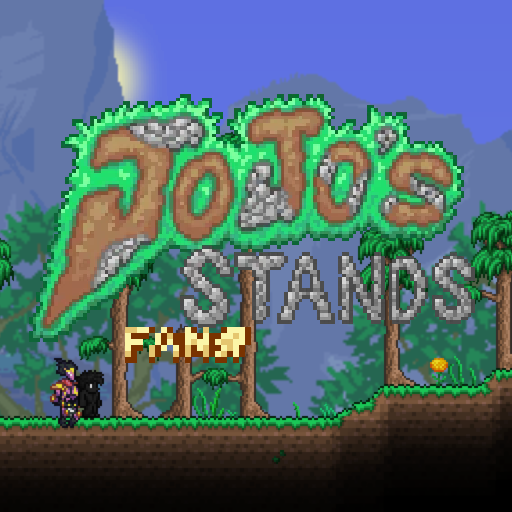
JoJoStands: FanStands
76561198369281833 द्वारा
JoJoStands: FanStands is a mod implementing the stands of people who have created their own custom Stands! Contributor Dev-Stands are implemented in this mod. Want to commission your own Stand into the mod? Join the JoJoStands Discord (https://discord.gg/EYKBhpK) and submit a fanstand commission request! Warning: Attempting to play this mod in multiplayer can cause a few or many issues with some Stands![quote=tModLoader JoJoFanStands] Developed By AnotherGuy[/quote]
![[DISCONTINUED] Draedon`s Expansion](https://images.steamusercontent.com/ugc/2532793716683575408/BA75A8EF128EDBF25E2748010D7BC61DBBA76B7E/)
[DISCONTINUED] Draedon`s Expansion
76561199017004725 द्वारा
[h1]Why he discontinued: Since Brainstorm update they removes an charge system from draedon's arsenal and make no point to Draedon's Expansion as QoL mod for chargeble items. Now some items will moved to Clamity Addon such as reworked t0 weapons[/h1] Draedon: Hmm... My machines and weapons not perfect. Need improving! Hello. After a long time i, Draedon, make new utilities and accessories for chargeble items Currectly i made [list] [*] Battery which charges items by consuming his charge [*] Accessories which has chance to not consume charge or reduces charge cost [*] Mana Frower analogue for chargeble items [*] Flask of Electricity [*] New early game draedon arsenal [*] Drill which uses charge but better then other his level pickaxes [/list][quote=tModLoader DraedonExpansion] Developed By WitherTaco[/quote]

灾厄东方风音乐包 Calamity Touhou Music
76561198975741407 द्वारा
CalamityTouhouMusic [h1] Intro [/h1] This music pack plans to implement (including but not limited to) Touhou remix of all tracks in the official Calamity music pack, which is still being updated. - The tracks used in the music pack are recreation Doujin of Touhou, and complies with relevant laws and regulations, including the Touhou project guidelines. [h1] Credits [/h1] Orchestrated BY 天琈紫菀 (Tenshion) Programmed BY Furgo And special thanks to all friends who support this music pack. [h1] Links [/h1] You can get the source files of the music package directly on [url=github.com/Sky-Meteor/CalamityTouhouMusic/tree/master/Assets/Music] github [/url]. P.S. I (Tenshion) will probably be uploading all my work to OneDrive & BandLab soon. [h1] Change Log [/h1] [h2] 0.3.0 [/h2] Updated the following 9 tracks: フィルシーブラッドドラゴン Filthy Blood Dragon Theme of the Hive Mind & the Perforators Original: [list] [*] The Filthy Mind - DM DOKURO & SixteenInMono [*] Blood Coagulant - DM DOKURO & SixteenInMono [*] スモーキングドラゴン - ZUN [/list] 无瑕的分形能量 The Pure Fractal Energies Theme of Bio-center Labs Original: [list] [*] Engineer's Sanctum(Old ver.) - Heart Plus Up! [/list] 硫海之下,渊海之灵 Beneath the Sulphurous Sea is the Abyssal Spirits Theme of Abyss Original: [list] [*] Hadopelagic Pressure - DM DOKURO [/list] 极地都市秘境 Rural Polar City Esoteria Theme of Cryogen Original: [list] [*] Antarctic Reinforcement - DM DOKURO [*] 魔界地方都市エソテリア - ZUN [/list] 法界之水 Waters of Hokkai Theme of ??? Original: [list] [*] Siren's Call (Seafoam Mix) - DM DOKURO [*] 法界の火 - ZUN [/list] 月上星辉原 Moonrise at the Astral Land Theme of Astral Infection Original: [list] [*] The Heaven-Sent Abomination - DM DOKURO [*] 夜のデンデラ野を逝く - ZUN [/list] 无尽虚空 ~ Void of the Scourge Ceaseless Void ~ Void of the Scourge Theme of Ceaseless Void Original: [list] [*] Servants of the Scourge(Type V) - DM DOKURO [/list] スカッジ・オブ・ユニバース Scourge of Universe Theme of the Devourer of Gods (Phase 1) Original: [list] [*] Scourge of The Universe - DM DOKURO [/list] 普遍性崩坏 ~ Universal Collapse General Collapse ~ Universal Collapse Theme of the Devourer of Gods (Phase 2) Original: [list] [*] UNIVERSAL COLLAPSE - DM DOKURO [/list] [h2] 0.2.0 [/h2] Updated the following 4 tracks: [list] [*] Sea Breeze in the Wasteland [*] The Rusty Sea that Reflects One's Home Planet [*] The Rusty Vases that Reflects One's Mallet [*] Azafure Fair [/list] Modified some of the previous music. [h1] Track List [/h1] 昔时之海的守卫 Guardian of the Former Seas Theme of Desert Scourge Original: [list] [*] Guardian of the Former Seas - DM DOKURO [/list] 深蓝群系所带来的黑暗 The Darkness Brought In by Glowing Mushroom Biome Theme of Crabulon Original: [list] [*] 1NF3$+@+!0N - DM DOKURO [*] 燕石博物誌が連れてきた闇 - ZUN [/list] フィルシーブラッドドラゴン Filthy Blood Dragon Theme of the Hive Mind & the Perforators Original: [list] [*] The Filthy Mind - DM DOKURO & SixteenInMono [*] Blood Coagulant - DM DOKURO & SixteenInMono [*] スモーキングドラゴン - ZUN [/list] 极地都市秘境 Rural Polar City Esoteria Theme of Cryogen Original: [list] [*] Antarctic Reinforcement - DM DOKURO [*] 魔界地方都市エソテリア - ZUN [/list] 硫火安魂曲 Lullaby of Brimstone Flames Theme of Brimstone Elemental Original: [list] [*] Left Alone - DM DOKURO [*] 廃獄ララバイ - ZUN [/list] 废土的海风 Sea Breeze in the Wasteland Theme of Aquatic Scourge Original: [list] [*] Outcast of the Sulphurous Seas - DM DOKURO [*] 風の循環 ~ Wind Tour - ZUN [/list] 法界之水 Waters of Hokkai Theme of ??? Original: [list] [*] Siren's Call (Seafoam Mix) - DM DOKURO [*] 法界の火 - ZUN [/list] 星际践踏 ~ G Normalize Interstellar Stomper ~ G Normalize Theme of Astrum Aureus Original: [list] [*] Interstellar Stomper - DM DOKURO [*] 天空のグリニッジ - ZUN [/list] 疫蜂飞舞 ~ Fly of Beelzebub the Flight of the Plague Bee ~ Fly of Beelzebub Theme of Plaguebringer Goliath Original: [list] [*] Fly of Beelzebub - DM DOKURO [*] Stinging Onslaught - Turquoise [*] ハルトマンの妖怪少女 - ZUN [*] MEGALOVANIA - Toby Fox [/list] 维苏威晶簇 ~ Open Frenzy Vesuvius Geode ~ Open Frenzy Theme of Ravager Original: [list] [*] Open Frenzy - DM DOKURO [/list] 风暴编织者 ~ Weaver of the Scourge Storm Weaver ~ Weaver of the Scourge Theme of Storm Weaver Original: [list] [*] Servants of the Scourge(Type W) - DM DOKURO [*] 有頂天変 ~ Wonderful Heaven - ZUN [/list] 无尽虚空 ~ Void of the Scourge Ceaseless Void ~ Void of the Scourge Theme of Ceaseless Void Original: [list] [*] Servants of the Scourge(Type V) - DM DOKURO [/list] スカッジ・オブ・ユニバース Scourge of Universe Theme of the Devourer of Gods (Phase 1) Original: [list] [*] Scourge of The Universe - DM DOKURO [/list] 普遍性崩坏 ~ Universal Collapse General Collapse ~ Universal Collapse Theme of the Devourer of Gods (Phase 2) Original: [list] [*] UNIVERSAL COLLAPSE - DM DOKURO [/list] 日渐荒废的海洋遗址 The Obsolescent Oceanic Remains Theme of Sunken Sea Original: [list] [*] sanctuary - DM DOKURO [*] 廃れゆく産業遺構 - ZUN [/list] 无瑕的分形能量 The Pure Fractal Energies Theme of Bio-center Labs Original: [list] [*] Engineer's Sanctum(Old ver.) - Heart Plus Up! [/list] 故乡之星锈蚀之海 The Rusty Sea that Reflects One's Home Planet Theme of Sulphurous Sea (Day) Original: [list] [*] wasteland - DM DOKURO [*] 故郷の星が映る海 - ZUN [/list] 故乡之锤锈蚀之罐 The Rusty Vases that Reflects One's Mallet Theme of Sulphurous Sea (Night) Original: [list] [*] wasteland - DM DOKURO [*] 故郷の星が映る海 - ZUN [*] Cerebrawl - Laura Shigihara [/list] 硫海之下,渊海之灵 Beneath the Sulphurous Sea is the Abyssal Spirits Theme of Abyss Original: [list] [*] Hadopelagic Pressure - DM DOKURO [/list] 阿萨福勒集市 Azafure Fair Theme of Brimstone Crags Original: [list] [*] The Step Below Hell - DM DOKURO [*] 業火マントル - ZUN [/list] 月上星辉原 Moonrise at the Astral Land Theme of Astral Infection Original: [list] [*] The Heaven-Sent Abomination - DM DOKURO [*] 夜のデンデラ野を逝く - ZUN [/list] 幻想的冬之港湾 Illusionary Harbor of Winter Theme of Blizzard Original: [list] [*] Cold Front - Turquoise [*] 春の湊に - ZUN [*] Antarctic Reinforcement - DM DOKURO [/list] 残酷世界之传说 The Tale of a Cruel World Theme1 of Title Original: [list] [*] The Tale of a Cruel World - DM DOKURO [/list] 灾厄收藏家的午后 The Calamity Collector's Afternoon Theme2 of Title Original: [list] [*] The Tale of a Cruel World - DM DOKURO [*] コレクターの憂鬱な午後 - ZUN [/list] [quote=tModLoader]Developed By 天琈(Tenshion) & Furgo[/quote]

Mod Reloader
76561198152929668 द्वारा
[h1] Mod Reloader [/h1] Build faster. Test smarter. Mod Reloader improves your modding experience with instant reloads, practical tools, and solid support for other mods. It's built to make the mod reload and compile process easier and more efficient, while also adding helpful tools for modders and players. [h2] Features [/h2] [list] [*] [b]Quick Reload[/b]: Instantly reload (and rebuild) selected mods with just one button! [*] [b]Multiplayer Reload[/b]: Just like Quick Reload, but allows you to instantly reload the server and clients with one button too! [*] [b]In-Game Mod Toggle[/b]: Enable/disable mods without exiting a world! [*] [b]Private Field Access [/b]: Use any private fields as if they were public with Publicizer! [*] [b]Log Tools[/b]: Set the log level for every logger. [*] [b]UI Tools[/b]: View UIElement hitboxes, sizes, and positions to make UI development easier. [*] [b]Main Menu Tools[/b]: Navigate the menu faster with helpful options to speed up testing. [*] [b]Exception Menu Tools[/b]: Copy error messages, retry reload, and go to line with exception. [*] [b]Supports other mods[/b]: Fully compatible and integrated into DragonLens, Cheat Sheet and Heros Mod. [/list] [h2] Links [/h2] [list] [*] Source code hosted at: [url=https://github.com/emyhrberg/ModReloader] GitHub [/url] [*] Got questions or suggestions? Join us at: [url=https://discord.gg/x8zxxdpbGG] Discord [/url] [*] Wish to support my mod development? You can do so at [url=https://ko-fi.com/erkyy] Ko-Fi [/url] [/list][quote=tModLoader ModReloader] Developed By Erky & Cotlim[/quote]

Immersive Projector 沉浸投影 (BETA)
76561198151832781 द्वारा
[c/00FF00:Immersive Projector (BETA) 沉浸式投影仪] A mod that allows you to project anything (terrain/building/creature...) in your world from anywhere. The projection area can be as large as the whole world. 从此你能投影世界上的一切,不论山川草木,整个世界不过咫尺 ---------- v0.1.1: Bug fix, performance optimization, new features. 修复了一些Bug,提升了性能并加入了新功能。 Configable lighting frequency, HSV filter, relative position, parallax, dust system, and mixing lighting from both source and target areas. 如光照频率,HSV滤镜,相对位置,视差,粒子系统,源区域和目标区域的光照混合。 ---------- Features: + Project anywhere: The projector can capture and project real-time image from anywhere even if being out of your screen. + Highly Customized: You can config area of capturing and projection, scale, rotation, color, layer, blending mode and much more with a friendly UI. + Compatible with vanilla camera mode Usage Examples: + Building foreground: Build two buildings with the same shape (one for building outlook and one for inside). Then setup a projection that projects one into the other. Set the projector behavior to "When players enter - Half-faded". Now you have a enterable building with foreground wall. + Water reflection zone: Setup a projector that projects the area above water to an area under water. Set the "flip" option to "flip vertically". Then set the "Capture Entities" option to "All Entities". Now you have a water surface with beautiful reflection. + Customized Hologram Setup a projector that projects anything you want. Then set the "Blending" config to "Additive light", set filter to "Hologram". Also set "Projection layer" to "Behind Furnitures". At last, set behavior to "When players enter - Distorted". Now you have a cool hologram which get distorted when you step into. And much more...! As long as you can imagine. Warnings: * This mod is in [c/FF0000:BETA] version. All features might be changed in future iterations. * Multi-player is [c/FF0000:not] fully supported in current version. You can still see the projection in multi-player mode, though all the changes on projector settings would be synced. (If you have to play multi-player mode. You should first setup all the projector in single-player and leave them unchanged during your multi-player gameplay) * It is highly recommended to use [c/FF00FF:Color] lighting mode. Recipes: + To craft a Mini Projector, you'll need: 1 Iron / Lead Bar 1 Glass Block 3 Fallen Stars and craft at a Workbench Then all you need is to place it in your world and do some configurations. Mail: [email protected] Version 0.1.1 by Moebius Meow 主要功能: + 远距离投影: 不管离屏幕多远,都能实时捕获与投影 + 高度定制化: 通过友好的UI配置投影的范围、缩放、旋转、颜色、层级、混合模式还有更多乱七八糟的选项 + 和原版截图模式兼容 用法举例: + 建筑前景层: 建造两个同样轮廓的建筑,分别用作建筑的外墙和内饰。使用投影仪把外墙投影到内饰建筑的重合位置,设置行为选项为“影像触碰玩家时-淡出一半” 现在你就有了一个可进入的多层立体建筑了! + 水面反射区域: 使用投影仪把一块水上区域投影到水下,然后设置“翻转”为“上下翻转”。接着设置"拍摄实体"选项为"所有实体"。 现在你就有了一块漂亮的水反水面了。 + 自定义全息投影 使用投影仪投影你想投影的东西,然后设置“投影混合”为“颜色叠加”,设置滤镜为全息投影。 也要设置“投影层级”为"家具后",最后设置行为"影像触碰玩家时 - 扰动"。 现在你就有了一个炫酷的全息投影,在你走上去时还会被扰动。 以及更多! 只要你想得到 注意: * 这个MOD现在是[c/FF0000:BETA]版本,所有机制在未来都可能改动。 * 当前版本多人游戏[c/FF0000:没有完全适配]。尽管你可以在多人模式看到已经放好的投影,但是你对投影做的改动不会被同步。 (如果你真的急着在这个版本玩多人,你可以在单人游戏配置好所有投影,进多人以后就别再动了) * 请使用“彩色”光照模式(其他模式的适配还在进行中) 配方: + 微型投影仪: 1个铁锭/铅锭 1个玻璃块 3个落星 然后在工作台合成 接下来你只要放置和配置就行了! 反馈和联系作者可以联系 [email protected] Bilibili @三月猫MMU Version 0.1.1 by Moebius Meow

Movement Speed Fixed
76561198837984431 द्वारा
Now with boot stacking! Movement speed is kind of a useless stat in Terraria. Normally, putting on sprinting boots or wings essentially caps your max speed, and only your acceleration can be boosted. This mod reworks how movement speed bonuses apply when wearing sprinting boots or wings, making movement speed a more worthwhile stat throughout the game. Specifically, the speed increase you would get if you weren't wearing boots/wings is calculated and then added to your max running/flying speed. With movement speed being much more useful, I had to make several balance changes to items that granted movement speed to prevent absurd speeds being reached easily, and to better distribute movement speed throughout the game. They are as follows: -Movement speed gained from Well Fed buffs decreased from +20%/+30%/+40% to +5%/+7.5%/+10% (equal to the damage increase the buffs give). -Swiftness Potion speed increase lowered from +25% to +20% to compensate for its increased strength past the early game. -Sugar Rush movement speed increase lowered from 20% to 10% to stay lower than Swiftness Potion (mining speed boost is unchanged). -Aglet movement speed bonus increased from 5% to 10%. This is now essentially an Anklet of the Wind, but the Anklet has been reworked with an acceleration bonus (see below). -Asphalt's movement speed scaling is greatly reduced due to it now being able to stack with the effects of boots. Previously it multiplied your speed by 3.5x, now it only multiplies it by 2x and then adds a flat movement speed bonus to keep it the same without movement speed bonuses. Acceleration has also received several tweaks: -The player's base acceleration has been increased by 25%! This makes early game play feel just a little bit more fluid. -Anklet of the Wind now gives a 50% acceleration buff instead of movement speed to be a little more unique and to better fit as a component to lightning boots (see below). -Lightning Boots and its upgrades have the 25% increased acceleration (from the Anklet of the Wind), and their max speed has been increased from 34 mph to 36 mph to be a more appealing choice compared to Amphibian Boots. -Reduced the multiplicative bonuses provided by Shadow Armor and Magiluminescence (both speed and acceleration). -The majority of acceleration bonuses are no longer multiplicative, but instead additive. Unless you were using Shadow Armor, Magiluminescence, and the Soaring Insignia all at once you probably won't feel a difference, but this is necessary to compensate for the addition of several new sources of acceleration. Furthermore, boot stacking has been implemented. Each additional sprinting accessory past the first increases you max running speed by 5 mph (about 17% increased maximum speed compared to a single pair of hermes boots). This only affects your ground mobility, and does not affect how fast you accelerate, only your max speed. (This can be disabled in the config if undesired) -On a related note, it no longer matters what order you equip your boots. In vanilla, equipping Lightning Boots in an equip slot above Hermes Boots will use the Hermes Boots' lower accRunSpeed, but this has been fixed. Additional balance changes: (These can be disabled in the config if undesired) -Bee Greaves got a 10% movement speed increase, summon damage bonus reduced (only by 1%) to match the other armor pieces. -Stardust Leggings got a 20% movement speed increase, the whip range was moved entirely to the Breastplate to compensate. Mod Compatibility: -This mod is intended as an add-on to any playthrough that doesn't overhaul movement speed in its own way, and it shouldn't have any major issues that come up. -However, boot stacking as well as the boot accRunSpeed priority fix will not work with modded boots. Modders can add their own boots to this list by using the following method in their Mod file: public override void PostSetupContent() { Mod moveSpeedFix = ModLoader.GetMod("MoveSpeedFix"); if (moveSpeedFix != null) { moveSpeedFix.Call("AddStackableSprintAccesssory", "<YourModName>", "<YourItemName>", <YourItem'sAccRunSpeed>); } } ^ the AccRunSpeed field of your modded boot would be whatever the player's accRunSpeed stat is set to in UpdateEquip. Most boots set it to 6f, while lightning boots+ in vanilla have 6.75f (and this mod sets them to 7.2f as long as balance changes are enabled).[quote=tModLoader MoveSpeedFix] Developed By OblivionAXiS[/quote]

CeleryMan's More Pets
76561198284132292 द्वारा
Celeryman's Pets aims to add a lot of pets from various different franchises. The mod currently has: 55 Pets: - 50 Normal Pets - 5 light pets Pet House: - Crafted at a sawmill, Place a pet summon inside and the home will summon the pet. - Works for most modded pets - Also has an echo variant Most pets are planned to be obtainable pre-hardmode and to try not to conflict with other mods' progression. More pets will be added in later updates. Submitted sprites will be credited in the item and workshop's description Join the official discord server for: - A full list of pets and methods of obtaining them - Suggesting pets for me to add to the mod - Reporting any bugs you find https://discord.gg/4ZDDTs7xPP Credits: - Sampel - Dart monkey - Bloons - Ducky Ninja - Helpy - Fnaf Dallas - Payday - Tert - Murkrow - Pokemon[quote=tModLoader CeleryManPets] Developed By CeleryMan[/quote]

Fractures Of Penumbra
76561199025147685 द्वारा
Fractures of Penumbra is a WIP Terraria content mod featuring new bossfights, biomes, sanity mechanic, etc. This mod currently has: - 174 items - 36 weapons - 2 bosses - 11 enemies - 2 town NPCs - 1 biome - 2 world generated structure - 40 blocks - 4 vanila recipes - Boss Checklist and Census Mod Support Note that this mod is still being developed, everything in this mod is not final, report for any bugs through the Discord server down below. Steam comments will not be answered. It is not recommended to make a full playthrough with this mod due to the lacking amount of content. This mod is not compatible for multiplayer as several features will not function properly as intended. The music mod has also been merged with this mod. You may join this mod's Discord if you like to: https://discord.gg/6mRP3bYR2j [quote=tModLoader]Developed By InsouciantGote[/quote]
Terraria Guides
Terraria सर्वर Mods और Plugins – tShock एक्सटेंशन
आपके Terraria सर्वर के लिए tShock Plugins। अर्थव्यवस्था, क्षेत्र, Anti-Cheat और Gameplay एक्सटेंशन।
Terraria सर्वर किराए पर लें – मल्टीप्लेयर सेट करें
अपना खुद का Terraria Dedicated Server सेट करें। tShock, प्लगइन्स, विश्व का आकार और मल्टीप्लेयर-कॉन्फ़िगरेशन।
मॉड सपोर्ट के साथ Terraria सर्वर
डैशबोर्ड से सभी मॉड्स एक क्लिक में सीधे इंस्टॉल करें।
Terraria सर्वर किराए पर लें