ARK admin commands help you manage your own ARK server in a controlled way: you set admin rights, save the world, spawn creatures, moderate players, and adjust individual situations live. It is important to use commands deliberately, check changes, and announce risky actions such as dino respawns or structure destruction beforehand.
Requirements for Admin Commands
Before you use admin commands, you need access to the server configuration and the configured ServerAdminPassword. On a rented ARK server, you typically manage these values in the panel under Configuration. At game-serverhosting, the focus is on a paid multi-game setup with technical control, support, and traceable operating processes, so you can cleanly manage admin access, restarts, and configuration changes.
For ARK: Survival Evolved, you should plan enough resources. The baseline from this guide remains: choose at least 8 GB RAM; 12 GB was recommended for more players. This is not a guaranteed performance promise, but a practical guideline, because ARK can need noticeably more memory depending on the map, mods, player count, and dino density.

- Go to Rent an ARK Server
- Choose at least 8 GB RAM (recommended: 12 GB for more players)
- The server installs fully automatically via SteamCMD
- Set your ServerAdminPassword in the server settings — you need it for
enablecheats
If you also need terminal basics for server operation, logs, and changing files, the guide to important Linux game server commands will help. For admin workflows in other games, you can find comparable overviews, such as the Rust server commands for admins or the Valheim server commands.
Activating the Admin Console
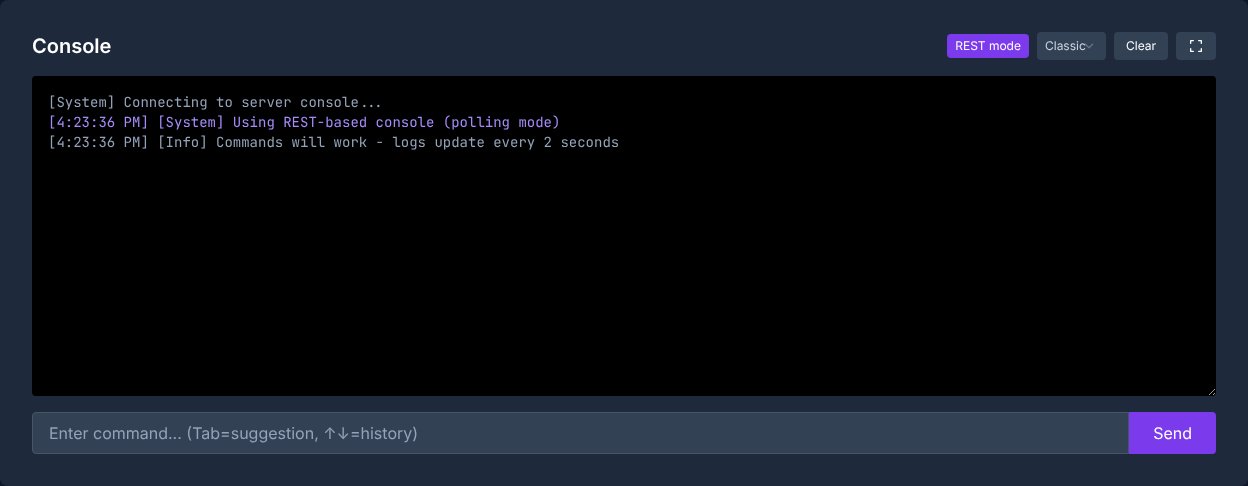
Here is how to open the admin console depending on the platform:
| Platform | Key Combination |
|---|---|
| PC | Tab |
| Xbox | LB + RB + X + Y simultaneously |
| PlayStation | L1 + R1 + Square + Triangle simultaneously |
After opening the console, authenticate with:
enablecheats <YourAdminPassword>
After that, you can run admin commands. According to the ARK Official Community Wiki on Console Commands, on multiplayer servers, cheat commands in particular require the prefix cheat or admincheat after enablecheats; this is different in single-player. For this guide, the safest option on servers is to use admincheat whenever a command changes the game world, creatures, players, or inventories.

Basic Admin Commands
You will often need these commands as a server admin. After each command, check directly in-game whether the effect has taken place before stacking more changes.
| Command | Description |
|---|---|
fly |
Enable flying |
walk |
Disable flying |
ghost |
Noclip (walk through walls) |
god |
Invulnerability |
infinitestats |
Infinite stamina, hunger, and thirst |
saveworld |
Save the game world immediately |
settimeofday <HH:MM> |
Set the time of day (e.g. 12:00) |
slomo <Value> |
Game speed (1 = normal, 0.5 = half) |
Use god, ghost, and slomo sparingly on production servers. These commands are useful for support cases, building corrections, or troubleshooting, but they can distort the normal player experience.
Dino Commands
Spawning and managing dinos is one of the main reasons for using admin commands in ARK:
# Spawn a dino (simple)
admincheat summon <DinoID>

# Spawn a dino with a specified level
admincheat SpawnDino <Blueprint> <Distance> <Z-Offset> <Level>

# Tame the targeted dino (no Narcotics needed)
admincheat forcetame

# Kill all wild dinos and let them respawn
admincheat destroywilddinos

# Recolor the targeted dino (region 0-5, color 0-255)
admincheat settargetdinocolor <Region> <Color>
Important Dino IDs (Spawn Commands)
| Dino | Spawn Command |
|---|---|
| T-Rex | summon Rex_Character_BP_C |
| Giganotosaurus | summon Gigant_Character_BP_C |
| Wyvern (Fire) | summon Wyvern_Character_BP_Fire_C |
| Argentavis | summon Argent_Character_BP_C |
| Quetzal | summon Quetz_Character_BP_C |
| Mammoth | summon Mammoth_Character_BP_C |
| Ankylosaurus | summon Ankylo_Character_BP_C |
destroywilddinos is especially intrusive: all wild creatures are removed and then redistributed. Only run the command if you are fixing spawn problems or want to load new dino tables after configuration changes.
Player Management
As an admin, you can moderate players, teleport them, and intervene when problems occur:
# Show player list (with SteamID)
listplayers

# Kick a player
kick <SteamID>

# Permanently ban a player
banplayer <SteamID>

# Remove a ban
unbanplayer <SteamID>

# Teleport a player to you
admincheat teleportplayernametome <PlayerName>

# Teleport yourself to a player
admincheat teleporttoplayernameid <PlayerName>

# Clear a player inventory
admincheat destroyall <Item-Class>
Note on destroyall: The command destroys entities of a specified class and is therefore riskier than normal inventory management. Only use it if you know the target class for sure and have planned a save or backup beforehand.
Server Management
These commands affect the server as a whole:
# Save the game world
saveworld

# Send a server message to all players
broadcast <Your message>

# Shut down the server in a controlled way (after 10 seconds)
admincheat DoExit

# Destroy all player structures in a radius
admincheat destroystructures

# Change the weather (only on certain maps)
admincheat setweather <WeatherType>
Before DoExit, destroystructures, or major world changes, you should inform players with broadcast and secure the state with saveworld. This keeps the process transparent and helps players understand why the server briefly responds or restarts.
GameUserSettings.ini — Important Settings
This file controls central server parameters. You can find it in the panel under Configuration:
[ServerSettings]
ServerAdminPassword=YourSecurePassword
MaxPlayers=20
DifficultyOffset=1.0
TamingSpeedMultiplier=5.0
XPMultiplier=2.0
HarvestAmountMultiplier=3.0
BabyMatureSpeedMultiplier=10.0
EggHatchSpeedMultiplier=10.0
AllowFlyerCarryPvE=True
PreventDownloadSurvivors=False
PreventDownloadItems=False
Change .ini values in a controlled way: stop the server or announce a planned restart, save the file, restart the server, and then check in-game whether multipliers, the player limit, or the admin password apply. The earlier mention of a blanket SetHarvesting command is not reliable without an exact command format; for permanent server values, the configuration file is the traceable approach.
Checking the Result
After setup, first test a harmless command. Open the console, run enablecheats <YourAdminPassword>, and then send broadcast Test. If the message appears, authentication is working. After that, you can test saveworld and check in the panel or log whether the save process completes without errors.
For dino or teleport commands, you should test in a safe area, not in the middle of an active base. For new admins, a separate password concept and a clear agreement on which commands are allowed during live operation are recommended.
Troubleshooting
If enablecheats does not work, first check capitalization, spaces, and whether the password exactly matches the ServerAdminPassword value. Restart the server after changes to the .ini.
If a command seems to be ignored, add admincheat or cheat as a prefix on multiplayer servers. Some commands also only affect a target in the crosshair or only work on certain maps.
If player commands fail, use listplayers and work with the correct SteamID instead of similarly spelled names. For risky actions, the rule is: check first, execute afterward, then save.
Verification, Limits, and a Safe Way Back
The guide “ARK Admin Commands – All Cheats and Commands 2026” applies to the server type described in the article and the version status visible at the time of verification. Menu names, available versions, mod or plugin compatibility, and required resources can differ after updates. Therefore, do not transfer any values to another game, loader, or server version without checking them first.
Before making changes to the world, savegame, configuration, or extensions, create a backup of the affected files. Then change only one related step at a time and test it with the same client and server version you want to play with later.
| Checkpoint | Expected Result | Abort and Rollback |
|---|---|---|
| Server start | The server reaches the ready-to-operate state without a new error message. | If startup errors occur, revert the change and restore the latest backup. |
| Connection test | A test account can connect using the address shown in the panel. | If version or connection errors occur, compare the version, port, and access rules again. |
| Function test | The specifically changed function works without damaging existing world or game data. | If side effects occur, stop the server and restore the backed-up files. |
A successful single test is not a guarantee of performance or availability. World size, mods, plugins, player count, network path, and simultaneous load can change the result. Document the version, change, and test result so you can trace later deviations.
FAQ
What is the difference between cheat and admincheat?
On multiplayer servers, many admin commands are run with cheat or admincheat after enablecheats. In single-player, the prefix is often not necessary. For server operation, admincheat is the clear, easy-to-recognize spelling.
How do I set the admin password?
In GameUserSettings.ini, enter the value ServerAdminPassword=YourPassword under [ServerSettings]. Save the file and restart the server so ARK loads the change.
Why does enablecheats not work?
Usually the password does not match exactly, the server was not restarted after the change, or you are using the wrong console. Also check whether there are accidental spaces before or after the password.
Can I give admin rights to other players?
Yes, but not via AllowPlayerToJoinNoCheck; that command concerns whitelist access. For permanent admins, you can manage suitable SteamIDs in AllowedCheaterSteamIDs.txt, provided your server setup uses this file.
When should I use saveworld?
Use saveworld after important admin actions, before planned restarts, and before risky changes. This reduces the risk that corrections you just made are lost due to a crash or restart.