Conan Exiles Mods & Plugins
Out of the wheel
di 76561198853516397
This mod takes away the coarse clothes that the fighter thespians wear when they get out from the wheel of pain... It has been mostly thought to be used in combination with pickup, to be able to pick thralls back until their attribute percentages reach a satisfying level... It avoids you to end with height or ten coarse gears in your inventory... The mod doesn't take away their weapons, it doesn't take away clothes from the bearers or the dancers, and doesn't modify any stats... In fact, it is almost a cheat utilitary mod, I admit it.... The mod ID is 1947017812

Lament 2.4.1
di 76561198831481441
[quote]Mod ID: 1401451646[/quote] Join the Emberlegion! Discord: https://discord.gg/5Mv7edy You can find our flagship mod, Emberlight, here: https://steamcommunity.com/sharedfiles/filedetails/?id=1369802940 [img]https://i.imgur.com/zhPrLeH.png[/img] [h1]What Is Lament?[/h1] Welcome to the end. Everything is terrible, and this is your life now. Prepare to Lament. This mod provides alternative mechanics for dealing with character death. It is intended for players and server administrators who want life-and-death situations to be meaningful, but who may not be fans of corpse runs. [h1]Getting Started[/h1] [list=1][*]As an administrator, search in the admin spawn panel under the building category for any of the items called Lamenting Stone. Spawn yourself this item and place it in the world [*]Use the radial menu on the Lamenting Stone and choose the Configure option. This will bring up the Lament configuration panel [*]The Lamenting Stone section gives you options for each individual Lamenting Stone. Mod Settings gives you options which apply to every player character upon death [*]Read on for more information about Mod Settings and Lamenting Stones[/list] [img]https://i.imgur.com/xLvEfIr.png[/img] The following settings apply to all characters on a server. They can be toggled on and off, and have additional sub-settings detailed below You can configure these settings by accessing the radial menu at any Lamenting Stone. See below for more information on Lament Stones. [h1]Equipment Durability Damage[/h1] Upon death, Lament damages the durability of equipment (weapons and armor) in the dead character’s backpack inventory, shortcut bar inventory, as well as any equipped armor and weapons [b]Sub-settings[/b] [list][*][b]Starting Level.[/b] Characters below this level will not have their equipment damaged by Lament when they die [*][b]Damage Percent.[/b] The amount of durability damage applied to each item. It is a percentage of that item’s [i]maximum durability.[/i] [*][b]Minimum Durability.[/b] Equipment will not be damaged by Lament if it is at or below this percentage of its maximum durability. If damage from Lament would cause an item’s durability to drop below this percentage, it will be lowered to this percentage instead[/list] [h1]Corruption Gain[/h1] Upon death, Lament applies corruption to the player character. This is the same corruption as found elsewhere in the base game [b]Sub-settings[/b] [list][*][b]Starting Level.[/b] Characters below this level will not have corruption applied to them by Lament [*][b]Corruption Percent.[/b] This is the amount of corruption applied to the player. It is a percentage of the player’s [i]maximum health.[/i] [*][b]Maximum Corruption.[/b] Players will not have corruption applied to them if they already have corruption greater than or equal to this percentage. If Lament’s corruption application would raise their corruption higher than this percentage, it will instead be raised to this percentage[/list] [h1]Drop Player Backpack[/h1] Upon death, Lament removes the items from a player character’s backpack and stores them in a secondary headstone object which is spawned near the player’s corpse. This headstone follows all the rules of a normal player gravestone and will decay over time exactly as a gravestone would. Interacting with an empty Lament headstone will destroy it. NOTE: This setting is mutually exclusive with the base game's Drop Inventory on Death server setting. If that setting is enabled, Lament will not drop any items from player backpacks and will instead defer to the DOD mechanic [b]Sub-settings[/b] [list][*][b]Starting Level.[/b] Characters below this level will not drop their backpacks when they die [*][b]Drop Weapons and Armor.[/b] Weapons, armor and horse saddles will be moved to the headstone upon death [*][b]Drop Ammunition.[/b] Arrows, bolts and throwing axes will be moved to the headstone upon death [*][b]Drop Consumables.[/b] Consumables such as food and potions will be moved to the headstone upon death [*][b]Drop Other Items.[/b] All other items will be moved to the headstone upon death [*][b]Destroy Old Gravestones[/b] All previous gravestones and headstones belonging to a player will be destroyed when they die, leaving only their most current. This is somewhat redundant with the base game server setting “Max Player Corpses”[/list] [img]https://i.imgur.com/g3rlW7y.png[/img] Lamenting Stones can be placed by admins and used to further customize the way Lament works on their servers. All Lamenting Stones are functionally identical but have different appearances. You can find them by searching in the admin panel item spawner in the Building category for “Lament”. Any options configured for a Lament Stone only apply to that individual Lament Stone [h1]Lamenting Stones...[/h1] [list][*]...can only be placed by admins, and can only be interacted with by admins once placed. Any admin can interact with them, regardless of clan affiliation [*]...do not generate land claim and are not affected by the land claim of other structures [*]...cannot be damaged by any means, and can only be destroyed by an admin [*]...do not decay over time[/list] [h1]Lament Aura[/h1] This Lament Stone will broadcast an aura that will grant either immunity from Lament death penalties, or cure Corruption, or both. [b]Sub-settings[/b] [list][*][b]Aura Radius.[/b] The radius of the aura. This number relates to in-game distance in a way that I’m way too dumb to understand, so you’ll need to use some trial and error [*][b]Benediction.[/b] This Lament Stone’s aura will grant Benediction. Player characters with this buff are immune to Lament death penalties [*][b]Purification.[/b] This Lament Stone’s aura will grant Purification. Player characters with this buff will have their corruption healed over time, subject to the server’s Thrall Corruption Removal Multiplier[/list] [h1]Mist Effect[/h1] A visual effect with no gameplay function [b]Sub-settings[/b] [list][*][b]Color.[/b] Set the color of the mist [*][b]Scale.[/b] Change the size of the mist effect[/list] [h1]Audio Effect[/h1] A spoopy sound effect with no gameplay function. I just learned how to do this, so it might suck [b]Sub-settings[/b] [list][*][b]Volume.[/b] Set the overall volume multiplier of the audio effect [*][b]Radius.[/b] The audio effect will fall off gradually over this distance from the Lament Stone[/list] [img]https://i.imgur.com/Yt7Phsc.png[/img] This mod is, and will certainly continue to be, an effort driven by feedback from the community. I want to thank some folks here in particular for giving us some great insight and help along the way: [list][*]Gully, who's really more of an "ideas guy" than a guy who does stuff. This dummy really puts the Special in Special Thanks and I'm pretty sure he's only on this list because he had some stray electrical current juicing his brain at just the right moment, but nevertheless, here he is. Check out his private Roleplaying server, Phoenix Ex Umbra [*]The folks of The Bonded Ones, whose tormented wailing gave the breath of life to more than one good idea [*]Void from the CE Modding community, who is an Alpha Nerd [*]Joshtech, obviously[/list]
![Full Body Loot [Legacy]](https://images.steamusercontent.com/ugc/2068883553400338308/47A02337151C2726F1782D179A5FD2E74DCC85BD/)
Full Body Loot [Legacy]
di 76561198046140796
[img]https://i.imgur.com/AfkvMzi.gif[/img] [code]Mod ID: 2967195691[/code] Featured on Funcom's [url=https://youtu.be/GL-Qjlujr4o?si=ErdVuJNaYY8TGtUN]2023 Year In Review[/url]?! WHAT?!? :D First ever mod I've made, so I'm still learning. Please let me know if you'd like to help me learn! This is a very simple, very non-invasive mod. The goal is to have all humanoid NPCs drop weapons and armor as well as whatever their loot table contains. This mod has been thoroughly tested and should work with most other mods, even mods that add various other loot to the corpse of non-thrall NPCs. ================================ [b]Need the Enhanced Edition?[/b] [url=https://steamcommunity.com/sharedfiles/filedetails/?id=3721568940]Click here![/url] ================================ Disclaimer: You will see occasional "duplicates" of NPC weapons or armor, though a third duplicate is rare and might be a side effect of the Age of War looting system. In the Age of War update about a couple of years ago, after the legacy version of this mod was made, they had added in a feature where you have a small chance of an NPC dropping a piece of whatever it's wearing. In other words, you might run into this kind of scenario: > Full Body Loot drops all of the NPC's equipped gear (guaranteed) > NPC drop tables drops a weapon or armor piece that just happens to match their current gear (not guaranteed, but common) > Age of War loot update then drops a third duplicate of that NPC's weapon or armor piece. (Rare)
Twin-Bar (Dual-Shortcutbar) v2.0.4 (by Xevyr)
di 76561198373515276
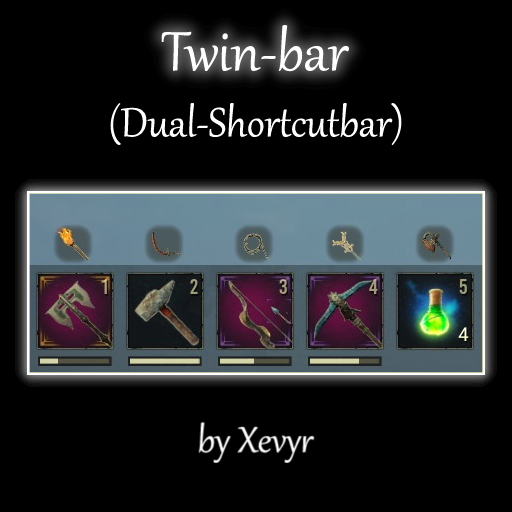
Very lightweight mod that effectively doubles shortcut bar capacity with quick per slot swapping and configurable hotkeys [img]https://i.imgur.com/1z8wvbf.gif[/img] [h1]Features:[/h1] [list] [*] Adds a secondary "twin" slot for each actionbar slot that can also hold an item, making your actionbar hold a total of 16 items instead of the original 8 [*] The player can independently and instantly swap back and forth between the two items in any given slot by pressing the corresponding hotkey [*] The default hotkeys are shift+number. Eg. if you have a weapon in your first actionbar slot and a tool in the first "twin" slot, you can press shift + 1 to swap between the two and 1 to equip / use once swapped. [*] [b]Keys are rebindable in the settings menu opened via the console command dc twinbar[/b] [*] Doubles number of slots on controller quick-select wheel as well for those who play with controllers, so they can also have 16 slots. [/list] This mod will does include scaling the actionbar, because I have a very lightweight [url=https://steamcommunity.com/sharedfiles/filedetails/?id=2934018759]actionbar scaling mod[/url] that works perfectly fine with this, I recommend installing them together. [h1]Workshop ID[/h1] [code] 2996647780 [/code] [h1]Compatibility:[/h1] [quote] Compatible with everything [b]except similar actionbar mods obviously. Despite that, it's still compatible with Testerle's Building Shortcut bar though! [/b] Does not save to database and can be removed at any point - If removed, all items in "twin" slots will just get transferred to the regular inventory, they won't be lost. This mod does not edit basegame files in any way and does not need to be updated when the game gets an update Hotkeys can always conflict with other mods ofc. since there are only so many keys on the keyboard, but they are configurable in this mod Note on Keyboards: Certain international keyboard layouts (French for example) require shift to be pressed in order to type a number, as such it's not possible to trigger "Shift+1" on those as the shift key is already required for the number. Users have found that going into the keybind settings of the mod and changing the 1,2,3 etc. hotkeys to the corresponding special symbol that's the default action for those keys provides the same experience as the default settings on other layouts [/quote] [h1]Support and Donation:[/h1] [quote] Join discord for troubleshooting help, guides, news etc. [url=https://discord.gg/KgpWNN7js5] [img]https://i.imgur.com/A2WNZ25.png[/img] [/url] Should you wish to support me with a one-time tip, [url=https://buy.stripe.com/4gw6r2dmj62Y8mY000]click here[/url] Otherwise consider supporting me via Patreon [url=https://www.patreon.com/Xevyr][img]https://i.imgur.com/e34UoHI.png[/img] [/url] [/quote] [h1]Some of my other mods:[/h1] [list] [*] [url=https://steamcommunity.com/sharedfiles/filedetails/?id=2898150544]Simple Minimap[/url] (Helps you see where you're going.. it's a minimap that works with controllers too) [*] [url=https://steamcommunity.com/sharedfiles/filedetails/?id=3359158426]The Purge Mod[/url] Experience the old-style purge in this custom remake. Fully customize attacking forces etc. for your server [*] [url=https://steamcommunity.com/sharedfiles/filedetails/?id=2875171748]Armor and Weapon Stats in Bench[/url] (shows you the stats of things in the bench before crafting) [*] [url=https://steamcommunity.com/sharedfiles/filedetails/?id=2890891645]The Damage Meter[/url] (measure yours and your followers damage done / taken and dps, can also track 3 additional players) [*] [url=https://steamcommunity.com/sharedfiles/filedetails/?id=2914950133]Reliable Meteor Showers[/url] (tiny super-lightweight mod that makes meteors rain sooner if there are less than 5 nodes on the map, solving the issue of scarce star metal - also adds the smoke back to meteor nodes that was removed in Chapter 2) [*] [url=https://steamcommunity.com/sharedfiles/filedetails/?id=2874346399]Inventory compactor[/url] (button that gets rid of empty slots in custom view inventory and benches) [*] [url=https://steamcommunity.com/sharedfiles/filedetails/?id=2877544130]Follower Remote[/url] (Lightweight mod that lets you instantly change your followers engagement settings (Passive / Guard Me / Aggressive) via hotkeys or the thrall radial menu without having to be close to them, also has a feature to make them switch to truncheons or use healing potions / bandages in their inventory) [*] [url=https://steamcommunity.com/id/Xevyr/myworkshopfiles/?appid=440900][b]All of the others...[/b][/url] [/list] [h1]Update policy[/h1] [quote] [list] [*] All my mods are made to be future-compatible with the latest version of the game and in the vast majority of the cases [b]do NOT require updates[/b] when the game has an update. You can safely ignore any "outdated" warnings you might get from gportal or other services as those simply check the version number of the devkit used to create the mod (stored in a text file inside the mod) against that of the game, which is completely irrelevant in the case of mods that do not contain altered basegame files. [*]I will update my mods on my terms and my terms alone. If you don't like my update schedule, don't use the mods. [*] Mismatch errors are not the fault of mod creators. If you need help understanding this concept, visit the discord. [/list] [/quote]

Aephrosi's Altar 1.8 .3(FIXED for AoW4)
di 76561198866463008
--- THIS MOD IS DEPRECATED ---- Hey all, I so much appreciate everyone who's engaged with this mod in past. Your views and awards and comments all give me lots of the warm fuzzies. Unfortunately the game updates keep breaking features here and honestly, I haven't played this game much since they introduced the battle passes. Also the dev kit for it takes up hundreds of gigs on my aging machine. With that in mind, I've decided to remove the dev kit and whatnot from my machine. This mod is deprecated and won't be updated anymore. Again, thanks to everyone who has downloaded, rated, left a kind word, etc. You're awesome. I'm moving on to other projects like creating my own games. <3 [url=https://starknaked.games/aephrosis-altar/]Everything on this site is NSFW[/url] [url=https://discord.gg/qsTUqa3r9t]Discord[/url] Check out [url= https://aephrosi.itch.io/]my games[/url] adult, nude, nsfw, sex, porn
Hair We Go
di 76561198052803546
A quickly made UE5 hair mod to ease the agony of not having enough haircuts. Discord: https://discord.gg/3znFRJjTjm

Map Room Teleport Crystal
di 76561198025624558
Adds craftable crystals which can be attuned to a map room to teleport to it. The feat to craft the crystals can be removed by adding the companion mod [url=https://steamcommunity.com/sharedfiles/filedetails/?id=2239697277]Map Room Teleport Crystal - Remove Feat[/url]. With the companion mod players won't be able the craft the crystals, but admins can still use them as rewards, trade options or similar. Thanks to EZee_AP who helped me greatly by pointing me in the right direction regarding teleporting. Thanks to Foxcat and shadowCMD who helped me fix the duplicated execution problems with events. If the server you play on uses an older version you can download those here, starting from 1.2.0: https:// mega . nz/ #F!vDY0lI5Y!SpsIzEXLOyFCEmqcwsiYgA Please remove the whitespaces, steam automatically removes links to common file sharing services to prevent spam. The mod ID is 1493944797. [h1][u]FAQ:[/u][/h1] [h1]User FAQ:[/h1] [b]Where can I learn to craft the crystals?[/b] The feat required to craft the crystals is named `Cartography - Teleportation` and can be learned after reaching level 30 for 5 feat points. [b]How do I attune a crystal to a teleport anchor (e.g. a map room) and how do I use it?[/b] Look at a teleport anchor and activate the crystal. This works either from your hotbar or from your inventory. As long as the anchor exists you can teleport back to it by using the crystal (from the hotbar or using the action button 'Use' from the inventory). If the anchor is destroyed or picked up the crystal will loose its attunement. Replacing a picked up anchor will not reinstate attunement. [b]Can I have multiple crystals?[/b] Yes and there are coloured versions available to distuingish them. The crystals aren't dyeable - you have to use the recipe for the specific coloured crystal you want. Be aware though that the cooldowns are specific to players and anchors - if you have a 24h cooldown crafting more crystals will still only allow you to teleport to the same anchor once every 24h. [b]Isn't the item too powerful?[/b] Maybe, but the costs are reasonably high, I'd reckon. I primarily made this because I don't want to spend three quarters of my time running back and forth over the map. Additionally by default the teleport sequence is aborted when the player moves (voluntarily or involuntarily) and when the player takes damage. [b]Will the crystals work in dungeons etc.pp. ?[/b] Yes. The dungeons are actually just places outside of the playable area in the same map - so the crystals will work from there as well. [h1]Admin FAQ:[/h1] [b]How do I configure the mod?[/b] The mod is configured through ModControlPanel. If you do not have MCP installed you can use `DataCmd MapRoomTeleportConfig` to open the window. [b]Mod compatibility?[/b] In short: It should be compatible with all other mods. In long: The only table change that isn't just adding a row is NpcDialogues to allow to learn the required feat. And even here only the row for the Archivist is being modified. Hence any mod changing that specific row in the NpcDialogue table will likely be incompatible. [b]Is the mod viable for PvP?[/b] Yes - since version 1.6.0 the teleport sequence is aborted when the player moves or takes damage by default. [h1]Modder FAQ:[/h1] [b]Can I make a placeable from my mod usable with teleport crystals?[/b] Yes - the crystals also recognize any BP_Master_Placeable child with the component tag "MapRoomTeleportCrystal_Anchor". Thanks goes to [url=https://steamcommunity.com/profiles/76561197986813849]Dunkelrose[/url], the author of [url=https://steamcommunity.com/sharedfiles/filedetails/?id=1889798538]Shadows of Skelos[/url], who forwarded the feature request from one of their users. Since version 2.1.0 admins can make any placeable with an entry in the itemtable a teleport anchor. [h1]Configuration[/h1] The mod is configured through ModControlPanel. If you do not have ModControlPanel installed you can open the window by entering `DataCmd MapRoomTeleportConfig` in the console. The console is most commonly opened by pressing tilde (~) or Insert. [h1]Known issues:[/h1] [b]When other players use the teleport crystals I can't see the particles or hear the teleport sound![/b] Yes, there isn't a node that spawns replicated particles, nor a node that plays replicated sound. Nothing I can do about it - this is something Funcom needs to expose on their end. [h1]Bug reports[/h1] Please use the following template when reporting an issue: Mode: Singleplayer/Coop/Dedicated In admin mode when the issue occurred: Description: <text> Steps to reproduce: 1. Other active mods (in load order): -
![Full Body Loot [Enhanced]](https://images.steamusercontent.com/ugc/17347939305893241608/61457956C852CC0FA9A637083A70BA681F9E9259/)
Full Body Loot [Enhanced]
di 76561198046140796
[img]https://i.imgur.com/AfkvMzi.gif[/img] [code]Mod ID: 3721568940[/code] Featured on Funcom's [url=https://youtu.be/GL-Qjlujr4o?si=ErdVuJNaYY8TGtUN]2023 Year In Review[/url]?! WHAT?!? :D First ever mod I've made, so I'm still learning. Please let me know if you'd like to help me learn! This is a very simple, very non-invasive mod. The goal is to have all humanoid NPCs drop weapons and armor as well as whatever their loot table contains. This mod has been thoroughly tested and should work with most other mods, even mods that add various other loot to the corpse of non-thrall NPCs. Now updated for Enhanced Edition! ============================== [b]Need the Legacy Edition?[/b] [url=https://steamcommunity.com/sharedfiles/filedetails/?id=2967195691]Click here![/url] ============================== Disclaimer: You will see occasional "duplicates" of NPC weapons or armor, though a third duplicate is rare and might be a side effect of the Age of War looting system. In the Age of War update about a couple of years ago, after the legacy version of this mod was made, they had added in a feature where you have a small chance of an NPC dropping a piece of whatever it's wearing. In other words, you might run into this kind of scenario: > Full Body Loot drops all of the NPC's equipped gear (guaranteed) > NPC drop tables drops a weapon or armor piece that just happens to match their current gear (not guaranteed, but common) > Age of War loot update then drops a third duplicate of that NPC's weapon or armor piece. (Rare) ============================== There are plans to have the mod check and remove duplicates in the future. Hang tight!

CarryMod
di 76561198035045999
[h1][b][u]Carry Mod Beta.[/u][/b][/h1] Version: 1.0.1 [url=https://discord.gg/gbAjAgS][u]Discord Link[/u][/url] [quote][h1][b][u]INFO.[/u][/b][/h1] I have temporarily set the mod back to visible as a request by users on youtube. I cannot guarantee the mod is 100% working as there has been some reports of players dying when dropping players. I currently have some real world things going on at the minute so I cannot look into the issue to confirm/deny the bug or determine if its a mod conflict, it has been set to visible simply to allow players to connect to servers running the mod until I can look into the issue. The mod should be removed from all private servers as it is now considered EOL, sorry for any inconvenience. EZee_AP/hades[/quote] [h1][b][u]Description:[/u][/b][/h1] Mod adds the ability to carry players, due to compatibility reasons there are some restrictions, players cannot attack while in carry mode, also the player carrying cannot climb or jump while carrying a player, to enable those features it would require editing default files increasing the chance of the mod breaking with updates. [h1][b][u]Use:[/u][/b][/h1] Walk up to a player and hold interact (as if you were inviting them to a clan). To drop a player tap the "dodge key", both the player carrying and being carried can drop. Player must be within 3 metres when accepting a carry request. [h1][b][u]Admin Commands[/u][/b][/h1] Mod configuration can be accessed via [b][url=https://steamcommunity.com/sharedfiles/filedetails/?id=1823412793]Mod Control Panel[/url][/b] (requires admin rights). [h1][b][u]Compatibility:[/u][/b][/h1] No default files were edited so it should work with all mods. [h1][b][u]Mod Control Panel[/u][/b][/h1] [b][url=https://steamcommunity.com/sharedfiles/filedetails/?id=1823412793]Supports Mod Control Panel[/url][/b] [h1][b][u]This is the first public test version of the mod and may contain bugs and/or be unstable.[/u][/b][/h1] [b][url=https://steamcommunity.com/profiles/76561198035045999/myworkshopfiles/]Hade's Other Mod's Can be Found by Clicking Here![/url][/b] [url=https://zap-hosting.com/EZeeGaming][img]https://i.imgur.com/kDRDLfE.gif[/img][/url] Use code "betterbuildersbureau" for 20% discount

StraysStayDry
di 76561198032123922
Turns of the wetness effect of weather. Rain wet everywhere all the time is just too slick. No more indoor (or outdoor) rain slick on everything all the time in the North (or anywhere). This is turning of the max shader wetness (zero).
The Lost Lore of the Exiles
di 76561198021166833
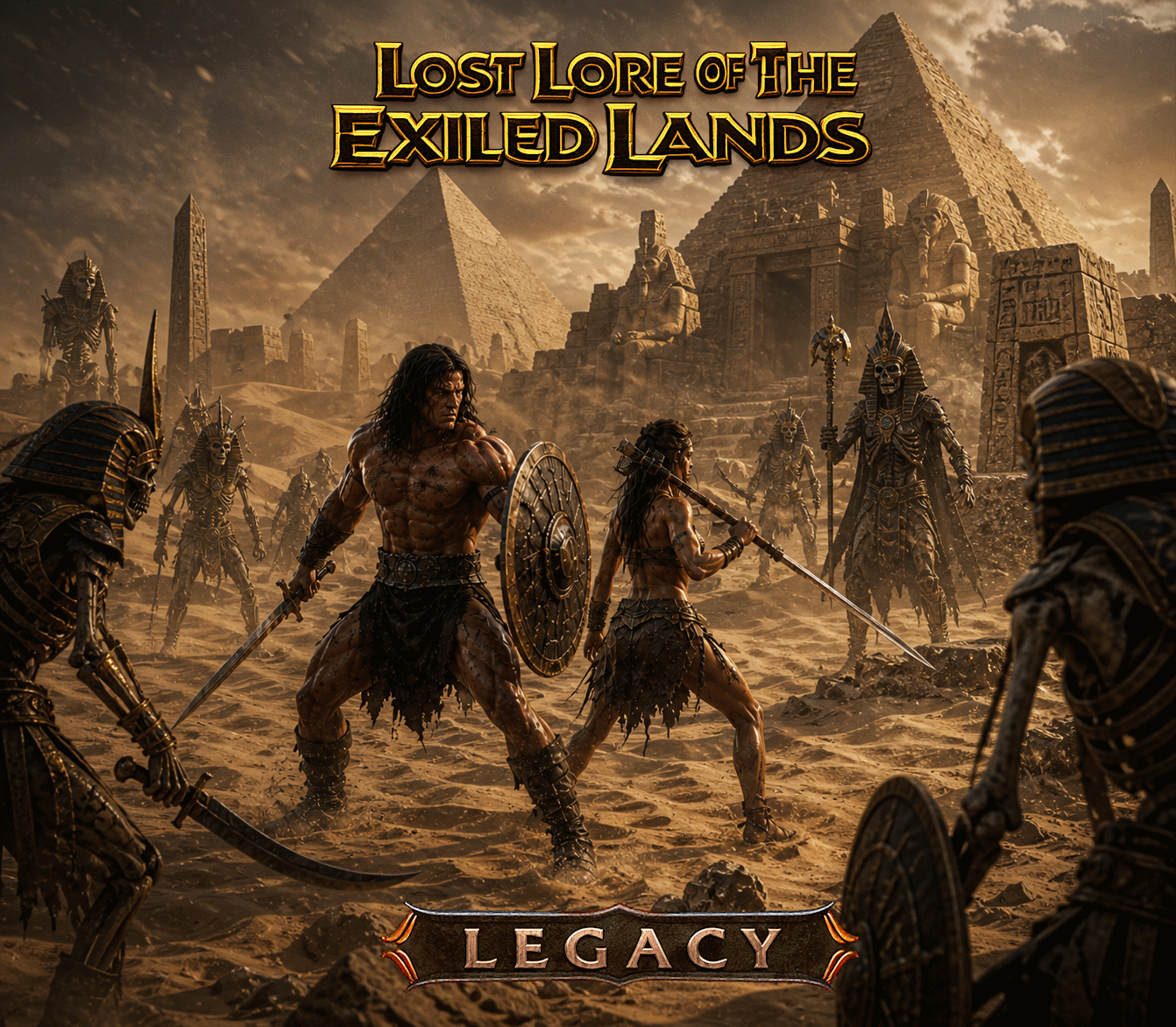
Travel deep into the desert, back to where it all began, when you found yourself dying of thirst. The wind-swept dunes have revealed hidden treasures from the past. To the south, ancient pyramids stand tall. Explore perilous chambers and uncover secrets worth killing for?secrets that a princess would fight to protect. DONATIONS, SUPPORT, DISCORD Please Follow Me on the following Platforms, Want to support my content? Make Donations to the following: Buy Me Coffee: https://buymeacoffee.com/snowhunter Twitch: https://www.twitch.tv/snowhunterak Paetreon: https://www.patreon.com/snowhunter Artstation: https://www.artstation.com/snowhunterak MOD:ID1565282898 Modders Notes: Heightmpa 4-0 Heightmap 6-0 Camps-Mod-30 Camps-Mod-31 Heightmap 1-3 Item Tables Edited Spawn Tables Placeables
Topfreedom
di 76561198843826530
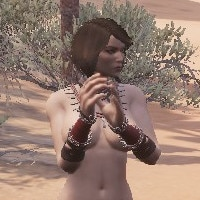
Topfreedom is a right for women to be bare-chested in public as men do. Those armors which are bare-chested in male versions become bare-chested in female versions with this mod. Rebiult with slightly upgraded LODs for some models. In this version breasts are reshaped to look more wonderish but it is not an exact copy of wonderbody. Enhanced version will be soon List of affected costumes for now: 1. Unclothed look: bra is removed. 2. Derketo priest 3. Setite priest 4. Darfari's necklace is really a necklace now. 5. Light exile armor. 6. Medium studded leather armor. 7. Heavy armor 8. Stygian medium armor 9. Hyperborean slaver's armor 10. Zath priest armor 11. Silent Legion light armor 12 Vanir light armor 13 Vanir medium armor 14 Zamorian dancer outfit ID 1792095902

Bark ByProduct
di 76561197982906080
Making shaped wood or insulated wood at a carpentry station produces bark as a byproduct. Admins can press leftctrl->backspace to adjust the amount of bark given per shaped / insulated wood. [b]Mod ID: 862116109[/b] Enhanced version is here: https://steamcommunity.com/sharedfiles/filedetails/?id=3729634960 Source at [url=https://steamcommunity.com/linkfilter/?url=https://github.com/Kharzette/ConanMods][img]https://raw.githubusercontent.com/jhass/github_desktop_notifications/master/res/icons/GitHub-Mark-Light-64px.png[/img][/url] [url=https://steamcommunity.com/linkfilter/?url=https://www.patreon.com/bePatron?u=27670106][img]https://c5.patreon.com/external/logo/become_a_patron_button.png[/img][/url]

Mythos: Greystone Building Pieces
di 76561198864006548
This mod adds a greystone alternative for all of the T1 & T2 building pieces, including wells and gates! A standalone mod from the Mythos RP Overhaul Mod. (A work in progress by the Mythos Team.) https://steamcommunity.com/profiles/76561198864006548/myworkshopfiles/ Mod ID: 1854605478
Chapter 3 Combat HotFix (by Xevyr)
di 76561198373515276
[h1]What is this?[/h1] This mod addresses some of the recent bugs / changes regarding combat, that were introduced in AoW - Chapter 3 [b]Update: Most of these things have been fixed / addressed in some way by Funcom so this mod is no longer necessary. I disabled the fixes, but left the small UI for adjusting the rotation rates as a legacy feature as that still works. However Funcom tweaked the originals so I recommend trying them at a rate of 100% first.[/b] The mod does 3 things: [list] [*] Fixes NPCs "moonwalking" or walking sideways, unable to rotate after they attacked. [b] - Fixed by Funcom as well in the mid-January patch [/b] [*] Restores the players ability to attack in the direction their camera is looking with Controller Syle movement: Off (or Auto when using KB&M) [b] - Fixed by Funcom in AoW Chapter 4, new setting under gameplay: https://imgur.com/a/I0hsG6G [/b] [*] Provides a solution for the AI "target locking" players, by including a small admin UI where admins can fine-tune the amount of rotation NPCs or players can have mid-swing. - [b] Tweaked by Funcom in AoW Chapter 4 so enemies are slower at focusing the player, the settings in the mod are still available thou in case someone wishes to further tweak these [/b] [i](setting this to 0% makes all their attacks linear like in AoS so you can easily side-step and avoid them.[/i] [/list] To open the UI make sure you are logged in as admin (Make me Admin button in server settings) and then open the console with ~ or the insert key and type [b]dc combatfix[/b] and hit enter Depending on which of these things Funcom fixes in their upcoming hotfixes, some or more of the redundant features might be disabled, ofc if the mod becomes completely redundant, it will be removed / hidden. (This mod does a single overwrite of the new attack rotation notify, however should be compatible with most mods) [h1]Support and Donation:[/h1] [quote] Join discord for troubleshooting help, guides, news etc. [url=https://discord.gg/KgpWNN7js5] [img]https://i.imgur.com/A2WNZ25.png[/img] [/url] Should you wish to support me with a one-time tip, [url=https://buy.stripe.com/4gw6r2dmj62Y8mY000]click here[/url] Otherwise consider supporting me via Patreon [url=https://www.patreon.com/Xevyr][img]https://i.imgur.com/e34UoHI.png[/img] [/url] [/quote] [h1]My mods:[/h1] To check out all my cool Quality of life and UI mods, click here: https://steamcommunity.com/id/Xevyr/myworkshopfiles/?appid=440900

OmegaProduction 5.7.6
di 76561198045024756
Omega Productions Current adds a series of extended game functions, Admin Items, feats, armors, recipes and an XP table to level 300. MOD ID: 2818402704 Please Rate, thank you and enjoy!. My Discord: https://discord.gg/CJqwQYCxzF Omega Production Guide: https://docs.google.com/spreadsheets/d/1UnJxlacZr6weOZfjBMV9xdtdrOMl2g0ClIaqDKiThZs/edit?usp=sharing Support Omega Creation: https://ko-fi.com/omegaproductions Features *Admins search (ADMIN) in the item list to see the gates admin can place to expand the mod.* -Omega Stacking Weapon Kits (XYZ & Miskatonic Kits) -20+ Admin decorative buildings (including new meshes) -Kingdom Trader (This is a series of feats and recipes which allow players to build Shops for their base.) -Kingdom Builder (This is a series of feats and recipes which allow players to build unique workstation buildings for their base. Including barracks, Brothel and School.) -The Arena Gate (Allows Admin to place a building called the Arena Gate. (Players can craft passes through the kingdom builder system to summon creatures to battle here. These creatures can drop Omega Secret Scrolls.) -Delta, Ceta and Beta Omega Weapons (This is a series of feats and recipes which allows player to craft powerful weapons. To unlock these weapons players need to gain the Omega secret scrolls from the arena gate challenges.) -Improved Weapons, Tools and Armors (The mod includes tiered weapons and armors which players can craft for further progression.) -The Offspring system (Players can generate offspring by interacting with the brothel/Petal Lounge. Offspring can be trained through kingdom builds to become functional thrall *note trained off spring will place as a base human model. Please use Fashionist and Emberlight mod in conjunction with Omega Productions to edit trained thrall offspring.) -Omega End Game Crafting (This is a series of work benches, special materials and recipes. Using Omega creature samples players can unlock a series of feats and recipes which will allow them to make 11 tiers of very powerful weapons, Armors and modification Kits.) -Omega Gate system (Players can use gate keys and passes to take on powerful challenges to continue gear progression.) -MEGA Boss fights (Enemy scale all the way to millions of HP to present challenge to advanced players and clans.) If you have any questions please ask in my discord. I?m active on my discord, I check steam when I can. Please make sure to check the guide for recipes, items or feats. Mod Data Table Details Item Table Range: 873141xxx Recipe Table Range: 873143xxx Feat Table Range: 873144xxx Crafting Station Range: 873142xx MOD Compatibility *Load the XP table you want last, unless using KPL. Follow KPL's instructions on thier mod page if using KPL. *Please use Extreme Exiles for Extra Functions!. "Extreme Traders" are admin only spawn and will only work with games running Extreme Exiles mod.* *Omega overwrites the gold coin entry in the item table to add a burn timer. Place after any other mod that edits this entry.* *Not compatible with full body loot mod, will give players access to dev only items. This mod contains assets (art, music, code, items, systems and/or designs) that are the intellectual property of Funcom Oslo AS or their licensors
Akihabara Design "Oscar"
di 76561199159965653
[img]https://steamuserimages-a.akamaihd.net/ugc/819002974403344349/DD18664314A26EA83C62E9B0127FFCB35092B53A/[/img] [url=https://discord.gg/yyEHTPYrJt][img]https://i.ibb.co/7rWYVwy/124125.png[/img][/url] [h2]Station:[/h2] [list][*]Podium [*]ID 525321550 [/list] [b][i]It is a single station for all mods of the project. When connecting a new mod, just rebuild the station and it will automatically connect everything.[/i][/b] [b][i]The mod is a continuation of Akihabara design in the direction of modern style costumes.[/i][/b] [h2]Armor:[/h2] [list][*]Christmas Gift [*]Coconut Pirate [*]Dino [*]Wedding Dress [*]end more [/list] [h2]Item ID range:[/h2] [list][*]325310000 - 325380000 [*]525310000 - 525380000 [/list] [img]https://i.ibb.co/L8FF3qm/124128.png[/img] [h2]More mods from the Akihabara Project: [/h2] [url=https://steamcommunity.com/sharedfiles/filedetails/?id=2914309509]Akihabara Design[/url] [url=https://steamcommunity.com/sharedfiles/filedetails/?id=3309160280]Akihabara Design "Sora"[/url] [url=https://steamcommunity.com/sharedfiles/filedetails/?id=3312410695]Akihabara Design "Tatoo"[/url] [url=https://steamcommunity.com/sharedfiles/filedetails/?id=3310962042]Akihabara Design "Salon"[/url] [url=https://steamcommunity.com/sharedfiles/filedetails/?id=3310298622]Akihabara Design "Boutique"[/url] [url=https://steamcommunity.com/sharedfiles/filedetails/?id=3318793069]Akihabara Design "Silmarillion"[/url] [url=https://steamcommunity.com/sharedfiles/filedetails/?id=3324113365]Akihabara Design "Open Craft"[/url] [url=https://steamcommunity.com/sharedfiles/filedetails/?id=3039363313]Akihabara Flight "Omikami System"[/url] [url=https://steamcommunity.com/sharedfiles/filedetails/?id=3377325522]Akihabara Eclipse[/url]
LitMan All Entertainers Nude Women
di 76561197987682128
[quote]Latest Update. Dev Kit Version 622975.39737.[/quote] [b]All Entertainers (Dancers) Are Nude Females.[/b] Mod respects Gameplay Nudity settings - None, Partial or Full. You need to set Gameplay Nudity settings accordingly. Does not work with "LitMan Only Nude Women", "LitMan All Nude". Support Channel on Discord: https://discord.gg/9P3eAjA I released all my Source files on Gitlab https://gitlab.com/kasperaitis/conan-exiles-mods if anyone wants to keep updated those Mods or release own ones. If you would like to Donate feel free to do so on Paypal https://www.paypal.me/kasperaitis Mod ID: 884180005

Creative
di 76561198297047277
Adds a menu that allows you to select and place unlimited building pieces without needing them in your inventory. [h3]Usage[/h3] Press the N key to open the build menu. By default, you must be an admin to access it. This can be changed once you are in the menu. Middle click while targeting a built item to start building more of that item. Only works if you have build menu access and are targeting a building piece that you own. In the build menu: [list] [*] Left click an item to start building immediately. [*] Hold right mouse button and move to scroll (or use mouse wheel, but that can be finicky at times). [*] Enter text into the search box at the top if you want to filter the items based on their names. [*] (Admin only) Hold shift and left click an item to spawn a copy of it into your inventory. [*] (Admin only) You can toggle free build mode using the checkbox at the top. This is the same as pressing Ctrl+Alt+Shift+F10.[/list] Having the items in your inventory is not necessary. However, you may want to setup your hotbar with commonly used pieces so that you don't have to keep opening the build menu. Combine this with the admin free build mode so that you can build from your hotbar without consuming the items. [h3]Key Bindings[/h3] Some of the mod's hotkeys can be changed, but it takes a bit of setup to get them to show up in the key bindings menu. For more information, see the [url=https://steamcommunity.com/workshop/filedetails/discussion/1984201397/2968397584546785087/]discussion thread[/url]. [h3]Server Settings[/h3] In the build menu, press the "Server Settings" button to access server settings for the mod (only available to admins). In the settings, you can turn off "admin only" access if you want to allow all players access to the mod on your server. [h3]Notes[/h3] Items are roughly categorized based on feat with similar feats grouped together. You will only be able to build DLC objects if you have the corresponding DLC. Mod settings will be lost if you wipe the server or start a fresh save. For items added by mods: [olist] [*] If the items are added to an existing vanilla feat that is already listed in the Creative menu, then they will show up in that location in the menu. [*] If the items are referenced by some feat not currently listed, such as a custom feat added by the mod, they will show up at the bottom of the menu. [*] If the items are not referenced by any feat, they will not show up at all. [/olist] [h3]Compatibility[/h3] This mod modifies the following assets and will not work if any mod after it modifies the same assets. [list] [*] Systems/Building/BP_BuildSystem_v2.uasset [/list] [h3]Disclaimer[/h3] This mod is just a side project of mine that I created so I could experiment with different building styles. I am sharing it in case other people would like to use it. Support for this mod is limited.

Immersive Animations
di 76561198258586670
This mod adds animations to actions that haven't got any with the inclusion of props and sound effects! The goal is to make actions/interactions more enjoyable in the Exile Lands and, in turn, give more life and appeal to the game's roleplay aspect as well. [b]STATUS[/b]: OUTDATED [h1]The following actions are animated:[/h1] - [b]EATING[/b] - [b]WATERSKIN DRINKING[/b] - [b]RIVER DRINKING[/b] - [b]BEER DRINKS[/b] - [b]WATER CUP DRINKING[/b] - [b]WINE DRINKING[/b] - [b]BEER DRINKS[/b] - [b]RUM DRINKING[/b] - [b]CHEST/LOOTBAG/CORPSE[/b] - [b]OPEN/CLOSE DOOR , ELEVATOR, BEDS[/b] - [b]TORCHES[/b] (Standing and Wall) - [b]CAMPFIRE/BONFIRE[/b] - [b]FURNACE[/b] (Smelting action w/ Props) - [b]SMITHING BENCH[/b] (Smithing action w/Props) - [b]FISH/SHELL TRAP[/b] (Placeholder animation) - [b]TANNERY[/b] (Placeholder animation) - [b]CARPENTER'S BENCH[/b] (Includes Props) - [b]ALTARS[/b] (Different animations for different tiers) - [b]RESPAWNING[/b] [h1]Other Exclusive features:[/h1] - Ability to TOGGLE Corpse Tombstones by pressing "RCTRL+DEL" [b]KNOWN ISSUES:[/b] - Doing an animated action with props on top of another causes the prop to stick on player's hand until logout or death - Values get lost after dying on Dedicated Servers (Currently looking into these issues) [b]DISCLAIMERS[/b]: [i]Use of Immersive Animations on servers that are either monetized, require a subscription or monetary donation/contribution to join IS STRICTLY PROHIBITED. [/i] You are NOT allowed to: - [i]Share or publish the mod to other platforms, browse, modify, extract or copy its contents. [/i] If you know any server or a platform that breaks the aforementioned terms, please contact the mod author. The mod author will not be responsible for or troubleshoot any misuse of its content, most commonly, the usage with incompatible mods - mods that modify any of the necessary assets or are outdated, whether indicated by the author or not. If a problem arises from using the mod as intended, make sure to backtrack its cause and submit it to the forums. [url=https://steamcommunity.com/workshop/filedetails/discussion/893057914/4164121860548202462/][img]https://i.ibb.co/r4wRBMT/Bug-Reports.png[/img][/url] Thanks and have fun! Immersive animations currently modifies the following game assets: - BP_HungerSystem Steam ID: 893057914
Ancient Architecture
di 76561197971943552
Mod containing two building sets: Palisade Fort Arcane Fortress
Dark Desires
di 76561198027482636
Role Playing MOD for use by any servers. A new currency called Scales, left behind in the Exiles by the Goddess Derketo. Once a player learns the feat of Scales, over 150 recipes are discovered and can be used at one of the three trader outposts. The three trader outpost needs to be placed in the game world by an admin. At the trade post players can exchange resources for Scales and buy resources with Scales and also a lot of unique items and finish products. For example, you can buy Iron and steel bars even if you do not yet have the recipe. Useful to gain levels and build better building early in your adventures. Features: New building items. Corner pieces. Spiral staircases. Glass construction, normal and insulated and now clear glass. Slaver cage. Water barrels and water jug that can be used to drink and fill up water skins from. New cookie recipes. New torches that cool a room and also one that warms a room. New public doors and public signs that can be used by anyone. Lots of items like Keys broches bottles that can be used for Pippi Egress Doors and also be placed in the world by anyone. Custom Banners. (You can request your own on the Discord channel.) Unique Weapons. (Available via special recipes, can be used by Pippi quest system.) 13 Unique statues, a Bar and many other decoration items. Lots of RP items, like plates and meat and even chicken and sausages. Please visit the Discord server: https://discord.gg/8XAqqze
Limestone Buildings - v1.6.46
di 76561197999564180
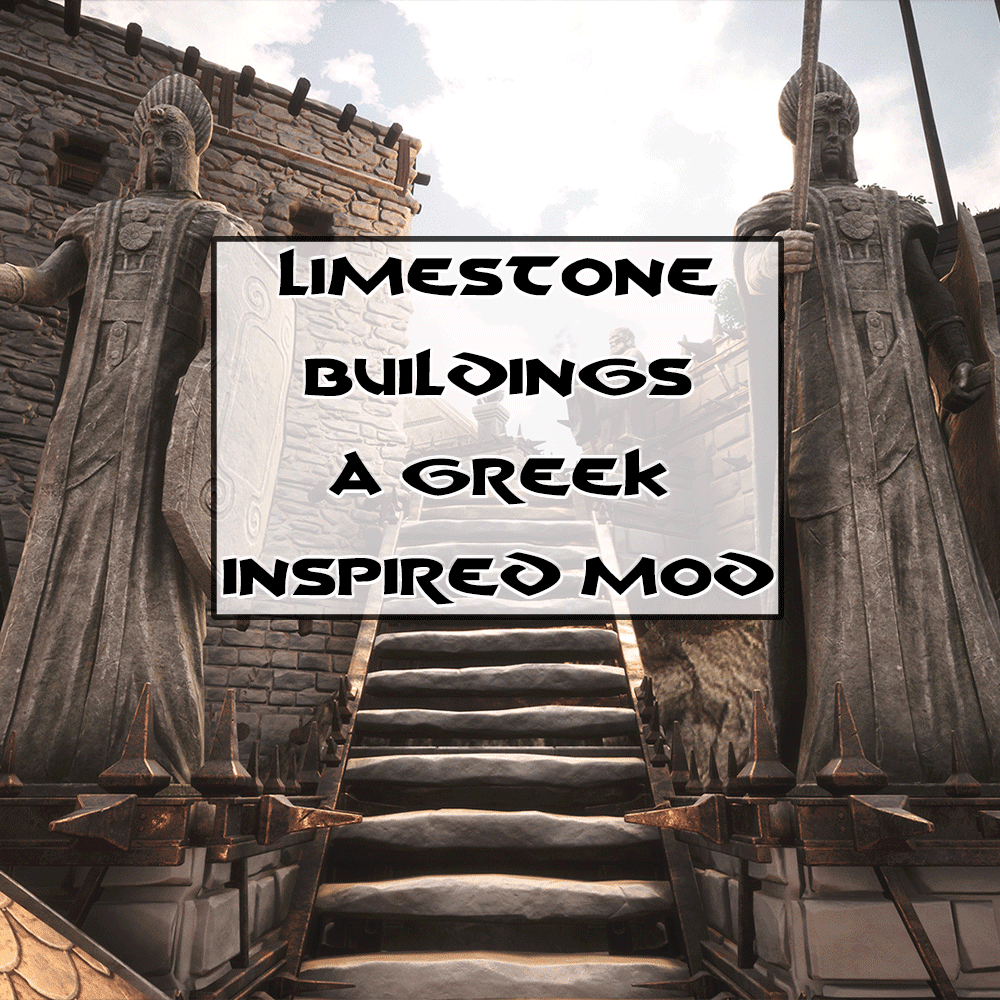
[img]https://i.imgur.com/1z8wvbf.gif[/img] [h1][b][u]Mod Updating Guidelines[/u][/b][/h1] If you are having trouble updating the mod, we have documentation on our discord to help assist you with common troubleshooting steps. If you are using a Xbox Game Pass or Epic Games version of Conan Exiles and wish to download mods from Steam, visit this forum link with directions on how you can do that. If this is too challenging for you, please join our discord and we will provide you with a Google Drive download link for all Multigun mods. [url=https://forums.funcom.com/t/egs-dedi-windows-downloading-mods-from-steam/183083][u]How to Download Mods From Steam[/u][/url] [h1][b][u]Important Info[/u][/b][/h1] [code][b]Mod id:[/b] 1472647650[/code] [quote=] [b]Communication[/b] Please direct questions, comments, concerns, feedback, and bug reports to our Discord. All documentation is also only found on Discord. The Discord is also home to a dedicated group of veteran volunteer builders who love to help others (The Build Guild). We also have a building tips channel containing dozens of tips, show and tell, and finally a channel specifically for showcasing your finished builds! If you want a place to talk about building and decorating with other passionate players, or a place to get help with your designs, the Better Builders Bureau is the place to be! Hit the button below to join. [url=https://discord.gg/gbAjAgS][img]https://i.imgur.com/bPcwSl5.png[/img][/url] [/quote] [h1][b][u]Description of Mod[/u][/b][/h1] This mod was originally designed for a Greek based server, which has been closed down for many years now. This mod comes as is with only maintenance updates as requires. [h1][b][u]Additional Information[/u][/b][/h1] [list] [*]T1, T2, and T3 buildings varients are available. Named Limestone, Limestone Brick, Reinforced Limestone, and Highlands Reinforced Limestone. The Highlands Reinforced variant also comes with no metal or no metal spikes versions, offering a very clean stone look. [*]Each tier is the same 3D model equivalent used in the vanilla game, but uses the new Limestone texture. [*]The same resources and quantity to make the Vanilla counterparts are used to make Limestone. There are no new resources to harvest in this mod. [*]Emberlight and its Chroma system is marked as required for this mod as of version 1.6.4. Technically speaking, it isn't required. But players are doing a disservice to themselves not using it. What better way to have a full range of color options then by starting with a blank white canvas, instead of sandstone or black ice? [/list] [h1][b][u]Screenshots Used[/u][/b][/h1] Deaso is credited with the screenshots in the workshop, along with StahlPunk (taken in 2018). More screenshots will be provided in the future if or when I expand on the mod. [h1][b][u]Future Development and Feedback[/u][/b][/h1] Since its release in 2018, two official DLC's more than fill the "Greek theme" role, being that of Jewel of the West and Architecture of Argos. Its original scope was essentially fulfilled by those DLC's. [h1][b][u]Unsubbing Warning[/u][/b][/h1] It should go without saying, but if you build something with this mod, and then later remove the mod, anything built using the Limestone buildings will result in a loss of that architecture as your game will no longer detect those assets. [quote][h1][b][u]Update Policy[/u][/b][/h1] [list] [*] I will update my mods on my terms and my terms alone. If you don't like my update schedule, don't use the mods. [*] Mismatch errors are not the fault of mod creators. If you need help understanding this concept, visit the discord.[/quote] [b][url=https://steamcommunity.com/id/multigun/myworkshopfiles/?appid=440900]Multi's Other Mod's Can be Found by Clicking Here![/url][/b]

Vanilla Plus Body
di 76561198043978309
[h1]Vanilla Plus Body 1.0.1[/h1] [hr] [/hr] [img]https://i.imgur.com/tBZSk81.gif[/img] If you enjoyed using the mod, please take a moment to consider hitting the thumbs up or favoriting. It's only takes a moment, but is greatly appreciated and motivating to know people are enjoying the effort that has been put into the mod. [url=https://discord.gg/HMEfJFfJwf][img]https://i.imgur.com/k9od4b7.png[/img][/url] Join the Discord for more information and updates on the mod! [u] [h1]Foreword[/h1] [/u] Vanilla Plus Body is a body replacer mod with the goal of retaining the overall silhouette of the base game body while adding detail and improving areas in which the base game body is lacking. While at the same time providing easier compatibility and avoiding less jarring changes in body shape when changing in or out of equipment when using other body replacers. This mod only replaces the nude body and shouldn't need conversions for most armors and outfits since the overall shape of the base game body is retained. With some exceptions (like skimpier armor pieces where the more detailed parts of the Vanilla Plus Body would be visible the most) - if necessary those will be added at a later date. [u] [h1]Features[/h1] [/u][i] Improved modelled details for the upper and lower body meshes. Weight painting improved especially for the lower body, thighs and pelvis area. Includes new body textures utilizing a mix of upscaling and manual additions blended onto the base game textures. [h1]Plans[/h1] Tweaks to the body shape may still be made as necessary to improve it visually or to improve compatibility, clipping etc. Potentially including expanding improvements to heads, hands or feet in the future [h1]Compatibility:[/h1] Not compatible while using other body replacers. If you do, the one loaded after will be active. If a body replacer does not come with its own textures, you could load it after Vanilla+ and have its textures applied to the other body. Vice versa for a mod that only replaces the body textures but not the meshes. But generally it is recommended to only use one body replacer at a time.
Pagina 13 di 233 (5,569 risultati)
Server Conan Exiles con supporto mod
Installa tutti i mod direttamente dalla dashboard con un clic.
Noleggia un server Conan Exiles