ARK: Survival Evolved Mods & Plugins

Awesome SpyGlass!
przez 76561198044472964
1404697612 Like a regular SpyGlass, except Awesomer! Works on... - Dinos - Players - Structures - Eggs - Loot - Supply Drops - And more - Shows a bunch of relevant information for the current target (see pics) - Has lots of player customizable options (see pics) - Several options can be enabled/disabled globally via admin settings in game or in INI [code] EngramEntry_AwesomeSpyglass PrimalItem_AwesomeSpyGlass [/code] [h1]MODDERS[/h1] You can add custom info to your dinos and it\'ll display in the UI! Just add a custom tag to your dino that starts with [code]:SpyGlass:[/code] All following text will show in the UI. Ark Eternal makes good use of this. [h1]INI Options[/h1] INI options will only take effect if \\ARK\\ShooterGame\\Saved\\SaveGames\\AwesomeSpyGlassServerSettingsV2.sav does not exist. The save file gets automatically created if one does not exist and uses the INI settings to create it, else uses default of everything enabled. After that you must use in game settings or delete the save file to reload new INI options. In game settings override INI. [code] [AwesomeSpyGlass] AllowGPS=True AllowCrosshair=True AllowFoodList=True AllowBuffList=True AllowItemList=True AllowOutline=True AllowPlayerTargeting=True AllowStructureTargeting=True AllowCrateTargeting=True AllowLootTargeting=True AllowEggTargeting=True [/code] Enjoy :) [URL=https://discord.gg/uMwdPkA][img]https://steamuserimages-a.akamaihd.net/ugc/1303179066322975733/144CEE8A40B55F208ECD8887EFFDB060740D074D/[/img][/URL] [URL=https://www.paypal.com/cgi-bin/webscr?cmd=_s-xclick&hosted_button_id=62MYXSBT75D4E][img]https://steamuserimages-a.akamaihd.net/ugc/1303179066322980137/91478E7DE48769AC075F229116E6EF0DC59B5C18/[/img][/URL] [URL=https://www.patreon.com/ChrisMods][img]https://steamuserimages-a.akamaihd.net/ugc/1303179066322981908/95D25C2E617F2A4947B4E8048A6A0E5153AB2799/[/img][/URL] [URL=https://steamcommunity.com/sharedfiles/filedetails/?id=2179512899][img]https://steamuserimages-a.akamaihd.net/ugc/1303179066322983458/1236FD54C8029CFB2E9A146225373BB51958726B/[/img][/URL]
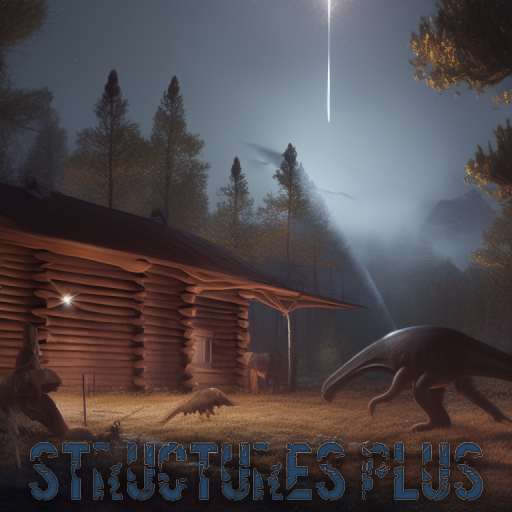
Structures Plus (S+)
przez 76561198023306710
[b]Building Features:[/b] - Stackable foundations - Ceilings snap flush with foundations - Crop plots snap to foundations & ceilings - Sloped walls can snap to the bottom of walls & ceilings - Foundations can snap to ceilings if there is ground support (ie other side of bridge) - Gateways snap in line with fence foundations - Storage boxes snap to each other - Wires & pipes can be hidden & vertical are only 1 wall high - Numerous snap points cleaned up [b]Quality of Life:[/b] - All noisy structures are silent - All crafting stations can be locked & pin coded - All gas only structures can also use electricity - All gates, doors & trapdoors can auto open & close - Map specific engrams are enabled on all maps - Vanilla engrams can be replaced by their S+ counterpart, drastically reducing engram count without engram screen lag [b]"Integrated Resource Pulling"[/b] Resource pulling directly integrated into the ARK inventory UI so its available in everything! All dinos, structures & yourself. Pull specific resources, pull enough to craft a certain number of the selected blueprint or enough to repair the selected item. [b]Updated Structures[/b] - Fence Foundations (new snap points, provide foundation support) - Pillars (3 sizes: 1, 3 & 5 walls high, do not protrude through ceilings) - Ladders (can be locked to tribe only, instant climb via config) - Ramps (1 wall high by 1 foundation long, railings can be snapped to the edges, stair model variant) - Railings (when snapped to ramp uses a sloped model) - Staircases (1 wall high with a 90 degree twist, can flip direction via radial menu) - Feeding Trough (adjustable range config, can set specific dino types to feed) - Standing & Wall Torch (doesn't use fuel, flame can be dyed, automatically turns on/off) - Domesticated Bee Hive (doesn't harm players, will water nearby crop plots) - Elevators (tracks resized to 1 wall tall, platforms to 1x1, 3x2 & 5x3, can set stops, better snapping to foundations) - Electrical Outlet (can be hidden, sparks disabled & connecting wires hidden) - Industrial Grinder (turn on/off in inventory, can grind/craft all at once, can make map specific resources) - Air Conditioner (thinner, more powerful, larger range & can snap to window walls) - Tek Transmitter (allows teleportation to boss arenas, can display the level, location & stat allocation of any dino on the map) - Tek Generator (can be placed on rafts/saddles) - Tek Teleporter (smaller model, adjustable teleportation radius, can be placed on rafts/saddles) - Tek Shield Generator (can be powered by a tek gen, destroying shield doesn't destroy structure, shield respawns 1 hour after destruction & regens health 10 min after taking damage, radiation protection & provides gravity in Lunar biomes) - Cloning Chamber (keeps imprint & assigned stat points) - Underwater Compartment (resized, removed internal pillars, snap points for walls & ceilings, flood/drain on demand, doesnt require power, can be placed on rafts/saddles & land, radiation protection, sloped version) - Tek Leash (can hide radius circle, removed pulsing red ring, doesn't require power, dinos won't get stuck on border) - Taxidermy Bases (snaps to floors/ceiling/roofs, can change/remove base, change rotation after placement, hide flyer support pole & adjust scale) - Tek Bridge (thinner model, placeable on structures, can connect tree platforms) [b]Unique Structures[/b] - Tree & Cliff platforms with snap points - Custom set of structures that complement platforms (wedges, gates, etc) - Adjustable Ocean Platforms (snap together & have 15 different variations) - A set of platforms for saddles that have snap points - Full Glass tier (metal strength, greenhouse effect, adjustable transparency & up to 16 model variations each) - Tek Glass Wall/Ceiling/Roof (adjustable transparency, greenhouse effect) - Internal Pipes & Wires (snaps invisibly to foundations, ceilings, walls & pillars) - Dynamic Pillars (adjustable length, angle & thickness) - Dynamic Gates & Gateways (choose size during placement, up to 12 walls high or wide) - Seamless Crop Plot (square/triangle, can toggle visibility of sides) - Expanded set of hatchframes (4x4 & sloped variants) - Dedicated Storage Intake (deposits resources from you to any nearby S+ Dedicated Storages) - Tek Storage (snaps to foundations/ceilings, can label sides, holds anything) - 6 auto turrets (Flamethrower, Tranq, Minigun, Ballista, Cannon & Rocket) - Blueprint Maker (turns any structure into a blueprint) - Converter (converts any vanilla item to its S+ counterpart & vica versa) - Multi Lamp (attachs to any surface, adjustable color & intensity, automatically turns on/off, can have a secondary color set to make it blink) - Item Aggregator (collects & distributes from & to nearly everything) - Item Collector, Farmer, Gardener & Hatchery - Nanny (feeding trough for babies, imprints nearby dinos to match their maturation) - Hitching Post (prevents any attached dino from moving even if set to wander, boosts mating & gestation) - Mannequin (fully customizable character, can equip armor & pose) - Tek Elevator (instantly teleports you up/down, has triangle version) - Repulser Pad (launches you when jumped off, adjustable direction & force) - Charge Station (drains nearby charge pets to fill charge batteries) - Charge Injector (uses charge batteries to protect an adjustable area from the nameless) - Element Catalyzer (crafts element, requires placement in liquid element) - Mutator (10 different pulses that affect dinos in different ways: Mutation, Gender Assignment, Gender Swap, Allow Breeding, Age Freeze, Corrupt, Aberrant, Xtreme, Virtual & Growth) - Vivarium (stored dinos produce resources) - Auto Crafter (can mimic most crafting stations & produce items instantly) - Gacha Gavager (fills the Gacha's inventory, Gachas are not saddened by being close to other gachas, their mate boost range is increased & they can't move) - Crystal Cracker (automatically opens Gacha crystals) - Planetary Shield (stops meteors from impacting the map) - Dyeria (creates dyes, doesn't need water, creates more dye than normal) - Repair Station (can repair anything) - Tek Stove (instantly cooks meat, can make jerky) - Tek Forge (instantly smelts metal into ingots, wood into charcoal, organic polymer into polymer & congealed gas into gas balls, can also craft element between its 3 forms) - Tek Cooking Pot (gets water like crop plots, uses less water when crafting & can make beer that doesn't use/give a water jar) - Tek Fridge (resets the spoil timer of items, fills water containers & can make iced water) - Laboratory (combines chemistry bench with the resource conversion from the grinder & can make fertilizer) - Item Translocator (send items to a linked item translocator, can be set to auto-send items) - Display case for chibi's - Transfer Control Unit (set up complex inventory transfers & trigger them via pin codes) [i]Everything Else About S+...[/i] [url=https://steamcommunity.com/sharedfiles/filedetails/?id=2184441067]Click here for the source code, trouble shooting, config options, spawn codes & other useful information.[/url] [b]Mod ID: 731604991[/b]
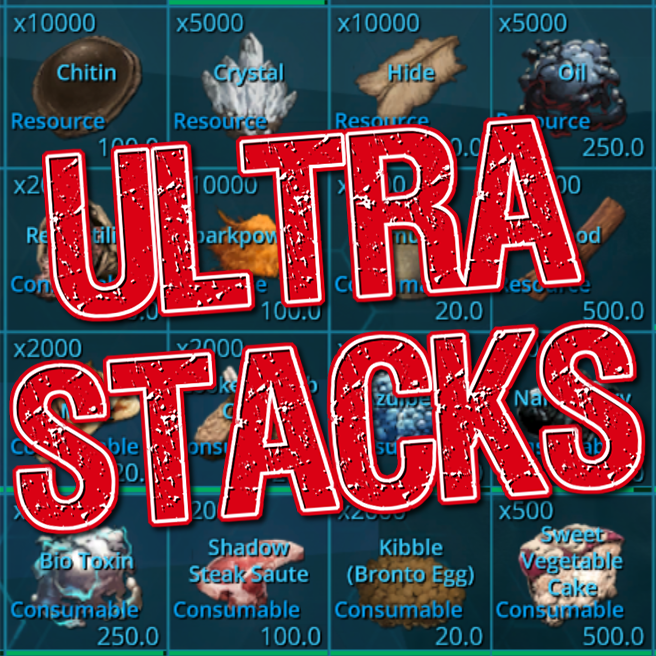
Ultra Stacks
przez 76561198106538597
[h1][b]Mod ID: 761535755[/b][/h1] [h1][b]Final Version: 2.21 (August 22nd, 2020)[/b][/h1] [h1][b]THIS MOD IS NO LONGER BEING UPDATED AS OF JUNE 5TH, 2021! PLEASE SEE NOTES BELOW FOR DETAILS! PLEASE USE AN ALTERNATIVE STACKING MOD THAT IS COMPATIBLE WITH THE THE LATEST UPDATES.[/b][/h1] [h2][b]Message from the Developer: June 5th, 2021 It's been almost 5 years since I created this mod. I just want to say thank you to everyone who has used and enjoyed this mod. I truly enjoyed creating it back in 2016, and providing support for the past 5 years, but now it's time to move on as I no longer have time to update this mod. My free time has become very limited and I no longer enjoy updating this mod due to time and frustration in updating the mod from the Ark Dev Kit. The Ark Dev Kit has grown so large that it practically takes up one of my entire SSDs. The Genesis 2 update has broken some things in this mod (mainly the usage of element) and it's disappointing that the ARK developers don't take stack mods into consideration when they make changes to their game. I will continue to leave this mod up on the Workshop, but I would recommend making the transition to either using your own INI files to create your own custom stacks, or to switch to another stack mod that will be consistently updated. Remember that ARK itself does support stacking through the game.ini (with some limitations). Thanks again to everyone who has ever sent positive comments and for using this mod. It's been a great ride. Meedas[/b][/h2] Ultra Stacks is a stacking mod for ARK Evolved. Not only does this stacking mod change the quantity and weight of items, changes have also been made to some of the spoiling times as well. Most spoiling times have been doubled, and other items have their spoiling time increased even more (e.g. prime meats). If you are not adding Ultra Stacks to a new server, players may have to relearn their engrams before the stacking changes take effect. This issue will not occur if you are adding Ultra Stacks to a new or wiped server. This mod is completely stackable, but it is not compatible with any other stacking mods (you should only be using one stacking mod on your server to avoid complications). Works with multiplayer and single player servers. Also includes stackable items for Extinction, Scorched Earth, Aberration, and Genesis DLCs. This mod is compatible with the Immersive Taming mod, but will require some changes to your Game.ini. The updated Game.ini settings for Immersive Taming compatibility is located here: [b][url=https://steamcommunity.com/workshop/filedetails/discussion/761535755/3172198151245743561/]Immersive Taming Mod Compatibility[/url][/b] For server owners who are experiencing the Iguanodon seeding issue when using stack mods, it can now be fixed by using the following mod below with this stack mod: [b][url=http://steamcommunity.com/sharedfiles/filedetails/?id=1092349650]Iguanodon Seed Trainer[/url][/b] UPDATE: Transferable Element and Transferable Element Shard have been added to this mod. These items can be transferred between ARK clusters and will work just like regular Element and Element Shard. You can craft both of these items inside your player inventory. To activate this feature, just learn the Transferable Element and Transferable Element Shard engrams (these will cost 0 points and will be available at level 1). If you don't want these items enabled on your server, please add the following lines to your Game.ini: [quote]OverrideNamedEngramEntries=(EngramClassName="EngramEntry_TransferableElement_US_C",EngramHidden=true) OverrideNamedEngramEntries=(EngramClassName="EngramEntry_TransferableShards_US_C",EngramHidden=true)[/quote] In order to help players who want to spoil meat faster with Ultra Stacks installed, I also added a Meat Spoiler to this mod. The Meat Spoiler will allow you to spoil meat at a faster rate than standard times. You can craft the Meat Spoiler inside your player inventory once you have learned the engram. If you don't want the Meat Spoiler enabled on your server, please add the following lines to your Game.ini: [quote]OverrideNamedEngramEntries=(EngramClassName="EngramEntry_MeatSpoiler_US_C",EngramHidden=true)[/quote] Spawn command for Meat Spoiler: [quote]admincheat giveitem "Blueprint'/Game/Mods/UltraStacks/Structures/MeatSpoiler/PrimalItemStructure_MeatSpoiler_US.PrimalItemStructure_MeatSpoiler_US'" 1 1 0[/quote] This mod/code/work is protected by the [URL=http://creativecommons.org/licenses/by-nc-nd/4.0/legalcode]Attribution-NonCommercial-NoDerivatives 4.0 International Creative Commons License. [IMG]https://i.ibb.co/6HsyF8N/88x31.png[/IMG][/URL]

Awesome Teleporters!
przez 76561198044472964
[h1]889745138[/h1] This mod adds 3 new items to the game. [h1]Teleporter[/h1] - Place these around the map and Teleport between them (after a short delay) by bringing up the Teleport UI (E). - Only friendly Teleporters or ones that have been set to "Public" via the radial menu will appear in the UI list. - The list shows the custom name you gave the Teleporter along with its coordinates. - The Teleporters have 3 different "bubble" sizes that can be set from the radial menu. - Can be picked up and does not require foundations. - Can be favorited which will make them appear first in the UI list. - Can retrieve items from your corpse. - Can find your dinos. [h1]Remote Teleporter[/h1] - Use this personal device to Teleport to any friendly or Public Teleporter from anywhere on the map. - Creates a Teleport bubble at your current location, after a short delay Teleports conscious players and dinos to the chosen location. - You can leave the bubble before it fires to only Teleport a friend/dino. - Functions exactly like the regular Teleporters but bubble size can not be changed. [h1]Awesome Dino Tracker[/h1] - Use on a dino and you will be able to Teleport that dino to your location from a remote using right click or a Teleporter using the radial menu. - Respects the tribe governance settings. If the dino has no personal owner it can be "claimed" by a tribe member from the radial menu. - Dinos with Trackers can be "Uploaded" which will remove them from the world. Can be spawned back in using the "Find Dino" feature. [URL=https://discord.gg/uMwdPkA][img]https://steamuserimages-a.akamaihd.net/ugc/1303179066322975733/144CEE8A40B55F208ECD8887EFFDB060740D074D/[/img][/URL] [URL=https://www.paypal.com/cgi-bin/webscr?cmd=_s-xclick&hosted_button_id=62MYXSBT75D4E][img]https://steamuserimages-a.akamaihd.net/ugc/1303179066322980137/91478E7DE48769AC075F229116E6EF0DC59B5C18/[/img][/URL] [URL=https://www.patreon.com/ChrisMods][img]https://steamuserimages-a.akamaihd.net/ugc/1303179066322981908/95D25C2E617F2A4947B4E8048A6A0E5153AB2799/[/img][/URL] [URL=https://steamcommunity.com/sharedfiles/filedetails/?id=2179512899][img]https://steamuserimages-a.akamaihd.net/ugc/1303179066322983458/1236FD54C8029CFB2E9A146225373BB51958726B/[/img][/URL]
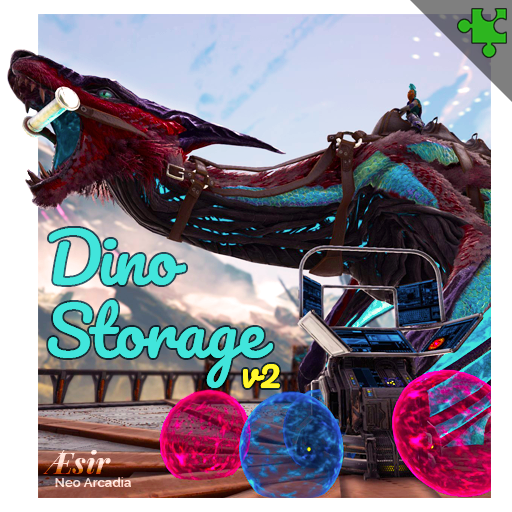
Dino Storage v2
przez 76561198056637517
[b]MOD ID: 1609138312[/b]⠀⠀⠀[img]http://i.imgur.com/fVVaDCS.gif[/img] [list] [*]This mod is clean and stackable. It has no list priority whatsoever [*]No game content is remapped or altered. I only add 5 of my own items to the game [*]This mod should also work with modded dinos, as well as vanilla [*]This mod is compatible to future releases of ARK (dynamic data retrieval) [*]If ARK is updated with new color IDs, the soul description will reflect them [*]If ARK is updated with new dinos, the souls can trap them [/list] ⠀⠀⠀⠀⠀⠀[url=https://discord.gg/pzAsqNEUFP][img]https://media.giphy.com/media/diurREk1NWviTlUpl6/giphy.gif[/img][/url] [h3]➤⠀[b]WELCOME[/b][/h3] ▬▬▬▬▬▬▬▬▬▬▬▬▬▬▬▬▬▬▬▬▬▬▬▬▬⠀▬▬▬⠀▬▬⠀▬ ⠀⠀⠀This is a small mod designed to store dinos as items, similar to a pokeball! By removing tamed dinos from the world, it allows you to maintain a large library of stored dinos without hurting server performance! No more lagtastic dino barns or yards! Dino Storage obeys tribe and server tame limits on release, while allowing a large library of stored dinos that do not count against your tame limit. The mod is fully customizable via INI, making it easy to balance for PvP or PvE use! [h3]➤⠀[b]GUIDES[/b][/h3] ▬▬▬▬▬▬▬▬▬▬▬▬▬▬▬▬▬▬▬▬▬▬▬▬▬⠀▬▬▬⠀▬▬⠀▬ [list] [*][url=https://steamcommunity.com/sharedfiles/filedetails/?id=1822824970]Official Main Guide[/url] [*][url=https://steamcommunity.com/sharedfiles/filedetails/?id=2397537927]Unofficial Player Guide[/url] [*][url=https://discord.gg/pzAsqNEUFP]Discord[/url] (For anyone avoiding the big blue clickable banner above) [/list] [h3]➤⠀[b]FEATURES[/b][/h3] ▬▬▬▬▬▬▬▬▬▬▬▬▬▬▬▬▬▬▬▬▬▬▬▬▬⠀▬▬▬⠀▬▬⠀▬ [list] [*]Cross server compatible (clustered servers) [*]Backup recovery file to retrieve lost souls (export occasionally to have backups) [*]Hover over a soul to view stats & timers [*]Intuitive catch and release system & soul gun [*]Storing of saddles/helmets/weapons/costumes (including paint, stats, skins, & quality) [*]Mating timers count down when balled [*]Idle experience is gained over time [*]Can store babies (freezes age and cuddle times) [*]Stores modded persistent buffs (works with rare sightings, shiny!, etc.) [*]Stored dinos never starve [*]Imprint and stats are retained [*]Newborn auto trapping [*]Offline breeding prevention options [*]Collection, incubation, & generation automation, if enabled [*][b]All settings are adjustable via [u]194+ INI options[/u][/b] [*]Configure this mod for PvP, there's Cryopod mirrors and preset recommendations [/list] [h3]➤⠀[b]BETTER⠀THAN⠀CRYOPODS[/b][/h3] ▬▬▬▬▬▬▬▬▬▬▬▬▬▬▬▬▬▬▬▬▬▬▬▬▬⠀▬▬▬⠀▬▬⠀▬ ⠀⠀⠀See comparisons on the guide. [h3]➤⠀[b]REMOVING⠀THIS⠀MOD[/b][/h3] ▬▬▬▬▬▬▬▬▬▬▬▬▬▬▬▬▬▬▬▬▬▬▬▬▬⠀▬▬▬⠀▬▬⠀▬ ⠀⠀⠀You must release ALL dinos from the soul traps before you remove the mod. They will be deleted at server start once the mod is gone. The Recovery.sav file will retain dinos without the mod, allowing you to reinstall the mod and attempt soul recovery using Admin mode. The recovery file does not get auto-removed with mod uninstall, and must be manually deleted. [h3]➤⠀[b]PROBLEMS?[/b][/h3] ▬▬▬▬▬▬▬▬▬▬▬▬▬▬▬▬▬▬▬▬▬▬▬▬▬⠀▬▬▬⠀▬▬⠀▬ ⠀⠀⠀Be sure to hop into Discord for assistance. [h3]➤⠀[b]SPECIAL⠀THANKS[/b][/h3] ▬▬▬▬▬▬▬▬▬▬▬▬▬▬▬▬▬▬▬▬▬▬▬▬▬⠀▬▬▬⠀▬▬⠀▬ [list] [*][b]Community[/b] for your ideas and feedback! Many features have come from your involvement! [*][b]Froggy Man[/b] for supporting my mod. [url=https://www.youtube.com/watch?v=M_YNV0KZ5pU&t=29m2s]Check out his review here[/url] and don't forget to subscribe! [*][b]Poptartica[/b] for the amazing mod video, and all of her [url=https://discordapp.com/invite/srRjA9Y]A1 Gaming Community[/url] members for their continued support and feedback! ⠀⠀⠀⠀[url=https://discordapp.com/invite/srRjA9Y][img]https://media.giphy.com/media/WozzFlXM3wtHV1i1ru/giphy.gif[/img][/url] [*][b]Jax[/b], [b]Zuka[/b], and the [url=https://discord.gg/NMWNNwM]Æsir Neo Arcadia[/url] community for their extensive testing, support, and awesome logo designs for this new revision of the mod! ⠀⠀⠀⠀⠀⠀[url=https://discord.gg/NMWNNwM][img]https://dl.dropboxusercontent.com/s/4kj9b58mbqb2n4o/2019-01-21_Photoshop_1383.png[/img][/url] [quote=][i]"We're proud to work closely with Lethal. Our dedicated test environment ensures his mod is the best it can be and allows our community direct access to his iterative process. His expertise and mod ensure that dino management on Æsir is a pleasant and seamless experience across our entire cluster."[/i][/quote] [/list] [h3]➤⠀[b]SUPPORT[/b][/h3] ▬▬▬▬▬▬▬▬▬▬▬▬▬▬▬▬▬▬▬▬▬▬▬▬▬⠀▬▬▬⠀▬▬⠀▬ ⠀⠀⠀If you like my work, sponsor me with a coffee. Don't feel pressured to though, just enjoy! [url=https://www.patreon.com/DinoStorage][img]https://steamuserimages-a.akamaihd.net/ugc/1003682945983976896/589D5827F62783A330D81B5DF6C55133AF31073F/[/img][/url] [h3]➤⠀[b]TAGS[/b][/h3] ▬▬▬▬▬▬▬▬▬▬▬▬▬▬▬▬▬▬▬▬▬▬▬▬▬⠀▬▬▬⠀▬▬⠀▬ ⠀⠀⠀DS, Dino Storage, Soul Traps, Soul Trapper, Dino Souls, Soul Terminal, Soul Balls, Cryo Chamber, Baby, Lethal, Cryopods, Dino Garage, Not Capitalism, Hair Unlocker, Emote Unlocker, Cryo Sickness Immunity, Tame Limits, Cryo Pods, Pokeballs, Balanced, Configurable, Options, PvE, PvP [h3]➤⠀[b]OTHER⠀MODS[/b][/h3] ▬▬▬▬▬▬▬▬▬▬▬▬▬▬▬▬▬▬▬▬▬▬▬▬▬⠀▬▬▬⠀▬▬⠀▬ [list] [*][url=https://steamcommunity.com/sharedfiles/filedetails/?id=1967741708]Lethal's Reusables[/url] [*][url=https://steamcommunity.com/sharedfiles/filedetails/?id=1896198862]Remove Cryopods[/url] [/list] [h3]➤⠀[b]NO⠀COMMENTS?[/b][/h3] ▬▬▬▬▬▬▬▬▬▬▬▬▬▬▬▬▬▬▬▬▬▬▬▬▬⠀▬▬▬⠀▬▬⠀▬ ⠀⠀⠀[url=https://discord.gg/pzAsqNEUFP]Discord[/url] is where discussions take place. I am one individual who has real life responsibilities so my response time may vary. This is why discussions take place in Discord as I am fortunate enough to have an amazing community there that provides support when I am not available to.
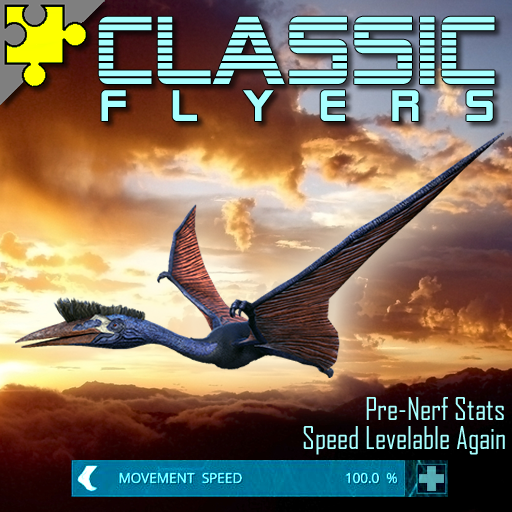
Classic Flyers
przez 76561198091952406
Brings back the classic flyers we've all known and love! This mod gives vanilla flyer species back all of their pre-nerf'd stats. Yes, that means they can level speed again. Mod Id: 895711211 [quote=PC Gamer]restores winged dinos to pre-nerf glory [...] a beacon of hope for those of you who are miserable with the nerfs [url=http://www.pcgamer.com/classic-flyer-mod-for-ark-survival-evolved-restores-winged-dinos-to-pre-nerf-glory/?ns_campaign=article-feed&ns_mchannel=ref&ns_source=steam&ns_linkname=0&ns_fee=0] [read full article here][/url][/quote] [quote=slim thicc]thank the gods for this mod[/quote] [quote=ODeez Gaming]Great Mod, [...] it made Ark feel right again![/quote] [quote=Commander ( Heda )]best mod ever :) [...] now the game is fun again, from 1 to 10 i give to this mod 40 / 10 :)[/quote] [quote=Maxanto]Thank the gods for modders like you Ertosi! One HUGE thumbs up![/quote] This mod brings back the original species' stats for the following vanilla dinos (including tames from before the nerf!): •Argent [i](normal argent only; x version NOT supported)[/i] •Harpagornis [i](aka pre-TLC argent; does not spawn on its own but can be manually added to spawners if you wish.)[/i] •Moth •Pelas •Ptero •Quetz [i](including Tek version)[/i] •Tapejara [i](normal tapejara only; x version NOT supported)[/i] •Wyverns (Fire, Lightning, and Poison only; [b]ice and crystal wyverns NOT supported[/b]) •Griffin •Phoenix •[strike]Rock Drake[/strike] [i](removed in response to Genesis patch, which broke rock drake animation assets)[/i] This mod gives [i]core-game/vanilla rideable flyers[/i] back their original stats by altering their files, therefore [b]it is incompatible with any other mod which also alters vanilla flyers or their eggs[/b], as one will overwrite the other. [b]This mod cannot affect flyers from other mods[/b], only their mod authors can affect them. Other than mods which alter these files, Classic Flyers is fully stackable. It also adds cleanly and removes cleanly, without losing any of your flyers. This mod also adds several new quality-of-life features to these fliers including ground attacks, taunt "attacks", backwards walking, and allows wyverns to wear saddle skins. It also adds a new Emote: Pet!, as well as a special Wyvern Stone which wyverns can use for a small armor boost. [h1][b]Additional Information[/b][/h1] Admin spawn codes, console commands, server options and more can all be found in the [url=https://steamcommunity.com/sharedfiles/filedetails/?id=2222950998]Classic Flyers Mod Guide[/url] [h1][b]How to Support this mod[/b][/h1] At the request of several fellow ARK survivors, I've set up a [url=https://www.patreon.com/Ertosi]Patreon account[/url] for players who wish to show their support. Please feel free to visit it if you would like to support my future ARK projects, pick up my next pizza or whatever ;) [url=https://www.paypal.com/cgi-bin/webscr?cmd=_s-xclick&hosted_button_id=2YLRJUB2TVGUJ][img]http://i.imgur.com/KFdrQi0.png[/img][/url] [url=https://www.patreon.com/Ertosi][img]http://i.imgur.com/yuzo9zP.png[/img][/url] Have fun and always love your fliers! [url=http://steamcommunity.com/id/CheekyViolet/images/?appid=346110][img]https://steamuserimages-a.akamaihd.net/ugc/171542207828000279/60A1DFF564641D8A6CD78733D1A5A8798006469A/[/img][/url] [h1][b]Mod Policy[/b][/h1] •By installing and using this mod, you agree to its [url=https://steamcommunity.com/sharedfiles/filedetails/?id=2222950998]Policy and Subscription Terms[/url]. •Updates can be seen in the "[url=http://steamcommunity.com/sharedfiles/filedetails/changelog/895711211]Change Notes[/url]" tab. •This mod is made to work with itself and not around other mods. Do not use this mod with other mods which also alter the files of the vanilla flyers or their eggs. •No requests. Consider this mod as-is and exactly how I want it. •Posts which fail to follow this policy or which fail to show common courtesy will be deleted without notice. [url=http://creativecommons.org/licenses/by-nc-nd/4.0/legalcode]This mod/code/work is protected by the Attribution-NonCommercial-NoDerivatives 4.0 International Creative Commons License. [/url] [url=http://creativecommons.org/licenses/by-nc-nd/4.0/legalcode][img]https://i.imgur.com/PoCCuKY.png[/img][/url]
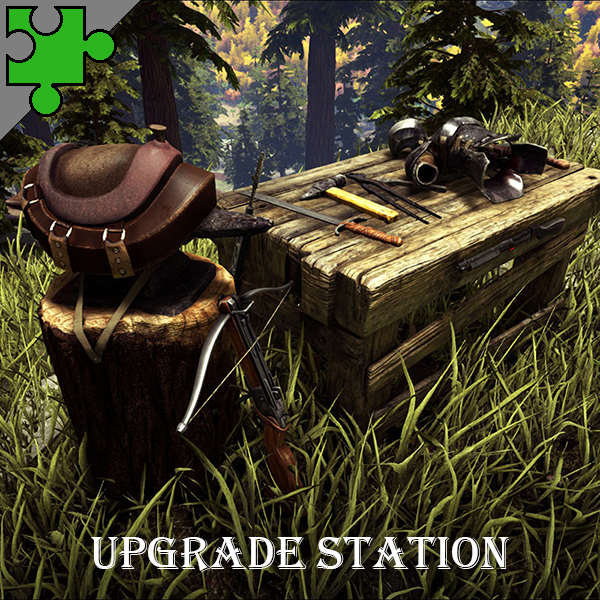
Upgrade Station v1.8i
przez 76561198113237978
[b]Mod ID: 821530042[/b] Allows you to upgrade the quality of weapons, armor, tools, and saddles from primitive all the way to ascendant. Even works with items from other mods! Can also salvage items for resources. [b]This mod doesn't change any core files and is stackable with other mods (see below).[/b] [b]... Yes, it works with TEK armor![/b] [h1]Attention![/h1] [b]Rocket Launchers & Tek Rifles[/b] Vanilla rocket launchers and TEK rifles can't be upgraded. However, I have created a small companion mod that allows you to replace your vanilla rocket launcher with an upgradeable one. Feel free to sub to the "Classic Rocket Launchers" mod if you'd like to be able to upgrade your rocket launchers! http://steamcommunity.com/sharedfiles/filedetails/?id=884380337 We may do the same for Tek rifles in the future. [h1]Compatibility[/h1] Weapons, armor, tools, and saddles from other mods can be upgraded and/or salvaged as long as the mod author has used the appropriate item as a starting point for their items (Hatchet for "Super Hatchet", Boots for "Tek Boots", etc). While I can try my best to ensure items from other mods can be upgraded and salvaged I can't control what other mod authors do in their mods. When in doubt, put this mod last in the load order. :) The Upgrade Station can upgrade all items from any mod as long as the item has an upgrade path. Items that don't have an upgrade path (C4, Tripwire, Wooden Spear, etc) cannot be upgraded because they don't have a quality index. Some items, like the Builder's Helmet, will identify as being valid to upgrade but won't actually upgrade in a meaningful way. [h1]Version[/h1] Version 1.8i has been released! This update should fix the crashes that result from multiple players attempting to upgrade/salvage/blueprint/augment the same item. For more information, please see the Version 1.8i Release Notes. [h1]Highly Configurable[/h1] If you're finding upgrade requirements to be too low for your liking please note that the upgrade formula is completely configurable via INI settings. Please read this discussion for more info as well as a link to the formula to give you an idea how it works: http://steamcommunity.com/workshop/filedetails/discussion/821530042/152392786911200641/ [h1]Latest Updates[/h1] [list] [*] Fixed armor stat bug. (Was using hypo-/hyper-thermal multiplier.) [*] Fixed "Classic Rocket Launcher" not being upgradeable. [*] Added future compatibility with "Upgradeable Tek Rifle". (Working on it.) [*] Removed unused files. [*] Re-cooked with the latest dev kit to fix minor UI issues that WildCard's update(s) introduced. [*] Upgrade Station no longer removes colors when upgrading items. (Yay!) [*] Updated quality colors to match WildCard's latest changes. [*] Fixed freezing issue some players were experiencing when placing an Upgrade Station in the world. [*] Fixed item skin duplication bug. [*] Fixed various item skin bugs. Edge cases may still happen; please report in Bug Reports. [*] Fixed ammo duplication bug. [*] Fixed quality index colors not updating for some players when upgrading items. [*] Fixed Rocket Launcher upgrade/augment bug. (Vanilla rocket launchers can't be upgraded.) [*] Fixed Tek Rifle upgrade/augment bug. (Vanilla TEK rifles can't be upgraded.) [*] Fixed generic resource fishing rod upgrade/augment bug for some players. [/list] [h1]Suggestions[/h1] Have a suggestion for this mod? Let us know! The current list of suggestions can be found here: http://steamcommunity.com/workshop/filedetails/discussion/821530042/142260895145281657/ [h1]Frequently Asked Questions[/h1] Do you have questions? We have answers! Check out the list of frequently asked questions, or ask your own question, here: http://steamcommunity.com/workshop/filedetails/discussion/821530042/142261027572676152/ [h1]Admin Commands[/h1] For a full list of admin commands please view the Wiki: http://linode.ghazlawl.com/ark/mods/upgradestation/wiki/#admin-commands [b]Primitive Tier[/b] [code]cheat giveitem "/Game/Mods/UpgradeStation/UpgradeStation/PrimalItemStructure_UpgradeStation.PrimalItemStructure_UpgradeStation" 1 0 0[/code] [code]cheat giveitem "/Game/Mods/UpgradeStation/BlueprintStation/PrimalItemStructure_BlueprintStation.PrimalItemStructure_BlueprintStation" 1 0 0[/code] [code]cheat giveitem "/Game/Mods/UpgradeStation/AugmentStation/PrimalItemStructure_AugmentStation.PrimalItemStructure_AugmentStation" 1 0 0[/code] [b]Metal Tier[/b] [code]cheat giveitem "/Game/Mods/UpgradeStation/UpgradeStation/PrimalItemStructure_UpgradeStation_Metal.PrimalItemStructure_UpgradeStation_Metal" 1 0 0[/code] [code]cheat giveitem "/Game/Mods/UpgradeStation/BlueprintStation/PrimalItemStructure_BlueprintStation_Metal.PrimalItemStructure_BlueprintStation_Metal" 1 0 0[/code] [code]cheat giveitem "/Game/Mods/UpgradeStation/AugmentStation/PrimalItemStructure_AugmentStation_Metal.PrimalItemStructure_AugmentStation_Metal" 1 0 0[/code] [h1]Donate[/h1] This mod took a lot of time and resources to create. Also, hosting costs ain't cheap! :) Like all of our mods, this one will be always free. All of your comments, ratings, favorites, sharing, and subscriptions help a lot! However, if you would still like to contribute even more, please feel free to donate. Thank you for your support! ^_^ [url=https://www.patreon.com/ghazlawl][img]https://i.imgur.com/Z3cMwGq.png[/img][/url] [url=https://www.paypal.me/ghazlawl][img]https://i.imgur.com/sBnJyiB.png[/img][/url] [h1]Other Mods[/h1] Links to some of our other mods: [list] [*] [url=https://steamcommunity.com/sharedfiles/filedetails/?id=898049820]Auction House[/url] [*] [url=http://steamcommunity.com/sharedfiles/filedetails/?id=884380337]Classic Rocket Launchers[/url] [*] [url=https://steamcommunity.com/sharedfiles/filedetails/?id=804839511]Ender Tools[/url] [/list] [h1]Our Sponsors[/h1] This mod is sponsored by our friends at G-Portal. Use the links below to get a 5% discount on your game server! [b]EU Players:[/b] [url]https://www.g-portal.com/?ref=Ghazlawl[/url] [b]US Players:[/b] [url]https://www.g-portal.us/?ref=Ghazlawl[/url] [url=https://www.g-portal.us/?ref=Ghazlawl][img]https://i.imgur.com/Ihg9AFj.jpg[/img][/url]
Death Recovery Mod (v1.13)
przez 76561198024182120
[img]https://i.imgur.com/DoJ1Cdc.png[/img] Version 1.13 Last updated on: April 8th, 2022 Mod ID: 751991809 Last Cooked with DevKit: 344.1 This mod is rated: Clean and Stackable Brought to you by Manalo and [url=https://www.dragonclawstudios.com/]DragonClaw Studios![/url] This mod provides a personal Gravestone that will help you recover your lost items (from death). Craft and place your personal Gravestone to use after you have died. I recommend placing it within a reasonable proximity to a bed. Tribes can arrange these in a Graveyard fashion. Each stone can only be used by the person that placed it. Once activated any objects found on all of your corpses or your death caches will be returned to your inventory. *** New Feature *** Overflow handling of objects has been added. So when recovering lost items if you fill up before recovering everything the overflow will be placed in a cache at your feet. If for any reason the item cannot be added to the cache(s) it will be put back in the object it was found in. Enable debugging if your concerned about lost items, the last set of stats will show you if anything was lost. There is a 30 sec cool-down between usages to prevent spamming which could create performance issues, this timer can be adjusted using the game options listed bellow. The ExclusionList is case insensitive, meaning you don't have to worry about caps. I recommend you continue using them as it improves your ability to manage the data, but if you mess up you don't have to worry about it as long as the entry is properly spelled (so it matches the item). The grave stone will take damage over time so be sure to do regular maintenance. You will no longer be able to pickup the stone if the timer is running or if it is damaged. If you own multiple stones they will all share the same timer. A Newly placed stone will inherit the timer from any existing stones for that user. When items are found a new affect, Flame of Recovery will occur letting you know the stone has started to recover items. Flames will last 5 seconds (longer then it takes to actually recover items). If no flames show up then no items were found, so nothing will be recovered. Thanks to Firespark81 for the indirect idea for the Flame of Recovery. Admin command to summon a personal stone: cheat gfi Personal_Grave 1 0 0 The following is the full path to the grave stone: /Game/Mods/DeathRecovery/PrimalItemStructure_Personal_Grave.PrimalItemStructure_Personal_Grave ** The following settings are OPTIONAL!! ** ** Do not add a setting to your ini unless you need to change ** ** it from the default. The following settings are NOT default ** ** They are examples of what you MIGHT do with them. ** Setting options for GameUserSettings.ini [DeathRecovery] DelayTimer=15 DisableDecay=true DecayMultiplier=0.142857 MaxLifeSpan=120 DisablePickup=true UseOnce=true ThereCanOnlyBeOne=true useGlobalTimer=true ExclusionList=PrimalItem_WeaponGPS,PrimalItem_TekRifle To change the length of time between uses set DelayTimer to the number of seconds you desire. 1 min = 60 5 min = 300 30 min = 1800 1 hour = 3600 1 day = 86400 To make the stone decay in one day (RL) set the DecayMultiplier to 0.142857 I don't recommend having the stone decay faster then 3 days. If you need to remove stones quickly then I recommend you use MaxLifeSpan. MaxLifeSpan is set by choosing how many seconds to stone can exist. DisablePickup=true will disable the option that allows the stone to be picked up. UseOnce=true will cause the stone to be destroyed once the stone is used. When UseOnce is set the DelayTimer determines how long until the stone is destroyed. While the stone is on cool down it can't be used. ThereCanOnlyBeOne=true will prevent the player from placing more than one stone. (this will have no affect on existing stones). UseGlobalTimer=true will cause all stones in the game to use the same cool down timer, all players will be affected, first come first use. **** Wild Cards are Back! **** The ExclusionList now works with the wildcard character "." you can place it at the beginning or end of your string. You can place one at one end or the other or both. ExclusionList=PrimalItemResource.,.Thatch,.Consum. This example would not recover any resources, anything that had Thatch at the end of the name or the partial word "Consum" anywhere in the name. For those looking to do engram over rides the engram for this mod is: EngramEntry_Personal_Grave ********************* WARNING ********************** The game deletes any corpse or loot cache that goes outside the map boundaries. How aggressive this is depends on the map designer. At times being killed by a sea creature can cause your inventory to be removed/deleted from your corpse. This mod cannot recover items that have been deleted by the game. ********************************************************** ==================================== KNOWN ISSUES: * Flame of Recovery may not be showing when stone is activated and items are recovered. If this occurs you need to pickup the stone and re-place it. ==================================== If you are having trouble getting good files from Steam you can use this Google Drive link to download a copy of the mod directly. https://drive.google.com/file/d/1rsm2YWR8kfoZNdg_B3RTbsa9WUSBwH1F/view?usp=sharing ** DISCLAIMER ** Never trust a download, always check it with a Virus Checker. My system is clear of Viruses, Google is clear to the best of their ability to check files but that is not enough to ensure you are safe. PLEASE SCAN THE FILE to ensure you are safe. The mod is free and comes with limited support (when I'm available). You can leave messages here on Steam or stop by the [url=https://discord.gg/bfTSMCZ]DragonClaw Studio's Discord[/url]. If you like this mod and would like to donate please click on the donation link below. [url=https://paypal.me/steamManalo][img]https://i.imgur.com/3z5rgA6.png[/img][/url] [img]https://steamcdn-a.akamaihd.net/steamcommunity/public/images/avatars/15/15fd7fa055d0b7325aaf8002efd7b6ef8df49509_full.jpg[/img] If your looking for a gaming community feel free to stop by the Orion Cluster [url=https://discord.gg/E94Muqz]Discord[/url]. We play a number of games, share, chat and have some fun. Support this mod and save money on your Cell service with [url=https://www.usmobile.com/referrals?referrer=F77451BD&utm_campaign=monster_referral]US Mobile[/url].

Primal Fear
przez 76561197965032329
[h1][b]Mod ID:839162288[/b][/h1] [b]Get the Expansion Mods:[/b] [url=http://steamcommunity.com/sharedfiles/filedetails/?id=899987403] [img]https://i.imgur.com/Gtiavnz.jpg[/img][/url] [url=http://steamcommunity.com/sharedfiles/filedetails/?id=902157012] [img]https://i.imgur.com/0DFDklv.jpg[/img][/url] [url=https://steamcommunity.com/sharedfiles/filedetails/?id=1315573129] [img]https://image.ibb.co/hhQyOH/pfAB.jpg[/img][/url] [url=https://steamcommunity.com/sharedfiles/filedetails/?id=1681125667] [img]https://i.imgur.com/fY2sEDN.jpg[/img][/url] [url=https://steamcommunity.com/sharedfiles/filedetails/?id=2200048898] [img]https://i.imgur.com/1ckQoUN.jpg[/img][/url] [url=https://primalfear.wiki.gg/wiki/Primal_Fear] [img]https://i.imgur.com/N3SeSKJ.jpg[/img][/url] [b]Thank you to LightSpinner94 and Tohru for the continued hard work on this awesome WIKI!![/b] [url=https://www.paypal.com/cgi-bin/webscr?cmd=_donations&business=CAKWZBRQK6UQE¤cy_code=USD&source=url][img]https://i.imgur.com/HVurgEh.png[/img][/url] [url=https://www.patreon.com/primalfear][img]https://i.imgur.com/kPnyHDK.png[/img][/url]] [h1][b]!!!! NOTE: Primal Fear is currently not compatible with any mod that overrides any vanilla creatures, such as classic flyers. (Primal Fear flyers can level up speed, so that mod is not necessary). This is due to the new spawn system, which piggy backs off of vanilla dinos to spawn Primal Fear dinos. This also includes adding any other dino mods to Primal Fear, whether it says it's compatible or not, which can cause unpredictable issues, such as overspawns and other unwanted behaviour. While this is a draw back, the bright side is this method makes Primal Fear work on any map, even any new official map, without my intervention. !!!! List of Incompatible Mods: -Classic Flyers and Naj's Speedy Flyers -Annunaki Genesis -The Volcano -Pugnacia -Extinction Core -Ark Creatures Rebalanced (AG Reborn) -Ark Omega -Ark Supreme -Kraken's Better Dino's -Dino Colors Plus -Elemental Ark And others... [/b][/h1] Primal Fear is a massive dino mod built around PvE ONLY. This mod adds varying tameable tiers of dinos, as well as special boss dinos. Currently, you can tame Toxics, Alpha's, Apex, Fabled, Buffoon, Celestial, Demonic, Elder, and Elemental. The bosses include Primal, Origin, and the Creator. Toxic, Alpha, Apex, and Fabled dinos are math based, and are 3x, 5x, 10x 16x vanilla stats. Almost every creature has an alpha variant. Apex variants are carnivorous fighters, and Fabled variants are passive work horses. Demonics are cast away creatures hell bent on becoming useful, powerful, mounts. They have sold their soul to evil in order to gain ultimate power. Celestial's are the pure and true counter part, set there as a counter balance. On top of dinos, this mod also adds varying items to enhance game play. These items include a tranq system, healing items, dino blood, multiple sets of armor, tranq pike, taming helpers, wake up stimulate, and more! [b]All information for this mod, including spawn codes, taming food, and server balancing, can be found on the google doc [url=https://docs.google.com/spreadsheets/d/1Wrb15jy7l2AD6q0RfvIQZL1Yju8EYZma0DXw3ywMvB4/edit?usp=sharing]here[/url][/b] [h1][b]NOTE:[/b][/h1] This mod does not touch creature or player levels. It uses server set levels, whether that is from a mod higher in the load order, or override server settings. In order to see ALL Primal Fear dinos spawning in, you MUST have Primal Fear 1st in Mod Load Order. Map mods and Stacking mods included as well. It must be higher than those for ALL dinos to spawn in. [b]For more Up-To-Date and BETTER/quicker support. Please join our discord:[/b] [url=https://discord.gg/NnxKfcv][img]https://i.imgur.com/T63rKHP.jpg[/img][/url] [h1][b]Will This Mod Be Ported To ASA?[/b][/h1] For those asking us if Primal Fear will be in ASA, we do not know. It's up to Pikkon if he wants to do it. At this point, we would be forced to redo the whole mod from scratch, and that would take a very long time, but it also depends on how motivated Pikkon is to doing it. The answer is still Yes? No? Maybe? until we have had ASA out, and had a look at the Dev kit. At it's current state, I don't expect anything to happen for at least a month, but we will see during that time what has transpired and see the direction ASA is going. If ANY development is happening on it by us, you WILL be informed. If you ask us in any channel/comments/discussions about Primal Fear to ASA, you will be directed to this message and discussion will be removed. [h1][b]Due to people abusing and harassing us in Steam Comments, they will be removed until further notice. If you want help with Primal Fear, JOIN OUR DISCORD![/b][/h1] [b]If you donate and are part of the discord, make sure to let me know your discord username in the donation notes so I can add you to the donator rank! [url=https://arkservers.io//][img]https://i.imgur.com/orIGQAU.png[/img][/url] https://arkservers.io/?r=asobss https://arkservers.io/7days?r=asobss https://arkservers.io/rust?r=asobss[/b] Use code PRIMALFEAR when you sign up FOR 20% OFF your FIRST MONTH! Want to learn about Modding for Ark? Join the Unofficial Ark Modding Discord! https://discord.gg/7w6UVs4ZBu Thanks to the Primal Fear Staff for helping make Primal Fear a success: NovaStrike Gorim (Talamar1) LightSpinner94 (MrsG33kT3ch) Tohru l3lack slashbrackets (six) Flockerkill Al3x (Twig) Zythara (PF Dodo Expansion Add On Mod) Viral (PF Extras Add On Mod) This mod/code/work is protected by the [url=https://creativecommons.org/licenses/by-nc-nd/4.0/]Attribution-NonCommercial-NoDerivatives 4.0 International Creative Commons License.[/url]
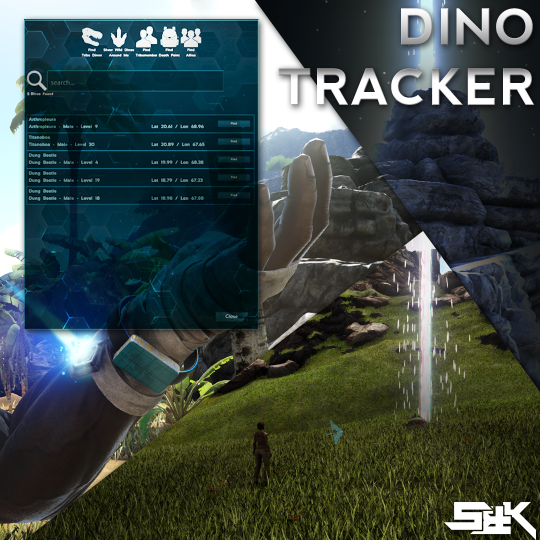
Dino Tracker
przez 76561197981637816
[h1]A smart tool for finding your lost Dino[/h1] [b]Just craft a Dino Tracker[/b] [i]Required level 25[/i] [u]Ingredients[/u] [list] [*] 1 Metal Ingot [*] 1 Hide [/list] [h1]Apply the Dino Tracker Skin onto your Gloves.[/h1] [img]https://i.imgur.com/xnPpQ03.gif[/img] You will see your Char now has a Tracker Wristband on his left Arm. [table] [tr] [th]Hotkey[/th] [th]Description[/th] [/tr] [tr] [td]Shift+C[/td] [td]will open an UI where you can choose what are you looking for and select the Dino you are searching for[/td] [/tr] [tr] [td]Shift+V[/td] [td]will point again to the last Dino you searched for.[/td] [/tr] [/table] An Arrow will show you the direction where the Dino is, the Dino will also be highlighted with a beacon. [img]https://i.imgur.com/FsCuqyF.gif[/img] [img]https://i.imgur.com/bsEI2nR.gif[/img] [list] [*] It will find your Tribe Dinos ALL across the Map no matter on wich map you are [*] It can show you all Wild Dinos in Render Range [*] It can Point you to Tribe/Alliance Members (Tribemembers even when they are logged out) [*] Rebind your Hotkey [/list] [img]https://i.imgur.com/CUABlhe.gif[/img] [quote=ModID:] 924933745 [/quote] [code] Admin Spawncode: [code] admincheat GiveItem "Blueprint\\\'/Game/Mods/DinoMobile/PrimalItemArmor_DinoMobile.PrimalItemArmor_DinoMobile\\\'" 1 0 0 admincheat GiveItem "Blueprint\\\'/Game/Mods/DinoMobile/PrimalItem_DinoTracker.PrimalItem_DinoTracker\\\'" 1 0 0 [/code][/code] [code] Engram Entry: [code] EngramEntry_DinoMobile_C EngramEntry_Dinotracker_C [/code][/code] [b]Ini options for:[/b] [list] [*] Tracking Wild Dinos [*] Hiding the Find Wild Dinos Button [*] Tracking Tribe Member [*] Tracking Death Points [*] Tracking Allied Players [*] Hiding Coordinates on Wild Dinos [/list] [b]If you only want to Find your Tribe Dinos, just add:[/b] [i]in your GameUserSettings.ini to disable all other Features.[/i] [code] GameUserSettings.ini [code] [DinoTracker] DisableWildTracking=True DisableWildFindButton=True DisableTribememberTracking=True DisableDeathTracking=True DisableAllyTracking=True DisableWildCoordinates=True [/code][/code] [h1]FAQ:[/h1] [b]Q:[/b] [i]How can i find Wild Dinos across the Map?[/i] [b]A:[/b] [i]I dont know, maybe try another Mod that can do this. Our Mod was never and will never be a Mod to search Wilds across the Map.[/i] [b]Q:[/b] [i]The Color of my Gloves is Disapearing[/i] [b]A:[/b] [i]This is not a Bug, its a Feature. If you remove the Tracker Skin from your Gloves they still have their Color, This way you can give the Gloves another Color if the Tracker is Applied.[/i] [b]Q:[/b] [i]Why is it now a Skin? I want to use my X/Y Skin.[/i] [b]A:[/b] [i]We tried a few different things and decidet that a Skin would give the best Immersion. Even Wildcard uses it this Way with the Zip Line and Hang Glider.[/i] [b]Q:[/b] [i]Does it affect my Dinos or other mods?[/i] [b]A:[/b] [i]No, the Mod is clean and Stackable and wont overwrite vanilla Files or interact with any other Mod.[/i] [b]Q:[/b] [i]Why does the Tracker not show my own Coordinates[/i] [b]A:[/b] [i]We wanted to create an Immersive search function without breaking the use of ingame items like the GPS[/i] [b]Q:[/b] [i]My Tracker wont open, im confused wich Hotkey is the right one[/i] [b]A:[/b] [i]Go into a Singleplayer Game with only Dino Tracker enabled and type "cheat ScriptCommand DinoTracker open" in the Console. Rebind the Keys how you like them and join your Multiplayer Game again.[/i] Special Thanks to Neothom for borrowing me some of his Code If you like our Work and want to give a Donation, feel free to Support and Contact me on Discord [h1]If you like the Mod, consider giving it a Thumbs up[/h1] [img]https://i.imgur.com/MkcPV4J.gif[/img] [h1]Feel free to report Feedback and Bugs to our Discord[/h1] [url=https://discord.gg/JUGwJGB] [img]https://i.imgur.com/GrVCGoG.gif[/img][/url]

Super Structures
przez 76561198047902824
NOTICE: As of 07/22/2025 - This mod was tested and working with the latest updates to the game. This mod is a fork of S+ from the July 11th, 2019 release of Structures Plus. This mod includes everything that mod had at that time. Any further updates to S+ past that release are not necessarily in this mod. Join our [url=https://discord.gg/FKgkknn]discord[/url] to get help, make suggestions, and submit bug requests! You can go to the [url=https://ark.wiki.gg/wiki/Mod:Super_Structures]Super Structures Wiki[/url] for a full list of all structures, tools, & features. [h1]New & Updated Structures in SS:[/h1] - SS Shield Post (Linkable Shield Fence Barriers) - SS Cryofridge (lockable, snappable, w/ default 100 slots) - SS Laser Turret (low damage but applies a slow effect and a chance to blind enemies, uses gasoline for ammo) - SS Hover Skiff (Can be picked up, holds 10x more fuel, gives you the item instead of crafting it instantly) - SS Tek Jump Pad (can snap to ceilings, foundations, and roofs) - SS Pressure Plate (limit is removed by default, similar snap points to ceilings, and can disguise as other ceilings) - SS Tek Sensor (limit is removed by default) - SS Ocean Metal Foundation - SS Ocean Wood Foundation - SS Artifact Pedestal (6 additional variants, locks, snappable) - SS Trophy Wall Mount (3 additional variants, locks, adjusts placement for tek walls) - SS Dino Uplink (place on any dino platform saddle, sends to any SS Dedicated Storage anywhere on the map) - SS Noglin Nullifier (knocks noglins off their host, makes them temporarily targetable by turrets) - SS Tek Crop Plot (snaps to ceilings/foundations, doesn't require water) - SS Tek Triangle Crop Plot (snaps to triangle ceilings/foundations, doesn't require water) - SS Egg Incubator (Stat Optimization, Auto Hatch, Auto Temp, snaps) - SS Ammo Box (snaps to ceilings/foundations, lots of INI options) - SS Loadout Mannequin (snaps to ceilings/foundations, can install refridgeration) [h1]Updated Features: [/h1] - Decay Destruction multipliers are equalized for all SS structures - Hatchery will auto send specific dino eggs to specific SS Egg Incubators - SS Lab recipes reworked - Structure limit INI options - Turret Damage INI options - Command Gun has additional modes for mating, ally looking, turret mode, and more! - Limited language support added for German, Russian, French, Czech, Spanish, Italian, Simplified Chinese, & Dutch. - New Construction Tool to allow easier building by having access to up to 20 more slots! - Most Tools have been condensed into a radial menu for easy selection - INI option to disable turret radius changer - Updated for Gen 2 DLC: Mutator has R-Creature pulse, Gardener auto harvests Plant Species R, genesis 2 engrams added to replicator, SS Lab has Mutagen/Mutagel - Updated Item Collector model and features, can automatically collect and distribute metal/ingots between forges and dedicated storages - Search option on the Inventory Assistant - Demo gun now respects tribe governance - Text on vaults and fridges to display names - More CrossTeamTeleport INI options - Ability to select "Allies" on teleporter - Mutator low/medium/high selectable ranges (with server INI adjustable settings) - Dedicated Storage improvements (search filter, resource options are highlighted green to indicate existing dedicated storage\'s with that resource, red to indicate that they are full, ability to withdraw smaller increments, doesn\'t remove non-stackables, and even more!) - INI option to turn the timer back on for the SS Tek Shield Generator (and SS Shield Post) - Option to "Send to Dedicated" on the Industrial Forge & Translocator - Option to "Send to Industrial Grinder" on the Crystal Cracker - Snappable Industrial Forges & Preserving Bins - Smaller Replicator & Industrial Forge - Can hide the pull UI with in-game toggle so you can clearly see tooltips - Important Bug fixes for critical issues - Continuous updates and bug fixes are in the works! [h1]Overview:[/h1] - All items can be picked up - No building height limit - Foundations are stackable - Triangle foundations, ceilings & roofs - Ceilings snap flush with foundations - Crop plots snap to foundations & ceilings - Sloped walls can snap to the bottom of walls & ceilings - Foundations can snap to ceilings if there is ground support (ie other side of bridge) - Gateways snap in line with fence foundations - Storage boxes snap to each other - Wires & pipes can be hidden & verticals are only 1 wall high - Large & behemoth walls(4 tall & 12 tall) - Numerous snap points cleaned up - All noisy structures are silent - All crafting stations can be locked & pin coded - All gas only structures can also use electricity - All gates, doors & trapdoors can auto open & close (with various settings) - More config options than anybody wants to read! [b][u]"Integrated Resource Pulling"[/u][/b] Resource pulling directly integrated into the ARK inventory UI so its available in everything! All dinos, structures & yourself. Pull specific resources, pull enough to craft a certain number of the selected blueprint or enough to repair the selected item. [h1]More Information[/h1] For config options, spawn codes & other useful information, see this [url=https://steamcommunity.com/workshop/filedetails/discussion/1999447172/3896114028903653079/]discussion[/url]. [h1]Donate[/h1] [url=https://www.patreon.com/legendarsreign][img]https://i.imgur.com/Z3cMwGq.png[/img][/url] [url=https://paypal.me/legendarsreign][img]https://i.imgur.com/sBnJyiB.png[/img][/url] Mod ID: 1999447172

Death Helper
przez 76561197963668880
[h1]Corpse Finder and Suicide Potion.[/h1] ★ Find your corpse and death cache easily with the Corpse Finder. ★ Drink a Suicide Potion when you are stuck, or depressed lol. This mod is clean and stackable, doesn't touch core files. Works in both single and multiplayer. [h1]★ Also retrieves bugged corpses that glitch under the world or ground.[/h1] ★ Just use the finder while standing over a marked corpse location signal or glitched underground one. Your corpse items will be teleported and deposited in a bag at your feet. ★ Small Directional markers point outwards horizontally from you to your corpse, follow their direction to your corpse location. ★ Server performance optimized. Fast and clever algorithm checks. ★ Only the player can see their own corpse light beacon. Other players in the vicinity can only see your directional markers. ★ Beacon signals and directional markers will only last a short time. Cooldown period is a few secs between each use. ★ Suicide potion cannot be seen by other players, only the owner can use. [h1][olist] [*]Both engrams cost 0 points to learn. [*]Crafting will not give any exp. [*]Costs 1 stone to craft Corpse Finder. [*]Suicide Potion has no craft cost, meant to let players suicide if spawned stuck. [/olist][/h1] ModID= 566885854 [u][url=http://steamcommunity.com/workshop/filedetails/discussion/561820195/405694115203039287/]Troubleshooting Link for Problems and Solutions[/url][/u] This mod is free. Feel free to use any ideas and resources from it. Also try my other mods: [url=http://steamcommunity.com/sharedfiles/filedetails/?id=758608778][h1]Scorched Earth Tabula Rasa[/h1][/url][url=http://steamcommunity.com/sharedfiles/filedetails/?id=729352919][h1]Indominus Rex Nemesis[/h1][/url][url=https://steamcommunity.com/sharedfiles/filedetails/?id=561820195][h1]Dragon Gods[/h1][/url][url=https://steamcommunity.com/sharedfiles/filedetails/?id=575017270][h1]Photon Sentry N Rifle[/h1][/url][url=https://steamcommunity.com/sharedfiles/filedetails/?id=559651126][h1]Pet Companions[/h1][/url][url=https://steamcommunity.com/sharedfiles/filedetails/?id=554678442][h1]Egg N Poop Collector N Incubator[/h1][/url][url=https://steamcommunity.com/sharedfiles/filedetails/?id=566887000][h1]Pet Finder[/h1][/url][url=https://steamcommunity.com/sharedfiles/filedetails/?id=566885854][h1]Death Helper[/h1][/url][url=https://steamcommunity.com/sharedfiles/filedetails/?id=569786012][h1]Meat Spoiler[/h1][/url][url=https://steamcommunity.com/sharedfiles/filedetails/?id=622608522][h1]Charcoal Baker[/h1][/url][url=https://steamcommunity.com/sharedfiles/filedetails/?id=622595587][h1]Oil Compressor[/h1][/url][url=https://steamcommunity.com/sharedfiles/filedetails/?id=630601751][h1]Resource Stacks[/h1][/url][url=http://steamcommunity.com/sharedfiles/filedetails/?id=760880376][h1]Scorched Earth Resource Stacks[/h1][/url][url=https://steamcommunity.com/sharedfiles/filedetails/?id=633831197][h1]Bulk Crafters[/h1][/url][url=http://steamcommunity.com/sharedfiles/filedetails/?id=672292849][h1]Admin Bomb[/h1][/url] ★ Disclaimer: So I am not updating anymore for my own reasons. But I have and always will allow everyone free use of any resources and ideas from all my Ark projects, rest assured I will never deny your creative freedom. Also please don't spread rumors, and keep in mind I'm not responsible for any actions you take on your own.
Editable Server UI (WBUI) Open Source
przez 76561198006592627
[h1]Survivor of Aquatica's Purge[/h1] This mod is still functional, even after the Aquatica update, which destroyed a ton of mods [h1]Editable Server UI[/h1] Clean and stackable The UI will be shown if you hit "F1" per default. it is adjustable via GUS.ini / ingame as admin [h1]How to configure this UI:[/h1] [url=http://steamcommunity.com/workshop/filedetails/discussion/924619115/1290691308582832751/] GameUserSettingsini[/url] [h1]SUPPORT[/h1] NO SUPPORT VIA THE COMMENTS SECTION! Join my [url=https://discord.gg/K7NyrTV] Discord[/url] if you have questions or need help [h1]Custom Backgrounds[/h1] Dont ask if it's possible to add custom backgrounds. It's not possible. not via adding a file on your server nor via an URL. It's NOT possible at all. [h1]Credits[/h1] Thanks to UE4 forum and ARK modding Discord for the help Special thanks to Chris, Ghazlawl and SamKO from ARK modding Discord for the awesome help Especially to SamKo for his OpenSource JsonParser Thanks to all donators! [h1]Open Source[/h1] this mod went Open source. the Repo can be found here: https://gitlab.com/postpapa/adksourcefiles [h1]Donate[/h1] [url=paypal.me/DCModding] Paypal[/url] [img]https://i.imgur.com/XlCGM3Z.png[/img] 924619115

Auto Engrams!
przez 76561198044472964
1428596566 Automatically unlocks Engrams as you level up. Nothing to learn or do. Just Works! - No screen spam - Ignores points requirements - Unlocks regardless of DLC restrictions - Works with mods added before and after installing - Does not unlock Engrams set to hidden by server configs - Respects Engram level overrides INI option to force unlock Engrams not normally unlocked by the player (TEK Engrams, Engrams unlocked by defating bosses in some mods etc). Force unlock happens once the player reaches max level. [code] [AutoEngrams] ForceUnlock=True [/code] Enjoy [URL=https://discord.gg/uMwdPkA][img]https://steamuserimages-a.akamaihd.net/ugc/1303179066322975733/144CEE8A40B55F208ECD8887EFFDB060740D074D/[/img][/URL] [URL=https://www.paypal.com/cgi-bin/webscr?cmd=_s-xclick&hosted_button_id=62MYXSBT75D4E][img]https://steamuserimages-a.akamaihd.net/ugc/1303179066322980137/91478E7DE48769AC075F229116E6EF0DC59B5C18/[/img][/URL] [URL=https://www.patreon.com/ChrisMods][img]https://steamuserimages-a.akamaihd.net/ugc/1303179066322981908/95D25C2E617F2A4947B4E8048A6A0E5153AB2799/[/img][/URL] [URL=https://steamcommunity.com/sharedfiles/filedetails/?id=2179512899][img]https://steamuserimages-a.akamaihd.net/ugc/1303179066322983458/1236FD54C8029CFB2E9A146225373BB51958726B/[/img][/URL]
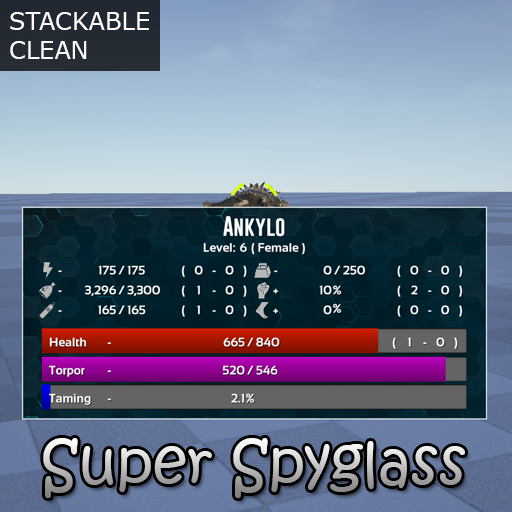
Super Spyglass (Open Source)
przez 76561198023306710
[url=https://drive.google.com/open?id=1hmrkYMD8ZBa903_XzV-vtJ1FJYyKfwss]Source Code[/url] (No license, use as wanted, with or without attribution) [h1]Features[/h1] - Shows all relevant stats of dinos - Shows how all of the dino's points(wild & tamed) have been spent - Increased range - Variable zoom using mousewheel - No overlay when zoomed in - Shows stats even if just holding it - You can lock the stats to a certain dino by left clicking (left click again to clear) [h1]Spawn Code[/h1] cheat GiveItem "Blueprint'/Game/Mods/SuperSpyglassMod/SuperSpyGlass/PrimalItemWeapon_SuperSpyglass.PrimalItemWeapon_SuperSpyglass'" 1 1 0 [h1]Special Thanks[/h1] [i][b]jslay[/b][/i] for his code on the variable zoom from his [url=http://steamcommunity.com/sharedfiles/filedetails/?id=574728136]Advanced Spyglass[/url] [b]Mod ID: 793605978[/b]
Annunaki Genesis (v3.21.0)
przez 76561198011416273
[h1][b]ID[/b]: 538986229[/h1] [h1]IMPORTANT NEWS[/h1] [h1]////////////////////////////////////////////////////////////////////////////////////////////////////////////////////////////////////////////////[/h1] [b]IMPORTANT[/b] : [i]Due to personal and financial circumstances, we're unable to continue developing this mod for the foreseeable future, therefore this mod is now on indefinite hiatus regarding further updates & expansion, unless notified otherwise on this workshop. Thank you for all your support & God bless you![/i] [h1]////////////////////////////////////////////////////////////////////////////////////////////////////////////////////////////////////////////////[/h1] If you enjoy Annunaki Genesis, make sure to leave a [b]like[/b]! [img]http://i.imgur.com/fVVaDCS.gif[/img] If you want to support this mod, please do so via a donation. If you wish to donate, please click the button below [url=https://www.paypal.com/cgi-bin/webscr?cmd=_donations&business=NDL25ESBL9G3S&lc=US&item_name=Annunaki%20Genesis%20Donation&item_number=AGenesis¤cy_code=EUR&bn=PP%2dDonationsBF%3abtn_donate_SM%2egif%3aNonHosted][img]http://i.imgur.com/mkVbWMG.gif[/img][/url] [url=http://steamcommunity.com/workshop/filedetails/discussion/538986229/133258092238508548/]⮞ [b]F.A.Q.[/b][/url] [url=http://steamcommunity.com/workshop/filedetails/discussion/538986229/353915847944418139/]⮞ [b]PATCH NOTES[/b][/url] [url=http://steamcommunity.com/groups/Annunaki_Ark/discussions/7/412449508288950603/]⮞ [b]MOD DESCRIPTION[/b][/url] [url=https://docs.google.com/spreadsheets/d/1XfRnSzhVdXRlNXbrhfR38xyD1XPVrwM9A4ezAGLD2ig]⮞ [b]CREATURE INFO[/b][/url] [url=http://steamcommunity.com/groups/Annunaki_Ark/discussions/7/412449508280761289/]⮞ [b]CREATURE SPAWN ID's[/b][/url] [url=http://steamcommunity.com/groups/Annunaki_Ark/discussions/7/412449508280761907/]⮞ [b]ITEM ID's[/b][/url] [b]Notes[/b] [h1]======================================================================[/h1] [list] [*]This mod will require first priority in your load order – [b]no exceptions[/b]. [*]This mod is optimized around itself. [*]This mod is optimized for an enhanced [b]PvE[/b] experience. [*]This mod will [b]NOT[/b] be optimized for [b]PvP[/b]. [*]This mod will update as often as required. [*]This mod is subject to change according to Team Annunaki's Vision. [/list] Have fun & enjoy the mod! This mod/code/work is protected by the [URL=http://creativecommons.org/licenses/by-nc-nd/4.0/legalcode]Attribution-NonCommercial-NoDerivatives 4.0 International Creative Commons License.[/URL]
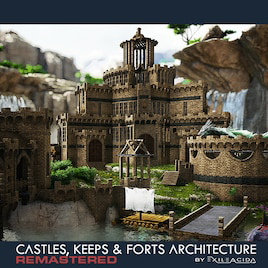
Castles, Keeps, and Forts Remastered
przez 76561198051095723
[img=https://i.imgur.com/ykstjzi.png][/img] [img=https://i.imgur.com/0c8aSyg.png][/img] [b]Mod ID:[/b] 1814953878 [b]Publicly Released:[/b] 25/07/2019 This mod will work on any and all maps. Server Hosting Provided By LogicServers - https://logicservers.com/?promo=CKF Get a server today and use promo code CKF for 20% off! [url=https://logicservers.com/?promo=CKF][img]https://i.imgur.com/UQgn057.png[/img][/url] CKF_ASA Available Now! Click the image below! [url=https://www.curseforge.com/ark-survival-ascended/mods/ckf-asa][img]https://i.imgur.com/hWZDgYy.png[/img][/url] [url=https://steamcommunity.com/sharedfiles/filedetails/?id=2121156303][img]https://i.imgur.com/Q7NuIh2.jpg[/img][/url] [url=https://www.youtube.com/playlist?list=PLeaDwOCwP8Ytj7Ki4kkUqWDiwGjRbfqTn][img]https://i.imgur.com/hKq0fC3.png[/img][/url] Structure Memory Optimizations This mod is fully compatible with -structurememopts [h1][u]Features[/u][/h1] Over 200 versatile building parts Multiple Cosmetic Variants Stackable Foundations Corner Pillars Fully Paintable Parts and Regions All engrams are now pre-added to CKFR masonry table (You are not required to unlock the Engrams, This is done for you when opening the masonry table) Enhanced Snapping Vanilla Floor Sizes Vanilla Snap Compatible [b]True no collision[/b] on placement. [b]Adobe Cooling[/b] on all parts 3 full structure tiers -> Settler Tier = Wood equivalent -> Villager Tier = Stone equivalent -> Castle Tier = Metal equivalent Each building part also features multiple cosmetic variations and all parts and variants are fully paintable. -> Cosmetic Quick Change Tool to quickly change the look and style of your castle from a distance. -> Foundations stack, step, and snap from ceilings for easy building on uneven terrain and bridging -> Ceilings can become foundations via INI -> Auto opening and closing doors -> Foundation support radius increased from 2 to 3 -> [b]This mod is 100% stackable and does not require priority[/b] [h1]INI settings for GameUserSettings.ini[/h1] *These are not required unless you wish to change them from the defaults listed below; [CKF_Config] CeilingIsFoundation=false DisableFoundationStacking=false StackedFoundationHasFullHP=false SettlerIsStone=false SettlerIsMetal=false SettlerIsTek=false VillagerIsWood=false VillagerIsMetal=false VillagerIsTek=false KeepIsWood=false KeepIsStone=false KeepIsTek=false DisableAutomaticDoors=false PickupWhenDamaged=false DisablePickupDelayTimer=false DisablePickup=false StructureCraftingSpeed=1 StructureCookingSpeed=1 [b]**If you are running CKF:R and CKF:SF both INI configs can be placed under the same header.[/b] [b]**Only one instance of each INI command line is needed[/b] A more in-depth explanation of INI-settings and values can be found pinned to the discussion board. [h1]Mod Summary[/h1] CKF has had a major overhaul, everything in this mod has been completely remade from scratch in order to bring you a much greater experience when using Castles, Keeps, and Forts. CKFR now uses Vanilla floor sizes and shapes for easier mixing with vanilla and other mod floors. CKFR parts also use an enhanced snap system, walls now snap side to side, as do the roofs and even around corners, leading to a more enjoyable building experience, greater structural integrity and more ways for you to realise your epic builds. All the parts in CKFR are fully paint-able with multiple colour regions, and multiple static mesh variants within the parts to provide even more customisation. All parts are designed to fall within the performance optimisation of vanilla parts, with models and materials made to be within vanilla spec. At the request of many of users, this mod has also now been registered with the Beacon App to allow users to to more easily add this mods items to spawn beacons on their servers. This mod contains building and construction parts, there are no decor items within the mod. If you wish to decorate your builds, there is a wide variety of existing decor mods available on the steam workshop such as Medieval Props, Eco Decor and RP decor. The decor items used in some of the user submitted build images above will be found within those decor mods. [h1]CKF Team Members[/h1] ExileAcid - Developer Gimilkhad - Extensive testing, influence upon the direction of the mod and feedback. former; eNc - Henrik - Extensive testing, influence upon the direction of the CKFR platform and feedback. [h1]Mod Discord and Support[/h1] If you\'re having an issue you can\'t figure out or just want to hang out and maybe get some sneak previews of things to come, join our discord by clicking the image below :-) [url=https://discord.gg/NNc23xQ][img]https://i.imgur.com/5bJ0qra.png[/img][/url] https://discord.gg/NNc23xQ Special Thanks to all who participated in the pre-release testing of this mod! CKFR Community Volunteers; Gimilkhad - Extensive and highly detailed bug reports, community tester Nevcairiel - community tester Aethyrea - community tester Red Mustang - community tester Server Hosting Provided By LogicServers - https://logicservers.com/?promo=CKF Get a server today and use promo code CKF for 20% off! [url=https://logicservers.com/?promo=CKF][img]https://i.imgur.com/UQgn057.png[/img][/url] [i]Search Meta Tags [/i] Castle Fort Keep Building Construction NoClip No Clip No collision Pick up Pickup House Home Medieval Middle ages Dark Age Knight Custom Assets Gate Vertical Gate Portcullis Sliding Gate Sliding Door raising Gate Lowering Gate Advanced Architecture Mod Texture Material Change Swap Edit Foundation Foundations Stack Stackable compatible Gate Gates Walls Battle Battlements Crenel Crenels Merlon Merlons Defence Defensive Town village Structure Structures ancient historic history palace glass switchable selectable prison jail cell dungeon bars barred CKF CKFR [img=http://i.imgur.com/vSkIPKE.png][/img]
Creature Finder Deluxe
przez 76561197970725805
[h1]Creature Finder Deluxe[/h1] If you run a single player game, read carefully the mod description! All comments about "not finding any creature" will be deleted. [b]ModID=1591643730[/b] Easily find your lost pets or find a high level tameable This mod is clean and stackable, but works best in the [b]last position of your mod list! V1.4.3 Fix for last Ark Patch. Tamed creature will be found again. [b]Shift F8: Open the Creature Finder Deluxe window F6, F7: Cycle through found creatures F8: Toggle creature Indicator F9: repeat search [/b] for changing the keys read the discussion [url=https://steamcommunity.com/workshop/filedetails/discussion/1591643730/1840188800790319162/]HOW TO SETUP KEYS[/url] [b]ATTENTION: If you play single player or run a non-dedicated server, you need to start ARK:Survival Evolved with the launch option [code]-preventhibernation[/code] otherwise only creatures in sight will be found. How to setup the -preventhibernation flag: 1. Select the Library tab present at top of the Steam client. Right click on ARK: Survival Evolved and select settings from the list of options available. 2. In the "General" menu item you will see a "Launch Options" text field. 3. Enter [code]-preventhibernation[/code] 4. close the settings dialog and start ARK [img]https://i.imgur.com/6PU5NpF.jpg[/img][/b] To use the CREATURE FINDER DELUXE press Shift F8 (mod default key setting) to open the search dialog. Choose a desired creature class. You can enter a search text in the text entry field (for example: Tek ) or leave it empty. For an exact search use the "". (example: "Dodo") Make further options like gender or tamed (if ShowOnlyTamed is not set to True in the GUS ini) Click the "Search" button. If any creature is found, you will see an indicator on the lower side of the screen, showing the found creature, the name, the gender, the level and the distance to the creature. the background of the indicator shows the distance to the creature in color: green (<3000) over yellow to red (>=3000m) If more than one creature is found, use the F6 and F7 keys to cycle through the found creatures. The found creatures are sorted by the distance to the player. Of course only creature already spawned can be found. You can disable the search for wild creatures in the GameUserSettings.ini (see below). Teleport Tamed Creature An Admin on a Server is now able to teleport a stuck tamed creature to his place. The Admin needs to be sure, that the creature fits in the target space and that the target environment can hold the creature. Teleporting a tamed creature will only work as an admin on a server. How to use the teleport feature: 1. in the search window, first target any tribe member or tamed dino of any tribe. 2. search for the tamed creature 3. if there are more than one creatures, choose the one from the minimap by clicking on the green dot. 4. press the house icon on the bottom of the search window. 5. the mod will try to teleport the creature. If this failed, choose another location and repeat. optional INI (GameUserSettings.ini) entries: [code] [CreatureFinderDeluxe] FindAllCreatures=True/False default [b]True[/b] : if set to False, then only tameable creatures will be found - default True is changed in V1.32 ShowOnlyTamed=True/False default False : You can search for tamed and wild creatures CreatureClassRequired=True/False default False AdminOnly=True/False default False ScanRange= (number in m.) default 1000000 - can be a value between 100 m. and 1000000 m. [/code] The option "AdminOnly" can be used for server admins, who want to find lost pets of any player but do not want that their players use the creature finder. To find the pets of a player, target the player or a tribemember or another pet from the player/tribe and open the Creature Finder Deluxe window. You will see the tribename/playername and the id in the finder window. You need to check "tamed" and you can choose the class of the pet or the name and click search. If this mod causes lags while searching, you need to set "CreatureClassRequired=True" in the ini. [h1]Server Discount[/h1]You want your own ARK Survival Evolved game server? Use the links below to save 5% of the original price! [url=https://www.g-portal.com/en/gameserver/ark-survival-evolved-server-hosting?ref=Grebog][img]https://i.imgur.com/rWMfiJ8.jpg[/img][/url] If you like my mods, please thumb up and share the link with your friends. My thank goes to SamKo for his awesome map widget. More mods by Grebog: [list] [*][url=http://steamcommunity.com/sharedfiles/filedetails/?id=756389708][img]https://i.imgur.com/vM2qpDC.jpg[/img][/url][url=http://steamcommunity.com/sharedfiles/filedetails/?id=733089781][img]https://i.imgur.com/CVflJqM.jpg[/img][/url][url=http://steamcommunity.com/sharedfiles/filedetails/?id=782185021][img]https://i.imgur.com/eKC2t1k.jpg[/img][/url][url=http://steamcommunity.com/sharedfiles/filedetails/?id=854186603][img]https://i.imgur.com/NKtKxJZ.jpg[/img][/url] [*][url=http://steamcommunity.com/sharedfiles/filedetails/?id=905971515][img]https://i.imgur.com/kjQcB3Y.jpg[/img][/url][url=http://steamcommunity.com/sharedfiles/filedetails/?id=874109084][img]https://i.imgur.com/r4z6urk.jpg[/img][/url][url=http://steamcommunity.com/sharedfiles/filedetails/?id=1122482607][img]https://i.imgur.com/FGkEWLy.jpg[/img][/url][url=http://steamcommunity.com/sharedfiles/filedetails/?id=1139981401][img]https://i.imgur.com/nEUEl71.jpg[/img][/url] [*][url=http://steamcommunity.com/sharedfiles/filedetails/?id=1184763409][img]https://i.imgur.com/oAyL886.jpg[/img][/url][url=http://steamcommunity.com/sharedfiles/filedetails/?id=1256373426][img]https://i.imgur.com/APo9U6d.jpg[/img][/url][url=http://steamcommunity.com/sharedfiles/filedetails/?id=1278358360][img]https://i.imgur.com/ymlxCgN.png[/img][/url][url=https://steamcommunity.com/sharedfiles/filedetails/?id=1562543736][img]https://i.imgur.com/qx6iCqW.png[/img][/url][/list] [b]Please support me on Patreon: [url=https://www.patreon.com/join/grebog?][img]https://i.imgur.com/IZmUwCD.png[/img][/url] Or donate [url=https://www.paypal.com/donate/?hosted_button_id=YM4ZNMFFZQKHC][img]https://i.imgur.com/QVztTiP.gif[/img][/url][/b] This mod/code/work is protected by the [url=https://creativecommons.org/licenses/by-nc-nd/4.0/legalcode]Attribution-NonCommercial-NoDerivatives 4.0 International Creative Commons License.[/url]
Bitou2k's Binocular
przez 76561198062733543
[h1][b]MOD ID: 1136125765[/b][/h1] [h1]Bitou2k's Binocular; The ultimate long-range reconnaissance spyglass tool.[/h1] [h1]Simple, Efficient and Elegant.[/h1] [h1][b]★★★★★ 1M SUBs ★★★★★[/b][/h1] [b]THANKS TO ALL!!!!![/b] [b]This mod is Clean and Stackable.[/b] [b]This mod brings you an Spyglass with complete Dinosaur Status Information, added with GPS and Compass functions.[/b] [b]The Engram is Available at Level 25[/b] Per default, need some advanced craft requirements, but you can override craft cost in your server. [img]https://i.imgur.com/qwYSd18.png[/img] [h1]B2k Binocular Features[/h1] [list] [*]This Binocular don't have native Target's Audio Listener, was removed. (It is disturbing) [*]The MAX distance to see Dino Status Information is 400mts (Epic View Distance). [*]The Gender of Dino is represented by Name Color. (Pink is Female, Blue is Male, White has no Gender) [*]View of Dino Preferred Foods (Toggle Map ('G' Key) to show) [*]View of Wild/Tamed Dino Level Points (Toggle Weapon Attachment ('N' Key) to show) [*]You can only uses Night Vision, when you targering. (Melee/Pistol Whip (Left Control)) [*]The Oxygen shows total percentage. (For dino mods have lot of oxygen) [*]You can use B2k Binocular while riding Land, Fly or Aquatic Dinos. [*]You can toggle camera (TPV or FPV) while equipped too. [*]The B2k Binocular ignores mounted Dino. YES, NOW IT IGNORES *-* [*]The GPS shows the target location. [*]When first equipping, you will not feel the effect of zoom. (Prevent Dizziness) [*]Taming Bar only shows if Taming > 0%. (Keeps the screen clean) [/list] [h1]B2k Binocular Keys/Gamepad Functions[/h1] [list] [*] Dino Preferred Foods: Toggle Map (Default is 'G' Key) [*] Wild/Tamed Dino Level Points: Toggle Weapon Attachment (Default is 'N' Key) [*] Night Vision: Melee/Pistol Whip (Default is 'Left Ctrl' Key) [*] Radar ESP: Reload (Default is 'R' Key) [/list] [h1][b]Spawn Command / Engram Entry / Configs Options[/b][/h1] [h1]Bitou2k's Binocular:[/h1] [code] cheat GiveItem "Blueprint'/Game/Mods/B2kBinocular/Binocular/PrimalItem_WeaponB2kBinocular.PrimalItem_WeaponB2kBinocular'" 1 0 0 [/code] [h1]Engram Entry:[/h1] [code] EngramEntry_B2kBinocular_C [/code] [h1]Class for Override Crafting cost:[/h1] [code] PrimalItem_WeaponB2kBinocular_C [/code] [h1]Defaults Config Options:[/h1] [code] [B2kBinocular] StatsDelay=0 DisableTraceFloatingHUD=false DisableNightVision=false DisableRadarESP=false DisableDinoPoints=false DisableDinoFoods=false PreventEnemyStats=false PreventEnemyDinoPoints=false AlwaysShowPointsColumn=false AlwaysShowFoodsColumn=false NoAimTargeting=false [/code] [h1]Config Details:[/h1] [b]StatsDelay[/b] - [i]Uses Integer. Seconds Delay to remove Stats Dino Information from the screen. (min: 0, max: 10)[/i] [b]DisableTraceFloatingHUD[/b] - [i]Will show only Dino Stats and disables view Structures/Players information at a distance.[/i] [b]DisableNightVision[/b] - [i]Disables the NightVision function on Binocular.[/i] [b]DisableRadarESP[/b] - [i]Disables the Radar ESP function on Binocular.[/i] [b]DisableDinoPoints[/b] - [i]Disables the Wild/Tamed Point Levels function on Binocular.[/i] [b]DisableDinoFoods[/b] - [i]Disables the Wild/Tamed Preferred Dino Foods function on Binocular.[/i] [b]PreventEnemyStats[/b] - [i]Prevents viewing all status of Enemy Dinos.[/i] [b]PreventEnemyDinoPoints[/b] - [i]Prevents viewing only Enemy Dino Points.[/i] [b]AlwaysShowPointsColumn[/b] - [i]The Dino Points column will always be activated.[/i] [b]AlwaysShowFoodsColumn[/b] - [i]The Dino Preferred Foods column will always be activated.[/i] [b]NoAimTargeting[/b] - [i]It is not necessary to enter in Targeting mode to show the Stats.[/i] [h1]-----------------------------------------------------------------------[/h1] [h1][b]Future Plans Incomming:[/b][/h1] [list] [*] New Features [*] New Functions [/list] [h1]-----------------------------------------------------------------------[/h1] [h1]Current Version: [b]v0.6c[/b][/h1] [h1]v0.6c[/h1] - Optimizations in number abreviations, now only shows from millions, for more accurate viewing stats. - Added Non-adult Dino maturation percentage, it will show itself in the same place where the taming appears. Thanks Albireo for suggestion. - Any crashes when using Binocular, please report on Bug Reports discurssion with all details. v0.6b - Fix Binocular Weapon Description miss. - Code improvements about disconnects. - Optimizations on Dino Preferred Foods function. - Added abreviations for numbers stats: M = million, B = Billion.. - Changed Default Key for Dino Foods to 'G' (DragBody Key). - Rollback Dino Points Key to 'N'. v0.6: This is a Part 1 of a Big Update: - Rewritten the entire code of the Mod. - Fixed the Dino Status Interface getting stuck on the screen. - Fixed bug when targering not ignoring mounted dinos. - Fixed GamePad Keys not working normally. - Fixed Radar and Night Vision bug when wearing TEK helmet. - Added new Dino Preferred Foods column for taming. (Toggle Map ('G' Key) to show) - Added INI settings for PvP servers. - Added configuration to allow no need to Aim Targeting to show Dino Status. - Added configuration for those who want all columns always open. - Added six news INI Config: DisableDinoFoods, PreventEnemyStats, PreventEnemyDinoPoints, AlwaysShowPointsColumn, AlwaysShowFoodsColumn and NoAimTargeting - Added the type of taming, if it can be tamed, and which type, Knockout or Passive. - Added 3 color status for Health Bar: Full (Blue), Middle(Yellow) and Low (Red). [h1]-----------------------------------------------------------------------[/h1] Thanks to [url=http://steamcommunity.com/profiles/76561198029219706]JB[/url] for made this beautiful Image Preview! [h1][b]If you like this mod give it an up-vote and a favorite! Thank you! ★[/b][/h1] [img]https://i.imgur.com/NFO8lO9.gif[/img] [img]https://i.imgur.com/gXgkwIk.png[/img] [h1]My Other Mods:[/h1] [url=http://steamcommunity.com/sharedfiles/filedetails/?id=926028694]Bitou2k's Kibble: Craft Station[/url] - Beautiful, Clean and Stackable, This mod brings you the Kibble Craft Station. [url=http://steamcommunity.com/sharedfiles/filedetails/?id=891367105]Bitou2k's Stacks: Resources and Ammo[/url] - Resources and Ammunition Stacks Mod; weight and stack size, like 50000 stack. [url=http://steamcommunity.com/sharedfiles/filedetails/?id=898436800]Bitou2k's Armors: No Durability[/url] - Armor Sets No Durability Mod; Replace Vanilla Engrams. [url=https://www.paypal.com/cgi-bin/webscr?cmd=_s-xclick&hosted_button_id=BSQHNZGZRPJFS][img]https://i.imgur.com/i1T9ucS.png[/img][/url]

eco's RP Decor
przez 76561198057130109
[h1][b]MOD ID: 741203089[/b][/h1] [b]Craft decorative furniture and tons of other items for your RP (Role Play) servers![/b] [h1][b]100% Stackable Mod[/b][/h1] [img=https://s10.postimg.cc/md97e8895/button1_RP.png][/img] [h1]All items can be picked up. (Hold use key to pick up.) If item is destroyed, after placing, it will return the exact amount of materials used to create it. Engram cost: 0 Level needed to learn engram: 1 All items have HP[/h1] [url=https://docs.google.com/spreadsheets/d/18sIpUvbG499MSDJLHp0nZAZYhu1X2qPTb5mqjbW2En4][img]https://i.postimg.cc/GhyHkS0N/AAAComments.png[/img][/url] [url=https://discord.gg/TFnxbuv][img]https://i.postimg.cc/MGPQsM9r/Discord.png[/img][/url] [h1][b]Mod includes:[/b][/h1] [b]Furniture and Decor Crafting Desk with the following:[/b] 11 Colors of Single Beds (Respawn point) King Bed (11 color options via radial wheel, 2 laying positions available) Bunk Bed (11 color options via radial wheel, Shorter cooldown period for respawn, 2 laying positions available) Coffin Bed (Respawn Point) Curtains (Hang on wall, can be painted) 10 Furniture Pieces 38 Dinosaur Head Wall Mounts (Can be Painted) 3 Skull Torches Bonfire (25 slots, higher hyper/hypo cooks meat faster) 33 War Flags 11 Hanging Flags 11 Pennant Castle Flags Kitchen Cabinet Wooden Stool Suitcases (Storage) 2 Globes Map Tables 7 Misc Decor items Wooden Shutter Metal Balcony Fireplace Screen 10 Rugs 1 Shag Rug (Can be Painted) Black Bear Rug (Can be Painted) Polar Bear Rug (Can be Painted) Brown Bear Rug (Can be Painted) Plain Paintable War Flag 3 Paintable Frames 3 Canvas (M,L,XL) Bathtub Shower Bathroom Wall Shelves Toilet Rockwell Throne Ring Box (Found in the Special folder) [b]Food Tray with the following items:[/b] 12 Food Consumables 12 Decorative Types of Food Bowl (1 inventory slot) Mug (1 Inventory slot) Beer Bottle (1 Inventory slot) Pitcher Herb Basket Empty Tray Fish Tray Hanging Herbs Hanging Pans Water Basin Counter (Storage) Counter with Doors (Storage) Icebox (Keeps food, milk, darts, etc fresh) Pantry (120 Inventory Slots, increased spoil timer, can be painted) Tall Counter/Bar (50 Inventory slots) Kitchen Jar (3 Inventory Slots, can be used to storage consumables for a short amount of time, can be named) Water Bucket (Place first to get to snap points for the Sink) Sink (Decoration or snaps to Water Bucket for running water) Cooker (Grill and Icebox. Cooks meat 2x faster) Dye Mixer (Quickly Craft Dye, Snaps to Cooker) Cooking Pot (Craft Vanilla Medical Brews, Soups, Kibble, etc, Snaps to Cooker) Recipe Station (Craft Recipes and Faux Medicinal Teas, Snaps to Cooker) [url=https://steamcommunity.com/workshop/filedetails/discussion/741203089/1732087824992827241/]NEW LEARN MORE[/url] Mixing Bowl (Craft Bases) [url=https://steamcommunity.com/workshop/filedetails/discussion/741203089/1732087824992827241/]NEW LEARN MORE[/url] [b]Community Box with the following items:[/b] Guestbook (100 Inventory slots) Bulletin Board (50 Inventory slots) Outpost (Snap points for ladders and the floor can be built upon) Bad Box (Can be placed next to an enemy foundation or build. Has 2 inventory slots. Used for RP servers when you have broken into a base and need to leave a note or clue back to your character or tribe) Journal (Book you can edit and share) [url=https://www.paypal.com/cgi-bin/webscr?cmd=_s-xclick&hosted_button_id=J588KCFPZ9KQL][img]https://i.postimg.cc/XqY7WWWq/Shoppe-Donate.png[/img][/url] [url=https://www.patreon.com/ecoModsGames][img]https://i.postimg.cc/G2mVMxGV/patreon.png[/img][/url] [url=https://twitter.com/ArkSurvivalPlus][img]https://s26.postimg.cc/qrqtolz1l/specialthanks_Tao.png[/img][/url] [url=https://twitter.com/TheeSydSquid][img]https://i.postimg.cc/FKhNS6dX/specialthanks_Syd.png[/img][/url] [url=https://twitter.com/dvlsmrcy][img]https://i.postimg.cc/9FTDtvMD/specialthanks_Dvls.png[/img][/url] [url=https://logicservers.com/?promo=Eco][img]https://i.postimg.cc/7hwfsy7P/Logic-Servers.png[/img][/url] Server Hosting Provided by [url=https://logicservers.com/?promo=Eco]LogicServers[/url] [b]Use promo code eco for 20% off[/b] I receive NO payment from this company I just really like them :) [img=https://s4.postimg.cc/emzuncswt/rp_Mods.png][/img] [url=https://steamcommunity.com/sharedfiles/filedetails/?id=2926464353]eco's Hair Dyes[/url] [url=https://steamcommunity.com/sharedfiles/filedetails/?id=2926072283]eco's Organic Saddles - Spino[/url] [url=https://steamcommunity.com/sharedfiles/filedetails/?id=2875449159]eco's Facades[/url] [url=https://steamcommunity.com/sharedfiles/filedetails/?id=2795947433]eco's Highland Homes[/url] [url=https://steamcommunity.com/sharedfiles/filedetails/?id=2632699523]eco's ARRRRP Decor[/url] [url=https://steamcommunity.com/sharedfiles/filedetails/?id=2314097347]eco's Organic Saddles - Equus[/url] [url=https://steamcommunity.com/sharedfiles/filedetails/?id=2147192126]eco's Empires - Vikings[/url] [url=https://steamcommunity.com/sharedfiles/filedetails/?id=2053416662]eco's Empires - Tokugawa[/url] [url=https://steamcommunity.com/sharedfiles/filedetails/?id=1963444664]eco's Empires - Babylonian[/url] [url=https://steamcommunity.com/sharedfiles/filedetails/?id=1890886098]eco's Empires - Inca[/url] [url=https://steamcommunity.com/sharedfiles/filedetails/?id=1846109576]eco's Empires - Romans[/url] [url=https://steamcommunity.com/sharedfiles/filedetails/?id=1846137966]eco's Empires - Khmer[/url] [url=https://steamcommunity.com/sharedfiles/filedetails/?id=1741916864]eco's Primordial Saddles[/url] [url=https://steamcommunity.com/sharedfiles/filedetails/?id=1626914872]eco' Extinction Foliage[/url] [url=https://steamcommunity.com/sharedfiles/filedetails/?id=1435344008]eco's Primordial Decor[/url] [url=http://steamcommunity.com/sharedfiles/filedetails/?id=1266909337]eco's Aberration Decor[/url] [url=http://steamcommunity.com/sharedfiles/filedetails/?id=1091147617]eco's Stable Structures and Decor[/url] [url=http://steamcommunity.com/sharedfiles/filedetails/?id=670764308]eco Trees[/url] [url=http://steamcommunity.com/sharedfiles/filedetails/?id=764241499]eco's Scorched Earth Decor[/url] [url=http://steamcommunity.com/sharedfiles/filedetails/?id=741203089]eco's RP Decor[/url] [url=http://steamcommunity.com/sharedfiles/filedetails/?id=702828089]eco In Wonderland[/url] [url=http://steamcommunity.com/sharedfiles/filedetails/?id=816908578]eco's Tek Decor[/url] [url=http://steamcommunity.com/sharedfiles/filedetails/?id=880887081]eco's Terrariums[/url] [url=http://steamcommunity.com/sharedfiles/filedetails/?id=880871931]eco's Garden Decor[/url] [url=http://steamcommunity.com/sharedfiles/filedetails/?id=902548451]eco's Shoppe Decor[/url] [url=http://steamcommunity.com/sharedfiles/filedetails/?id=926567353]eco's Camping Decor[/url] [url=http://steamcommunity.com/sharedfiles/filedetails/?id=795044845]eco Trees LITE[/url] [url=https://www.paypal.com/cgi-bin/webscr?cmd=_s-xclick&hosted_button_id=J588KCFPZ9KQL][img]https://i.postimg.cc/XqY7WWWq/Shoppe-Donate.png[/img][/url] [url=https://discord.gg/TFnxbuv][img]https://i.postimg.cc/MGPQsM9r/Discord.png[/img][/url]

eco's Garden Decor
przez 76561198057130109
[h1][b]MOD ID: 880871931[/b][/h1] [b]Craft fountains, topiary, indoor/outdoor lighting, fences, and planters for your garden![/b] [h1][b]100% Stackable mod.[/b][/h1] [img=https://s10.postimg.cc/d1hqw25zt/gardenbutton1.png][/img] [h1]All items can be picked up. (Hold use key to pick up.) If item is destroyed, after planting, it will return the exact amount of materials used to create it. Engram cost: 0 Level needed to learn engram: 1 Items can be planted on the ground, in the water, on catwalks, foundations/ceilings, and rafts/platform saddles. All items have HP[/h1] [url=https://docs.google.com/spreadsheets/d/1DzZiv6djLGMgDsE7cHgbOBGxWFDWUH-LXb4lHb3vcGc][img]https://i.postimg.cc/GhyHkS0N/AAAComments.png[/img][/url] [url=https://discord.gg/TFnxbuv][img]https://i.postimg.cc/MGPQsM9r/Discord.png[/img][/url] [h1][b]Mod includes:[/b][/h1] [b]Crafting Table with the following:[/b] Gnome Skin (Can be worn over a Helmet) Gnome Door (Snaps to Gnome Home) Gnome Home (Can change the color of the house via the radial wheel. Can be painted) 2 Bonsai Trees Hedge (Snaps to foundations) 6 Fences (Snaps to foundations) 6 Fence Gate Frames (Snaps to foundations) 6 Gates (Snaps to Fence Gate Frames) 3 Wall Fountains 3 Round Fountains 12 Planters 2 Wall Flower Boxes 17 Topiary Dinosaurs 6 Hanging Lights 19 Ground Lights 2 Wall Lanterns Lamp Post Pergola Small Bush Wall Ivy (snaps on a wall) Ivy Ceiling Sloped Ivy Ceiling Scarecrow Stone Snail Garden Statue 10 Stained Glass Building Pieces (Works like greenhouse glass and can be painted) Decorative Grass Floors Decorative Floors (with switchable textures - Hold "e" to change) Decorative Water Floors Gardening Shovel [url=https://docs.google.com/spreadsheets/d/1DzZiv6djLGMgDsE7cHgbOBGxWFDWUH-LXb4lHb3vcGc][img]https://i.postimg.cc/4NgpKr03/Gardening-Shovel.png[/img][/url] [url=https://twitter.com/RedDwarf_Mods][img]https://i.postimg.cc/DfY53yRS/RDGardening-Shovel.png[/img][/url] [url=https://www.paypal.com/cgi-bin/webscr?cmd=_s-xclick&hosted_button_id=J588KCFPZ9KQL][img]https://i.postimg.cc/XqY7WWWq/Shoppe-Donate.png[/img][/url] [url=https://www.patreon.com/ecoModsGames][img]https://i.postimg.cc/G2mVMxGV/patreon.png[/img][/url] [url=https://logicservers.com/?promo=Eco][img]https://i.postimg.cc/7hwfsy7P/Logic-Servers.png[/img][/url] Server Hosting Provided by [url=https://logicservers.com/?promo=Eco]LogicServers[/url] [b]Use promo code eco for 20% off[/b] I receive NO payment from this company I just really like them :) [img=https://s18.postimg.cc/o5jzxzn3d/gardencheck.png][/img] [url=https://steamcommunity.com/sharedfiles/filedetails/?id=2934045004]eco's Garden Friends[/url] [url=https://steamcommunity.com/sharedfiles/filedetails/?id=741203089]eco's RP Decor[/url] [url=https://steamcommunity.com/sharedfiles/filedetails/?id=2632699523]eco's ARRRRP Decor[/url] [url=https://steamcommunity.com/sharedfiles/filedetails/?id=2795947433]eco's Highland Homes[/url] [url=https://steamcommunity.com/sharedfiles/filedetails/?id=1091147617]eco's Stable Structures and Decor[/url] [url=https://steamcommunity.com/sharedfiles/filedetails/?id=2875449159]eco's Facades[/url] [url=https://steamcommunity.com/sharedfiles/filedetails/?id=2318414788]eco's Admin Effects[/url] [url=https://steamcommunity.com/sharedfiles/filedetails/?id=2926464353]eco's Hair Dyes[/url] [url=https://steamcommunity.com/sharedfiles/filedetails/?id=2391265200]eco's Chibi Displays[/url] [url=https://steamcommunity.com/sharedfiles/filedetails/?id=816908578]eco's Tek Decor[/url] [url=https://steamcommunity.com/sharedfiles/filedetails/?id=880887081]eco's Terrariums[/url] [url=https://steamcommunity.com/sharedfiles/filedetails/?id=880871931]eco's Garden Decor[/url] [url=https://steamcommunity.com/sharedfiles/filedetails/?id=902548451]eco's Shoppe Decor[/url] [url=https://steamcommunity.com/sharedfiles/filedetails/?id=926567353]eco's Camping Decor[/url] [url=https://steamcommunity.com/sharedfiles/filedetails/?id=1626914872]eco' Extinction Foliage[/url] [url=https://steamcommunity.com/sharedfiles/filedetails/?id=1266909337]eco's Aberration Decor[/url] [url=https://steamcommunity.com/sharedfiles/filedetails/?id=764241499]eco's Scorched Earth Decor[/url] [url=https://steamcommunity.com/sharedfiles/filedetails/?id=702828089]eco In Wonderland[/url] [url=https://steamcommunity.com/sharedfiles/filedetails/?id=670764308]eco Trees[/url] [url=https://steamcommunity.com/sharedfiles/filedetails/?id=795044845]eco Trees LITE[/url] [url=https://steamcommunity.com/sharedfiles/filedetails/?id=2926072283]eco's Organic Saddles - Spino[/url] [url=https://steamcommunity.com/sharedfiles/filedetails/?id=2383990946]eco's Organic Saddles - Rex[/url] [url=https://steamcommunity.com/sharedfiles/filedetails/?id=2328435359]eco's Organic Saddles - Trike[/url] [url=https://steamcommunity.com/sharedfiles/filedetails/?id=2327492096]eco's Organic Saddles - Baryonyx[/url] [url=https://steamcommunity.com/sharedfiles/filedetails/?id=2324616824]eco's Organic Saddles - Raptor[/url] [url=https://steamcommunity.com/sharedfiles/filedetails/?id=2320808535]eco's Organic Saddles - Parasaur[/url] [url=https://steamcommunity.com/sharedfiles/filedetails/?id=2314097347]eco's Organic Saddles - Equus[/url] [url=https://steamcommunity.com/sharedfiles/filedetails/?id=1741916864]eco's Primordial Saddles[/url] [url=https://steamcommunity.com/sharedfiles/filedetails/?id=1435344008]eco's Primordial Decor[/url] [url=https://steamcommunity.com/sharedfiles/filedetails/?id=2410721745]eco's Empires - Matis[/url] [url=https://steamcommunity.com/sharedfiles/filedetails/?id=2147192126]eco's Empires - Vikings[/url] [url=https://steamcommunity.com/sharedfiles/filedetails/?id=2053416662]eco's Empires - Tokugawa[/url] [url=https://steamcommunity.com/sharedfiles/filedetails/?id=1963444664]eco's Empires - Babylonian[/url] [url=https://steamcommunity.com/sharedfiles/filedetails/?id=1890886098]eco's Empires - Inca[/url] [url=https://steamcommunity.com/sharedfiles/filedetails/?id=1846109576]eco's Empires - Romans[/url] [url=https://steamcommunity.com/sharedfiles/filedetails/?id=1846137966]eco's Empires - Khmer[/url] [url=https://www.paypal.com/cgi-bin/webscr?cmd=_s-xclick&hosted_button_id=J588KCFPZ9KQL][img]https://i.postimg.cc/XqY7WWWq/Shoppe-Donate.png[/img][/url] [url=https://discord.gg/TFnxbuv][img]https://i.postimg.cc/MGPQsM9r/Discord.png[/img][/url]
Egg N Poop Collector / Incubator
przez 76561197963668880
[h1]Collector auto collects eggs, fertilized eggs, and poop from ground / behind walls within a large radius across your base. ★ Incubator will incubate faster and keep all nearby fert eggs healthy. ★ Silo will send collected poop into friendly compost bins in range first unless they are full, also distributes any stored thatch to them. Lastly it collects fertilizers from bins.[/h1] ★ Eggs n poop are auto collected from the ground into your active Collector. ★ Collector preserves eggs and poop longer too. This mod increases max Poop Stack size to 20. ★ Clean and Stackable. A simple mod with aims at fast performance in eggs, poop and incubating. [h1][b][u]Detailed Description:[/u][/b][/h1][olist] [*]Collector now has ingame radial menu to choose Collect Poop only, Egg only, or Both. [*]Collector controls all silo and incubators in range. Must be powered and active to work. [*]Collector will not collect any eggs dropped within an active incubator's range. Unlocking it can also disable all collecting of fertilized eggs. [*]Collector dynamically limits collection range to not collect from enemy pets. [*]Collector range should cover even your biggest bases, default 75 floors length in all directions, adjustable via settings. [*]Thatch N Fertilizer Silo will work with all compost bins in range and auto distributes collected poop, stored thatch and collects fertilizer from compost bins. [*]Incubator incubates fert eggs faster and kept healthy in a small room radius. Prevents collector from collecting incubated eggs. (Range adjusted by setting, default 5 floors radius). [*]Incubated eggs display a small glow every collector interval, default 33 secs. Means the egg is being incubated. Also works with all eggs from dino mods. [*]Craft costs: Collector- 75 metal ingot, 75 crystal, 20 electronic. Incubator- 25 metal ingot, 20 crystal, 5 electronic. [*]Large Compost Bin can make fertilizer much faster and in batches. Also bigger storage. [*]Incubator and Silo needs an active Collector in range to work. This mod stacks poop up to max 20. [*]Can Use Poop stacks to split into single poops for crop plants. (Splits without poisoning player, but irreversible) [/olist] [h1][b][u]Mod Server Settings:[/u][/b][/h1] Paste this section after end of your server's GameUserSettings.ini and edit default values:[h1][quote] [JoanCollector] MaxPoopStacks=15 MaxAchaPoopStacks=0 CollectInterval=40.0 IncubateDistance=1500.0 IncubateBoostMultiplier=1.5 BlockAutoCompostBins=false CollectDistance=20000.0 SiloDistance=20000.0 [/quote] [/h1] [olist][*]MaxPoopStacks means maximum stacks of Poop to autocollect (default 15). Set -1 to disable Poop Collect. Each stack is up to 20 poop. [*]MaxAchaPoopStacks is different, it controls the max stack count of Achatina Snail Poop to collect. Default 0 or -1 means no snail poop. Recommend set between 10 to 15 stacks. [*]CollectInterval is the time between each collection in secs (Default 40 secs, min 25, max 45). [*]IncubateDistance controls the incubator incubation radius, 1500 is roughly five floors length. Put -1 to disable. [*]IncubateBoostMultiplier multiplies the speed to hatch eggs faster when near incubator. (Must more than 0.0 , Put 1.0 for normal ark speed). [*]Set BlockAutoCompostBins to 'true' if you wish to disable autofilling of compost bins with poop, because 'false' will fill all nearby compost bins regardless of MaxPoopStacks. [*]CollectDistance controls the radius how far the collector will work. Default of 20000.0 means around 75 floors radius. Set this higher than IncubateDistance. [*]SiloDistance is the working range of the Tatch N Fertilizer Silo. Should be lower or equal to CollectDistance. [/olist] [h1][b]Admin Spawn Codes:[/b] [u][url=http://steamcommunity.com/workshop/filedetails/discussion/554678442/405691491121392559/]Spawn Codes Link[/url][/u][/h1] [u][url=http://steamcommunity.com/workshop/filedetails/discussion/561820195/405694115203039287/]Troubleshooting FAQ[/url][/u] [u][url=https://steamcommunity.com/sharedfiles/filedetails/?id=630601751]Optional Resource Stacks link[/url][/u] ModID: 554678442 This mod is free. Feel free to use any ideas and resources from it. Also try my other mods: [url=http://steamcommunity.com/sharedfiles/filedetails/?id=758608778][h1]Scorched Earth Tabula Rasa[/h1][/url][url=http://steamcommunity.com/sharedfiles/filedetails/?id=729352919][h1]Indominus Rex Nemesis[/h1][/url][url=https://steamcommunity.com/sharedfiles/filedetails/?id=561820195][h1]Dragon Gods[/h1][/url][url=https://steamcommunity.com/sharedfiles/filedetails/?id=575017270][h1]Photon Sentry N Rifle[/h1][/url][url=https://steamcommunity.com/sharedfiles/filedetails/?id=559651126][h1]Pet Companions[/h1][/url][url=https://steamcommunity.com/sharedfiles/filedetails/?id=554678442][h1]Egg N Poop Collector N Incubator[/h1][/url][url=https://steamcommunity.com/sharedfiles/filedetails/?id=566887000][h1]Pet Finder[/h1][/url][url=https://steamcommunity.com/sharedfiles/filedetails/?id=566885854][h1]Death Helper[/h1][/url][url=https://steamcommunity.com/sharedfiles/filedetails/?id=569786012][h1]Meat Spoiler[/h1][/url][url=https://steamcommunity.com/sharedfiles/filedetails/?id=622608522][h1]Charcoal Baker[/h1][/url][url=https://steamcommunity.com/sharedfiles/filedetails/?id=622595587][h1]Oil Compressor[/h1][/url][url=https://steamcommunity.com/sharedfiles/filedetails/?id=630601751][h1]Resource Stacks[/h1][/url][url=http://steamcommunity.com/sharedfiles/filedetails/?id=760880376][h1]Scorched Earth Resource Stacks[/h1][/url][url=https://steamcommunity.com/sharedfiles/filedetails/?id=633831197][h1]Bulk Crafters[/h1][/url][url=http://steamcommunity.com/sharedfiles/filedetails/?id=672292849][h1]Admin Bomb[/h1][/url] ★ Disclaimer: So I am not updating anymore for my own reasons. But I have and always will allow everyone free use of any resources and ideas from all my Ark projects, rest assured I will never deny your creative freedom. Also please don't spread rumors, and keep in mind I'm not responsible for any actions you take on your own.
Platforms Plus (Open Source)
przez 76561198023306710
[b]IMPROVED VERSIONS OF THESE STRUCTURES ARE NOW INCLUDED IN [url=https://steamcommunity.com/sharedfiles/filedetails/?id=731604991]STRUCTURES PLUS[/url][/b] [url=https://drive.google.com/open?id=1SQqawRxfPEx5G6FBM_PpQkeKvoJldVLP]Source Code[/url] (No license, use as wanted, with or without attribution) Tree platforms with snap points for perimeter walls, extending ceilings, ladders, ramps and catwalks. Also adds platform wedges that allow you to build multi level tree platforms. [h1]New Items:[/h1] - Wood, Stone, Metal, Glass & Tek Tree Platform - Wood, Stone, Metal, Glass & Tek Cliff Platform - Wood, Metal, Glass & Tek Platform Wedge - Wood, Metal, Glass & Tek Sloped Platform Wedge - Wood, Metal, Glass & Tek Outer Platform Wedge - Wood, Metal & Tek Inner Platform Wedge - Wood, Metal & Glass Platform Wedge Door [i]These items are constructed in the Platform Smithy.[/i] [h1]Features:[/h1] - Snap points all around the edge allowing for perfect wall placement! - Snap points around the edge for ladders, ramps, catwalks, ceilings & pillars. - Wedge pieces allow you to build multiple levels in your tree base in a variety of shapes. - Wedges have snap points all along the sides to allow for walls, ramps, catwalks, ladders pillars to be built on either side. - Flat wedges also have snap points for walls near the tree, so it can be blocked off. - Sloped wedges have snap points along the edges for sloped wall pieces so you can build walls down. - Outer wedges allow for large open spaces as well as transit between multiple levels. - Wedges can be placed on pillars, allowing for building non-tree house bases. - Inner wedges ease movement around large multi-story complexes. - Glass pieces give greenhouse effect. - Tek Platform has built-in forcefield. - Tek Platform Sloped Wedge allows friendly players to pass through it. - Wedge Doors can be set to auto, auto close only or manual. [h1]Usage:[/h1] Wedge pieces will snap to the top of walls and each other, so to place your first wedge build a wall as high as you wish and then attach it to the top. You can then attach further wedges to the first wedge. Wedges will also snap directly to trees, so you can build partial bases, or use higher snap tree snap points for additional levels ([i]you have to be very close to the tree for it to snap, even though it will be green when you are further away[/i]). [i]Note: build walls up from the outer edge of wedges and down from the sides.[/i] [url=https://pastebin.com/w9kPFMJ5]Config Options[/url] [b]Mod ID: 719928795[/b] [url=https://pastebin.com/eZwDjMQw]Spawn Codes[/url]
Strona 1 z 1204 (28,887 wyników)
ARK: Survival Evolved Guides
Komendy admina ARK – wszystkie cheaty i komendy 2026
Wszystkie komendy admina ARK i cheaty: spawnowanie dinozaurów, latanie, zmiana przedmiotów i ustawień.
Wynajem i konfiguracja serwera ARK – Poradnik dla początkujących 2026
Postaw własny serwer ARK: Survival Evolved. Poprawnie skonfiguruj mapy, ustawienia i współczynniki oswajania.
Instalacja modów ARK – Steam Workshop i instalacja ręczna
Jak zainstalować mody na swoim serwerze ARK. ID ze Steam Workshop, Stackmod, S+ i więcej.
Serwer ARK: Survival Evolved z obsługą modów
Instaluj wszystkie mody bezpośrednio z panelu jednym kliknięciem.
Wynajmij serwer ARK: Survival Evolved