نجی دنیا
چھوٹی ونیلا دنیا کے لیے شروعات۔
€11.99/مہینہ
- 8 GB RAM
- 20 سلاٹس
- 32 GB NVMe
Black Week: 10% extra from 3 months paid upfront, no code. Until پیر, 23:59. 2 days left.
All deals
اپنے سیڈ، طے شدہ بیک اپ اور سرور فائلوں کے کنٹرول کے ساتھ اپنی بقا کی دنیا بناؤ۔
Rust · PC / Steam
€11.99/ماہ سے
12 ماہ کی پیشگی ادائیگی پر €10.19 فی ماہ €122.30 یکمشت · −15 %8 GB RAM · 20 سلاٹس
Not sure how much RAM you need?
پیکیج کا موازنہ ↓PC/Steam پر Rust کے لیے۔ PlayStation اور Xbox کا Rust Console Edition الگ پروڈکٹ ہے۔
دستیاب پلان میں سے تین ابتدائی اختیارات۔ دیگر سائز اور ادائیگی کی مدت ترتیب دینے والے صفحے پر ہیں۔
چھوٹی ونیلا دنیا کے لیے شروعات۔
€11.99/مہینہ
بڑھتی دنیا اور اپنی تبدیلیوں کے لیے زیادہ جگہ۔
€14.99/مہینہ
10 GB RAM, map size 3000. During a wipe, demand can exceed 10 GB; in that case, the 12 GB package with 40 slots is the safe choice.
پیکیج چنوبھاری نقشوں اور پلگ ان کے لیے اضافی RAM۔
€22.05/مہینہ
سلاٹس کنکشن کی حد ہیں، اتنے بیک وقت فعال کھلاڑیوں کی ضمانت نہیں۔ نقشہ، آبجیکٹس، وائپ کے بعد گزرا وقت، پلگ ان اور CPU بوجھ اصل ضرورت طے کرتے ہیں۔
ابتدائی تنصیب عموماً تقریباً 7 منٹ لیتی ہے۔ بڑی تنصیب یا انتظار کی قطار میں زیادہ وقت لگ سکتا ہے۔ · کوئی کم از کم مدت نہیں
پہلے سے منتخب ترتیب: 10 GB RAM، €14.99/ماہ۔ چھوٹی ترتیبیں €11.99/ماہ سے۔
Server locations: Germany (Limburg) · United States (Vint Hill).
Want a server closer to you?
This page measures the ping from your browser to each location.
Rust Server کرائے پر لو
Choose slots, term and more options to your liking.
Rust · سے €11.99/مہینہ
 Cancel monthly, right in your account
The monthly plan has no minimum term. Use “Cancel contracts” at the bottom of every page and, once logged in, you are done in three clicks. Longer discounted terms are optional.
 Support at no extra cost
Our team reviews and sends every ticket reply. We don't charge extra for it.
 Price before you pay
You see the final price, RAM and term in the configurator before you pay.
The four areas you will use most after ordering. We recorded the clips and screenshots on our own test server.
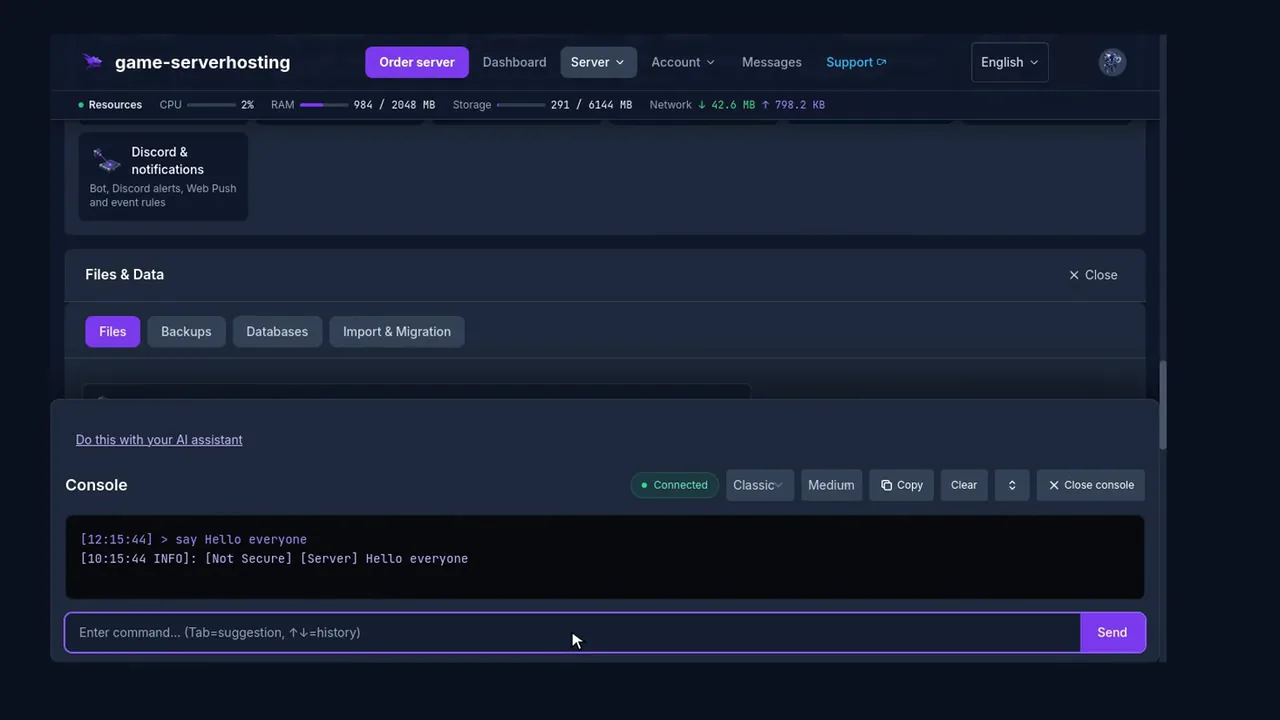
Claude Code · Codex
Connect Claude or ChatGPT to your server to investigate startup problems, adjust settings, or install plugins. You decide which servers your assistant is allowed to access.
Check my server status. Do not change anything yet.See examples
Integration included at no extra charge. You need a compatible AI assistant; its provider may charge separately.
ہمارے Rust انتظامی ٹول: براؤزر میں نقشے کی ترتیبات اور فائلیں۔ تصاویر مثال کی ترتیب دکھاتی ہیں۔
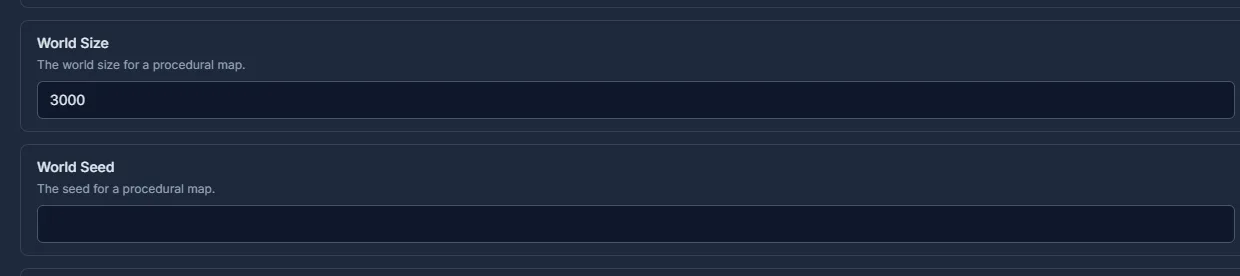
نقشے کا سائز اور سیڈ دنیا طے کرتے ہیں۔ تبدیلی سے پہلے دیکھو کہ نئی دنیا بنے گی یا نہیں، اور موجودہ سیو کا بیک اپ لو۔
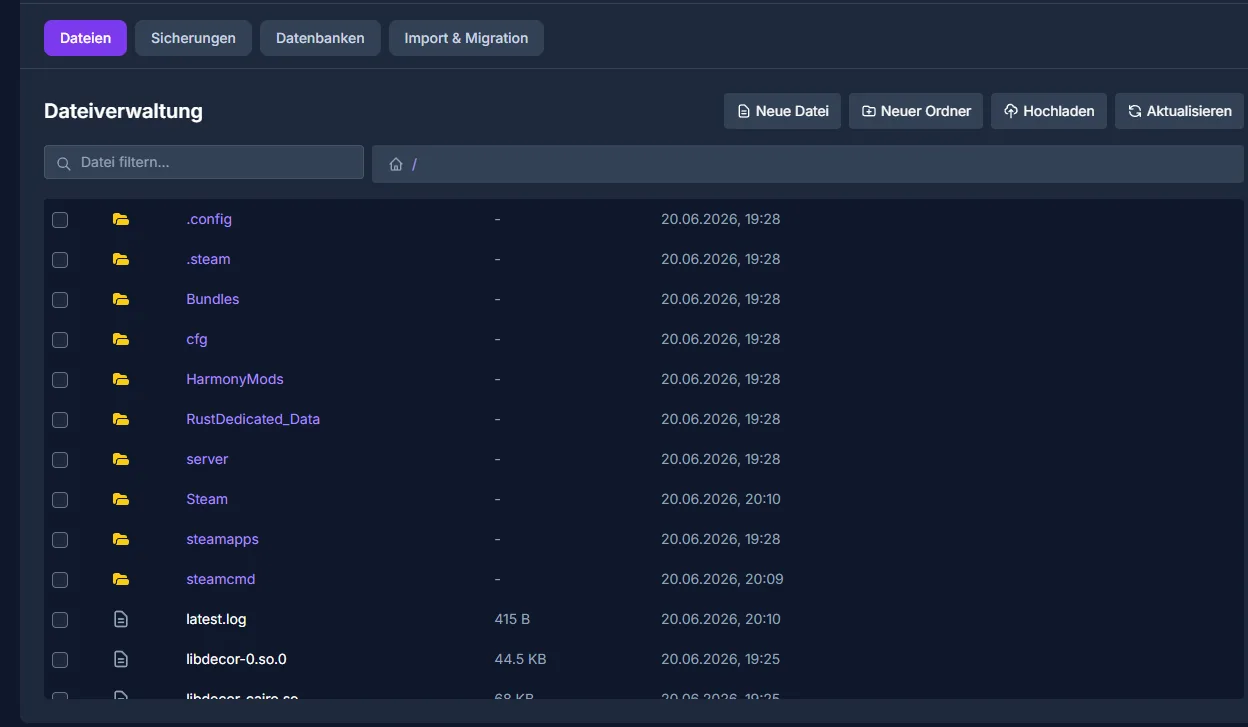
فائل مینیجر سے ترتیبات اور سیو اپ لوڈ کرو۔ درآمد سے پہلے موجودہ فائلوں کا بیک اپ لو اور ورژن اور سرور کی شناخت جانچو۔
نقشے کا وائپ اور بلیوپرنٹ وائپ الگ کام ہیں۔ دائرہ دیکھو، دوبارہ شروع کرنے کی اطلاع دو اور پہلے بیک اپ بناؤ۔ Facepunch اپ ڈیٹ لازمی وائپ مانگ سکتی ہے؛ بیک اپ پرانی دنیا کی نئے ورژن سے مطابقت کی ضمانت نہیں۔
اپنے فریم ورک اور سرور ورژن کے مطابق پلگ ان چنو۔ تنصیب سے پہلے اور Rust اپ ڈیٹ کے بعد مطابقت جانچو۔
Facepunch آغاز کے لیے 12 GB خالی RAM بتاتا ہے؛ بہت بڑے نقشوں کو زیادہ چاہیے۔ پلگ ان، بہت سی عمارتیں اور طویل وائپ وقفے ضرورت بڑھاتے ہیں۔ گنجائش رکھو اور کھیلتے وقت وسائل دیکھو۔
Rust سرور کی سرکاری رہنمائیServers for Rust: from €11.99 per month (from 8 GB RAM), located in Germany (Limburg) or the USA (Vint Hill), set up in about 7 minutes.
Rust dedicated server for PC/Steam from €11.99/month, cancel monthly: your own map, seed and wipe schedule, and you see the price and resources before you buy. Install plugins with a single click from the uMod catalog; set Oxide or Carbon in the panel.
قیمت: €11.99 فی ماہ سے، €58.28 فی ماہ تک. Resources: 20 سے 200 slots منتخب کیے جا سکتے ہیں · 8 سے 32 GB RAM منتخب کی جا سکتی ہے. Provisioning: تقریباً 7 منٹ.
Measured: In our daily provisioning test a Rust server most recently took a median of 7.4 minutes from creation to a running, verified server (17 passed runs in 60 days, as of ).
Facepunch lists 12 GB of free RAM for the Rust dedicated server (source: Facepunch Wiki, checked 2026-11-01). Our recommended plan with 10 GB and 30 slots is enough for small maps up to 3000; the plan with 12 GB and 40 slots meets the vendor figure.
Prices as of , live from the price list
| قیمت | €11.99 فی ماہ سے، €58.28 فی ماہ تک |
| قیمت کا ماڈل | ریم پر مبنی — ترتیب کار خرید سے پہلے قیمت دکھاتا ہے |
| Resources | 8 سے 32 GB RAM منتخب کی جا سکتی ہے |
| Example plans |
|
| Billing | کم از کم مدت کے بغیر ماہانہ منسوخ ہونے والی رکنیت؛ خودکار تجدید بطور معیار فعال ہے اور غیر فعال کی جا سکتی ہے |
| Provisioning | عام ابتدائی سیٹ اپ میں تقریباً 7 منٹ لگتے ہیں۔ قطار یا بڑی انسٹالیشن میں زیادہ وقت لگ سکتا ہے۔ |
| Location | جرمنی (Limburg) · USA (Vint Hill, Virginia, US East) — selectable when ordering, subject to free capacity |
| اپنی subdomain | شامل ہے، مثلاً mein-server.gs.game-serverhosting.com |
| Control Panel | براؤزر میں کنسول، فائل مینجمنٹ اور ترتیبات |
تمام قیمتیں ترتیب کار سے براہ راست حساب کی جاتی ہیں؛ تازہ حالت ہمیشہ صفحہ کھولنے کے وقت کی ہوتی ہے۔
Applies to every package on this page. You choose the package and price in the order wizard.
Your server sits behind the data centre’s network DDoS protection. It is included in the price and works automatically.
Simplified illustration. Packets, counter and graph are simulated, not measurements. The protection lowers the risk of downtime but cannot prevent every disruption.
Traffic reaches the data centre
Every connection to your server first passes through the data centre’s network.
The filter recognises attack patterns
The protection filters volumetric attacks at network level (layer 3/4), automatically and at no extra charge.
Game traffic carries on
Connections the filter rates as normal reach your server as usual.
جرمنی
OVH Anti-DDoS + Hetzner DDoS Protection
ریاست ہائے متحدہ امریکہ
OVH Anti-DDoS
تحقیق کے لیے مقبول اضافے۔
Community پسندیدہ 1,700+ دستیاب Mods میں سے
Resources کے Gather Rates Adjust کرو
Cooldowns کے ساتھ Starter Kits اور VIP Kits
PvP/PvE Zones، Safe Zones، Build Protection
Homes، TPA، Town Teleports
Chat، Alliances اور FF Protection کے ساتھ Clan System
Building Parts دوبارہ Remove کرو
فہرست انتخاب میں مدد دیتی ہے؛ استعمال سے پہلے مطابقت اور دستی ترتیب کی جانچ ضروری ہے۔
ہر Server کے ساتھ وہ Features آتے ہیں جن کے لیے دوسرے Hoster اضافی چارج کرتے ہیں۔
mein-server.gs.game-serverhosting.com جیسا اپنا پتہ منتخب کرو — بدصورت IP:Port کمبینیشنز نہیں۔
One click in the dashboard: Uptime Kuma, Game Server Watcher and one bot such as Sinusbot are included per server at no extra cost. Every additional bot costs extra.
After you order, setup creates your server along with its subdomain and DNS records. You can add backup schedules in the panel whenever you need them.
Zero-Config SetupTwo extra ports at no extra cost. Allocate up to two extra ports per game server for plugins and mods, including on free plans. Each extra port supports TCP and UDP.
How to set up extra ports



How should the advisor answer?
With AI chat, an automated AI system from game-serverhosting answers, not a member of staff. It understands questions in your own words. Answers can contain mistakes and are not an offer; only the prices in the order process are binding. Your messages go to Anthropic (Ireland, with processing also in the USA). We keep the conversation for 30 days and an anonymised copy without e-mail addresses and phone numbers for 13 months, to improve the answers. We need neither your name nor your e-mail.
We remember your choice for 180 days. You can change it at any time at the bottom of the chat. Details in the privacy policy
This page has been updated in the meantime. Reload it so everything works correctly.