
With the live map, your Minecraft Java server shows its world as a 3D map in the browser, with players in real time. The panel installs BlueMap, sets up a web port and gives the map its own HTTPS address. All it takes from you is one tick and one click. Expect five to ten minutes, during which the server restarts up to three times.
What you need first
- a Minecraft Java server running plugin software such as Paper
- the permissions for plugins and for restarts, if you are not the owner
- a moment when three short restarts won't get in the way. Anyone playing at the time gets disconnected briefly.
Turn on the live map
- In the panel, open Game Settings → Live map.
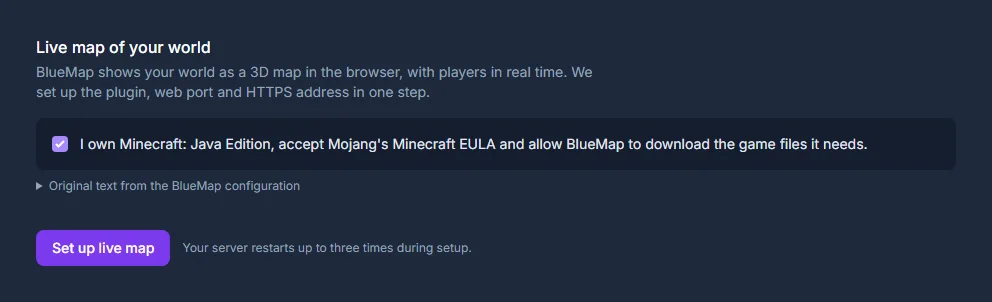
- Tick the box. This confirms that you own Minecraft: Java Edition, accept Mojang's EULA and allow BlueMap to download the game files it needs. BlueMap needs the textures from the game to draw the blocks. Under Original text from the BlueMap configuration you can expand the original English wording.
- Click Set up live map.
 (Enlarge image)
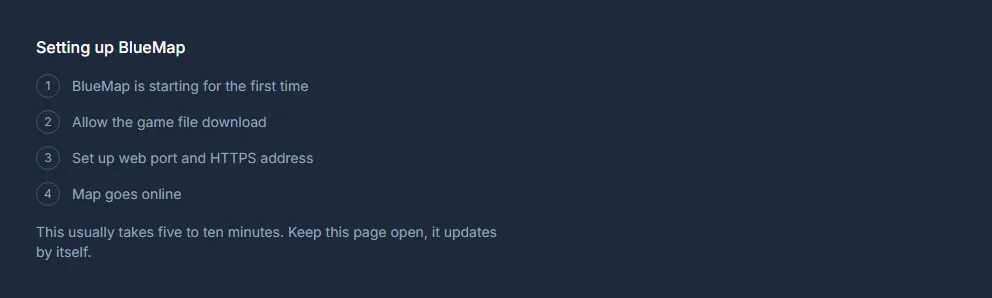
The panel now shows four steps: BlueMap is starting for the first time, allow the game file download, set up web port and HTTPS address, map goes online. Keep the page open, it updates by itself. If a step gets stuck, you will see Continue setup there.
 (Enlarge image)
Share the map
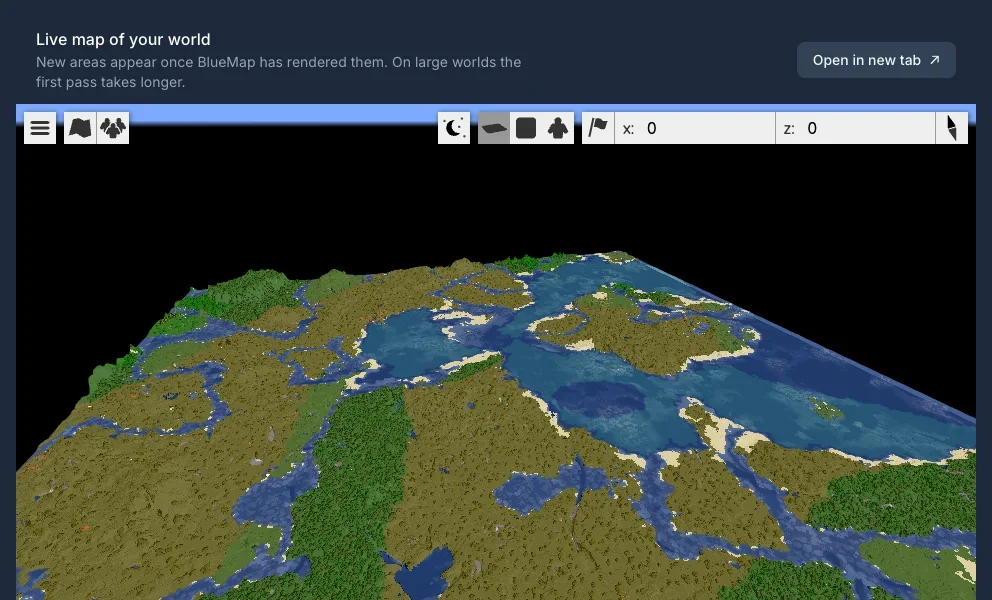
Once everything is done, you see the map right in the panel. You can rotate it, zoom in and look around.
 (Enlarge image)
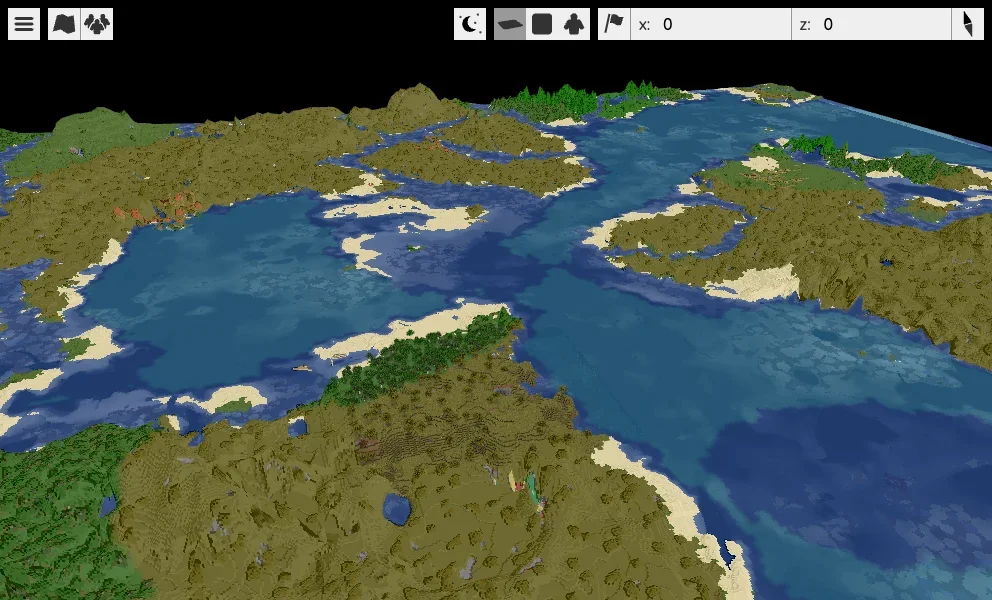
Open in new tab shows the map at its own address. It has the form
https://web-<Server-ID>.game-serverhosting.com/ and runs over HTTPS. You can pin this address in Discord or link it
on your website. Anyone who knows it can see the map and the positions of the players who are online at the moment.
 (Enlarge image)
Large worlds
New areas only show up once BlueMap has rendered them. On a fresh world that is quick. On a world with lots of explored chunks, the first pass takes considerably longer. BlueMap renders in its own thread next to the game: on our test server, the server stayed at 20 TPS while rendering with no players online. If you are going to pre-generate the world with Chunky anyway, do that before the live map. BlueMap then renders everything in one go. On our test server that took about 20 minutes for a world with a 1000-block radius (just over 15,000 chunks).
If something goes wrong
| Message in the panel | Cause |
What to do |
|---|---|---|
| "You need the permissions for plugins and for restarts to set this up." | You are a collaborator without these permissions |
Ask the owner to give you both permissions |
| "BlueMap is installed but disabled." | The plugin was switched off |
Enable it again under Plugins |
| "… already uses this server's web port." | Another map service (for example Dynmap) uses the port |
Remove the other service, then restart |
| "Setup took too long." | A step didn't report back in time |
Click Continue setup or check the console |
| "The restart failed." | The server didn't come back up |
Wait a moment, then try again |
FAQ
Does the map survive a restart? Yes. On our test server it was reachable again 22 seconds after a restart, without setting it up again. While the server restarts, the address briefly shows an error message.
Can people reach the map while the server is off? No. BlueMap runs inside the server. When the server is stopped,
the address only shows error code: 502. As soon as it is running again, the map is back.
Does the live map cost extra? No, it is part of the panel.
Can I remove the map again? Yes. Open Plugins, choose Actions → Uninstall for BlueMap and restart the
server. After that the address is no longer reachable, and under Live map you can set the map up again at any
time. The settings and the rendered map stay in the folders plugins/BlueMap and bluemap. If you no longer need
them, delete both under Files.
Sources and Verification
Verification: This guide reflects the state of 22 November 2026. On that day we ran through the setup on our own Paper test servers with Minecraft 26.3 and BlueMap 5.29: setup under Game Settings → Live map, the map in the panel and at its own HTTPS address, a restart, a stopped server, rendering the world with no players online and removal via Plugins. On 23 November 2026 we repeated the setup on a new test server whose world we had pre-generated with Chunky first (radius 1000 blocks). BlueMap then rendered that world in one go, with one render thread in about 20 minutes. The images come from these test servers.
- BlueMap: BlueMap installation: BlueMap
runs as a plugin inside the server, updates the map as the world changes and comes with its own small web server.
That needs an additional port and permission to download files from Mojang (
accept-download). The panel sets up both for you. - Our panel: the live map flow, steps, permissions and messages as the panel shows them.
- Not verified: We did not trigger the messages in the table ourselves; they come from the panel texts. We did not measure how long the first pass takes on a large, already explored world.
