Project Zomboid Mods & Plugins
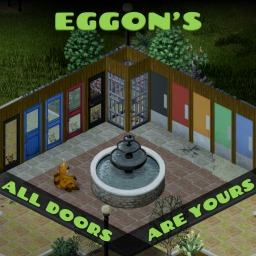
Eggon's All Doors Are Yours
von 76561198093590691
Allows to take doors off hinges and reinstall them elsewhere, because... because why the hell not??! Works on all single-tile doors. TAKING DOORS OFF HINGES Click on the door and choose "Take door off hinges" from context menu. Requirements: ★ Carpentry level 3 (75% chance to succeed, increasing by 5% with each additional level) ★ Screwdriver ★ Crowbar ★ Door must be unlocked! Apart from the chance to obtain the door you also have chance to receive hinges. REINSTALLING DOORS Right click on the door item in inventory. Choose "Install door" from context menu and point the door cursor to an empty frame (as if building). Rotate if necessary. Requirements: ★ Carpentry level 3 ★ Screwdriver ★ Crowbar ★ Hinges x 2 (except for slide doors) ⚠ IMPORTANT ⚠ Vast majority of vanilla doors can be reinstalled in any orientation (both North and West). When configuring doors I might have overlooked a few rare door designs - I will supplement them based on your reports. These overlooked doors without config can still be taken off, but can be reinstalled only in the same orientation they were installed in originally (either North or West). Modded doors are not configured and will have to be configured by their creators to work fully flexibly with EADAY. TRANSPORTING DOORS Doors are large and heavy objects. Although they take up between 30 and 40 capacity, they will not fit in containers with max capacity of less than 90. If you want to move them with a car, you need to bring some heavy duty one! MOD LIMITATIONS ★ Double doors (eg. entrances to churches) can be taken off, but they don't fit the standard frames, so will look ugly (will still function though). The option to take them off is not blocked as you might want to reinstall these doors in an existing pre-built double frame. ★ Doors of toilet cabins are blocked - due to the same problem. ★ EADAY does not work for garage doors and doors spanning more than 1 tile. REPORTING MISSING DOOR CONFIGS If you find a vanilla door with missing config report them here. REPORTING BUGS Please post any bug reports here. EXISTING SAVES / MULTIPLAYER EADAY can be freely added to existing saves. I have not tested EADAY in MP. However I do hope it does work, as for key operations I copied certain patterns from vanilla code. If you try it in MP, let me know if it worked or not. COMPATIBILITY I expect this mod to be compatible with any other mod, including ones providing additional doors - with the limitations as described above, though weird interactions can not be ruled out in case of some exotic designs. I will prepare API for other modders that will enable adding to EADAY configs for their doors. REQUIREMENTS My support mod Eggon's Modding Utils is required. SUPPORT ME If you appreciate my content and want to encourage me to deliver more... consider supporting me on Ko-Fi or Patreon! If you like this mod, hit the like button and check out my other mods! :) Workshop ID: 2733027635 Mod ID: eggonsAllDoorsAreYours
add Mechanic Sounds - Lite Version
von 76561198073717195
add Mechanic Sounds Sounds effect is added during action to the mechanic activity and vehicle arround . (heater/buttons/actions etc...) Work in MP/SP/ExistingSave/SafeToRemove/NoRewriteCode This added sounds is my creation from audio samples like all my others audio mods. My others mods with Sounds effects : dead body corpse sounds effects: https://steamcommunity.com/sharedfiles/filedetails/?id=2811441212 add mechanic sounds LITE version: https://steamcommunity.com/sharedfiles/filedetails/?id=2840211821 add mechanic sounds + action time added: https://steamcommunity.com/sharedfiles/filedetails/?id=2738293620 transfer item sound effect: https://steamcommunity.com/sharedfiles/filedetails/?id=2840177363 dismantle objects sounds effects with action time added: https://steamcommunity.com/sharedfiles/filedetails/?id=2802234947 dismantle objects sounds effects LITE: https://steamcommunity.com/sharedfiles/filedetails/?id=2840232121 True Alert Sounds (no replace): https://steamcommunity.com/sharedfiles/filedetails/?id=2847593195 Replace sound to Level Up : Resident Evil: https://steamcommunity.com/sharedfiles/filedetails/?id=2845527101 Replace Death Music: https://steamcommunity.com/sharedfiles/filedetails/?id=2859030266 If you think this mod would be interesting for the community Workshop ID: 2840211821 Mod ID: addMecahnicSoundsLITE
![Night Sprinters [41.60+]](https://images.steamusercontent.com/ugc/1862799479785357759/89404CAA64FE2FAD53F81D7B7C5AEFC5CC269652/)
Night Sprinters [41.60+]
von 76561198085410009
New Update(12/17/2024): Build 42 Unstable has been released and after taking a quick look at the code base, there has been a lot of cool that added that could greatly help this mod, none of which I can use. I was hoping for some new methods that would cut out the hacks that I have to do, and those where added to the game, but all of them are private methods meaning I can't use them in the mod. Other than that, the mod should work as intended, but I haven't tested it. I likely won't consider doing any updates to this mod until Build 42 fully comes out.Looks like I was wrong, new methods are open for use by mods. I'll see what I can do. What is this mod? This is an updated/rewritten version of Night Sprinters for builds 41.60+ with a couple new features. The old mod developer has gone quite, so I've updated the mod for the current build of the game. For those unfamiliar with the old mod, zombies will now sprint at night giving a better balance for those who don't want sprinters all the time or gives the night something to truly fear. New Features: - New customization options: Through mod options, you can now choose the zombie speed, toughness, sight, hearing, and memory for both night and day, what you consider to be night and day for each season, and the classic rain sprinters. - Optimization: The previous mod had some issues with performance that might have shown up on lower end machines. This mod is much more optimized/simplified and should run with minimal performance loss. Know Issues: - Server zombie speed issues: On dedicated servers, zombies just outside the player's load area will have the wrong speed type when the speed type changes. This occurs with all zombie speed types and will happen approximately 100 tiles from the players and may extent another 50 tiles. Zombies outside this range should have the correct speed type. More information below.(fixed as of 12/29/2021) - Random speed and animations in multiplayer: Due to the fix I implemented to fix the out of sync zombie speeds issues, random speed do not work properly and animation types for zombies might change occasionally. Currently waiting for an update to multiplayer to implement a fix. - Hosting server settings: Due to how project zomboid handles modded sandbox settings, you will need to have the mod enabled when hosting the server. This isn't really something I can fix so it's up to the developers to fix it. - Customizable zombies: Due to how both mods work, one will take control over the zombies speed and overwrite the other. Works with their other settings such as health however. Credits: - Gobolti: For making the first version of the mod and for some of the code. - ATPHHe(Dev of customizable zombie): For helping out with the dedicated server issue. - Xephrax and Xepho(Devs of Xeph Zombie Modifications): Solution to the out of sync zombies thing. - Belette: Dev of random zombies. Helped with some of the enhanced zombies bits and with adding compatibility between our two mods. - gccoiahy: translated the sandbox settings to PTBR. FAQ/Before you comment Just a couple of things that get commented a lot: - Can I use the source code of the mod for X: Go ahead. I have no problems with people using the source code of this mod for any reason expect needless rehosting (modpacks are good though). - I've run into X problem: Yeah, that happens a lot. Go ahead and give me your best run down on what happened along with any other info you might have(logs especially) and I'll reply when I've figured it out. - Mod compatibility is tricky. Pretty much anything that changes zombies attributes or changes zombie's behavior will likely not be compatible. Only exception is random zombies, but that required a specific patch for it to be compatible. - Can you add X feature?: Probably not. Plainly, I've lost a lot of passion for modding this game. Lots of weird things you got to do to accomplish things and sometimes you can't even fix them. For instance, multiplayer took 50-75 hours of debugging to figure out it was a vanilla bug the entire time that I couldn't fix. Feel free to post your suggestion however, I might come back to it one day. Workshop ID: 2683677702 Mod ID: NightSprinters
Fridges Off!
von 76561199037970457
This mod allows you turn off/unplug your fridges and freezers! Workshop ID: 2853974107 Mod ID: fridgesoff
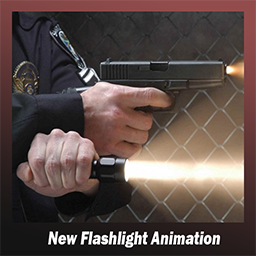
New Flashlight Animation
von 76561199019017723
I am not going to update this mod. You can update the mod yourself, just make sure to include a link to the original mod. THE MOD ALSO REPLACES THE ANIMATION OF HOLDING A LARGE FLASHLIGHT - Replaces the flashlight animation - The mod can work with other mods if they use animations from the game We are able to hold Flashlight while shooting Brita's guns by turning off Firearm Visual Effects on Mod option and also Auto Activate laser sights settings must set to Manual mode To everyone: The issue with Gunfighter/Brita's is not due to this or any other mod being incompatible, it is a bug with Gunfigher aggressively clearing the left hand's item. This also happens with only Gunfigher/Brita's enabled and vanilla items such as bags in your left hand. The fix posted by @Rqbb1t seems to work though. Workshop ID: 2960474000 Mod ID: Anim_HandTorch (TAG: Harries flashlight technique )
XM93 CBRN
von 76561197995400337
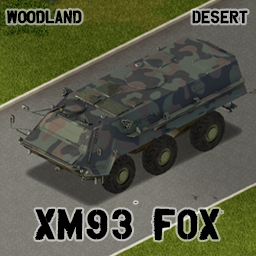
Support our efforts to bring more military vehicles into PZ cytt0rak Shark XM93 Fox The XM93 Fox is a CBRN (Chemical, Biological, Radiological, and Nuclear) reconnaissance imported from Germany as the TPz Fuchs by Rheinmetall. The vehicle was imported from Germany for service prior to Operation: Desert Storm. The XM93 Fox lost its X designation and began domestic contruction after the war as the M93. The mod features two skins: Desert and Woodland. Pros: - Armored and well protected - Large amount of interior storage space + four seats - Can take a considerable beating Cons: - Not suited for tight environments - Very rare - Not very manueverable (Not entirely fixable on our end) Two examples can be found at the Secret Base in Rosewood and East of the Military Perimeter near Louisville. Workshop ID: 2782916396 Mod ID: XM93
Firearm Books
von 76561198032145554
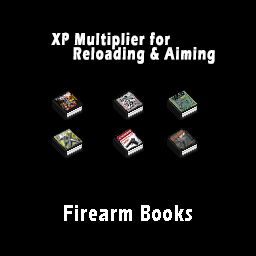
What does this mod do? Build 42 adds Aiming and Reloading Books. This mod will not be updated for Build 42. Adds books that will give an xp multiplier to Aiming and Reloading Skills. There are only 3 books for Aiming and Reloading, not 5. Confirmed to work with v41.78 Notice! You can view the change log for updates. Features: - Find a book and read it. Increases multiplier like any other skill book. Where to find the Mods BookstoreBooks, LivingRoomShelf, CrateBooks and GunStoreMagazineRack Compatibility - This mod should not conflict with any other mod. Bugs: None! Roadmap: - Not sure as this is a simple mod and I consider as complete. Adds the following items - FireBook.Firearm1 - FireBook.Firearm2 - FireBook.Firearm3 - FireBook.Reloading1 - FireBook.Reloading2 - FireBook.Reloading3 Check out my other mods Mod Info Workshop ID: 2634478805 Mod ID: FireBook
Light Switch Plus
von 76561198867336456
Build 42 version: https://steamcommunity.com/sharedfiles/filedetails/?id=3735992902 -------------- Mode Description(EN) ---------------- Lighting for new buildings and switch models that can be installed Requires electricity and light bulbs ※ If the light doesn't turn on, hold the bulb and install it. (Replace the bulb periodically) /* Production method */ Level 5 electrical. Screwdriver, Wrench, Scissors. Wire 5, ElectricWire 10, ElectronicsScrap 5, Screws 2 Read Lightswitches_NewBuilding to use the recipe. Book is Spawn at the bookstore. Free to use mode packs for servers, Freedom of modification, Freedom of translation, ++ Mode creator is not good at English. lol + update 23.12.20 improved the brightness range of exterior lights Added improved external etc. recipes. I use the same book, For previously applied servers, you can read the book again. Workshop ID : 2945085659 Mod ID : Light Switch Plus Test
West Point Gated Community
von 76561198041411600
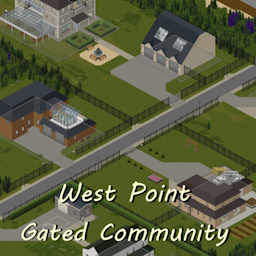
I like gated communities. So I made a mod that adds one to the north side of West Point, right by the river. It includes 6 houses/mansions of variable sizes. Some looking richer than others. A baitshop has also been added nearby. IngameMap is done. Foraging Zones are done. Zombie Zones are done. The Spawn Points include houses inside the Gated Comuunity as well as house located right beside the community's fences. There's also a secret hidden somewhere. Can you find it ? Compatibility The cell used is 39x22. I haven't found an other map that uses this cell. If you do, share it in the comments. Compatible with: - Over The River - West Point Expansion - West Point Fire Department - West Point Lighthouse - West Point Trailer Park & VHS Store - West Point Suburbs and Farm Do you like this? Try my other maps : - West Point Trailer Park & VHS Store : It adds a VHS store south of West Point since it's missing one. - Rosewood VHS and Gun Stores : It adds a VHS Store and a Gun Store south of Rosewood since it's missing both of them. "We want to use this map in a mod pack, do we have permission ?" Yes, as long as it's a private mod pack. "Can I add this midgame ?" If you haven't visited that part of West Point in your saved game, yes. For Multiplayer: instructions given by a comment : How to get the mod to work: 1. Go to the "Map" section of sandbox settings. 2. Choose the map ("West Point Gated Community") from the dropdown menu under "Add an available map to the list". 3. Click on "Muldraugh, KY" in the "Maps used by this server" box and click "Move down" until it's at the bottom of the list. B42 version when ? When the mapping tools are updated by the devs. And when the vanilla map of build 42 has been exported to tmx by someone else. Workshop ID: 3025055056 Mod ID: WestPointGatedCommunity Map Folder: WestPointGatedCommunity
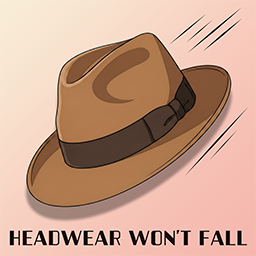
Headwear Won't Fall
von 76561198083574461
This mod sets the fall chance for headwear to 0%. Hats, helmets, goggles, glasses, masks, and other headwear should no longer fall off characters or zombies. 𝗦𝘂𝗽𝗽𝗼𝗿𝘁𝗲𝗱 𝗩𝗲𝗿𝘀𝗶𝗼𝗻𝘀: 41.78.19 / 42.17.0 UNSTABLE Mods that add Headwear should be Supported Indefinitely Workshop ID: 2706119869 Mod ID: HeadwearWontFall
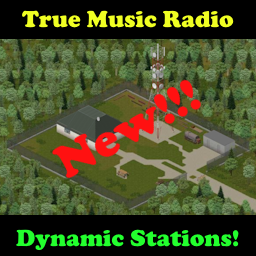
True Music Radio
von 76561198092535367
For B42 MP+ There is a new stand alone version. https://steamcommunity.com/sharedfiles/filedetails/?id=3631572046 True Music Radio Default Radio Stations: 94FM (92FM in B42) plays from the global list or the Terminal A playlist at the station 94.2FM (92.2FM in B42) plays from the global list or the Terminal B playlist at the station 94.4FM (92.4FM in B42) plays from the global list or the Terminal C playlist when activated by an admin at a terminal 94.6FM (92.6FM in B42) plays from the global list or the Terminal D playlist when activated by an admin at a terminal 94.8FM (92.8FM in B42) plays from the global list or the Terminal E playlist when activated by an admin at a terminal True Music MTV TV Ch.211 in B42 plays from the global list or the Terminal MTV playlist when activated by an admin at a terminal Stations can now be changed in the sandbox settings, it is possible to change them mid-playthrough but you will need to restart a server if involved or replace the sandbox file in a solo game. These radio stations were made compatible with the True Music player mod and it's cassettes and vinyl. Without True Music song mods loaded, you will only hear the game's theme song and the terminals will only have a single tape and a single record. New! Song announcements, weather reports, and Horde Night compatibility. When using Horde Night, the radio will display a warning every hour on the hour. You can turn these off in sandbox settings and in solo games in mod options. Horde Night! https://steamcommunity.com/sharedfiles/filedetails/?id=2714850307 If you make the trip out to this station in the west end of Riverside, you can update two special terminals next to the computer. Drop your music items into the terminal and update the music list. The only limit to the number of tape/vinyl tracks added is the weight that the terminal can hold. Alternatively all the radio stations start with a default list of all the True Music mod packs you have in your mod list. The terminals can also revert the music back off the playlist if you want to change it back. If you switch the terminal options, all radios on those channels will update and play a new song. So you can use it to resync immediately or switch songs but it's always random. Just added in v1.11 the terminals will now start with some random music media in them but it does not pull tracks to the terminal channels immediately. You still need to make the trip out. Also the terminal on the western wall has an option to eject media. It will allow random spawns of media from that terminal. I will be working on a way to choose a title in the future so you can download the songs of your choice. The new sandbox settings allow control of the amount of media found in each terminal. The west terminal eject system is also limited to the same spawn amounts and the ability disappears once empty. Added in v1.13 play radios everywhere in single player with immediate world sync. In multiplayer the music must stop and be restarted between world switching as radios in inventories and backpacks can only be heard by that player. Added in v1.18 you can now turn off all TMRadio station music on all radios with mod options. Great for streamers that need to control the music. Added in v1.21 an admin can now activate terminals to control the 94FM and 94.2FM stations that are not at the station. This will help custom maps to control the music. Even though multiple terminals can change the music, only one can control the music list at a time. The last one that updated will be the one in control. Added in v1.27 radio stations can be moved in the sandbox settings. Added in v1.29 an admin can now remove songs from the global list so that the 5 music stations will never play those songs unless overridden by playing them from the terminal list directly. The admin can go through the terminal menu and add and remove songs from the list. The sandbox is also updated to choose to remove the theme music with TrueMusic, the additional songs added by TCCacheMP, or just the holiday music from the TCCacheMP mod. Known issues: ***On servers you may need to set anti-cheat 21 as false if it kicks players, it seems to be a generic failure involving corrupted mod files that differ from server to client.*** They way this works now, no longer needing script codes from the broadcast, just turn on a radio and tune in to one of the 5 stations. It will start a song immediately but if someone already started a song on that station it will be out of sync until the next song is played. Then both radios will be in sync. Handheld and inventory radios are not heard by other players in multiplayer. Handheld radios are only heard by the owner in multiplayer but zombies will still hear them unless you use a headset. New in v1.13 zombie attraction has a toggle and is default to off. Disassembling running radios will cause the audio emitter to detach, have not written a fix for it yet but on the way. Station location in southwest Riverside: https://map.projectzomboid.com/#4835x6283x6360 Updates: v1.28 Added - ability for the admin to activate the other 3 channels for control through a terminal, by default only the first 2 could be controlled Added - ability to turn off the theme music from the radios in the sandbox v1.29 Added - Blacklist for admins to remove music titles from the lists Added - Sandbox settings so that the theme music, TCCacheMP music, or just the TCCacheMP holiday music can be removed from the lists v1.30 fixed - bug with empty blacklist causing client mod data issues on disconnect v1.31 Updated to b42, work around to get tapes and records to drop until True Music is updated, can be used without True Music or the cache for now. Updated the terminals at the radio station to control all 5 stations. Updated to include a mumble removal (this may affect other mods so it needs to load separately). *** Now compatible with the new mod "TV & Radio ReInvented" as I have added the tuning decorations for those interfaces when that mod is being used in B42 *** ***Warning, some TM add-on mods are causing errors that are caused by old item spawning locations that do not exist in B42, they will need to remove those missing locations from their script files to stop the errors*** The new multiplayer true music jukebox is now available! True Music Jukebox https://steamcommunity.com/sharedfiles/filedetails/?id=3398874593 New Discord - A work in progress: https://discord.gg/cEZc6rBuHz Huge shout out to Burryaga and Lazarus for their help in programming and testing! Thank you both! Workshop ID: 3100475013 Mod ID: TMRRemoveMumble Mod ID: TMRRemoveMumble Mod ID: TrueMusicRadio Mod ID: TrueMusicRadio
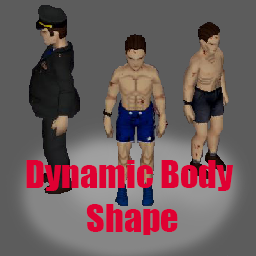
Dynamic Body Shape
von 76561198148328588
Dynamic Body Shape WARNING: THIS MOD REQUIRES JAVA MODDING (check instructions below) Your body is a temple. However, if you don't care for it properly it could have dire consequences. Sadly, the base game doesn't reflect your condition, and this mod fixes that. You'll be able to see 5 different physique levels: Emmanciated, Underweight, Default, Fat and Obese, which reflect your character condition dynamically. You'll also have more muscles based on your character strength and fitness level (while they are Default). This new version may enable Multiplayer Support for build 41. I haven't tested it yet. Special Thanks To Chuck's Modding Community, specially Albion and Sir Doggy Jvla for help with the coding, Nightscale for help with importing the models to blender, Birget for fixing the player models and Armature for Build 42, and VlwsMIR for help compiling the new Java Classes Check out my other work Voiced Radios & TVs: https://steamcommunity.com/sharedfiles/filedetails/?id=2950750587&tscn=1697826142 (I need help of people willing to voice act, check it out for more info) HOW TO INSTALL You'll need to open 2 folders: Your project zomboid base game folder, and the workshop mod folder. You'll see either a zombie folder in the root directory of the workshop mod folder (This is for Build 41), Or a folder named 42 (for Build 42). Inside the folder with the version there'll be the zombie folder with the classes for that version. Copy the entire zombie folder to the base game folder. You can also get the zombie folder here: https://drive.google.com/file/d/1LOM6QYONeE9KfSv1HQN75MNj3qH0GR7B/view?usp=sharing or https://mega.nz/file/H24j0YJI#KGSINuikAaA_741ZCIvDF4qLmVPuor8TMTC7ZRH9QQc You need to make sure the mod is enabled FROM THE MAIN MENU, otherwise the models will not load and the character will dissappear. If your player does not load, go to the main menu, make sure Dynamic Body Shape is enabled, and restart the game. It should work correctly after that. (this is because the player mesh models aren't loaded correctly by the game :P, if you write reloadModelsMatching("MaleBody") in the console, you'll realise what I mean) That's it. I'll leave an instructive video showing the process. https://www.youtube.com/watch?v=4mwOQ53rkdw ZOMBIE BODYSHAPE CONTROLS Now Dynamic Body Shape allows control of the zombies Body Shapes. When Creating a new Sandbox world, You'll have the option to configure the Zombie Bodyshape Distributions. Just set the weights you want, and it should figure out how many of each zombie body shape should appear. (Zombie corpses may change shape, specially when exiting and entering the game again) HOW TO UNINSTALL I made the java modification as unintrusive as possible, but if you want to uninstall the mod for some reason: Deactivate the mod from the game, then on steam library right click PZ, go to properties, Installed Files and verify integrity of game files. MODELS I left a Blend file containing all the models used for the mod (for Male and Female). This is for other modders if you wish to use it as a base for your fat and obese versions, or for any other interested party that wishes to change, fix or rework the models. COMPATIBILITY The mod should now be compatible with any mod that changes the player model mesh. The mod is compatible with clothing mods. However, it is extremely likely that the clothing will clip for Fat and Obese models. To fix this, it would require an addon for specific clothing mods. It only requires a copy of the clothing Items, with and _Fat and _Obese at the end of the TypeName. I know that Small Town First Responders ( https://steamcommunity.com/sharedfiles/filedetails/?id=2623855083 ) added support, for instance. Works with: + Simple Character Retexture , By Hea + Bandits and Bandits Week One, By Slayer ~ Ellies's Hands and Feet Mod (To Be Tested with new version) ~ Rae's Body Mod (the fat and obese model's work, but the muscular seem to not work, will investigate further) Enjoy the mod? Donate here! Donations help me focus on the mod, and work on improvements and others like it. https://paypal.me/fedcap24 Mod Info Workshop ID: 3066054201 Mod ID: DYN_BODY_SHAPE Workshop ID: 3066054201 Mod ID: DYN_BODY_SHAPE
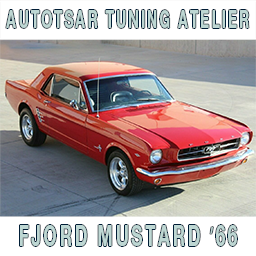
Autotsar Tuning Atelier - Fjord Mustard '66
von 76561198082682625
"Drive a Mustard, get the girls!" Fully animated car with survivalist kit: - front and rear windows protections, - side windows protection (animated) - wheel protection, - roof rack, - roof lights, - bumpers and bullbars. This mod is commission work by request of EarDog. You can freely use this mod on your server. We publish information about mod update times on Discord in advance: https://discord.gg/PHhsuQxDue Mod permission according to TIS policy: Ask for permission Redistribution of this mod without explicit permission from the original creator is prohibited under any circumstances. This includes, but not limited to, uploading this mod to the Steam Workshop or any other site, distribution as part of another mod or modpack, distribution of modified versions. The product can be published on Steam only through an account with the name iBrRus. © iBrRus Vehicle IDs: ATAMustang66 ATAMustang66Custom Item IDs: Autotsar.ATATuningFordMustang Autotsar.ATAMustang66BumperItem Autotsar.ATAMustang66BumperRearItem Autotsar.ATAMustang66Hood2Item3 Autotsar.ATAMustang66Hood3Item3 Autotsar.ATAMustang66TrunkDoor3 Version: 1.01 Workshop ID: 2984482062 Mod ID: ATA_Mustang_66
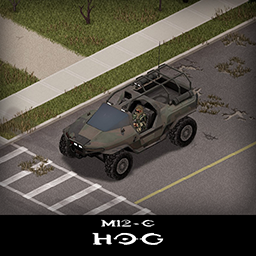
Halo M12-C Hog
von 76561198089039119
Another Halo machine in Project Zomboid! This one is a bit different, it's smaller, more nimble, no armored parts or doors to save you from the zeds. Engine is accessed from under the front side so it's very exposed and the bullbars will not help save it, that means you will have to pick your fights. That said, you will be able to shoot from inside, use that and escape before the horde gets you! Main features: - 2 chassis variants: M12-C and M12-C Hunter - Visible interior and characters - Weapons can be used to attack from inside - Uses custom M12-C and heavy duty parts - Custom parts have 3d objects you can remove and place in the world - Many texture variations for both variants - Custom M12 horn - B41.73+ Single Player / Multiplayer Compatible - You can use it in your current save game, just enable the mod in the load menu - It can tow and be towed - Not recolorable If you like my mods, please consider supporting me with a coffee, so I don't fall asleep while making new mods and supporting old ones :) Check out my other mods: Side note: This mod has a low poly 3d model and high detail textures, and is highly optimized, so it should not affect the game performance. All models and textures were made by me. Credits: This mod is commission work by request of Helixien. The model was heavily inspired by fantastic work of Germain Couet Ask for permission This mod can only be added to and extended with the express permission from the original creator. If no permission is received you may not alter the mod, and it must be treated as a mod that is 'On Lockdown'. You are not allowed to repack this mod under any circumstances, ever. Vehicle IDs: m12C, m12Chunter Workshop ID: 2839713081 Mod ID: haloM12C
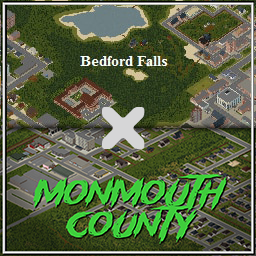
Road from Monmouth County to Bedford Falls
von 76561198008882034
As the title says. I've had months of people requesting a road to Bedford Falls via Monmouth County but until my latest expanstion of Monmouth County it has not been a possibility. So with Monmouth County 4.0 having just been released/updated I have been able to create this stand alone road linking map. Now if you run Bedford Falls and want a road connecting to the North of Bedford Falls via Monmouth you need just add this map and there will be a connecting road that is "under construction" but is more than drivable. I hope this solves any issues with using Monmouth County and Bedford Falls. Thank you for your patience with this and I hope you enjoy. Workshop ID: 2944975401 Mod ID: RfMCtBF_addon Map Folder: Road from Monmouth County to Bedford Falls
![Building Menu [B41.78] - Greenhouse Addon](https://images.steamusercontent.com/ugc/2523781903898079236/2AE0F4EC077751D0664FE5B8AAE620A5399D7C8C/)
Building Menu [B41.78] - Greenhouse Addon
von 76561199033892043
Windows : C:\Users\%USERNAME%\Zomboid\console.txt Mac/Linux : $User$\Zomboid\console.txt Open an issue and upload this file here: GitHub. This mod's permissions fall under TIS's policy On Lockdown This mod cannot be modified by anyone else, for anything else, at all, ever. Even if the user disappears, he or she would much rather you didn't touch the fruits of their hard labour. Workshop ID: 3244396311 Mod ID: BuildingMenuGreenhouseAddon

Plumb Helper PLUS
von 76561198146558078
ABOUT B42 When TIS released a major update, my B42 version broke. I will indeed return to modding B42, but would like for it to get to a state that I consider "stable enough to mod" (which I think is fast-approaching). I'm sorry for the inconvenience, and thank you for your understanding. After these messages, we'll be right back! Check out the infomercials! Plumb Helper Plumb Helper PLUS A SIMPLE TOOL FOR A SIMPLE JOB! With a pipe wrench in your inventory, an option will appear in your context menu. The first option will activate a cursor that shows where water sources are and whether or not the tile is considered "Indoors" (the two requirements for plumbing sinks). If the Kentucky Water Supply is still active and your Find Rain Collectors cursor is on a sink that can be plumbed to it, a new icon of a city with a water drop will appear. BUT WAIT, THERE'S MORE! Now there's a SECOND OPTION! Select it to activate a cursor to find your faucets one floor below! No more running up and down stairs trying to figure out where that sink is! Sink to new levels with Plumb Helper Plus! Tooltips: ^The Find Rain Collectors tooltip will show whether you're currently indoors (only checks when you open the context menu- does not update in real-time to preserve performance) and whether the KY Water Supply is active (sandbox option to disable if you find it unimmersive) Frequently Asked Questions: - Does it work in multiplayer? Indeed it does! - Does it work with a controller? You know it! - I found a bug/ran into a problem, what should I do? Report it here! - What's new? Check out the changelog! - Can I put this in my server's modpack? Sure! (Credit and links appreciated) - Are there any known incompatibilities? Not that I'm aware of. Tested with over 350 mods both online and in solo! - Is it safe to add or remove mid-save? Yes! The option to show the KY Water Supply status is enabled by default, but can be changed at any time using a mod like Change Sandbox Options (by Star) - The Texture looks bad, what gives? If you want cleaner textures, you'll need to disable "Texture Compression" in the Display settings (this also removes the problem of the floor having a visible grid at different zoom levels). This may come at a performance cost, unfortunately. Translations: Since there were very few lines, I went ahead and translated it into every language PZ is available in. This was done using Google and DeepL, so the results may not be great, but it should be usable. Any improvements are welcome and appreciated. Thank you to juni2335 for reminding me about encoding and fixing the Korean translation! Thank you to Inferno for fixing the Spanish translation! Thank you to toomanynights for fixing the Russian translation! Check out his excellent QOL mod Dig Worms! Thanks for stopping by, and stay tuned for more mods! Don't forget to rate! It helps the mod more than you'd think! Tips are never expected but always accepted! And feel free to reach out for commission work, I'd love to make your PZ dreams come true! Workshop ID: 3146046428 Mod ID: PlumbHelp
![Music for the End of the World [True Music]](https://images.steamusercontent.com/ugc/2312097413003195166/F1D4892114858B5A374A0685C3C67E93BFE7C14A/)
Music for the End of the World [True Music]
von 76561197974457006
Note: The current version's loot spawning system is a little buggy and isn't always functional. We are currently working on a huge update, Music for the End of the World 2.0, which will hopefully fix these issues. Hang in there! Note 2: This mod is about 4 gigabytes. If that's too much for you, consider a smaller pack. It's a lot of music files, it's going to take up space on your computer and there is no smaller I can make it. Music for the End of the World seeks to be the ultimate lore-friendly True Music pack for those who just can't get enough tunes in their Apocalypse. This monolithic True Music mod is the result of dozens and dozens of hours of work and tons of helpful requests from the Project Zomboid community. It's based on Tsar's True Music framework, and was originally titled "Rose Music", and produced for the enjoyment of the Ravenrose RP community. However, the mod far outgrew its original scope, leading to a public release. This True Music mod adds 1,000 tracks, listed here. This mod's features include: - 725 completely lore-friendly tracks from the year 1993 or before. - 250 more tracks in the 'Extended' expansion which are mostly from between the years of 1994 and 2000, but with a few between 2001 and 2004. - 25...? tracks in the Silent Hill expansion, which adds a collection of songs from across the series... and some extremely rare extras from another 2008 horror game that drop from zombies (though this can be toggled). - Vinyl covers for every single track from the Main and Extended branches. - Three different kinds of rare 'loot boxes' to find that contain either 50, 25, or 10 of their respective music item. - A completely unique loot distribution system designed to account for the vast amount of items added by this mod. - Total customization. You can customize: -- Whether or not Cassettes or Vinyls spawn -- How many, and how frequently, they spawn -- Whether cassettes can drop from zombies, and how frequently they do -- The weight of all cassettes, vinyls, and the Boombox -- The rate at which Boomboxes consume batteries -- Whether or not 'loot boxes' can spawn, how many items they give, and how often they spawn All of the mods in this pack are optional except for Music for the End of the World: Core or MusicfortheEndOP which is required for any of the packs to function. It contains no music itself, only code handling loot distribution, sandbox settings and the 'loot boxes'. Want a tasteful dash of modern songs? Check out Music for the End of the World: Home Labelled! Credits Kassidy, myself, did most of the creative legwork behind the mod, as well as all of the grunt work collecting, converting, and implementing songs, writing some portions of code, and generally 'designing' the mod. If you have questions or need to get in contact about the mod, I am the one to contact. Albion wrote a great majority of the unique code that gives MFTEOTW its many powerful features, particularly the loot distribution system and item boxes. Check out her workshop page here. Alphadin, my friend who wrote a bunch of regex for me that made updates much less time-consuming at the scale we're working at. Corvo, the person who got me into making this mod in the first place and who gave me a tremendous RP experience on Ravenrose RP. Tsar himself, for making True Music so easy to use and work with. If you enjoy this mod, consider liking and favoriting it. Thank you! If you'd like to tip me for my work, you can do so here. Workshop ID: 2857842616 Mod ID: MusicfortheEndOP Mod ID: MusicfortheEnd Mod ID: MusicfortheEndEX Mod ID: MusicfortheEndSH Terms This item is not authorized to be repackaged or posted anywhere other than this Workshop page without my permission. Please comment below if you have some kind of special circumstance that requires you to repack this mod. Taking this mod, expanding its tracklist and reuploading it is also not permitted; simply make your own expansion with True Music, it's easy. Please read the Frequently Asked Questions before commenting. If you ask a question that is answered by the F.A.Q. or description, I will not answer it.
Blacksmith
von 76561198182908886
Compatible with 41.78 SP, NOT FULLY COMPATIBLE WITH MP. UPDATE 08/23/2023 -Fixed "Take Barrel" option not showing up. This is TIS' original but discontinued code for melting metal items and using that metal to create new items. Not everything is as they had planned but I tried to stay true to the original mechanics. This version includes a Smithing skill, skill books and a Smither profession that starts with +3 Smithing and some recipes. Expect some things to change in the next updates, such as the recipes in each magazine, recipe ingredients and balance. ----------BASIC GUIDE---------- In this version you need to learn the recipes for Stone Furnace and Anvil before you can start melting items. The Smither profession unlocks these but you can also find a magazine with these recipes. Forge: To build a forge you need 15 stones (exact number may be changed later for balance). To work with a forge you need charcoal for fuel, bellows to increase heat, tongs to handle the metal. Use it like you would use an oven with food, items will turn into workable iron. Anvil: To build an anvil you need a log, a hammer and enough workable iron from the forge. (5 full bars). Forging items: To actually forge an item you need to learn recipes from magazines. You need to be close to an anvil and you need a standard hammer, or a ballpeen hammer. Different items have different Smithing level requirements. Some items like the axe need a wood handle that can be made from a plank. Recipes that you know but don't have the skill level to make will still show in the crafting panel, but ingredients will not turn white when you have them in your inventory. Metal Drum/Barrel: It can be used for holding rain water and for turning logs into charcoal. Right-click a drum/barrel in the map and use "Take Barrel", or make one yourself if you know the recipe. Join my Discord server to talk about my mods: https://discord.gg/dzbZgzXNTT And if you can always... Tags:B41,Items Workshop ID: 1997530421 Mod ID: Blacksmith41
![Horse Mod [B42.14+/MP SOON]](https://images.steamusercontent.com/ugc/14227768762434406528/476A19886D4D84F874D840A222FC0E429E283268/)
Horse Mod [B42.14+/MP SOON]
von 76561198042464272
Find different breeds of horses, take care of them, and ride them! Craft gear for them and equip it onto your horse to improve your riding experience. This is due to a problem with the base game which doesn't properly load animations when reloading mods. See #215 for more information. Where to Find Horses They can be found in some farms, ranches, and stables around the map. You can find 4 different breeds each with 2 color variants: - American Quarter (Palomino, Blue Roan) - American Paint (Tobiano, Overo) - Appaloosa (Grulla Blanket, Leopard) - Thoroughbred (Bay, Flea-Bitten Grey) Keybinds *Check the Mod Options to change the keybind! - Mount / Dismount (default: interact key): Get on or off your horse, and cancel it with the same key if needed. - Walk (default: player movement keys). - Trot toggle (default: X).* - Gallop (default: Left Shift).* - Jump (default: Space) - Jump over small fences, requires the horse to gallop.* - Kick zombies (default: Space) - Kick zombies on the side of the horse with your foot, same key as your pushing key but no need to aim. Gear and Equipment When you have equipment in your inventory, you can equip them on the horse from the horse context menu from a menu named "Gear". Currently the equipments available for the horse are: - Saddle - not required to ride a horse, but without it your character will get pain in the groin. - Reins - Saddlebags - allows you to store items on your horse and ride around with them. Translations If you want to help translate this mod, please contact us on: - the Project Zomboid modding Discord - the official Discord - English (default) - Czech (by Try Honesty) - French (by SimKDT and Xianah) - German (by Jackson Frost) - Japanese (by PePePePePeil) - Polish (by 3xkd) - Portuguese (by Refúgio Z) - Simplified Chinese (by 喵老大_MiaoLD and Cetty McTrailwinder) - Spanish (by carlesturo) - Russian (by Sangria) - Turkish (by Sineks) Found a bug? You can report bugs on the GitHub issues page: link. Known common issues: See the FAQ for common questions and solutions. - The horse animations don't load properly unless launching the game with the mod enabled from the start (#215) - Creating a save without having launched the game with the mod enabled will prevent horse ranch zones from appearing, and so horses won't spawn in the world. See FAQ for a possible solution. (#382) - Riding is not yet supported in MP, if you try to mount you will receive a message saying it is disabled in multiplayer. (Milestone #2) - Equipments and manes on the horse have a large outline when aiming a weapon at it (#18) - Aiming while riding a horse looks weird (#214) - Dismounting is sometimes not possible (#381). Quit then join the save again to fix it. Are you a modder? We provide modding support! If you want to create equipment for the horse, or even new horse breeds, we provide documentation and support to help you do so. You can find it here: link. This mod is provided as-is by us, reposting without our permission is prohibited. See our license for more detail. Workshop ID: 3661336777 Mod ID: Horse
Vanilla Clothing Expansion
von 76561198164616656
Adds well over 240+ new color variants of existing vanilla clothing items, as well as some exclusive, vanilla-friendly rare items! !!! IMPORTANT !!! If you have issues with inventory icons mismatching or other problems, move this mod to the VERY bottom of your mod load order. 99% of the time this will resolve any problems. If not, feel free to report them in the comments or the discussion below and I will try and help as soon as I can. Workshop ID: 3421271152 Mod ID: 1VCESTANDARD Mod ID: 1VCESTANDARDNOMP Mod ID: 1VCESTANDARDPre42
Handlebar's Preppers
von 76561198015764652
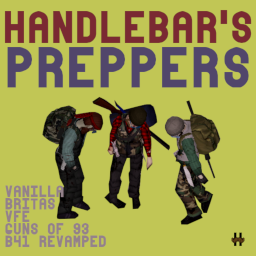
B42 Released. Only verified to work with Vanilla Firearms. Not all weapon packs have been updated to B42. Use at your own risk. Please report bugs in comments. NOW SUPPORTS BRITAS, GUNS OF 93, VANILLA, FIREARMS B41 REVAMPED and VANILLA FIREARMS EXPANSION. Handlebar’s Preppers aims to add a more interesting zombies that fill the “Prepper Role”. Unlike the Survivor zombies you find alongside roads in hordes, preppers will be dispersed among regular groups of zombies. These zombies will be noticeably more geared than survivalist zombies, as well as toting extra useful loot within their bags. This mod utilizes Vanilla Firearms Expansion, Britas, Guns of 93 and Vanilla weapons, giving you another way to loot weapons, and find rare weapons that may not spawn in crates and so on. Mod is mid game safe, to addon and remove. Please tell me your thoughts on balance. To many prepper zeds? Loot unbalanced? Please let me know! FAQ Does this work with Vanilla, Britas, Guns of 93, Firearms B41 Revamped & Vanilla Firearms Expansion Yes, yes it does. Can I add/remove this mod midgame? Yes, of course, though you have to find a new chunk that hasn’t been loaded before these zeds will spawn, or if you have zed respawn on, they should back populate? Can I configure this mod? You have to pick which weapon pack you are using, and you can adjust the frequency of prepper zed spawns. Can I use this without weapon mods, just Vanilla weapons Yes, there is an option for that! Which Option # is which Pack? Vanilla (1), VFE (2), Britas (3), Guns of 93(4), Firearms B41 Revamped (5) Want to support my efforts? Buy Me a Pizza Handlebar’s Preppers Handlebar's Vintage Camos Handlebar’s Cured Meat Vanilla Firearms Expansion Realistic Durability Workshop ID: 3252451158 Mod ID: HNDLBR_Preppers
![[KYR] Real Weather Mod](https://images.steamusercontent.com/ugc/16385547371098103065/056F119AA6FE6D3E87DF74471810B633E026BEA8/)
[KYR] Real Weather Mod
von 76561198875404478
Gaming Community – Real Weather Mod Please take the time to leave Feedback, Suggestions and Ratings ------------------------------------------------------------------------------------------------------ Mod Summary Real Weather Mod Website Click above for full details of features, options and updates! ------------------------------------------------------------------------------------------------------ Our Other Mods: KYR Meds, Delays & Cures: https://steamcommunity.com/sharedfiles/filedetails/?id=3029240588 KYR Improvised Weapons & Armour: https://steamcommunity.com/sharedfiles/filedetails/?id=3099108027 KYR Survival & Crafting: https://steamcommunity.com/sharedfiles/filedetails/?id=2935985690 KYR Heavy Metal Army: https://steamcommunity.com/sharedfiles/filedetails/?id=3009338583 ------------------------------------------------------------------------------------------------------ Community, Support & News: For feedback, latest news, new mods, and upcoming features, please come and support us: Discord - https://discord.gg/cWUETQmas9 Community Website - https://kyrgaming.com A huge amount of time and care goes into our mods and we’re very receptive on feedback and bug reports. If you’ve found something that doesn’t make you smile, please give us a shout! ------------------------------------------------------------------------------------------------------ Respect... Please don't add this mod to Collections or Server packs without Our permission. ------------------------------------------------------------------------------------------------------ Workshop Details Workshop ID: 3051276857 Mod ID: KYRRealWeatherMod
![RV Interior Expansion [B42]](https://images.steamusercontent.com/ugc/13835814683215296210/81A44670988015F3337A432FAF1074CD62900EC2/)
RV Interior Expansion [B42]
von 76561199468186338
🟪 IMPORTANT🟪 🟪 Not Compatible ------------------------------- Not compatible with other custom interior mods or Interior Mods ------------------------------------------------------------------------------------------------------ 🟪 ordem de carregamento se estiver errada os interiores não vão carregar 🟪 The loading order is incorrect; if it's wrong, the interiors won't load ------------------------------------------------------------------------------------------------------ 🟪 por questão de limitaçoes do lua vou precisar lançar os novos interiores na part 2 🟪 Due to Lua limitations, I will need to release the new interiors in part 2. ------------------------------------------------------------------------------------------------------ 🟪 não é necessario a parte 2 para funcionar 🟪 Part 2 is not necessary for it to work. ------------------------------------------------------------------------------------------------------ 🟪 Multiplayer Working 🟪 Place under the Project RV Interior ---------------------------------------------------------------- 🟪 Uma expansão para o RV interior, adiciona novos interiores em veiculos normais quando veiculos especiais 🟪 An expansion for the RV interior, it adds new interiors to normal vehicles when special vehicles 🟪 Compatible and Necessary -------------------------------------------- Project RV Interior 🟪 Military Version ----------------------------------------- 🟪 Recommended Mods🟪 -------------------------------------- 🟪 RV SERVER MANAGEMENT🟪 🟪 Supported Vehicles ---------------------------------- Vanilla Vehicles KI5 Vehicles Containers! Trailers! Autotsar Trailers B42 Autotsar Bus B42 W900 Semi-Truck Autotsar Tuning Atelier - Petyarbuilt 379 '90 Mercedes-Benz Unimog U1550L Special Emergency Vehicles & FBI for Filibuster Rhymes' Used Cars Jesters Franklin Va!uline 4x4 Fiat Fiorino 1992 Rastrojero 1979 Renault Trafic 1990 '77 Hayosiko Pace Refrigerated Ice Cream Trucks - Freezer Version Autotsar Tuning Atelier - DeRumba Van v.2.00 Azumanga Daioh Valuline Skizot's USPS Truck Scooby-Doo Mystery Machine! (B42) aMOOzon Delivery Service UAZ 2206 termined The A-Team Van Apocalyptic Bus The Brakass Mobile '73 Winnebago Chieftain The Motorious Zone Vehicle Pack 🟪 Known issues --------------------------- Do not add in the middle of a save. 🟪 muito obrigado ao meu grande amigo Mickey Knox por ter me ensinando a criar os Interiores rv e por me ajudar na codificação 🟪 Many thanks to my great friend Mickey Knox for teaching me how to create RV interiors and for helping me with the coding. (⌐■_■) Drink Coffee Workshop ID: 3618427553 Mod ID: RVInteriorExpansion Map Folder: rvupdate
Project Zomboid Guides
Project Zomboid Server mit Mod-Support
Alle Mods direkt im Dashboard per One-Click installierbar.
Project Zomboid Server mieten