tModLoader Mods & Plugins
This catalog lists 14,000+ tModLoader projects from Steam Workshop. Entries can be server-side, client-side or required on both sides, and may include maps or other user-generated content. Check the linked source page, game-version compatibility and dependencies before installing.

InfiniteJump
by 76561199152451825
u can now InfiniteJump Developed By ObsidianDog10

Dynasty
by 76561198880346377
Dynasty is a content mod inspired by medieval South-East Asia, which I will update over time until I decide to stop. Currently adds: - 8 Items - 6 Weapons NOTE: Shirohebi is currently invisible, will be fixed in next update Also check out my other mod, Disrupt (It has a few more items) Developed By Chazza
Copper God Set
by 76561199310730774
Current weapons/accesories/armour: The Copper Slayer: 1k Copper Bars. (melee one shot) The Copper Helmet: 500 Copper Bars + 25 Luminite Bars. (x2 melee dmg 100 def some armour penetration set bonus = 1500 def) The Copper Chestplate: 1200 Copper Bars + 60 Luminite Bars. (2x summon dmg 250 def 99% crit chance) The Copper Boots: 750 Copper Bars + 35 Luminite Bars. (2x ranged dmg 150 def x4 move speed) The Copper Shooter: 2k Copper Bars. (ranged one shot) Developed By Indian Scammer

Ore Dictionary
by 76561198368608556
Ore Dictionary is a mod that mimics Minecraft Forge's built in ore dictionary. The mod is made to add easy compatibility between mods. Any items that are registered into the Ore Dictionary will become interchangeable with items in that same group. This essentially means that recipes to use any item in the same group to craft the desired object. As stated previously, the name comes from Minecraft Forge's built in OreDictionary. Despite this name, the mod can be used for any items, not just ores. Modders can register any item in their mod to be included in cross mod recipe groups or added to vanilla recipe groups. For a tutorial on how to add support for your mod, visit the homepage.

Ayn Dual Screen
by 76561198056641707
============================================================================= A second screen for Terraria Remember the 3DS version, where your inventory and map lived on the bottom screen and never got in the way? This does that with whatever device you already own. Your inventory, equipment, buffs, minimap, boss checklist and crafting move off the main screen and onto a phone, tablet or handheld sitting next to you. The game window stays clean. Nothing covers the fight. No account, no server, no internet. The mod runs a small web page inside your own game, on your own network. Nothing leaves your house. Source code, issues and contributions: github.com/Abacus1829/ayn-dual-screen New in 0.3.0: it now sees your other mods The checklist used to know about vanilla bosses only, which made it close to useless in a modded playthrough. It now reads the load order itself: - Modded bosses on the checklist. Every boss added by every mod you have installed, grouped by which mod it came from, with the ones you have beaten ticked off. No compatibility patch, no list to maintain - it reads the bosses out of the game, so it works with mods that have never heard of this one. - Modded buffs and debuffs. The buff strip shows them with their own icons, their real timers and their descriptions. Tap one to read what it does, which is the whole point when a content mod has just given you a buff you have never seen before. - Debuffs stand out. Anything working against you is marked in red rather than sitting in the same row as your potions. - Modded boss health bars name the mod the boss came from. - A loaded mod list at the bottom of the checklist tab. Boss Checklist users get more. If you have Boss Checklist installed, this mod asks it for the real progression order and for defeats from before this mod was installed. Without it the list is still complete - just ordered by boss health, and only counting kills from the point you installed this. Nothing is required either way. Two ways to use it 1. Any web browser. Nothing to install on the second device. Start Terraria, look at the log for the address it prints, and type that into the browser on your phone or tablet. That is the whole setup. It works on Android, iPhone, an iPad, a laptop, an old tablet in a drawer - anything with a browser on the same Wi-Fi. 2. The companion app, if you have an AYN Thor. "Abacus's Dual Screen Interface" is a free sideload app that finds the game on your network by itself and opens the page full-screen on the Thor's second panel, with no browser bars in the way. It also handles Stardew Valley and Minecraft, so one app covers all three. The mod does not need the app. The app just makes it nicer on a handheld built for exactly this. What's on the second screen - Full inventory - every slot, with the real item icons and rarity colours, coins, ammo and your equipment. Tap to select, drag to rearrange. - Buffs and debuffs with their actual remaining time and description, modded ones included. - Minimap drawn from the game's own map data, in a local window or the whole world, with enemies, town NPCs and other players marked. Player arrows are pixel art and take your PvP team colour. - Boss and event checklist built from your world's real progression, now including every modded boss in your load order. - Recipe browser showing what you can make right now - including modded recipes and modded crafting stations, because it reads the game's own list rather than a copy of it. - NPC shops - talk to a town NPC and their portrait replaces the map. Browse and buy from the second screen, if you turn that on. Setting it up - Enable the mod and load a world. - Look at the client log. The mod prints the address to use. - Type that address into a browser on your phone, tablet or handheld. The log line looks like this: On your handheld, open: http://192.168.1.20:27301/ Do not type "localhost". localhost means "this device", so on a phone it points the phone at itself and fails every time. This is the single most common reason it looks broken. Use the numeric address the log prints. Uses port 27301. Everything is configurable in Settings > Mod Configuration > Ayn Dual Screen. Is it safe for multiplayer? And what are the defaults? Client-side only. There is nothing to install on a server and nothing to ask a host for. It reads what your own client already knows and shows it to you, the same way the map you already have does. It is a display, not an advantage - everything the second screen can do, you can do yourself on the main screen. Worth knowing before you install: the defaults are set up for convenience on a home network, not for lockdown. Network access is on, and so are the controls that touch your inventory - dropping, rearranging, trashing and quick-use. That means anything else on your local network can open the page and use those buttons. On your own Wi-Fi that is fine and it is what makes the mod useful; on a shared, student or public network, change it first. Buying from a shop (AllowShopping) is the one thing that is off by default, because it spends real coins. For a screen that can look but not touch, set AllowTrash, AllowDrop, AllowInventoryEdit and AllowQuickUse to false. To keep it to this PC only, set AllowLanAccess to false. Contains AI-assisted code This mod contains AI-assisted code. If that is a dealbreaker for you, this is not the mod for you - move along. A few honest notes - No game assets are included. Every sprite you see - item icons, buff icons, slot backgrounds, NPC artwork, map colours - is read from your own installed copy of Terraria at runtime and served only to your own screen. The mod ships no art. The same is true of anything belonging to another mod: its icons come from its own files on your machine. - Your devices must be on the same network. If a VPN is running on your PC it will usually break this, because it captures the routes your phone needs. Turn it off and try again. - Windows Firewall may ask the first time. Allow it for Private networks. - A very large content mod adds a lot of bosses. If the modded list is longer than you want, turn off ShowModdedBosses in the config for the vanilla ladder only. - The page is laid out for a handheld panel. It works on a desktop browser but will look stretched on a big monitor - that is not what it is for. If something does not work, the log lines starting with will usually say why in plain English. Licence Source-available, not open source. You may read it, change it for your own use, and send improvements back on GitHub. You may include an unmodified build in a non-commercial modpack with credit and a link - no need to ask. You may not reupload it, publish the source or a build as your own, sell it, or put it behind a paywall or an ad-gate. The full terms are in LICENSE.txt and in the repository. Not affiliated with Re-Logic, 505 Games, the tModLoader project, or any other mod named on this page.


Aftermath Mod
by 76561199185270911
Aftermath is a mod which aims to add new content throughout the entirety of Terraria's progression. Currently, it is almost exclusively combat oriented, however I intend to introduce other kinds of features in the future. Multiplayer is not supported Aftermath Mod adds: -4 Bosses (+ 1 boss minion) -1 Miniboss -80+ Items -6 Buffs/Debuffs -1 Original boss theme (with 2 different variants) -Boss Checklist support -Lore? Special thanks to Gustavo for making the sprites for the Myceling Staff! Developed By Hypercube
![[1.4.3-1.4.4] Eye Accessories – tModLoader Mod](https://images.steamusercontent.com/ugc/2417963167706853580/2250D734FE33C1A46B5804C267A3F07DF1D064BB/)
[1.4.3-1.4.4] Eye Accessories
by 76561198983211065
Eye Accessories by Nil256 ---------------------------------------- This mod adds accessories changing player's eyes. - Opened Eye Makes player's eye open always excepted when taken damage or sleeping - Half Closed Eye Makes player's eye close halfly always excepted when taken damage or sleeping - Closed Eye Makes player's eye close always - Sleepy Eye Makes player's eye close when player stops Those can be equipped on accessory slot but this mod also adds equip slot for eye accessories. Most eyes can be bought from Clothier; sell accessory is changed by moon phase. ---------------------------------------- Developed By Nil256

The Multiplayer Mimic NPC
by 76561198220359000
Adds the Multiplayer Mimic! An NPC that moves in once at least one player has one gold, this waste of human space sells goodies for multiplayer worlds that are either annoying to get or are limited by worldgen, such as fledgling wings, clouds in bottles, life crystals, wormhole potions and more! Developed By XPali

Named Rarities
by 76561198025360300
This mod adds item rarity names to all item tooltips. Several mods already exist to add the rarity tier (as a number) to the tooltip; however, no mods exist which display a name for a rarity, as Terraria has no official naming scheme for its rarities other than the color used. This mod aims to change that. You can choose from premade namesets, or create a completely custom nameset tailored to your liking. Vanilla Rarity Names Rarity names for Vanilla rarities are divided into pre-Plantera and post-Plantera name lists, which can be chosen independently. Pre-Plantera Rarities Choose from any of the following name sets: Default TerrariaGrayWhiteBlueGreenOrangeLight RedPinkLight Purple GW2-like (Guild Wars 2)JunkCommonFineMasterworkRareExoticAscendedLegendary WoW-like (World of Warcraft)PoorCommonUncommonRareEpicLegendaryArtifactHeirloom TF2-like (Team Fortress 2)PoorNormalUniqueVintageGenuineUnusualCollector'sDecorated ScarcityTrashCommonLess-commonUncommonRareVery RareLegendaryMythical CraftsmanshipRoughBasicDecentQualityMasterfulExceptionalExquisitePerfect Tier ListFEDCBASSS TierList+FEE+DD+CC+B Post-Plantera Rarities Choose from any of the following name sets: Default TerrariaLimeYellowCyanRedPurple TerrarianTerrarianSolarianLunarianAncientPrimordial SSS RanksSSS Rank ISSS Rank IISSS Rank IIISSS Rank IVSSS Rank MAX TierList+B+AA+SSS Suffixes The tooltip line indicating rarity can also have an additional single-word suffix which you choose from a list. The current list is: - (no suffix) - Quality - Rarity - Tier - Rank - Craftsmanship - Grade There is also an option to add the suffix with a hyphen instead of a space. This could result in items being displayed as, for example, "Masterwork Quality", "Exceptional Craftsmanship" or "D-tier" depending on your choices. Supported Mod Rarities Few mods add rarities to Terraria, but there it at least one notable mod that does. Currently, one mod is officially supported by Named Rarities. Calamity Mod Rarity names for Calamity Mod item rarities are supported. The built-in nameset is as follows: - Turquoise - Godly - Pure Green - Ghastly - Dark Blue - Cosmic - Violet - Auric - Hot Pink - Shadowspec - Calamity Red - Calamitous - Dark Orange - Draedonic Custom names can also be assigned to each of these rarities through the mod config options. Other Mods Other mods are not currently supported out-of-the-box. Rarities that are unsupported will show the rarity as the source mod's name followed by the internal rarity name, such as "SomethingMod SkyBlue". If you encounter such a display, you can quickly assign a custom name to it ingame by noting down the two values displayed (mod ID, rarity ID) and then using the mod config options screen to assign a custom name. Any mod adding rarities through the tModLoader ModRarity system can be supported easily just by adding a translation string to this mod. For example, imagine a mod with ID "LimitlessMod" adds a gold-coloured rarity referred to as "Golden". By adding a translation string "Rarities.Modded.LimitlessMod.Golden" to this mod, a name can be given to that mod's rarity. Comment if there's a mod you'd like to see supported! Configuration Apart from the options already discussed, this mod offers a variety of display options which can be accessed through the ingame mod configuration: - Choose whether rarity is displayed as a separate line in the tooltip, or as a suffix on the end of the item name in the toolip (item names outside of tooltips are not affected). - Choose whether the numeric value of the rarity (the tier number) is also shown after the name. - Choose whether the rarity line in the tooltip should be shown in white instead of the rarity's color. - Choose whether White items should show as "Common" rarity, or show no rarity at all. - By default, currency items do not show a tier, but this can be enabled. Changes made to configuration ingame take effect immediately, no reloading required! Customisation Full customisation of individual rarity names can be performed ingame by choosing "Mod Configuration" in the pause menu, then selecting "Named Rarities" and finally "Customized Nameset". Enter names for each rarity colour. Finally, press "Back" and then go into "Main Config", and there make sure to select the "Customized" nameset. If you wish to customise rarity names and share that customisation with others, my current suggestion is to create a translation mod (acts like an addon for this mod) as explained here: https://github.com/tModLoader/tModLoader/wiki/Contributing-Localization#contact-mod-developer-or-new-translation-mod In your translation mod, edit the keys under Rarity.Vanilla.PrePlantera.Custom and Rarity.Vanilla.PostPlantera.Custom (and, if desired, edit anything under Rarity.Modded too). You can then publish that translation to the Workshop. Others can load your custom name list by first subscribing to your mod; then in this mod, selecting "From A Mod" as the list to use. Please don't just edit and reupload my mod, the translation system exists for a reason! Developed By TerrorBite

Balanced Craftable Coins
by 76561199032893336
What this mod does: You can craft coins using special machines. To make the machines you must have parts dropped by bosses. Crafting stations: Basic Coin Press (Pre-Hardmode) — craft at Anvil 1× Cracked Flywheel — drops from Eye of Cthulhu (50% chance). 10× Iron or Lead Bars 10× Stone Blocks 5× Chain Advanced Coin Forge (Hardmode) — craft at Mythril/Orichalcum Anvil 1× Seared Gearbox — drops from Wall of Flesh (50% chance). 15× Mythril or Orichalcum Bars 20× Iron or Lead Bars 10× Hellstone Bars 10× Meteorite Bricks 20× Wire Prime Coin Forge (Late Hardmode) — craft at Adamantite/Titanium Forge 1× Precision Regulator — drops from Mechanical Bosses (Skeletron Prime, The Destroyer, Retinazer, Spazmatism) (50% chance). 25× Adamantite or Titanium Bars 20× Gold Bars 10× Iron or Lead Bars 1× Diamond 20× Wire Coin recipes: 4 Copper Bars = 800 Copper Coins Craftable at: Anvil or Prime Coin Forge 25 Silver Coins = 1 Silver Bar Craftable at: Basic Coin Press or Prime Coin Forge 1 Gold Coin = 3 Gold Bars Craftable at: Advanced Coin Forge or Prime Coin Forge 1 Platinum Coin = 15 Platinum Bars Craftable at: Prime Coin Forge only Developed By asevis
Látigos Del Inicio / Whips of the beginning
by 76561198971722322
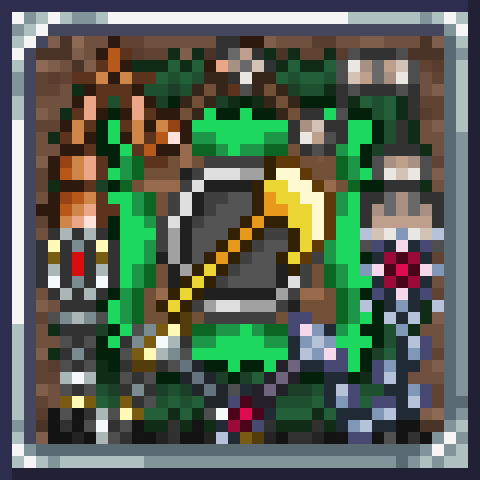
Este mod tiene el objetivo de agregar látigos de los metales del inicio, ya que hay mucho camino hasta llegar al látigo de la selva y estaría bien que hubieran mas opciones aparte del de cuero, este mod agrega: Látigos: -Habilidad de aturdir/miedo: Cobre (aturdir) Estaño (miedo) Hierro (aturdir) Plomo (miedo) Plata (miedo) Tungsteno (aturdir) Oro (miedo) Platino (aturdir) Paladio (aturdir) Cobalto (miedo) -Carga: Bufón -Desventaja de calor: Fosil (balas) -Térmicos: Criogeno (Nitrógeno liquido) Flameante (Combustible liquido) -También añade látigos que ralentizan de: Maderas MUCHAS MADERAS (también cactus, y se incluyo la madera seca y deriva del mod spirit reforged) -Ponzoña potenciada: Látigo de glándula de araña Ítems (basados en DRG, si hay problemas de balance avísenme): Lanzador de Gets: lanza una granada que contiene súbditos Lanzador de varitas luminosas: también funciona como una linterna Ambúlelo de Dash: permite correr muy rápido un corto tiempo, no dashear Chaleco Invocador: actúa como un escudo de vida por algunas desventajas Un accesorio de espinas Existía un ítem que contenía referencia a DRG pero fue eliminado junto a los npcs que había hecho, ahora ocultos en el código del mod Existía un ítem que hace que aparezca el creeper de bosque de minecraft Existía un ítem que es el actual mod de creepers mío Debuffs: Miedo: el enemigo se aleja del jugador, una distancia máxima de 10m o 15 bloques, sin poder atacar, volverá al estado normal, después de alejarse del origen del miedo o que se acabe el tiempo del debuff, la probabilidad de miedo y su coraje determinara que tan difícil será de asustar (coraje esta oculto) Aturdimiento: impide a la entidad atacar y baja demasiado la movilidad de la misma Resistencias: los enemigos tienen cierto nivel de coraje y dureza ante estos debuffs, como algunos que son 100% inmunes, o se ven mínimamente afectados Ralentización: empeora la movilidad, no escalable y se ejecuta la de mayor efecto como prioridad Congelado: es un debuff que llegado a cierto umbral térmico el enemigo se congelara y recibe el doble de daño o mas o menos Combustión: es un debuff llegado a cierto umbral térmico el enemigo empieza a quemarse recibiendo daño constante - En el código de este mod se hizo uso de la IA (sobre todo deepseek), yo tengo muy pobre o casi nulo conocimiento en la creación de mod y programación, las texturas están hechas por mi, usando Ibis Paint y Libre Sprite (aplicaciones gratis, sobre todo Libre Sprite) usando la paleta de colores de las espadas largas -No se si funciona bien en multijugador, en el caso de que encuentren algún error, avísenme. Developed By Angel_Enriq

DBZ calamity ki dmg fix
by 76561198081567080
A way to fix the DBZ calamity addon damage bug where the new weapons and such do not use ki damage. Spawn the Class Swapper item into your inventory and then on any weapon right click it in your inventory and turn it into a ki damage type weapon. This is just a quick fix I intend to use myself. Feel free to use it. You can also change the damage type of all other weapons to ki but I wouldn't recommend it. Developed By Knightjulius

usefulSlaves
by 76561198027365877
usefulSlaves is a pretty cool mod, it does...this. Modify this file with a description of your mod. Developed By Fuck you Yreorel

Calamity Old Recipe
by 76561198252560564
**<//Out Date//>** Calamity Old Recipe bring old recipe for Calamity Demutation Version 0.1.3 +Change Smooth Marble to Marble block +Change Smooth Granite to Granite block Version 0.1.2 +Ark of the Ancients +True Ark of the Ancients +Ark of the Elements +Add Tooltip : Shimmerable +Add Alternative crafting Ark of Noah with Shadownspec bar Version 0.1.1 +Biomeblade +TrueBiomeBlade +OmegaBiomeBlade +Galaxia +Ark Of Cosmos Developed By Rhythm
Bordereal - Brute
by 76561198357701638
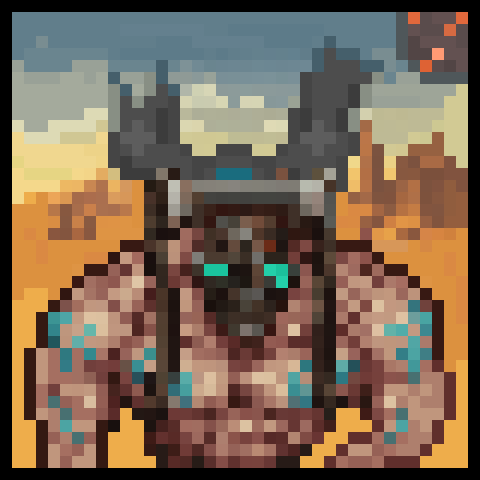
BorderealBrute — A Bordereal Mod Preview Preview review. The mod may be heavily modified by the release.! Bordereal-Brute is a mini-mod introducing one of the bosses from the upcoming total-conversion mod Bordereal. - 1 new boss. - 7 new items Attention, the studio uses assets from other games, AI, and Acesprite nano drawing. Bordereal mod / Labotomy project and other future projects also have an agreement with this text! Bordereal is project building a brand-new game inside Terraria's engine — with its own story, worlds, characters, and mechanics. Bordereal_Brute is your first contact with that universe. This attempt to create Borderlands on the Terraria engine is not official, and we have nothing to do with Gearbox or 2K! BORDEREAL STUDIO is an independent group of people who work in a room with cockroaches. This is a preview release. The full Bordereal mod is in active development This mod is a sneak peek into the upcoming global overhaul mod: BORDEREAL Coming soon to Terraria: - 6,700+ Items • 60+ Bosses • Deep Storyline & Factions • 38 NPC - Borderlands Weapon Manufacturers & Dedicated Loot System - Custom Classes, UI, and Catch-A-Ride Vehicles and MORE Also in the writing of the plot, there is a project "Lobotomy" a surreal project aimed at anxiety and fear. We can't say more. The development is still raw.

Will Frost kill Terraria?
by 76561198010689934
Will Frost kill Terraria a mixed quality of life mod, with aims to maintain a level of reasonable balance to some useful features #### Latest changes: Updated to 1.4, various things might be slightly broken, please let me know in the discord! Patch Notes: * Blessed Bulletstorm now fires again after updating to 1.4 * Multiple soul gems can now be equiped, but only the first one has an effect #### The core idea of this mod is to add useful and convenient items at various stages of the game, without ruining the balance of terraria as a game. #### This mod adds a number of small convenience items, such as: - Reusable potions which can be crafted with mechanical boss drops and regular potions. - Combined reusable potions, culminating in 1 potion which gives you many buffs. > Buffs from these potions last indefinitely - Combined buffs, since there is a limit to buffs. - A few small weapons for early game. - Some accessories which combine those rarely used into relevant ones. - Added recipes for a few vanilla items. - Tokens, crafted from event item drops, and which can be used to craft other ones. - Tokens, crafted from boss drops, to clear all the duplicate drops - Unlimited quivers and pouches for the different ammo types in the game - Magnets which suck up items, which work in vanity accessory slots - Reusable boss summoning items > Can spawn many copies of bosses at once - Lootboxes (to use up all those tokens you craft) #### The mod also adds some extra content if you're using Calamity mod! (although some of it is being fixed after the 1.4 changes) #### Plans for the future: - A Wiki, so that it's easier to understand the mod! - Various armor sets and weapons for different stages of the game. - Special cosmetic items... WIP. > so many frames of art to draw - More tokens for events, and more uses for existing tokens. - Combined banner crystals, which give you banner buffs - More integration with other mods - More Calamity crossover items - Some Thorium mod crossover items - Finish setting up a discord server for mod discussion. (https://discord.gg/FgKzPPe)
![[1.4 Alpha] Weapon Durability – tModLoader Mod](https://images.steamusercontent.com/ugc/1704038288842160501/0C550614F1BEF5C012D3896381628C712FE185B7/)
[1.4 Alpha] Weapon Durability
by 76561198064697455
Built for 1.4 Alpha version of tModLoader. What if weapons had durability in Terraria? Be sure to check the configurations of the mod to setup it in a sane way depending on the challenge you want! At the moment only items that do damage and have a damage stat in tooltip are intended to be affected, keep the broken item to repair them trough reforging. If you find any issues document them at https://github.com/DarioDaF/TML-WeaponDurability/issues specifying you encountered this in tModLoader for 1.4 so I can look into them. This is a early porting and probably doesn't work yet in multiplayer. An equivalent mod for 1.3 is already present in the browser. 0.0.8 - Fix for the API, feral claws are not working on this update, removed the IL 0.0.7 - Minimal fixes to make it build again, also now tML is release only so IL will stay broken until it's associate issue will get fixed in tML itself 0.0.6 - Fixed typo in IL introduced in version 0.0.5 (still IL not working in release build) 0.0.5 - Comply with LoadData/SaveData new API 0.0.4 - Made hook more stable to not error out on a release build 0.0.2 - Added flails balancing due to their new mechanics 0.0.1 - Starts from 1.4.4 of the 1.3 Terraria mod

TerraSouls
by 76561198985238771
TerraSouls – The Ultimate Souls-Like Experience in Terraria Immerse yourself in a dark and challenging Terraria, inspired by the Dark Souls series. With TerraSouls, every fight is more strategic, every death more meaningful, and every victory much more satisfying. What You'll Find - Player Progression System: Level up and strengthen your character with Strength, Dexterity, Intelligence, or Faith. - Weapon Scaling: Your stats define the true power of your weapons. - Bloodstains: When you die, you leave a trail that preserves your souls and humanity. Will you be able to recover them? - Deeper Elemental Combat: - NPCs and bosses now have unique resistances and weaknesses to fire, ice, poison, and lightning. - Some bosses reduce elemental damage even further—be prepared to think strategically! - New items and legendary rings with unique effects to enhance your playstyle. - Special drops: from rare rings on zombies to powerful souls upon defeating bosses. - New atmosphere: Redesigned start and death screens with a somber and immersive feel. What's to come: - This is just the beginning. Coming soon: - More unique items and recipes. - New rings and advanced mechanics. An increasingly complete and challenging experience. Are you ready to test your skills and forge your destiny in TerraSouls? Contribute to TerraSouls Do you want to be part of the development of TerraSouls? Your help can make a difference: from code, ideas, balance, to new content. The entire project is open on GitHub. If you'd like to collaborate, make suggestions, or send pull requests, you're welcome! Visit the repository on GitHub (https://github.com/Jcarrasco96/dark-souls-terraria) and join the community. Developed By jcarrasco96
![ShowForBox[光标物品箱子查询] – tModLoader Mod](https://images.steamusercontent.com/ugc/62586453235630748/E9353A4E7C83DC3CCF034A170277CE3D9C1C751C/)
ShowForBox[光标物品箱子查询]
by 76561199134947542
将鼠标悬停在物品上以查看屏幕内的箱子里是否拥有此物品,如果有,箱子上将出现放大镜 Hover over the item to see if it is in the chest on the screen,A magnifying glass appears on this chest Developed By Ya

Death Scythe Upgrade
by 76561198125701327
One of the mods made for a challenge I'm doing called "Tmodtober" in which I make a mod every day of October. Death Scythe Upgrade adds a weapon based on a game that I'm making called "Soul Reaper". It is an upgrade to the Death Sickle that does some cool stuff based on what it can do in the game. It doesn't work well with accesories. Developed By PronoesPro

Fargos DLC(homeward Journey)汉化
by 76561198793478335
为Fargos DLC (Homeword Journey)模组制作了此汉化,注意到原作者将旅人归途拼错了。 本人非专业汉化,本汉化文件为本人手动翻译,如有错误请指出。 本模组仅为汉化模组,请加载原模组。 原模组作者已称不再更新,本模组如非原模组突发更新,将不再维护或更新。 Developed By 韭薤

Life Crystal Crafting
by 76561198974902578
Craft A Life Crystal adds configurable crafting recipes that allow players to create vanilla Life Crystals using common gems and bars. Designed as a lightweight quality-of-life mod, it reduces RNG and exploration frustration while respecting vanilla balance and progression. Features: • Uses the vanilla Life Crystal (no new items) • Multiple gem-based crafting recipes • Optional Veteran Mode with harder, progression-gated recipes • Fully multiplayer-compatible • No changes to max life limits • Server-side config support Perfect for players who want a fair alternative to world hunting without breaking the game. Developed By gdkadam

ElevatorPortal
by 76561198002536629
Elevator Portal - Vertical Fast Travel System A convenient elevator system that allows instant teleportation between multiple floors! Tired of climbing up and down long vertical shafts? This mod adds an elevator system that lets you instantly warp between different elevations, making exploration and mining much more efficient. Main Features - Elevator Core - Place it on a background wall and it automatically generates an elevator shaft downward - Elevator Entrance - Place multiple entrances along the shaft to create warp points - Intuitive UI - Simple right-click interface to select your destination floor - Altitude Display - Each entrance shows its altitude (positive above ground, negative below) - Ghost Preview - Green outline when placement is valid, red when invalid How to Get - Purchase the Elevator Core and Elevator Entrance from the Mechanic NPC How to Use - Dig a 2-tile wide vertical shaft and place background walls - Place the Elevator Core on a background wall (the shaft will be automatically generated downward) - Place Elevator Entrances at desired positions along the auto-generated shaft (requires 6x7 tile space) - Right-click an entrance to open the UI and select your destination Important Notes - Entrance placement requires a 6x7 tile empty space - Shafts do not auto-extend - when you dig deeper, you need to replace the core to expand the shaft - Destroying the core will recover all related shafts and entrances - Multiple elevator systems can be operated independently Benefits - Quick access to multiple floors with a single click - Perfect for deep mining operations - Great for multi-level bases - Easy to understand your current position with altitude display - No need to place teleporters or use recall potions repeatedly エレベーターポータル - 垂直方向の高速移動システム 複数の階層を瞬時にワープできる便利なエレベーターシステム! 長い縦穴を上り下りするのに疲れていませんか?このMODは、異なる高度間を瞬時にワープできるエレベーターシステムを追加し、探索や採掘を大幅に効率化します。 主な機能 - エレベーターコア - 背景壁に設置すると自動的に下方向にエレベーターシャフトを生成 - エレベーターエントランス - シャフトに複数設置してワープポイントを作成 - 直感的なUI - 右クリックで開くシンプルなインターフェース - 高度表示 - 各エントランスの高度を表示(地上はプラス、地下はマイナス) - ゴーストプレビュー - 配置可能な場合は緑、不可能な場合は赤で表示 入手方法 - メカニックNPCからエレベーターコアとエレベーターエントランスを購入できます 使い方 - 幅2タイルの縦穴を掘り、背景壁を設置 - エレベーターコアを背景壁のある場所に設置(自動的にシャフトが下方向に生成されます) - エレベーターエントランスを自動生成されたシャフトの好きな位置に設置(6x7タイルの空間が必要) - エントランスを右クリックしてUIを開き、移動先を選択 重要な仕様 - エントランスの設置には6x7タイルの空きスペースが必要です - シャフトは自動延長されません - より深く掘った際は、コアを再度設置してシャフトを拡張する必要があります - コアを破壊すると、関連するシャフトとエントランスをすべて回収できます - 複数のエレベーターシステムを独立して運用可能 便利な点 - ワンクリックで複数の階層に素早くアクセス - 深い採掘作業に最適 - 多層階の拠点作りに便利 - 高度表示で現在位置が分かりやすい - テレポーターやリコールポーションを何度も使う必要なし Developed By yuayumia
tModLoader server with mod support
Install compatible, supported mods from the server dashboard.
Rent a tModLoader server