Project Zomboid Mods & Plugins
Food Preservation Plus
por 76561198082577074
[h1]Winter is Coming[/h1] This mod addresses the need of vanilla friendly food preservation. Make smoked or salted meat/fish, canned food, vinegar, ethanol, glue, salt and much more. Use ethanol to make vodka or to refill a generator, refine food to biogas, find salt rocks and crush them to salt. It is also a good workaround for not having natural cold storage system - YET. [b] [url=https://steamcommunity.com/sharedfiles/filedetails/?id=2970858855]HUNTING IS NOT INCLUDED IN THIS MOD AND IS NOT ALSO REQUIRED FOR THIS MOD TO WORK. YOU NEED TO SUBSCRIBE IT SEPARETLY IF YOU WANT TO HUNT![/url] [/b] [b]Use [url=https://steamcommunity.com/sharedfiles/filedetails/?id=2787291513]Craft Helper[/url] to see exact unit quantities of some of the recipes.[/b] [b]Canning details :[/b] [list] [*]Can carrots, cabbage and tomatoes. Cans last forever, just as in vanilla. [*]Overhauled vanilla jarring - jars last about an year now. They also give back a empty jar and a lid when opened. [*]Vanilla potatoes and cabbages are heavier and potatoes last longer - 30 to 60 days. It is implied the potatoes are kept in somewhere cool. [/list] [b]Meatwork details :[/b] [list] [*][u]All meat related recipes will accept meat by the unit - no matter how it has been cut.[/u] [*]Meat can be [u]canned[/u], [u]salted[u], [/u]smoked[/u] or eaten in any other way you want. [*]All bigger animals(From [url=https://steamcommunity.com/sharedfiles/filedetails/?id=2970858855]Immersive Hunting[/url] mod) , depending on their size, will produce certain amount of steak slabs, leather strips and bones when butchered. [*]Big steak slabs can be cut into smaller pieces to be shared with a friend, stored, cooked or traded more easily. [*]Small trapped/hunted animal, both from vanilla and Hunting Mod are butchered the vanilla way. [*]Raw canned meat needs to be heated in fire so it will change to normal canned meat. [*]Smoked meat/fish needs to be smoked for about 10-12 hours. Lasts 6-10 days. [*]Salted meat can also be made from various meat types. Lasts 15-20 days. [*]You can also mine salt and various other stuff with my : [b][url=https://steamcommunity.com/sharedfiles/filedetails/?id=2963057869]Dynamic Mining[/url][/b] mod. [code] [list] [b]Smoking/Salting Tutorial[/b] : PZ has such thing as units - these units can be either measured in drainable items as delta or they can be hunger value on food items. To prepare your meat for smoking/salting you need ONE unit of whatever kind of RAW MEAT, this will create you a "starter item". The whole system is not not new or made up by me but the usual evolved recipe(Stir Fry, Pie, Soup etc etc). Only difference is that in my version you need to craft the initial item from the food itself - there is no other item involved. Now you can click on that new item and start adding more meat to it, until its full and then cook it over the fire. [/list] [/code] [/list] [b]Brewing details :[/b] [list] [*]Brew Ethanol from potatoes/corn and yeast. [*]Brew Vinegar from ethanol and vegetables. [*]Brewing and canning equipment such as wooden barrels and can sealers can be either looted or crafted. [*]Just make a brew and place the barrel on the ground and leave it be. [*]Ethanol takes 15 days to get ready. [*]Vinegar takes 10 days to get ready. [*]When the brew is ready, you can open the barrel while holding 5 empty bottles and voilaa - you get 5 bottles of ethanol/vinegar and your barrel can be used for the next brew. [*]Ethanol+Water can be mixed into vodka. [*]Ethanol can be also used as fuel. [*]You can use the vodka as a drink or to disinfect stuff. [/list] [b]Other :[/b] [list] [*]Sweet Juice can be stomped out of certain veggies and used as sugar - it also produces yeast as a by product. [*]Mushrooms can be stomped straight to yeast. [*]Cook tallow from any animal meat. [*]Make candles from tallow. Candles last 6 times longer. [*]Tallow can be used in cooking recipes as an oil/lard/margarine. [*]Glue can be made out of bones and leather. Glue lasts 2 times longer. [*]Soap can be made out of animal meat. Soap lasts 5 times longer. [*]Make dried berries out of strawberries. [*]Foragable salt rocks that can be crushed into salt(Found in Forests/Vegetation/Farmlands). [*]Refining Biogas(Propane) from all sorts of food. [*]You can empty all cans(Vanilla too) from food(Even rotten). [*]Tweaked strategic lootable food nutrition values(Canned/Dried/Chips/Sweets) [*]Realistic calories for various vanilla foods. I also suggest using [b][url=https://steamcommunity.com/sharedfiles/filedetails/?id=2840487215]Calorie burn tweaker[/url][/b] and [b][url=https://steamcommunity.com/sharedfiles/filedetails/?id=2908032256]Weight change speed[/url][/b] to make the overall hunger system more balanced. [/list] [b]Everything related to canning, jarring, smoking, salting and brewing needs a certain skill + a recipe book.[/b] Updates to this mod are 100% savegame friendly and wont break anything. Works in MP and is friendly with both vanilla and other mods. [url=https://steamcommunity.com/sharedfiles/filedetails/?id=2888082232][img]https://i.imgur.com/vQWLiea.png[/img][/url] [b]Credits :[/b] Russian translation - Thank you [b]axelroadman[/b] [h1] This is part of... : [/h1] [b][url=https://steamcommunity.com/sharedfiles/filedetails/?id=2900697796]Project Realistic Overhaul[/url][/b] - Set of mods I've created that will overhaul the vanilla game experience to be more hardcore and true to life, but on the other hand leaves you the option to make it through and survive. It makes items and actions have more value and makes the world more alive. Workshop ID: 2890748284 Mod ID: FoodPreservationPlus

Medicine Moodles
por 76561198164339567
[h2]Works on 41.78.16 SP/MP[/h2] [h2]Safe to add to/remove from existing saves[/h2] I just took a painkiller. When should I take the next one? Medicine Moodles will help you know the duration of pills. Moodle Level 1: 0%-10% remaining time Moodle Level 2: 10%-40% remaining time Moodle Level 3: 40%-70% remaining time Moodle Level 4: 70%-100% remaining time [h3]Here are some notes.[/h3] Antidepressants need some time to take effect. Drinking alcohol gives a combination effect of Antidepressants, BetaBlockers, Painkillers and less effective SleepingTablets. Intensity of SleepingTablets stacks. Hover your mouse over the moodle icon to check. LemonGrass has an internal cooldown for reducing food sickness or poison level. Other drug mods using vanilla mechanism should be shown as well. Enable MedicineMoodlesSkillRequirements submod if you want to add skill requirements for moodles instead of showing unconditionally. The values can be changed in sandbox options. Workshop ID: 3093700684 Mod ID: MedicineMoodles Mod ID: MedicineMoodlesSkillRequirements [b]Check out [url=https://steamcommunity.com/id/Js-2nd/myworkshopfiles/?appid=108600]my other mods[/url][/b] [url=https://steamcommunity.com/sharedfiles/filedetails/?id=2957932451][img]https://steamuserimages-a.akamaihd.net/ugc/2071133993659098010/C2F75607F37F134413FDDF135811943A6E43F6FF/?imw=120&imh=120&ima=fit&impolicy=Letterbox&imcolor=%23000000&letterbox=true[/img][/url] [url=https://steamcommunity.com/sharedfiles/filedetails/?id=3093700684][img]https://steamuserimages-a.akamaihd.net/ugc/2313224038739447322/E38463B915CC7F9A9400859DBBC7077AB0964DE1/?imw=120&imh=120&ima=fit&impolicy=Letterbox&imcolor=%23000000&letterbox=true[/img][/url] [url=https://steamcommunity.com/sharedfiles/filedetails/?id=2968616376][img]https://steamuserimages-a.akamaihd.net/ugc/2072261795957925686/55DD4B65C704BE108804A37464FE0500BE011255/?imw=120&imh=120&ima=fit&impolicy=Letterbox&imcolor=%23000000&letterbox=true[/img][/url] [url=https://steamcommunity.com/sharedfiles/filedetails/?id=3354781435][img]https://steamuserimages-a.akamaihd.net/ugc/2483264726468999201/85CC4C5AEA05CD4271CC2A38BD0CF96FF9C9014A/?imw=120&imh=120&ima=fit&impolicy=Letterbox&imcolor=%23000000&letterbox=true[/img][/url] [url=https://steamcommunity.com/sharedfiles/filedetails/?id=3047075627][img]https://steamuserimages-a.akamaihd.net/ugc/2256927864525027694/7C628F9A74051FC1D574CF67AEF5613D16A5E656/?imw=120&imh=120&ima=fit&impolicy=Letterbox&imcolor=%23000000&letterbox=true[/img][/url]
zRe Better Lockpicking
por 76561198034347328
b42.13 mp https://steamcommunity.com/sharedfiles/filedetails/?id=3623784989 ------------------------- Original mod: [url=https://steamcommunity.com/sharedfiles/filedetails/?id=2368058459]Better lockpicking[/url] by Aiteron and YingSuHuaKai. All honors and applause to them! [h2][b]TIP:[/b][/h2] [b]Recomend turn OFF "UI Offscreen Rendering" for better minigame-UI smooth![/b] [h2][b]zReMod:[/b][/h2][list] [*]Standalone version ('Profession framework' or original mod not required)! [*][b]DELETED BobbyPin func:[/b] - Force unlock; - Locking function; - Chance to break lock. [*][b]Crowbar lockpicking:[/b] - Available without a book and skill; - Requirements "Don't have high exertion (stamina <=50)". [*][b]Crowbar minigame:[/b] - Fitness level determines stamina expenditure; - Strength level determines length Green and Yellow zones; - Strength level determines how much more you fill progress BAR on Green/Yellow/Red zones; - Lockpicking level add small adjustment to stamina and progress BAR filling. [*]Detection Crowbars, Screwdrivers, BobbyPins in the inventory and backpacks. [*]Zombie "Burglar" and "Escaped from prison" can be found rarely in world (contain magazines). [*]Reinforced doors can't be unlocked with Crowbar, use Screwdriver and BobbyPins! [*]Locked doors can't be moveable![/list] [h2][b]zReFixes:[/b][/h2][list] [*]Burglar profession fixed (trait, level for lockpicking, new character recipes and trait). [*]Screwdiver lockpicking (abuse windows for exp farm). [*]Crowbar lockpicking (abuse lockpicking at 0 stamina). [*]Face position lock on lockpicking object. [*]Volume of crowbar be reduced, sound stop correctly. [*]Minigame UI speed (Big thanks to [b]albion[/b] and [b]Js![/b]). [*]The result of vehicle lockpicking is now synchronized in MP (Big thanks to [b]Chuckleberry Finn[/b]). [*]Minigame closes correctly when player has been attack by zombies. [*]Fix for vanilla game: when trunk lock boken, but u can use button inside vehicle for lock/unlock trunk door. Now: u can't![/list] [h2][b]Compatibility with:[/b][/h2][list] [*][url=https://steamcommunity.com/sharedfiles/filedetails/?id=2737726733]LittleYoschi's+Skillbooks[/url] - Addon "zRe Better Lockpicking [+ LittleYoschi's Skillbooks: Lockpicking]"! - Don't turn on original "LittleYoschi's Skillbooks: Lockpicking", only zRe version! [*][url=https://steamcommunity.com/sharedfiles/filedetails/?id=2868845787]Paintable crowbars[/url] [*][url=https://steamcommunity.com/sharedfiles/filedetails/?id=2929123989]Tools of The Trade[/url] - But not for "Utility Bar" (small one-handed crowbar), Halligan Bar only! [*][url=https://steamcommunity.com/sharedfiles/filedetails/?id=2887123503]Monmouth Country[/url] [*][url=https://steamcommunity.com/sharedfiles/filedetails/?id=2992050231]BasedCrowaxe[/url] [*][url=https://steamcommunity.com/sharedfiles/filedetails/?id=2965768190]Crowbar as a Short spear[/url] [*][url=https://steamcommunity.com/sharedfiles/filedetails/?id=2875848298]Common Sense[/url] - Braven added Sandbox option, toogle off lockpicking with crowbar. That's all. [*][url=https://steamcommunity.com/sharedfiles/filedetails/?id=2738370718]More Lock - key and lock management system[/url][/list] [img]https://i.imgur.com/fVVaDCS.gif[/img] [url=https://discord.gg/RnTWZnv5Ap][img]https://raw.githubusercontent.com/Chuckleberry-Finn/chuckImages/main/PZmodCommBanner2.png[/img][/url] [h2]You can support me:[/h2] 2202 2055 0691 1756 SBER (MIR) https://boosty.to/kerhus/single-payment/donation/493985 Workshop ID: 2929123989 Mod ID: zReBetterLockpicking Mod ID: zReBetterLockpickingLYSLP
![Hand Crank Flashlights [41.78 and 42.13]](https://images.steamusercontent.com/ugc/2020464696101316042/B12C82B337A3B61D04F2EE03F5986F4C24636D62/)
Hand Crank Flashlights [41.78 and 42.13]
por 76561198448639509
This mod adds flashlights that are recharged by turning a crank. There are five different colored flashlights to add variety but there is no difference between them in functionality. Important facts: -Depending on the charge of the flashlight, the distance and strength of the light are affected. -If the character's right hand is injured, the time it takes to turn the crank increases. -When recharged, they attract zombies in a small radius. -Flashlights can be found in many places, but mainly in electronics stores, warehouses and military areas. -Flashlights can lose condition if the sandbox option "Condition Lose Rate" is more than zero (in B42). -You can adjust flashlights light distance and strength from the sandbox options (in B42). -You can download [url=https://steamcommunity.com/sharedfiles/filedetails/?id=2169435993]Mod Options[/url] to bind a key to crank flashlights (for B41). -Compatible with: [url=https://steamcommunity.com/sharedfiles/filedetails/?id=2766033079]Better Flashlights[/url], [url=https://steamcommunity.com/sharedfiles/filedetails/?id=2754567348]Noir's Attachments[/url] y [url=https://steamcommunity.com/sharedfiles/filedetails/?id=2335368829&searchtext=authentic]AuthenticZ[/url] (in B41). I haven't tested compatibility with any mods in B42. Any suggestions are welcome. [h2]For commissions:[/h2] [img]https://i.postimg.cc/sXQrsz8Z/discord.png[/img] [url=https://ko-fi.com/gzeta][img]https://cdn.prod.website-files.com/5c14e387dab576fe667689cf/670f5a0171bfb928b21a7e00_support_me_on_kofi_beige-p-500.png[/img][/url] Workshop ID: 2897115343 Mod ID: HandCrankFlashlights
Southwood 2.0,KY
por 76561198846560974
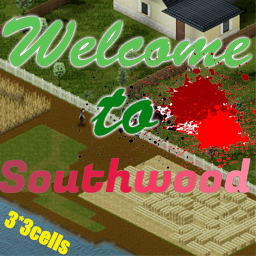
Welcome to southwood version 2.0! Southwood is the predecessor of Riverside. Unlike the world line in Kentucky in 1993, the original site of Riverside has not been gradually abandoned due to relocation. On the contrary, it has explored a new development model and become a small town that mainly relies on industry and agriculture and animal husbandry to achieve economic prosperity. In the current version, southwood has been extended to 3 × 3cells. You can explore a whole McCoy factory requisitioned by the army, a huge riverview house for you to live in, and complete animal husbandry facilities and farmland to prepare for the b42 version. In addition, there are all kinds of new ordnance stores waiting for you to plunder! Remember to prepare a sledgehammer when you get to the center of town! This map occupied cells are mentioned below (12,19)(13,19)(14,19) (12,20)(13,20)(14,20) (12,21)(13,21)(14,21) Workshop ID: 2947314444 Mod ID: Southwood2.0 Map Folder: Southwood2.0
The Engineer
por 76561198082577074
Let's you craft generators, car battery chargers, blow torches, speakers, remotes and much more. Also lets you disassemble everything and gives a lot more stuff(Depending on electrical skill) from various devices you can disassemble. Everything is balanced out nice and tidy, so you can grind skill from doing some small time electrical crafting but you would also loose valuable material doing so. You need certain combined skills + recipe from a magazine to craft most of the things. This mod also creates a [b]REAL ENGINEER[/b] profession - costs more but comes with high skill set and with a lot of recipes(Also some from my [b][url=https://steamcommunity.com/sharedfiles/filedetails/?id=2900671939]Real Metalworking[/url][/b] and [b][url=https://steamcommunity.com/sharedfiles/filedetails/?id=2890748284]Food Preservation[/url][/b] mods) + more from the magazines. Some high value recipes that are exclusive to this trait - can't learn them from anywhere else. Makes engineer a very valuable member of your group. [h1] Extra : [/h1] [list] [*]It makes all HAM radios electric powered and lowers the walkie-talkie ranges so they won't be higher then HAM radio ones. It will create a need for possible F.O.B's in some situations. [*]Mix petrol, fertilizer and charcoal into gunpowder. [*]Craft a simple blunderbuss gun and ammo for it. [*]Craft an IED that makes a huge bang - [b][url=https://www.youtube.com/watch?v=YPHJco7GAKk]VIDEO[/url][/b] . [*]You can also mine aluminum and various other stuff with my : [b][url=https://steamcommunity.com/sharedfiles/filedetails/?id=2963057869]Dynamic Mining[/url][/b] mod. [/list] [h1] This is part of... : [/h1] [b][url=https://steamcommunity.com/sharedfiles/filedetails/?id=2900697796]Project Realistic Overhaul[/url][/b] - Set of mods I've created that will overhaul the vanilla game experience to be more hardcore and true to life, but on the other hand leaves you the option to make it through and survive. It makes items and actions have more value and makes the world more alive. Workshop ID: 2906633595 Mod ID: TheEngineer
FOOL's New Containers
por 76561197976338694
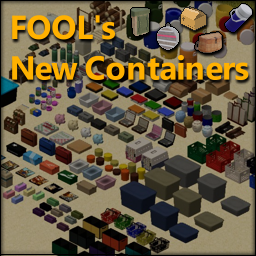
Need a model of your own? Send me a message on Discord at foolandfolly. A collection of 100ish item and water containers with 3D models, animations (for some but not all), and icons. Included is a lore-friendly loot table, and sandbox options to change how often containers appear. None of these items should conflict with any other mod! *WARNING* Be aware. This is not the legacy version. If you attempt to continue your game using this version, you're gonna have a bad time (your containers WILL be deleted). This version is for fresh new games or games that haven't previously used the legacy version. Includes the follow: .30 Cal Ammo Can (4 colors) .50 Cal Ammo Can (4 colors) Basket (3 colors) Beverage Jug (4 colors) Bread Box (4 colors) Canteen Canvas Tote (4 colors) Cardboard Boxes (3 sizes) CD Binder (3 colors) CD Case (6 colors) Coffee Can Wide (4 colors) Coffee Can Slim (4 colors) Component Kit (10 colors) Cookie Jar (2 colors) Cutlery Roll (2 colors) Dish Tub (3 colors) Fake Rock File Folder (2 colors) Fishing Creel Flask Foraging Basket (6 colors) Foraging Pouch (4 colors) Half Gallon Jug (2 colors) Hardware Organizer (5 colors) Jewelry Box (4 colors) Kids Flask (2 colors) Kindling Box (2 colors) Lock Box (5 colors) Milk Crate (5 colors) Milk Crate Large (5 colors) Military Canteen Pastry Box (2 colors) Pet Carrier (2 colors) Piggy Bank (4 colors) Pitcher (Glass) Pitcher (Plastic) Pizza Box (4 colors) Plastic Tote (3 sizes, 3 colors) Roadside Kit (3 colors) Rough Box (4 colors) Sandwich Bag Sandwich Bag Box Shoebox (5 colors) Shopping Basket (5 colors) Spicerack (2 colors) Spiffo Keeper (6 colors) Tacklebox (2 colors) Tacklebox Large (2 colors) Tissue Box (6 colors) Travel Kit (tinted variations) Trunk Organizer (9 colors) Wood Carrier (2 colors) Water Carrier Workshop ID: 2985328540 Mod ID: newcontainersnc Workshop ID: 2985328540 Mod ID: newcontainersnc
Orchidwood(official version)
por 76561198846560974
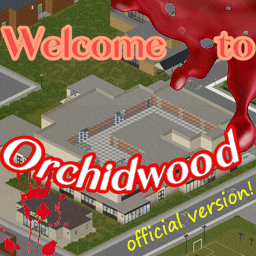
Orchidwood is located in the north of Rosewood. Because of its good location advantage and rich natural resources, it has become a tourist resort and a transit station for materials of McCoy Factory. Because of the booming economy, the local service industry and public facilities are very complete, and you can experience the excellent service level in the community center here. The people in the town live and work in peace and contentment and are friendly to outsiders. However, after the disaster, the military blocked some of its roads,Let the whole town become hell on earth. Now you're going to explore this town, aren't you? This map has been completely updated, and now there are many more buildings made by myself. You can find good settlements on this map. In the southeast corner of this map, I also set up a big maze, which will contain good loot! This map occupies the Cell 27 * 32 28 * 32 27 * 33 28 * 33. When driving in these cells, be careful of obstacles on the road! Workshop ID: 2889235913 Mod ID: Orchidwood(official version) Map Folder: orchidwood

Refordville
por 76561198074506705
[h1]Welcome to Refordville![/h1] [i]The argument amongst town folk was always "How is the town pronounced?" is it "REE-fordville" or "REford-ville"[/i] Refordville is a dense populated town, with plenty of apartment blocks, bars, shopping centres and even a trailer park! Tried and tested in Solo and Multiplayer! 👍 Works with new in-game map! 🗺️ [img]https://i.imgur.com/p7Fv1Z6.gif[/img] [hr][/hr] [h1]Donate[/h1] [url]www.patreon.com/2green[/url] [i]If you appreciate my work, feel free to help a brother out.[/i] [hr][/hr] [h1]Terms&Usage[/h1] This item is NOT authorized (strictly forbidden) for any of these conditions: [list][*]posting on Steam, except under the Steam account 2Green. [*]hosting on any download server other than its current workshop download. [*]hosting on any launcher for distribution other than its current workshop download. [*]to be packaged in any form other than its current workshop download.[/list] [hr][/hr] Workshop ID: 2726058465 Mod ID: Refordville Map Folder: Refordville
![Neat Building [B42]](https://images.steamusercontent.com/ugc/16299626114154844195/16F39881F6FBBF155CA0CEE2C5FA9767F04D0E8B/)
Neat Building [B42]
por 76561199485575276
[h2]Build Support: B42.12 to B42.19 — Build 42 only[/h2] [b]Neat Building[/b] is a cleaner, faster, and more practical replacement for the default [b]Build[/b] menu in [b]Project Zomboid Build 42[/b]. It reorganizes building into clearer categories, adds better icons, stacks related recipes, includes useful filters, and expands the Build menu with extra buildable constructions. [b]Dependency:[/b] [b]NeatUI Framework[/b] is required and must be placed [b]before Neat Building[/b] in the mod load order. [hr] [h2]⚠️ Important: Existing Saves / Servers[/h2] Like many mods that add constructions, recipes, entities, or placed world content, removing this mod from a world that has already used it can cause problems. [list] [*] In [b]single-player[/b], existing constructions may remain in the world, but some mod-specific interactions may no longer be available. [*] ⚠️ In [b]multiplayer servers[/b], removing the mod from an existing world is riskier and may cause [b]WorldDictionary[/b] issues that can prevent the server world from loading correctly. [*] If you only want the [b]vanilla Build menu[/b] back, you do [b]not[/b] need to remove the mod. [*] For active MP worlds/servers, the safest option is usually to keep the mod enabled once that world has already used it. [*] Always make a [b]backup[/b] before removing mods from an existing save or server. [/list] [h3]Safe Uninstall Support[/h3] If an old save/server no longer loads after removing Neat Building and shows missing Neat Building / WorldDictionary entries, you may need: [url=https://steamcommunity.com/sharedfiles/filedetails/?id=3743063232][b]Neat Building – Safe Uninstall Support[/b][/url] This is a small support mod for saves/servers that removed Neat Building. It is [b]not[/b] the full Build menu UI and should [b]not[/b] be enabled together with the main Neat Building mod. [h3]Want the vanilla Build menu without removing the mod?[/h3] You can switch between Neat Building UI and vanilla UI from: [list] [*] [b]ESC → Options → Mods → Neat Building[/b] [*] [b]Right-click (RMB)[/b] the vanilla [b]Build[/b] sidebar button for a quick in-game toggle [/list] [hr] [h2]Main Features[/h2] [list] [*] Cleaner and more compact Build menu [*] Clearer building categories grouped by type instead of only by skill [*] Better icons for easier recipe identification [*] Stacked related recipes, with the currently buildable version prioritized [*] Useful filters for faster browsing [*] Optional compact / minimal layout [*] Transparent recipe info panel for better world visibility while building [*] Extra buildable constructions [*] Persistent Mod Option to switch between [b]Neat UI[/b] and [b]Vanilla UI[/b] [*] Quick in-game UI toggle by right-clicking the vanilla Build sidebar button [/list] [h2]Minimal Building Menu[/h2] [img]https://i.imgur.com/NQ4XJMO.png[/img] Neat Building is designed to stay compact, so you can keep a better view of the world while planning and placing structures. [list] [*] [b]Collapsible window:[/b] recipe details appear only when needed. [*] [b]Recipe stacking:[/b] similar or advanced-design recipes are grouped together. [*] [b]Transparent recipe info panel:[/b] keeps the build area easier to see. [/list] [h2]Better Categories / Clearer Icons / More Buildings[/h2] [img]https://i.imgur.com/xnGoF3u.png[/img] [list] [*] [b]Better categories:[/b] builds are grouped in a clearer and more practical way. [*] [b]Clearer icons:[/b] missing or unclear icons are improved where possible. [*] [b]More buildings:[/b] additional constructions are included, and suggestions are welcome. [/list] [h2]Filter Bar[/h2] The filter bar helps you find usable recipes faster: [list] [*] [b]Only Can Build[/b] [*] [b]Only Met Skill Requirements[/b] [*] [b]Only Known Recipes[/b] [*] [b]Min-size mode[/b] for a more compact panel [/list] With the addon [url=https://steamcommunity.com/sharedfiles/filedetails/?id=3540503606][b]Neat Crafting & Neat Building – XP & Mod Display[/b][/url] enabled, you can also filter recipes that award XP or come from mods. [h2]Optional Addon: XP & Mod Display[/h2] For build XP gain and source mod information, use: [url=https://steamcommunity.com/sharedfiles/filedetails/?id=3540503606][b]Neat Crafting & Neat Building – XP & Mod Display[/b][/url] It can add: [list] [*] XP gain lines [*] XP breakdown formats [*] Source mod lines [*] XP-only and Mod-only filters [/list] [h2]Build 42 Only[/h2] If the mod does not appear in your mod list, you are probably running [b]Build 41[/b]. This mod requires [b]Project Zomboid Build 42[/b]. [b]Tested on:[/b] multiple Build 42 versions, including recent [b]42.19 SP / MP Host / Dedicated[/b] setups. [h2]Compatibility Notes[/h2] [b]Known conflicts:[/b] [list] [*] [b][B42] Buildables Expansion[/b] [*] [b]Rebalanced Prop Moving[/b] [/list] Mods that replace or heavily modify the same Build panel files may also conflict depending on load order, mod versions, Project Zomboid build, and server settings. If you find a problem, please report it with: [list] [*] Project Zomboid version [*] SP / MP mode [*] Mod list and load order [*] Steps to reproduce [*] Relevant part of [b]console.txt[/b] [/list] [h2]Gamepad Support[/h2] Neat Building is currently designed mainly for mouse and keyboard. Gamepad support is not fully implemented yet. It may be improved in the future, especially as Build 42 controller support continues to change. [h2]Update Troubleshooting[/h2] After major Project Zomboid updates, a clean Workshop redownload can help if files are mismatched: [list] [*] Close Project Zomboid completely [*] Unsubscribe from Neat Building [*] Wait until Steam finishes uninstalling it [*] Subscribe again [*] Let Steam finish downloading before launching the game [/list] Verifying Project Zomboid files in Steam may also help after major Build 42 updates: [b]Steam Library → right-click PZ → Properties → Installed Files → Verify integrity of game files[/b] [h2]Credits[/h2] [list] [*] Original mod by [b]Rocco[/b]: [url=https://steamcommunity.com/profiles/76561199485575276/myworkshopfiles/?appid=108600]Rocco's PZ Workshop Items[/url] [*] Maintenance / compatibility for newer B42 builds by [b]Afyrmo[/b]: [url=https://steamcommunity.com/profiles/76561199133259679/myworkshopfiles/?appid=108600]Afyrmo's PZ Workshop Items[/url] [/list] [quote]About permission You are free to extract and use any content from this mod without asking for permission. If you want to republish this mod, you need to follow these rules: 1. There must be substantial and important improvements. 2. If this mod has not been updated for a long time and has caused many issues, you may modify and republish it.[/quote] Workshop ID: 3536052310 Mod ID: Neat_Building

MandoDB - Tiles Pack
por 76561199158095080
This mod adding Items/Tiles from dylans map. Thanks for sub to my mods. Workshop ID: 2977982429 Mod ID: DylansTiles_Elysium
![Tread's Military Vehicle Zone Defs (Spawns) [41.65+]](https://images.steamusercontent.com/ugc/1813264186077175322/B5B6AB3E40530973DFDD54B47658F1230E467743/)
Tread's Military Vehicle Zone Defs (Spawns) [41.65+]
por 76561198032308042
[h1]Tread's Military Vehicle Zone Defs [41.65+][/h1] This mod adds Military Vehicle Zones (Vehicle Spawn Zones/Parking places) to the game map. It was made for 41.65 version of a game and should work both in SP and MP. Nonetheless I had limited testing capabilities so all bug reports are welcome. [h3][b]Shoutout to map creators:[/b][/h3] I would be very grateful if you can scan my "objects.lua" from map folder for any clashes with your maps. IF any exist please report them to me so we can think about making mods fully compatible. Obviously I am also ready to assist, should you wish to place any of my custom spawn zones on your maps. [b]New game strongly recommended[/b] - otherwise this mod will have VERY limited effect. It bases off NATIVE (VANILLA) map of the game [41.65] and adds military vehicle spawn zones to it. [b]It will not add any military vehicles, if you do not use any other mod containing them.[/b] To make this mod do anything, you need at least one other mod that adds vehicles using "military" Spawn Zone Definition. Those spawn zones were not existing on native map, but were used by some custom maps. Example of mods adding such military vehicles:[list] [*][url=https://steamcommunity.com/sharedfiles/filedetails/?id=1510950729]Filibuster Rhymes' Used Cars[/url] [*][url=https://steamcommunity.com/workshop/filedetails/?id=2490220997]KI5's mods (military ones)[/url], [*][url=https://steamcommunity.com/sharedfiles/filedetails/?id=2705655822]M113 APC by Papa_Chad[/url]. [*]etc. (more names listed in compatibility discussion)[/list] Military spawn zones I added are spread around Native map and mostly focus on military objects. Nonetheless you can still find some random spawn location here and there. [img]https://i.imgur.com/p7Fv1Z6.gif[/img] [h2]Scope of the mod[/h2] This mod not only adds spawn locations for "military" zone (military vehicles as added by mods) but it splits this spawn list into multiple custom classes (light vehicles, heavy vehicles, trailers, burnt etc.). Each custom class is filter based and includes specific vehicles I chose. I tried to include all suitable vehicles from each "military vehicle" mod I found on the mod release date (01.02.2022). Every military vehicle not listed in my filters will get automatically added to general "military" class and to "light vehicle" class (as the most popular one). As a bonus this mod assigns whole "military" vehicle spawn list to the existing "army" parking places (merges the lists). I found a few of those already existing on the Native map. Probably TIS added them as a preparation for adding army vehicles in the future updates. Once TIS adds their vehicles, "army" list will include Native ones and any added by mods into "military" list. Last but not least, most of spawn zones copy existing spawn rates (as they were defined in Vanilla or the last mod editing spawn lists). [b]DISCLAIMER:[/b]Any strange military spawn is probably not cause of this mod. E.g. if one of your other mods assigns "Ice Cream Truck" to "military" or "army" spawn list, Ice Cream Trucks will show up in military bases etc. It is not fault of my mod but the one that wrongly assigned this car to spawns. My mod adds no vehicles on its own and "reads" spawn lists of all other loaded mods. [h2]How to use:[/h2] SP: Activate the mod as usual. MP:[list][*] Both server and clients need the mod, [*] Clients should activate the mod as usual, [*] Server should add mod to its configuration as usual, [*] [b]Server should add MAP[/b] by adding "TreadsMilitaryVehicleZoneDefs" (without quotes) in its "Maps=" line of config ini. It has to be added BEFORE "Muldraugh, KY". If you have trouble please google how to add custom maps in MP game.[/list] [b]Mod should be activated before start of new game or server.[/b] Adding it mid-save is possible but its effects will be almost non-existant. All the custom spawn places will not work and the only effect of adding mod mid-game will be making native "army" vehicle spawn locations work (only on yet unvisited parts of map). Addition of additional (not active on world start) military vehicle mods is possible on ongoing saves. Those vehicles should get properly added in all yet unvisited areas. [h2]Technicalities:[/h2] Due to description lenght limit I move it to discussion. Topic probably of interest only to other modders. [h2]Future:[/h2] I am not a professional programmer, experienced modder nor hardcore Zomboid gamer. I made the mod for myself and a few friends to include on our server. I thought that it might be useful for others therefore I share it on Steam Workshop. I will try to update the mod from time to time and fix any bugs found. Nonetheless I do not promise I will have time and skill to do it on any regular basis. If you wish to fuel my modding activities please consider supporting me: [url=https://ko-fi.com/tread][img]https://i.imgur.com/SHnNA1r.png[/img][/url] [h2]Credits:[/h2] I wish to thank a few people (and groups): [list][*]TIS - for making this great game, [*]Kraz - I studied Fort Redstone folder structure and lua's to understand how map zones and map mods folder structure work. [*]KI5, Filibuster Rhymes, Papa_Chad and other vehicle modders - for the military vehicles this mod can spawn[/list] [h2]Compatibility:[/h2] This mod should be compatible with most maps. Nonetheless there is a small chance that some map and some of my spawns might clash. IF they alter exactly same squares on the native map. Please report such cases so I can search for solution. [b]Vehicle mods compatible with filter function[/b] (as of 01.02.2022) - only "heavy", "burnt" and "trailer" vehicles count - all light ones are sorted OK by default: List can be found in designated discussion - suggestions welcome! [h2]Usage of my code in other mods:[/h2] I do allow usage of my code in other Zomboid mods. If you decide to do so please credit me in description. I cannot promise regular updates and long-term support therefore I do allow fixing, upgrading, updating etc. my code and uploading its adjusted versions. Nonetheless, please try contacting me first. Once more I only request crediting me for the work done. Workshop ID: 2739565754 Mod ID: TreadsMilitaryVehicleDefs Map Folder: TreadsMilitaryVehicleZoneDefs
Chinese Translation For Modifications
por 76561198044724277
Contact with me freely or via email : [email protected] Workshop ID: 1778944866 Mod ID: ctm
Another Vehicle Claim System
por 76561198030999511
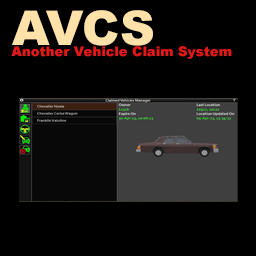
Hello survivors, Another Vehicle Claim System (AVCS) is a vehicle ownership system designed for MP. Yes, there is indeed already a vehicle claim system feature in a mod called Valhalla Community but this mod works differently and is a complete standalone mod with no other features except vehicle ownership. This is primarily made for KWRR community server as I want a mod that do a particular thing and I don't need any other features. [h1]Features[/h1] [list] [*][b]Ownership tracking[/b] We track ownership very differently from Valhalla mod, so differently that it is made possible to remotely revoke claims via UI while being on distant edge of the map. [*][b]Location tracking[/b] We tried really hard to find a way to track locations without putting much overhead on the server. This location tracking is not real time but good enough. It won't track vehicles that disappeared to the void. [*][b]Actions probations[/b] KWRR is a community server thus we do not want to prohibit positive community behaviors thus we block very specific behaviors with primarily intention to prevent your vehicles to be stolen or griefed: [list] [*]Uninstalling parts [*]Taking engine parts [*]Deflating tires [*]Siphoning gas [*]Entering driver seat [*]Opening (closed) trunk [*]Attach or detach vehicle [/list] That is to say we allow everyone to [list] [*]Repair parts [*]Repair engine [*]Be a passenger [*]Inflate tires [/list] [*][b]Full access for Safehouse or Faction members[/b] Depending on sandbox settings, fellow safehouse or faction members will have full access to your vehicle which include the ability to unclaim them. AVCS is a simple personal vehicle ownership mod, not a comprehensive vehicle ownership which include separate system for faction and safehouse. As a middle ground, we simply provide the option at the discretion of server owners to allow fellow safehouse or faction members to have access to each other vehicles. [*][b]Claim limits[/b] Through sandbox settings, you can set maximum number of vehicles one can claim. [*][b]Mysterious Vehicle Claim Orb[/b] You are require to have a claim orb item to claim vehicle. Depending on the server, it can be sold on server shop or be simply be crafted. This is intended to act both as a economy sink for server with shop system and prevent claiming abuse. [*][b]Vehicle ownership timeout[/b] Through sandbox settings, you can set the number of hours owner have to be offline before vehicle automatically release itself. [/list] [h1]Related Patches[/h1] [url=https://steamcommunity.com/sharedfiles/filedetails/?id=2965124692]Tsar's Common Library & AVCS Compatibility Patch[/url] [url=https://steamcommunity.com/sharedfiles/filedetails/?id=2964775658]CarWanna & AVCS Compatibility Patch[/url] [url=https://steamcommunity.com/sharedfiles/filedetails/?id=2980195055]Vehicle Repair Overhaul & AVCS Compatibility Patch[/url] [h1]FAQ[/h1] What is the claim item id so I can add to my server shop? Base.AVCSClaimOrb - B41 AVCS.ClaimOrb - B42+ [h1]Credits[/h1] FRIDAY#0612 (Discord) - For making the icons for UI Pao#6042 (Discord) - For making initial UI which I then improved upon [url=https://steamcommunity.com/profiles/76561198808526024]theleo[/url] - For Portuguese translations [b]Source Code[/b] - https://github.com/Lu5ck/AnotherVehicleClaimSystem [b]My Linux server scripts[/b] - https://github.com/Lu5ck/pzsvrtool [url=https://ko-fi.com/Y8Y8CX2QA][img]https://i.imgur.com/1xL45if.png[/img][/url] [url=http://theindiestone.com/forums/index.php/topic/2530-mod-permissions/?p=36477][img]https://i.imgur.com/zyRglry.png[/img][/url] Workshop ID: 2957935793 Mod ID: AnotherVehicleClaimSystem Mod ID: AnotherVehicleClaimSystemAddonContainersAccess Mod ID: AnotherVehicleClaimSystemB41 Mod ID: AnotherVehicleClaimSystemB41AddonContainersAccess Mod ID: AnotherVehicleClaimSystemCraft

Keep That Radio ON!
por 76561198085338679
Are you tired of having to choose between chatting with friends on the radio or fighting off the undead? Now you can do both simultaneously! Allows for the unequipping of a radio without it automatically turning off when placed back on belt or in webbing slots. Keep in mind that the radio will always have to be manually turned off, even if placed in a bag. Dont waste those batteries now! FOR CLARIFICATION: This mod does NOT keep vanilla broadcasts like the emergency weather reports on. This is a mod specific for VOIP and text radio chat on MP servers. Workshop ID: 2818541726 Mod ID: KeepThatRadioOn
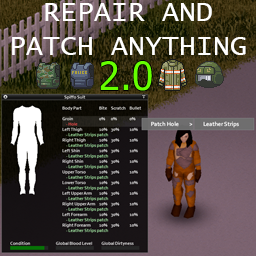
Universal Repair, Rip and Patch Clothing 2.0!
por 76561198092605730
[b]2.0 IS NOW LIVE! And it now uses the vanilla "Rip Clothing" UI And Crafting System![/b] [b]Enjoy the ability to rip multiple clothing at once![/b] [h1]It allows you to repair, rip and patch [b]ANY [/b]clothing from [b]ANY [/b]MOD and vanilla.[/h1] [i]Yes, stop asking; it works with Brita, with authentic Z, and even with that mod that only you and your friends have installed.[/i] It just works with all mods. No extra dependencies, no additional downloads, no options, no BS. Just get leather straps, thread, and a needle, and go fix your clothes. You can also rip shoes, firefighter gear, helmets, and items previously you could not rip. Well, and don't forget to have fun <3 Check out [url=https://steamcommunity.com/sharedfiles/filedetails/?id=2979375840] [b]Transmog: Definitive Edition - Fashionoid 2[/b] [/url] for a full tailoring experience (click the image) [url=https://steamcommunity.com/sharedfiles/filedetails/?id=2979375840][img]https://steamuserimages-a.akamaihd.net/ugc/2066634197647760759/1D12F935F3A20E3FCB8DB83C593DF839042A3DFD/[/img][/url] [url=https://steamcommunity.com/sharedfiles/filedetails/?id=2877685881] [img]https://steamuserimages-a.akamaihd.net/ugc/1910115143940653763/47BBA2A37C61D480F6F7F37A5ACE08A3398D6974/[/img] [/url] Source: https://github.com/mxswat/pz-Universal-Repair-Clothing Workshop ID: 2779627490 Mod ID: UniversalRepairAnything
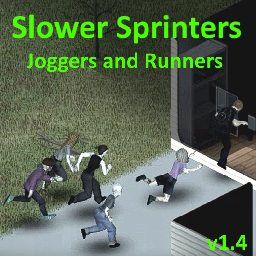
Slower Sprinters \ B42
por 76561198034563532
[hr][/hr] [b] - Description: [/b] Mod replaces sprinters with slower ones, based on default sprinters, they have the same animations, can trip, grab and hold player sometimes, just like default sprinters. There is different versions of slower sprinters, from 20% slower to 43% slower (Only one version of sprinters can be enabled in same time.) Also there is optional versions of slower player walking/running/sprinting animations, they can be enabled in the same time with slower sprinters. [hr][/hr] [b] - How mod works: [/b] Mod changes sprinters simply by editing speed of their animation in AnimSets. (Obviously you have to enable sprinters in sandbox settings to see changes.) [hr][/hr] [b] - Compatability[/b] [list] [*][b]Compatable[/b] - almost with everything, for example: Night Sprinters, Xeph Zombie Modifications, Customizable zombies, Random zombies, etc. [*][b]Not compatable[/b] - with "A harder zombie mod" mod is not compatable with mods that edit AnimSets of sprinters pathfinding, lunge, sprint and player walk, run. (actually, they maybe might work with correct load order when one mod overwriting another, but not tested and not recommended if you don't know what you are doing). [*]It's save compatable. [*]Works in multiplayer but not tested how zombies sync between players. (41.65) Sprinters can't be enabled on local and dedicated server by default (devs restricting players from doing that because of sync issues), but they can be enabled using mods such as "Night Sprinters" by simply enabling day and night sprinters. [*]Created on 41.65, works on B42. [/list] [hr][/hr] - Donate \ Поддержать - You can support me to encourage for more frequent updates and updating mods in time. [url=https://boosty.to/vesper22/donate] [img]https://i.imgur.com/M8emb6J.png[/img] [/url] [hr][/hr] IDs with "V_" is outdated IDs from B41 Workshop ID: 2716710487 B41: Mod ID: V_SlowerSprinters_Option_SPWS Mod ID: V_SlowerSprinters_Runners Mod ID: V_SlowerSprinters_Joggers Mod ID: V_SlowerSprinters_4 Mod ID: V_SlowerSprinters_NewRunners B42: Mod ID: A_SlowerPlayerSprinting_10 Mod ID: A_SlowerPlayerWalking_10 Mod ID: A_SlowerPlayerRunning_14 Mod ID: A_SlowerSprinters_20 Mod ID: A_SlowerSprinters_30 Mod ID: A_SlowerSprinters_35 Mod ID: A_SlowerSprinters_35_SlowerPlayerRunning_14 Mod ID: A_SlowerSprinters_38 Mod ID: A_SlowerSprinters_40 Mod ID: A_SlowerSprinters_43
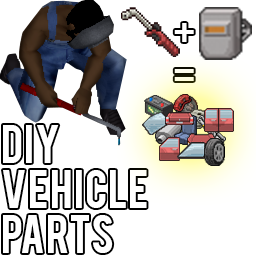
DIY Vehicle Parts!
por 76561198113572261
[quote][i] - Crafting all machine parts from scrap. - Creating car windows from composite material. - Making car windows out of broken glass. - New mechanics that allows you to dismantle the trunk. - Assembling trunks from scrap.[/i][/quote] [h1] DIY Vehicle Parts! [/h1] Create new car parts out of junk on your own! [u]The mod is divided into several modules, for ease of use in both SP and MP for server owners.[/u] [h1] Module 1 - [i]"DIY VehicleParts!" [/i][/h1] After reading magazine you can create: [list] [*]Engine Spare Parts; [*]Battery; [*]Big gas tank; [*]Double rear doors; [*]Rear door; [*]Hood; [*]Suspension; [*]Tires; [*]Muffler; [*]Brake; [*]Trunk lid; [*]Seats; [*]Front door; [*]Composite glass (baking soda and glue). [/list] [b]Magazines: [/b] Find and study three magazines for creating "Standard", "Heavy" and "Sport" car parts. [img]https://i.ibb.co/thLmmXh/Screenshot-25.png[/img] [b]Skills.[/b] The skill level will vary depending on the type of machine on which you will make the part. [table] [tr] [th] [/th] [th]Standard[/th] [th]Heavy[/th] [th]Sports[/th] [/tr] [tr] [td]Metalworking[/td] [td]2[/td] [td]4[/td] [td]6[/td] [/tr] [tr] [td]Mechanic[/td] [td]2[/td] [td]4[/td] [td]7[/td] [/tr] [tr] [td]Electronics[/td] [td]1[/td] [td]2[/td] [td]3[/td] [/tr] [tr] [td]Carpentry[/td] [td]1[/td] [td]2[/td] [td]3[/td] [/tr] [/table] [i]*Electronics and Carpentry are needed to assemble batteries and windows.[/i] [b]New Items.[/b] Recharge your car's battery with Car Boosters. Available in 3 types: [olist] [*]Volodya Car Booster. - Charges the battery by 40% in one use; [*]Car Booster Disposable. - Charges the battery by 25%; [*]Car Booster Homemade - Charges the battery by 20%; [/olist] Each item has its own specifics, which can be explored in the item descriptions. When using boosters, the car battery wears out and loses its primary state. [h1]Module 2 - [i]"DIY VehicleParts! GlassWindow"[/i] [/h1] Creation of windows for cars from broken of glass. This module is made separately specifically for server owners. Since this module can lead to looting. The window recipe contains "Broken Glass", which can be obtained by breaking glass in the house. [img]https://i.ibb.co/VHrddXh/Screenshot-3.png[/img] [i]*Example for a "Standard" machine. For the rest, the required skills will correspond to the table above..[/i] [b]Magazine: [/b] Find and study the glass shard window crafting journal: [img]https://i.ibb.co/VVcRMBz/Screenshot-1.png[/img] If you want to help, welcome to the "Discussions". [h1]Note: [/h1] 1. The mod contains only "Performance" parts. No "Valu", "Regular" and "Old". "Performance" only. [h1]Compatibility: [/h1] Game version: [b]41.68[/b] Mode: MP/SP [h1] Translation: [/h1] [list] [*][RU] Russian - handwritten. [*][EN] English - handwritten. [*][DE] German - machine translation (Google Translate) (update required) [*][UA] Ukrainian - Thank you Ankha! (update required) [*][ES] Spanish - Thanks to XpaDDer! (update required) [/list] [h1] My other mods: [/h1] [url=https://steamcommunity.com/sharedfiles/filedetails/?id=2795814840] [img]https://i.ibb.co/JyHtMFJ/23123124.png[/img] [/url] [url=https://steamcommunity.com/sharedfiles/filedetails/?id=2770498315] [img]https://i.ibb.co/CHKLFyr/RsLmxJ5.png[/img] [/url] [url=https://steamcommunity.com/sharedfiles/filedetails/?id=2792020839] [img]https://i.ibb.co/rtDTyzZ/213.png[/img] [/url] [quote=The15karat] The modification was created in order to improve the Project Zomboid servers. The author allows the use of modifications in modpacks and assemblies. But does not approve of re-uploading the mod to the Steam Workshop and other platforms. Thanks for understanding. Have a nice game! [/quote] Workshop ID: 2795814840 Mod ID: DIY_VehicleParts! Mod ID: DIY_VehicleParts!_GlassWindow
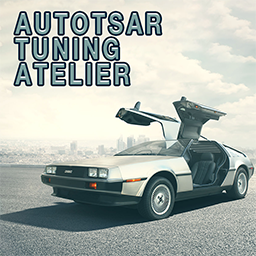
Autotsar Tuning Atelier - DMG DoLorean
por 76561198082682625
[url=patreon.com/_tsar][img]https://steamuserimages-a.akamaihd.net/ugc/2047488292136394117/C7183440F500E88BD08D34E6A37D004E3768CDC2/[/img][/url] This car needs no introduction. Produced by the [b]DoLorean Motor Group[/b], it promises to become the benchmark for all cars of the future. Already in the 21st century, all cars will be produced with such doors, and rear-mounted engines will become the standard. We know how hard it is to get around town in such an attractive car. Every passerby wants to get a closer look at it, and practically rushes under the wheels. So Autotsar Tuning Atelier has prepared a magazine with recipes for upgrading this car. At home you will be able to install: [list] [*] windshield protection; [*] protection of the side windows; [*] hood protection; [*] protection of the trunk lid; [*] bullbar. [/list] Now you won't have to slow down in front of fans for fear of damaging your car! [b]Mod sponsor - @[url=steamcommunity.com/profiles/76561198018939385/]@IRorschachI {RUS}[/url].[/b] To access the tuning menu, use the "V" key while standing beside the car and select "Modifications" (the dash key icon with the plus sign). [img]https://steamuserimages-a.akamaihd.net/ugc/1660101375273576639/0C12E325C464F5DC166E5FF2AB70A43581BED64F/[/img] [url=boosty.to/_tsar][img]https://steamuserimages-a.akamaihd.net/ugc/5071647734847773052/9BE2EEBC53FDD151A5B6DF9290E46BEADC060DDA/[/img] [/url][url=pz.ibrrus.ru/mods/][img]https://steamuserimages-a.akamaihd.net/ugc/5071647734847775404/33396705B3590231ED4B47752B428995037DA72C/[/img][/url] [url=discord.gg/xkCEcwGZMW][img]https://steamuserimages-a.akamaihd.net/ugc/1783982255480129217/A3B05641944B7BE1D25604929C4B7C49663617C5/[/img][/url] [quote] You can freely use this mod on your server. We publish information about mod update times on Discord in advance: https://discord.gg/PHhsuQxDue Mod permission according to TIS policy: [url=http://theindiestone.com/forums/index.php/topic/2530-mod-permissions/?p=36478]Ask for permission[/url] Redistribution of this mod without explicit permission from the original creator is prohibited under any circumstances. This includes, but not limited to, uploading this mod to the Steam Workshop or any other site, distribution as part of another mod or modpack, distribution of modified versions. The product can be published on Steam only through an account with the name iBrRus. © 2020-2023 iBrRus [/quote] [url=steamcommunity.com/sharedfiles/filedetails/?id=2937821982][img]https://steamuserimages-a.akamaihd.net/ugc/2047488292130535928/9877FC0C26815A76FBB15EA3AB9C1C8DEF04574E/[/img][/url] Vehicle ID: ATADeLorean Items ID: Autotsar.ATADeLoreanTuningMag Version: 1.02 Workshop ID: 2963237571 Mod ID: ATA_DeLorean
Warm Up
por 76561198030703549
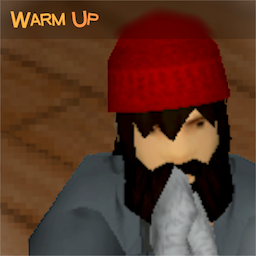
Simple action that you can perform when you are cold. [h1]Features[/h1] [list] [*]Easy to use. Simply click [b]Warm Up[/b] in the context menu ([i]this option is only available when the [b]Hypothermia[/b] moodle appears[/i]). [*]Can be performed while walking, sneaking, sitting, in the vehicle, etc. [*]Fairly balanced. You will not be able to warm up as well as while running/exercising, but you won't get exhausted so much. Not to mention heat sources. [*]Uses animation from in-game assets, so it perfecty fits the game. [*]Compatible with [b]True Actions[/b] and other animation mods. [/list] [h1]Credits[/h1] [list] [*]Animation by [img]https://community.cloudflare.steamstatic.com/economy/emoticon/spiffo[/img] [*]Sounds by [url=freesound.org/people/FREE_SOUND_ENTERTAINMENT/]Free Sound Entertainment[/url], [url=freesound.org/people/jason130178/]jason130178[/url] and [url=https://freesound.org/people/SofieHolmark/]SofieHolmark[/url]. No edits, just cuts [*]Brazilian Portuguese translation by [url=https://steamcommunity.com/profiles/76561199062290230]thecarvalhogamer[/url] [*]Turkish translation by [url=https://steamcommunity.com/id/bayglitch]BayGlitch[/url] [*]Spanish translation (Español AR/ES) by [url=https://steamcommunity.com/profiles/76561198116923437]Falco[/url] [*]Polish translation by [url=https://steamcommunity.com/id/FalconePL1]Falcone[/url] [*]Chinese translation (Traditional and Simplified) by [url=https://steamcommunity.com/profiles/76561198188324906]HerioJohnX[/url] [*]Ukrainian translation by [url=https://steamcommunity.com/id/MuzTVForever]vrbts[/url] [*]Thai translation by [url=https://steamcommunity.com/profiles/76561198029363618]RUN 90s[/url] [*]Czech translation by [url=https://steamcommunity.com/id/gladicek]Gladicek[/url] [/list] [h1]Does it work on existing saves?[/h1] Yes. Safe to enable/disable at any time. [h1]If mod doesn't work[/h1] [olist] [*]Make sure it's enabled in the [b]MODS[/b] menu. [*]Make sure it's also added to an existing save. Click the [b]Load[/b] button >> Select the save >> Click [b]More...[/b] >> Press [b]Choose mods...[/b] [*][i](If you host a server)[/i], make sure it's enabled in the [b]Steam Workshop[/b] and [b]Mods[/b] tabs in server settings. [/olist] [i]You can always check which mods are being used while playing by clicking the [b]Mods[/b] button in the [b]Pause[/b] menu.[/i] [h1]Check out my other mods[/h1] [url=https://steamcommunity.com/sharedfiles/filedetails/?id=3008416736]Plain Moodles[/url] [url=https://steamcommunity.com/sharedfiles/filedetails/?id=3018929461]Grab and Drop[/url] Workshop ID: 3012122638 Mod ID: BION_WarmUp
Weapon Condition Indicator 简中汉化
por 76561198307270463
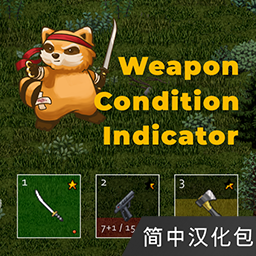
[hr][/hr] [b] Weapon Condition Indicator 的个人简中汉化包,如有遗漏之处欢迎指出 [/b] [b] 该Mod仅提供翻译文本,请确保同时启用了原Mod!! [/b] [h3]文本可能会被汉化合集Mod覆盖,或是被原Mod内置的汉化文件覆盖[/h3] [h2]若想使用本Mod的翻译文本,请 先 加载原Mod/汉化合集,然后 再 加载本Mod[/h2] 注意:翻译更新后,你可能需要重新订阅该Mod以强制下载最新文本 [hr][/hr] 主Mod用于显示所装备物品(背部,皮带,枪套等)的耐久度。 [h2] Mod内容 [/h2] - 两种耐久指示器:图标形式(气泡/星星),或进度条形式 - 当耐久降低时会出现闪烁提醒,且会在人物头顶出现消息提示 - 当人物把手持物品摔掉时,也会出现消息提示 - 在快捷栏和左上角的装备图标旁显示所装备物品的弹药/电池统计数据 [h2] 调整设置 [/h2] 你可以根据需求来调整具体设置,需要[url=https://steamcommunity.com/sharedfiles/filedetails/?id=2169435993]Mod Options[/url] [h2] 兼容性 [/h2] 可能会与一些修改了ISHotbar.lua或ISEquippedItem.lua文件的Mod产生冲突。 [b] 作者的其他Mod。 [/b][url=https://steamcommunity.com/id/NoctisFalco/myworkshopfiles/?appid=108600&sort=score] 这里可以看到 [/url] [url=https://steamcommunity.com/sharedfiles/filedetails/?id=2657661246] [img]https://i.imgur.com/N60VTc8.png[/img] [/url][url=https://steamcommunity.com/sharedfiles/filedetails/?id=2643751872] [img]https://i.imgur.com/AnQBQMI.png[/img] [/url][url=https://steamcommunity.com/sharedfiles/filedetails/?id=2651600962] [img]https://i.imgur.com/pT8HC9G.png[/img] [/url][url=https://steamcommunity.com/sharedfiles/filedetails/?id=2281256511] [img]https://i.imgur.com/9rJkre2.png[/img] [/url][url=https://steamcommunity.com/sharedfiles/filedetails/?id=2289429759] [img]https://i.imgur.com/vS5zAf0.png[/img] [/url] Workshop ID: 2674031168 Mod ID: Weapon Condition Indicator_CN

Cookie Tile Pack (To Be Continued)
por 76561198278571151
[h1]This Tile Pack Is Completely Free To Modify For Whatever You Need[/h1] These are some tiles made for my WIP map. All the displays and neon are lighted into colors they suppose to be (means they work like regular desk lamps, which also means you can turn them on and off and switch bulbs in different colors). [u]got academic works to do and will be back soon around summer, have fun[/u] Updates(Feb,15): 1. Wallpapers and Posters (Coffee Shop, Wandering Earth 2/流浪地球2, Deep Sea/深海, Cardiovascular Map, CODM, Sceneries*3, Shizuka Kudo/工藤静香, DJ Blyatman, 老挝队长, Van & Billy, 线条小狗, No Pain No Gain, 懒羊羊, 陈雪凝, Mike Tyson) 2. Billboards and Logos (HAYTEA喜茶, 蜜雪冰城, Pharmacy, bilibili/哔哩哔哩, Convenient Bee/便利蜂) 3. Paintings (Judith And The Head Of Holofernes 1620/朱迪斯和赫罗弗尼斯的头颅 1620, Liberty Leading The People 1830/自由引导人民 1830, Qing Ming Shang He Tu 1125/清明上河图 北宋, Zhong Ni Meng Dian Tie/仲尼梦奠贴 唐) [b][u]For Players:[/u][/b] You can use these tiles by using [url=https://steamcommunity.com/sharedfiles/filedetails/?id=2792714394] [i]"Better Tiles Picker"[/i] [/url] which will enable [b]creative mode[/b] and green light you all the tiles installed in game. Otherwise you only need this mod when you've subscribed a map requiring this mod. [b][u]For Modders:[/u][/b] 1. Resource [i]".png"[/i] files are to be found in the mod folder (~media/resource). 2. Add this line in [i]"mod.info"[/i]: require=Cookie_Tiles 3. Make it a requirement on mod steam page to use this mod. This is a Two-Day-Work-In-Progress mod and I will continue to update it whenever I got time. Anyway I wouldn't try to delete any of the existing tiles in the following updates so [b]PLEASE FEEL SAFE TO USE[/b]. Have a nice day and happy building. Leave a comment below or find me at [b]Discord[/b]: https://discord.gg/gfYqTfw4U3 Workshop ID: 2925574774 Mod ID: Cookie_Tiles
![[B42] Sandbox Options](https://images.steamusercontent.com/ugc/14097889170527939412/F524A55CC4D76225541F601E9D433B7E0F6FDB60/)
[B42] Sandbox Options
por 76561198194776201
[h2]🛠️ Reminder![/h2] This mod is made for Build 42. This mod allows you to open the Sandbox Options menu that already exists in the game. You don’t need to use this mod in multiplayer, since the Sandbox Options menu is already available in the Admin Panel. If any options in the Sandbox Options Menu are missing or not working, wait for the next game updates. [u]Remember: Build 42 is still in development and not fully released. Bugs and incomplete features are to be expected.[/u] --- [h2]⚙️ How to Use[/h2] - You can change the keybind from: Options > Mods section. - To disable the right-click context menu option or to turn off the advanced options, uncheck the corresponding setting under the Sandbox Options category in the Sandbox Options. > ⚠️After unchecking, exit to the main menu and reload your save for the change to take effect. --- [h2]👥Multiplayer Instructions[/h2] ❕You don’t need this mod in multiplayer, as you can access the Sandbox Options directly through the Admin Panel. If you want to use this mod in multiplayer, you must be an admin to make changes in Sandbox Options. To become an admin, type in the chat: /setaccesslevel "playerName" admin If you want to revert to a normal player, type: /setaccesslevel "playerName" user ⚠️Keep in mind that even in singleplayer, after making changes, you need to exit and re-enter your save for the changes to work properly. In multiplayer, doing this could disrupt your gameplay, so be aware. --- [h2]💡 If the mod does not work on an existing save[/h2] Follow these steps: [olist] [*]From the main menu, click *Load* [*]Select the save you want to use the mod with [*]Click *More* (bottom-right corner) [*]Choose *Mods* (top-left corner) [*]Enable this mod from the mod list [*]Enter the save where you have activated the mod. [/olist] Once enabled, right-click anywhere in-game and you’ll see Sandbox Options will be among the options that appear. --- [h2]⚠️ Troubleshooting[/h2] - If your sandbox changes don’t seem to apply: 1. Disable this mod. 2. Test the same changes in Debug Mode. - If the issue still exists in Debug Mode, it’s caused by the game itself (not the mod). Keep in mind: Build 42 is not a fully released, so issues and bugs are expected. --- [h2]📦 Extra[/h2] Want to save your Sandbox settings? [h3][b] [B42] Sandbox Preset Saver [/b][/h3] [url=https://steamcommunity.com/sharedfiles/filedetails/?id=3573672999][img]https://i.imgur.com/jDxSNr6.png[/img][/url] Workshop ID: 3386906181 Mod ID: SandboxSettings
'65 Pontiac Banshee
por 76561198089039119
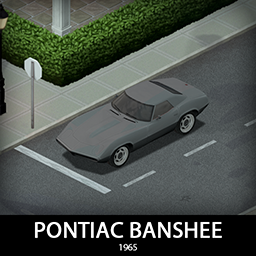
Concept cars are usually used to get a feel for a brand direction but Banshee was more than that, it looked too good to be produced, GM was scared that it would be too big of a in house competition so they had to cancel it. Only a few vehicles were made, a lot of the info was lost, but here we are, with a special little part of automotive history, ready for some action in the apocalypse. There are 3 variants with different performance and handling setups, they share all parts and are deadly, so have fun and be warned! [b]Main features:[/b] [list] [*]3 variants [*]2 Front bumpers and a rear bumper with 2 tiered protection [*]Fully animated hood, trunk, doors and windows [*]Visible interior and character (with improved exit/enter/aim animations) [*]All parts have 3d objects you can remove and place in the world [*]Extra parts to craft and find in the world to make the vehicle truly yours (bumpers, bullbars, window armor, roofracks, rollbar, roofs etc) [*]Multiple texture variations [*]Armor protection for windows, doors, engine, headlights etc [*]2 seats [/list] [b][list] [*]You can use it in your current save game, just enable the mod in the load menu [*]It can tow and be towed [*]Not recolorable [/list][/b] If you can't wait to find this mod in your game and want to test it right away, use [url=https://steamcommunity.com/sharedfiles/filedetails/?id=2634426926]bikinitools[/url] to spawn it, hide the items that your character holds while in vehicle, or for all other good stuff that mod has, go get it! [b]If you like my mods, please consider supporting me with a coffee[/b], so I don't fall asleep while making new mods and supporting old ones :) [url=https://ko-fi.com/ki5mods][img]https://i.imgur.com/2uTskWl.png[/img][/url] Check out my vehicle mods: [url=https://steamcommunity.com/sharedfiles/filedetails/?id=2490220997][img]https://i.imgur.com/1C4iQ6U.png[/img][/url] [b]Credits:[/b] [list] [*]This mod is commission work by request of Fearne [*]Thanks to The Indie Stone for making this awesome game and all this possible. [*]Special thanks to bikinihorst for the huge help with code, optimization, and taking care of the multiplayer and part code.[/list] [quote=KI5] Ask for permission This mod can only be added to and extended with the express permission from the original creator. If no permission is received you may not alter the mod, and it must be treated as a mod that is 'On Lockdown'. You are not allowed to repack this mod under any circumstances, ever. [/quote] [b]Compatibility:[/b] ✅ B41 (b41.78.16) Single Player / Multiplayer fully supported ✅ B42 (b42.12) Single Player fully supported ✅ B42 (b42.13+) Single Player / Multiplayer fully supported Vehicle IDs: 65bansheeSprint, 65banshee400, 65bansheeXP Workshop ID: 3566868353 Mod ID: 65banshee
Project Zomboid Guides
Instalar mods en Project Zomboid – Guía del Workshop
Instala mods en tu servidor de Project Zomboid. Steam Workshop, lista de mods y los mods más populares.
Alquilar un servidor de Project Zomboid – Guía multijugador
Configura tu propio servidor de Project Zomboid. Ajustes sandbox, mods y configuración multijugador.
Servidor Project Zomboid con soporte de mods
Instala todos los mods directamente desde el panel con un clic.
Alquilar un servidor Project Zomboid