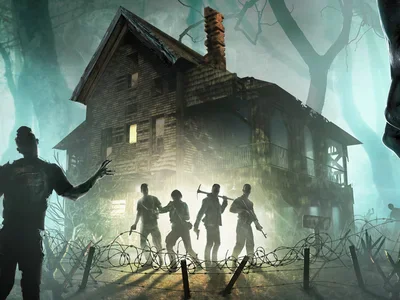
Your own 7 Days to Die server is worth it if you want controlled settings for Blood Moon, loot, difficulty and admin rights. At game-serverhosting you rent a paid multi-game server with technical control, support and transparent operating procedures, instead of running your co-op world on a private computer with fluctuating availability.
Requirements
Before you set up the server, decide three things: how many players join regularly, whether the server should be public or private, and how harsh the survival rules should be. Pick a currently bookable slot tier in the configurator and check the included resources. Even a small group uses the booked slot limit; that number is no guarantee for a specific load with mods or a large world.
The serverconfig.xml shipped with your server version is the technical baseline. The community wiki is a supplementary explanation, not primary documentation written by the developer. For console crossplay, the The Fun Pimps forum notice also lists its own allowed values and requirements; check this path before the first console player joins.
If you are also planning other survival or co-op servers, the Valheim Server Co-op Guide 2026 and the Project Zomboid Multiplayer Guide will help you too, because they explain similar decisions about slots, world size, admin access and private groups.
Rent a 7 Days to Die Server
Order the Server
- Go to game-serverhosting
- Choose a currently bookable slot tier and check its included resources.
- The server is set up automatically
After provisioning, first check whether the server starts cleanly and is reachable in the server list or via direct connection. Only then is it worth making extensive configuration changes. This makes it easier to tell later whether a problem comes from the base installation or from a changed setting.
Important Settings in serverconfig.xml
The central file is serverconfig.xml. Only edit it while the server is stopped, or use the management interface provided by your hosting. After every change, the server usually needs a restart so the values are loaded reliably.
<property name="ServerName" value="My 7D2D Server"/>
<property name="ServerPassword" value="YOUR_OWN_PASSWORD"/>
<property name="ServerMaxPlayerCount" value="8"/>
<property name="GameDifficulty" value="3"/>
<property name="DayNightLength" value="60"/>
<property name="LootAbundance" value="150"/>
<property name="ZombieMove" value="0"/>
<property name="ZombieMoveNight" value="2"/>
<property name="BloodMoonFrequency" value="7"/>
<property name="AirDropFrequency" value="72"/>
This is an excerpt. Keep the complete XML document and replace existing properties instead of appending multiple lines with the same name.
ServerName names the instance and ServerPassword protects your private group. ServerMaxPlayerCount is the developer's parameter for the join limit. In the game-serverhosting setup, it is set from the booked slots at startup; a manual XML change does not expand the package. GameDifficulty, LootAbundance, ZombieMove/ZombieMoveNight and BloodMoonFrequency affect gameplay. Change one group of related values at a time and test under the same horde/exploration load.
Configure Blood Moon
Blood Moon is the most important pacemaker for many 7 Days to Die servers. Too frequent horde nights can overwhelm new groups; too rare hordes take the pressure out of progression. The following values from the base setup are retained and work as a starting point that you adapt to your group.
| Setting | Default |
Recommended |
|---|---|---|
| Blood |
7 |
7 as base interval |
| Blood |
0 |
2 |
| Blood |
8 |
8-16 |
BloodMoonFrequency sets the base interval. BloodMoonRange makes the exact day less predictable. BloodMoonEnemyCount affects how many enemies can be relevant at the same time. Raise this value carefully, especially if players still have little gear, weaker bases or different levels of experience.
Zombie Settings
Zombie behavior determines whether your server emphasizes relaxed building, survival roleplay or hectic combat. For mixed groups, "run at night" is often an easy-to-understand compromise: during the day there's time to gather, at night the pressure rises.
| Key | What it controls separately |
|---|---|
ZombieMove |
Normal movement during the day |
ZombieMoveNight |
Normal movement at night |
ZombieFeralMove |
Behavior of feral zombies |
ZombieBMMove |
Movement during Blood Moon |
Compare the value scale in your current serverconfig.xml. The old key ZombiesRun does not reliably describe these separate situations.
If new players are involved, start conservatively. You can raise difficulty, loot and zombie behavior later once the group has figured out tools, weapons, healing and base defense.
Admin Rights and Commands
Admin rights are handy but sensitive. Only grant them to people who handle teleporting, item spawning and time control responsibly. Keep an internal record of who is an admin so changes to the server remain traceable.
help
help admin
Test admin commands in a non-critical situation first. A wrong teleport or a careless time change can disrupt ongoing missions, Blood Moon preparation or group progress.
Performance Tips
Set world size and seed before generation; don't change them on an existing world as a quick attempt to fix lag. Under high load, compare the horde enemy count, explored areas, active players and mods. Check the player limit taken over from your booking in the startup log. You choose a different slot tier via the package change offered for that purpose, not through your own XML value.
- WorldGenSize: 6144 instead of 8192 for better performance
- ServerMaxPlayerCount: Managed startup value from the booked slots; no independent slot choice via XML
- View Distance: Cannot be changed server-side, but map size helps
You should also consider mods, very large worlds and high concurrent player counts separately. If lag appears after a change, roll back step by step: first disable mods, then check the player limit and world size, then analyze the logs.
Check the Result
After the restart, connect to the server and check the password, server name, slot limit and day length. Ask a second player to join as well, so you're not just testing your local client. Then open the logs and verify that serverconfig.xml loaded without errors. If admin rights were set, test a harmless command before making changes to the world.
Troubleshooting
If the server isn't visible, first try a direct connection via address and port. Then check whether the server has fully started and whether a password was set. If settings don't take effect, the cause is often a restart issue, an incorrectly edited file or an XML syntax error. In XML, missing quotation marks or a single broken line is enough for values not to be processed as expected.
If players report lag, don't change several parameters at once. First lower the WorldGenSize for new worlds, compare the actual player count against ServerMaxPlayerCount, and watch whether the problems occur especially during Blood Moon, while exploring new areas or after mod changes.
FAQ
How much RAM do I need for a 7 Days to Die server?
What counts is the currently bookable slot tier with its included resources. Larger worlds, mods and horde nights can create additional demand; a fixed RAM-per-player figure is not a reliable performance promise.
Should my server have a password?
For private groups, yes. Set ServerPassword if only friends or a fixed community should join. Public servers, on the other hand, need clear rules, active administration and regular monitoring.
Which Blood Moon setting makes sense to start with?
BloodMoonFrequency 7 is an example of the base interval. BloodMoonRange additionally changes the exact scheduling. Compare the meaning and value scale with the serverconfig.xml of your server version instead of deriving a fixed calendar day from this table.
Why aren't my changes to serverconfig.xml taking effect?
Usually the server wasn't restarted, the wrong file was edited or the XML structure is broken. Stop the server, check the file for clean tags and quotation marks, save it and then restart.
Can I change difficulty and zombie behavior later?
Yes, many server values can be adjusted afterwards. Change them step by step and let your players know beforehand, especially if Blood Moon, loot or zombie speed are affected.
