ARK: Survival Evolved Mods & Plugins

Level Cap & Engram Increase Dinos and Players
por 76561198095705521
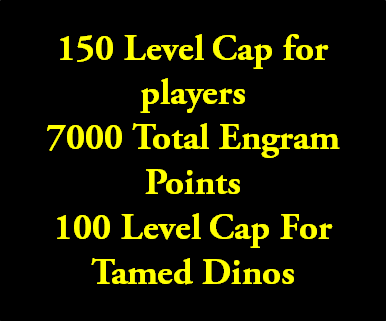
PLEASE READ! IMPORTANT MOD WILL NOT WORK WITHOUT FOLLOWING THESE INSTRUCTIONS This mod will change the level cap for players to 150, the level cap for tamed dinos (How much they can increase when tamed) to 100 and change engram points to way over 5000 which is enough to purchase everything. 1. Subscribe to the mod 2. Open up "Steam\SteamApps\workshop\content\346110" 3. Find folder marked "498435029" 4. Open up filezilla or other FTP program or open up file manager on hosting server 5. On the server you need to copy the folder to "ShooterGame/Content/mods/" If there is no mods folder, then create one. 6. In the end your server directory should look like this ShooterGame/Content/mods/498435029 with that folder with all of the mod files 7. Now you need to add the mod id to your command line. The mod code is "GameModIds=496769958" make sure there is no comma next to the last mod id or if you have more than one mod then add a comma after the first ID but make sure there is not a comma at the end of the last mod id. 8. You need to edit the .ini (gameusersettings.ini) so open this up using configuration editor or using FTP / File manager 9. Under server settings you need to add the two following server commands OverrideMaxExperiencePointsPlayer=2000000 OverrideMaxExperiencePointsDino=10000000 This changes the max XP amount you can earn on your server, just copy and paste the code into the gameusersettings.ini under the heading [ServerSettings] 10. Now you need to open the other .ini file called game.ini and paste into it this whole script http://pastebin.com/y3BkVWGv Open that link, select all, copy and paste into your game.ini under the [/script/shootergame.shootergamemode] heading (Create this if it is not already there) 11. Restart your server 12. Rate this mod positive and favourite this mod 13. Done! Server running this mod: http://ark-servers.net/server/31171/ (Visit that link and click the blue "Connect" button) Taming Speed: 25x XP Amount: 10x Harvest: 25x PVP, No rules!
Giant Megalodons (WIP)
por 76561198109992825
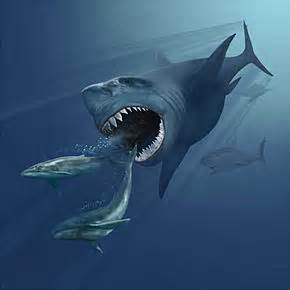
01 February 2019 : Under Construction. Relearning Ark and relevant game updates. A lot has changed since I published this mod o.O
Rotten Box
por 76561197960505862
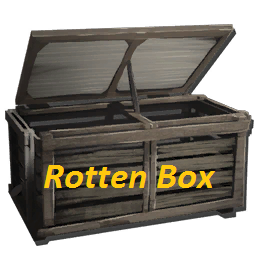
A box that spoils your meat faster! Good looking for Primitive+ Put raw meat or raw fish meat in it and it spoiles every ~23sec. - Half the size of compost bin - 20 slot inventory - Pickup after its placed - No collisioncheck - Available at level 25 - Small storage box engram needed to craft it - Costs the same as the compost bin. Have Fun :) Link for donations: https://twitch.streamlabs.com/ddx87 [URL=http://steamcommunity.com/workshop/filedetails/discussion/760561402/343786195661210959/]Admin Cheat Code[/URL] MOD ID: 760561402 If you have any problems or suggestions feel free to write it in the comments or start a discussion! --------------------------------------------------------------------------------------------------------------- This mod/code/work is protected by the [URL=http://creativecommons.org/licenses/by-nc-nd/4.0/legalcode]Attribution-NonCommercial-NoDerivatives 4.0 International Creative Commons License. [IMG]https://i.creativecommons.org/l/by-nc-nd/4.0/88x31.png[/IMG][/URL]


免费图标
por 76561198359073499
心瘾提供绝对没有任何广告 已去除授权无需授权 授权: [xinyin] xinyinshouあquanQQ1604687298=True 有好看的图标可以联系我加进去QQ1604687298 /Game/Mods/chenghaosyanp/tb/VIP1-9.VIP1-9 /Game/Mods/chenghaosyanp/tb/2Bjiejie.2Bjiejie 2B小姐姐 /Game/Mods/chenghaosyanp/tb/fuzhu.fuzhu 服主 /Game/Mods/chenghaosyanp/tb/guanli.guanli 管理 /Game/Mods/chenghaosyanp/tb/SVIP.SVIP /Game/Mods/chenghaosyanp/tb/mf/vip1.vip1 /Game/Mods/chenghaosyanp/tb/mf/vip3-9.vip3-9 /Game/Mods/chenghaosyanp/tb/mf/di.di 帝 /Game/Mods/chenghaosyanp/tb/mf/diwang.diwang 帝王 /Game/Mods/chenghaosyanp/tb/mf/fuzhu.fuzhu 辅助 /Game/Mods/chenghaosyanp/tb/mf/fz.fz 辅助 /Game/Mods/chenghaosyanp/tb/mf/gl.gl 管理 /Game/Mods/chenghaosyanp/tb/mf/gongzhu.gongzhu 公主 /Game/Mods/chenghaosyanp/tb/mf/guanli.guanli 管理 /Game/Mods/chenghaosyanp/tb/mf/wang.wang 王 /Game/Mods/chenghaosyanp/tb/mf/jian.jian 剑士 /Game/Mods/chenghaosyanp/tb/mf/jue.jue 爵 /Game/Mods/chenghaosyanp/tb/mf/ling.ling 领主 /Game/Mods/chenghaosyanp/tb/mf/qi.qi 骑士 /Game/Mods/chenghaosyanp/tb/mf/ye.ye 爷 /Game/Mods/chenghaosyanp/tb/mf/zanzhu.zanzhu 赞助 /Game/Mods/chenghaosyanp/tb/baiyin.baiyin白银 /Game/Mods/chenghaosyanp/tb/bojin.bojin铂金 /Game/Mods/chenghaosyanp/tb/huangjin.huangjin黄金 /Game/Mods/chenghaosyanp/tb/mengxin.mengxin萌新 /Game/Mods/chenghaosyanp/tb/qingtong.qingtong青铜 /Game/Mods/chenghaosyanp/tb/rongyaowangzhe.rongyaowangzhe荣耀王者 /Game/Mods/chenghaosyanp/tb/wangzhe.wangzhe王者 /Game/Mods/chenghaosyanp/tb/xingyao.xingyao星耀 /Game/Mods/chenghaosyanp/tb/zuanshi.zuanshi钻石 /Game/Mods/chenghaosyanp/tb/xk/dage.dage大哥 /Game/Mods/chenghaosyanp/tb/xk/dulang.dulang独狼 /Game/Mods/chenghaosyanp/tb/xk/eren.eren恶人 /Game/Mods/chenghaosyanp/tb/xk/guanli.guanli管理 /Game/Mods/chenghaosyanp/tb/xk/heifan.heifan黒贩 /Game/Mods/chenghaosyanp/tb/xk/heinu2.heinu2黑奴 /Game/Mods/chenghaosyanp/tb/xk/mengmei.mengmei萌妹 /Game/Mods/chenghaosyanp/tb/xk/mengxin.mengxin萌新 /Game/Mods/chenghaosyanp/tb/xk/nanshen.nanshen男神 /Game/Mods/chenghaosyanp/tb/xk/nvshen.nvshen女神 /Game/Mods/chenghaosyanp/tb/xk/qigai.qigai乞丐 /Game/Mods/chenghaosyanp/tb/xk/shuaibi.shuaibi帅逼 /Game/Mods/chenghaosyanp/tb/xk/wangzi.wangzi王子 /Game/Mods/chenghaosyanp/tb/xk/xiaodi.xiaodi小弟 /Game/Mods/chenghaosyanp/tb/xk/zhizun.zhizun至尊 /Game/Mods/chenghaosyanp/tb/xk/zhubo.zhubo主播 /Game/Mods/chenghaosyanp/tb/xk/gandi.gandi肝帝 /Game/Mods/chenghaosyanp/tb/dldal/VIP1-VIP9.VIP1-VIP9 如果还有什么好看的图标联系我QQ:1604687298我帮你们加上去 谢谢使用
Fire's Fixes
por 76561198100830567
[h1]MOD ID 2117881804[/h1] This mod is quite simple. It includes my fixes for various creatures which have been nerfed into the ground or I feel just needed some love in general. My updates include: Astrocetus: [list] [*]Fixed broken taming effectiveness [/list] Managarmr: [list] [*]No jump, strafe or dash limits [*]Food consumption when regenerating stamina decreased by about 75% [*]Ice breath range was doubled from vanilla Managarmr [/list] [h1]Future Plans[/h1] [list] [*]Aberrant Dimorphodon - issue where they produce regular eggs when mating [*]Bloodstalker - various issues [*]INI settings to give server owners better control over these creatures [/list] [h1]How to Use With Dino Storage V2[/h1] I am currently investigating how I could potentially create a potion which would allow you to convert tamed, pre-existing vanilla creatures to my modded version. For now, you will need to use Lethal's Dino Storage V2 mod. This can be done very easily using his INI settings. As an example, this is what you would use in your GameUserSettings.INI file: [DinoStorage2] ConvertClass=/Game/Extinction/Dinos/IceJumper/IceJumper_Character_BP.IceJumper_Character_BP:/Game/Mods/FiresFixes/Managarmr/Managarmr_Character_BP.Managarmr_Character_BP,/Game/Genesis/Dinos/SpaceWhale/SpaceWhale_Character_BP.SpaceWhale_Character_BP:/Game/Mods/FiresFixes/Astrocetus/Astrocetus_Character_BP.Astrocetus_Character_BP Please note you only ever need one "ConvertClass" entry. If you are already using this mod you can add everything listed above after "ConvertClass=" to your pre-existing entry, separated by a comma if you already have a value assigned. If you are planning to install Dino Storage V2 just for the purpose of converting vanilla creatures to my modded ones you can copy and paste the example above and paste it into your GameUserSettings.INI file. [h1]Spawn Code (Tamed)[/h1] cheat gmsummon "Astrocetus_Character_BP_C" 150 cheat gmsummon "Managarmr_Character_BP_C" 150 [h1]Spawn Code (Wild)[/h1] cheat spawndino "Blueprint'/Game/Mods/FiresFixes/Astrocetus/Astrocetus_Character_BP.Astrocetus_Character_BP'" 500 0 0 150 cheat spawndino "Blueprint'/Game/Mods/FiresFixes/Managarmr/Managarmr_Character_BP.Managarmr_Character_BP'" 500 0 0 150 [h1]Special Thanks[/h1] Kraken and Nevcairiel from the ARK Modding discord for helping me resolve a crash issue. [h1]LOOKING FOR A GREAT SERVER?[/h1] I invite you to join me on the Threat Level Midnight servers. I have played on many servers since 2017 and TLM is by far the best experience I've ever had. https://www.discord.gg/brqM3JEktJ [img]https://i.imgur.com/2ShLWKb.png[/img]

Genesis 2 | Extension
por 76561198320207491
[h1] Ark Extensions: [/h1] This mod modifies several caves in the game, making caves more difficult to attack. In addition, many caves that today are not used for base construction, have been completely overhauled for construction. [h1] Access Discord to access captures of the locations [/h1] [h1] If you are interested in our extension mods, please visit our discord: [/h1] https://discord.gg/aZJAW8AJPm [img]https://i.imgur.com/Tqp7a5J.gif[/img]
Nominal Structures 2.0 (N+)
por 76561197960267344
[h1]ModID: 2163820397[/h1] Nominal Structures - a fork of Structures Plus focused on fixes, improvements and small Quality-of-Life changes. N+ 2.0 is a clean restart on top of the big 2020 S+ update, including all new S+ features. This new version of Nominal Structures is provided as a new mod on the workshop to allow players and server admins to swap over from N+ 1.0 on their own time (or keep using the old version), instead of forcing a possibly disruptive change. [h1]Compatibility with S+[/h1] N+ is a drop-in replacement for the 2020 version of S+, only the config header changes to [NominalStructures]. The means that you can replace S+ with N+ and not lose any of your structures. The only changes you need to perform are to change the Mod ID, and change the config header from [StructuresPlus] to [NominalStructures] in GameUserSettings.ini (if you changed the configuration at all) Do NOT run N+ and S+ at the same time! Check the [url=https://steamcommunity.com/workshop/filedetails/discussion/2163820397/2647504242053948971/]Migration discussion[/url] when coming from N+ 1.0, an old version of S+ or another S+ fork. [h1]Changes in N+[/h1] Only changes compared to S+ are listed here. You can refer to the [url=https://steamcommunity.com/sharedfiles/filedetails/?id=2184441067]S+ documentation[/url] for a full list of features and configuration options. [b]HIGHLIGHTS[/b] [list] [*]Refrigerator TLC - Cleaned up textures, fully paintable, and can have a label on the door [*]Platform improvements - More reliable foundation support and more snap points [/list] [b]QOL IMPROVEMENTS[/b] [list] [*]Cooking Pots: Added Brainwash Stew (Brainwash Stew is a Mindwipe that retains Engrams) [*]Dedicated Storage: Resources with existing Storage nearby are highlighted in the Set Resource dialog, and you can access the inventory directly for easier access to resources without pulling [*]Unstable Element can be crafted in the Tek Replicator, and converts to normal Element much faster while in its inventory [*]Large Storage and Metal Storage snap to foundations and ceilings (can be toggled with G) [/list] [b]CHANGES / FIXES / IMPROVEMENTS[/b] [list] [*]All structures are renamed to N+, Config Header is [NominalStructures], options otherwise remain the same (even those with SPlus in their name) [*]Grinder: Added the "GrinderResourceReturnPercentMission" option to configure how many resources to return from mission loot [*]Dynamic Gates properly emit gate opening/closing sounds [*]New Config "AdditionalEngramGroupBits" to configure which engrams are unlocked when engram unlocking is enabled (default: all engrams) [*]New Config "DefaultLightConfig" to configure the default auto on/off behavior for lights (0 = Auto (default), 1 = Manual) [*]Fixed crop scaling in seamless crop plots [*]Tek Storage is now lockable [/list] All new configuration options are also documented in the [url=https://steamcommunity.com/workshop/filedetails/discussion/2163820397/2647504242060415708/]discussions[/url] [h1]Disclaimer[/h1] This mod was primarily created for fun, and for personal use. However, due to overwhelming positive feedback, I am gladly providing it for anyone to use and will ensure that it remains functional for the forseeable future. Do note that while there are some plans for more fixes, QoL changes and a handful of new structures, N+ will not be fundamentally changed or fundamentally diverge from S+. I welcome suggestions for new features or changes - within the scope of this project. For feedback, bugs and suggestions, please join us on Discord [url=https://discord.gg/eE265hS][img]https://files.1f0.de/shiny/discord.png[/img][/url]
Obsidian Structures
por 76561198040285961
This mod is out-dated! New version: [url=http://steamcommunity.com/sharedfiles/filedetails/?id=719406011]OSM Admin[/url]. [u]Short Description:[/u] Obsidian Structures is an admin tool designed so that server administrators can create indestructible structures, such as arenas or public areas. This mod also comes with Obsidian-based textures and almost every base-structure is available. No engram is available for these structures, and the only way to spawn them is through admin cheat commands. This mod is not designed so that admins can be over-powered; it is designed so that arenas and public areas can be developed without them getting destroyed by players every other day. [url=http://creativecommons.org/licenses/by-nc-nd/4.0/legalcode] [img]https://i.imgur.com/QuMErRZ.png[/img] [/url] All of my mods/code/work is protected by the [url=http://creativecommons.org/licenses/by-nc-nd/4.0/legalcode]Attribution-NonCommercial-NoDerivatives 4.0 International Creative Commons License
HLNA Everywhere - Configurable Hexagon Shop
por 76561197969341175
[img]https://i.imgur.com/Yr7H1yK.png[/img] 2093204830 If you enjoy this mod, please like and favourite. [img]https://i.imgur.com/F5urB9I.gif[/img] [h2][url=https://discord.gg/JxRq4zzHHZ]Join me on Discord[/url][/h2] [img]https://i.imgur.com/DWKBSCb.png[/img] [list][*]The video is outdated. Please read the how to or see the screenshots if the process is unclear [*]Ensure HexagonCostMultiplier is NOT 0, otherwises crashes.[/list] [img]https://i.imgur.com/36e0W3b.png[/img] [list][*]Configurable Hexagon Shop.[*]Works on all maps.[*]Owning Genesis required.[*]This is NOT a custom shop/store.[*]The main feature of this mod is adding the ability for admins to add/remove entries from the Hexagon shop.[*]You may have to turn your UI General Scaling down a few points in order to avoid overlaps for the inventory screen buttons. https://i.imgur.com/1eQvGVZ.png[/list] [H1]Admin Commands:[/H1] Manual access the admin menu. If you disable the admin button on the inventory screen, this will be the only way to turn it back on. [quote]cheat scriptcommand hlnaadminmenu[/quote] [img]https://i.imgur.com/L839po9.png[/img] [h1]GameUserSettings.ini Configs:[/h1] [U][B]READ THE EXPLANATION BEFORE ENABLING!!![/B][/U] [quote][HLNAEverywhere] UseDynamicItemListing=False DisableTeleporting=False[/quote] [h1]Game.ini Configs:[/h1] These are core Ark configs related to the HLNA Shop and Missions. [quote]HexagonRewardMultiplier=1.0 bHexStoreAllowOnlyEngramTradeOption=true HexagonCostMultiplier=1 bDisableHexagonStore=0[/quote] [img]https://i.imgur.com/oZULxsW.png[/img] If UseDynamicItemListing=True, a dropdown box of all available items will be used instead of a textbox requiring spawn codes. WAY cooler and it allows you to add lots of custom entries much quicker, but causes a huge client side freeze(Wildcard limitation, nothing I can do about it). I would personally use it when initially setting up the mod, as it would save a bunch of time adding bulk entries, but that's just me. Disabled by default. Use at your own risk. DisableTeleporting: If true, the biome teleportation feature on HLNA is no longer available. Default: False [img]https://i.imgur.com/PtpBJcE.png[/img] [list][*]Turn on/off the default items in the hexagon shop.[*]Add up to 100 custom items to the shop, with control over cost and quantity.[*]Add up to 100 custom Loot Crates to the shop, with control over contents and cost.[*]Access the Hexagon Shop and Admin Panel via player inventory screen.[*]Accessible on any map, not just Genesis.[*]Configure how many Hexagons you receive and how often HLNA asks you to "Say Hello".[*]Configure a passive Hexagon for all players. How frequently and how many.[*]Items/Crates can be organized by dragging and dropping them on other items/crates in the Admin Menu.[/list] [H1]Other Features:[/H1] [list][*]To Enable/Disable default Hexagon Shop items, turn on/off the checkbox in the admin panel. [*]In order to remove all custom items/lootcrates, there is a reset button. For safety's sake, spamming the button is required to activate it.[/list] [img]https://i.imgur.com/RfSF7P8.png[/img] [H1]How to Add/Edit:[/H1] [list][*]Open player inventory and click on Admin Panel or use the script command listed above.[*]Choose any blank item entry.[*]Enter the spawn code, cost and quantity. If using experimental feature listed above, choose item from dropdown box(you can use filter to narrow down your search).[*]Repeat until all items you want available have been added.[*]Save & Exit. Changes will be applied on server restart OR Force Update to apply changes now.[/list] [H1]How to Add Loot Crates:[/H1] [list][*]Open player inventory and click on Admin Panel or use the script command listed above.[*]Choose any blank loot crate.[*]Select the lootset it will use.[*]Enter a name, description and cost.[*]Repeat until you have all the loot crates you want.[*]Save & Exit. Changes will be applied on server restart OR Force Update to apply changes now.[/list] [H1]Loot Crate Contents:[/H1] Lootcrates are way more complicated, but also very customizable outside of Ark. They use the same configurability as boss/beacon loot. You can use the game.ini option to change/add lootcrates. ConfigOverrideSupplyCrateItems You can read more about that over here: https://ark.gamepedia.com/Server_Configuration#ConfigOverrideSupplyCrateItems There are 100 custom loot crates you can add. 001 through 100. LootItemSets_LootCrate_Custom001_C LootItemSets_LootCrate_Custom002_C ..... LootItemSets_LootCrate_Custom099_C LootItemSets_LootCrate_Custom100_C I HIGHLY recommend using https://usebeacon.app/ to make your custom crates. How to create a custom loot crate: https://i.imgur.com/D1g1zjW.png [Url=https://steamcommunity.com/workshop/filedetails/discussion/2093204830/2251181585650323212/]Custom Lootcrate Examples[/Url] [H1]Hexagons:[/H1] [list][*]There is an option for acquiring hexagons passively in the Admin Menu. If that is not what you want or If you're on a map other than Genesis, I suggest using a mod like [Url=https://steamcommunity.com/sharedfiles/filedetails/?id=2062621573]this[/Url].[/list] [img]https://i.imgur.com/ZTYvuMA.png[/img] [list][*]Owning Genesis is [U]REQUIRED[/U] for this mod to work(Wildcard's restriction, not mine).[*]Any changes(Removals, additions, revisions) will [U]NOT[/U] take effect until server restart unless 'Force Update' button is pressed after saving the changes.[*]The Hexagon Shop/Admin Panel can [U]NOT[/U] be accessed while mounted.[*]I will [U]NOT[/U] be adding the ability to sell to the Hexagon Shop.[*]Any items added will be Primitive quality. This is beyond my control. If you want better quality items, use Loot Crates instead.[*]The "Say Hello" timer on HLNA is reset when you die.[*]If HLNA is hiding and you can't find her, there's an added button in the inventory screen to force her out.[*]You can backup your configs/changes by saving the following file: Saved\SaveGames\HLNAEverywhere\HLNAEverywhere.sav[/list] [img]https://i.imgur.com/PezZDcF.png[/img] Make a thread on the discussions with as much relevant information as possible. You need to post, at a minimum: [list][*]Game Mode. Singleplayer/Non-Dedicated/Dedicated[*]Map[*]Mods Used[*]What the problem is[*]What debugging measure you've taken[/list] Videos are much appreciated. [h2][url=https://discord.gg/JxRq4zzHHZ]Join me on Discord[/url][/h2] [H1]Known Issues:[/H1] [list][*]Shop and Admin buttons overlap with the inventory. Solution: In the game Options Menu, Turn down your General UI scaling a few points. https://i.imgur.com/1eQvGVZ.png Alternatively, you can disable them via the Admin Menu. You can also access the Admin Menu with Script Commands. See above for the command. [*]Empty Hexagon Shop? Default Shop items are removed by default. Enable them in the Admin Menu.[/list] [img]https://i.imgur.com/jIbdh5g.png[/img] [list][*][Url=https://steamcommunity.com/sharedfiles/filedetails/?id=2062621573]Hexagon Cookies[/Url][*][Url=https://steamcommunity.com/sharedfiles/filedetails/?id=2227091285]Fast Ammo Changer[/Url][*][Url=https://steamcommunity.com/sharedfiles/filedetails/?id=2178658724]Scribbles - Better Signs[/Url][*][Url=https://steamcommunity.com/sharedfiles/filedetails/?id=2021297623]Custom Harvesting[/Url][*][Url=https://steamcommunity.com/sharedfiles/filedetails/?id=2008799914]Flyer Seatbelt - Safe Flyer Dismount[/Url][/list] [Url=https://steamcommunity.com/id/quellcrest/myworkshopfiles/?appid=346110]My Other Mods[/Url] [url=https://discord.arkmodding.net][h2]Need help creating mods? Join the Ark Modding Discord[/h2][/url] If you enjoy this mod, please like and favourite. [img]https://i.imgur.com/F5urB9I.gif[/img] [url=https://www.paypal.com/paypalme/quellcrestgaming?locale.x=en_US][img]https://i.imgur.com/MynakhM.png[/img][/url]
Tek Glass
por 76561198255480733
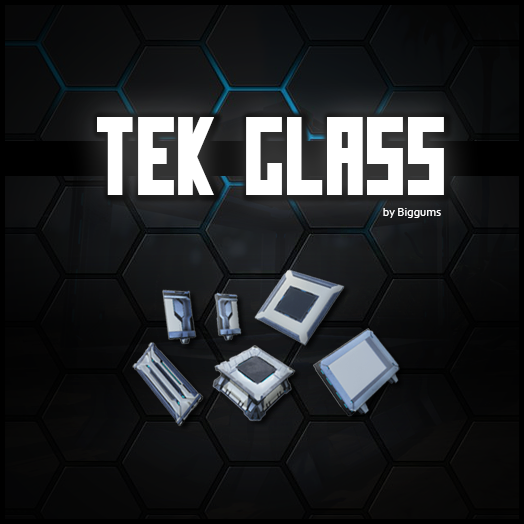
[img]http://i.imgur.com/ZBm6hbZ.png[/img] [b] Tek Glass adds a Glass Tek Tile-Set to your game. The Tek Glass structures have options in the radial menu to allow different transparencies, such as one way glass, or two way glass. [h1] [b]THIS MOD IS CLEAN AND STACKABLE ! :) [/b][/h1] [b]==============================================[/b] [code][h1] Mod ID - 1093831470 [/h1][/code] [code][h1] Mod Version - v1.51 [/h1][/code] [code][h1] Links to the discussion posts : [url=http://steamcommunity.com/workshop/filedetails/discussion/1093831470/1470840994966888803/]- Spawn Codes -[/url] [url=http://steamcommunity.com/workshop/filedetails/discussion/1093831470/1470840994966939077/]- ConfigOverrideItemCraftingCosts -[/url] [url=http://steamcommunity.com/workshop/filedetails/discussion/1093831470/1470840994966942400/]- OverrideEngramEntries -[/url][/h1][/code] [b]==============================================[/b] [img]http://i.imgur.com/vYJKVgE.png[/img] [b]To [url=http://steamcommunity.com/profiles/76561197989614076/]+cruncha[/url] for the images! To The ARK Modding Discord Community <3[/b] [b]==============================================[/b] This mod/code/work is protected by the [URL=http://creativecommons.org/licenses/by-nc-nd/4.0/legalcode]Attribution-NonCommercial-NoDerivatives 4.0 International Creative Commons License. [IMG]https://i.creativecommons.org/l/by-nc-nd/4.0/88x31.png[/IMG][/URL]

跳舞药水
por 76561198956988809
ID:2085261782 动作的药水【小键盘使用】 无需授权订阅即可使用!!!! 群:648910809【群里还有好多好玩的mod哦】 希望多大家有所帮助 觉得好用的记得给个好评哟!!!
Extra QoL Items
por 76561198254696888
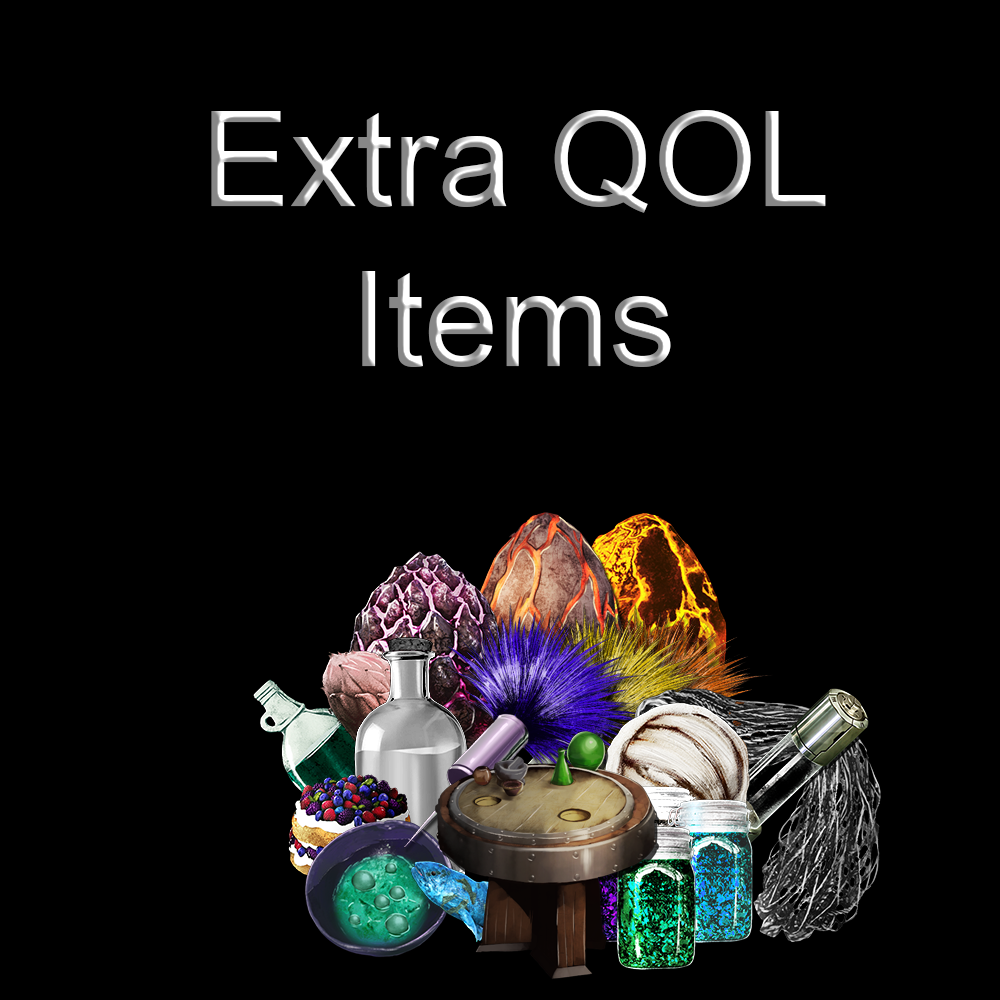
Mod ID: 2180932313 [url=https://steamcommunity.com/sharedfiles/filedetails/?id=2074475360]READ THE GUIDE![/url] Extra QoL Items is a small mod focused on adding useful, balanced items (mainly consumables or one-time use items) to ARK. From small temporary buffs to full-on new features, Extra QoL Items will provide utility in many situations. Everything can be easily disabled via INI configuration. Features: - Compatible with other mods, including support for advanced features such as dino conversion via mod communication interface - Small file size and only one additional engram - A decent amount of ini configs - Wide variety of useful items - Balanced around vanilla, including crafting costs - the endgame items aren't cheap! - Species-specific darts that force certain creatures (wyverns, rock drakes, ect.) to lay eggs. No more mourning the loss of the 190 event-colored wyvern that didn't spawn an egg. - Advanced conversion of creatures between variants (Aberrant, Tek, ect.). Compatible with mod dinos, and does not lose imprinting/XP/mutations/ect. - Fishing items that give you a live, basket-trapped fish rather than fish meat. - Antisocial plants! If you have questions, feedback, bugs, or want to see what else i'm working on I have a [url=https://discord.gg/5g2C9uz]Discord Server[/url]. [h1]Other Mods[/h1] [url=https://steamcommunity.com/sharedfiles/filedetails/?id=1675895024]No Untameables[/url] - TLC style rework of the non-tameable creatures [url=https://steamcommunity.com/sharedfiles/filedetails/?id=1639458270]Fixed Permanent Titans [/url] - Prevent Titans from dying of starvation. [url=https://steamcommunity.com/sharedfiles/filedetails/?id=1922086127]Non-Flyer Downloads on Aberration[/url] - Allows all non-flyers to be downloaded on Aberration without the need for the foreign dino config. [url=https://steamcommunity.com/sharedfiles/filedetails/?id=2000326197]Event Assets[/url] - Mod assets with the same class name to keep zombie wyverns, zomdodos, and event coel past their removal from the game files on Genesis release This mod is protected by the [URL=http://creativecommons.org/licenses/by-nc-nd/4.0/legalcode]Attribution-NonCommercial-NoDerivatives 4.0 International Creative Commons License.[/URL]
End Game Beacons
por 76561197970833221
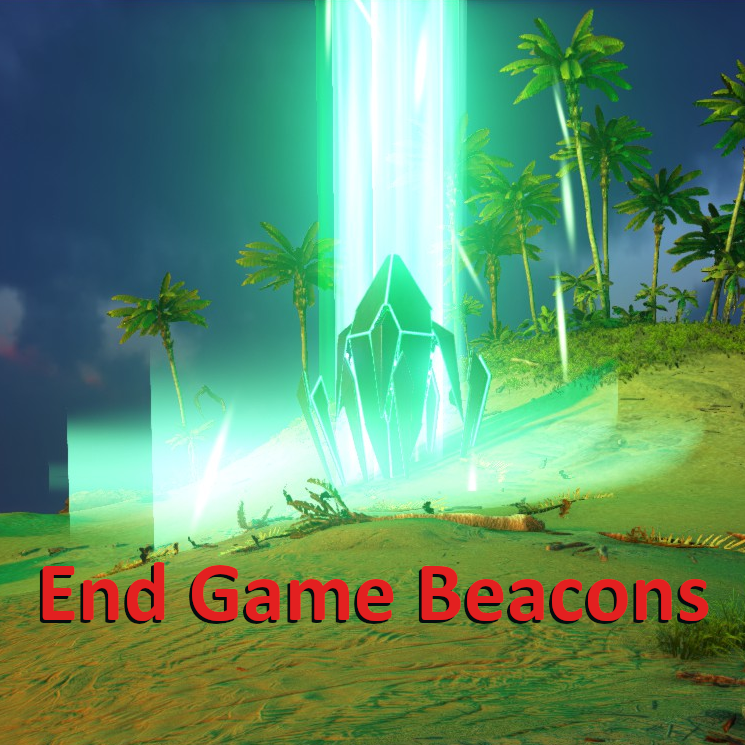
DESCRIPTION Massive rewrite of the beacon and cave crate loot tables to include all items from all DLC in a logical and leveled system. Item quantities for food and ammo are high enough to be useful. This will help you progress faster and/or get back on your feet if you lose everything. Notes included as rare drops that give GPS coordinates for cave entrances on most official maps. Includes Items from all DLC up to Genesis 2 Mod ID: 1382976089 Beacons: Beacons have been rebalanced to only drop crafted items (no resources). Loot is split up into several group types such as ammo, weapons, tools, armor, furniture, structure and saddles. Then split up even more by level unlocked. Each beacon and crate has a selection of about 5-7 loot tables of which it picks 3-5 from, so you get a fair amount of variety from container to container, but a high chance to get something useful. Cave Crates: Cave crates naturally have the best loot tables and can drop resources (rare and DLC specific), saddle blueprints, tool blueprints, weapon blueprints, Tek gear and Tek structures. Ocean Crates: Like cave crates only a higher chance of finding resources. Progression "Cave Notes": I've created a set of notes (similar in function to recipe notes). Each note contains the name of an artifact and the GPS coordinates of the cave entrance it can be found in and the map it is on (if DLC). Currently 16 notes (10 for the Island, 3 for Scorched Earth, 3 for Aberration). The reason I included these is I felt there should be some in game method of finding the caves beyond blind luck or brute force exploration. The 10 Island notes also include the GPS coordinates for all current free official maps. This was the best solution I could come up with and should mean that this mod will work on all official maps that use beacons. Scorched Earth: Beacons have a much higher chance of dropping adobe structures and desert armor. Aberration: Beacons and cave crates essentially have their functions swapped in that DLC so I stuck to that. Surface beacons are also a little "broken" (intentional) now so their loot tables are a little more random, but overall very high level loot (including Tek). It's got to be worth risking your neck to reach them. Cave crates have loot tables closer to normal beacons, but slightly higher quality to match the environment. Extinction: I've spent a fair amount of time experimenting and have yet to figure out how to mod Orbital Supply Drop rewards. Remapping them in the Ark Dev Kit doesn't seem to work. Until someone shares instructions on how to do this I can't mod their loot pools (or add cave notes for that map). Genesis 1: There are no supply drops. However I might edit the Loot Boxes in the HLN-A store as a complimentary mod. Genesis 2: Again, no new supply drops added to the game. I added the new items to existing beacons. Design Goals: My definition of "End Game" is collecting artifacts and fighting bosses. By making notes to find artifact caves this mod helps guide players (and myself) toward that goal in-game. I wanted to push game progression from surface to caves to Tek to bosses (intentionally making Tek available pre-boss). I made DLC resources available on practically any map without an extention mod. I (hopefully) made underwater resource gathering on the Island map more worthwhile. I made the loot you find in beacons and cave drops a little more diverse and hopefully a lot more useful.
Offline Raid Protection Evolved (ORPE/OBPE)
por 76561198051810029
[b]MOD CURRENTLY ON HOLD DUE TO REAL LIFE ISSUES.[/b] An offline raid protection for bases that protects your passive dinos. [img]https://i.imgur.com/p7Fv1Z6.gif[/img] This is not a continuation of jsaly's popular mod, but a revisioning of it. Mod ID = 1306452502 [h1][b]Offline Raid Protection Evolved[/b][/h1] Place a [b]ORPE Terminal[/b] down on your base and it'll boost the health of your structures as well as protect your passive dinos within range [b]Features[/b] [quote] -ORPE bubble activates when all tribe members are offline -placement boosts health of structures within range of the Terminal (fully configurable) -configurable limit and radius - Passive Protection - makes your passive dinos invulverable to attack around your ORPE - Alpha Defense - increases the melee damage of aggressive dinos by 50% when offline - Passive Crystals - indestructible crystals that go onto the ground to protect your passive dinos [/b] This mod is [i]not[/i] intended to make bases unraidable. Its to make raiding offline players more expensive and to encourage online raiding. [/quote] [b]INI SETTINGS[/b] - [url=https://steamcommunity.com/workshop/filedetails/discussion/1306452502/3596571824766291904/]HERE[/url] Artwork created by Elle from Salamandastron, this mod is [i]not[/i] affiliated with that cluster. [b]Donate[/b] [list][*][url=paypal.me/Aelsius]Paypal[/url] [/list] [b]Sponsored By: ASHosting[/b] [i]#1 Rated ARK Server Hosting Provider 2019[/i] [b]Click Image To Visit Our Partners Website:[/b] [url=https://arkserverhosting.co.uk/clientarea/aff.php?aff=33][img]https://i.imgur.com/px8kBwg.png[/img][/url]
No Clothes
por 76561198297047277
Stop wearing clothes :) This simple mod adds a set of armor skins that, when applied to armor, makes it invisible when worn. This allows you to see your character as if they are not wearing armor. Mod ID: 697357957 Video showing it in action: https://youtu.be/h1Rj3kNDCVk (Thanks to Firespark81 for creating this video!) The following skins are added, along with engrams to craft each piece: "No Shirt", "No Pants", "No Boots", "No Helmet", "No Gloves". The engrams cost 0 points and can be learned at any level. Crafting the skins costs 1 fiber each (5 fiber makes a full set). NOTE: Works best alongside a mod that replaces the base texture for character models, as the vanilla textures have "holes" in them beneath where underwear would normally show. NOTE: While the helmet skin will hide your helmet, it will not cause your hair to show. If you want to see your hair, use the "Hide Helmet" option from the emote menu. Here are the full names of the items if you want to do things with them (such as cheat create them): Shirt "Blueprint'/Game/Mods/NoClothes/Armor/PrimalItemSkin_NoShirt.PrimalItemSkin_NoShirt'" Pants "Blueprint'/Game/Mods/NoClothes/Armor/PrimalItemSkin_NoPants.PrimalItemSkin_NoPants'" Boots "Blueprint'/Game/Mods/NoClothes/Armor/PrimalItemSkin_NoBoots.PrimalItemSkin_NoBoots'" Helmet "Blueprint'/Game/Mods/NoClothes/Armor/PrimalItemSkin_NoHelmet.PrimalItemSkin_NoHelmet'" Gloves "Blueprint'/Game/Mods/NoClothes/Armor/PrimalItemSkin_NoGloves.PrimalItemSkin_NoGloves'" (I run this mod on my own public server for anyone interested in joining. Server info at http://majesticadultgaming.net )
Mutation Kibble
por 76561197995253477
[b]MOD ID: 1701679918[/b] [h1]Mutation Kibble[/h1] [b][u]Description[/u][/b] [b]THIS MOD WILL NO LONGER RECEIVE UPDATES[/b] The dev kits are too large to have both ASE and ASA dev kits installed. Allows the creation of mutated kibble which will increase the mutation chance of your dinos while breeding when consumed. This mod was created for people who would like to speed up the chance of mutation while still having balanced breeding server settings, it allows casual breeders to speed up their progress breeding for colours or stat mutations. The Kibble will only work if consumed by a female creature, will have adverse effects if consumed by a male There are 6 stages of kibble which can be made in the mutation pot. These are 16% (Basic), 32% (Simple), 48% (Regular), 64% (Superior), 80% (Exceptional) and 100% (Extraordinary) Mutation Kibbles Once you have the kibble place it in the FEMALES inventory and use\Mutate! the dino by right clicking it in the dinos inventory. It stacks and you can see the time remaining on the female dino. You can use the soap to remove the buff if you add to much time. [h2][b]New Additions This Update[/b][/h2] [list] [*] Fixed Basic Mutation Kibble engram going missing for some people [*] Changed the Mutation Pot to no longer require fuel or water [*] New icons for Mutation Kibbles [*] Hopefully fixed the issue of Kibble having no effect on some dinos [*] *YOU NEED TO DESTROY\PICKUP AND REPLACE MUTATION POT AFTER THIS UPDATE* [/list] [h2][b]Future Plans[/b][/h2] [list] [*]NONE... This mod is no longer getting updated, it will remain in its current state until it no longer works. [/list] [h3]The banners below are links for additional information and donate button if you wish to support my mod development[h3] [url=https://www.paypal.com/donate/?hosted_button_id=G4HB7GAY7A5D6][img]https://i.imgur.com/wOfqULO.png[/img][/url] [url=https://steamcommunity.com/workshop/filedetails/discussion/1701679918/3112519935866815894/][img]https://i.imgur.com/LSCW4iP.png[/img][/url] [url=https://steamcommunity.com/workshop/filedetails/discussion/1701679918/2574319916029816637/][img]https://i.imgur.com/loND0I5.png[/img][/url] [url=https://steamcommunity.com/workshop/filedetails/discussion/1701679918/2574319916029856824/][img]https://i.imgur.com/cmuoDmZ.png[/img][/url]
Big Storage Bins v 7.0.3
por 76561198067500291
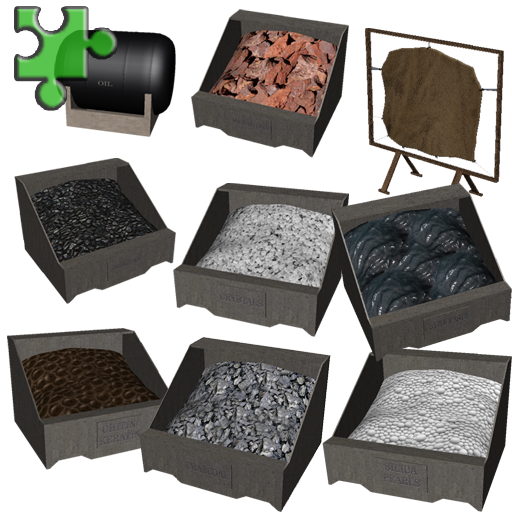
[h1]BIG STORAGE BINS! [/h1] [hr][/hr] [h1]Mod ID = 791674340 [/h1] [h1]MOD IS WORKING PERFECTLY AS OF 02/08/2023[/h1] [b]Better and larger storage for your resources, as simple as that! [h1]NOTE THIS MOD NOW CONTAINS ALL MY BIG STORAGE BINS FROM THE ISLAND, ABERRATION AND SCORCHED EARTH, SO YOU ONLY NOW NEED THE ONE MOD. [/h1] [U]DO NOT USE MY ‘SE STORAGE BINS’ MOD WITH THIS ONE AS THEY WILL CONFLICT WITH EACH OTHER, I.E REPLICATED BINS.[/U] [U]REMEMBER TO UNSUBSCRIBE/SUBSCRIBE TO MAKE IT WORK[/U][/b] [b]Unless stated otherwise all storage bins have 450 slots which equates to 45,000 units per storage bin (Dependent upon resource stack size) mods now snap to each other and have fill planes to show when empty.[/b] [h1]Resource storage provided in this mod.....[/h1] [i]WOOD – Includes Fungal Wood etc. FERTILIZER METAL + Ingots, Scrap Metal and Element Dust. STONE CHARCOAL + Gunpowder and Coals. OBSIDIAN FIBRE (correst English lol) CHITIN + Keratin. OIL + Gasoline THATCH CEMENT PASTE + Achatina Paste. GAS CYLINDERS GEMSTONES – All Types. PEARLS + Silicate and Black Pearls FLINT HIDE + Wool, Hair and Pelt CRYSTALS TEK TIER - 1000 slots SEEDS _ All seed types (now needs sparkpowder to prolong seed spoilage) CACTUS SAP + Tree Sap CLAY SALT - (Raw & Preserve) SAND SILK SULFUR WYVERN MILK TANK[/i] [b]Added on 15/01/2018 - The 6 bins below do exactly what the bins above do but look the same as all the other concrete based bins (for all you OCD sufferers out there) so they all look the same.[/b] [i]ALT_HIDESTORAGE ALT_SEEDSTORAGE ALT_WOODSTORAGE ALT_THATCHSTORAGE ALT_FIBERSTORAGE ALT_FERTSTORAGE[/i] [b]Added 29/01/2018 - Gemstone Bunker for Aberration map, same stats as the original bunkers, takes all gem types. Retextured the Oil Tank and enabled the storage of Gasoline as well as oil. Added 13/02/18 - Aberration Gas Cylinders, for storage of Aberration Gas Balls, has 1000 slots. [/b] [u]You must be lvl 25 to build these and each one will cost you 3 engrams. [/u] Tested on the Aberration map, The Island map, Scorched Earth map and The Center map, works okay in all of these, will test on the Ragnarok map and post results here. [h1]SPAWN CODES CAN BE FOUND IN THE DISCUSSIONS TAB.[/h1] http://steamcommunity.com/workshop/filedetails/discussion/791674340/142261352643874350/ [h1]HIDE CODES CAN BE FOUND IN THE DESCRIPTIONS TAB.[/h1] http://steamcommunity.com/workshop/filedetails/discussion/791674340/142261352663843574/ [h1]CRAFTING COSTS CUSTOMIZATION CAN BE FOUND IN THE DESCRIPTIONS TAB.[/h1] https://steamcommunity.com/workshop/filedetails/discussion/791674340/1693797713951605541/ [h1]SLOT INI CODES CAN BE FOUND HERE[/h1] https://steamcommunity.com/workshop/filedetails/discussion/791674340/2960544821847974825/ [h1]CHANGES TO VERSION 3 OF THIS MOD.[/h1] [i]As requested I have included all the bins from the 'More Big Storage Bins' mod into this mod so you can have all the bins together, you [U]WILL[/U] be required to remake the bunkers if you use the ones in this mod, I will leave the other mod active so they will still be available if you do not want to remake the bankers or risk losing items stored. If you do intend to change from the 'More Big Storage Bins' mod to this one may I recommend that you rescue any items you have in them in your game before you unsubscribe from it, I do not know if the two mods will run together but I recommend you run one or the other and [u][b]NOT[/b][/u] both. Also as requested I have added the ability to store, sparkpowder in the flint bunker, gunpowder in the charcoal bunker and metal ingots in the metal bunker. As requested added a TEK TIER bin to store all the new tek tier stuff, this has 1000 slots as Elements are stacked in 10's only. Reduced size of concrete bunkers by a third and added ability to use on saddles/rafts (please let me know if this works okay)[/i] [b]17/04/17 - Added all items included in the 256.3 game patch. 09/08/17 - Added All items included in the 264.0 game patch. 01/10/17 - Added new Tek Items (Shield, Light & Sword). 19/10/17 - Added new seed storage bunker (All vanilla seeds) 20/01/18 - Added alternate bins for Seed/Wood/Fiber/Thatch/Hide and Fertilizer. Major mesh and Texture remake to reduce file size, original mod size was 246.143 mb new mod size 72.4 Mb. 13/02/18 - Added Aberration Gas Cylinder storage bin for Aberration gas. 28/02/18 - Added fill planes to all but 4 of the bunkers so that when they are empty they actually LOOK empty so you can see at a glance what you need to stock up on, also added side to side snapping on ALL bins so you can at least set them out in a tidy fashion (for all you OCD suffers out there). 03/06/2021 – Adding sparkpowder to seed storage bins now increases spoil time of seeds to 5 hours, sparkpowder will last 20 minutes each. 08/06/2021 - Added Element Shards and Element Dust to Tek Tier Storage Bin. 25/01/2022 – As requested I have added SE bins to this mod.[/b] [h1]All slot codes can be found here….[/h1] https://steamcommunity.com/workshop/filedetails/discussion/791674340/1697168437881383579/ [h1]THE 2 OTHER MODS IN THIS SERIES ARE LINKED BELOW.[/h1] [h1]Even More Big Storage Bins[/h1] [i]These are lockable metal safes.[/i] http://steamcommunity.com/sharedfiles/filedetails/?id=803436398 [h1]SE Big Storage Bins[/h1] [i]These are bunkers for the Scorched Earth DLC [u]DO NOT USE WITH THIS MOD[/u].[/i] http://steamcommunity.com/sharedfiles/filedetails/?id=800724367
UI with commands
por 76561198139251636
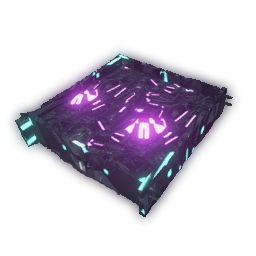
Reasource Crops LTE/PVP
por 76561198053409285
[b]Mod ID:775592465[/b] This is an LTE Version of my Resource Crops mod meaning it is not as heavy with all the other features of the original it is centered around the tech plot and its features It is also designed with the intent of pvp use Items: Infuser: Main crafting bench Tech plot: Base for every infused plot cannot be placed Default Rates per Min Black Pearl: 6 Chitin: 5 chitin 5 keritain Crystal: 10 Crystal Fiber: 20 Flint: 10 Angler Gel: 10 Hide: 40 Meat: 8 Meat 8 Prime Meat Metal: 12 Metal Ore Obsidian: 10 Oil: 6 Pelt: 10 Rare Mushrooms: 10 Rare Flowers: 12 Silica Pearls:6 Stone: 10 Thatch: 20 Wood: 5 Server Config Defaults [RCPVP] HarvestAmountMultiplier=1
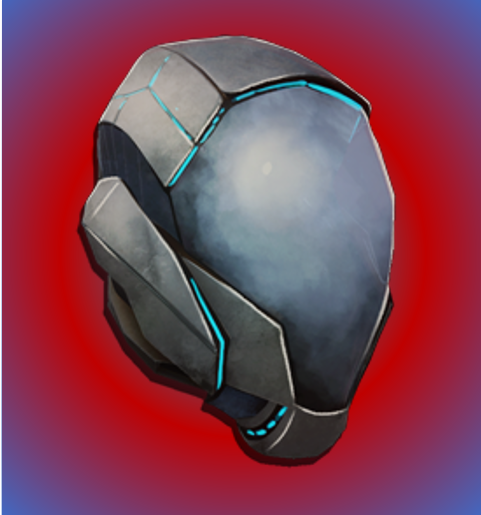
MegaTekV3
por 76561198098423653
This mod has been replaced by a newer version that shouldn't cause crashes. UtilityTek MegaDinos - https://steamcommunity.com/sharedfiles/filedetails/?id=2946397302 id=1588335841 This is a mod the provides upgraded versions of the tek equipment. It currently consists of: All five pieces of the Tek armour with no durability, infinite usage of buffed versions of there abilities. Wearing the armour should also protect you from most negative status effects. The Tek sword and Shield with no durability and infinite charge. The Tek rifle and sniper with infinite ammo and better damage. The Tek grenade which has been buffed. A cryopod that doesn't loose charge. Buffed versions of the Enforcer and Mek, including all of the mek equipment. A tek generator that doesn't require fuel and has a larger range. A tek bridge that can go further and up higher angles. A tek turret that shoots faster, does more damage, is omni-directional and doesn't use power or ammo. A tek bed that gives faster recovery of stats and more XP. A tek trough that stores things for much longer, and can accept anything. A tek cloning chamber that is faster, has less limitations on what you can clone and requires less shards. There are also buffed versions of all of the tek saddles. If you have any questions about the mod just ask either on steam or on my discord server: https://discord.gg/3dRJqjz

Pet Res
por 76561197968357045
-- I no longer have the time to maintain my mods. I may come back to them and do an update once the game goes out of Early Access and the code base stablilizes somewhat. The source code for all of my mods can be found at https://github.com/duncanas/arkmods . Any modder who wishes to update one of the mods can fee free to make a branch and deploy a new mod under there name. Credit would be appreciated.-- Keep your favorite pets alive with this mod. The soul and inventory of your pet are bound to a tombstone at the point of death. By crafting a life force crystal you can then use the tombstone to revive your pet back to life. [h1] --- GENERAL INFORMATION --- [/h1] [b][I]ADMINS TAKE NOTE: BY DEFAULT REVIVING PETS WILL BE FREE UNLESS YOU UPDATE YOUR CONFIGURATION[/I][/b] [u]Installing this mod without setting any configuration will have the following behavior:[/u] [list] [*] Crystals are not required to revive pets [*] Tombstones will decay after 5 hours [*] The dino will keep all inventory items [/list] [h1]--- CONFIGURATION ---[/h1] The following properties can be included in the "GameUserSettings.ini" file to adjust the behavior of the tombstone. Setting must go under a section heading of "[PetRes]". [b]Available properties:[/b] [list] [*][b]Lifespan[/b]: A float value that specifies how many seconds before the tombstone decomposes and the pet is no longer able to be revived. Defaults to 5 hours if not specified. With value of -1 the tombstone will never decompose. [*][b]LoseInventory[/b]: If set to true the pet will be revived without its inventory. [*][b]KeepEquipped[/b]: If set to true equipped items such as a saddle will be kept. [*][b]ControllerRefresh[/b]: Number of seconds between sweeps of the server for new tamed pets. Defaults to 1 second. Increasing my help with performance on server but will expose dino's for up to that number of seconds after first being tamed. [*][b]RequiresCrystal[/b]: By default this is false and will allow players to resurect a dino without crafting a Lifesource Crystal. If set to true a Lifeforce crystal is required and will require 15 Crystal, 10 Stimulants, 5 Rare Flowers and 2 Rare Mushrooms to craft. To change the requirements see the advanced configuration below. [/list] [b]Example:[/b] [PetRes] Lifespan=3600 LoseInventory=true KeepEquipment=true ControllerRefresh=60 RequiresCrystal=true The previous example will have the following behavior: [list] [*]Tombstone decomposes after 1 hour [*]The dino will be revived with no inventory but will keep its equiped items such as saddles [*]The controller will refresh for new tamed dinos once per minute [*]The cost for crafting a life force crystal is 15 Crystal, 10 Stimulants, 5 Rare Flowers and 2 Rare Mushrooms. [/list] [h1]--- ADVANCED ENGRAM CONFIGURATION ---[/h1] This configuration is more complex and will fail if not specified perfectly correctly but it does give complete flexibility to specify any resources in the game as a requirement for crafting a life force crystal and will also behave normally when crafting. [I][b]Note[/b]: To use this override you must set the RequiresCrystal property in "GameUserSettings.ini" to true.[/I] ConfigOverrideItemCraftingCosts entries must be specified in the "Game.ini" file in your server or games configuration folder under the section [/Script/ShooterGame.ShooterGameMode]. If the section doesn't exist you must create it. [b]The format for the configuration entry is as follows:[/b] ConfigOverrideItemCraftingCosts=(ItemClassString="PrimalItem_LifeForceCrystal_C",BaseCraftingResourceRequirements=(RESOURCE_LIST)) The RESOURCE_LIST is a list of resource entries where each entry is enclosed in parentheses and separated by a comma. [b][u]For example the following will allow you to craft Lifeforce Crystals with 100 crystals, 10 Rare Mushrooms, 15 Rare Flowers, 20 Stimulants and 1 of any Artifact:[/u][/b] [/Script/ShooterGame.ShooterGameMode] ConfigOverrideItemCraftingCosts=(ItemClassString="PrimalItem_LifeForceCrystal_C",BaseCraftingResourceRequirements=((ResourceItemTypeString="PrimalItemResource_Crystal_C",BaseResourceRequirement=300.0,bCraftingRequireExactResourceType=false),(ResourceItemTypeString="PrimalItemResource_RareMushroom_C",BaseResourceRequirement=10.0,bCraftingRequireExactResourceType=false),(ResourceItemTypeString="PrimalItemResource_RareFlower_C",BaseResourceRequirement=15.0,bCraftingRequireExactResourceType=false),(ResourceItemTypeString="PrimalItemConsumable_Stimulant_C",BaseResourceRequirement=20.0,bCraftingRequireExactResourceType=false),(ResourceItemTypeString="PrimalItemArtifactGeneric_C",BaseResourceRequirement=1.0,bCraftingRequireExactResourceType=false))) Be very carefull to get the correct number of parentheses or this will fail. Syntax errors will usually show up in the console log for your server. [b]*** VERY IMPORTANT[/b]: If you change the resources using the above method you MUST uninstall the mod and start your server or the single player game as appropriate. You can then reactivate the mod and the changes should work. If you do not do this Ark will cache some of the old values and you will end up with the resource description not matching the actual resource requirements. [h1]--- ADDITIONAL INFORMATION ---[/h1] The cheat code for lifeforce crystal is: "Blueprint'/Game/Mods/PetResurector/Content/Crystals/PrimalItem_LifeForceCrystal.PrimalItem_LifeForceCrystal'" The resource names for the classes can be found by looking at the spawn commands for items on the web page "http://ark.gamepedia.com/Item_IDs" and taking the last part of the string from the last PrimalItem text up to the apostrophe and adding "_C" to the end. For example Fiber has the entry "Blueprint'/Game/PrimalEarth/CoreBlueprints/Resources/PrimalItemResource_Fibers.PrimalItemResource_Fibers'" which gives a class name of PrimalItemResource_Fibers_C . It should be possible to use any item as a requirement for crafting including PrimalItems from other mods as long as you are able to determine the PrimalItem's class name. Further documentation on server configuration can be found at the following web page: [url=http://ark.gamepedia.com/Server_Configuration]Server Configuration[/url] This mod is clean and stackable. The mod id is: 741338580 [b]Current Mods:[/b] ------------- [url=http://steamcommunity.com/sharedfiles/filedetails/?id=725488133]Personal Beacons[/url] [url=http://steamcommunity.com/sharedfiles/filedetails/?id=763230897]Pet Manager[/url] [url=http://steamcommunity.com/sharedfiles/filedetails/?id=737297870]StatBars[/url] [url=http://steamcommunity.com/sharedfiles/filedetails/?id=741338580]Pet Res[/url] [url=http://steamcommunity.com/sharedfiles/filedetails/?id=797173854]Salvage Station[/url] [url=http://steamcommunity.com/sharedfiles/filedetails/?id=800583780]Silent Generator[/url] [b]Donations Welcome:[/b] [url=https://www.paypal.com/cgi-bin/webscr?cmd=_s-xclick&hosted_button_id=LTGHHX5MD2AWN][img]https://www.paypal.com/en_US/i/btn/btn_donateCC_LG.gif[/img][/url] This mod/code/work is protected by the [URL=http://creativecommons.org/licenses/by-nc-nd/4.0/legalcode]Attribution-NonCommercial-NoDerivatives 4.0 International Creative Commons License. [IMG]https://i.creativecommons.org/l/by-nc-nd/4.0/88x31.png[/IMG][/URL]
ARK: Survival Evolved Guides
ARK Admin Commands – Todos os cheats e comandos 2026
Todos os ARK Admin Commands e cheats: fazer spawn de dinos, voar, alterar itens e definições.
Alugar e configurar um servidor ARK – Guia para iniciantes 2026
Monta o teu próprio servidor ARK: Survival Evolved. Configurar corretamente mapas, definições e taxas de taming.
Instalar Mods no ARK – Steam Workshop e instalação manual
Como instalar Mods no teu servidor ARK. Steam Workshop IDs, Stackmod, S+ e muito mais.
Servidor ARK: Survival Evolved com suporte a mods
Instale todos os mods diretamente pelo painel com um clique.
Alugar um servidor ARK: Survival Evolved