For Pixelmon on NeoForge you need the matching LuckPerms mod, a backed-up data source and a real player join without OP. The documented test shows a difference between 5.4.140 and 5.4.150 in exactly this combination. A loader start without errors alone does not confirm that permissions work.
Status of this guide: September 27, 2026. Tested on our own server with The Pixelmon Modpack 9.4.1 (Minecraft 1.21.1, NeoForge 21.1.248, 6 GB RAM). We label statements from the Pixelmon wiki or the LuckPerms documentation as such.
Why LuckPerms is a mod, not a plugin, with Pixelmon
On Paper or Spigot servers, LuckPerms is a plugin. According to the wiki, Pixelmon has run only on NeoForge since version 9.3.0, and NeoForge doesn't load plugins but mods. You therefore need the NeoForge version of LuckPerms, which belongs in the mods folder. The lp commands worked as usual on our NeoForge test server; how groups and inheritance work in general is explained in LuckPerms: Setting Up Permissions.
For this, Pixelmon uses NeoForge's permission interface. The mod file contains references to this interface, and according to the Pixelmon wiki all permissions have been registered through the loader since the 1.20.2 branch. According to the wiki, Arclight is no longer compatible from Pixelmon 9.2.4, so the detour via plugins is gone.
The matching LuckPerms version
For The Pixelmon Modpack 9.4.1, Minecraft 1.21.1 and NeoForge 21.1.248 we tested LuckPerms-NeoForge-5.4.150.jar with a real player join on September 27, 2026. Modrinth labels this file as Minecraft 1.21.4; the filter for 1.21.1 shows 5.4.140 instead, which crashed on our player join. This is a specifically tested combination, not a general approval of other LuckPerms or loader versions. The LuckPerms project documents the same error.
LuckPerms belongs only on the server. According to Modrinth, it is not supported on the client and is required on the server. Your players therefore don't have to change their modpack.
Installing LuckPerms
- Stop the server in the panel and back up the existing LuckPerms configuration.
- Download the file LuckPerms-NeoForge-5.4.150.jar linked above. SHA-1:
fe155d730150d7ee4d707916ed23efe99fdeaac3. - Remove an existing 5.4.140 file from
modsor change its extension to.jar.disabled. Keep only one active LuckPerms file and upload 5.4.150. - Start the server and then let a real player without OP join.
The following startup lines come from the older console check on September 24, 2026 with 5.4.140. They are historical measurements and do not prove a working player join:
LuckPerms v5.4.140andLoading storage provider... [H2]Successfully enabled.after about 26 seconds for LuckPerms itselfDone (24.088s)!for the whole serverSuccessfully initialized permission handler luckperms:permission_handler
The handler line shows that NeoForge uses LuckPerms for the permission check. It doesn't rule out an error at the later player join. The total start back then took about 68 seconds. By default, LuckPerms stores its data in H2 (storage-method = "h2" in config/luckperms/luckperms.conf).
The first commands in the console
The following table documents the console check from September 24, 2026 with 5.4.140. In the console you write commands without a slash, in the game with /. The repeated lp info call on September 27 confirmed 5.4.150, NeoForge 1.21.1-21.1.248, H2 and a connected player.
| Command | Result on the test server |
|---|---|
lp info |
Version 5.4.140, platform NeoForge, server version 1.21.1-21.1.248, storage H2 |
lp creategroup pxtest |
“pxtest was successfully created.” |
lp group pxtest permission set pixelmon.command.checkspawns true |
Node set for the group, context global |
lp group pxtest permission set pixelmon.command.dolegendaryspawn false |
Node explicitly negated |
lp group pxtest permission info |
all nodes set for the group |
lp group pxtest permission check <node> |
for a set node “Result: true” with explanation |
lp listgroups |
all groups |
lp deletegroup pxtest |
Group deleted again |
If you send several lp commands in quick succession, LuckPerms queues them (“Another command is being executed, waiting for it to finish…”) and processes them one after another. This is not an error.
With lp user <player> parent add <group> you add a group without removing other groups. On September 27 we assigned a connected player without OP to the test group; the console confirmed the inheritance, and permission check confirmed the inherited PC permission.
Which permission nodes Pixelmon 9.4.1 knows
With lp tree pixelmon, LuckPerms shows all nodes it knows under pixelmon. The command uploads the tree to LuckPerms' paste service and prints a link. On our test server it comprised:
| Group of nodes | Count | Structure |
|---|---|---|
| Commands | 69 | pixelmon.command.<command> |
| Commands on other players | 69 | pixelmon.command.<command>.other |
| Spawn check per type | 13 | pixelmon.checkspawns.<type> |
| Tools and special permissions | 8 | for example pixelmon.chisel.use, pixelmon.spawner.use, pixelmon.npceditor.use, pixelmon.pokemoneditor.use |
The 13 types for the spawn check are: caverock, curry, fishing, forage, grass, headbutt, legendary, megaboss, normal, rocksmash, seaweed, sweetscent and tallgrass. According to the Pixelmon wiki, /checkspawns needs the base node and at least one type node.
Important if you work from wiki lists: The wiki also lists nodes for transferring money, giving money, research and the trading card game. On our 9.4.1 server there were no nodes for these, even though the commands exist according to the help. For /charms, the release note for 9.4.0 instead names OP level 2. In addition, a node that the wiki starts with pixelmon.commands. is called pixelmon.command.resetpokestats on the server. Rely on lp tree pixelmon on your own server.
Tested in the game: command access without OP
On September 27, a real Java client without OP opened the PC and received the output of /checkspawns normal. On this combination of Pixelmon 9.4.1, NeoForge 21.1.248 and LuckPerms 5.4.150, LuckPerms also evaluates command.<command>. pixelmon.command.pc = true alone did not make /pc available. Our working test group received:
lp group player permission set command.pc true
lp group player permission set pixelmon.command.pc true
lp group player permission set command.checkspawns true
lp group player permission set pixelmon.command.checkspawns true
lp group player permission set pixelmon.checkspawns.normal true
When switching to command.pc = false, /pc was rejected; after returning to true, the PC opened again. In contrast, pixelmon.command.pc = false alone did not block the PC while command.pc was still allowed. For this version, therefore, don't rely on the Pixelmon node alone. With command.dolegendaryspawn = false and pixelmon.command.dolegendaryspawn = false, the legendary spawn command was rejected too. OP remained empty during the check.
Allow only the individual commands needed. A blanket command.* can open administrative commands. Test every allow and block with a player without OP; with lp verbose on and then lp verbose off you see the nodes actually queried in the console.
Example: three groups
The PC access, the normal spawn query and the block described above were tested in the game. The other groups and commands are suggestions; their purpose is derived from the names and not yet confirmed in the game.
| Group | Node | Purpose by name |
|---|---|---|
| Player | command.pc + pixelmon.command.pc |
open your own boxes |
| Player | command.checkspawns + pixelmon.command.checkspawns + pixelmon.checkspawns.normal |
see what can appear nearby |
| Player | pixelmon.command.spectate |
watch ongoing battles |
| Moderator | pixelmon.command.endbattle |
end stuck battles |
| Moderator | pixelmon.command.battlelog |
view the battle log |
| Moderator | pixelmon.command.pokeheal.other |
heal other players' teams |
| Admin | pixelmon.command.spawning |
turn spawners on and off |
| Admin | pixelmon.command.dolegendaryspawn |
trigger a legendary spawn attempt |
| Admin | pixelmon.checkspawns.legendary |
see time and chance of the next legendary attempt |
Here is how to set this up:
lp creategroup player,lp creategroup moderator,lp creategroup admin- For each row of the table:
lp group <group> permission set <node> true - So that moderators also have the player permissions, according to the LuckPerms documentation:
lp group moderator parent add player, likewiselp group admin parent add moderator - Assign players:
lp user <player> parent add player - Check:
lp group <group> permission infoand for individual nodeslp group <group> permission check <node>
For the tested combination, you block a command specifically via command.<command> = false. For the PC, we tested the block and the renewed allow without OP. A negated Pixelmon node alone did not prevent opening the PC here; see the check above.
What /checkspawns legendary shows exactly and how to set the legendary spawns yourself is shown in Setting Legendary Spawns and Spawn Rates.
What applies without LuckPerms
We couldn't reliably determine, either from the mod file or from the wiki, which OP level Pixelmon 9.4.1 requires for which command without a permissions mod. Only /charms with level 2 is documented. If you don't want players to have to guess what they are allowed to do, LuckPerms is the clean way.
FAQ
Which LuckPerms version do I need for Pixelmon on 1.21.1? Our specifically tested combination is Pixelmon 9.4.1 with NeoForge 21.1.248 and LuckPerms-NeoForge 5.4.150. Although this file is marked as 1.21.4 on Modrinth, our real player join worked. 5.4.140 started but failed on login.
Do my players have to install LuckPerms? No. According to Modrinth, LuckPerms is not supported on the client and is only needed on the server.
Can I use the LuckPerms plugin for Paper?
No. Pixelmon runs on NeoForge, and there LuckPerms' NeoForge mod belongs in the mods folder.
How do I know which nodes exist?
With lp tree pixelmon on your server. On our server with 9.4.1 there were 69 commands, each with an additional node for other players, 13 types for the spawn check and 8 tool nodes.
Why can't I find a node from the wiki? For some commands there is no dedicated node in 9.4.1, and one node is named differently than in the wiki. What your server shows is what counts.
Does the server need more RAM with LuckPerms? We offer Pixelmon with 6 GB. We did not measure LuckPerms' RAM needs on its own; the start took a few seconds longer with LuckPerms.
Further reading
If you are moving from an older Pixelmon version, first read Carrying a Pixelmon World Over to 1.21.1. Whether Pixelmon or Cobblemon fits your group is shown in Cobblemon vs. Pixelmon. More packs are compared in The Best Minecraft Modpacks for Your Own Server.
Sources and test setup
Test setup: The console and node check from September 24, 2026 used 5.4.140. On September 27 we tested the real player join on a new own test server with The Pixelmon Modpack 9.4.1 (Minecraft 1.21.1, NeoForge 21.1.248, 6 GB offering): error with 5.4.140, successful join and starter selection with 5.4.150, no OP permissions. The older table remains as historical evidence.
- Test server: startup lines in the log,
lp info,lp creategroup,lp group … permission setwithtrueandfalse,permission info,permission check,lp listgroups,lp deletegroupand the node tree fromlp tree pixelmon. - LuckPerms version: Modrinth, LuckPerms (historical console check 5.4.140; currently tested player join 5.4.150, see above).
- LuckPerms commands: LuckPerms wiki, Parent Commands (
parent add). - Pixelmon permissions: Pixelmon wiki, Commands (node list, base and type nodes for
/checkspawns, blocking by negation), Pixelmon wiki, Version history 1.20.2 (permissions registered through the loader), Pixelmon wiki, Version History 1.21.1 (/charmswith OP level 2). - Loader: Pixelmon wiki, Server installation (NeoForge since 9.3.0, Arclight not compatible from 9.2.4).
- Not measured: the remaining example commands, the complete moderator and admin groups, the web editor and the default OP levels per command.
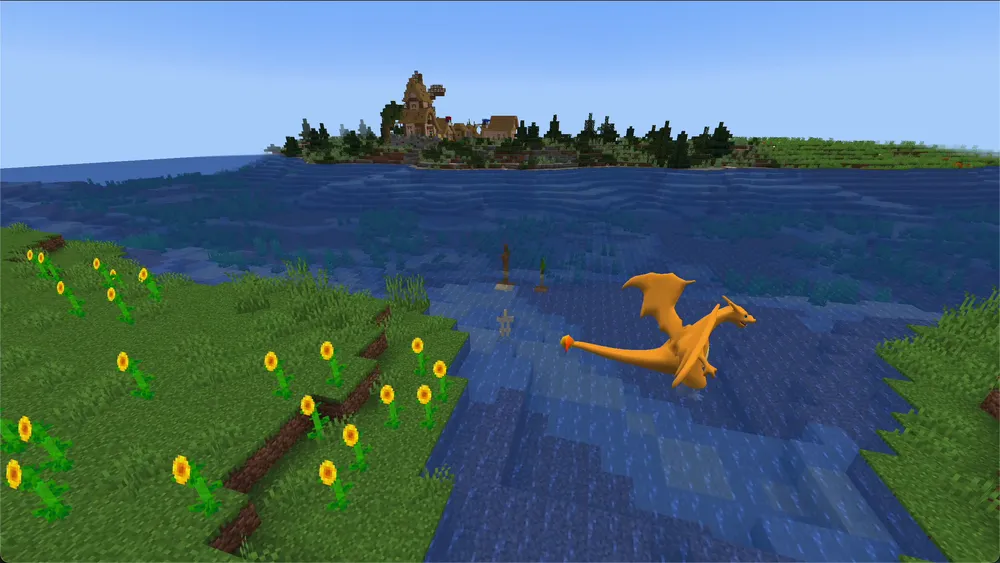
- Image: own capture from The Pixelmon Modpack without shaders, the Pokémon was spawned by command.
Check a permission grant on the actual player
First confirm platform, LuckPerms version and storage via lp info. Then, with a normal account, test both an allowed Pixelmon command and a deliberately blocked admin action. For type-based commands, base and sub-nodes may both be required; a set group node alone does not yet confirm a player check. Record direct permissions, inheritance and context. In case of a capability error, save the first message and the version line before you swap files. Keep H2 or external data separately; a matching new mod file does not replace a backup of the existing groups and player assignments.