BungeeCord connects multiple Minecraft backends through a shared proxy address. For a secure network, login, forwarding and backend protection must fit together. First plan the permitted connection paths and who is responsible for world, permission and plugin data; the proxy does not synchronize this data on its own.
The most important security rule: Backends run in offline mode behind BungeeCord. They must therefore never be reachable freely from the internet.
ip_forward: truetransmits identity but is not access control. Finish the firewall/private network protection before you consider the network done.
What a BungeeCord network looks like
Minecraft Java Client
        |
        | public proxy address
        v
 BungeeCord (online_mode=true, ip_forward=true)
        |
        | only the approved proxy path
        +---------------------+
        v                     v
 Lobby / Paper          Survival / Paper
 online-mode=false      online-mode=false
 bungeecord=true        bungeecord=true
The proxy handles login, the public address, routing and proxy commands. The backends store worlds, inventories and Bukkit/Paper plugin data. BungeeCord does not synchronize this data automatically. Network-wide ranks, bans or inventories need suitable plugins and usually a shared database.
Which topology fits?
The BungeeCord configuration looks similar in all variants, but the secure network path does not. Decide on the topology before you enter addresses in config.yml.
Proxy and backend on the same node
Two hosting instances on the same node are still separate containers. The proxy can reach the backend via the internal address intended for it; a foreign instance on the same bridge must not. Opening up the entire Docker subnet would therefore be too broad. The protection must stay bound to the specific proxy source and re-resolve after a container restart.
Proxy and backend on different nodes
Here the path runs over the node network. On the backend, allow exactly the source of the associated proxy and the specific TCP port. Don't accidentally open UDP, a port range or the entire node IP to other customer instances. Check the positive path from the proxy and the negative path from an independent source in the same time window.
External backend
A backend outside the hosting platform needs a route that the BungeeCord proxy can reach. The operator of the external system is responsible for its firewall. A reverse tunnel or VPN can provide the transport, but it is only secure if the backend stays locally bound and only the authorized proxy path is passed through. Product texts may only describe this variant as secure once the positive and negative paths have been verified for the specific setup.
Multiple proxies
Multiple proxies for high availability are a design of their own. Every permitted source path, the shared plugin/data storage and the handling of sessions must be planned explicitly. Don't simply copy another IP into a broad allowlist. This guide deliberately describes one assigned proxy per backend path.
Requirements and cost model
You need:
- a BungeeCord instance;
- at least one separate Paper/Spigot server as a backend;
- a unique TCP port per process;
- a reachable path from the proxy to the backend;
- a firewall, a private network or a comparably verified access control;
- a tested backup before converting an existing server.
On game-serverhosting, BungeeCord is its own server software. Plan the proxy and backends as separate instances. If you don't have any instances yet, start with the Minecraft server order. The current BungeeCord codebase compiles against Java 17; the offered egg runs with Java 21. Don't rely on old blanket statements like "512 MB for 500 players": plugins, connection rate, compression and attacks change the requirements considerably.
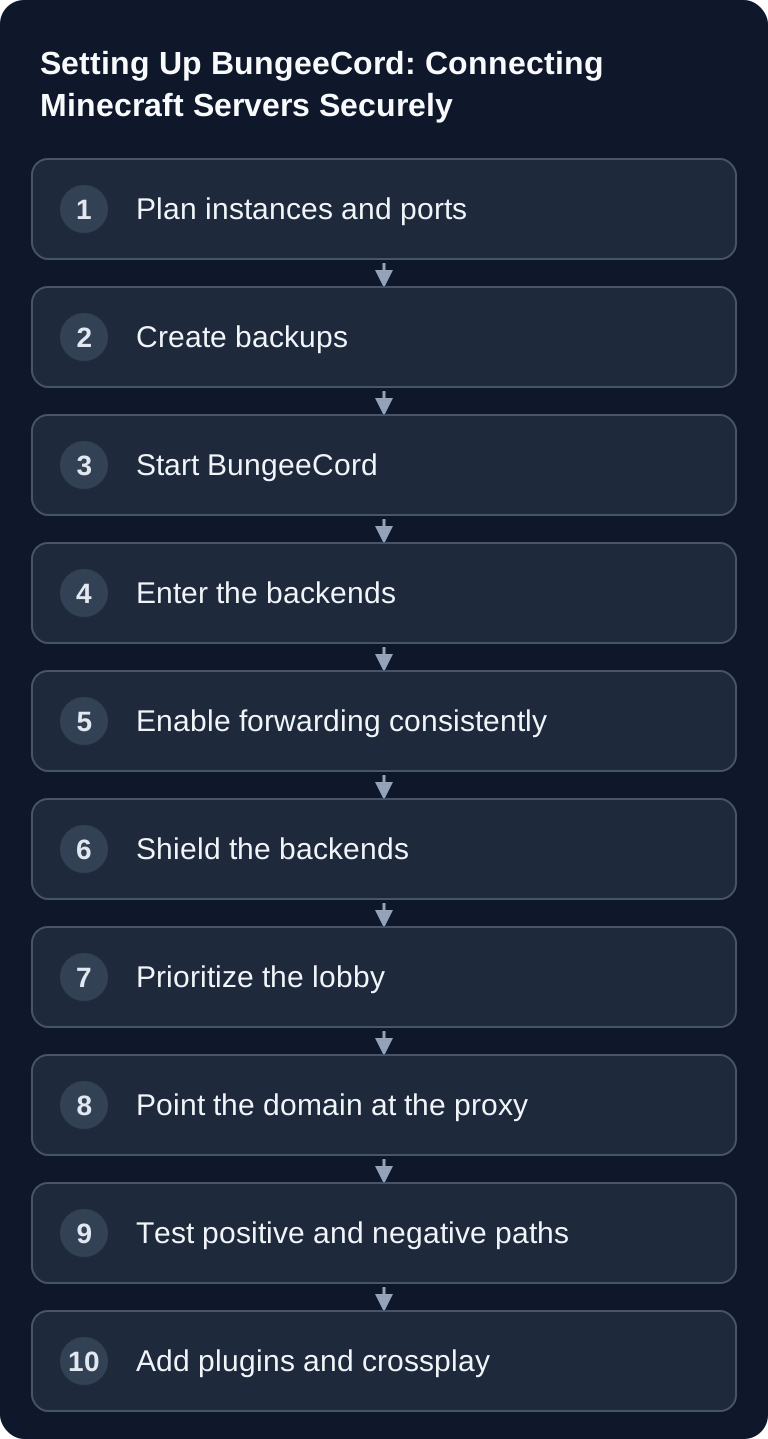
Step 1: Note down the architecture and ports
Give every instance a name and a role. A simple example:
| Role | Publicly reachable? | Example port |
|---|---|---|
| BungeeCord proxy | yes | 25565/TCP |
| Lobby backend | no | own TCP port |
| Survival backend | no | own TCP port |
| Geyser on the proxy | optional | own UDP port |
127.0.0.1 only works if the proxy and backend share the same network namespace. Two Pterodactyl containers on the same host are not automatically connected via loopback. Use exactly the backend address your proxy can reach, and therefore never open an entire container subnet as a precaution.
Step 2: Back up existing servers
Before changing online mode or forwarding, back up worlds, playerdata, plugin databases and configuration files. Perform at least one test restore. When switching from offline to online UUIDs, players can appear as new accounts even though their old files still exist. The guide to safely changing versions explains the backup, copy and rollback path that you should also use for this migration.
Step 3: Start the proxy and edit config.yml
Start BungeeCord once and then stop the proxy cleanly. This creates a config.yml that matches the installed version. You'll find the complete field reference in BungeeCord config.yml explained.
A minimal, shortened model looks like this:
online_mode: true
ip_forward: true
player_limit: -1

servers:
  lobby:
    address: <LOBBY-ADDRESS>:<LOBBY-PORT>
    motd: '&aLobby'
    restricted: false
  survival:
    address: <SURVIVAL-ADDRESS>:<SURVIVAL-PORT>
    motd: '&aSurvival'
    restricted: false

listeners:
  - host: 0.0.0.0:<PROXY-PORT>
    priorities:
      - lobby
      - survival
    force_default_server: true
    max_players: 100
max_players affects the displayed slot count. The global hard limit is player_limit; values of zero or less mean unlimited there. Backend names under priorities must match the keys under servers exactly.
Step 4: Configure the backends for forwarding
On every Paper/Spigot backend:
# server.properties
online-mode=false
# spigot.yml
settings:
  bungeecord: true
With current Paper, also check in config/paper-global.yml:
proxies:
  bungee-cord:
    online-mode: true
This Paper value describes the proxy's online mode and should match it. It does not contradict the online-mode=false in server.properties. The four values and the UUID/backup consequences are explained in detail in Setting up BungeeCord IP forwarding securely.
Step 5: Secure backend access
Now comes the step that's missing from many old tutorials. Allow the backend TCP port exclusively from the associated proxy, or bind it to a truly shared private network. A mere internal IP, restricted: true or bungeecord: true is not proof of security.
On game-serverhosting, the permitted proxy path for supported BungeeCord topologies is derived from the specific proxy instance by the active backend guard. If the source is missing or stops, the path stays drop-only. For an externally operated backend, you have to configure its firewall yourself so that only the verified proxy path is permitted.
BungeeGuard can provide additional token protection on shared hosting. Use at least version 1.4.0; older affected installations must upgrade and rotate the token. The token never belongs in tickets, screenshots or logs. BungeeGuard supplements network protection and does not automatically make a reachable attack surface invisible.
Step 6: Start order and real tests
Start the backends first and the proxy afterwards. Check more than one open port:
- The proxy process is running and listening on the assigned allocation.
- The proxy reaches the lobby address via TCP.
- A Minecraft ping via the public proxy address works.
- A real test account lands in the lobby and can switch servers.
- IP and online UUID arrive correctly at the backend.
- An independent direct access to the backend port fails.
Only point 6 turns a working forwarding path into a secured result. If joining fails, work through the diagnostic tree for "Could not connect to a default or fallback server" without blanket-opening the firewall for it.
Planning routing, fallback and maintenance
priorities is not just a list for the first join. It also determines which targets BungeeCord tries in sequence when a server goes down. Put a small, reliably compatible backend in the first position. A survival server with a heavy modpack is rarely the best technical fallback.
forced_hosts can map different domains to different starting targets. Example: creative.example.net starts on creative, while play.example.net begins in the lobby. Both DNS names point to the same proxy. Test each hostname separately, because a working default says nothing about a typo in the forced-host mapping.
restricted: true makes sense for maintenance or staff servers. The associated permission bungeecord.server.<name> must be evaluated at the proxy level. It prevents a normal player from switching via BungeeCord, but does not protect against direct TCP access to the backend.
For maintenance, this procedure is recommended:
- Take the target server out of the publicly used priority or lock it via permission.
- Move connected players in a controlled manner to a healthy backend.
- Back up and maintain the backend.
- Check proxy-to-backend TCP and a real test join.
- Only then release routing again.
A proxy restart disconnects all players connected through it. The worlds keep running on the backends, but the restart is still a visible interruption and belongs in a maintenance window.
Security review before release
Go through this boundary once from an attacker's perspective:
- Is only the proxy documented as the public Minecraft address?
- Is every backend port blocked from an independent workstation?
- Can another instance on the same shared node/bridge reach the port?
- Is the current proxy source re-evaluated after stop/start?
- Does a stopped or not clearly resolvable proxy remain fail-closed?
- Have tokens, full IPs and
key.pembeen removed from screenshots and support logs? - Does only a small group of people have permissions like
/ip,/send,/alertand/end? - Are all registered backends trustworthy? Backends can influence the network via plugin messaging.
If you can't answer a question with a test or a concrete rule, the state is unverified, not "probably secure". This is especially important on shared hosting: an address that looks internal does not yet prove tenant isolation.
Backups, updates and monitoring
BungeeCord has no world, but its state is still relevant for recovery. Before updates, back up:
config.ymlandmodules.yml;- the proxy
plugins/including configurations; - local or external plugin databases, consistently;
- the BungeeCord build and Java version used;
- redacted documentation of the backend names, ports and protection rules.
Worlds, playerdata and Bukkit/Paper plugin data are backed up separately on the backends. A proxy backup does not replace a world backup. After a restore, don't just check that files exist, but that the lobby join, UUID, permissions and server switching are correct again.
For an update, you stop the proxy cleanly, replace only the JAR or use the intended installer, and check the startup log first. Then follow the Minecraft ping, a real join, identity, fallback and the still-blocked direct path. Keep the last working JAR plus the matching configuration ready as a rollback.
Monitoring separates at least these signals:
| Signal | What it proves | What it does not prove |
|---|---|---|
| Process is running | Java process exists | Listener or join work |
| TCP listener open | Port accepts connections | Minecraft protocol or lobby are healthy |
| Minecraft ping | Proxy responds according to the protocol | Player can enter a backend |
| Synthetic lobby join | Complete positive path works | Backend is protected against direct access |
| Negative backend test | Independent source is blocked | All permitted proxy sources work |
Also watch heap/GC, event-loop blockages, plugin exceptions, backend timeouts and unusual connection rates. A green dashboard field must not collapse several of these states into a blanket "online".
Avoiding common setup mistakes
- Proxy port and backend port swapped: Players land directly on the offline-mode backend, or BungeeCord connects to itself.
- Public domain as backend address: The proxy runs into a DNS/routing loop. Use the specific internal target address.
max_playersread as a hard limit: The server list shows the value, whileplayer_limitcan still be unlimited.- Only did a TCP test: The listener is open, but lobby, forwarding or protocol fail.
- Firewall disabled for debugging: The positive join works while an identity bypass stays open at the same time.
- Bukkit plugin installed on the proxy: Platform or dependencies don't match; read the descriptor and the project page.
/greloadafter deep changes: Parts of the configuration or plugins remain in the old state. Use a full restart.- Backup without a restore test: Only when something goes wrong does it turn out that the database, worlds or plugin state weren't backed up consistently.
Pointing the domain and SRV at the proxy
DNS always points to the public proxy. With a non-standard Java port, an SRV record _minecraft._tcp can map the port. The SRV target must be a hostname, not an IP. The exact A/CNAME/SRV steps are in the guide Connecting your own domain to your game server.
Forced hosts don't change this: they only use the hostname requested by the client as routing information. Even survival.example.net initially points to the proxy; only then does BungeeCord forward internally to survival.
Distributing plugins and permissions correctly
- BungeeCord plugins belong in the proxy's
plugins/. - Bukkit/Paper plugins belong on the respective backend.
- Some network plugins need components on both levels.
- Proxy permissions are not automatically present in a pure backend permission plugin.
- After plugin changes, a full planned restart is more reliable than
/greload.
Only use plugins from trustworthy sources and check platform, version, dependencies and security notices. The plugin guide shows the panel path for Paper/Spigot plugins; you must explicitly identify proxy plugins as BungeeCord-compatible.
Bedrock crossplay with Geyser
In a BungeeCord network, you install Geyser on the proxy, not on every backend. Java uses TCP, the Bedrock listener uses UDP. Floodgate on the proxy is enough, as long as backend plugins need neither its API nor the additional skin support. key.pem is an authentication secret.
The port and join check stays separate for TCP and UDP. Use the Geyser/Floodgate crossplay guide once the pure Java path works securely.
BungeeCord or Velocity?
BungeeCord is still actively built in 2026. Waterfall, the former PaperMC fork, on the other hand, is end of life. PaperMC recommends Velocity for new networks and itself points out that its own comparison may be biased in favor of its own product.
For an existing network with important BungeeCord plugins, BungeeCord can be the lower-risk choice. For a new network on current Paper versions, Velocity offers modern forwarding with a secret, MAC-protected format. Don't decide based on blanket performance figures, but on versions, plugin API, forwarding and migration. The article BungeeCord vs Velocity 2026 contains the decision matrix.
FAQ
Is BungeeCord a Minecraft server?
No. BungeeCord is a proxy. Worlds, chunks, mobs and game modes run on separate backends.
How many servers do I need?
At least two processes or instances: the proxy and one backend. For a lobby plus a game mode, three instances make sense.
Does the proxy have to run in online mode?
For a normal authenticated network, yes: online_mode: true on the proxy. The backends use online-mode=false because the proxy has already authenticated.
Is ip_forward secure?
It is required for real IPs and online UUIDs, but is not secure on its own. Legacy forwarding has no proxy-specific signature secret. The backend port must be protected from untrusted sources.
Does a proxy restart restart my worlds?
No. The backends keep running, but players connected through the proxy are disconnected.
Do I need a lobby?
Not necessarily. At least one reachable target in priorities is required; a dedicated lobby usually makes fallback and maintenance clearer.
Which ports does BungeeCord need?
The public Java listener uses TCP. Each backend needs its own TCP port that is reachable only by the proxy. Query and Geyser/Bedrock use separate UDP ports when enabled; don't open them if the feature isn't used.
Can I install Paper plugins on BungeeCord?
No, not as a rule. Paper/Bukkit plugins belong on backends. The proxy explicitly needs plugins built for BungeeCord. Network plugins can ship two separate components.
Why does my backend only see the proxy IP?
Usually ip_forward is disabled on the proxy or settings.bungeecord on the backend. Check both sides and restart completely. Change UUID-relevant values only after a backup.
Can I use multiple domains?
Yes. All domains point to the proxy. forced_hosts can then map the requested hostname to a starting backend.
Does crossplay work automatically on every backend?
Geyser translates Bedrock at the proxy. The backends must accept the Java protocol version emulated by Geyser; with version gaps, a deliberately verified ViaVersion setup may be necessary. UDP reachability is tested separately from Java TCP.
Final check
The network is only done when a real join via the proxy succeeds and an independent direct join to the offline-mode backend is blocked. Document addresses and rules in redacted form, back up configuration and world data separately, and schedule the next technical review before the stated date if BungeeCord, Java, BungeeGuard, Paper, Velocity or Geyser publishes a relevant release.
For later support cases, also keep the time and time zone of the test, proxy/backend versions and the first concrete error message. Mask player IP addresses and remove secrets completely. This lets you trace a later difference between process, network, protocol, identity and plugin errors without carrying sensitive customer data into a permanent knowledge base.
Primary sources
- BungeeCord: Installation
- BungeeCord: Configuration Guide
- BungeeCord: IP Forwarding
- BungeeCord: Repository and Security Warning
- Paper: Global Configuration
- BungeeGuard: Security
Testing a backend outage before release
First test the lobby and survival via the proxy with a normal player account. Then, in the announced test window, stop only one backend and check whether the planned fallback stays reachable. At the same time, verify that an external direct join to the offline-mode backends fails. A working fallback does not prove a secure network path. Document the proxy address, permitted backend paths and the place where permissions are stored. If inventories or groups are wrong, check the UUID and data source first before you copy files or restore the world.