Your own ARK: Survival Evolved server is worth it if you want to control the map, player count, taming rates, breeding, admin rights, and optionally multiple maps yourself. Realistic resource planning is important: ARK is demanding, so you should clearly define RAM, map size, and cluster requirements before ordering.
Requirements and Planning
ARK needs more reserves than many other survival games. Do not only plan for player count, but also for map size, mods, long runtimes, and possible expansions. For paid multi-game hosting at game-serverhosting, the main focus is that you get technical control, support, and traceable operational processes instead of having to take care of installation, startup parameters, and basic operation yourself. For the mod setup itself there is a separate guide: Install ARK mods.
| Players | Recommended RAM | Special Note |
|---|---|---|
| 1-10 | 8 GB | Minimum for stable operation |
| 10-20 | 12 GB | Recommended for tribe play |
| 20-50 | 16 GB+ | Large PvP servers |
| Cluster | 12 GB per map | Each map = separate server |
The installation mentioned in the initial setup runs through SteamCMD. As the official primary source for this tool, Valve refers to the SteamCMD documentation at documentation at developer.valvesoftware.com. In practical terms, this means for you: server files are obtained automatically, but you should still plan updates and restarts deliberately so active players are not disconnected in the middle of a session.
Ordering a Server
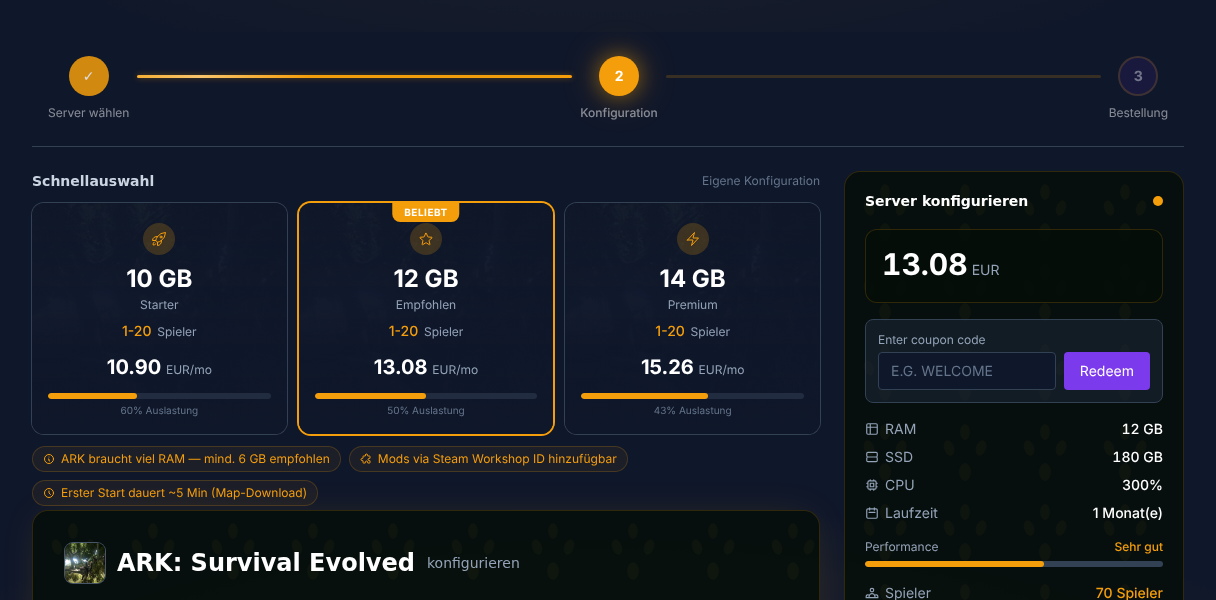
- Go to Rent an ARK Server
- Choose at least 8 GB RAM - less than 6 GB leads to crashes
- Choose your map (Ragnarok recommended for beginners)
- The server installs fully automatically via SteamCMD (approx. 20 GB download, 15-30 minutes)
If you also run other survival servers besides ARK, the comparable setups for Renting and Setting Up a Valheim Server and Renting and Setting Up a Rust Server will help you because similar decisions about resources, playstyle, and administration arise there.
GameUserSettings.ini Explained
The most important configuration file for your ARK server is GameUserSettings.ini. You can find it in the panel under Configuration. Change values deliberately and document larger adjustments so you can later understand why taming, breeding, or resources behave differently than expected.
[ServerSettings]
ServerPassword=OptionalAccessPassword
ServerAdminPassword=YourAdminPassword
MaxPlayers=20
DifficultyOffset=1.0

; Taming and breeding
TamingSpeedMultiplier=5.0
BabyMatureSpeedMultiplier=10.0
EggHatchSpeedMultiplier=10.0
MatingIntervalMultiplier=0.1

; Resources and XP
HarvestAmountMultiplier=3.0
XPMultiplier=2.0
ResourceRespawnPeriodMultiplier=0.5

; Player quality of life
AllowFlyerCarryPvE=True
PreventTribeAlliances=False
AllowThirdPersonPlayer=True
All changes to the .ini require a server restart for them to take effect. After that, check in-game whether the settings apply: gather a resource, tame a small creature as a test, or check the player limit through the server browser or player list.
Taming Rates for PvE and PvP
The default taming rates are designed for official servers and can be very time-consuming for private groups. Higher multipliers make progress more predictable, but they also change balance, trading, and PvP pressure. Therefore, do not simply increase everything across the board; decide based on playstyle.
| Setting | Official | Recommended PvE | Recommended PvP |
|---|---|---|---|
| TamingSpeedMultiplier | 1x | 5-10x | 3-5x |
| XPMultiplier | 1x | 2-3x | 1.5-2x |
| HarvestAmountMultiplier | 1x | 3-5x | 2-3x |
| BabyMatureSpeedMultiplier | 1x | 10-20x | 5-10x |
| EggHatchSpeedMultiplier | 1x | 10-20x | 5-10x |
| MatingIntervalMultiplier | 1x | 0.1x | 0.25x |
PvE recommendation: High taming rates (5-10x) make the game more relaxed and shift the focus to exploration, building, and breeding.
PvP recommendation: More moderate rates (3-5x) preserve more weight for risk, loss, and preparation.
Popular Maps Compared
| Map | Size | Special Feature | Recommendation |
|---|---|---|---|
| The Island | Medium | Classic, all prehistoric dinos | Beginners |
| Ragnarok | Large | Best free map, Wyvern trench | All-rounder |
| Fjordur | Large | 3 realms (Jotunheim, Vanaheim, Asgard) | Advanced players |
| Aberration | Medium | Underground, unique dinos | Experienced players |
| Crystal Isles | Large | Crystal Wyverns, beautiful landscape | Collectors |
| Genesis Part 2 | Large | Sci-fi elements, missions | Endgame |
Tip: Ragnarok is a good choice for new servers: large map, many biomes, includes Wyverns without DLC. If your group comes from other survival games, it can also help to look at the Palworld Server Guide, because similar decisions about co-op progress and server control are made there.
Admin Setup and First Commands
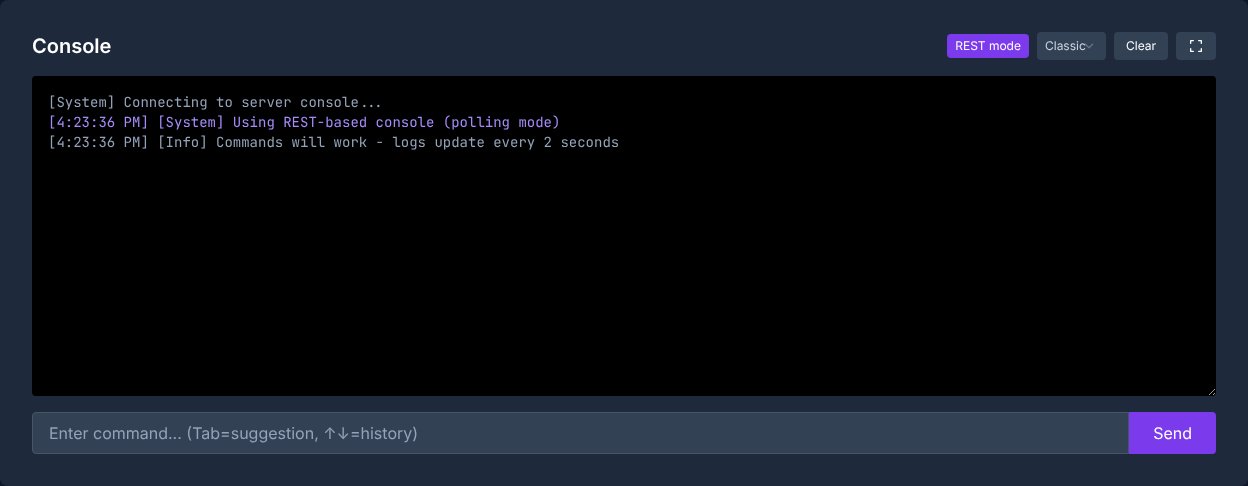
After setup, you should set the admin password and test it immediately:
- Set
ServerAdminPassword=YourPasswordinGameUserSettings.ini - Restart the server
- In-game: press
Tab-> enterenablecheats YourPassword - Test with
fly- if you take off, everything works
Important Admin Commands for Server Start
# Respawn all wild dinos (recommended after rate changes)
admincheat destroywilddinos

# Save the game world immediately
saveworld

# Show all players
listplayers

# Send a server message
broadcast Welcome to our server!

# Kick a player
kick <SteamID>
Use admin commands sparingly on production servers. destroywilddinos is helpful after larger dino or spawn changes, but can briefly change the ongoing game feel because wild creatures are rebuilt.
Cluster Setup: Connecting Multiple Maps
An ARK cluster allows players to travel between multiple maps and take their characters, dinos, and items with them:
- Order multiple servers - one per map
- Set ClusterID - in the
GameUserSettings.iniof all servers under[ServerSettings]:ClusterDirOverride=/mnt/cluster ClusterId=MyClusterName - Allow cluster transfers:
PreventDownloadSurvivors=False PreventDownloadItems=False PreventDownloadDinos=False - Restart all servers - players can now switch between maps through obelisks or drop terminals
Important: All cluster servers must have the same ClusterId. Do not change it during live operation without first clarifying which saves and transfers are affected.
Checking the Result
After setup, you should test four things: server can be found in the list, joining with the password is possible, admin access is active, and multipliers take effect. Ask a second player for a short join test if the server is public or intended for a group. In cluster operation, also test a transfer without valuable items.
Troubleshooting
If the server does not start, first check RAM usage, map selection, and the most recently changed .ini lines. For problems after configuration changes, a misspelled key, a missing restart, or an unsuitable value is more common than a defective installation. If players cannot join, check the server password, game version, ongoing updates, and whether the map loaded correctly.
Check, Limits, and a Safe Way Back
The guide “Rent and Set Up an ARK Server - Guide 2026” applies to the server type described in the article and the version status visible at the time of checking. Menu names, available versions, mod or plugin compatibility, and required resources may differ after updates. Therefore, do not transfer values to another game, loader, or server version without checking them.
Before making changes to the world, savegame, configuration, or extensions, create a backup of the affected files. Then change only one related step and check it with the same client and server version you want to play with later.
| Checkpoint | Expected Result | Stop and Way Back |
|---|---|---|
| Server start | The server reaches the ready-to-operate state without a new error message. | If startup errors occur, revert the change and restore the latest backup. |
| Connection test | A test account can connect using the address shown in the panel. | If version or connection errors occur, compare the version, port, and allowances again. |
| Function test | The specifically changed function works without damaging existing world or game data. | If side effects occur, stop the server and restore the backed-up files. |
A successful individual test is not a guarantee of performance or availability. World size, mods, plugins, player count, network path, and simultaneous load can change the result. Document the version, change, and test result so you can understand later deviations.
FAQ
How much memory does ARK really need?
At least 6 GB is the lower limit from the initial setup; for small groups, 8 GB is more sensible. With more than 10 players, large maps, or longer operation, you should plan with 12 GB or more instead.
Can I change the map after starting?
Yes, through the server settings in the panel. The savegame of the old map remains, but you play on a freshly generated new map. Back up important data before changing it in production.
How do I set up a password-protected server?
Set ServerPassword=YourAccessPassword in GameUserSettings.ini and restart the server. After that, players must enter the password when joining.
Are my settings reset after an update?
The GameUserSettings.ini and Game.ini remain unchanged after normal updates. During a complete reinstallation, default files can be written again; therefore, back up important configurations beforehand.
Why are my new rates not taking effect?
Usually the server restart is missing, or the value is in the wrong file or section. Check the spelling, restart, and then test the change directly in-game.
When is a cluster worth it?
A cluster is worth it if your group wants to permanently play multiple maps and move characters, items, or dinos between them. For getting started, a single stable configured server is usually easier to manage.