Gamerules define how your Minecraft world behaves on the server: whether inventory is kept after death, mobs can change blocks, night continues, or plants grow faster. In the game-serverhosting panel, you can edit these rules in a controlled way and track changes directly on the running server.
What Are Gamerules?
Gamerules are server-side settings for a Minecraft world. They do not change mods, plugins, or server JARs, but control existing game behavior. Many rules are simple yes/no switches, for example keepInventory or mobGriefing. Other rules expect numeric values, such as randomTickSpeed, playersSleepingPercentage, or maxEntityCramming.
The official Microsoft documentation describes the /gamerule command as a way to set or query a game rule: documentation at learn.microsoft.com. For your server, this means in practice: you can either change rules conveniently in the panel or set them precisely with a console command.
You can edit gamerules in two ways:
- In the panel under Settings → Gamerules using the integrated game-serverhosting editor.
- Via the server console or in-game with sufficient permissions:
/gamerule <RuleName> <Value>.
The panel editor shows the available rules with their current setting. This is especially useful if you do not know every exact command name by heart or want to adjust multiple rules cleanly and with documentation.
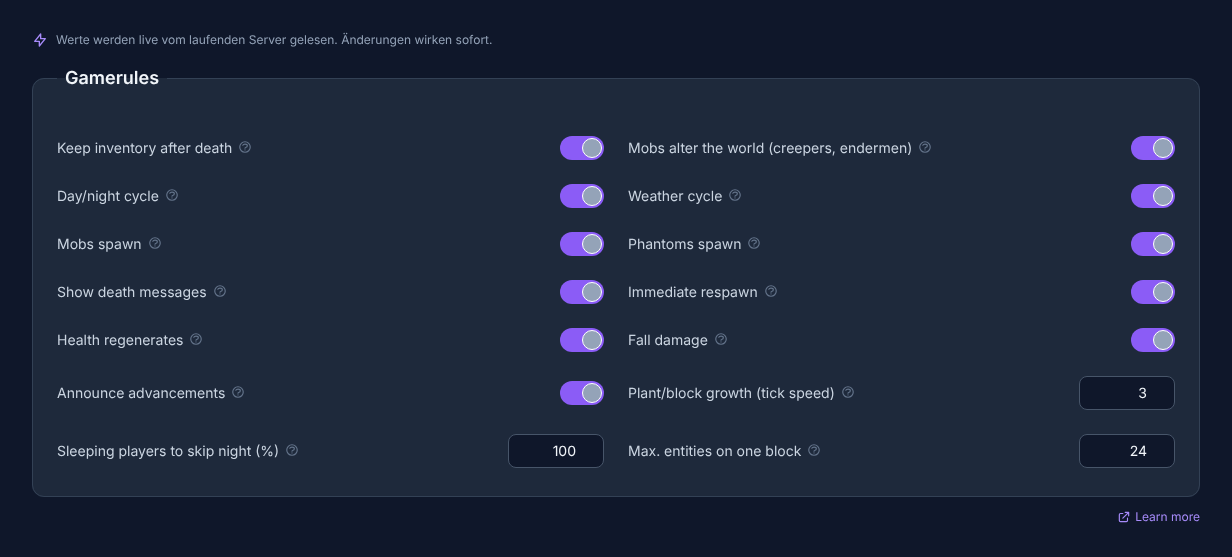
Note: Open your server in the panel and switch to the Gamerules tab in the Settings area to see and edit all rules. No server yet? Order a Minecraft server.
Requirements
Before you change gamerules, you should know which world is affected and whether players are currently online. Many changes take effect immediately, but they can affect active gameplay situations. For larger rebuilds or public servers, a short notice to players is useful.
Also check whether you are using Java Edition or Bedrock and which Minecraft version is running. Some rules differ depending on the edition or version. The list shown in the editor is therefore the authoritative snapshot for your specific server.
If you also want to adjust basic server values, the guide Configure Minecraft server.properties correctly – all settings explained fits well. For reachability and connection issues, Minecraft Server Ports Explained – 25565, 19132, SRV Records helps.
All 15 Gamerules at a Glance
The following table lists the rules from the editor with their default value and effect.
| Rule | Default | Effect |
|---|---|---|
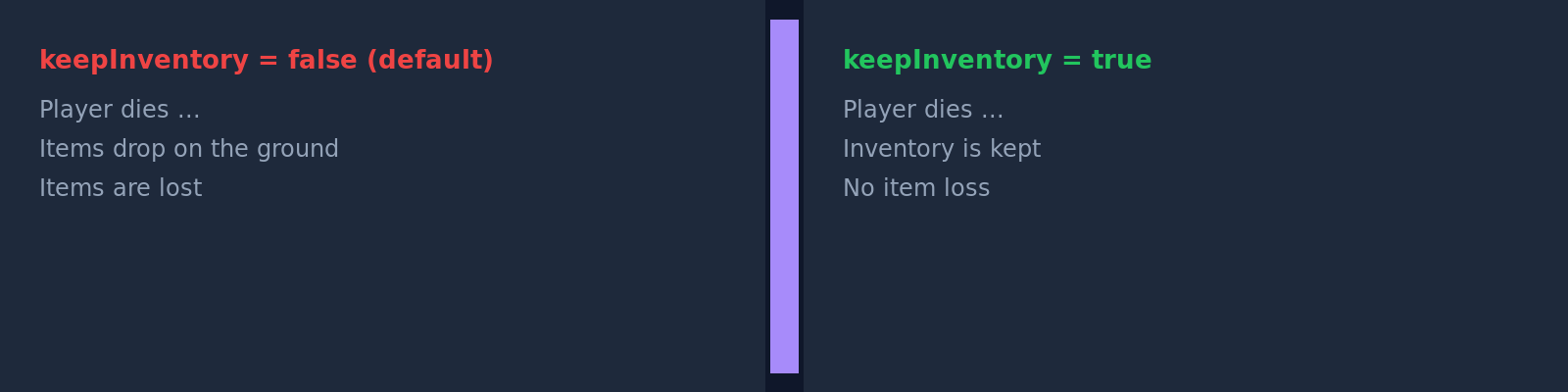
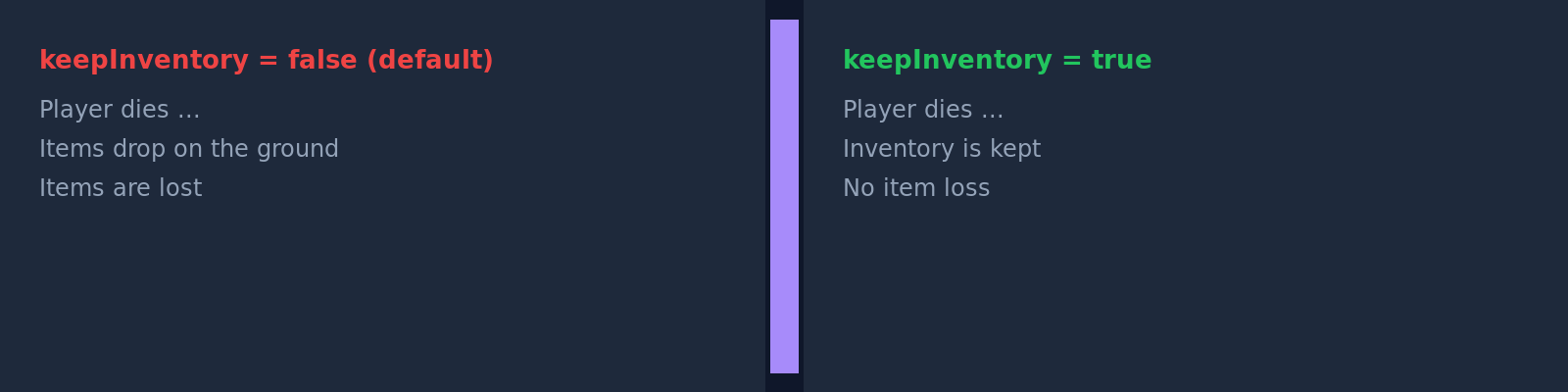
| Keep inventory after death | Off | Players keep their full inventory and experience after death. Suitable for creative, building, and family servers. |
| Mobs change the world (Creeper, Enderman) | On | Creeper explosions, Endermen carrying blocks, and zombies breaking doors. Off means: these mob effects do not change the world. |
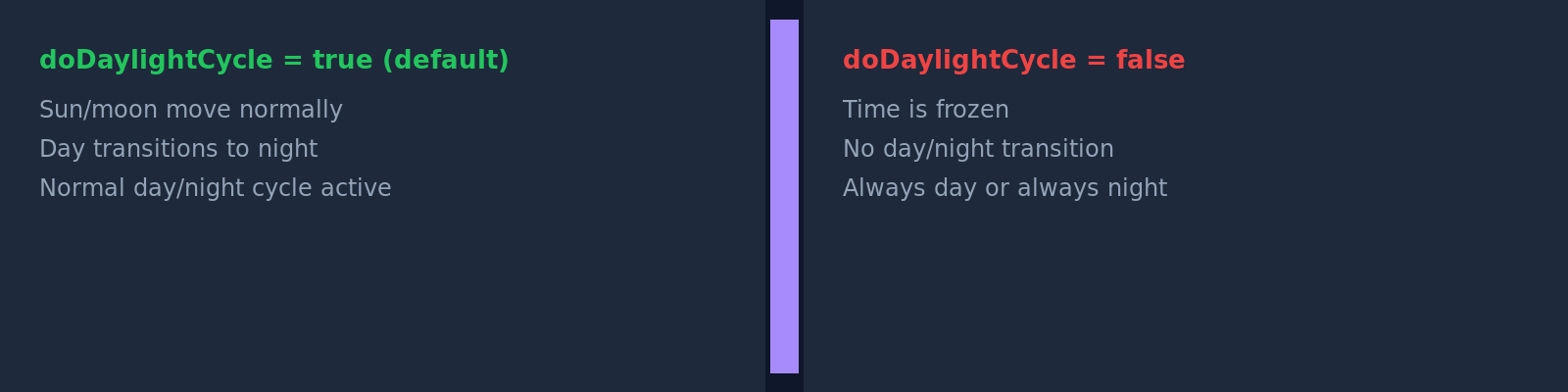
| Day/night cycle | On | Off freezes the time of day, for example for permanent day or permanent night. |
| Weather cycle | On | Off locks the current weather and prevents the normal change between clear weather, rain, and thunderstorms. |
| Fire spreads | On | Off prevents fire spread. Removed in 1.21.11 (only on older servers). |
| Mobs spawn | On | Off prevents new mob spawning. Existing mobs remain at first. |
| Phantoms spawn | On | Off prevents phantoms, even if players do not sleep for several nights. |
| Show death messages | On | Off suppresses chat messages about player deaths. |
| Immediate respawn | Off | On lets players rejoin immediately after death without a respawn screen. |
| Health regenerates | On | Off disables passive regeneration; healing then only happens through suitable game mechanics such as potions, food, or effects. |
| Fall damage | On | Off prevents damage from falls. |
| Announce advancements | On | Off prevents public chat messages about earned advancements. |
| Plant/block growth (tick speed) | 3 (0–4096) | Higher values speed up random ticks such as plant growth. Very high values can put load on the server. |
| Sleeping players for night skip (%) | 100 (0–100) | Percentage of players who must sleep to skip the night. 0 means: one player is enough. |
| Max. entities on one block | 24 (0–100) | How many animals or mobs may stack before they take damage. Lower values can limit entity density in farms. |
Specific Examples
Family or Creative Server
When building, exploring, and playing together are the main focus, these rules help you avoid frustration from death, Creeper craters, or fall damage:
keepInventory = On      → No inventory loss after death
mobGriefing  = Off      → Creepers and Endermen do not cause block damage
fallDamage   = Off      → No fall damage when building high up
Hardcore PvP Server
For PvP rounds, death, loot, and visibility are often meant to remain intentionally noticeable. In that case, stricter settings are a better fit:
doImmediateRespawn = On     → Immediate respawn without a screen
showDeathMessages  = On     → Everyone sees who died and why
keepInventory      = Off    → Inventory drops on death (default)
Showcase or Adventure Map
For exhibitions, adventure maps, or build presentations, a stable environment is more important than natural world changes:
doDaylightCycle = Off   → Server stays permanently at the set time of day
doWeatherCycle  = Off   → No automatic weather changes
doMobSpawning   = Off   → No newly spawning mobs on the map
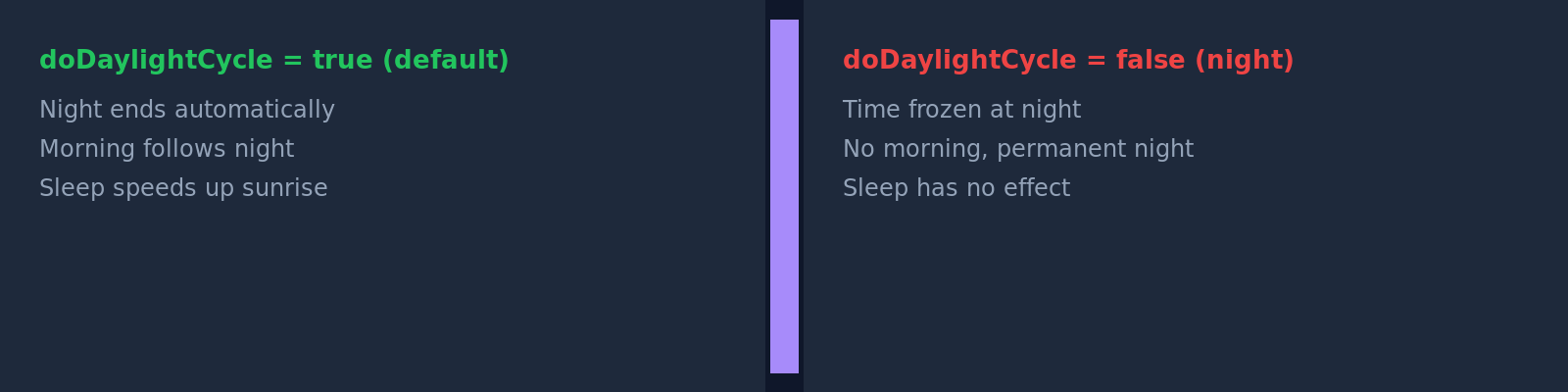
If you want to use your own world for scenarios like this, also read Upload and switch a Minecraft world – your own map on the server.
Important Notes on Individual Rules
randomTickSpeed
The default value 3 is common for normal survival gameplay. Higher values speed up random processes such as plant growth, but depending on the world, farms, and player count, they can create additional load. Use high values deliberately and preferably temporarily.
doFireTick
Whether the Fire spreads rule is available depends on the Minecraft version being used; check it directly in the current command or gamerule list. If your panel does not show this rule, that is not an error, but depends on the version and server software.
playersSleepingPercentage
With 100, all relevant players must sleep to skip the night. A lower value is often more convenient on public servers. At 0, a single player is enough, which can be practical for small groups.
mobGriefing
mobGriefing is one of the most important rules for permanently beautiful building worlds. When it is active, certain mobs can leave visible effects behind. When it is disabled, many mob events remain present in gameplay, but they do not change the world in the same way.


Check the Result
After saving, you should not only look for the confirmation in the panel, but also test the affected rule in practice. Die in a controlled way with an empty or unimportant inventory when checking keepInventory. Wait for night when testing playersSleepingPercentage. Use a safe test area when checking mobGriefing, fall damage, or growth settings.
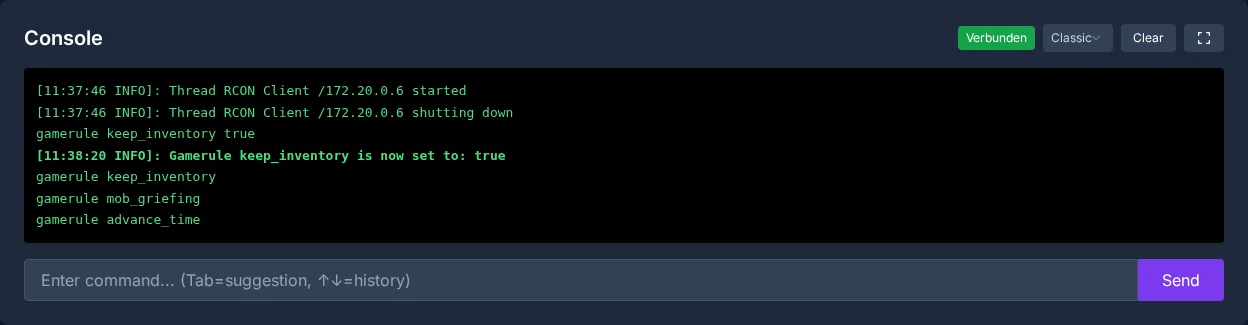
The panel also confirms changes in the server console:
Troubleshooting
If a change is not visible, first check whether you edited the right world and the right server. Then use the console with /gamerule <RuleName> to check which value is currently active. Pay attention to exact spelling in commands, for example keepInventory instead of keepinventory on Java servers.
If a rule is missing, it may be due to the edition, Minecraft version, or server software. For Bedrock setups, it is also relevant whether you use BDS or alternative software. For classification, PocketMine or BDS? Minecraft Bedrock Server Software Compared helps.
Verification, Limits, and a Safe Way Back
The guide “Minecraft Gamerules Explained – What Are Gamerules?” applies to the server type described in the article and the version state visible at the time of verification. Menu names, available versions, mod or plugin compatibility, and required resources may differ after updates. Therefore, do not transfer values to another game, loader, or server version without checking them first.
Before making changes to a world, savegame, configuration, or extensions, create a backup of the affected files. Then change only one related step at a time and verify it with the same client and server version you want to play with later.
| Checkpoint | Expected result | Abort and rollback |
|---|---|---|
| Server start | The server reaches the ready-to-run state without new error messages. | If startup errors occur, revert the change and restore the latest backup. |
| Connection test | A test account can connect using the address shown in the panel. | If version or connection errors occur, recheck the version, port, and allow rules. |
| Function test | The specific changed function works without damaging existing world or game data. | If side effects occur, stop the server and restore the backed-up files. |
A successful individual test is not a guarantee of performance or availability. World size, mods, plugins, player count, network path, and simultaneous load can change the result. Document the version, change, and test result so you can understand later deviations.
FAQ
What is the difference between gamerules and server.properties?
Gamerules control behavior inside the world, such as death, mobs, weather, or growth. server.properties is more about server basics such as ports, game mode, whitelist, or visibility.
Do I have to restart the server after changing a gamerule?
Many gamerules take effect directly on the running server. Still check the result in-game or through the console, because some effects only become visible in the next matching gameplay situation.
Which gamerule is most important for beginners?
For relaxed private servers, keepInventory is often the first useful adjustment. It prevents inventory loss after death and especially takes pressure off new players.
Why do mobs still spawn despite the change?
doMobSpawning = Off prevents new spawns, but does not automatically remove mobs that already exist. Clear existing mobs separately or wait until they disappear naturally.
Can randomTickSpeed put load on my server?
Yes, high values can create additional load because more random block updates are processed. For normal survival, stay close to the default value 3 and only increase the value deliberately.