You can run SCP: Secret Laboratory reliably if you first check connection and basic configuration cleanly, then set up Remote Admin rights, and install plugins only in version-compatible form. At game-serverhosting, the focus is on paid multi-game hosting with a panel, technical control, support, and traceable operations instead of maintaining your own server infrastructure.
What Is SCP: Secret Laboratory?
SCP: Secret Laboratory is a free multiplayer horror shooter by Northwood Studios based on the SCP universe. Players take on different roles: SCPs hunt other players, Foundation personnel try to secure the facility, Chaos Insurgents pursue their own goals, and D-Class personnel fight to escape.
For custom servers, Northwood provides a dedicated server package. The official Steam documentation for the dedicated server describes installation, configuration files, and typical operating parameters, among other things: documentation at steamcommunity.com. Use primary sources like this especially when you want to verify options after a game update.
If you are also planning other co-op or survival servers, the internal guides on renting a Minecraft server and renting and setting up a Rust server are useful because they cover similar decisions around slots, access, updates, and administration.
Requirements
You need a valid SCP: Secret Laboratory installation in the Steam client, access to your game-serverhosting panel, and the SteamID64 or Discord ID of each person for admin rights. For public servers, you should also clarify in advance whether the name, rules, moderation, and visibility fit the Northwood server list.
For private groups, direct connection is usually enough. For public servers, you need more care: a clear server name, moderation roles, stable rules, backups before configuration changes, and a look at the logs after every major update.
Order the Server and Test the First Connection
Select SCP: Secret Laboratory in the order wizard and order the desired slot size. Small private groups often need fewer slots; public servers also need active moderation in addition to resources. Avoid fixed performance promises until you have tested your specific player count, plugins, and map rotation.
After provisioning, you will find IP and port in the dashboard. The default SCP-SL port is often UDP 7777; however, your actually assigned port can differ. The connection details in the panel are always authoritative.
Players connect via:
- Direct connection in-game:
Select Server -> Direct Connect -> IP:Port - Public server list: only with correct public configuration and registration/listing
First test the direct connection before working on plugins or public visibility. This separates network and configuration problems from later plugin errors.
Configuration in the Panel
In the server panel under Settings, use the guided configuration editor. There you set server name, maximum player count, tickrate, reserved slots, admin permissions, and other gameplay options through form fields with short explanations. Changes are written to the matching config file; a backup before changes is sensible, especially for larger adjustments.
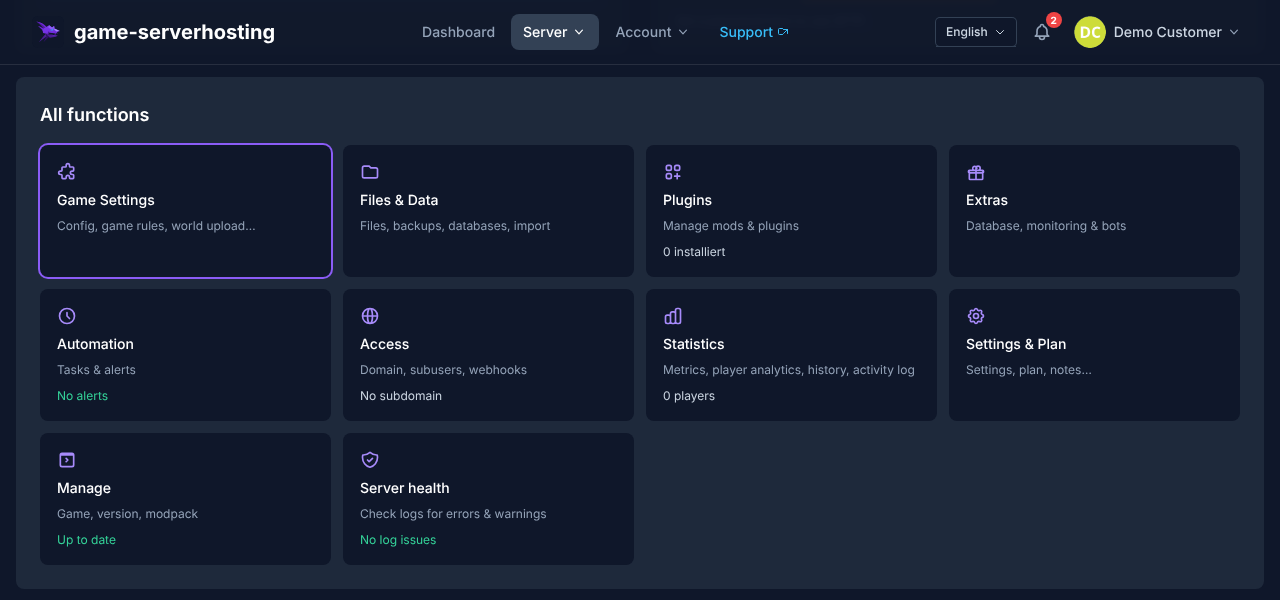
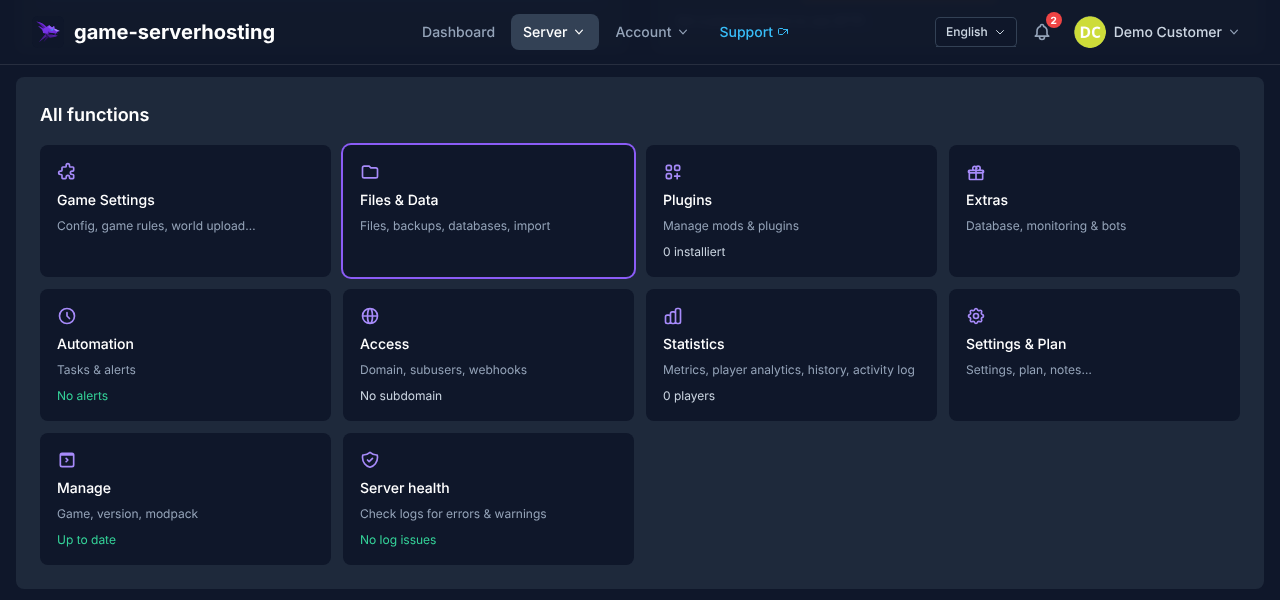
If you prefer working directly in files, you will find gameplay settings in config_gameplay.txt and Remote Admin configuration in config_remoteadmin.txt. Edit them via the file manager in the app directory. Restart the server afterwards so the changes load cleanly.
Set Up Remote Admin
Remote Admin is SCP-SL’s built-in admin tool. Admins can use it to observe running rounds, kick or ban players, perform teleports, and influence game states depending on permissions.
The easiest way to assign rights is in the panel under Settings in the Administration section. Click Add admin, enter the SteamID64 or Discord ID, and choose a role such as Owner, Admin, or Moderator.
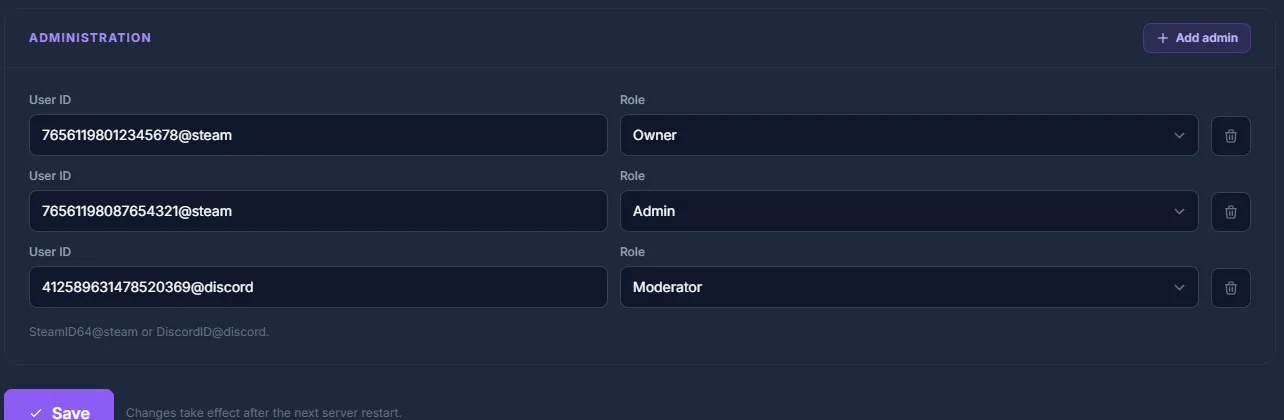
Manually, admins are listed in config_remoteadmin.txt in the Members: list:
Members:
 - 76561198012345678@steam: owner
 - 76561198087654321@steam: admin
 - 412589631478520369@discord: moderator
Each line follows the pattern UserID@platform: role. The platform is @steam for SteamID64 or @discord for a Discord user ID. You can find your SteamID64 via documentation at steamid.io by entering your Steam profile.
Permission Flags
| Flag | Description |
|---|---|
Administrator |
Full access to all admin commands |
Moderator |
Kick, ban (temporary), mute |
GameMaster |
Change game variables, teleport |
Assign rights sparingly. A Moderator role is often enough for everyday moderation; Owner or Administrator rights should only go to people who reliably manage configuration and server rules.
Plugins with One Click Using LabAPI
LabAPI is the native plugin system of SCP: Secret Laboratory. At game-serverhosting, you install plugins from the official LabAPI catalog directly in the dashboard with one click — without file upload and without SFTP.
Install a LabAPI Plugin
- Open your SCP-SL server in the dashboard and switch to the Plugins section
- Search for the desired plugin in the official LabAPI catalog
- Click Install — before installation, a restore point is created automatically so you can bring back the previous state at any time
- Restart the server so LabAPI loads the plugin
LabAPI handles the version check itself: if a plugin does not match the installed LabAPI version, the loader does not load it and writes the reason to the server log.
Plugins are not updated automatically — you deliberately install new versions through the same path.
Not every SCP-SL plugin is in the LabAPI catalog: plugins that require the older EXILED framework are not part of the one-click installation. The next section explains how to set up EXILED and its plugins manually through the file manager.
Plugins with EXILED
EXILED (EXtended In-place Loading of External Dlls) is a common plugin framework for SCP-SL servers. It enables additional server functions through .dll plugins. Before every installation, check whether EXILED, the plugin, and the SCP-SL server version match.
Install EXILED
- Download the matching EXILED version from GitHub: documentation at github.com
- Extract
EXILED.tar.gzand upload the DLL files via the file manager into theEXILED/Pluginsfolder - Restart the server so EXILED can load the folder structure and plugins
Popular Plugin Types
| Plugin | Function |
|---|---|
AdminTools |
Advanced admin commands, warning system |
AutoFF |
Automatic friendly fire management |
SCPStats |
Statistics + leaderboard integration |
BetterSCP |
Improved SCP abilities and balance |
Plugins are placed as .dll files in EXILED/Plugins/. If a plugin does not start, first check the server logs and the release notes of the respective release.
Check the Result
After setup, test four points: direct connection with IP and port, display of the correct server name, Remote Admin access with the entered ID, and plugin loading in the log. If the server should be public, also check the listing and whether name, rules, and slot count appear correctly.
For more server concepts, you will find comparable administration and modding topics in the guides on renting a FiveM server and renting and setting up a Valheim server.
Troubleshooting
The Server Does Not Appear in the List
Check whether the server is really configured as public and whether relevant entries such as list_nick and server_nick are set correctly. Also test direct connection to distinguish a pure listing problem from a connection problem.
Players Cannot Connect
Use the port from the panel connection details, not the default port blindly. SCP-SL typically uses UDP. At game-serverhosting, port assignment is panel-guided; if direct connection fails, check server status, logs, and the spelling of IP:Port.
An EXILED Plugin Does Not Start
Usually the plugin version, EXILED version, or server version do not match. Temporarily remove the most recently installed plugin, restart, and read the error message in the log. Install plugins one by one so you can clearly assign errors.
The Admin Menu Does Not Work
Check the SteamID64 or Discord ID, the platform suffix, and the role in config_remoteadmin.txt. A restart is recommended after changes. If several admins are affected, the error is more likely in syntax or role structure than in a single ID.
Testing, Limits, and a Safe Rollback Path
The guide “Set Up an SCP Secret Laboratory Server: 2026 Guide” applies to the server type described in the article and the version state visible at the time of testing. Menu names, available versions, mod or plugin compatibility, and required resources may differ after updates. Therefore, do not transfer values to another game, loader, or server version without checking them.
Before changing the world, savegame, configuration, or extensions, create a backup of the affected files. Then change only one related step and test it with the same client and server version you want to play with later.
| Checkpoint | Expected result | Abort and rollback path |
|---|---|---|
| Server start | The server reaches the ready state without a new error message. | If startup errors occur, undo the change and restore the latest backup. |
| Connection test | A test account can connect via the address shown in the panel. | If version or connection errors occur, compare version, port, and permissions again. |
| Functional test | The specifically changed function works without damaging existing world or game data. | If side effects occur, stop the server and restore the backed-up files. |
A successful individual test is not a performance or availability guarantee. World size, mods, plugins, player count, network path, and simultaneous load can change the result. Document the version, change, and test result so you can trace later deviations.
FAQ
How Many Players Can an SCP-SL Server Have?
The specific limit depends on server configuration, resources, game version, and plugins. A fixed safe player limit cannot be derived in general; you should only use higher values after testing with your specific configuration.
Do I Need Registration with Northwood Studios?
Not for private direct connections. For public servers that should appear in the server list, you must follow the public configuration and the requirements of the Northwood server list.
What Is the Difference Between SCP-SL Without Plugins and EXILED?
Without plugins, the server runs closer to the base game. EXILED adds a plugin system that lets you add admin functions, balancing, statistics, or roleplay mechanics, provided the respective plugins match the server version.
Where Do I Find My SteamID64?
You can find your SteamID64 via documentation at steamid.io. Enter your Steam profile there and copy the SteamID64 in the form 765611...@steam into the Remote Admin configuration.
Do I Have to Edit Configuration Files Manually?
No. The guided editor in the panel covers typical settings. Manual editing via config_gameplay.txt and config_remoteadmin.txt is useful if you want to control specific values or trace changes according to official documentation.