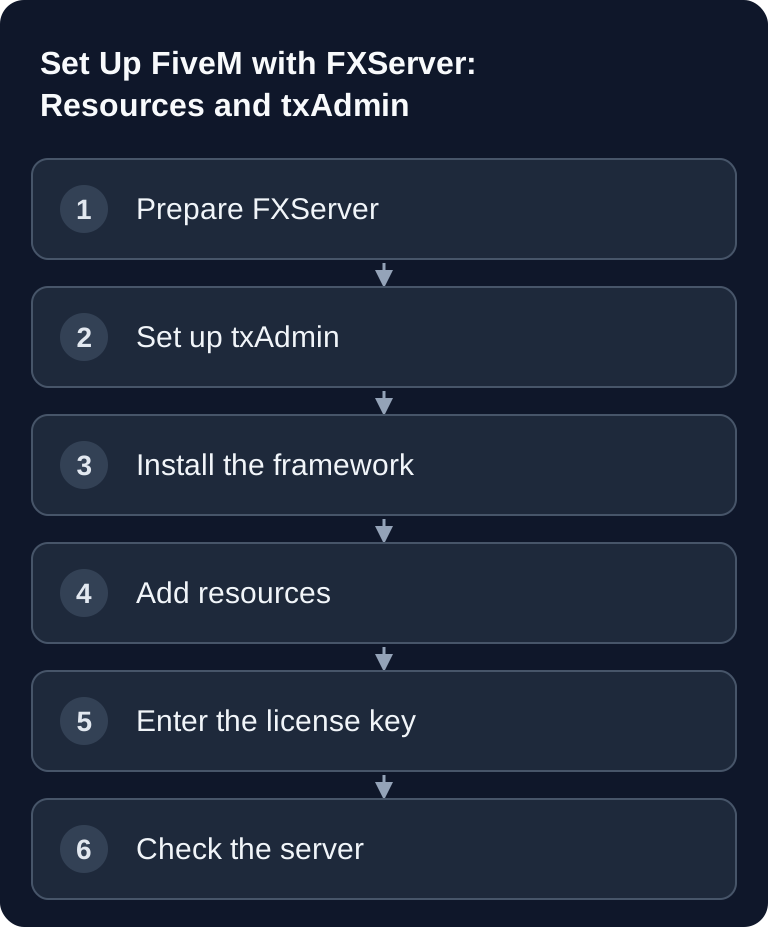
When you rent a FiveM server, you essentially set up three things cleanly: txAdmin as the management interface, an RP framework such as ESX Legacy or QBCore, and a server.cfg with a license key and resource starts. What matters is not only that the server starts, but that configuration, updates and troubleshooting remain traceable.
Requirements
For players, you need a GTA V installation supported by FiveM and the FiveM client. For the server, you need FXServer, the matching server configuration and a Cfx.re license key. Follow the current Cfx.re setup guide and the registration route linked there; older Keymaster guides may show different account menus.
Also plan in advance whether your server will be a small private RP project, a closed test environment or a public community project. RAM, slot count, framework choice, resource volume and moderation effort depend on this. GSH does not offer FiveM. The following technical guide concerns a self-managed FXServer and does not describe ordering or FiveM management in the GSH panel.
If you are just getting started and are looking for a more guided introduction, the internal guide Set Up FiveM Roleplay: Framework and FXServer is a good complement. For comparison with other co-op and survival servers, you will also find the guide Rent and Set Up a Valheim Server – Co-op Guide 2026.
RAM Recommendation
| Plan | Resource check |
|---|---|
| Basic framework installation | First test start, database and client join without additional resources |
| Additional scripts and vehicles | Measure CPU, RAM and database load after each installation step |
| Public RP round | Test real concurrent players and peak load; plan headroom from measured values |
The table is a practical starting recommendation, not a guarantee for every resource package. A FiveM server with a few standard resources behaves differently from a large roleplay server with inventory, jobs, housing, vehicle dealers, custom maps, logs and anticheat components. If you use many scripts, MLOs or database-intensive systems, you should plan headroom and watch usage after the start.
Setting Up txAdmin
txAdmin is the official panel for FiveM. Through it you manage resources, players, bans, server starts, console and basic operating tasks. Follow the official txAdmin setup guide for your self-managed FXServer, open the management address given there and set up the server base. Restrict access to authorized administrators. For new RP projects, a framework template is often faster than a completely empty server, as long as you afterwards understand which resources are loaded.
After setup, you shouldn't skip the first start. Open the live console, check error messages and note which resources were loaded automatically. This makes later changes to the server.cfg much easier.
ESX vs QBCore
- ESX Legacy: Check whether your desired resources support the specific ESX version.
- QBCore: Check the intended inventory, job and database dependencies of your resources.
Choose ESX or QBCore based on the scripts you actually want to run and the knowledge of your admin team. A blanket performance ranking is not reliable without the same load test using comparable resources. For every resource, check the supported framework, the version and necessary database migrations.
Don't mix frameworks carelessly. Many resources are explicitly built for ESX or QBCore. If you combine scripts from different ecosystems, errors often arise with jobs, inventory, identity, database tables or events.
server.cfg
The server.cfg is the central start and base configuration. Keep existing entries, change them deliberately and document larger adjustments. A simple excerpt can look like this:
sv_hostname "My GTA RP Server"
sv_licenseKey "cfxk_YOUR_KEY"
sv_maxclients 32

ensure mapmanager
ensure es_extended
ensure esx_identity
The order is important. Basic resources and framework components should start before dependent scripts. If a script uses ESX functions, for example, ESX must be loaded beforehand. Use ensure for resources that should be active at server start, and remove test resources again as soon as you no longer need them.
License Key
Free at Documentation at docs.fivem.net — without a key the server will not start.
Create the key to match your server and enter it in the server.cfg at sv_licenseKey. Copy it carefully, without extra spaces or quotation errors. If the server still does not start after the entry, check the console first: the problem is often a wrongly copied key, a wrong server.cfg, or the configuration file not having been reloaded.
Adding Resources
Upload new scripts to the resources folder. Make sure the actual resource folder directly contains the fxmanifest.lua or __resource.lua. A common mistake is a doubled folder structure after unpacking, for example resource-main/resource-main/fxmanifest.lua. In this case, FiveM does not find the resource correctly.
Then enter each active resource in the server.cfg. For framework extensions, you should also read the installation notes of the respective script provider, especially if database tables, items, jobs or permissions need to be set up. Keep only resources active that you really use. This reduces troubleshooting and makes updates clearer.
Checking the Result
Restart the server via txAdmin and watch the console until the end of the boot process. No repeated errors about missing dependencies, database tables or invalid manifests should appear. Then connect with the FiveM client and check spawn, identity, jobs, inventory and basic interactions.
Test changes first with a few players or in a maintenance window. RP frameworks in particular can seem to start despite small configuration errors, but later show problems with jobs, vehicles, items or database access.
Troubleshooting
If the server does not start, first check sv_licenseKey and the txAdmin console. If individual resources are missing, check folder names, fxmanifest.lua and the ensure lines in the server.cfg. If ESX or QBCore scripts throw errors, check whether you are using the right framework and whether database migrations or SQL files have been imported.
For performance problems, you shouldn't immediately replace the entire installation. Disable the most recently added resources as a test, check server load and watch whether errors occur in loops. Many problems are caused by individual scripts, not by FiveM or the hosting as a whole.
FAQ
Do I absolutely need txAdmin for a FiveM server?
For typical FiveM setups, txAdmin is the obvious management interface. With it you can handle server starts, console, resources and player management far more clearly than through raw files alone.
Is ESX or QBCore better for GTA RP?
Choose the framework for which your required resources and your team have suitable support. ESX and QBCore scripts are not interchangeable without a matching adapter; a general performance winners list would be misleading.
Why does my FiveM server not start?
Common causes are a missing or incorrectly entered license key, errors in the server.cfg, missing resource dependencies or incorrectly unpacked script folders. The txAdmin console usually shows the first concrete hint.
How many resources should I install?
Only install resources you really need. Many scripts increase maintenance effort and error risk. Start with the framework, identity, basic jobs and administration, test until stable, and then expand step by step.
Can I simply increase the slot count?
You can adjust sv_maxclients, but you should also consider RAM, resource load and playability. More slots don't help if the framework, database or scripts become unstable under load.