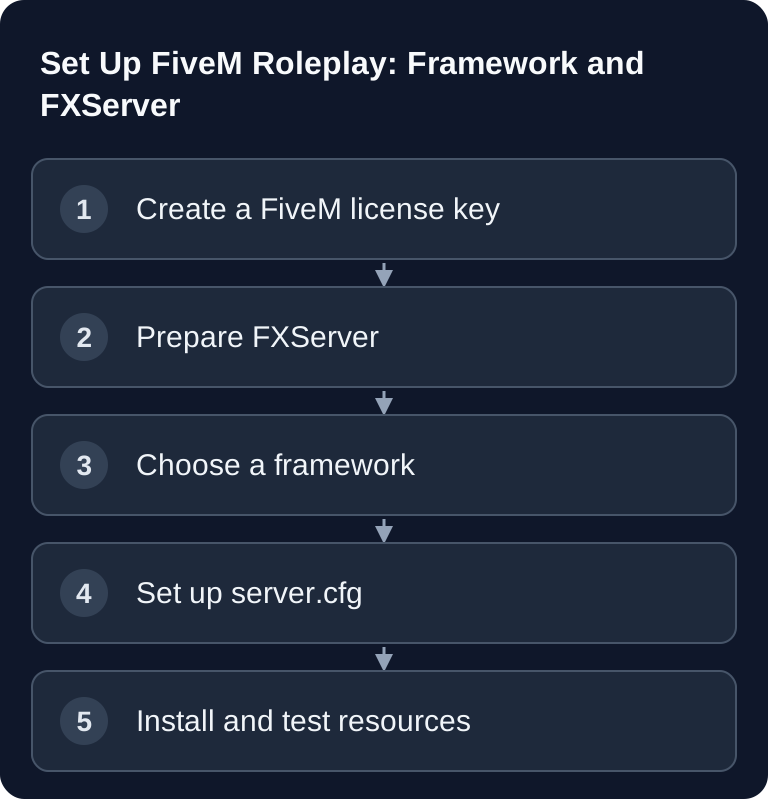
A FiveM server needs more than just a running GTA V instance: you need a Cfx.re license key, a clear framework decision, a clean server.cfg and controlled resources. GSH does not offer FiveM. This technical guide concerns a self-managed FXServer environment, not a FiveM order or provisioning in the GSH panel.
Requirements
For your own FiveM roleplay server, you need a supported GTA V client, FiveM, a self-managed FXServer environment and a license key. The current Cfx.re setup guide refers to the Cfx Portal for registration. Use your own operator account and keep the key confidential.
Before installation, plan what kind of server you want to build. A small test server with few resources has different requirements than a roleplay project with jobs, database, inventory, housing, vehicles and many simultaneous players. First test the basic installation and add resources one at a time. Plan RAM, CPU and database headroom based on the measured load of your actual scripts and players; a fixed RAM figure does not guarantee a working RP project.
If you are still comparing other survival or RP projects, the Rent and Set Up a Rust Server Guide and the Complete Guide to Renting a Minecraft Server will also help, because they explain similar decisions about slots, mods, backups and administration.
Preparing FXServer and Setting the Basics
Install FXServer following the official Cfx.re guide on an environment you manage yourself. Plan reserves for database, voice, framework, additional resources and real peak load. A FiveM order at GSH is not available.
Store the license key as sv_licenseKey in the FXServer configuration intended for it, or in the setup flow of your self-managed environment. Treat the key like an access credential: do not post it publicly, do not show it in screenshots and do not store it in publicly accessible repositories.
Choosing a Framework
The framework choice shapes your server more than almost any later individual resource. Do not switch between frameworks lightly once jobs, database tables and player progress have been built up.
| Framework | Description | Who it's for |
|---|---|---|
| ESX | Most popular RP framework | Beginners, large community |
| QBCore | Modern, well structured | Advanced users |
| VORP | RedM (Red Dead) | Western RP |
For a classic GTA RP server, ESX and QBCore are the obvious options. Thanks to its wide adoption, ESX is well documented and easier to approach for many beginners. QBCore is often interesting if you want to work in a more structured way and deliberately maintain a more modern setup. VORP does not belong to GTA V FiveM but to the RedM context for Red Dead roleplay; therefore do not accidentally adopt it in a FiveM project.
Setting Up server.cfg
The server.cfg is the central startup configuration. Keep it readable, version your own changes cleanly and do not add resources indiscriminately. Every additional resource can increase load time, database load or sources of error.
sv_hostname "My FiveM RP Server"
sv_maxclients 32
sv_licenseKey "YOUR_CONFIDENTIAL_LICENSE_KEY"

ensure mapmanager
ensure chat
ensure spawnmanager
ensure sessionmanager
ensure basic-gamemode
ensure hardcap
The block is a basic excerpt; it does not replace the complete startup configuration or the framework dependencies generated by the txAdmin recipe. txAdmin is started together with FXServer and does not need an invented exec @txAdmin/config.cfg line. The txAdmin project documentation confirms that it is provided together with FXServer.
Adjust sv_hostname to your server name and set sv_maxclients to match your plan and your project status. The sv_licenseKey value must contain your real FiveM key. The ensure lines start resources in the specified order. For frameworks and dependencies, this order matters: database adapters and shared libraries must start before resources that access them.
Using txAdmin
txAdmin is the server management panel for ongoing operation. You use it for server administration, player management such as kick, ban and warn, resource management and performance monitoring. Especially for roleplay projects, txAdmin is practical because you don't have to handle every administrative task directly via files or console.
Decide early on who gets admin access. Grant permissions sparingly and document changes to critical resources. That way it stays traceable whether a problem arose from an update, a new resource, a configuration change or player actions.
Installing Resources
You can find resources in the Cfx.re forum, among other places, for example in the Development Releases section. Before installing, check whether a resource is actively maintained, fits your framework and requires additional dependencies.
- Download resources from cfx.re.
- Extract them into the
resources/folder. - Add
ensure resourcenametoserver.cfg. - Restart the server.
Popular resources for RP include es_extended as the ESX framework, esx_policejob for police jobs, esx_ambulancejob for emergency medical services, esx_mechanicjob for mechanics, gcphone as an in-game phone and dpemotes for emotes and animations. Install such building blocks gradually. If you enable ten resources at once, troubleshooting becomes unnecessarily hard.
Checking the Result
After setup, first check the server console. There should be no obvious errors about missing files, database connections, duplicate resources or invalid configuration values. Then open txAdmin and check whether the server is reachable, resources have loaded and no persistent warnings appear.
Next, connect with the FiveM client. Check spawn, chat, basic interactions and, for RP frameworks, at least login, character creation, inventory and a simple job flow. If you are planning additional game servers in parallel, you will find similar testing steps in the Rent and Set Up a Palworld Server Guide and in the Rent and Set Up a Valheim Server Co-op Guide.
Troubleshooting
If the server does not start, first check the license key, the server.cfg and the last installed resource. An incorrectly pasted key, a typo in ensure resourcename or a missing folder is enough to prevent startup or stop resources from loading.
If players cannot connect, check server status, slots, the host firewall's or your own router's port forwarding, and the FiveM console. If only certain functions are missing, the problem usually isn't the server itself but resources, framework dependencies or database tables.
For performance problems, remove the most recently installed resources as a test, watch txAdmin and check whether errors occur in loops. Many small script errors can have a bigger impact than a single large resource. Therefore work with backups, change notes and small installation steps.
FAQ
Do I Absolutely Need a FiveM License Key?
Yes. The current official server setup requires a license key and refers to the Cfx Portal for it. Store it confidentially as sv_licenseKey; do not publish it in files, images or support receipts.
Is ESX or QBCore Better for My RP Server?
First check whether the scripts you need support the specific ESX/QBCore version and which database/inventory dependencies they require. Then choose the base your team can maintain; a blanket ranking by modernity does not replace this compatibility check.
How Many Resources Should I Install at the Start?
Start with the framework, the mandatory dependencies and a few core functions. Then install resource by resource and test each time. That way you find errors faster and avoid confusing dependencies.
What Do I Do If the Server No Longer Starts After a New Resource?
Disable the most recently added ensure line, restart the server and check the console. If the server runs again, check the folder name, dependencies, framework compatibility and installation instructions of that resource.
Can I Share the License Key Publicly?
No. Treat the license key confidentially. Do not publish it in screenshots, forum posts or public repositories, because it is tied to your server operation.