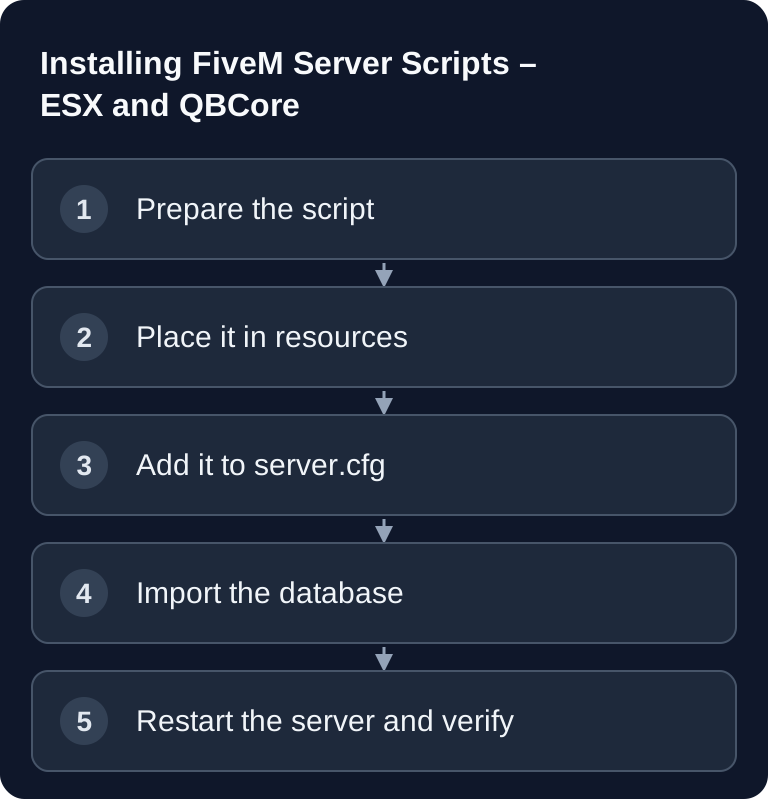
You install FiveM scripts by placing the resource in the resources/ folder, starting it in server.cfg with ensure, and loading dependencies such as ESX, QBCore, or database drivers beforehand. What matters is a clean folder structure, the right start order, a verified SQL import, and a look at the server console after the restart.
Requirements
You need access to the server files, the server.cfg, the server console, and, if the script uses database tables, your MySQL or MariaDB database. With a rented FiveM server, this usually includes a file manager, FTP/SFTP, and a database tool such as phpMyAdmin or Adminer. If you're still planning the entire server, the internal guide Renting and Setting Up a FiveM Server helps with the basic structure.
Technically, FiveM calls scripts resources. According to the official Cfx.re documentation, the fxmanifest.lua describes which files, scripts, and metadata belong to a resource. So always check first whether the extracted folder contains a valid manifest file. Without a manifest, the server cannot load the resource correctly.
Checking the Script Structure
A typical FiveM resource looks like this:
mein_script/
├── fxmanifest.lua      # Manifest file
├── client.lua          # Client code
├── server.lua          # Server code
├── config.lua          # Configuration
└── html/               # NUI (web interface)
It's important that you don't accidentally upload an additional wrapper folder. For example, resources/mein_script-main/mein_script/fxmanifest.lua would be wrong if the resource is actually supposed to sit directly at resources/mein_script/fxmanifest.lua. After extracting, open the folder and check the level at which fxmanifest.lua sits.
Installing a Script
- Download the script
- Extract it into the
resources/folder - Add it in
server.cfg:
ensure mein_script
- Restart the server
Use exactly the folder name, or the name specified by the README, as the resource name. Many errors come from deviating spellings, spaces in the folder name, or special characters. Short names with lowercase letters, hyphens, or underscores are recommended.
Setting Up ESX Scripts
ESX scripts depend on the ESX base and required additional resources being started beforehand. The exact order can vary depending on the ESX version and script, so the rule is: check the script's README and follow the existing framework documentation.
# Base ESX
ensure es_extended
ensure esx_menu_default
ensure esx_menu_dialog
ensure esx_menu_list

# Jobs
ensure esx_policejob
ensure esx_ambulancejob
ensure esx_mechanicjob
ensure esx_taxijob

# Features
ensure esx_banking
ensure esx_vehicleshop
ensure esx_property
If a job script expects its own database tables or items, import the bundled SQL file before the first production start. Back up the database beforehand. On existing roleplay servers, SQL files can overwrite columns, items, or jobs if they aren't adapted to your installation.
Setting Up QBCore Scripts
QBCore resources need their dependencies before the framework or before the respective script. The following example assumes that these versions use oxmysql; you add additional README dependencies at the appropriate place:
ensure oxmysql
ensure qb-core
ensure qb-inventory
ensure qb-garages
ensure qb-policejob
ensure qb-ambulancejob
ensure qb-phone
Check configuration files in particular, such as config.lua, shared/config.lua, or framework-specific item files. Some QBCore scripts expect entries in items, jobs, gangs, or permissions. Only enter values that the script documents. If you want to plan resources, txAdmin, and server operation in a broader context, also read Renting a FiveM Server: Setting Up GTA RP, Resources & txAdmin 2025.
Observing the Start Order
The start order follows the dependencies as actually documented:
- Database drivers and shared libraries, such as
oxmysql, if required - Framework such as ESX or QBCore
- Base resources, such as inventory or garages
- Jobs and other features that use this base
- Cosmetic resources, as long as their own dependencies are already running
A dependency entry in the manifest describes a prerequisite. According to the Cfx.re manifest reference, the resource in question must load before the dependent resource. The README of the installed version decides the exact order.
Place shared dependencies centrally if possible and before all dependent resources. If several scripts require the same library, it should be started only once. With a database connection, the database driver must be running before resources send SQL queries.
Free Script Sources
| Source | Description |
|---|---|
| GitHub | Open-source scripts |
| Cfx.re Releases Forum | Community scripts |
| Overextended | High-quality open source |
Only download scripts from sources that make the code, changelog, or community feedback traceable. With unknown downloads, pay particular attention to obfuscated Lua code, unexplained HTTP requests, foreign webhooks, and hard-coded tokens. Install new resources first on a test instance or outside peak playtimes.
Checking the Result
Restart the server and watch the console. A correctly loaded resource appears without manifest, dependency, or SQL errors. In the game, you then check exactly the function the script provides: job menu, inventory interaction, marker, command, NUI window, or database change. Test with the roles and permissions that real players will use later.
Additionally, use refresh and ensure mein_script in the server console only for controlled tests. For production changes, a clean restart is often more meaningful, because it reproduces the complete start order.
Troubleshooting
SCRIPT ERROR
First check the line in the console. Often a dependency is missing, a config variable is set incorrectly, or an exported function is called before the target resource has started. Compare the error message with the script's README.
SQL errors
Import the bundled tables or columns if the script requires them. If tables already exist, don't blindly run the SQL again. Create a backup and adapt the statements to your existing database structure.
Script doesn't load
Check the folder name, the ensure entry, and fxmanifest.lua. A typo in the manifest file or an incorrectly nested folder is enough to keep the resource from starting.
Feature doesn't appear in the game
Check permissions, jobs, items, coordinates, and framework version. Many roleplay scripts only work for certain jobs or groups. So don't test only as an admin, but also with a normal player profile.
FAQ
Do I have to restart the server after every script?
For a reliable test, yes. Individual resources can be reloaded via the console, but a complete restart shows whether the start order and all dependencies are really correct.
Can I use ESX and QBCore at the same time?
In practice, you should decide on one framework. Many scripts are clearly built for ESX or QBCore and each expects different events, tables, and config structures.
What do I do if a script has no fxmanifest.lua?
Also check whether an older __resource.lua manifest is present. Cfx.re still documents this format as deprecated; the absence of fxmanifest.lua alone therefore doesn't prove a broken download. For new resources, use the current format, and migrate legacy ones according to the manifest reference. Don't simply rename the old file without checking its syntax and contents.
Should I test free scripts directly on the live server?
Better not. Test new resources separately first, back up files and database, and check the console. Especially on roleplay servers, faulty scripts can affect inventory, jobs, or player progress.
How many scripts can a FiveM server use?
There is no sensible blanket number. What matters are script quality, dependencies, database load, tick behavior, and player count. Plan resources deliberately and consistently remove unused scripts.