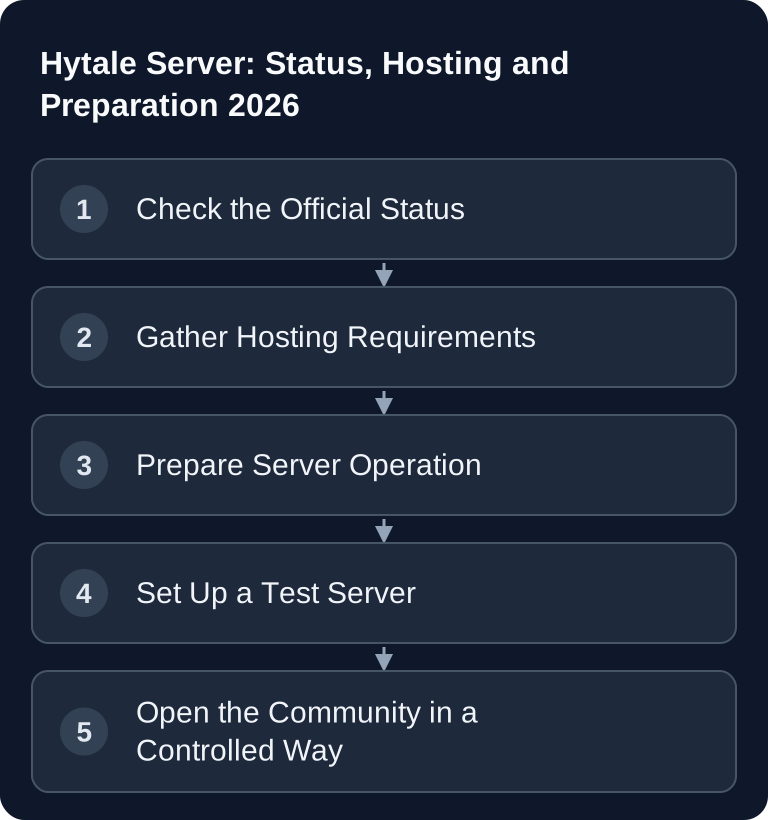
Hytale now has a published dedicated server guide. For manual setup you need Java 25, at least 4 GB of memory, the server files and authentication. First check basic operation and UDP reachability; mods, permissions and tested backups come afterwards.
Current Status of Hytale in 2026
Hytale is a block-based sandbox and RPG game from Hypixel Studios. The announced game concept combines Minecraft-like building with RPG elements; until reliable information from the developer is available, concrete server details must be considered provisional. What matters, though, is the updated context: development was initially discontinued on June 23, 2025, but was later resumed by the original founders. According to the official Hytale announcement on Early Access, the Early Access launch is dated January 13, 2026: Documentation at hytale.com
The official server manual is now the technical foundation. It documents installation, authentication, configuration and updates. The Early Access status remains important for making careful changes, but it is no reason to present already published server features as mere expectations.
What Is Confirmed for Hytale Servers?
Assessment based on the published server manual:
| Feature | Assessment |
|---|---|
| Dedicated server | Setup and operation documented |
| Mods | Installation in the mods/ folder described |
| Server discovery and SRV | Still listed under future additions in the manual |
| Cross-platform operation | Only plan for it once client support is concretely confirmed |
Java version and protocol are concrete sources of errors: java --version must match the documented runtime; Hytale uses QUIC over UDP, by default port 5520. TCP rules alone won't help. When hosting, use the address and port that were actually assigned.
What You Should Clarify Before Hosting
Before you rent or reserve a Hytale server, you should define the server's role. A small co-op server has different priorities than a public community server with mods, a whitelist, a team structure and regular events. For game-serverhosting as paid multi-game hosting, the focus is on technical control, traceable operation and support, not empty launch promises.
First clarify the planned player count, the game mode, the desired visibility and how you will handle mods. Then come the operational points: Who may assign admin permissions? How often should backups run? How will updates be tested? Who communicates maintenance? These questions are especially important for Hytale because Early Access updates can change savegames, mods or configurations.
If you already have experience with other survival or sandbox servers, you can carry over many workflows. For stable co-op structures, it is worth a look at the internal Valheim guide: Rent and Set Up a Valheim Server – Co-op Guide 2026. For admin discipline, commands and role models, the Rust guide is also helpful: Rust Server Commands – All Admin Commands 2026.
Preparing Your First Hytale Server
Download the server files via the documented downloader or the launcher installation. Start with the start scripts that come with the installation and authorize the server according to the manufacturer's instructions with /auth login device. Keep access codes confidential and confirm in the log that the login has completed.
After the first start, check the basics: Does the server appear in the intended connection path? Can authorized players join? Are logs being written? Do world and configuration data persist after a restart? Do permissions, whitelist or admin roles work as expected? Are there signs of version conflicts after updates?
For production operation, a small release process is recommended. Don't update blindly during peak playtime; test updates first, back up the world and document changes. For mods, the rule is: install only what fits the server idea, and reduce dependencies if an update destabilizes the server.
Why Technical Control Matters More Than Launch Hype
Before ordering, check whether the specific Hytale offer provides the documented runtime and ports. A general multi-game offer page doesn't yet confirm a Hytale installation. Questions about provisioning and update behavior must be answered for the package that is actually offered.
Keep the world state and configuration together before updates. A test with an existing world is only complete once progress, permissions and joining also work after a restart.
Checking the Result
After setup, you shouldn't just start the server but test it deliberately. Connect with at least one normal player account and one admin account. Restart the server and check whether progress, settings and permissions are retained. Read the logs for warnings, missing files or connection problems. Also test whether your backup files can really be restored.
If you are planning a public community, run a short load test with a few trusted players before opening it up. Observe latency, crashes, memory behavior and update notices. Only then should you announce the server widely.
Troubleshooting
If players can't connect, first check the version, server status, address, port and whitelist. For crashes, logs matter more than guesses: look for missing dependencies, mod errors or incompatible versions. If mods stop working after an update, disable them one by one and start with a backed-up copy of the world.
If savegames are missing, stop the server and avoid further write operations until you have checked your backups. In Early Access games, a hasty restart with the wrong configuration can cause more damage than the original problem.
FAQ
Can I already run a Hytale server in 2026?
Yes, manual setup is described in the official server manual. Check separately whether your preferred host currently offers Hytale.
Are dedicated servers confirmed for Hytale?
Yes. The linked developer manual describes the available server files and the actual way to operate it.
Should I start Hytale with mods right away?
For the first test server, the simplest possible setup is better. Install mods only once basic operation is running stably and you know how updates and backups behave.
What is especially risky about Early Access?
Updates can change features, break mods or affect savegames. That's why you need backups, test runs and clear maintenance windows.
What is game-serverhosting suited for with Hytale?
For paid multi-game hosting with a focus on technical control, support and transparent operational processes. Concrete Hytale features should only be assessed conclusively once they are officially available.