For a Garry's Mod TTT server, you need the gamemode terrortown, installed TTT maps and matching ConVars. First test a vanilla TTT round without extra roles; after that you add Workshop content and moderation. This way an error stays attributable to a specific change.
Last checked: September 25, 2026.
The Facepunch guide for dedicated servers documents installation and launch parameters; map and gamemode must match the configuration that is actually loaded.
What Is Garry's Mod?
Garry's Mod (GMod for short) is a sandbox game platform based on the Source engine. There are no fixed game objectives — instead, GMod offers a huge community library of game modes, addons and maps that completely transform the experience. The most popular game mode is TTT (Trouble in Terrorist Town): a social deduction game similar to Mafia or Among Us, in which innocents and detectives have to identify the hidden traitors.
For your own server, you need your own Garry's Mod dedicated server setup with a chosen game mode. At game-serverhosting, everything runs preconfigured with active Workshop support.
Ordering the Server
Choose Garry's Mod as the game in the order wizard. TTT is the most played mode, but you can later use the same server slot for other game modes (Sandbox, DarkRP, Deathrun) by changing the gamemode flag in the startup configuration.
After ordering, your server is ready within a few minutes. You can see the status in the dashboard.
If you first want to set hostname, slots, password and the basic gamemode cleanly, start with the general Garry's Mod server guide. This guide then focuses on TTT balance, maps and moderation.
Editing Server Variables in the Panel
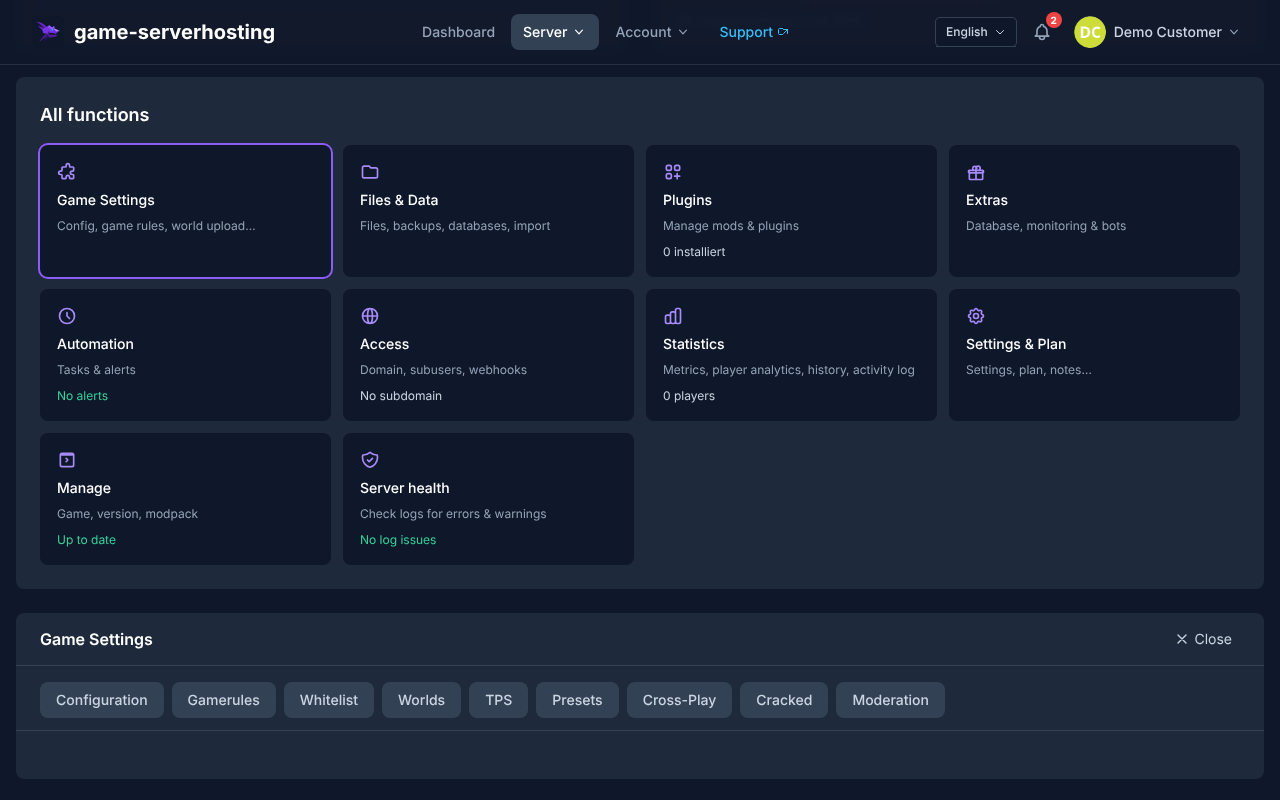
The most important Source server variables — sv_cheats, sv_gravity, voice chat and the sbox_ limits (props, ragdolls, vehicles, NPCs) — you set directly in the panel through a guided form. game-serverhosting writes them safely to the server.cfg (including a backup), so you do not have to edit the file manually. You will find the editor in the server panel under Game Settings → Server Variables.
Setting Up TTT Mode
Step 1: Set the Gamemode to TTT
In the startup configuration (Panel → Startup), you set the parameter:
GAMEMODE=terrortown
Alternatively, enter in server.cfg:
gamemode terrortown
Restart the server after the change — GMod then loads the TTT game mode automatically.
Step 2: Adjust the TTT Configuration
The TTT settings are controlled via ConVars in the server.cfg. The following table was checked against the TTT source code shipped with Garry's Mod by Facepunch and its karma configuration. “Default value” means the value of vanilla TTT; addons such as TTT2 can add their own variables or change behavior.
| ConVar | Default value | Effect | Practical note |
|---|---|---|---|
ttt_minimum_players |
2 |
Minimum number of active players before a round is prepared | Suitable for tests; for regular TTT rounds, a larger group makes sense. |
ttt_traitor_pct |
0.25 |
Share of players who become traitors | 0.25 equals 25 percent; the actual number is limited to whole roles. |
ttt_traitor_max |
32 |
Upper limit of traitors | This is not a minimum value. Lower it only if you deliberately want to cap large groups. |
ttt_detective_pct |
0.13 |
Share of players who can become detectives | Works together with minimum player count and upper limit. |
ttt_detective_max |
32 |
Upper limit of detectives | For typical private groups, the default can stay. |
ttt_detective_min_players |
8 |
Detectives are selected from this player count | Below this value, innocents play against traitors without a detective. |
ttt_roundtime_minutes |
10 |
Maximum round duration without haste adjustment | The unit is minutes; ttt_roundtime_seconds is not a vanilla TTT ConVar. |
ttt_preptime_seconds |
30 |
Preparation time before the round starts | Values that are too short can feel hectic with slow clients or large maps. |
ttt_posttime_seconds |
30 |
Results phase after the round ends | Gives players time for the result and role reveal. |
ttt_karma |
1 |
Enables the karma system | 1 lets friendly fire affect later damage potential. |
ttt_karma_starting |
1000 |
Karma of a new player | Should not be above ttt_karma_max. |
ttt_karma_low_amount |
450 |
Threshold for low-karma kick/ban | Only takes effect together with low-karma automation enabled. |
For a first vanilla TTT test, you can set the confirmed default values explicitly:
ttt_minimum_players 2
ttt_traitor_pct 0.25
ttt_traitor_max 32
ttt_detective_pct 0.13
ttt_detective_max 32
ttt_detective_min_players 8
ttt_roundtime_minutes 10
ttt_preptime_seconds 30
ttt_posttime_seconds 30
ttt_karma 1
ttt_karma_starting 1000
Afterwards, change only a few values per test run and use find <convar> or cvarlist <prefix> in the server console to check whether vanilla TTT or your addon actually recognizes the variable. A message such as Unknown command means the line was not applied.
Step 3: Setting Up TTT Maps
TTT works best with dedicated TTT maps (prefix: ttt_). Create the file garrysmod/cfg/mapcycle.txt:
ttt_minecraft_b5
ttt_67thway_v14
ttt_rooftops_2016_v1
ttt_dolls
The maps must be present on the server — the easiest way is via a Workshop collection (see below).
Setting Up a Workshop Collection
The easiest way to get maps and addons onto your server is a Steam Workshop collection.
For the collection ID, -authkey, resource.AddWorkshop() and the separation between server and client content, use the in-depth guide Installing Garry's Mod Workshop Addons. In the Garry's Mod browser for mods and plugins you can then compare suitable content before adding it to the production collection.
Creating a Collection
- Go to https://steamcommunity.com/workshop/browse/?appid=4000
- Click “My Workshop Items” → “Create Collection”
- Add all the maps, weapons and content packs you want
- Publish the collection as “Public” or “Unlisted” (the server cannot load private collections)
Entering the Collection ID in the Panel
In the panel under Startup, you enter the Workshop collection ID:
WORKSHOP_ID=123456789
WORKSHOP_AUTH_KEY=YourSteamWebAPIKey
You can create the Steam Web API key for free at https://steamcommunity.com/dev/apikey. On startup, the server automatically downloads all items in the collection.
ULX — Admin Tool for GMod
ULX is the standard admin framework for Garry's Mod. It offers a comprehensive command set for admins as well as a permission system (ULib) for fine-grained permissions.
Installing ULX
- Subscribe on the Steam Workshop to: ULX (https://steamcommunity.com/sharedfiles/filedetails/?id=557962280) and ULib
- Add both to the Workshop collection, or upload them manually to
garrysmod/addons/
Assigning Admin Rights
Rights are set in the server console or via RCON:
ulx adduser "PlayerName" superadmin
ulx adduser "ModeratorName" admin
Important ULX Commands
| Command | Function |
|---|---|
ulx ban <name> <minutes> <reason> |
Ban a player |
ulx kick <name> <reason> |
Kick a player |
ulx slay <name> |
Kill a player |
ulx goto <name> |
Teleport to a player (ulx teleport <name> brings the player to where you are looking) |
ulx noclip <name> |
Enable noclip |
ulx menu |
Open the admin menu (console or !menu in chat; a key via bind m "ulx menu") |
TTT-Specific Addons
| Addon | Function |
|---|---|
TTT2 |
Extended TTT framework with additional roles and features; vanilla TTT remains installed |
Randomats |
Random round events for more variety |
TTT Weapon Placer |
Place weapons on maps without code |
Custom Items |
Add custom traitor/detective items |
Common Problems
“Missing content” — purple textures
Missing textures mostly come from absent Valve game data (CS:S, HL2, etc.). Since the July 2025 update, Garry's Mod ships most of the CS:S and HL2 episode content itself; you cover remaining gaps (maps, sounds) by mounting the original games via garrysmod/cfg/mount.cfg. CS:S content packs on the Workshop violate the guidelines and are removed.
Players do not see addon items
The client automatically downloads content from the collection or from resource.AddWorkshop() when joining; a subscription is not necessary. Check that the addon is in the collection and that the player has cl_downloadfilter set to all; sv_allowdownload is the outdated ServerDL and stays off.
TTT round does not start
Check the minimum player count: TTT needs at least 2 players (default 2, 4+ recommended). Check ttt_minimum_players in the config.
Conclusion
Running Garry's Mod TTT on your own server gives you full control over configuration, addons and the moderation team. Workshop collections make content sync easy, and ULX provides professional server administration.
FAQ
Which map rotation is recommended for TTT beginners?
For beginners, classic maps such as ttt_minecraft_b5, ttt_67thway_v14 and ttt_rooftops_2016_v1 are recommended. Before choosing, check whether the respective map is included in your own collection and whether the required content is available on the server and clients. A collection contains only the Workshop items that were actually added.
Do I need CS:S for a GMod server?
Since July 2025, most CS:S models and textures are included in Garry's Mod, so players no longer need CS:S for that; only CS:S maps, voice files and music are still missing.
How many players are ideal for TTT?
TTT is the most fun with 8–12 players, because the traitor ratio (default: 25%) provides enough tension. Below 6 players the game feels thin; above 20, rounds can get very long.
Can I run multiple game modes on one server?
Technically not at the same time — a GMod server always runs in one gamemode. However, you can switch the mode via RCON or a map change, or use multiple server slots for different modes.
Narrowing Down a TTT Round That Does Not Start
First check whether terrortown and an existing TTT map are really loaded. Then compare the active player count against ttt_minimum_players; spectators do not automatically count as active participants. If the detective role is missing in a small round, compare ttt_detective_min_players instead of repeating the installation. For unknown ConVars, check whether vanilla TTT or a different framework is running. After an addon change, first restart the same map and test with the same group. This lets you tell a map error apart from a role or Workshop dependency.