ARK: Survival Evolved Mods & Plugins
This catalog lists 28,000+ ARK: Survival Evolved projects from Steam Workshop. Entries can be server-side, client-side or required on both sides, and may include maps or other user-generated content. Check the linked source page, game-version compatibility and dependencies before installing.


Map Extension: World End
by 76561198068873809
Add the blown up moon to your map that was featured on the ARK official servers for the wipe on the games release. The Extinction Event must be active to see this. You can start the event by putting this in your server startup file, but once the countdown is complete it may reset your map (This is untested). "?ExtinctionEventTimeInterval=2592000" Use this to enable extinction for 30 days. The number is the time in seconds. Thank you to Hazearil in the ARK Modding Community Discord for providing the file. This mod/code/work is protected by the Attribution-NonCommercial-NoDerivatives 4.0 International Creative Commons License.
FunctionalityPlus QoL Mod Set
by 76561198005167997
FunctionalityPlus A Quality of Life mod set that polishes up rough spots in Ark's gameplay without changing how Ark plays. Same Ark, just feels better to play! FunctionalityPlus now includes the following mods and features, with more planned: ActionBars Plus! *Coming Soon(TM) - Currently in Beta* A reliable, easy-to-use multi-hotbar solution for Ark! Fantastic for switching from combat to harvesting to building modes with a quick alt-scroll! Includes lock item feature (just click the lock icon on any hotbar item) to save an item's assignment to that hotbar slot (won't be overwritten even if you drag another item to the slot for temporary use). Autorun Plus! *Update from the original AutoRun - Func+ mod with 42k happy subscribers! (https://steamcommunity.com/sharedfiles/filedetails/?id=801082391). The Autorun Plus! mod is ideal for making all travel in Ark easier and less tiring for players. Just like in most other open world games, you tap a defined key to start your character, dino or vehicle moving forward, then relax while Autorun! does the moving for you. Your keyboard hand is freed up, and you can also use in-game screens like chat, inventory etc. while it\'s on. You can steer, jump, crouch, go prone and even strafe while moving, and you don't need to awkwardly "turn it off" either - just use the W or S key normally for a seamless transition back to manual control. An audible stamina warning is even included to help keep you from running out in an awkward situation! (Only when mounted on dino.) Autorun Plus! supports all known dino and vehicle movement modes, including rafts, tek skiff, tek hoversail, flyers with swoop, rock drakes, roll rats, bloodstalkers, ziplines, etc. Autorun Plus! does not interfere with mouse/keyboard control, so all dino actions and character abilities (weapons, crouch, prone, shield, wingsuit, etc.) are fully functional. Bonus, you can use any in-game interface normally while moving, so you can swap gear, clear inventories, use crafting saddles, etc. on the go. *Special admin option to disable autorun when inventory is opened. And orbit cam is very easy to use with Autorun Plus!, so you can get all cinematic with your view of yourself moving. Great for taking in the view while flying, and even filming action scenes! ***Controller inputs now available: *****Click and hold the left thumbstick to activate/deactivate AutoRun Plus. *****Hold Left bumper and click the left thumbstick to toggle between running and walking. ***Let us know of any issues you encounter while using a controller Auto Nofollow! How. Many. Times. Have you had to re-park it a dino because you forgot to cancel follow after hopping off of it? SO MANY TIMES. No longer! The Auto Nofollow mod automatically cancels Follow mode when you hop off a dino! This saves you from having to cancel it manually (or forgetting to :D), and also makes it very easy to park dinos that were on follow. And for those occasions when you have to move a dino on follow without cancelling it, you can use the mod UI to ignore dinos following other dinos, or even bind a key to hold while you hop off. All use cases covered! Crash Recovery Game crash while flying around on your argy? This module will attempt to activate a slightly modified parachute on your character with the hopes of preventing an annoying gravity based death. FunctionalityPlus mod UI menu - Default F10 key, changeable in the menu, with controls and help text for each included mod. - Ctrl+Alt+Shift+F10 will always bring up the menu in case you forgot what you changed the keybind to. - Patch notes will also be inculded in the menu with each major update. Future Planned Mods We think there's a LOT of good that can be done with focused, single-issue QoL mods, and our mod set UI is built to roll them out. Stay tuned for updates! - Currently working on: --- ActionBarsPlus (Tentative name) ----- This module is to create multiple swappable action bars and includes some other fun features. Mod ID: 2551135996


Advanced Fishing Rod
by 76561198024126809
Custom Bait : Fish Blood Recipe : 1 x Fish Meat - Can catch any fish of any size in larger radius than other baits Custom Fishing Pole : Advanced Fishing Pole Recipe : Same as standard fishing pole - Faster Reeling - Less quicktime actions (1 vs standard 8) ID : 1612087296


TekForce Scorched Earth 2024 V1
by 76561198892205685
Created for the TekForce PvP Servers

Tai Ke Chao Ji Wang Yuan Jing
by 76561198443358416
Update date 2020-11-26 14:24:50


Destructive Laser Tester
by 76561197971183506
Destructive Laser Tester release: 02/02/18: Rebuilt with latest SDK. A laser powered research and development station. This electicity or gasoline powered machine will research and make improvements to items added to its inventory but only after a lengthy analysis phase is complete Mod id: 926949721 The machine can be learnt at level 50 for 6 engram points. It is constructed in your inventory (to save adding yet another bench!) and will consume 200 metal ingots, 100 electronics and 100 crystal. Select the power source from the radial menu, it can use either electricity or gasoline. If you switch to gasoline with fuel in the inventory, you may need to remove the gasoline and re-add it to trigger the activation buttons to appear. Once powered you may add a single researchable item to the machines inventory and activate it. Some time later the device will complete it's testing and the item will have been replaced by a blueprint. Any upgradeable parameters of the item will have been improved by a random amount. The amount of improvement depends on the quality of the item being researched. In the default setup improvements will be larger for lower quality items (Its easier to improve a primitive than an ascendant item!). Quality is more predictable than the default game. This device assigns quality band based on the average value of all improved facets. If this average improvement exceeds the threshold for the quality band it will be assigned to that band. This does mean that a game ascendant item may be re-classifed as ramshackle by this machine if its stats are not high enough! The crafting requirements for the new blueprint will be assigned randomly by the game based on the quality band assigned to the new blueprint. The lights on the front panel indicate research progress. The first light will flash green while improvement is in progress. The group of 7 indicate facet improvements: Armour, Durability, Damage, Clip-size, Hypothermic insulation, Weight and Hyperthermic insulation. If the facet cannot be improved the light will be orange. If it is being improved it will flash green. Once improved it will be solid green. The machine improves one facet per cycle and takes one extra cycle to produce a blueprint. The default length of a cycle is one hour. For an item that cannot be improved like the rocket launcher it will take 1 hour to produce a blueprint. For a weapon like a sword with two improveable facets (durability and damage) it will take 3 hours to produce the blueprint. A piece of clothing with durablitity, armour, hyper-thermal and hypo-thermal insulation will take 5 hours to complete on default settings. Removing the item or powering off the machine will abort the research process requring you to start again from scratch! THIS DEVICE WILL DESTROY YOUR ITEM AND REPLACE IT WITH AN IMPROVED BLUEPRINT! DO NOT EXPECT TO GET YOUR ORIGINAL ITEM BACK ONCE IT COMPLETES. Server admins can override the quality bands and random improvement multipliers for each band and the research cycle timer, see below. Ini file overrides add the following to your GameUserSetting.ini to configure the device: In a section named: DestructiveTester add these entries: PrimitiveMultiplier=2 RamshackleThreshold=1 RamshackleMultiplier=1 ApprenticeThreshold=3 ApprenticeMultiplier=.5 JourneymanThreshold=4 JourneymanMultiplier=.25 MastercraftThreshold=5 MastercraftMultiplier=0.1 AscendantThreshold=6 AscendantMultiplier=0.01 ResearchInterval=3600 The thresholds set assigned the band levels, using the settings above, a device with an average improvement greater than 300% will be called Apprentice, one over 600% will be ascendant. If you want to cap out the improvements earlier reduce the thresholds. R=1, A=2, J=2.5, M=2.8, A=3 would top out the improvements around 300% with only minor improvements from that point on. The multipliers set the range for the random numbers for each improvement. with the numbers shown a primitive item may see 0-200% improvements, while an ascendant item may see 0-1% improvement. The values are always percentage of the original base value. so for a sword durability percentages of the 70 base number. The ResearchInterval value sets the time in seconds for each research cycle. the value above, 3600, is 60*60 seconds or one hour. These values are the defaults if no values are specified. Values cannot be set to 0 if they are the original default will be used. To be reviewed and may change: The construction resources and costs. Spawn codes Treadmill: Blueprint'/Game/Mods/DestructiveTester/item/PrimalItemStructure_DestructiveTester.PrimalItemStructure_DestructiveTester' My mods: - Auto-Narc - Narcotic drip A continuous narcotic injector, you provide the tame and the narc, the device delivers it. - Crate Finder Makes finding the random ocean (and other) crates less of a chore. - Dino Treadmill A trike driven power source, just provide the berries! - Shock-Shield Under-water electrocution protection gear, a shield and a scuba jacket. - Nice-Tea-Kake (No Team Kill) Prevent team damage to you or your mounts with this delicious cake! - Destructive Laser Tester A research and development machine. - Dynamic Fencing System An electrified perimiter fence and gates, which adapt to the terrain. - Low steal Icthy An Ichthy with reduced thieving capability - Low Steal Pego A Pegomastax with reduced thieving capability - Argentavis Darting Saddle An argentavis capable of wearing a two man passenger saddle.
Adnilem
by 76561198054571645
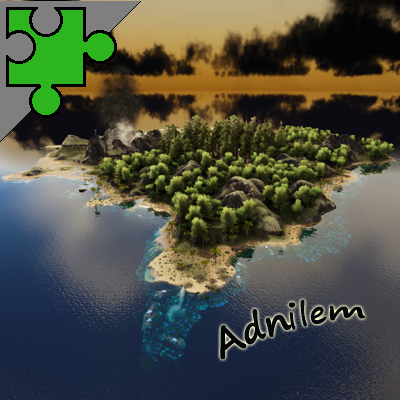
Adnilem Mod ID: 1995995573 Small Map for Forged Servers (PVP and/or SP) Currently playable small Map (approx 8.5 klms sq) designed for quick SP or intense PVP. Approx 98% complete (when is a Map ever complete?) This Map has been made Public so our group of Servers can access and play. It is a standalone Map however may also become an Extension Map with Bergresar. Max Dino Level set to 300 Map does NOT have most large dinos (Giga, Rock Drake, Dragon, Mosa or Plesio) Map does NOT have Obelisks or Bosses All small rocks, sticks and palm fronds are harvestable. All grass (except small grass blades) and plants are harvestable. Bushes with colored flowers are harvestable (i.e. White Flower = Stimberry, Purple Flower = Mejoberry etc) Please let me know if you find any glitches or if you have any ideas that may help. Thanks Link to my Discord Channel here: Please feel free to join to find out what is coming next or to chat to me if you need further info or have ideas etc (link is to my Bergresar Map Channel) https://discord.gg/Axtp3aHH ----------- Please feel free to give feedback and/or Rate ------------- Please check out my other Maps: Rex Island https://steamcommunity.com/sharedfiles/filedetails/?id=1160006324 Bergresar https://steamcommunity.com/sharedfiles/filedetails/?id=1859440921 Please check out my Creature Mods: Elite Tameable Alphas https://steamcommunity.com/sharedfiles/filedetails/?id=2907023820 Elite Giant Bugs https://steamcommunity.com/sharedfiles/filedetails/?id=2090293975 Please check out my other Mods: Elite Tranq Arrows_B for Bergresar https://steamcommunity.com/sharedfiles/filedetails/?id=1864886126 Elite Tranq Arrows https://steamcommunity.com/sharedfiles/filedetails/?id=924761892 Elite Beds https://steamcommunity.com/sharedfiles/filedetails/?id=954051935 Secret Stash https://steamcommunity.com/sharedfiles/filedetails/?id=1436299668 ----------- Please feel free to give feedback and/or Rate ------------- Donations are always welcome and I appreciate the help but not expected :) paypal.me/blackandblueedge

【无极定制】(无限方舟)
by 76561198274386004

SGUI - Open Operating System
by 76561199029919990
ID:2867471723 This is an operating system under development. You can follow the development progress at any time! If you like SGUI. Multi windowing operation Shortcuts creating Current applications Setting Task Manager Administrator Kit Explorer Notepad Support Languages Chinese English Russian Japanese Support Platform Windows Contact author Email: [email protected] QQ: 2946491890 WeChat: xiao_jia_fei520 BiliBili: https://space.bilibili.com/1334870754 Communication community QQ Group: 331943223


Very fast Compost Bin
by 76561198183382342
MOD ID: 803365608 Compost Bin gives you 10 fertilezer for 1 thatch and 1 Feces Spawn Very Fast Compost bin: giveitem "Blueprint'/Game/Mods/Compost/Compost/PrimalItemStructure_CompostBin_Compost.PrimalItemStructure_CompostBin_Compost'" 1 0 0 This mod/code/work is protected by the Attribution-NonCommercial-NoDerivatives 4.0 International Creative Commons License


Elemento/Fragmento Transferible
by 76561198225221340
Elemento Transferible



ARK: Survival Evolved Guides
ARK Admin Commands – All Cheats and Commands 2026
Use ARK admin commands safely: open the console, use enablecheats, spawn dinos, manage players, and save the server reliably.
Rent and Set Up an ARK Server - Guide 2026
How to set up your ARK: Survival Evolved server: plan RAM, choose a map, configure .ini files, test admin access, and prepare clusters.
Installing ARK Mods – Steam Workshop and Manual Installation
Install ARK mods cleanly via Steam Workshop ID: preparation, ActiveMods configuration, order, restart, checking, and troubleshooting.
ARK: Survival Evolved server with mod support
Start your own ARK: Survival Evolved server in just a few minutes.
Rent a ARK: Survival Evolved server