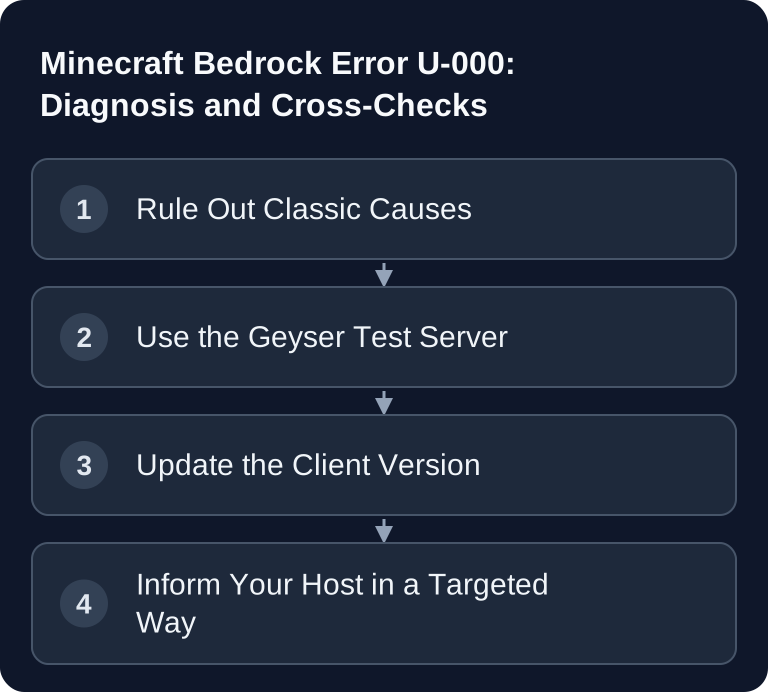
Minecraft Bedrock error U-000 alone does not narrow down the cause. Compare the target server, an independent Geyser test server, and, if possible, a second network path. A failed test server join can affect the client or network; it does not automatically prove the known Android client bug.
"Multiplayer connection failed" — and nobody knows why
You want to join a crossplay server with Minecraft Bedrock — and you get the error code U-000 when adding it, or just "Multiplayer connection failed" when joining. On PC, phone, or console, even though the server is demonstrably running and Java players are on it as usual.
Possible sources of error are incorrect connection details or account permissions, problems in the client, and disruptions in the network path to the target server. The open Geyser issue describes a reproduced Android case; this does not yield a confirmed diagnosis for every platform or every U-000. Use the cross-checks below to narrow down the next check.
The Classic Causes: Checked in 2 Minutes
| Cause | How to recognize it | Fix |
|---|---|---|
| Server is already in your server list | U-000 appears right when saving the entry | Delete the old entry, close Minecraft completely, create the entry again |
| Port in the address field | Address looks like 1.2.3.4:19132 |
The address field takes only the IP or domain — the port has its own field |
| Typo in IP or port | Compare with the data from your server panel | Copy address and port exactly, without spaces |
| Server is offline or asleep | Check the status in the panel | Start the server, wait 1–2 minutes, then connect |
| Microsoft account blocks multiplayer | Even known servers (Featured Servers) do not work | In the Xbox/Microsoft Family settings, allow multiplayer and "joining clubs/servers" |
If the error persists after the checklist, note your platform and exact Bedrock version and run the cross-checks below. Even with newer versions, you must not derive the cause from the error code alone.
Two Causes, One Error Pattern
In Geyser issue #6540, a user reports for Android 1.26.33.1 that the client sends discovery pings but does not start the RakNet connection setup. The server therefore appears in the list, while no actual login arrives in the Geyser log. This is a documented single case and a helpful comparison pattern; the report confirms neither a general Mojang bug nor the same cause on all platforms.
The Android report is documented in the GeyserMC project as issue #6540 and was open at the time of checking on October 7, 2026. No confirmed general cause or general fix is documented there.
Concretely, this means:
- Everything can be fine on the server — but it does not have to be. Geyser is running, the UDP port is open, the configuration is correct: this does not rule out an error on the path to the server.
- Blind reconfiguring does not help. Randomly swapping ports, lowering the MTU, or setting up Geyser again achieves nothing. A targeted comparison via a differently filtered endpoint, however, can provide a hint about the network filter — but for that you need your host.
- It does not affect everyone. Some players can still connect normally — which is what makes troubleshooting so confusing.
The Second Cause: A Filter in the Network Path
Many game servers sit behind DDoS protection that deeply inspects Minecraft Bedrock connections. A client update and a protection filter can together trigger compatibility problems; a filter may drop packets during connection setup. Whether that happens in a specific case requires network or filter data and does not follow from the client version alone. To you, it looks identical to the client bug: the server appears in the list with a ping, the join fails, and nothing shows up in the server log.
This is not a theoretical case. This is exactly what happened to us at one of our locations from August 2 to 6, 2026: after the client update, the data center's Bedrock protection profile dropped our servers' response packets. We noticed it through the cross-check below — a customer could reach the official Geyser test server, but not ours. After the filter profile was changed, crossplay worked again immediately.
How to Find Out Which Case Affects You
- Go through the classic checklist above — it takes two minutes and resolves the most common cases.
- Independent cross-check: Try joining the official Geyser test server — address
test.geysermc.org, port19132. If this one fails too, check your client, account permissions, its current state, and if possible a second network path. If it works but your target server does not, report both results and the time to your host. This makes the target server or its network path suspect; the cause is not yet proven. - Check the Bedrock version (at the bottom right of the start screen): If you are on 1.26.33.x, install every available update — Mojang ships hotfixes, and any new version may contain the fix.
Consoles: PS5, Xbox, Switch
On consoles, additional connection paths such as BedrockTogether or changed DNS settings may be involved. There, first check whether the path used reaches an external address at all, and document the difference from a direct connection on PC or phone. The Android report does not prove an identical console error; a working cross-check merely helps your host narrow things down.
What You Can Do as a Server Operator
- Keep Geyser and Floodgate up to date. Check the installed build and the completion of the intended managed update run. An offered new build and a successfully installed update are different things; test the join again afterwards.
- Do not reconfigure anything "on suspicion" — but do test in a targeted way. Random config experiments make the situation confusing. An A/B test, on the other hand, is worth its weight in gold: make the same Geyser additionally reachable via a port in a differently filtered zone. If the join works there, the difference points to the endpoint or network path. Only additional filter data can confirm the specific filter as the cause.
- Give your players the cross-check: The pointer to
test.geysermc.org(port 19132) helps narrow down client, network, and target server problems and saves everyone involved hours of guesswork. - PC players can test Java separately: On a Java server with Geyser, the native Java join is its own connection path. If it works, that confirms the base server, but not Bedrock reachability.
Status and Updates
Checked on October 7, 2026: Geyser issue #6540 is open and contains an Android user report, not a confirmed general solution. Keep your connection test and matching logs from the same point in time. The Minecraft Crash Analyzer can classify server log messages; a missing RakNet connection attempt cannot be explained by it alone.
FAQ
Is U-000 always a game server error?
No. The same code can result from incorrect connection details, account settings, or a filter in the network path. The open Android user report also describes a possible client problem; it does not confirm a general Mojang cause. Only the cross-check with an independent Geyser server narrows down the cause meaningfully.
Does reinstalling Geyser or Floodgate help?
Not if the Bedrock client does not start the actual RakNet join at all. Keep Geyser and Floodgate up to date, but do not change the configuration at random. Instead, compare the test server, target server, and server log at the same point in time.
Why do I see the server with a ping but cannot join?
Discovery ping and actual login are separate steps. The client can display a ping response and still abort before the RakNet handshake. This is why the server log can remain without any join attempt despite a visible ping.
What should I send to my host?
State the Bedrock version and platform, the exact time of the test, target address and port, and the result with test.geysermc.org:19132. Credentials, full IP logs, or account information do not belong in a public request.
Documenting a Meaningful U-000 Comparison
Test the target and test servers one directly after the other if possible, with the same Bedrock version and the same device. If needed, repeat the comparison over a different network if you can use it safely. For each attempt, note the time, address, port, and result. If both targets fail only on one network, investigate that path. If only your target fails, check its UDP endpoint and protection profile with the host. The Geyser issue describes a specific Android version; no confirmed cause for every device follows from it. During the comparison, do not change any world files, authentication, or arbitrary ports.