An ATM9 server needs Forge for Minecraft 1.20.1 and the same pack version on all clients. After the start, check the world, join and JVM memory separately: Java heap and container usage are different measures. The documented empty test runs do not determine a player limit.
Status of this guide: September 26, 2026. The pack data comes from our catalog and the server pack; the times, RAM and settings come from our own test server on the same day, and the images from our own captures.
What is All the Mods 9, and is your own server worth it?
All the Mods 9, ATM9 for short, is a kitchen-sink pack: tech, magic, storage logistics, new dimensions and exploration are all together in one modpack, on Forge for Minecraft 1.20.1. On our test server there were 418 active mods in the mods folder. The quest book (FTB Quests) provides a common thread, and the final goal is the ATM Star, an item that demands resources from almost all mods in the pack. If you want even more, take the optional GregTech path to the GregStar.
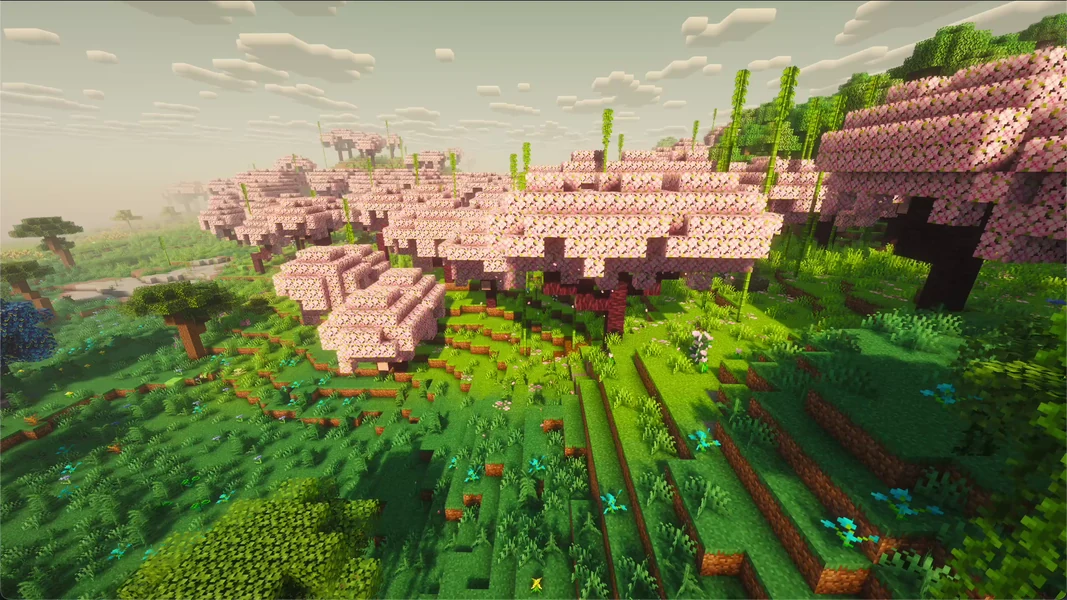
Your own server is worth it when a group wants to share a project over weeks: everyone builds a branch, the intermediate products come together, and the world keeps running when the host is offline. For a short solo game, the singleplayer world is enough. ATM9 is also the choice if your group needs mods that don't exist for Minecraft 1.21 yet, or clients that have to stay on 1.20.1.
These mods shape the pack. All of them are in the server pack that we install:
| Area | Mod in the pack (version) |
|---|---|
| Tech | Mekanism 10.4.15, Thermal Expansion 11.0.1, Create 6.0.6, Industrial Foregoing 3.5.21, Powah 5.0.11, PneumaticCraft: Repressurized 6.0.21, GregTech CEu 7.2.0 |
| Storage and logistics | Applied Energistics 2 15.4.9, Refined Storage 1.12.4, Sophisticated Backpacks 3.24.9 |
| Magic | Botania 450, Ars Nouveau 4.12.7, Blood Magic 3.3.3, Occultism 1.152.1, Apotheosis 7.4.8 |
| Dimensions and exploration | The Aether 1.5.2, Blue Skies 1.3.31, Deeper and Darker 1.3.3, Ad Astra 1.15.20, Biomes O' Plenty 19.0.0.96, nine structure mods by YUNG |
| Bosses | L_Ender's Cataclysm (Ignis, Ender Guardian, Netherite Monstrosity) |
| Pack-specific | Allthemodium 2.5.6, AllTheOres 2.2.4, AllTheTweaks 2.3.2, FTB Quests 2001.4.14, FTB Teams 2001.3.1 |
| Server performance | ModernFix 5.24.4, FerriteCore 6.0.1, spark 1.10.53 (profiler, see RAM section) |
Which version, which loader, which Java version?
| Property | Value |
|---|---|
| Pack version | All the Mods 9 1.1.1 |
| Minecraft | 1.20.1 |
| Loader | Forge 47.4.0 |
| Java on the server | Java 17 (17.0.20) |
| Mods on the server | 418 active, plus 1 disabled (Simple Backups as .jar.DISABLED) |
| RAM on our side | 10 GB |
You don't have to set the matching Java version: the server automatically gets Java 17 for this pack. The disabled backup mod is intended that way by the pack; you make backups in our panel, see the Backups section.
All the Mods 9 or All the Mods 10?
| All the Mods 9 | All the Mods 10 | |
|---|---|---|
| Minecraft | 1.20.1 | 1.21.1 |
| Loader | Forge | NeoForge |
| RAM on our side | 10 GB | 10 GB |
| Mods | 418 | 464 |
| Page | All the Mods 9 | All the Mods 10 |
Choose ATM9 if your group stays on Minecraft 1.20.1, needs certain 1.20.1 mods, or prefers the mature version with years of guides and videos. ATM10 is the newer ATM generation on Minecraft 1.21.1; this pack version is not the same as the newest Minecraft version. There is the guide Create an All the Mods 10 Server and the load measurement How much RAM does ATM10 really need? for that. An overview of more packs is given in The Best Minecraft Modpacks for Your Own Server.
How much RAM does All the Mods 9 need? Our measurement
We offer ATM9 with 10 GB RAM. The test server from September 26, 2026 had this allocation (10,240 MiB for the maximum Java heap) and a container limit of 12 GiB including additional memory for Java. For the following measurement, the server pack, which was first extracted into a subfolder, was moved to the root by hand and its maximum heap size adjusted. The test server then showed the following values:
| Measurement | Value |
|---|---|
| Java heap used, at idle after the first start | 2.72 GiB (about 2.92 GB) |
| Java heap committed at that time | 7.94 GiB (about 8.52 GB) |
| Container RAM at idle | 9.3 GiB (see note), CPU about 4% |
| Disk space after the first start | 1.5 GB |
First start of the pack until Done |
3 minutes 56 seconds |
Restart until Done |
3 minutes and 47 seconds |
The note on RAM: Used heap, committed heap and container RAM are different quantities. Java can already commit memory even though no game objects are in it yet. In addition, Java needs memory outside the heap. The pack option -XX:+AlwaysPreTouch touches committed heap pages before Java hands them to the application; it does not mean that the entire maximum heap limit is claimed immediately. The pack file user_jvm_args.txt also contains -Xms4G and -Xmx8G. Our installation removes both heap settings, so that the panel's start line determines the initial size and the booked maximum. A high panel value alone proves neither a memory leak nor that more RAM is needed. Also watch the development of used heap, garbage collection pauses and the tick rate.
This is the server without players. Every player exploring new terrain makes the server generate chunks, place structures and tick machines. We did not measure how much ATM9 needs with several players; for the sister pack ATM10 there is a documented synthetic resource measurement without real players. It applies to the ATM10 setup described there and cannot be taken over as ATM9 player capacity. We don't promise a player count.
The pack ships the profiler spark 1.10.53. With /spark tps you see the tick rate and CPU values in the game, but no heap usage. For that, call /spark healthreport --memory; this command is present in the bundled version and also shows memory values. In the server console you enter commands without the leading slash. If the TPS drops permanently, start a time-limited recording with /spark profiler start --timeout 120 and check the report before you add RAM. For this you need operator permissions or the corresponding spark permission. How to read a lagging server is in the guide Minecraft Server Lagging: Fixing Watchdog Timeouts Properly.
Ordering the server and the first start
- Open the All the Mods 9 page and click “Configure Server Now”.
- In the configurator the game, loader and the tested pack are preselected, and the RAM is set to 10 GB. You see the price there before you pay.
- After the order, the system creates the server, downloads the server pack from CurseForge and unpacks it. You don't have to upload anything.
- Wait until the console shows the line
Done (…)! For help, type "help". The pack's first start took 3 minutes and 56 seconds on our test server, counted from the start of the container; the number in parentheses afterDoneis shorter (23 seconds for us) because Minecraft only measures the world loading there. - A restart then took 3 minutes and 47 seconds.
Don't be alarmed at the first look into the console: On the first start of the measured pack, our test server wrote 52 lines with ERROR and almost 8,000 lines with WARN to the log. Among them were twelve messages from PneumaticCraft, eleven from ForgeHooks, eight from the RuntimeDistCleaner (mods that try to load client classes on the server) and three from the Tinkers' Construct material tables. The server reached Done anyway. On the second start there were only 7 error and 72 warning lines. This describes the messages observed in this test, not every possible error message. You have to check new or recurring errors, crashes and failed joins based on the specific message; a Done line alone doesn't rule out problems.
Important: The first world is created after the modpack
With packs like this one, the first world used to be created at the start of the Forge base server, before the pack ran, and the surroundings of spawn then had no pack biomes. Since September 25, 2026, our installation deletes this pre-world before the pack's first start. If you order now, the world is created at the first start of ATM9 with the pack's biomes and structures, including the new structures of the YUNG mods and the biomes from Biomes O' Plenty.
If you still want to regenerate the world later, for example after changing the seed, and haven't built anything yet:
- Stop the server in the panel.
- Create a backup. How to do that is in the guide Create a Minecraft Server Backup.
- Only for the backed-up, unplayed wrong world: rename the
worldfolder, for example toworld-before-atm9-test, and keep it. - Start the server again and wait for
Done.
The renamed and externally backed-up old world is preserved. Its contents are not carried over into the new active world. Use this route only for an unplayed wrong world and keep the fallback copy.
Which settings does All the Mods 9 bring?
ATM9 comes with no server.properties of its own. The file comes from the Minecraft base server, and so the usual default values apply. You find it in the panel's file manager:
| Setting | Value on the test server | Note |
|---|---|---|
allow-flight |
false |
Default. With jetpacks (Ad Astra, Create Jetpack) or angel rings, flight kicks can occur: in that case set to true. |
difficulty |
easy |
Default. Set to normal or hard for more challenge. |
view-distance |
10 |
Default. |
simulation-distance |
10 |
Default. |
max-players |
20 |
Default. |
The mods' settings are in config/ (264 files and folders on the test server) and, for new worlds, in defaultconfigs/. These values are worth a look:
| File | Setting | Value in the pack | Effect |
|---|---|---|---|
config/waystones-common.toml |
worldGenStyle / frequency |
"BIOME" / 25 |
Waystones appear in the biome's style, roughly every 25 chunks. 0 turns them off. |
defaultconfigs/ftbchunks/… |
Chunk claims and force-loading per team | Pack default | How many chunks a team may claim and keep loaded. Force-loaded chunks cost tick time, even when nobody is online. |
defaultconfigs/ftbessentials-server.snbt |
Homes, warps, teleport cooldowns | Pack default | Convenience commands like /home and /tpa that the pack brings. |
user_jvm_args.txt |
Java start parameters | from the pack | Contains -XX:+AlwaysPreTouch (see RAM note). The memory limit is set by our panel, not by this file. |
Change such values only with the server stopped and after a backup. Values in defaultconfigs/ apply to new worlds; for an existing world the copy is in world/serverconfig/.
What awaits you in the world
The most striking enemies in ATM9 come from L_Ender's Cataclysm. For the images we spawned two bosses by command and turned off their AI. In the real game you find them in their structures, and they attack.
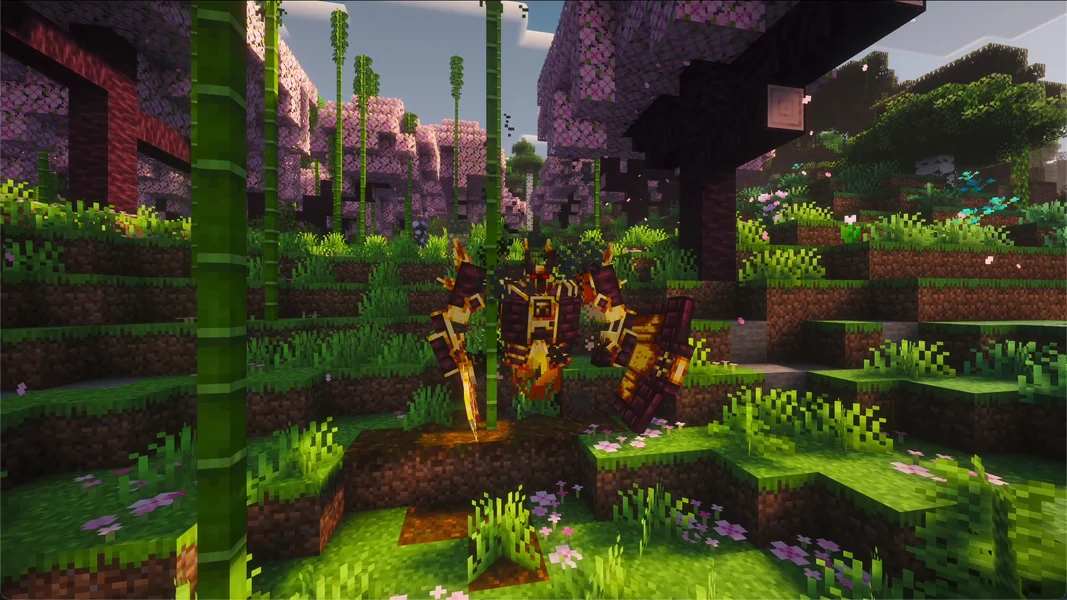
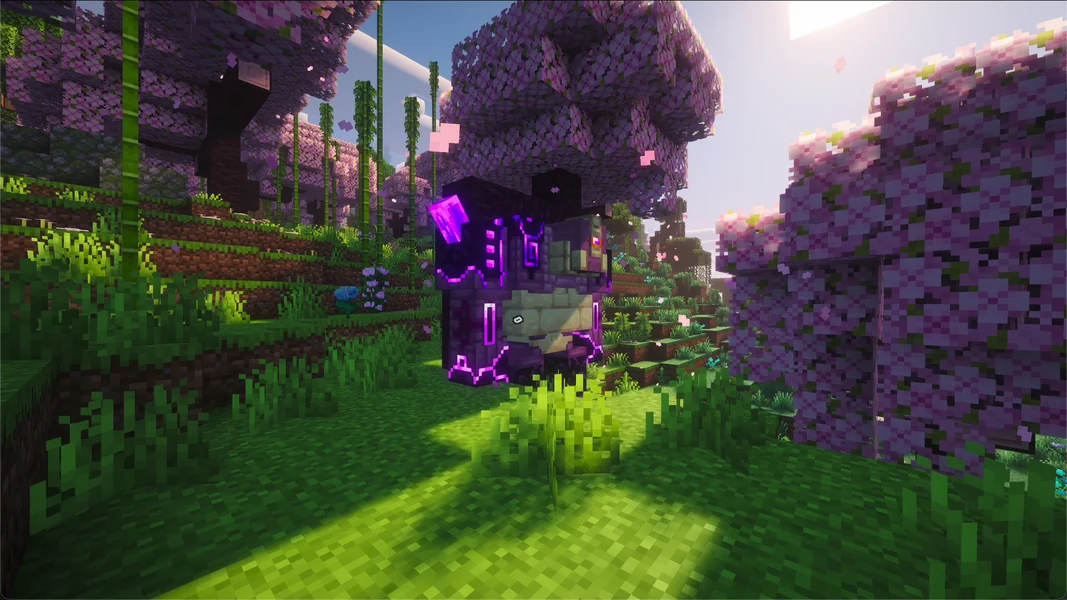
For the server this means: boss fights create many particles and block damage at once, large machine halls from Mekanism or Create cost compute time every tick, and automatic farms keep running if their chunks stay loaded via FTB Chunks. Back up the world before a big fight and before every larger rebuild, then a destroyed storage is only a setback of a few minutes.
Common problems and their cause
| Problem | Cause | Solution |
|---|---|---|
| The panel shows a lot of RAM used even though nobody is playing | Committed heap and additional Java memory count toward container RAM; -XX:+AlwaysPreTouch touches committed heap pages |
Check heap usage with /spark healthreport --memory and the trend over time; /spark tps shows tick rate and CPU. A single high value proves no memory leak |
| Players are kicked for “flying” | allow-flight is at the default false, ATM9 has jetpacks and flight rings |
Set the value in server.properties to true, restart the server |
| Joining fails with a message about missing or wrong mods | Player has a different ATM9 version | Install the same pack version as the server, see next section |
Many ERROR and WARN lines in the log |
known startup messages are possible; new messages may point to a problem | Compare with the messages described above; for new or recurring errors, crashes or failed joins, check the specific cause |
| Server gets slow even though nobody is online | force-loaded chunks with machines and farms (FTB Chunks) are a possible cause | check with /spark tps and /spark profiler start --timeout 120, remove unnecessary force-loading, turn off farms |
| Server gets slow when many players explore | lots of new terrain with structures at once | lower view-distance and simulation-distance, pregenerate the world with Chunky beforehand |
Connecting players
Every player needs All the Mods 9 on their own PC, in the same version as the server. The easiest way is via the CurseForge app: search for ATM9, select the matching version, install and start it. In the game, the player enters the server address from your panel under “Multiplayer”. If the versions don't match, the server rejects the join. The detailed guide with all launchers is in Join a Minecraft Modpack Server.
Bedrock players, i.e. console and mobile, cannot join an ATM9 server. The pack needs Java Edition with the installed mods on every device.
Backups and updates
The pack disables its own backup mod (Simple Backups sits as .jar.DISABLED in the mods folder). You therefore make backups in the panel; they include the world, config/ and the player data. Before every pack update:
- Create a backup in the panel.
- Read the changelog of the new version; kitchen-sink packs also swap mods between versions.
- Bring the server and all clients to the same version together.
- Check joining and the most important machines before everyone continues playing.
FAQ
Why Minecraft 1.20.1 and not the newest version? ATM9 is built for Minecraft 1.20.1. All the Mods 10 is the newer ATM generation on Minecraft 1.21.1. Which Minecraft version a pack uses is determined by the pack; switching to the newest Minecraft version without matching mods doesn't work.
Is 10 GB enough for my group?
At measured idle, about 2.7 GiB of Java heap was used. That is not a capacity measurement for your group: with players, machines and new terrain, the need may rise. During the first evenings, watch the tick rate with /spark tps, the used heap with /spark healthreport --memory and the trend of the RAM display in the panel. The panel display measures more than the used heap and is not, by itself, a reason to add RAM.
Why does the panel show more RAM than Java uses in the heap?
The display also includes already committed heap and additional Java memory. -XX:+AlwaysPreTouch touches committed heap pages before they are used. A high value can therefore occur without the heap being filled with game objects. Check the trend over time and the server performance before you deduce a memory problem from it.
Do I have to pregenerate the world? No, that is not a prerequisite. The world is created as you explore. With many players exploring at the same time, pregenerating with Chunky helps against stutters.
How long does a restart take?
On our test server 3 minutes and 47 seconds from start to Done.
Why are there so many errors in the log?
Some mods bring client parts that cannot be loaded on a server. We observed such messages in the described test. Still check new errors, recurring messages and possible effects on joining or gameplay. Done confirms the start, not that all mods are free of errors.
Can I enable the disabled backup mod? That isn't necessary. Backups in the panel secure the entire server, including the player data, and run on our side.
Sources and test setup
Test setup: All measurements come from our own test server on September 26, 2026, the pack data from our catalog and the server pack. In detail:
- Pack: All the Mods 9 on CurseForge, version 1.1.1, server pack file 7097957, Forge 47.4.0, 418 active mods plus 1 disabled (catalog and package status September 26, 2026).
- Measurement server: September 26, 2026, 10 GB RAM, Java 17, container limit 12 GiB. For the times and RAM values, the pack was moved by hand from its subfolder to the root and
-Xmxadjusted to 10,240 MiB; the pack's initial size was kept. Today's automatic installation, by contrast, removes both-Xmsand-Xmxfrom the pack file. The measurements are observations of this test environment, not a guarantee for every installation. Times and RAM from the container and the Java heap report, settings and mod list from the server files; measurement server deleted afterwards. - Finding during the test: The server pack extracts its files into a subfolder. Up to this test, our installation did not detect this and started the server without mods; we corrected the installation path on the same day so that the pack lands in the right place. No ATM9 server was ordered before this date.
- Not measured: RAM and TPS with real players, player capacity, how the first world looks in the game.
- Images: own captures from a local world with All the Mods 9 1.1.1 and shaders. The bosses are spawned by command, their AI is turned off.
- Java memory: Java 17 documentation on AlwaysPreTouch and heap sizes.
- Diagnostics: spark command documentation; command scope and permissions depend on the installed spark version.
Distinguish existing world configuration from pack templates
With FTB settings, first check whether you are editing a template in defaultconfigs or the active copy in the world's serverconfig. A changed template does not automatically overwrite the existing world. Therefore back up configuration and world together and test a small specific change with a normal player. In case of lag, check tick times, force-loading and GC in the same period. An ATM10 measurement series does not replace an ATM9 test, because version, mods and memory conditions differ. Keep a wrongly generated, unplayed world folder as a copy instead of irretrievably removing it before sign-off.