
Choose a Minecraft modpack for your server based on playstyle, a shared client version and the extensions you need. The table shows specific catalog versions and starting RAM allocations. Download counts or idle measurements alone prove neither a suitable player count nor stable performance for your developed world.
This selection groups the documented catalog versions by playstyle. Download counts from CurseForge and Modrinth were recorded on September 22, 2026; the RAM presets are planning figures from the catalog. We deliberately leave out player counts: they depend on the world, machines and mods, and were not measured.
Comparison Table: 17 Modpacks for Your Server
| Modpack | Playstyle |
Loader / Minecraft |
RAM Preset (Catalog) |
Downloads (September 22, 2026) |
|---|---|---|---|---|
| Cobblemon Official | Catch, train and battle Pokémon |
Fabric 1.21.1 |
6 GB |
Modrinth 10.7 million, CurseForge 3.7 million |
| COBBLEVERSE | Cobblemon with gyms, a story and regions |
Fabric 1.21.1 |
8 GB |
Modrinth 6.7 million, CurseForge 5.0 million |
| The Pixelmon Modpack | Catch and battle Pokémon, extensive Pokémon roster |
NeoForge 1.21.1 |
6 GB |
CurseForge 20.1 million, Modrinth 2.2 million |
| All the Mods 10 | Kitchen sink: tech, magic, quests |
NeoForge 1.21.1 |
10 GB |
CurseForge 21.8 million |
| All the Mods 9 | Kitchen sink on 1.20.1 |
Forge 1.20.1 |
10 GB |
CurseForge 13.6 million |
| Create+ | Machines, trains, automation |
NeoForge 1.21.1 |
6 GB |
Modrinth 1.3 million |
| RLCraft | Hardcore survival, dragons, skills |
Forge 1.12.2 |
6 GB |
CurseForge 30.1 million |
| Better MC BMC4 | Vanilla+ with structures and quests |
Forge 1.20.1 |
8 GB |
CurseForge 18.3 million, Modrinth 2.2 million |
| BetterMC: Vanilla |
Vanilla+ on NeoForge 1.21.1 |
NeoForge 1.21.1 |
4 GB |
Modrinth |
| Prominence II: Hasturian Era | RPG with classes and dungeons |
Fabric 1.20.1 |
8 GB |
CurseForge 12.7 million, Modrinth 2.0 million |
| DawnCraft: Echoes of Legends | Souls-like combat, bosses, quests |
Forge 1.18.2 |
8 GB |
CurseForge 10.4 million |
| Craft to Exile 2 | Action RPG with a talent tree |
Forge 1.20.1 |
8 GB |
CurseForge |
| SkyFactory 4 | Skyblock with resource trees |
Forge 1.12.2 |
6 GB |
CurseForge 14.0 million |
| SkyFactory One | Skyblock, modern successor |
Forge 1.16.5 |
6 GB |
CurseForge |
| Vanilla Sky | Lightweight Skyblock |
Fabric 1.20.1 |
4 GB |
Modrinth |
| Cursed Walking | Zombie apocalypse |
Forge 1.20.1 |
8 GB |
CurseForge 8.5 million |
| Deceased |
Urban zombie apocalypse |
Forge 1.20.1 |
8 GB |
CurseForge 9.3 million |
The RAM column shows the presets from our catalog as a starting point for planning. These are not measured minimums — All the Mods 10 has its own set of measurements, shown below. Download counts are totals from each platform and say nothing about the version being played today.
Collecting Pokémon: Cobblemon, COBBLEVERSE and Pixelmon
 (Enlarge image)
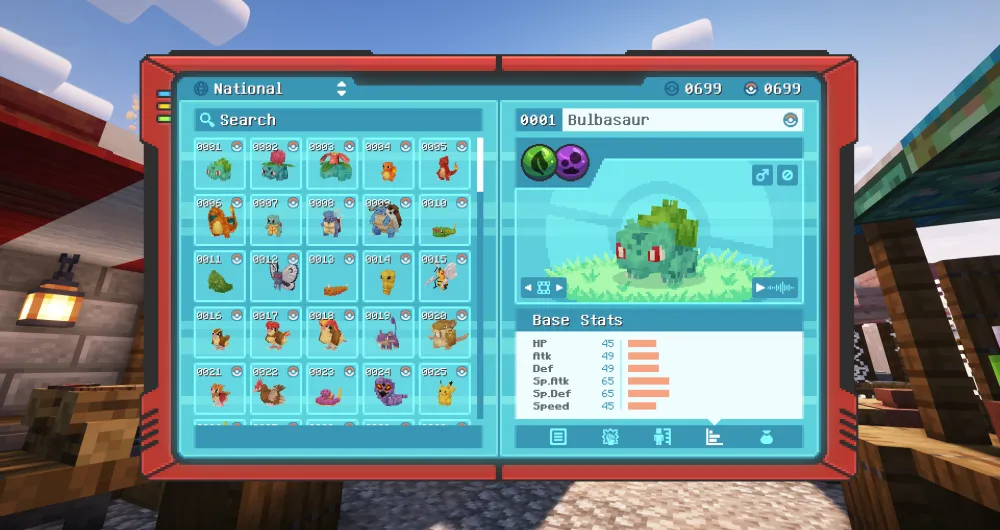
Cobblemon is one of the packs in high demand according to the documented download figures. The available version of the official pack runs on Fabric 1.21.1 with a catalog starting allocation of 6 GB RAM, includes custom 3D models and is ready to play without extra mods: catch, train, battle and breed Pokémon, grow berries and revive fossils.
COBBLEVERSE builds on this by adding gyms, a story and several regions — its catalog preset is 8 GB. Actual requirements depend on the pack release and your world's workload. For a group that wants longer shared progression, COBBLEVERSE is the better choice; for an open server where players come and go, the leaner official pack is a better fit.
Both are Fabric packs. Bedrock players cannot join a Fabric modpack server — Geyser does not translate the modded content. Check this client requirement with everyone who will be playing before you order.
 (Enlarge image)
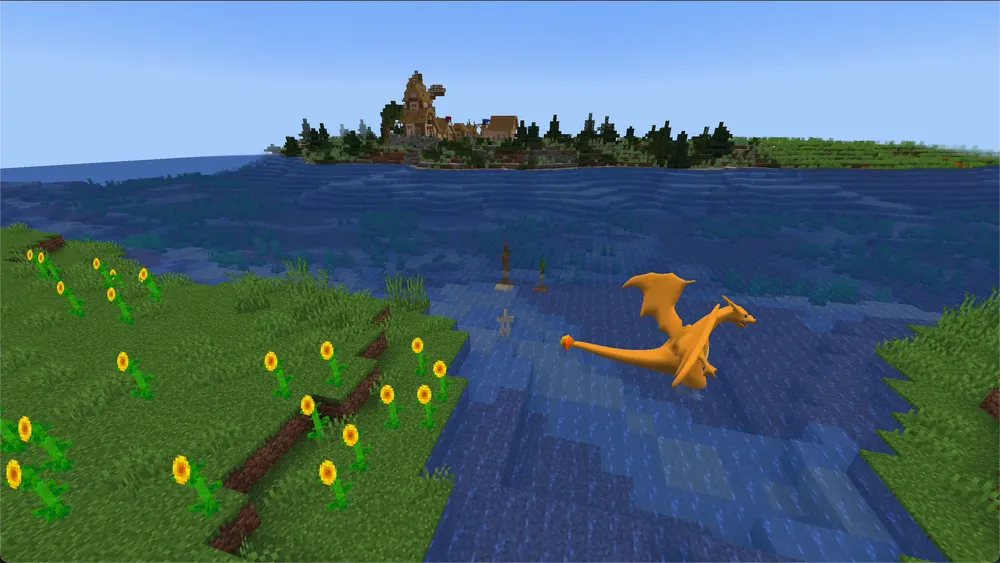
The Pixelmon Modpack follows the same basic idea — catch, train and battle Pokémon — but uses NeoForge instead of Fabric: over 1,000 Pokémon with custom models, Terralith world generation and a dedicated soundtrack resource pack make it significantly larger than Cobblemon at around 400 MB. With 20.1 million downloads on CurseForge, it is the most downloaded Pokémon pack on that platform. Which pack suits you better is not a question of quality, but of loader preference: if you already know Fabric mods or servers, stick with Cobblemon; if you prefer NeoForge or want more content, choose Pixelmon. Pixelmon also runs exclusively on Java Edition — Bedrock crossplay is not possible here either. For a detailed comparison of both packs — loaders, content, RAM and startup time — read the Cobblemon vs. Pixelmon guide.
Tech Without Limits: All the Mods 10 and 9
 (Enlarge image)
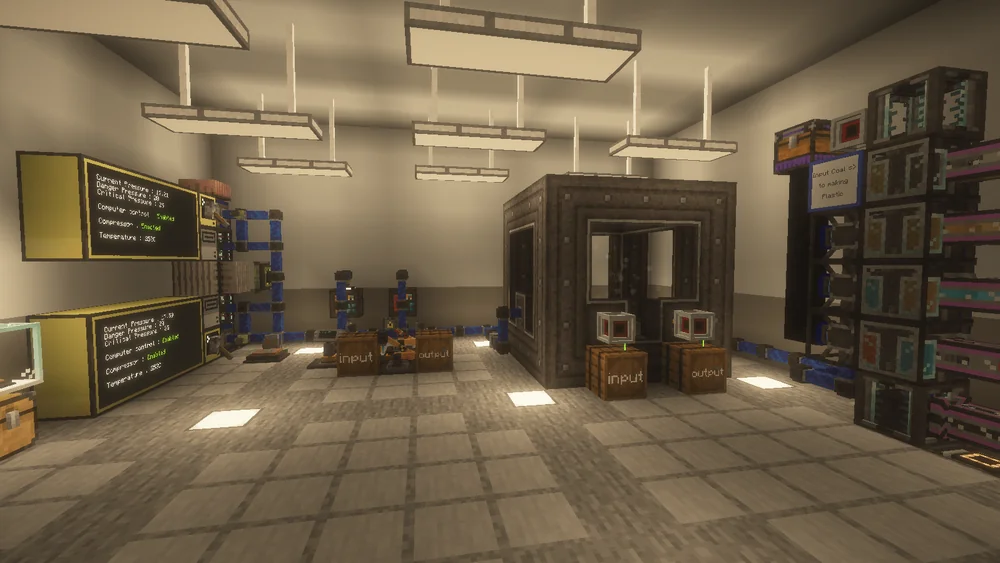
All the Mods 10, with 21.8 million CurseForge downloads, is an extensive kitchen-sink pack in the documented catalog snapshot: several hundred mods for tech, magic, storage logistics and exploration on NeoForge 1.21.1, complete with a quest book and teams. It is also the pack whose RAM requirements we know most precisely: across three load tests with 10 GB allocated, P95 RAM usage reached up to 8,137 MB — the full measurements and their limitations are in the guide All the Mods 10 Server: How Much RAM Does ATM10 Really Need?. The guide Create an All the Mods 10 Server walks you through setup, from the first launch and settings to getting your friends connected.
 (Enlarge image)
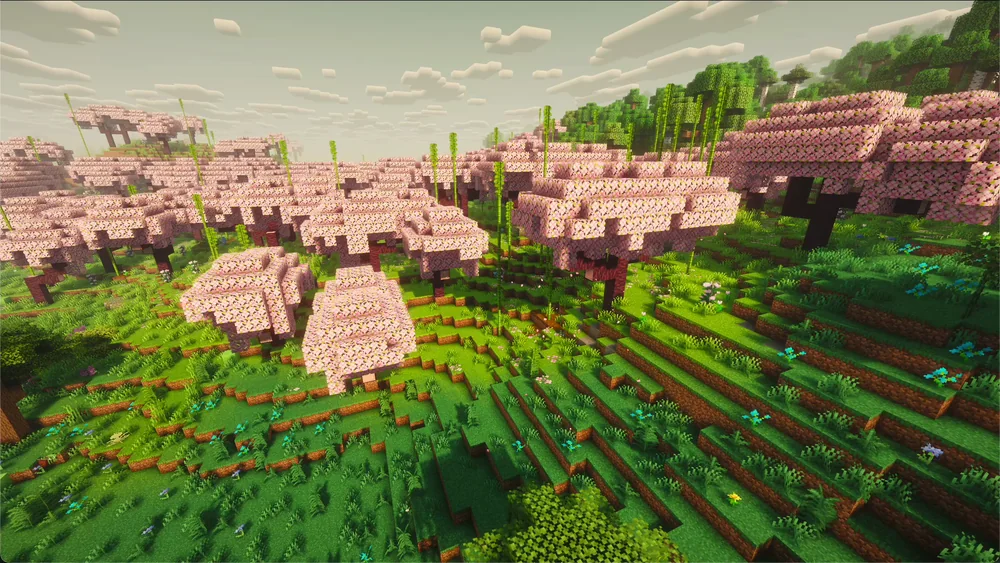
All the Mods 9 is the 1.20.1 generation on Forge. It is worth choosing if your group needs mods that are not yet available on 1.21, or has clients that are stuck on 1.20.1. Setup, measured startup results and settings are covered in the guide Create an All the Mods 9 Server. The preset 10 GB is a catalog starting point, not a measured universal minimum. Plan around the pack version, machines, chunks kept permanently loaded and actual heap and tick measurements. Smaller memory allocations were not tested in the ATM10 comparison described here; it cannot establish a general threshold for lag.
Machines, Trains, Factories: Create+
Create+ offers a curated introduction to the Create mod and add-ons for trains, steam engines and logistics. The available version uses NeoForge 1.21.1; the catalog preset is 6 GB. Try out a machine or train in your first group test so everyone can learn the mechanics and how they affect tick load.
On a Create server, tick time matters more than RAM: large contraptions and lots of trains cost milliseconds per tick. If you see individual tick spikes above 50 ms despite an average TPS of 20, the guide Minecraft Server Lag: How to Fix Watchdog Timeouts Properly explains how to diagnose the issue.
The Classic: RLCraft
 (Enlarge image)
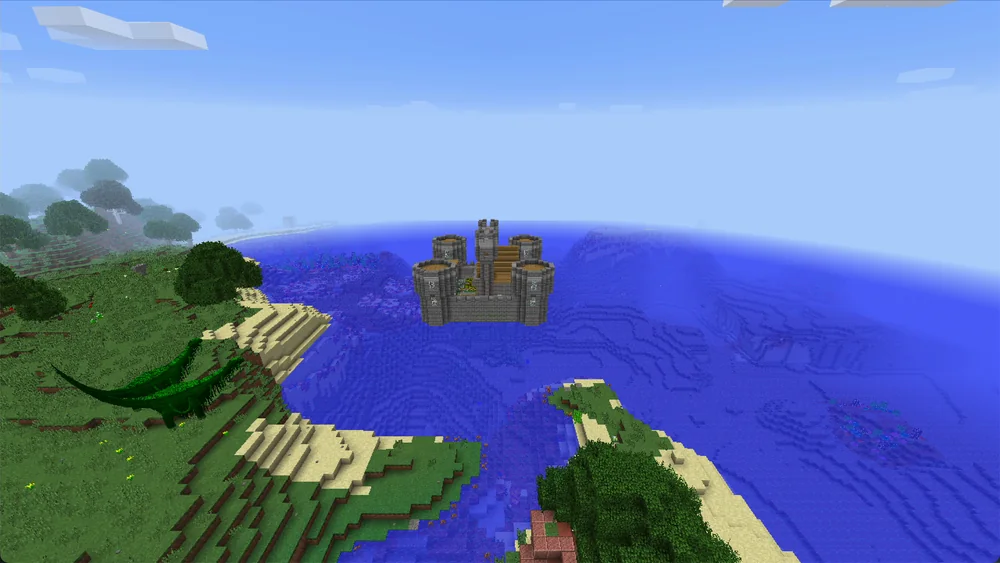
RLCraft is the most downloaded modpack on CurseForge overall, with 30.1 million downloads — and it is deliberately tough: thirst, temperature, dragons, skills you have to unlock and deaths that hurt. The available version runs on Forge 1.12.2; the catalog starting allocation is 6 GB RAM.
The old version is not a drawback, but the reason the pack works: this combination of mods only exists on 1.12.2. For the server, that means the correct Java 8 runtime, extensions specifically compatible with Forge/Minecraft 1.12.2 and regular backups, because Lycanites creatures and dragons visibly alter the world. The guide Create an RLCraft Server covers how much RAM the pack actually needs and what happens during the first launch.
Vanilla with More World to Explore: Better MC
 (Enlarge image)
Better MC BMC4 (Forge 1.20.1, 8 GB, 18.3 million CurseForge downloads) feels like Vanilla — just with hundreds of structures, new biomes, bosses and over 100 quests. It is the pack for groups where not everyone wants to learn tech. RAM, first launch, world setup and connecting friends, step by step: Create a Better MC Server (BMC4).
BetterMC: VanillaReborn is the leaner catalog option on NeoForge 1.21.1, with a 4 GB RAM preset. Check frame rates and memory usage on the actual computers you will be playing on; the server's RAM allocation does not establish any particular level of client performance.
RPGs with Classes and Bosses: Prominence II, DawnCraft, Craft to Exile 2
 (Enlarge image)
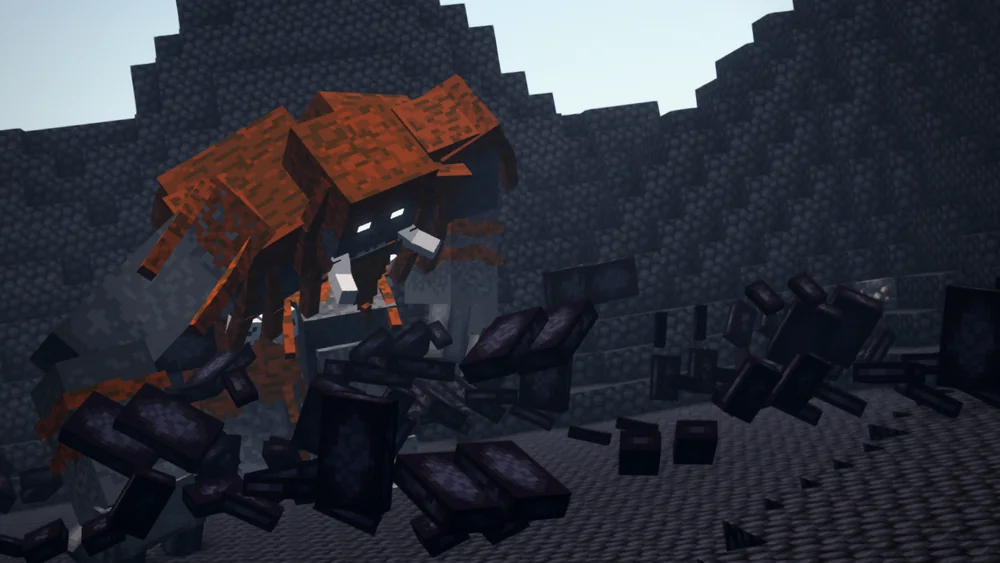
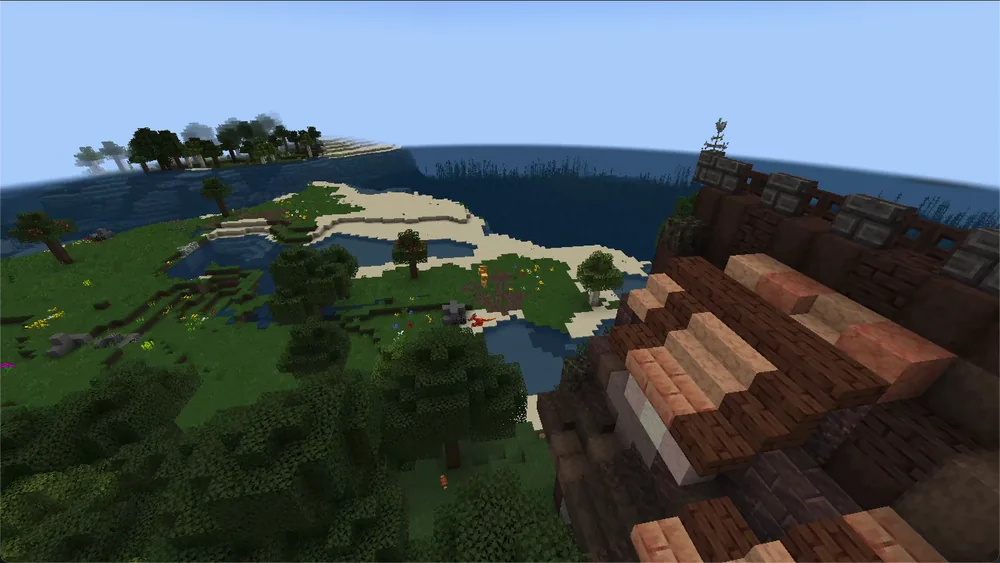
Prominence II: Hasturian Era (Fabric 1.20.1, 8 GB) is the RPG pack with classes, abilities and dungeons; DawnCraft (Forge 1.18.2, 8 GB) focuses on Souls-like combat and bosses with a fixed quest line; Craft to Exile 2 (Forge 1.20.1, 8 GB) adopts talent trees and loot systems from action RPGs. All three have an 8 GB catalog preset. This is not a measured universal minimum: mobs, structures and permanently loaded areas need to be monitored during actual gameplay.
 (Enlarge image)
If players join and leave regularly, check how individual class development, quests and shared progression fit together. A consistent group can plan its quest sequence together more easily. This does not establish a measured stability ranking for the three packs. Measured startup times, idle RAM usage and the key settings for Prominence II, DawnCraft and Zombie Invade are covered in the guide RPG Modpacks on Your Own Server.
Skyblock: SkyFactory 4, SkyFactory One, Vanilla Sky
 (Enlarge image)
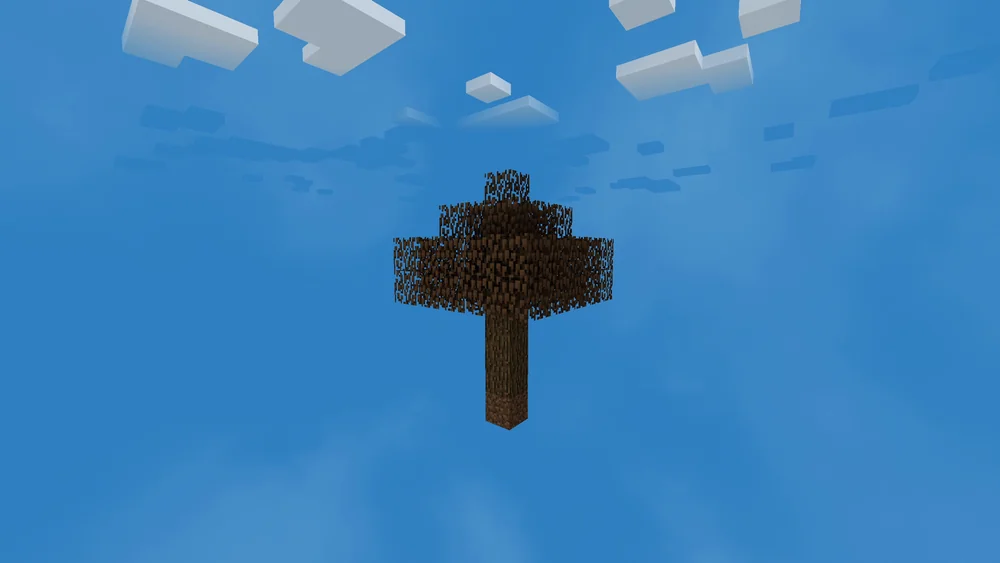
SkyFactory 4 (Forge 1.12.2, 6 GB, 14.0 million downloads) is Skyblock with resource trees, sieves and a prestige system that provides replay value. SkyFactory One (Forge 1.16.5, 6 GB) is the more modern successor with the same core concept. Vanilla Sky (Fabric 1.20.1, 4 GB) is the lightest pack on the list: Skyblock close to Vanilla, for small groups and small servers. The guide Create a SkyFactory 4 Server explains how the SkyFactory 4 world starts with a tree in the void and which settings the pack includes.
A Skyblock world can limit the generation of new terrain. Machines, entities and permanently loaded islands can still increase memory usage and tick load as you progress. Monitor this load during actual gameplay; a small world does not guarantee permanently stable RAM requirements.
Zombie Apocalypse: Cursed Walking and DeceasedCraft
 (Enlarge image)
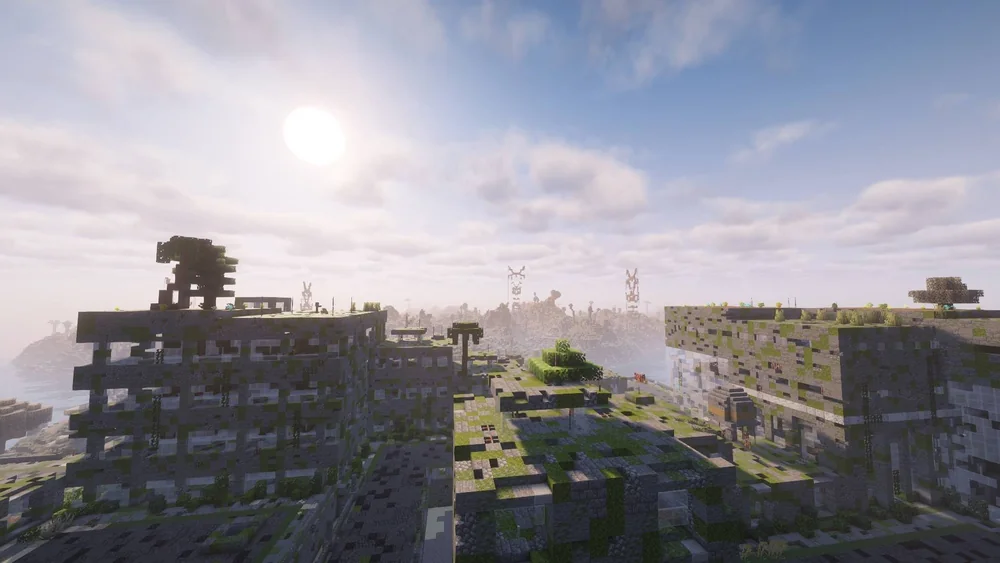
Cursed Walking (Forge 1.20.1, 8 GB, 8.5 million downloads) and DeceasedCraft (Forge 1.20.1, 8 GB, 9.3 million) are the two major survival packs: hordes, weapons, cities and base building. DeceasedCraft is more urban and action-heavy, while Cursed Walking feels closer to a TV series with a slowly building threat. Both available versions use Forge 1.20.1. To switch, every player still needs the complete destination pack in the correct release, preferably in a separate launcher profile; sharing a loader and Minecraft version does not make the packs interchangeable.
What Is Missing from the List, and Why
Fabulously Optimized is a client optimization pack; its download count does not rank it among suitable server packs. Do not install a client pack like this as a server pack. Server Optimization from our catalog (Fabric 1.21.1, 4 GB) is the server-side counterpart: not a content pack, but Lithium, FerriteCore and similar mods for a faster Vanilla server.
Packs such as Cave Horror Project or Backrooms: Found Footage are in the catalog but have not yet passed a boot test on our platform. They will only appear here once they have.
How Much RAM Does a Modpack Server Really Need?
The table shows catalog presets for the available pack versions. They are not proven minimums or player limits. Three groups help with initial planning; the ATM10 measurements do not establish memory thresholds for the other packs:
- Lightweight packs (Vanilla Sky, VanillaReborn, Server Optimization): 4 GB. Few mods, small world.
- Medium packs (Cobblemon, Pixelmon, Create+, RLCraft, SkyFactory): 6 GB. Lots of mods, but a manageable amount of content loaded at once.
- Large packs (ATM9/10, COBBLEVERSE, Better MC BMC4, the RPG and zombie packs): 8 to 10 GB. Hundreds of mods, lots of entities, large structures.
More RAM alone does not guarantee better tick performance. A larger heap can change GC behavior; the effect depends on the collector, allocations and workload. Check heap usage, the memory limit and the exact error message when you see “Out of memory”. Simultaneous GC pauses and TPS drops require diagnosis; on their own, they do not prove that the heap is too small. The Minecraft RAM Calculator helps with an initial estimate, while the ATM10 measurements show how to check it precisely.
Your Own Pack Instead of a Catalog Option
All the packs above can be preselected with one click in the configurator; installation runs automatically after payment. If you want a different pack from CurseForge or Modrinth, load it through the modpack browser in the server panel — the process is described in the guide Set Up Mods and Modpacks on Your Server. And because a modpack server only works with the same pack on the client: How Players Join a Modpack Server.
FAQ
Which modpack is the most popular in 2026?
The dated download counts in the table are not a cross-platform ranking and measure neither current active players nor new server launches. Client optimization packs also appear in download lists. Choose an available server pack based on playstyle, pack release and a shared client version.
Which modpack is suitable for beginners?
Better MC BMC4 or VanillaReborn: the game remains Vanilla, with mods simply expanding it. Cobblemon is also beginner-friendly because its core gameplay is immediately understandable. RLCraft and All the Mods 10 are not.
Can Bedrock players join a modpack server?
The content modpacks compared here require Java clients with the matching pack. Geyser cannot translate their additional required Java mod content for a Bedrock client. This is different from purely server-side extensions that require no additional client content.
Can I switch modpacks later?
Yes, but the world is tied to the pack. Switching usually means starting a new world; a backup of the old one is retained. Even with the same loader and Minecraft version, every client needs the complete new pack in the correct version. Use a separate profile for this and keep the old world along with its original pack version.
Is 4 GB enough for Cobblemon?
The catalog presets are 6 GB for the official pack and 8 GB for COBBLEVERSE. The available evidence does not assess a controlled comparison of 4 GB against 6 or 8 GB; it therefore proves neither stable operation with 4 GB nor a universal 8 GB minimum. Check your world's actual heap usage, memory limit and tick load.
Sources and Verification Status
Verification status: Catalog values (RAM, loader, version) from our modpack catalog dated September 22, 2026; download counts retrieved from CurseForge and Modrinth on the same day; ATM10 measurements from three documented load tests. Not measured: player counts per pack.
- CurseForge download counts: CurseForge — Modpacks by Total Downloads, accessed September 22, 2026.
- Modrinth download counts: Modrinth — Modpacks, sorted by downloads using the Modrinth Search API, accessed September 22, 2026.
- Crossplay limitation: GeyserMC — FAQ on why Bedrock clients cannot load Java mods.
- RAM recommendations, loaders, versions: Our modpack catalog from the same date; ATM10 measurements from three successful load tests conducted August 26–28, 2026, documented in the linked RAM guide.
- Search demand for topic selection: Google Ads volume via DataForSEO, September 2026.
Narrow Down Your Choice Before Ordering
First, write down which mechanics are essential: Pokémon, machines, Skyblock or a fixed quest sequence. Then check whether everyone can use the required Java client and loader. Choose a specific pack release rather than just the series name. The RAM figures help you select an available starting configuration; machines added later, exploration and permanently loaded chunks need to be monitored separately. Test the core mechanics after first joining, before importing an existing world. Switching to another pack is a new compatibility project, not simply a JAR swap.
Video (0:16): Cobbleverse
Our own captures from a demonstration environment. The version and setup shown may differ from your server.
- A wild Pikachu Lv. 5 faces the trainer.
- The Ultra Ball flies and wobbles.
- Caught and sent out as a team member.
Video (0:13): All the Mods 10
Our own captures from a demonstration environment. The version and setup shown may differ from your server.
- An iron ingot sits on the depot under the press.
- The hand crank drives the Mechanical Press.
- Result: an iron plate.
Video (0:07): All the Mods 9
Our own captures from a demonstration environment. The version and setup shown may differ from your server.
- Ender Guardian in the cherry grove. Placed by command for this recording.
- Camera move over the cherry grove.
Video (0:08): RLCraft
Our own captures from a demonstration environment. The version and setup shown may differ from your server.
- Rahovart from Lycanites Mobs. Placed by command for this recording.
- Fire dragon from Ice and Fire. Placed by command for this recording.
- Castle on the RLCraft coast.
Video (0:09): Better MC 4
Our own captures from a demonstration environment. The version and setup shown may differ from your server.
- Frostmaw in the cherry grove. Placed by command for this recording.
- Ferrous Wroughtnaut. Placed by command for this recording.
- Camera move over the cherry grove.
Video (0:11): Prominence II
Our own captures from a demonstration environment. The version and setup shown may differ from your server.
- Golden Automaton from Mobs of Mythology. Placed by command for this recording.
- Drake from Mobs of Mythology. Placed by command for this recording.
- Coast with a building from the pack.
- The intro tavern in Prominence II.
Video (0:07): DawnCraft
Our own captures from a demonstration environment. The version and setup shown may differ from your server.
- Ignis from Cataclysm. Placed by command for this recording.
- Ferrous Wroughtnaut. Placed by command for this recording.
- The swamp landscape in DawnCraft.
Video (0:14): SkyFactory 4
Our own captures from a demonstration environment. The version and setup shown may differ from your server.
- You begin with a single tree in the void.
- Hopping Bonsais harvest automatically. Platform: Creative demo.
- The resources collect in the output chest.
