Last checked: September 26, 2026. Together with the world size, a Rust map seed determines which procedural map your server loads. For a community server that plays well, you shouldn't pick the seed at random. Check monuments, spawn areas, routes, coastlines, and the expected player count before the wipe. That way you avoid unfair hotspots and overly long travel distances.
What a Rust Map Seed Does
A seed is the numerical basis from which Rust generates a procedural map. What matters: the seed alone doesn't decide the map, but the combination of seed, map size, and map type does. The same seed with the same map size produces the same procedural map, but only within the same game version. Facepunch changes the generation regularly with the monthly update (most recently in September 2026, the distribution of rocks and cliffs), so a proven seed can look different after an update. The same seed with a different size, on the other hand, always produces a different map.
In the official Rust wiki page on Map Data, Facepunch describes that procedural maps are generated from size, seed, and map type. For Procedural Map, it lists value ranges of 1000-6000 for size and 0-2147483647 for seed. The value 0 is a special case: with it, the server rolls a seed itself on the first start and keeps it until the map file is deleted. For a plannable wipe, you should therefore always enter a specific seed. These values are a good technical guideline, but they don't replace checking the map in terms of gameplay.
The map type is set by the convar server.level. Since Facepunch removed Hapis Island (February 2023) and Barren (late 2023), Procedural Map is the only official value; everything else runs through custom maps via server.levelurl.
For game-serverhosting, the seed is first and foremost an operating parameter: it lets you plan, communicate, and test repeatably in a controlled way. This is especially helpful when you're preparing wipes, tuning plugins, or want to explain to your community in advance what kind of map will be played in the next cycle.
Setting the Seed and World Size
For a procedural Rust map, you need at least a seed and a world size. In a server.cfg, the values are written without a leading plus sign:
server.seed 12345
server.worldsize 3500
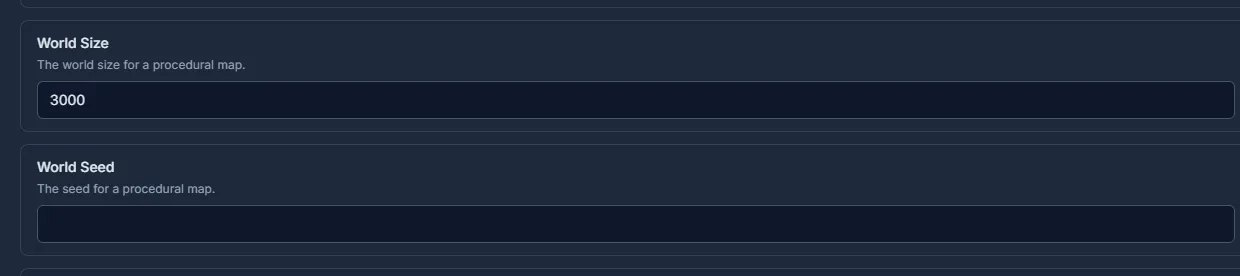
If you use startup parameters instead of server.cfg, the values are typically set with a plus sign, for example +server.seed 12345 +server.worldsize 3500. Facepunch shows this form in the official guide to creating a Rust server. In practice, what matters is that only one unambiguous configuration is active in the end. Avoid conflicting values in the panel, the startup line, and the configuration file.
After a change, you have to restart the server so the world loads with the new values. It's best to schedule this directly with the next wipe, because changing the seed affects the world structure, and existing bases, loot locations, and routes can't sensibly be kept.
Facepunch forces a map wipe on the first Thursday of every month at 7:00 PM London time, because client and server then receive a new version. A new seed therefore fits best into exactly that date.
Using Seed Finders Sensibly
A practical tool is rustmaps.com. There you can filter maps by size, monuments, biome proportions, islands, and rivers, check spawn heatmaps in the viewer, and, as a premium user, generate your own maps with a fixed monument selection. Don't use such tools just to click through quickly, but with a clear checklist: Which monuments must be present? How far are Outpost and Bandit Camp from typical spawn zones? Are there enough recyclers? Is the Launch Site reachable without dominating the map?
If you want to approach Rust administration more systematically overall, the internal guide Rust Server Commands – All Admin Commands 2026 fits well. For preparing around wipes, the Rust Wipe Calendar 2026 is also helpful, because seed selection and wipe communication go together.
With +world.configfile <file>, you can influence procedural generation via a JSON file in the server.identity folder. Check the schema for the Rust version you use, and test changes first with a separate identity. An existing map is not rebuilt retroactively by this. Before a planned wipe, back up the entire identity folder; don't delete a production .map file just to try out a new setting.
Criteria for a Good Map
| Criterion | Recommendation |
|---|---|
| Launch Site | Central, easy to reach |
| Outpost + Bandit | Close to spawns |
| Recycler | Many spread across the map |
| Monuments | Evenly distributed |
| Water | Reasonable coastline |
| Jungle share | Part of the spawn coast since May 2025; check that Ziggurat and Jungle Ruins don't block all starting areas |
The table is a starting point, not a hard rule. Since the October 2025 update, the Nuclear Missile Silo is among the red keycard monuments, and Dome, Ferry Terminal, and Radtown have their own puzzle rooms with a recycler in the Dome. Plan for these places as additional hotspots. As of September 2026, Monument Blockers in all red keycard monuments slow down early looting, and HQM ore rarely spawns as its own node, most likely in the jungle; both are reasons to also check jungle share and red keycard monuments when comparing seeds. For PvP-heavy servers, the map can be more compact and conflict-rich. For more relaxed community servers, more even routes and several usable building areas matter more. Also check that large monuments don't displace all the attractive building spots, and that new players have realistic options after spawning without immediately running into the same bottleneck.
Choosing the Right Map Size
| Size | Players | Description |
|---|---|---|
| 2000 | 1-25 | Very compact, fast PvP action |
| 3000 | 25-50 | Balanced |
| 3500 | 50-100 | Standard for community servers |
| 4000 | 100-150 | Lots of space |
| 4250-4500 | 150-250 | Standard of the official Facepunch servers; from 4250 with above-ground rail network and train tunnels |
| 5000-6000 | 250+ | Maximum 6000; only sensible for very high player counts |
Keep a technical limit in mind: Rust only generates the above-ground rail network, including tunnels to the underground, from world size 4250; below that, trains only run in the tunnel system. A larger map still doesn't automatically mean a better play experience. It can lengthen routes, reduce encounters, and require more resources to run. A map that's too small, on the other hand, can intensify spawn pressure, door camping, and monument congestion. Choose the size based on real activity, not just on maximum slots. If you're still working on the basic setup, the guide Renting and Setting Up a Rust Server – The Complete Guide helps with the remaining server parameters.
Checking the Result
After the restart, you should check whether the desired map was actually loaded. Compare the seed and world size in the panel or in the configuration with the seed finder. Connect to the server, open the map, and check notable points such as coastline shape, Launch Site, Outpost, and Bandit Camp. If these don't match, usually a different value is active or the map wasn't regenerated.
Keep the final seed internal, and announce it publicly only if your community expects that. For planned server cycles, a short note makes sense: wipe date, seed, world size, map concept, and special notes on monuments or rules.
Custom Maps Instead of a Seed
As an alternative to seeds, you can use custom maps:
- Create the map in RustEdit
- Export it as a
.mapfile - Put the file on a permanently reachable web host. Players download the map from this URL, not from your game server
- Install the extension
Oxide.Ext.RustEdit.dllon the server (Oxide/uMod; for Carbon, the corresponding RustEdit extension) so that custom loot, NPC spawners, and vending profiles from the editor work - In the startup line:
+server.levelurl "https://deine-domain.tld/meinemap.map". The URL must be a direct download link that starts the download immediately in the browser
In the official Rust wiki page on Hosting Custom Maps, Facepunch explains that with +server.levelurl [url], the map is loaded from that URL, and that procedural parameters such as +server.worldsize or +server.seed should be removed. So use either a procedural map with a seed and world size or a custom map with a level URL, but not both at the same time.
Troubleshooting
If the seed isn't applied, first compare the panel, startup line, and server.cfg with the startup log. Rust stores the map and save state in the folder server/<identity>/; the map name contains the map type, size, and seed. A new seed or a new size can select different files without you having to delete the old world beforehand. So check the file name that was actually loaded and the active identity. For an intended wipe, stop the server, back up the entire identity folder, and remove only the agreed world state. Blueprints are separate data; a map wipe should only delete them if a blueprint wipe is explicitly planned as well.
If players see a different map than expected, compare the seed, world size, and map type with the running game version. With custom maps, the server and new players must be able to reach the direct download. Test the URL without an existing client copy; an intermediate download page is unsuitable. For a changed map, use a new file name and a new URL so that existing copies don't load the previous version. The Facepunch guide for custom maps describes this download path.
If the map performs poorly in gameplay, that isn't necessarily a technical error. In that case, before the next wipe you should specifically look for a different monument distribution, better reachable safe zones, or a smaller or larger world size.
FAQ
What is the best Rust map seed?
There is no universally best seed. A good seed fits the player count, the server concept, and the desired PvP density. Check monuments, safe zones, recyclers, and routes before the wipe.
Does the map stay the same if I only know the seed?
Only if the world size and map type are also the same. The same seed with a different map size produces a different map.
Which world size should I choose for a community server?
For many community servers, 3500 is a sensible starting point. With a small active player base, 3000 can work better; with very high activity, 4000 or more is more appropriate.
Do I have to restart the server after changing the seed?
Yes. The seed and world size take effect when the world is loaded or generated. So plan changes cleanly together with a wipe and a restart.
Can I use a seed and a custom map at the same time?
In practice, you should decide on one. A procedural map uses a seed and world size. A custom map uses server.levelurl; procedural parameters should be removed for it.