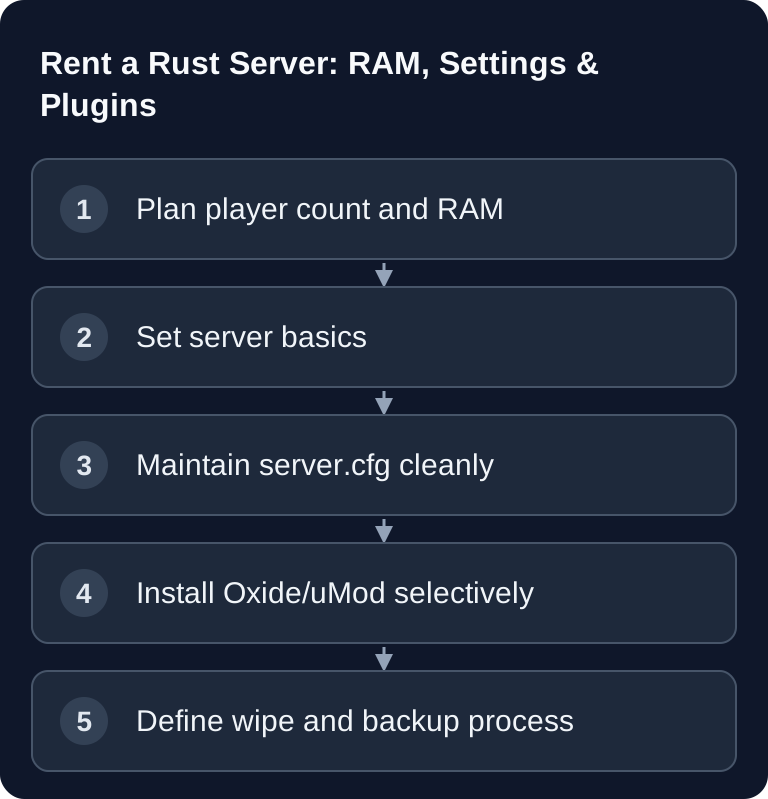
If you want to rent a Rust server, you should first decide on RAM, map size, player count, ports, plugin scope and wipe schedule. A good server is not just reachable, it is configured in a way you can follow: you need clear settings, verifiable restarts, working backups and a process so your community knows when changes happen.
Requirements for a Stable Rust Server
Rust hosting depends on predictable resources and clean administration. A paid multi-game host like game-serverhosting makes the most sense when you want technical control, support and transparent operations without having to run every system service yourself.
Before you start, clarify these points:
- How many players should be online at the same time?
- Should the server run Vanilla, Modded or community-focused?
- Which map size and seed are planned?
- Are there fixed wipe dates?
- Do you need RCON, admin rights, backups and plugin management?
The official Facepunch documentation for the Rust Dedicated Server lists SteamCMD, server parameters, server.cfg, ports and Oxide/uMod, among other things, as relevant parts of running a server: Documentation at wiki.facepunch.com. Particularly important is the note that values such as map size, player count and plugins can affect resource requirements.
RAM Recommendation
Facepunch lists 12 GB of free RAM for a Rust Dedicated Server; a 6k map may need more. So don't choose based on player count alone. The following scenarios classify the load without promising guaranteed capacity.
| Plan | Resource planning |
|---|---|
| Small Vanilla round | 12 GB of free RAM as the documented starting point |
| Larger map or many entities | Additional headroom based on measured memory usage |
| Modded community | Base requirement plus the load of the plugins actually installed |
Plan for more headroom if you use many plugins, large maps, long periods between wipes or heavily attended events. RAM is not the only factor: CPU performance, storage performance, network quality and clean plugin configuration are also crucial. In Rust especially, poorly maintained plugins or very large entity counts can become more noticeable after a long uptime than a player count chosen too tightly.
If you are comparing several games, you will find similar planning questions in the guide to Rent an ARK Server: Settings, Mods & RAM Guide 2025 and in the Rent and Set Up a Valheim Server – Co-op Guide 2026. For Rust itself, the in-depth guide Rent and Set Up a Rust Server – The Complete Guide is the right complement.
Important Settings
For Rust, you should maintain permanently needed values in server.cfg wherever possible. Facepunch describes the path within the respective server identity, typically under rust/server/server.identity/cfg/. This file contains variables without a leading + or -. On a self-managed Rust server, these are for example the server name, player limit or gameplay variables. At GSH, the start values offered in the panel take precedence: the player limit is set from the booked slots; a change to server.cfg does not expand the package.
A valid example excerpt for server.cfg is:
server.hostname "My Rust Community"
server.maxplayers 20
The block shows Rust syntax for a self-managed configuration. At GSH, you maintain the name and other offered start values in the panel; for a different player limit, you need a change to the booked slots. HarvestAmountMultiplier and TamingSpeedMultiplier belong to ARK and are not Rust variables. The actual configuration path is determined by server.identity. With find <search term> you can check available Rust variables in the server console; changes to seed or worldsize can generate a different world and belong in a planned wipe.
Ports, RCON and Reachability
For a public Rust server, the relevant ports must be reachable. Facepunch describes server.port for game connections, server.queryport for server list queries and RCON for administration. What matters: the game port and query port must not be identical, and the protocols must be opened appropriately.
With rented hosting, the panel should show this assignment transparently. Still, document the server address, port, RCON port and admin access internally. This helps when you contact support or need to check after an update whether a problem lies with the game version, configuration, firewall or a plugin.
Oxide Plugins
Oxide/uMod extends Rust with plugins. Install it in the matching operating system and Rust version; after a Rust update, Oxide may also need to be updated. First check whether your panel offers the desired extension, or use the documented file route from uMod. Examples of additional functions are:
Oxide/uMod makes sense if your server is meant to go beyond Vanilla. But don't install a long plugin list right away. Start with a few functions that truly support your server concept: combat rules, onboarding aids, group management or moderation. Then check logs, console and player feedback.
After Rust updates, plugin support may need extra maintenance. So don't blindly plan updates shortly before a big community session. First check whether the server starts, whether uMod loads, whether the core plugins are error-free and whether admin commands work.
Wipe Cycle and Community Rules
Rust servers need clear wipe communication. Decide whether you only reset the map or also delete blueprints. A map wipe changes the world; a blueprint wipe has a much stronger impact on progression and player retention. Put the rules in the server description, Discord announcement or website if you are building a community.
For new projects, a short, predictable rhythm is often better than spontaneous changes. Example: weekly map wipe for fast PvP servers or longer intervals for calmer groups. What matters is not a universally best rhythm, but that your players know what they are signing up for.
Checking the Result
After setup, you shouldn't just check whether the process is running. Check specifically:
- The server appears in the Rust server list or is reachable via direct connection.
- Name, description, player limit, seed and worldsize are correct.
- RCON works with the password you set.
- Admin rights are assigned correctly.
- Plugins load without critical error messages.
- After a restart, the effective values match the saved panel start values or the
server.cfgentries not overridden by the start. - Backup and wipe procedures are documented.
If you can tick off these points, your server is not just started, but operationally under control.
Troubleshooting
Server Does Not Appear in the List
First check server.port and server.queryport. Both must be reachable, and the query port must not be the same port as the game port. Wait a few minutes after the start before you assess server list problems.
Players Cannot Connect
Test a direct connection with address and port. If that doesn't work, check the firewall, port forwarding, the running server process and logs. With rented hosting, support is a sensible next step here, because network rules and instance status can be checked transparently.
Plugins Do Not Load After an Update
Disable the most recently installed plugins as a test and check whether uMod matches the current Rust version. Install updates one at a time and read the console instead of applying several changes at once.
Performance Gets Worse After a Few Days
Check player count, entity count, plugin errors and scheduled restarts. A larger RAM tier can help, but doesn't replace clean maintenance. Modded servers in particular should regularly check logs and plugin output.
FAQ
How much RAM does a Rust server need?
Facepunch lists 12 GB of free RAM as a starting point. Map size, entities and plugins change the actual requirement; a fixed mapping of RAM to player count is not a capacity guarantee.
Should I host Rust Vanilla or Modded?
Vanilla is easier to run and better for testing the basic configuration. Modded is worthwhile if you need clear community features such as kits, clans or combat rules and are ready to actively maintain plugins.
What is the difference between a map wipe and a blueprint wipe?
A map wipe resets the game world. A blueprint wipe additionally removes learned building and crafting progress. You should announce blueprint wipes especially clearly, because they affect progress more strongly.
Where do I change permanent Rust settings?
At GSH, you maintain offered start values in the panel; they can override CFG entries at start. Only the remaining permanent values belong in the server.cfg of the respective server identity. The player limit stays tied to the booked slots. Check every change after a restart.
Why should I rent a Rust server instead of hosting locally?
A rented server makes sense if you need permanent availability, controlled resources, support, backups and transparent operations. Local hosting is better suited to tests or small private experiments.