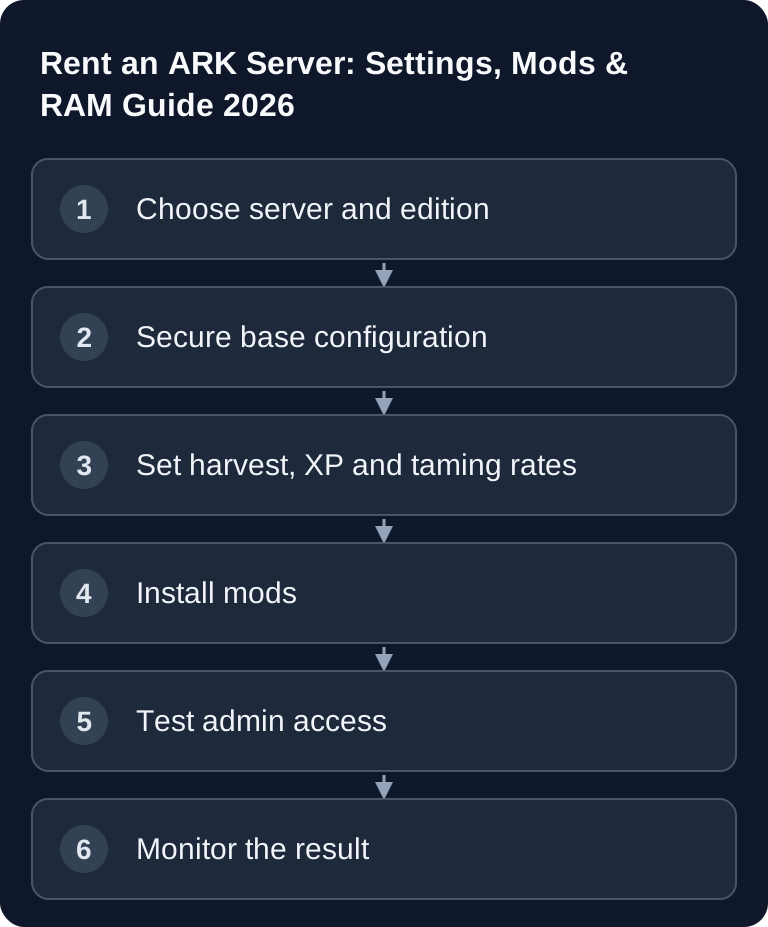
An ARK server is worthwhile if you want to control maps, mods, rates, admin rights and maintenance yourself without running your own root server. What matters is the right edition, enough RAM, clean INI files, a planned approach to mods and clear operating procedures for backups, restarts and support cases.
Requirements and Choosing the Edition
Before you rent an ARK server, first separate ARK: Survival Evolved (ASE) and ARK: Survival Ascended (ASA). Both games look similar but differ in server files, mod ecosystem, resource requirements and partly in launch parameters. The official ARK community wiki article on Server configuration describes that server options are set, depending on the setting, via launch parameters or configuration files such as GameUserSettings.ini and Game.ini.
For game-serverhosting as a paid multi-game host, the practical advantage is this: you focus on game rules, mods, backups and player coordination, while server operation, panel access, support and transparent processes are not entirely up to you. Still, plan like an admin: every change should be traceable and, if in doubt, reversible.
RAM Recommendation
The following table from the initial configuration is meant as a planning value. Actual requirements depend on the map, player count, number of mods, dino density, structures, save intervals and the current game version.
| Planning case | Package choice | Load check |
|---|---|---|
| ASE with a small group | Currently bookable ASE slot tier in the configurator | Grown save, dinos and mods |
| ASE with a larger group or an additional map | Suitable slot tier and resource headroom | Concurrent players, map changes and save spikes |
| ASA | Dedicated ASA offer instead of ASE package values | ASA map, mods and actual memory usage |
Plan ASA and ASE separately: compare the same edition, map and mod list before you compare package sizes. The table classifies planning cases; it is neither a RAM measurement nor a fixed RAM factor between the editions. Additionally, watch memory usage when loading a grown save.
Ordering the Server and Choosing the Map
Choose the map first, then slots and resources. For a small co-op server on The Island, a smaller setup is often enough compared to Ragnarok or a large ASA project. What matters is not just the number of concurrent players, but how long the world has been running: after weeks with many bases, tamed creatures and mods, the load increases.
Also decide early who gets admin rights, how often backups are made and when scheduled restarts take place. With ARK in particular, transparent processes matter, because unplanned restarts or rollbacks can cost playtime directly.
Editing INI Files Cleanly
Many central settings are in GameUserSettings.ini or Game.ini. Stop the server before manual changes, back up the current configuration and change only a few values per pass. That way you quickly see which change caused a problem.
Harvest Rates
[ServerSettings]
HarvestAmountMultiplier=3.0
XPMultiplier=2.0
TamingSpeedMultiplier=5.0
The first group goes into GameUserSettings.ini. For breeding and raising, you add to Game.ini separately:
[/script/shootergame.shootergamemode]
EggHatchSpeedMultiplier=10.0
BabyMatureSpeedMultiplier=20.0
The values do not all belong in the same INI section: HarvestAmountMultiplier, XPMultiplier and TamingSpeedMultiplier are set under [ServerSettings] in GameUserSettings.ini; EggHatchSpeedMultiplier and BabyMatureSpeedMultiplier belong in Game.ini under [/script/shootergame.shootergamemode]. The block above serves as a list of values. Do not copy it over as a complete file. Higher rates shorten progression or waiting times, but can also produce more creatures and items.
After each adjustment, check whether the values fit your server goal: a relaxed co-op server can be faster, while a PvP server often needs stricter balance. For other survival setups, you will find similar planning logic in the guide Rent a Valheim Server: Mods, Configuration & Boss Order 2026 and in the Rent and Set Up a V Rising Server – Vampire Guide.
Installing and Controlling Mods
First assign the mod to the right edition: ASE uses Steam Workshop mods, ASA the CurseForge ecosystem intended for it. An ASE Workshop ID is not an ASA mod ID. First install only the necessary mods via the route supported for your edition; then check the complete server start and a client join. Add further mods one at a time.
Pay attention to three points: Does the mod fit the edition, is it compatible with the current game version and does it overlap with other mods? Large content mods can significantly increase RAM, start time and save duration. Document the order and don't remove mods from existing worlds carelessly, because saved items, structures or creatures may go missing.
RCON and Admin Commands
RCON helps you manage the server without fully switching to the panel. Use it sparingly and with clear roles, because admin commands can change the world state and player progress.
admincheat SaveWorld
admincheat ListPlayers
The examples apply to the in-game console after admin login. SaveWorld saves the current state but does not replace a separate backup. A wild dino reset is a deliberate action of its own, not a necessary function test for admin access.
saveworld is a sensible command before scheduled maintenance. cheat DestroyWildDinos makes wild creatures respawn and can be useful after map or event changes, but should be announced. Item commands such as admincheat GiveItemNum belong only in test or support cases if you want to avoid abuse and balance problems.
Checking the Result
After the first start, you shouldn't just look at whether the server appears in the list. Connect yourself and check the map, password, admin rights, time of day, rates, taming, mod loading behavior and a manual save. Then ask one or two players to join normally, so you spot connection problems, missing mods or long load times early.
Then check logs, RAM usage and restart behavior. If everything stays stable, document the active configuration as a baseline. For community servers with a stronger mod and plugin culture, it is also worth a look at Configure a Team Fortress 2 Server – Maps, Mods & Settings, even though the technology is of course game-dependent.
Troubleshooting
If the server does not start, remove the most recently added mods, check the INI files for syntax errors and verify that the chosen map matches the edition. A missing equals sign, a wrong section or an incompatible mod is enough to prevent the start.
If players cannot connect, check the password, version, mod list and server status. If performance problems occur, first reduce mod load, dino density or very aggressive rates before enabling further features. For repeated crashes, a support case with a timestamp, the last change and a log excerpt is much more helpful than a general description of the error.
FAQ
How much RAM does an ARK server need?
For ASE, choose the currently bookable slot tier with its included resources, and for ASA the dedicated offer. Map, grown save, dinos and mods determine the additional requirement; a fixed RAM-per-player figure is not a performance promise.
Where do I change harvest, XP and taming rates?
You typically set these values in the ARK configuration files, mainly in GameUserSettings.ini or Game.ini, depending on the specific parameter.
Should I install mods right at the first start?
First install only necessary mods. Start the server, check logs and connection, and then expand step by step. That way you find errors faster.
When should I use saveworld?
Use saveworld before scheduled restarts, maintenance or larger configuration changes. It does not replace backups, but reduces the risk of unnecessary progress loss.
Is ASA just ASE with better graphics?
No. For hosting and administration, you should treat ASA separately, because resource requirements, server details and mod environment can differ.