
Your own ARK: Survival Evolved server is worth it if you want to control the map, player count, taming rates, breeding, admin rights and optionally multiple maps yourself. Realistic resource planning is important: ARK is demanding, so you should clearly define RAM, map size and cluster plans before ordering.
Requirements and Planning
ARK needs more headroom than many other survival games. Don't just plan for the player count, but also for map size, mods, long uptimes and possible expansions. With paid multi-game hosting at game-serverhosting, the main focus is that you get technical control, support and transparent operating processes, instead of having to handle installation, launch parameters and basic operation yourself. There's a separate guide for setting up mods: Install ARK Mods.
| Planning scenario | Package choice |
Special consideration |
|---|---|---|
| Small ASE group | Currently bookable ASE slot tier |
Check included resources and save load |
| Larger ASE group | Suitable slot tier plus headroom |
Factor in concurrently active players, dinos and mods |
| Larger PvP group | Suitable ASE slot tier and measured headroom |
Test dinos, bases and concurrent players |
| Cluster | Suitable package per map |
Each map needs its own compatible instance |
The installation mentioned in the initial setup runs via SteamCMD. As the official primary source for this tool, Valve refers to the SteamCMD documentation at Documentation on developer.valvesoftware.com. In practice, this means: server files are fetched automatically, but you should still plan updates and restarts deliberately so active players don't get disconnected in the middle of a session.
Ordering the Server
- Open the ARK server selection.
- First confirm ASE or ASA and the map your group plays.
- Plan resources for that edition, mods and the grown save.
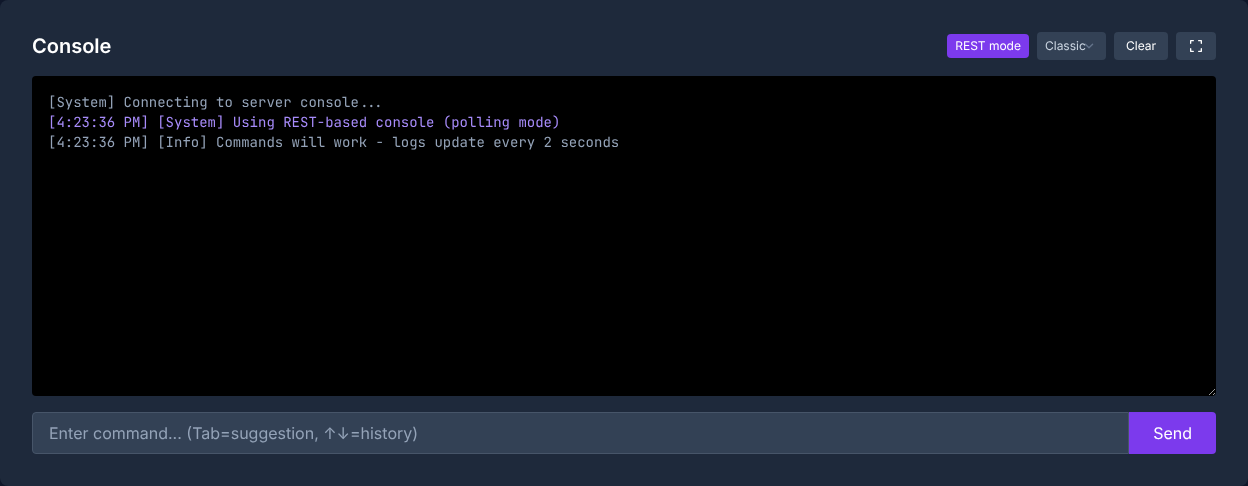
- Wait for the installation to finish and check the console instead of assuming a fixed download time in minutes.
If you want to bring along an existing single-player world or a friend's session including your character, follow the guide to transferring your ARK save after the installation.
If you run other survival servers alongside ARK, the comparable setups for Rent and Set Up a Valheim Server and Rent and Set Up a Rust Server will help you, because similar decisions about resources, play style and administration come up there.
GameUserSettings.ini Explained
The most important configuration file for your ARK server is GameUserSettings.ini. You'll find it in the panel under Configuration. Change values deliberately and document larger adjustments so you can later understand why taming, breeding or resources behave differently than expected.
[ServerSettings]
ServerPassword=OptionalAccessPassword
ServerAdminPassword=YourAdminPassword
DifficultyOffset=1.0
TamingSpeedMultiplier=5.0
HarvestAmountMultiplier=3.0
XPMultiplier=2.0
ResourceRespawnPeriodMultiplier=0.5
AllowFlyerCarryPvE=True
PreventTribeAlliances=False
AllowThirdPersonPlayer=True
At GSH, the launch sets the passwords from the enabled panel fields. The two password lines in the example only apply to self-managed launches without differing password launch values. So for a GSH instance, change the join and admin password in the panel; an INI entry alone does not override these launch values.
The breeding values belong separately in Game.ini:
[/script/shootergame.shootergamemode]
BabyMatureSpeedMultiplier=10.0
EggHatchSpeedMultiplier=10.0
MatingIntervalMultiplier=0.1
Set the player limit via the designated launch/panel value of your instance; an arbitrary MaxPlayers entry under [ServerSettings] is not a reliable substitute.
All changes to the .ini require a server restart to take effect. Afterwards, check in-game whether the settings apply: gather a resource, tame a small creature as a test, or check the player limit via the server browser or the player list.
Taming Rates for PvE and PvP
The default taming rates are designed for official servers and can be very time-consuming for private groups. Higher multipliers make progress more predictable, but also change balance, trading and PvP pressure. So don't just crank everything up across the board; decide based on play style.
| Setting | Official |
Recommended PvE |
Recommended PvP |
|---|---|---|---|
| Taming |
1x |
5-10x |
3-5x |
| XPMultiplier | 1x |
2-3x |
1.5-2x |
| Harvest |
1x |
3-5x |
2-3x |
| Baby |
1x |
10-20x |
5-10x |
| Egg |
1x |
10-20x |
5-10x |
| Mating |
1x |
0.1x |
0.25x |
PvE recommendation: High taming rates (5-10x) make the game more relaxed and shift the focus to exploration, building and breeding.
PvP recommendation: More moderate rates (3-5x) keep more weight on risk, loss and preparation.
Popular Maps Compared
| Map | Size |
Special feature |
Recommended for |
|---|---|---|---|
| The Island | Medium |
Classic, all prehistoric dinos |
Beginners |
| Ragnarok | Large |
Best free map, Wyvern canyon |
All-rounders |
| Fjordur | Large |
3 realms (Jotunheim, Vanaheim, Asgard) |
Advanced players |
| Aberration | Medium |
Underground, unique dinos |
Experienced players |
| Crystal Isles | Large |
Crystal Wyverns, beautiful scenery |
Collectors |
| Genesis Part 2 | Large |
Sci-fi elements, missions |
Endgame |
Tip: Ragnarok is a good choice for new servers: large map, many biomes, Wyverns included without DLC. If your group comes from other survival games, a look at the Palworld Server Guide can also help, because similar decisions about co-op progression and server control are made there.
Admin Setup and First Commands
 (Enlarge image)
After setup, you should set the admin password and test it right away:
- At GSH, save the enabled admin password field in the server settings; the launch applies this value. The INI line
ServerAdminPassword=YourPasswordapplies to self-managed launches without a differing launch value. - Restart the server
- In-game: press
Tab-> enterenablecheats YourPassword - Test with
admincheat ListPlayerswhether authentication works, without altering your character.
Important Admin Commands for Server Launch
admincheat SaveWorld
admincheat ListPlayers
admincheat Broadcast Welcome to our server!
admincheat KickPlayer <SteamID64>
These examples go into the in-game console after enablecheats <AdminPassword>; in RCON, the prefix depends on the supported command path. Replace the SteamID64 before taking any moderation action. admincheat DestroyWildDinos is a deliberate reset of all wild dinos, not a necessary step after every rate change. Only run it after making a backup and consciously deciding on the reset.
Use admin commands sparingly on live servers. destroywilddinos is helpful after larger dino or spawn changes, but can briefly change the ongoing gameplay feel because wild creatures are rebuilt.
Cluster Setup: Connecting Multiple Maps
A cluster requires a compatible server instance per map as well as a shared, accessible data storage intended for transfers. The same text ID in two configurations alone does not connect separate file systems. Before ordering, check with support whether and how the specific hosting setup supports a cluster.
Only then do you define the shared cluster ID, transfer rules and the documented launch parameters for them. Don't copy a made-up /mnt/cluster path into GameUserSettings.ini. Back up all involved maps and first test the transfer with a test character without valuable gear.
Checking the Result
After setup, you should test four things: the server can be found in the list, joining with the password works, admin access is active and the multipliers take effect. Ask a second player for a quick join test if the server is public or meant for a group. When running a cluster, also test a transfer without valuable items.
Troubleshooting
If the server won't start, first check RAM usage, the map selection and the most recently changed .ini lines. For problems after configuration changes, a misspelled key, a missing restart or an unsuitable value is more common than a broken installation. If players can't join, check the server password, game version, running updates and whether the map loaded correctly.
FAQ
How much memory does ARK really need?
The requirement depends on ASE/ASA, the map, mods and the grown save. The table describes planning scenarios; a general crash threshold at 6 GB is not proven. Check the requirements of your specific setup before ordering.
Can I change the map after launch?
Yes, via the server settings in the panel. The save of the old map is kept, but you'll be playing on a freshly generated new map. Back up important data before switching on a live server.
How do I set up a password-protected server?
At GSH, set the join password in the designated field of the server settings and restart the server; the launch applies this value. For self-managed launches without a differing password launch argument, set ServerPassword=YourAccessPassword under [ServerSettings] in GameUserSettings.ini. Afterwards, test joining with the correct and with a wrong password. The join and admin passwords serve different purposes.
Will my settings be reset after an update?
GameUserSettings.ini and Game.ini remain unchanged after normal updates. A complete reinstallation may rewrite default files, so back up important configurations beforehand.
Why aren't my new rates taking effect?
Usually the server restart is missing, or the value is in the wrong file or section. Check the spelling, restart and then test the change directly in-game.
When is a cluster worth it?
A cluster is worth it if your group wants to play multiple maps long-term and move characters, items or dinos between them. To get started, a single, stably configured server is usually easier to manage.
