Project Zomboid Mods & Plugins
Dieser Katalog listet 52.000+ Project Zomboid-Projekte von Steam Workshop. Einträge können serverseitig, clientseitig oder auf beiden Seiten erforderlich sein und auch Karten oder andere nutzergenerierte Inhalte umfassen. Prüfe vor der Installation die verlinkte Quellseite, Spielversion und Abhängigkeiten.
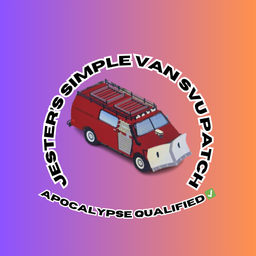
Jesters Franklin Va!uline 4x4 SIMPLE SUV PATCH
von 76561198368739375
Need something a little bit more built for the survival something that will last you for a while introducing the 4x4 variantof the Franklin Va!uline Enjoy Workshop ID: 3537364315 Mod ID: IRUNJSTRSVUP
![[B42/41] Read Book Bypassing Level Restrictions – Project Zomboid Mod](https://images.steamusercontent.com/ugc/2375173262263964818/5F9F6266500665986C970E64E401230EF03CC55E/)
[B42/41] Read Book Bypassing Level Restrictions
von 76561198993860470
Works correctly in both single-player and multiplayer on 42.20 and 41.78.19 Adds a sandbox option that allows you to read books while ignoring darkness. This mod allows you to read skill books in advance without being restricted by level requirements. Although the level restriction is removed, the books must still be read in order from Vol. 1 to Vol. 5. If your skill level becomes high enough that certain books are no longer required (e.g., Carpentry level 4 allows you to skip Carpentry Vol. 1 and 2 and read Vol. 3, 4, and 5), then you can read the next book without reading the lower-level ones. Even if you read them all in advance, the experience boost will still apply according to the appropriate level, and the boosted experience is recalculated and applied each time your skill levels up. It also works properly with mods that add their own skill books, such as More Skill Books and Lifestyle. Adds a “Read All Books” context menu. From all accessible inventories and containers, it will read all books that can be read at the moment you click. (Skill books cannot be read all at once.) Read while walking Adjustable book reading speed ※ Note If used together with other mods that adjust book reading speed, the reading speed may be reduced multiple times due to overlapping effects. Adds sandbox options. Workshop ID: 3319538177 Mod ID: ReadBookBypassingLevelRestrictions
Forge Engine Parts
von 76561198073519726
are you a mechanics ? you needs this ! 42.13.1 where to find craft? you can see it in advanced forge category tools. what can i do ? Forge engine parts Engine parts: Hammer,smith hammer ... + tong,simple tong... +1 Steel ingot + 3 Scrap metal or Aluminum Fragment + 3 Coke,Charcoal,Charcoal Crafted = 30 Engine Part requirement: Advanced forge or simple forge, Lvl 5 Forge, Any surface craft table. compatibility with my other mod : Scrap metal an Aluminum Works in solo and multiplayer. Safe to add mid game If you like the mod, please leave a 👍 rating, it really helps! Workshop ID: 3637785169 Mod ID: CRengineP
Polaroids
von 76561198014212959
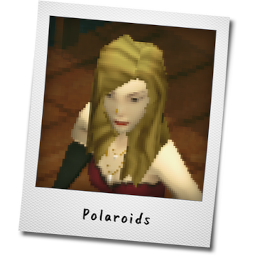
Adds a Polaroid Camera and Printable Polaroids that can be viewed using the Steam Overlay or a Web Browser. Useful for roleplay servers as it lets characters share photos in-world almost seamlessly. New Items Polaroid Camera - 'Take Photo' option, which will take two screenshots, one with UI enabled, one with it hidden. It will then attempt to open the screenshot folder, or otherwise copy the path to the clipboard. You can upload these somewhere to later print a polaroid out of them. - 'Print Polaroid' option, which requires you to enter an image URL to create a Polaroid print. It doesn't matter where you've uploaded the picture, though it's good to use a direct link for best results. - Polaroid Cameras can be found in Electronics Shops, Camera Stores and Electronic Shelves of Gigamart Polaroid - 'View Photo' option, which opens the image either in the Steam Overlay, a web browser, or copies the URL to the clipboard if neither of the two were available - Ability to rename Polaroids, similar to Bags Photo Album - This is essentially just a small container item to hold Polaroids. It doesn't do anything special. - Photo Albums can be found in Living Room shelves - Photo Albums can also be crafted using a Book and some Duct Tape (just like in real life!) Known Issues - Unfortunately it seems Project Zomboid is unable to open folders or web URLs directly in the explorer or web browser currently (at least on my Windows 10 system). Therefore it will attempt to open images in the Steam Overlay instead, or copy the URL to the clipboard if nothing worked. Contact Our Roleplay Server: https://my.selene.world/scpn/ Discord: https://discord.gg/S7maQVRRa9 Patreon: https://www.patreon.com/BlayTheNinth Source Code: https://github.com/SelenePZ/Polaroids Permissions: https://mods.twelveiterations.com/permissions/ Workshop ID: 2804941576 Mod ID: Polaroids
![Fast Reading [Build 40] (10x) – Project Zomboid Mod](https://images.steamusercontent.com/ugc/790880921924788352/5622889849F948BF5054F69EA615BF1BB2770FC5/)
Fast Reading [Build 40] (10x)
von 76561199008661802
10x version. Fast reading. Tested with vanilla 40.43. Balanced so fast and slow reader perks are still relevant, but you are no longer spending an absurd amount of time NOT PLAYING THE GAME. Original mod (100x): https://steamcommunity.com/sharedfiles/filedetails/?id=1960271299 Workshop ID: 1986912114 Mod ID: fastReading40at10x
Chainsaw B42
von 76561198035317334
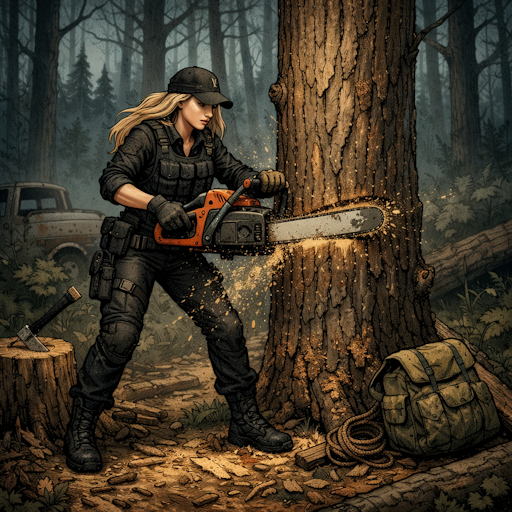
Functional Chainsaw for Project Zomboid B42.15+ ONLY solo/mp Description CHAINSAW B42 - FUNCTIONAL CHAINSAW A fully functional chainsaw for cutting trees and fighting zombies! Start it, hold right-click to cut, and watch it shred through everything. =============================================== FEATURES =============================================== REALISTIC CHAINSAW MECHANICS - Start/Stop the chainsaw via right-click context menu - Hold right-click while running to cut trees or attack zombies - Uses gasoline (4L tank capacity) - Refuel from any petrol can in your inventory POWERFUL WHEN RUNNING - Cuts trees extremely fast (TreeDamage: 100) - High damage against zombies with 25% critical chance - Destroys doors quickly (DoorDamage: 50) - Makes a lot of noise - attracts zombies! WEAK WHEN OFF - Basically a heavy club when not running - Minimal damage, no tree cutting power - Save fuel by turning it off when not needed DURABILITY & REPAIR - Condition: 200 (can cut ~100 trees before repair) - Combat wears it down faster than tree cutting - Repairable with mechanical parts (Mechanics 3 required) - Craftable at a forge (Blacksmith 5, MetalWelding 3 required) MULTIPLAYER COMPATIBLE - Works on servers (solo & MP) - Fuel and condition persist correctly - Client-authoritative for smooth gameplay =============================================== HOW TO USE =============================================== 1. Find a chainsaw (logging areas, garages, fire stations...) 2. Equip it (two-handed weapon) 3. Make sure it has fuel (refuel from petrol can if empty) 4. Right-click -> "Start Chainsaw" 5. HOLD right-click to cut trees or attack zombies 6. Right-click -> "Stop Chainsaw" when done =============================================== CRAFTING & RECIPES =============================================== Find the magazine "Small Engine Repair & Maintenance" to learn: FORGE CHAINSAW (at Forge) - Blacksmith 5, MetalWelding 3 - 4 Sheet Metal, 2 Small Sheet Metal - 2 Engine Parts, 2 Metal Pipes - 10 Screws, 1 Heavy Chain - 2 Blow Torches, 5 Charcoal - Hammer, Pliers/Tongs, Welding Mask REPAIR CHAINSAW (anywhere) - Mechanics 3 - 1 Engine Parts, 2 Scrap Metal - 4 Screws, 1 Blow Torch - Screwdriver, Wrench =============================================== LOOT LOCATIONS =============================================== CHAINSAW (rare 1-3%) - Logging factories, forestry areas (3%) - Garages, fire stations, barns (2%) - Mechanic shops, farms (1.5%) - Tool stores, pickup trucks (1%) MAGAZINE (uncommon 3-8%) - Tool store magazines (8%) - Mechanic shelves, bookstores (5-6%) - Libraries, magazine racks (3-4%) =============================================== SANDBOX OPTIONS (Server Settings) =============================================== ChainsawB42.FuelConsumption -> Fuel consumption rate (0-200, default: 100) ChainsawB42.DamageMod -> Damage modifier (50-200, default: 100) ChainsawB42.ConditionLossCombat -> Condition lost per zombie kill (1-20, default: 5) ChainsawB42.ConditionLossTree -> Condition lost per tree cut (0-10, default: 1) ChainsawB42.NoiseMod -> Noise radius modifier (0-100, default: 50) ChainsawB42.JamFrequency -> Jam chance when condition low (0-100, default: 25) ChainsawB42.LootChance -> Loot spawn chance modifier (0-10, default: 3) =============================================== LANGUAGES SUPPORTED =============================================== - English - Francais - Deutsch - Espanol - Italiano - Portugues (BR) - Polski - Russkiy =============================================== REQUIREMENTS =============================================== - Project Zomboid Build 42.15+ - Gasoline to run the chainsaw Compatible Build 42 | Solo & Multiplayer Workshop ID: 3692027888 Mod ID: ChainsawB42
Floatopia B42
von 76561197976596561
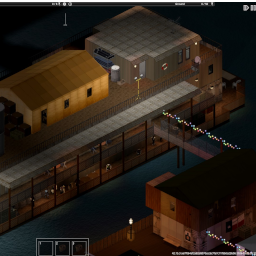
Floatopia Somewhere along the water, long after the world fell quiet, something kept going. Floatopia wasn’t built all at once. It grew — barge by barge, plank by plank — tied together by whatever people could find, fix, or drag out of the river. What started as a few survivors holding onto the water became something more… a functioning settlement. Walkways connect a network of barges, each serving a purpose. Trade flows through the market decks, where tents and patched structures house vendors selling what little remains of the old world. Food is grown on floating farm barges, while services, repairs, and daily life continue in the heart of the settlement. A dense residential barge rises above the rest, stacked with makeshift homes, narrow paths, and shared spaces where people try to live something close to normal. At the edge of it all, two old steamboats still floats — no longer what it once was, but repurposed like everything else. Nothing here was meant to last, and yet it does. Floatopia is a place of trade, shelter, and uneasy safety — held together as much by effort as it is by hope. *I recommend a ladder climbing mod!* If you enjoy exploring my maps, you can support future builds here ☕ One cup goes a long way! https://ko-fi.com/freebird550 Check out my other maps! Updated 4/13/25 Changed loot pools in bedrooms, fixed kitchens, added missing lights, fixed broken staircase leading to green house boat, added more fishing loot. Workshop ID: 3693913206 Mod ID: Floatopia Map Folder: Floatopia
![[COS] Klee – Project Zomboid Mod](https://images.steamusercontent.com/ugc/2049738093672038354/CA4DAA0303A159C958577719D7ABC38238A0054A/)
[COS] Klee
von 76561199178116693
How Do I Use It? - You can go to the link below to see how to use it. - Link Recommended mode - Fashionoid - Gear Transmog - Hide All Attached Items - Clipping animation Fix How to use COS mode in build 42. - Navigate to the path where the mod is installed. - Create a 42.0 folder. - Create a common folder. - Paste the media folder / mod.info / preview.png into the 42.0 folder. The recipe code writing method has been changed in 42Build. Since COS (Costume) mode has approximately over 200 modes, converting to 42Build's recipe code is an extremely laborious task. In 42Build, you cannot create costumes in (42 build) the crafting tab. There are two methods: Spawn items in cheat mode. Select items in the clothing selection screen when creating a character. Like My Mode? - Join Our Discord If You Want Commission
Sleep in Bathtubs B42
von 76561198061695795
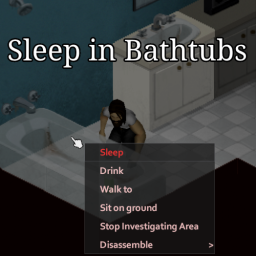
This mod is a re-upload of nurver's B41 mod: https://steamcommunity.com/sharedfiles/filedetails/?id=2929240726 It allows you to sleep in bathtubs as if they were (poor quality) beds Modifies fixtures_bathroom_01 Support the creator: nurver Workshop ID: 3427659517 Mod ID: SIB3402

More Cowboy Hats
von 76561198216146917
Now updated to work with B41 and B42. Adds new variations to the base game Cowboy hat. They will spawn on zombies and anywhere the vanilla cowboy hats are normally found. The mod is cosmectic only and no item stats or spawnrates were changed. Workshop ID: 3094229679 Mod ID: Cowboy
eris minimap (plugins) 163 Maps Pack
von 76561198040780708
eris minimap 163 Maps Pack This mod should be enabled AFTER eris_minimap Based on actually available version of each mods used on servers I play. Not tested with others eris minimap plugins mods. Everything is auto-generated (lua and png) by my own cartographer. expect addition if I use new maps in futur Credits goes to original author of eris_minimap eris https://steamcommunity.com/workshop/filedetails/?id=1619603097 Workshop ID: 2835048207 Mod ID: eris_minimap_10yl_plugin Mod ID: eris_minimap_ashenwood_plugin Mod ID: eris_minimap_astoria_or_plugin Mod ID: eris_minimap_ballincoolin_plugin Mod ID: eris_minimap_barcoabandonado_plugin Mod ID: eris_minimap_basements_plugin Mod ID: eris_minimap_bbl_plugin Mod ID: eris_minimap_bedfordfalls_plugin Mod ID: eris_minimap_bendys_bunker_v2_plugin Mod ID: eris_minimap_blackwood_plugin Mod ID: eris_minimap_blueberry_plugin Mod ID: eris_minimap_bunkeroz_plugin Mod ID: eris_minimap_bunker_plugin Mod ID: eris_minimap_california,_ky_plugin Mod ID: eris_minimap_californiaext_plugin Mod ID: eris_minimap_camdencounty_plugin Mod ID: eris_minimap_camp_muldraugh_plugin Mod ID: eris_minimap_camp_riverside_plugin Mod ID: eris_minimap_camp_rosewood_plugin Mod ID: eris_minimap_cherbourg_plugin Mod ID: eris_minimap_chernaville_plugin Mod ID: eris_minimap_chestown_plugin Mod ID: eris_minimap_chinatown_plugin Mod ID: eris_minimap_clearcove_plugin Mod ID: eris_minimap_complex_z-17_plugin Mod ID: eris_minimap_conrtf_plugin Mod ID: eris_minimap_corotrroad_plugin Mod ID: eris_minimap_coryerdon_plugin Mod ID: eris_minimap_deadcruise_plugin Mod ID: eris_minimap_deadisland_plugin Mod ID: eris_minimap_derevnya_plugin Mod ID: eris_minimap_desert_base_plugin Mod ID: eris_minimap_dirkville_plugin Mod ID: eris_minimap_eerie_country_plugin Mod ID: eris_minimap_el_cids_dm_plugin Mod ID: eris_minimap_factory_plugin Mod ID: eris_minimap_family_manor_plugin Mod ID: eris_minimap_farland_plugin Mod ID: eris_minimap_farmland15x22_plugin Mod ID: eris_minimap_feznature_plugin Mod ID: eris_minimap_foragingz_plugin Mod ID: eris_minimap_fortredstone_plugin Mod ID: eris_minimap_fort_benning_plugin Mod ID: eris_minimap_fort_knox,_ky_by_woldren_plugin Mod ID: eris_minimap_fort_knox_linked_to_eerie_country_plugin Mod ID: eris_minimap_fort_rock_ridge_plugin Mod ID: eris_minimap_fort_waterfront_plugin Mod ID: eris_minimap_frankfortky_plugin Mod ID: eris_minimap_from_bedford_falls_to_fort_knox_plugin Mod ID: eris_minimap_fuxingaozhuan_plugin Mod ID: eris_minimap_gas_station_plugin Mod ID: eris_minimap_gilmok_plugin Mod ID: eris_minimap_glenport_plugin Mod ID: eris_minimap_grapeseed_plugin Mod ID: eris_minimap_greenleaf_plugin Mod ID: eris_minimap_greenville_plugin Mod ID: eris_minimap_hashima_island_by_woldren_plugin Mod ID: eris_minimap_hilltop_survivor_camp_plugin Mod ID: eris_minimap_hinchinbrook_plugin Mod ID: eris_minimap_homelyhouse_plugin Mod ID: eris_minimap_industrybase_plugin Mod ID: eris_minimap_into_the_wild_plugin Mod ID: eris_minimap_kentucky_plugin Mod ID: eris_minimap_kingsmouth10yl_plugin Mod ID: eris_minimap_kingsmouth_plugin Mod ID: eris_minimap_klin_plugin Mod ID: eris_minimap_ks10yl_plugin Mod ID: eris_minimap_laconia_plugin Mod ID: eris_minimap_lakeivy_plugin Mod ID: eris_minimap_landsole_plugin Mod ID: eris_minimap_legacy_louisiana_plugin Mod ID: eris_minimap_legacy_vinegrove_plugin Mod ID: eris_minimap_lickskillet_plugin Mod ID: eris_minimap_lighthouse_plugin Mod ID: eris_minimap_littlefarmstead_plugin Mod ID: eris_minimap_littletownship_plugin Mod ID: eris_minimap_li_township_plugin Mod ID: eris_minimap_lobii_city_plugin Mod ID: eris_minimap_louisiana_plugin Mod ID: eris_minimap_mansion_plugin Mod ID: eris_minimap_mccoysbunker_plugin Mod ID: eris_minimap_meadowbrook_plugin Mod ID: eris_minimap_mechanicsplaces_plugin Mod ID: eris_minimap_megamazearena_plugin Mod ID: eris_minimap_metro_plugin Mod ID: eris_minimap_militarycomplex_plugin Mod ID: eris_minimap_military_base_plugin Mod ID: eris_minimap_monmouthcounty_plugin Mod ID: eris_minimap_monroeville_plugin Mod ID: eris_minimap_mount_aza_plugin Mod ID: eris_minimap_mrex_plugin Mod ID: eris_minimap_muldraugh_military_base_plugin Mod ID: eris_minimap_newdenver_connection_map_plugin Mod ID: eris_minimap_newdenver_map_plugin Mod ID: eris_minimap_newdenver_plugin Mod ID: eris_minimap_newekron_plugin Mod ID: eris_minimap_new_hamilton,_oh_plugin Mod ID: eris_minimap_odintsovo_plugin Mod ID: eris_minimap_old_pine_village_plugin Mod ID: eris_minimap_otr_plugin Mod ID: eris_minimap_overfield_lane_bunker_with_roof_access_plugin Mod ID: eris_minimap_over_the_river_-_secondary_route_plugin Mod ID: eris_minimap_phoenix_plugin Mod ID: eris_minimap_pitstop_plugin Mod ID: eris_minimap_podunk_plugin Mod ID: eris_minimap_project_cruise_ship_plugin Mod ID: eris_minimap_project_russia_plugin Mod ID: eris_minimap_pureland_plugin Mod ID: eris_minimap_pz_rosewoodexp_map_plugin Mod ID: eris_minimap_ravencreek_plugin Mod ID: eris_minimap_rbr_road_plugin Mod ID: eris_minimap_rc10yl_plugin Mod ID: eris_minimap_rebuild_plugin Mod ID: eris_minimap_redbrick_plugin Mod ID: eris_minimap_redstoneraceway_plugin Mod ID: eris_minimap_refordville_plugin Mod ID: eris_minimap_researchbaseroad_plugin Mod ID: eris_minimap_researchbase_plugin Mod ID: eris_minimap_riverdeltabase_plugin Mod ID: eris_minimap_riverside_gunstore_plugin Mod ID: eris_minimap_riverside_water_base_plugin Mod ID: eris_minimap_riverwood_plugin Mod ID: eris_minimap_road_plugin Mod ID: eris_minimap_rosebery_map_plugin Mod ID: eris_minimap_rosebery_plugin Mod ID: eris_minimap_s.t.a.l.k.e.r.exclusionzone_plugin Mod ID: eris_minimap_safefarm_plugin Mod ID: eris_minimap_sanctuary_plugin Mod ID: eris_minimap_sandbox_plugin Mod ID: eris_minimap_savecity_plugin Mod ID: eris_minimap_saveourstation_knoxcountry_world_plugin Mod ID: eris_minimap_saveyourstation10yl_plugin Mod ID: eris_minimap_seaside_plugin Mod ID: eris_minimap_semanewcity_plugin Mod ID: eris_minimap_silverton_map_plugin Mod ID: eris_minimap_silverton_plugin Mod ID: eris_minimap_sos10yl_plugin Mod ID: eris_minimap_south_muldraugh_plugin Mod ID: eris_minimap_spiffosshelter_plugin Mod ID: eris_minimap_studiosouthshore_plugin Mod ID: eris_minimap_tandil_plugin Mod ID: eris_minimap_the_island_plugin Mod ID: eris_minimap_the_prison_plugin Mod ID: eris_minimap_the_walking_dead_project-pack_plugin Mod ID: eris_minimap_tluisville_plugin Mod ID: eris_minimap_tmarch_plugin Mod ID: eris_minimap_tradingisland_plugin Mod ID: eris_minimap_trelai_4x4_plugin Mod ID: eris_minimap_trimblecountypowerstation_plugin Mod ID: eris_minimap_tugaland_plugin Mod ID: eris_minimap_tvalley_plugin Mod ID: eris_minimap_vaulttec_louisville_plugin Mod ID: eris_minimap_vaulttec_muldraugh_plugin Mod ID: eris_minimap_vaulttec_rosewood_plugin Mod ID: eris_minimap_vehicle_interior_plugin Mod ID: eris_minimap_westpointtrailerparkandvhsstore_plugin Mod ID: eris_minimap_westwood_plugin Mod ID: eris_minimap_west_point_expansion_plugin Mod ID: eris_minimap_whistler's_grove_county_plugin Mod ID: eris_minimap_wildberries_plugin Mod ID: eris_minimap_williamsburg,_va_plugin Mod ID: eris_minimap_woodlake_plugin Mod ID: eris_minimap_zhukoniy_lighthouse_base_plugin
![[MP42.20] Poncho Daryl Dixon - Poncho from The Walking Dead – Project Zomboid Mod](https://images.steamusercontent.com/ugc/10776472755439272409/B1579B03C345AD74405EBAA0830846432876DBB1/)
[MP42.20] Poncho Daryl Dixon - Poncho from The Walking Dead
von 76561198351491756
🏹🧟♂️🏍️ Daryl Dixon's Poncho - The Walking Dead Poncho Here I bring you Daryl's poncho, with full support and rebuilt for Build 41, Build 42, and Multiplayer (MP). ✅ Updated and Tested for B42 Why this mod? I recently balanced it by adjusting a better spawn rate, improved textures, and most importantly, it is completely independent of other mods, so if it breaks, I will fix it as soon as possible. ❓ How does it work? This mod introduces Daryl Dixon's poncho with its respective appearance in related locations and its crafting option in the fabrication menu. Crafting Options: They are the same materials as the original ponchos mod. 📝 Important Notes Thanks to the new code structure and optimization for B42, this mod should not present conflicts with other mods. Multiplayer: It should work without any problems. It has been tested with other mods, but anything can happen in an unstable version. I greatly appreciate any bug report to guarantee the stability of the mod. Comments and suggestions are welcome. 🌎 Supported Languages Includes English and Spanish. ⭐ Check out my other mods! ☕ Buy me a coffee! (Ko-fi) </center> This project is developed as a personal hobby and not by professional experience in modding. Support will be offered as much as possible, prioritizing critical errors. Workshop ID: 3201276687 Mod ID: PonchoDaryl
Weight Void
von 76561198029369281
Weight Void Enables you to add/remove a weight void in your inventory granting (virtually) infinite carrying capacity. Enable it by right-clicking an item either in your inventory or in a container. I want it to only show up for items that are too heavy to move without this "cheat", but haven't been able to figure out a way to do that so far. This is an homage to "That time I put a full Hydrocraft hand dolly in a car trunk", rendering the dolly, all items in it and the car trunk unusable. Never again. Inspired by the way Cheat Menu does it. https://steamcommunity.com/sharedfiles/filedetails/?id=499795221 Supports build 41 and 42+. Workshop ID: 2287977869 Mod ID: WeightVoid
![[B41] Chonker – Project Zomboid Mod](https://images.steamusercontent.com/ugc/1723209996509816297/7BAC060C3D0A944ED1337CC4F6D627E5E4DEADEE/)
[B41] Chonker
von 76561199001960996
Look at this wonderful geometry, his simple but expressive cute face. You want it. Embrace Chonker - sweet lamp cat. Take him with you on your exhausting longtrip & relax. Features: - Worldmodeled Chonker. - Giant Chonker version obtained via crafting. - Found at schools & toy shops. Issues: - Currently any. Future Ideas: - Add more Chonker variations. - Make items lighter-like. Fix Logs: - Finally fixed anchor point not matching rotation. - Slightly tweaked Chonker size to fit in building rooms. My Mods: - Present Wrapping - Pukeko Loading - Morale Patches - Injectors - Project CardZ - Read your Manga - Chonker - Weapon Cases Support My Projects - Commission Mods - Public Development Blog: Consider any membership (free or paid) on my Patreon! I'll appreciate it a lot! :³ Workshop ID: 2852074517 Mod ID: chonker
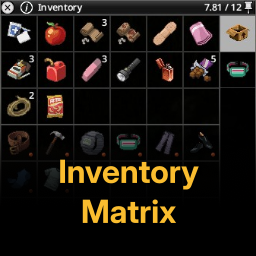
Inventory Matrix
von 76561198396894722
Inventory Matrix is a ligthweight, vanilla-friendly grid-based inventory replacement for Project Zomboid that transforms the default list view into a clean and organized matrix layout. Perfect for those of us who want better visibility and control without a tetris style. Features - Clean grid layout - Vanilla integrated - Item stacking - Dynamic column fitting - Customizable cell size - Extended sorting methods - Tooltips & contexts menu compatible - Favorite & equipped indicators - Full drag & drop support - Modifier keys and mouse wheel support Compatibility - Bigger Inventory Container Icons - Nested Containers - Reorder Containers If you enjoy the mod or have any suggestions for improvements, feel free to leave a comment. If you find the mod useful please consider supporting my work. Workshop ID: 3633135798 Mod ID: InvMatrix Mod ID: InvMatrix_KnownAndCollectedPatch

Gender Specific Clothing
von 76561198261072538
Tailoring Clothing! Just as every person has a unique body shape, not every piece of clothing will fit everyone perfectly. Modding clothing can be a challenging task, and some Modders may prefer to create designs tailored specifically for one gender of player character. This framework provides them with the tools to do just that and restrict certain clothing options to specific genders. Note: This framework is designed to assist modders in their work, aiming to streamline the process without any intention to cause offense. How to Implement Simply tag your clothing items as either "MaleCharOnly" or "FemaleCharOnly". This will prevent Player characters of the other gender from wearing the clothing item. F.A.Q Does it work in Multiplayer? Of course it does! Have fun with friends! Does it work on existing saves? Absolutely! Is the mod compatible with ? This mod shouldn't have any incompatibility with other mods. You can click here to check which mods are currently known to cause issues. Credits Powered by BitBraven. Idea by Realnik10. And of course, thank you for supporting me! Like my mods? Join me on Discord and maybe on Patreon if you feel like it! I also accept Ko-Fi tips. All money is used on mod development. This product is protected under © copyright law. You are free to use it for personal purposes. Redistribution, for commercial purposes or not, is strictly prohibited without prior permission. Please note that the English version of this disclaimer takes precedence over translations, as they may be outdated. For more information, please Click Here to read the full End User License Agreement. Enjoy! 💖 Workshop ID: 3205669003 Mod ID: BB_GenderSpecificClothing

MewArmy Organized Item Names (2.9)
von 76561198040444119
This is a OIN (Organized Item Names) AIO (All In One) mod! - This is "Organized Item Names by DarkSlayerEX" + ALOT of my own work. -- That being said you should not be using both! Some name changes Examples. Skill Book's Example - "(Skill) Book Vol.1: Beginner" From "(Skill) for Beginners" - "(Skill) Book Vol.3: Advanced" From "Advanced (Skill)" Magazine's Example - makes diff recipe not stack anymore. - "(Name) Mag Vol.(X)" From "(Name) Magazine" -- Makes it so the recipe mag dont stack anymore. Some other examlpe's - "Paint: (Color)" From "(Color) Paint" - "LightBulb: (Color)" From "(Color) LightBulb" - "Seed: (Name)" From "(Name) Seeds" - "Seed: (Name) Packet" From "(Name) Seeds Packet" - "Tire: Regular - Standard" from "Regular Tire" - "Windshield - Standard" from "Windshield" - "Windshield: Rear - Sport" from "Rear Windshield" - "Bandage: Sterilized" From "Sterilized Bandage" - "Bandage: Dirty" From "Dirty Bandage" - "Ripped Sheets: Sterilized" From "Sterilized Rag" - "Ripped Sheets: Dirty" From "Dirty Rag" - "Bandaid" From "Adhesive Bandages" - "Ammo: (Type)"From "(Type) Ammo/Shells/Rounds" So as you can see shuold help with item sorting! I have made a test version for beta B41 that dose not need the API anymore! Workshop ID: 692433946 Mod ID: MA_OIN
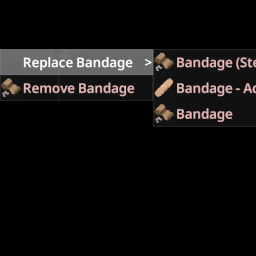
Zed's Bandage Replace
von 76561198043849998
Adds a "Replace Bandage" option to the health panel context menu. Allows you to replace an existing bandage with a new one in a single action. The new bandage will only be applied if the body part is still damaged after removing the old bandage. Works with 42.13 Workshop ID: 3623721696 Mod ID: ZBandageReplace
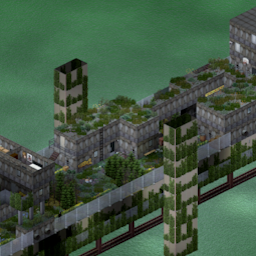
10 Years Later - Over The River
von 76561197993119254
Original map of Over the River created by Woldren Over the River 10 Years Later - Over the River 1) (COOP/SERVER) Activate one of these : - Map Folder: 10YL_Otr (intregrated to the vanilla map) - Map Folder: 10YL_Otr_standalone (one cell) Big thanks to Alree for the extraction of the map ! Workshop ID: 3303124856 Mod ID: 10YL_Otr Map Folder: 10YL_Otr Map Folder: 10YL_Otr_standalone
![Chopper Drop [B42][MP][SP] – Project Zomboid Mod](https://images.steamusercontent.com/ugc/12757003502222607966/9AA19ED7DBD5CE5CD2E8BA348ED6136419855330/)
Chopper Drop [B42][MP][SP]
von 76561198049030260
Chopper Drop Periodic military supply drops that create high-risk, high-reward hotspots. Works in singleplayer and multiplayer. How It Works - On a configurable timer (default: every 3 hours), a helicopter flies over and drops a military supply crate - A map marker appears showing the drop location to all players - The helicopter sound attracts zombies from a wide radius - A zombie horde (default: 30 zombies) spawns at the drop site when the first player arrives - Players race to reach the crate, fight through zombies, and claim the loot - After the despawn timer expires (default: 45 minutes), the crate disappears and the event ends Drop Location - Drops are placed near the center of all online players (not biased to one player) - Locations are biased toward towns and cities — urban areas are more likely to be picked, but rural drops can still happen - The crate always lands on a valid walkable tile (ground floor) — avoids water (lakes, rivers, ocean) and shifts up to 30 tiles to find dry land. If no land is found, the drop is cancelled and retried automatically - Min/max distance from players is configurable The Crate - Reinforced military crate — zombies cannot destroy it - Randomized loot from a pool of 250+ items — weapons, armor, ammo, medical, food, crafting supplies, and more - Fully customizable loot pool — enable "Use Custom Loot Config" in sandbox options and edit ChopperDrop_Loot.cfg in your Zomboid/Lua/ folder to add, remove, or comment out items - Loot quantity per crate is configurable (default: 15 items) - Uncollected crates disappear after the despawn timer expires When the Event Ends - The crate is removed (if not already looted) - The helicopter sound stops - The map marker is removed - Zombies that spawned at the site remain — the area stays dangerous Sandbox Options - Enable/disable supply drops (master kill switch) - Enable/disable random drops only (keeps radio + admin commands working — useful for radio-only / pure on-demand setups) - Timer mode: Real Time or Game Time - Event frequency (minutes between drops) - Despawn timer (minutes before crate disappears) - Use custom loot config (load items from ChopperDrop_Loot.cfg) - Loot quantity (number of random items per crate) - Zombie horde size (0 to disable) - Helicopter sound radius - Helicopter volume (%) - Zombie attraction radius - Chopper pattern (Static or Orbit — orbit circles the sound around the drop site, spreading zombies out) - Chopper leaves on arrival — when enabled, the helicopter flies off as soon as a player reaches the drop zone (configurable radius). Rotor sound stops and zombies are no longer pulled in. Crate, marker, and already-spawned zombies remain. Lets players push through the horde and reclaim the area. - Minimum players online (default: 0 — works solo out of the box) - Min/max distance from players - Enable/disable Chopper Drop Radio - Radio drop chance from military zombies - Radio charges (Tune In uses) - Early intel head start (seconds) - Enable/disable Request Airdrop - Request Airdrop cooldown (minutes between called airdrops) - Enable/disable screen alerts (large centered text when events start/end) - Customizable alert messages (supports {x} and {y} placeholders for drop coordinates) - Spawn retry delay (minutes before retrying after a bad landing zone) - Enable/disable spawn fail alert (notify players when a drop is cancelled) - Customizable spawn fail alert message Custom Loot Config Want to control exactly what drops in the crate? You can fully customize the loot pool: - Start the server once — a file called ChopperDrop_Loot.cfg is auto-generated in your Zomboid/Lua/ folder - Open the file in any text editor — it contains every item in the default pool, one per line - Add, remove, or comment out items with # to build your own loot table - Enable "Use Custom Loot Config" in Sandbox Options - Restart the server — your custom loot is now active Items from uninstalled mods are silently skipped, so cross-mod items (like Knox Antidote or X-Virus) are safe to include. The LootQuantity sandbox option still controls how many items are picked per crate. Chopper Drop Radio A rare tactical radio that drops from military zombie corpses. Gives you two abilities: - Tune In — Check how long until the next supply drop. Each use costs one charge. The radio shows remaining charges in its name. When the charges run out, the radio is destroyed. - Early Intel — Radio holders receive the drop coordinates immediately when the event starts. Everyone else is notified after a delay (default: 60 seconds), meaning the event is already underway by the time they find out. - Request Airdrop — If the radio is fully charged, you can sacrifice it to call in an immediate supply drop. The radio is destroyed on use. Only works when no other drop is active. Cooldown between called airdrops is configurable. (New — first version, may have bugs. Disable via sandbox option "Enable Request Airdrop" if needed.) All radio features are fully configurable. The entire radio system can be disabled if you prefer the base experience. Admin Commands - /chopperdrop — Type in chat to force an immediate supply drop near players (admin only) - /chopperdrophere — Type in chat to force a supply drop at your own location (admin only) - /chopperdropend — Type in chat to terminate the active supply drop (admin only) - ChopperDropForceEvent() — Force a drop from debug console (~) or server console (/lua ChopperDropForceEvent()) - ChopperDropForceEventHere() — Force a drop at your location from the debug console (~) - ChopperDropEndEvent() — End active drop from debug console (~) or server console (/lua ChopperDropEndEvent()) Singleplayer & Multiplayer Fully server-authoritative. All spawning, loot, and despawn logic runs server-side. Works in singleplayer, Host & Play, and dedicated servers. Translations Russian translation included, contributed by RedLink-kam. Translators are welcome to submit other languages — copy Translate/EN/Sandbox.json and Translate/EN/ContextMenu.json into a language folder (e.g. Translate/RU/) and translate the values. Submit translations via Workshop comments and they'll be added in the next release. Support If this mod made your squad fight over a crate, help me call in the next drop: My Mod Collection This is the list of mods I use on the server I play with my friends: Faitas' PZ MP Mod Collection Workshop ID: 3678109350 Mod ID: ChopperDrop

True Music Addon: NIRVANA
von 76561198980131694
Addon with songs of the band Addon to the True Music modification, adding songs by the band NIRVANA and custom textures. The song on the cassette can be changed by flipping it from one side to the other. Songs: Nirvana - About A Girl Nirvana - Aneurysm Nirvana - Big Cheese Nirvana - Blew Nirvana - Breed Nirvana - D-7 Nirvana - Dive Nirvana - Drain You Nirvana - Dumb Nirvana - Endless Nameless Nirvana - Heart-Shaped Box Nirvana - Here She Comes Now Nirvana - In Bloom Nirvana - Lithium Nirvana - Lounge Act Nirvana - Love Buzz Nirvana - Mollys Lips Nirvana - Negative Creep Nirvana - Old Age Nirvana - On A Plain Nirvana - Pennyroyal Tea Nirvana - Polly Nirvana - Rape Me Nirvana - Sappy Nirvana - School Nirvana - Scoff Nirvana - Smells Like Teen Spirit Nirvana - Stay Away Nirvana - Territorial Pissings Nirvana - You Know Youre Right Workshop ID: 3321375653 Mod ID: NIRVANA_True_Music
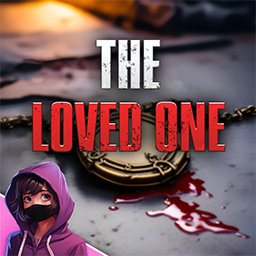
Quest: The Loved One
von 76561198261072538
Pat needs you! You must hurry! Pat, your beloved, called you yesterday, indicating they are stuck in a random location and is surrounded by zombies. In this Quest mod, you must move quickly to retrieve Pat, or better yet, whatever remains you find of them. How does it work? As soon as you start the game, you will receive a note indicating where Pat was last seen. Go there, and look for Pat's locket amongst the zombie population. F.A.Q Does it work in Multiplayer? Of course it does! Have fun with friends! Does it work on existing saves? Absolutely! Where is Pat? The Pat you loved is gone, but you will not leave them to suffer the horror of undeath. You will find the locket in a zombie in the location they were last seen in. In Multiplayer, the locket will drop on the ground when a random zombie is killed. What is the challenge? The quest locations are FULL of zombies! Beware! Is the mod compatible with ? This mod shouldn't have any incompatibility with other mods. You can click here to check which mods are currently known to cause issues. Credits Powered by BitBraven. Commissioned by Bullet Magnate. And of course, thank you for supporting me! Like my mods? Join me on Discord and maybe on Patreon if you feel like it! I also accept Ko-Fi tips. All money is used on mod development. This product is protected under © copyright law. You are free to use it for personal purposes. Redistribution, for commercial purposes or not, is strictly prohibited without prior permission. Please note that the English version of this disclaimer takes precedence over translations, as they may be outdated. For more information, please Click Here to read the full End User License Agreement. Enjoy! 💖 Workshop ID: 3166260405 Mod ID: BB_Q_TheLovedOne
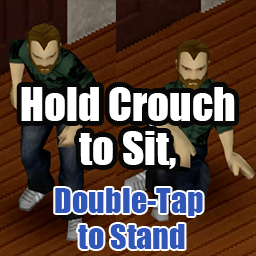
Hold Crouch to Sit
von 76561197975526631
Hold Crouch to Sit Hold the Crouch key (vanilla default C) to sit down on the spot. Double-tap it while sitting and your character gets up quickly. A short tap still toggles sneaking exactly like vanilla, so no vanilla behavior is lost. Works with both keyboard and controller. Update (v1.3): Added controller support, plus an auto-walk toggle on a standing double-tap (controller only) and an overhead auto-walk icon. Features - Tap to sneak, hold to sit — A short tap behaves the same as vanilla (instant sneak toggle). Hold the key past the threshold (default 500ms) and the character sits down on the spot. - Double-tap to get up quickly — Press the Crouch key twice within 500ms while sitting and your character stands up with vanilla's quick get-up motion, the one you normally trigger by holding the run key. Sitting down and getting up both stay on the Crouch key. - Dynamic key binding — Reads your current primary / alternate Crouch binding every frame via getCore():getKey("Crouch"). Rebind Crouch in Options → Key Bindings and the mod follows immediately — no game restart needed. - Coexists with vanilla "Sit On Ground" bind — Watches the Crouch bind independently of vanilla's SitOnGround key handler, so assigning them to different keys lets you use both. Controller (v1.3) Prerequisite: to sit by holding, turn off vanilla's "Enable left joystick radial menu" (Options → Accessibility). Vanilla assigns the L3 hold to that radial menu, so while it is enabled the menu keeps opening as usual and the mod's hold-to-sit does not trigger. The mod's double-tap takes over the auto-walk toggle you lose by turning the menu off. Everything stays on the Crouch button (default L3 = left stick press). - Short press — sneak toggle (vanilla, unchanged). - Hold — sit down on the spot. - Double-tap while standing — toggle auto-walk. - Double-tap while sitting — get up quickly. - While auto-walking — an icon shows above your character. Notes: - The two double-taps and the icon work regardless of the radial menu setting. - Toggling auto-walk on while standing still starts walking in the direction you are facing. Sitting down turns auto-walk off. - Rebinding the controller Crouch button is followed automatically. - On a controller, the hold threshold has an effective minimum of 400ms (to stay clear of vanilla's sneak-toggle click detection). Mod Options Configure via Options → Mods → Hold Crouch to Sit: - Hold threshold (ms) (default 500, range 200–1000 in 50ms steps, 400ms minimum on controllers) — How long the Crouch key must be held before the sit action triggers. Shorten it to 200–350ms for a snappier feel on keyboard. - Hide "Sit on ground" in the right-click menu (default off) — Hides the vanilla "Sit on ground" entry in the right-click menu. If you sit with the Crouch key, you can remove the entry you no longer need. - Show an auto-walk icon above the character (default on) — Shows an icon above your character while auto-walk is on. The double-tap window is fixed at 500ms and is separate from the hold threshold above. Compatibility - Supported version: Build 42 only (versionMin=42.0.0) - Singleplayer: tested and working. - Multiplayer: client-side input handling that calls vanilla reportEvent("EventSitOnGround") / setSneaking / setAutoWalk — the same APIs vanilla uses. It should work on hosted / dedicated servers but is currently unverified. Workshop ID: 3729411754 Mod ID: HoldCrouchToSit
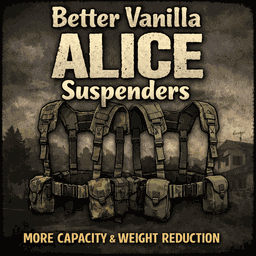
Better Vanilla ALICE Suspenders
von 76561197961066696
Vanilla rebalance for ALICE webbing / suspenders (military gear tweak for Build 42.x) Now with three extra variants: Winter Camo, Black, and Urban Camo. Compatible with Build 42.x Small vanilla rebalance for the ALICE webbing / suspenders, plus three extra variants that follow the vanilla model and style. Increases the capacity and weight reduction of the vanilla ALICE suspenders. As a balance, the combat speed modifier has been adjusted down one notch. This means you will be 1% slower in a fight. Changes - Capacity: 6 -> 10 - Weight Reduction: 80 -> 90 - Combat Speed Modifier: 0.98 -> 0.97 Variants included - ALICE Belt Suspenders (Winter Camo) - ALICE Belt Suspenders (Black) - ALICE Belt Suspenders (Urban Camo) Compatibility - Build 42.x - Rebalances the vanilla ALICE suspenders - Adds three extra variants using vanilla models - Extra variants can spawn naturally in military-themed loot Affected items - ALICE Belt Suspenders - ALICE Belt Suspenders (Camo) - ALICE Belt Suspenders (Green) - ALICE Belt Suspenders (Winter Camo) - ALICE Belt Suspenders (Black) - ALICE Belt Suspenders (Urban Camo) Recommended Mods My Mods Please comment any bugs or issues below. In addition, comment any suggestions if you would like changes to other vanilla items. If you can't be bothered to make them yourself, I might give it a go =) Workshop ID: Workshop ID: 3676721528 Mod ID: bettervanillaalicesuspendersID
Project Zomboid Details →
Project Zomboid Guides
Project Zomboid Mods installieren - Workshop Guide
Installiere Project-Zomboid-Mods sauber per Steam Workshop: IDs eintragen, Reihenfolge prüfen, Server neu starten und typische Fehler beheben.
Project Zomboid Build 42 auf dem eigenen Server: Umstieg, Spielstände und Mods
Build 42 ist Stable: Spielstände aus Build 41 sind nicht kompatibel. Umstieg, legacy41-Zweig, neue Serveroptionen, Anti-Cheat und der Hotfix 42.20.1 gegen Serverlag.
Project Zomboid Server mieten – Multiplayer Guide
Project Zomboid Server einrichten: RAM, Sandbox-Einstellungen, Workshop-Mods, Admin-Rechte und typische Fehler sauber prüfen.
Project Zomboid Server mit Mod-Support
Kompatible, unterstützte Mods über das Server-Dashboard installieren.
Project Zomboid Server mieten