Project Zomboid Mods & Plugins
Dieser Katalog listet 52.000+ Project Zomboid-Projekte von Steam Workshop. Einträge können serverseitig, clientseitig oder auf beiden Seiten erforderlich sein und auch Karten oder andere nutzergenerierte Inhalte umfassen. Prüfe vor der Installation die verlinkte Quellseite, Spielversion und Abhängigkeiten.

that DAMN Library ES
von 76561199071220011
Traducción al español actualizada del mod original that DAMN Library creado por KI5 y bikinihorst. Todo el crédito y mérito para ellos. Esto es solo una traducción por lo que requiere del mod base y ser cargado después para funcionar. Cualquier error o bug, por favor reportarlo. Todo el crédito a sus respectivos autores. Gracias :) Workshop ID: 3335041519 Mod ID: damnlib_ES
![Rosewood VHS & Gun Stores [B42.19] – Project Zomboid Mod](https://images.steamusercontent.com/ugc/13078640326388386230/61A61AEFE5D8B12991D1051AD33C71CA012B7B15/)
Rosewood VHS & Gun Stores [B42.19]
von 76561198041411600
The is my mod Rosewood VHS and Gun Stores , updated for b42.19. I WILL NOT UPDATE THIS MOD FOR 42.20 Additions : - + 2 basements , one for each store - + zoning fixed for Loot Respawn Update 05/07/2025 : - Fixed Roof bug in the gas and bus stations Check the B41 version here Since Rosewood is missing a VHS store and a guns store, this mod adds one of each, south of Rosewood. The VHS store is right next to the southern gas station, with a small basement and an appartment on the second floor. The gun store is quite isolated in the woods, and to get inside, you'll need a sledgehammer. It also has a small basement. There is no spawn point to directly spawn there. Just spawn in Rosewood and head south. Zombie density is slightly increased compared to vanilla. The cell used are 32x46 and 32x47 , using the b42 grid (256x256 cells). Compatibility I haven't found an other map that uses this cell. If you do, share it in the comments. Compatible with: - Rosewood Mansion - Rosewood Lakemansion - JesterHouse ( B42 ) - ... Do you like this? Try my other maps : - West Point Trailer Park & VHS Store : It adds a VHS store south of West Point since it's missing one. - West Point Gated Community : It adds a rich gated community North of West Point. "We want to use this map in a mod pack, do we have permission ?" Yes, as long as it's a private mod pack. "Can I add this midgame ?" If you haven't visited Rosewood in your saved game, yes. "How do I get in the gunstore?" Sledgehammer your way in. For Multiplayer: instructions given by a comment below : How to get the mod to work: 1. Go to the "Map" section of sandbox settings. 2. Choose the map ("Rosewood VHS Store") from the dropdown menu under "Add an available map to the list". 3. Click on "Muldraugh, KY" in the "Maps used by this server" box and click "Move down" until it's at the bottom of the list. Workshop ID: 3756111134 Mod ID: RosewoodVhsAndGunStoresB42 Map Folder: RosewoodVhsAndGunStores
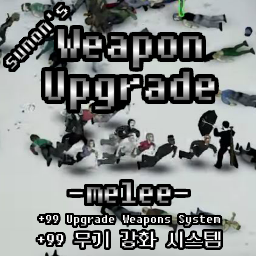
Sunon's WeaponUpgrade - Melee (Max +99 enchant weapon)
von 76561199209041034
Recent Patch 10-16 In the Standard (HyperX) version, the following Legendary options have been adjusted and added. Starlight (Revised): From 18 to 06, the surroundings become brighter and all stats increase by 13%. (Applies when equipped on back and belt as well.) GodAngle (New): Locks the weapon angle to 180 degrees. Additionally, for Single mode, a button has been added to the “List of Weapons Eligible for Enhancement & Dismantling” that lets you edit and apply the Weapon Enhancement Sandbox menu directly. (In Multiplayer servers, this button is visible to admins only.) On Multiplayer servers, changes made by an admin are applied immediately, but other users must reconnect for the changes to take effect. Recent patches have updated the "List of upgradable & disassembleable weapons", including the number of fragments. Check out the recipe. Also, the Sandbox menu is now fully functional. It can be upgraded up to 99 times, and the user can choose which options to attach to each upgrade. The umbrella gun in the video on the mods page is in This mod (Hyper). On the All Sprinter Zombies 6x setting, I added the umbrella with the Legendary option with the Weapon Switch (Pistol) option and a This is the result of the +99 Upgrade. How do I use it? crafting window -> WeaponUpgrade tab. Most actions are possible, including disassembling and upgrading weapons. It enhances equipped weapons, so it cannot be enhanced if the weapon is not equipped. When you disassembling a weapon, it will be disassembled into 5 types of fragments that based on the weapon's classification. These fragments are used to upgrade or repair the weapons of the same type. (The amount of fragments consumed varies by weapon) Weapon appearance changes based on upgrade level Many weapons are change their appearance based on the level of upgrade. More appearance can be added in future patches. Legendary, a specialized option Legendary Options have a very low chance of appearing and can only be attached to one weapon. There are a total of 13 Legendary Options and they have special abilities. The difference between basic and hyper mods Base mod is balanced around the vanilla experience, for fast shamblers and normal population setting. The fully upgraded damage is about Katana < This Mod < Other Gun Mods Hyper mods is recommended for all Sprinter with 4x population or harder difficulty setting. The fully upgraded performance is about Other Gun Mods < This Mod (Hyper) Also, 5 powerful Legendary option which convert melee weapons to firearms will be unlocked at this version(Rifle, Pistol, Shotgun, Sniper, Minigun). Important ! You should apply only one mod, either Basic or Hyper. ! Be sure to check the comments or mod page description when it's updated. If you do not follow the recommendations, errors may occur in the original save file. ! You can upgrade weapon several times at once by craft all in the crafting window, but the option selection may not be updated. (Just turn off and on crafting window to fix it.) ! Hyper Mode - Due to technical limitations, daggers and heavy weapons (sledgehammers, axes, guitars, etc.) do not currently have the option to be Legendary (Gun Switch). ! Basically, it works well on a solo, and of course it is designed to work well on multi-server, but it has not been fully verified at this time. ! Mod must be entered in order, starting with the mode's containing framework. For single, the framework that is automatically the preceding mode goes in first, followed by the normal or hyper mode. This shouldn't cause any problems, but be careful with multis. Donate (helps maintain and update the mod) Workshop ID: 2990156574 Mod ID: SunonWeaponUpgradeMelee Mod ID: SunonWeaponUpgradeMeleeFramework Mod ID: SunonWeaponUpgradeMeleeHyper
![[B42] Functional Contact Lenses – Project Zomboid Mod](https://images.steamusercontent.com/ugc/13802273621172313946/EA52D6D072A80204E8F1FD499AF50CCB2AE5FC36/)
[B42] Functional Contact Lenses
von 76561198209616376
Contact Lenses for Build 42 Build 42 | Multiplayer: Untested ⚠️ IMPORTANT NOTICE / AVISO IMPORTANTE ⚠️ - : Due to recent Project Zomboid updates, this mod has been experiencing some weird bugs. There is a small chance that the lenses might get permanently stuck on your character. Since I cannot replicate this bug on my end, I don't know why it happens or how to fix it yet. I highly recommend playing with the Eye Irritation mechanic DISABLED in the Sandbox settings to avoid issues. - : Devido às atualizações recentes do Project Zomboid, este mod tem apresentado alguns bugs estranhos. Há uma probabilidade mínima de as lentes ficarem presas no personagem e não saírem. Como esse bug nunca aconteceu comigo, ainda não entendi o porquê ou como corrigi-lo. Aconselho fortemente usá-lo com a mecânica de irritação de olhos DESATIVADA nas configurações do Sandbox para evitar problemas. Customize your survivor with functional and cosmetic contact lenses! Designed specifically for players using the Short Sighted trait, this mod brings realistic eye care, massive benefits, and severe consequences to the apocalypse. Why use Contact Lenses? - Cures Short Sightedness: Wearing any contact lens completely restores your vision, functioning as a visual aid. - Headgear Compatible: Unlike regular glasses, lenses allow you to wear gas masks, full crash helmets, and welding masks without going blind! - They Never Fall Off: Unlike glasses that can be knocked off by zombies during combat or while running through trees, your contact lenses stay firmly in place. Features: - New Items: Find Blank (transparent) and colored Contact Lenses (Blue, Green, Purple, Red, Yellow) in bathrooms and medical areas. - Eye Drops: Your best friend. Cures 25% of your eye irritation instantly. The Danger: Irritated Eyes Leaving your lenses on for too long will slowly irritate your eyes. If you sleep with them on, you'll wake up in a world of pain! - Level 1 & 2: Mild irritation and burning. - Level 3 (75% Irritation): Eye Strain. You will start taking continuous damage (0.8 damage) until the irritation drops below 75%. - Level 4 (100% Irritation): Extreme Irritation. You will take heavy continuous damage (2.0 damage). WARNING: Simply removing the lenses will NOT save you immediately! The damage continues while the irritation slowly fades over time. If you reach 100% and don't have Eye Drops, it is practically a slow death sentence! Fully Customizable (Sandbox) Adjust the spawn rates of lenses and eye drops in the Sandbox settings. Don't want to deal with the pain? You can disable the irritation system completely and use the lenses just for fashion! Savegame Compatibility: 100% Safe to add and remove mid-save! (Note: If added mid-save, items will only spawn in unexplored areas and unseen containers). Supported Languages: English, Portuguese (PTBR), Spanish, French, German, Polish, Simplified Chinese, Japanese, and Russian. >> BUY ME A COFFEE / DONATE << Or support me by rating the mod! :) Workshop ID: 3682674886 Mod ID: contactlensesb42
![[B41][42+] Zombies for Cute Skins – Project Zomboid Mod](https://images.steamusercontent.com/ugc/14100965032476513926/F8BB3B07A4863248C0971CAA45E30FE548C8FF56/)
[B41][42+] Zombies for Cute Skins
von 76561198926475201
Zombie Textures for Cute Skins v2 Mod Texture Resolution Options: Choose only one resolution option to install: * 256x256 (Low) * 512x512 (Medium) * 1024x1024 (High) --- Installation & Usage Instructions: 1. Activate the resolution you need in the mod menu, then restart the game. 2. Start a new game to apply the textures. 3. If you switch between resolution options, a game restart is also required. ❌ Incompatible with any mods that replace zombie models or zombie textures. --- Features: * Enhanced quality of injury effects: bites, scratches, and gunshot wounds. * Some zombie injuries have been removed or redrawn to better fit the body model. * With other models, it looks very bad. That's why the use of textures is restricted to these models only. * Blood effects remain unchanged and are not affected by this mod. If you're interested in adding blood retexture as well, I recommend checking out the mod: Undead & Survivor Blood HD: https://steamcommunity.com/sharedfiles/filedetails/?id=3569158960 --- Important Notes: * If you want to load an existing save, after activating the mod in the mods menu, restart the game, then enable this mod and the main mod (as specified in requirements) within the save itself. Otherwise, the mod will not work correctly. * High-resolution textures (1024x1024) may reduce performance on weaker computers. By default, the game uses 256x256 resolution for zombie skins. * I recommend reading the descriptions of the main Cute Skins v2 mod for more details and answers to possible questions. --- Hairstyles shown in the images: * Female hairstyle: New Frontier Hair Salon (A&M) * Male hairstyle: Yandere's Hairstyles For Vanilla & Cute Skins --- If you like this mod, please rate it and consider supporting me: 🔗 Workshop ID: 3497186127 Mod ID: ZombiesSkins(1024x1024) Mod ID: ZombiesSkins(256x256) Mod ID: ZombiesSkins(512x512)
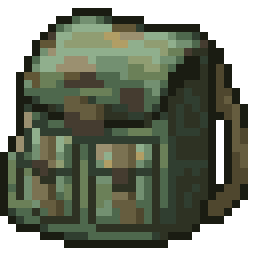
黑科技军用背包
von 76561199057165221
开局送一个黑科技军用背包,容量100,减重100%,能自动恢复内部物品的耐久 Workshop ID: 3139952676 Mod ID: 3033444928

KI5合集自用汉化
von 76561198992147537
KI5车辆合集的自用汉化,截至2025.06.07更新的模组已全部汉化。 汉化包含物品名称及相关配方、沙盒设置等。 比较懒,用的是Deep seek AI翻译。但是有一说一,Deep seek真好用。 模组排序放在个人汉化后面。 Workshop ID: 3494847304 Mod ID: KI5_CN
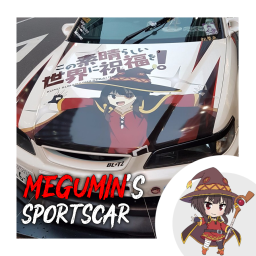
Megumin's Sportscar
von 76561198320850951
Megumin's Sportscar Ever wanted to get a car with a Megumin skin before? Then this is your chance! This mod DOES NOT replace any skins! This mod ADDS a new car (with the same model as the SportsCar). If you only want to replace the skin, you can use this mod: https://steamcommunity.com/sharedfiles/filedetails/?id=2819358487 Vehicle ID: Base.SportsCarMegumin1 Tags: Weeb, Weaboo, Anime, Waifu, Megumin, Skin If you don't subscribe to the mod, you'll make her feel bad. Workshop ID: 2820555136 Mod ID: MeguminSportscar
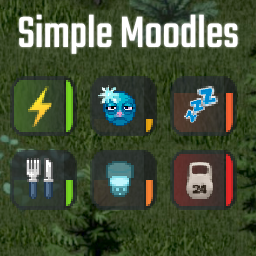
Simple Moodles
von 76561198080031827
ㅤㅤㅤThis mod change backgrounds of moodles and some icons. In my opinion moodle icons of tired/cold/overweighted status isn't obvivious. "Tired" and "Cold" looks similar. "Overweighted" is too small to understand what it is. In that case i changed them. ㅤㅤㅤAdded new moodle "Well Rested" based on fatigue of your character. You have negative icon when fatigue in 0.6-1.0 range with "Tired" moodle, but don't have possitive. This mod fixing it and made possitive "Well Rested" moodle when fatigue in 0.0-0.35 range. With this you can see how much you slept. Compatibility - Works in multiplayer and singleplayer - Works in old saves - I don't think this mod can conflict with other mods - Require Moodle Framework - Can be configured ingame in options > mods. Need Mod Options for that Known bugs If you playing on a server and turn off moodlet, it doesn't shows when you turn on it again. Reconnect to the server to see it again Credits - Thanks Cream for drawing new icons - Inspired by design of Plain Moodles mod Thanks for improving ideas - Cody - Turn off/on option for additional moodlet Workshop ID: 3468634840 Mod ID: simpleMoodles
Realistic Inventory
von 76561198023676128
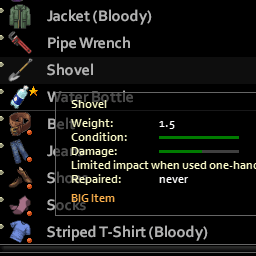
Items will be dropped automatically while moving if you carry too much. BUILD 41+ (works in multiplayer) You can carry: - About 0.5-1.5 kg of small items, depending on the number of pockets you have. - In addition, three MEDIUM items OR one BIG item. - Equipped items, items in slots, items in bags and some exclusions (bullets, cigarettes) are not counted. For better user experience I recommend also this mod. Credits Mod game design (balance) and programming: Star. Astro is author of idea and the original mod, which makes: 1) big items 2) very high loot of food etc 3) nerfed bags (weak reducing weight 0-20%). I made review and took only first point, then I added all other stuff according to my point of view (added Flask etc). Workshop ID: 1920135086 Mod ID: realisticinventory
![Cheat Menu Reborn [B42+MP] – Project Zomboid Mod](https://images.steamusercontent.com/ugc/10092299726116367764/E4FD4DAAEBE14CFAB2BA39A5BADFF7D244FA7245/)
Cheat Menu Reborn [B42+MP]
von 76561198139572963
Made to look like a GTA cheat menu from every click bait video in existence. Press the ~ (tilde) key to open CHEATS: - God Mode: invincible, needs frozen. - Invisibility: zombies can't see or react to you. - Heal: clears all wounds and diseases. - Fill Needs: tops off food, water, stamina and health (weight kept safe). - Max Skills: every skill to level 10. - Start Infection: gives you the beginning of the zombie virus. - Max Fuel: fills the gas tank of the vehicle you're in. - Fix Vehicle: full repair including tires. - Vehicle Spawner: searchable list of every vehicle (modded ones auto-detected). - Item Spawner: searchable Weapons / Food / All list (modded items auto-detected). - Walk Through Walls: Noclip - Super Speed: Run super fast.. - Teleport to Town: Any town, even modded. - Reveal Map: Reveals the entire map - Restore Skills & Stats: All stats from last life restored - Admin-only lock: Only admins or hosts can access the menu now for MP. - Carry Capacity Toggle: Give you 10k max on a toggle. - Give Vehicle Key: Gives you the Key to the Vehicle you are in or near - Delete Vehicle: Removes the nearest vehicle to player - Clean Self: wipes blood, dirt & wetness off you and all your gear (worn, equipped, and carried). - Unlock Doors: pops every locked house door/window nearby, plus the nearest car's doors. - Disable Alarms: disarms house alarms around you and silences the nearest car alarm (syncs via server on MP). - Restore Condition: repairs every item to full condition, and mends holes/rips in worn shirts, pants and clothing. - Restore Freshness: un-spoils all food in your inventory. - Refuel Appliances: tops off nearby generators, campfires, fireplaces, antique stoves and BBQs - Animal Spawner - Map teleporter (right click anywhere to tp) - Admin Panel - Quickbinds (right click, exampe Godmode to set a keybind for quick use) - Time control (Doesnt work in MP) - Weather (Doesnt work in MP) - Edit Skills - Add Traits - Set Home - Return Home - Build (Allows you to build without cost/Press esc to stop building) - Restore Usage (Restores painkillers etc) - Remove Corpses - Infinite Durability (No loss on weapons and tools when active) The ~ key is rebindable under Options - Key Bindings - Cheat Menu Reborn ----------------------------------------------------------------------------------------------------- FAQ Q. Is this for B41? A. No just B42. Q. I cant open the menu A. Make sure the mod is enabled in your settings and press Tilde ~ ~ Q. Is this for Multiplayer? A. Yes. Q. Why can't my friends use the menu? A. They need to be the Host or Admin ----------------------------------------------------------------------------------------------------- Workshop ID: 3751612935 Mod ID: CheatMenuReborn

Remove Indoors
von 76561198027559957
Remove pre-existing indoors MP Compatible Not sure works perfectly Only admin can remove indoors in MP Workshop ID: 2983435063 Mod ID: RemoveIndoorMP
Filibuster Rhymes' Used Cars! Animation Beta vehicles trailer hitch Enabler
von 76561198046699700
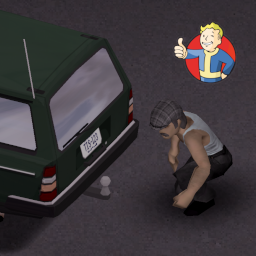
Añadida traduccion a español del mod Filibuster Rhymes' Used Cars! Animation Beta. With this simple mod you will notice that now the animation beta cars will have slots to equip a trailer hitch. With low probability in normal cars (10, 15 and 20%) and 0% in sports cars, police, ambulances and trucks, Now RV's also have 0%, also i boosted a bit the engine of trucks and RV's to make towing more fluid but still dangerous going through zombie groups or offroad. Savegame compatible, but you need to go to unexplored places to find cars with a trailer hitch mounted. Added an addon to enable trailer hitchs mechanic with ExtraNoise's Automobile Extravaganza Cars, this mod pack is so good and fits so well with filibuster cars and i want to all cars in my game works similar. - General Lee fixed ;) Please share any feedback on bugs or ideas to improve the mod. Workshop ID: 3346919030 Mod ID: TrailerHitchWithExtravaganzaCars Mod ID: TrailerWithCars

True MooZic: Michael Jackson - Thriller (B42)
von 76561198453306046
📼 Tracklist: 1 - Wanna Be Startin’ Somethin’ 2 - Baby Be Mine 3 - The Girl Is Mine 4 - Thriller 5 - Beat It 6 - Billie Jean 7 - Human Nature 8 - P.Y.T. (Pretty Young Thing) 9 - The Lady in My Life Workshop ID: 3658781942 Mod ID: TM_TrueMooZicMichaelJacksonThriller
Strike From Above
von 76561198329871201
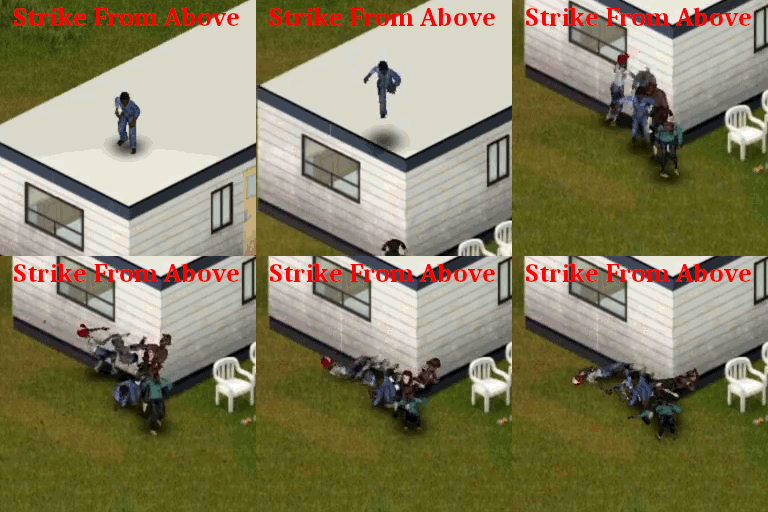
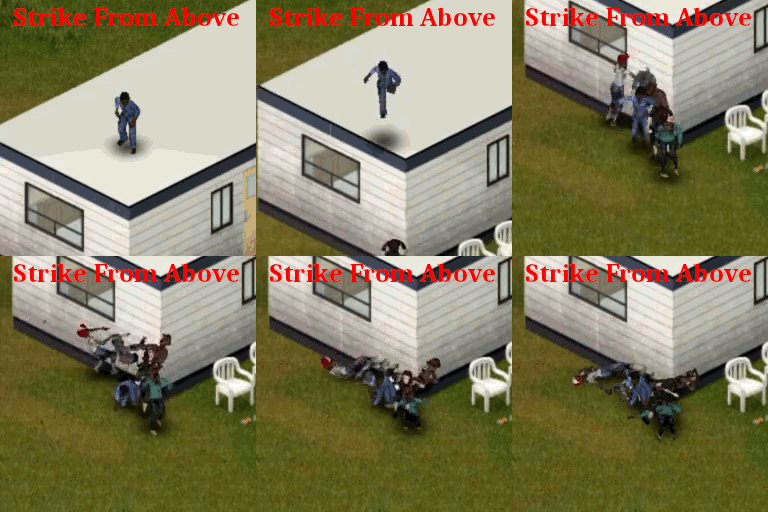
Assassination from higher place. How to make an Air Attack - Your character must be sneaking, not running, not sprinting. - Your cursor must be on a tile below your level and not too far (~3 tiles). - Either: right click and select 'Air Attack' option. - Or: use the dedicated 'Air Attack' keybind, 'F' by default. Air Attack Sequence - The First step is your character turning into the right direction. - Then your character jumps above your target. - Anything on the horizontal path will block the attack. - Once above your target, you will fall on it. - The vertical path must be clear. - When touching the ground, the attack reaches any target within range. - The range of the attack is 1.7. It is partially handled as a melee weapon, see 'Base.AirAttack'. - Up to one zombie is killed instantly. Making it a safe(set aside self damages) assassination for an isolated target. - Other zombies within range will receive damages(see Enemies Damage Computation). - Zombies within range not killed by the attack may fall on ground(see Enemies Falling Computation). - Zombies within range not killed and not fallen on ground will detect you. Making it a dangerous action for a group of targets. - Your character may be injured(see Self Damage Computation). - A sound may be emitted(see Sound Emission). Enemies Damage Computation - Note: The instant kill can only occure on an enemy on the same tile as you. - Damage follows vanilla melee damage system (and include therefore randomness). - Damage increases with Sneaking and Nimble levels. - Damage decreases with Endurance negative moodles and the distance to the player. Enemies Falling Computation - The maximum number of enemies falling is the ceiling sum of all following numbers: - Weight of the player / 80. (80Kg => 1) - Heavy load moodle level. (Moodle level 2 => 2) - Strength + Nimble levels divided by 2 (Strength 5 + Nimble 0 => 2.5) - A negative constant of -2. - e.g. for each exemple above The max Number would be Ceiling(1+2+2.5-2) => Up to 4 non dead enemies would fall on ground. Self Damage Computation - Damage is the sum of the following values multiplied by a random value between 1 and 3 and applied randomly on a foot or a hand: - A random value between 1 and 10. - Weight of the player divided by 10. - Fitness and Nimble levels taken negatively. - Heavy load moodle level multiplied by 4. You're warned! - Note that if the sum is below 1 it is not applied: there is no injury. - In case of injury, a scratch can occure (50% chances) - In case of injury, if the injured foot or hand falls below 30%hp, it breaks into a fracture. You're warned! Sound Emission - The sound is emitted up to a range computed as the sum of the following values: - A random value between 1 and 10. - Weight of the player divided by 10. - Lightfoot and Nimble levels taken negatively. - Heavy load moodle level multiplied by 2. - e.g. a 80kg character without heavy load moodle, Nimble to 1 and Fitness to 5 will emit a sound between 3 and 12 tiles. - Note that if the sound range is below the weapon range (1.7) it is not applied: there is no noise percieved. In that case a Light Landing noise will replace the Heavy Landing noise. Other costs and gains - Each Air Attack costs 3.64% endurance. - Each Air Attack gives 1 Nimble and 1 Lightfoot experience point (before modifiers). - Each enemy attacked gives 1 Sneaking experience point (before modifiers). FAQ - I have found a bug what should I do ? Report in the dedicated discussion with the required details. - What is the best weapon for the Air Attack? It does not matter, your currently equipped weapon is not used, your whole body is a weapon. - Safe to be removed / added for any save. - Should work in any mode (untested in MP and local coop, you tell me). - Works for B42 and further versions. - Use this version for B41. - To control fall damage in general, you can check other mods like ParkourZ – Fall Damage Rework (Build 42). - If you still have questions, ask on Official PZ Discord: mod_support channel. On Lockdown This mod cannot be modified by anyone else, for anything else, at all, ever. Even if the user disappears, he or she would much rather you didn't touch the fruits of their hard labour. If you wanna support, kind words are very welcome. If you don't have any, you can still give constructive criticism. Workshop ID: 3391928681 Mod ID: StrikeFromAbove
Brighter Inventory Sub Icons
von 76561198001361861
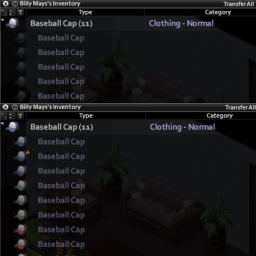
Tested using IWBUMS Beta: 41.56+, use previous version at own risk. Works with existing saves. Small UI tweak to increase the brightness of inventory sub icons Workshop ID: 2656008153 Mod ID: BISI
More Zombie Behavior
von 76561198014705377
More Zombie Behavior This mod adds multiple behaviors for zombies with the intent to make the game more difficult. By default all behaviors are turned on, but each one of them can be turned off by means of a sandbox option. Regarding multiplayer B42 Seems to work? New in v2 - Java sub-mod - Boids / Flocking behavior - Random distribution of behaviors Java sub-mod An optional sub-mod that fixes the the zombie sliding. It moves the location of the OnZombieUpdate event to after the base update. Which fixes the mod's override getting overriden by the base game. This enables the mod to use the vanilla movement system. Which fixes the zombies sliding and some jitter when zombies fade in. The java files need to be manually overriden and a sandbox settings toggled to actually enable the java behavior. This way the old behavior can be re-enabled as a fallback in case the IndieStone updates the game. Boids / Flocking While moving, zombies take other nearby zombies into account and will display flocking behavior. Which aims to simulate zombie herds more "realistically" by having them spread out and walk in the same general direction. This should also prevent zombie conga lines from forming while a group is chasing you. For more information on boids: https://en.wikipedia.org/wiki/Boids This feature is still in active development. There are flocking-adjecent behaviors which are not yet done, such as a wander behavior. Performance can still be improved. There is a system in place to dynamically scale down the amount of flocking calculations. But it might not be enough for some setups. And there is an issue where zombies can get stuck against a wall. These things will be adressed in later updates. Random distribution of behaviors Every behavior (except boid behavior) can be given to a random amount of zombies. By setting the sandbox setting to the value "random", the percentage of zombies can be specified with another sandbox setting in a separate tab. Behaviors - Boids / Flocking - Intercept during chase - Speed up during chase - Move during attack - No bump - No burn damage This mod techically works in multiplayer, as it throws no errors. But extra jank may occur when zombies switch targets, such as moonwalking to the switched target. Intercept during chase Zombies will take the player's velocity into account when chasing and intercept them. Instead of walking to the player's current position which results in zombies lagging behind the player. This behavior is togglable for the WalkTowards and Lunge state, because this is an extension of an earlier mod I made. This behavior intends to make it more difficult to casually walk past zombies. Speed up during chase Zombies will slowly speed up, over 5 minutes by default, to 1.5 their base speed, but this is adjustable with a sandbox option. Knocking a zombie down will reset this speed boost. The maximum speedboost should be faster than the default player walking speed. This behavior intends to make it more difficult to fight zombies in the open over longer periods of time. There is now also the option to slow down zombies instead, mostly intended to be used with sprinters. Technical details: Where possible this speed up is done by means of speeding up the animation. However the game does not immediately detect animation speed changing, only when a state changes. Therefore there is a backup implementation that just increases the velocity of the movement. So this can look a bit weird if it takes a long time for a state change to happen. Move during attack Zombies will move with about the same speed as a lunge during the attack animation. This also uses the speed up behavior if it's turned on. This behavior intends to make it more difficult to casually walk past zombies No bump When you run into a zombie, it transitions into a state where it is stunned for a short duration. When this behavior is turned on, this only happens when the zombie is hit from behind. Instead the zombie is free to immediately attempt an attack, similair to earlier builds of Zomboid. This behavior intends to make running through a horde of zombies more difficult No burn damage Zombies are immune to fire damage, but will eventually stop burning after a random amount of time. This ensures that fire is only detrimental to the player and cannot be used to kill zombies. Compatibilities Mod Compatibility Bandits 42 only Wandering Zombies yes Starving Zombies assumed yes, did not test it myself Definitive Zombies yes The Walking Dead shamblers Reported to work Melee Ragdoll Possible desync with local splitscreen Skully's Zombie Collision Reported to work Java mod installation 1. Locate workshop modfolder folder your-installpath\steamapps\workshop\content\108600\3174295288 2. Go to mods\pz-MoreZombieBehavior-v2\java\ZomboidVersionNumber 3. Copy the zombie folder 4. Paste it in your-install-path\steamapps\common\ProjectZomboid (So in the same folder as projectzomboid.jar) And turn on the "Use java mod" sandbox variable In case of errors with the java mod, e.g. when the Indie Stone updates the game, delete the zombie folder again. And turn off the "Use java mod" sandbox variable in case you want to keep playing without java fixes. Workshop ID: 3174295288 Mod ID: Morry-MoreZombieBehavior Mod ID: Morry-MoreZombieBehavior-v2
![Bunker Zero [B42] – Project Zomboid Mod](https://images.steamusercontent.com/ugc/17381393559590268699/CA752D49D1BFA74C0AA18A21713841A6698B4E39/)
Bunker Zero [B42]
von 76561199468186338
🟪olá esse é meu primeiro mapa criado, espero que gostem 🟪Hi, this is my first map I've created, I hope you like it.. 🟪Obrigado a todos que me apoiaram a criar mapas 🟪Thank you to everyone who supported me in creating maps. (⌐■_■) 🟪cell (21,28) (22,28) (21,29) (22,29) 🟪muito obrigado ao grande SD JUAN por der me ensinado a mexer com a criação de mapas 🟪Many thanks to the great SD JUAN for teaching me how to create maps. Drink Coffee Workshop ID: 3598255959 Mod ID: BunkerZero Map Folder: bunker0
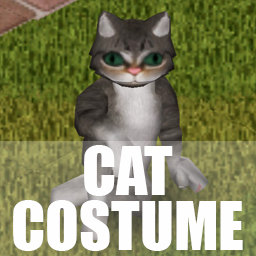
Cat Costume
von 76561198255003525
Cat costume just for fun and some modding practice. Grey and Red cats now Can be found in Toy Stores, Junk Crates, Pet Shops Workshop ID: 2939805351 Mod ID: CatCostume
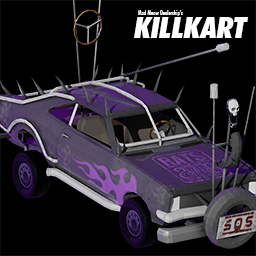
MMD Killkart
von 76561198051921742
The first polished vehicle from Mad Meow Dealership's flagship collection. Conquer the apocalypse in style with decent trunk storage and off road maneuverability. Enjoy 2 variations of the Killkart, the standard and Rats edition. Visit the nearest junkyard near you to get yours now! Disclaimer: Killkart does not come with vehicle protection YET, our chain-smoking kittens are working on it right now. Vehicle ID: Base.MMDKillkart, Base.MMDKillkartRats Workshop ID: 2961543508 Mod ID: MMDKillkart
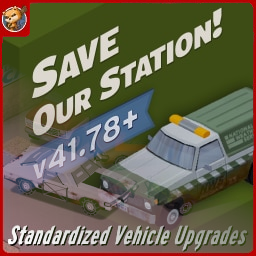
SoS Vehicle Armor Patch
von 76561198097808300
Gives the vehicles from Save Our Station! the same armors as their normal models. Uses the same recipes as vanilla vehicles. Workshop ID: 3034164031 Mod ID: StandardizedVehicleUpgradesSoSPatch
Strike From Above B41
von 76561198329871201
Assassination from higher place. How to make an Air Attack - Your character must be sneaking, not running, not sprinting. - Your cursor must be on a tile below your level and not too far (~3 tiles). - Either: right click and select 'Air Attack' option. - Or: use the dedicated 'Air Attack' keybind, 'F' by default. Air Attack Sequence - The First step is your character turning into the right direction. - Then your character jumps above your target. - Anything on the horizontal path will block the attack. - Once above your target, you will fall on it. - The vertical path must be clear. - When touching the ground, the attack reaches any target within range. - The range of the attack is 1.7. It is partially handled as a melee weapon, see 'Base.AirAttack'. - Up to one zombie is killed instantly. Making it a safe(set aside self damages) assassination for an isolated target. - Others zombie within range will receive damages(see Enemies Damage Computation). - Zombie within range not killed by the attack may fall on ground(see Enemies Falling Computation). - Zombies within range not killed and not fallen on ground will detect you. Making it dangerous for a group of targets. - Your character may be injured(see Self Damage Computation). - A sound may be emitted(see Sound Emission). Enemies Damage Computation - Note: The instant kill can only occure on an enemy on the same tile as you. - Damage follows vanilla melee damage system (and include therefore randomness). - Damage increases with Sneaking and Nimble levels. - Damage decreases with Endurance negative moodles and the distance to the player. Enemies Falling Computation - The maximum number of enemies falling is the ceiling sum of all following numbers: - Weight of the player / 80. (80Kg => 1) - Heavy load moodle level. (Moodle level 2 => 2) - Strength + Nimble levels divided by 2 (Strength 5 + Nimble 0 => 2.5) - A negative constant of -2. - e.g. for each exemple above The max Number would be Ceiling(1+2+2.5-2) => Up to 4 non dead enemies would fall on ground. Self Damage Computation - Damage is the sum of the following values multiplied by a random value between 1 and 3 and applied randomly on a foot or a hand: - A random value between 1 and 10. - Weight of the player divided by 10. - Fitness and Nimble levels taken negatively. - Heavy load moodle level multiplied by 4. You're warned! - Note that if the sum is below 1 it is not applied: there is no injury. - In case of injury, a scratch has can occure (50% chances) - In case of injury, if the injured foot or hand falls below 30%hp, it breaks into a fracture. You're warned! Sound Emission - The sound is emitted up to a range computed as the sum of the following values: - A random value between 1 and 10. - Weight of the player divided by 10. - Lightfoot and Nimble levels taken negatively. - Heavy load moodle level multiplied by 2. - e.g. a 80kg character without heavy load moodle, Nimble to 1 and Fitness to 5 will emit a sound between 3 and 12 tiles. - Note that if the sound range is below the weapon range (1.7) it is not applied: there is no noise percieved. In that case a Light Landing noise will replace the Heavy Landing noise. Other costs and gains - Each Air Attack costs 3.64% endurance. - Each Air Attack gives 1 Nimble and 1 Lightfoot experience point (before modifiers). - Each enemy attacked gives 1 Sneaking experience point (before modifiers). FAQ - Does it work in Multiplayer? Not tested, probably not. - Does it work in Splitscreen? Not tested, probably not. - Does it work with controller? Probably if you set the keybind. - Can I add it / remove it from an existing game? Yes. - I have found a bug what should I do ? Report in the dedicated discussion with the required details. Ask for permission This mod can only be added to and extended with the express permission from the original creator. Having received permission, credit must be given to the original creator, both within the files of the mod and wherever the mod roams online. If no permission is received you may not alter the mod. You wanna support? A nice word is always welcome. Constructive feedback too. Else you can or donate on paypal. Workshop ID: 3009914757 Mod ID: StrikeFromAbove
![Death is not the End [MP] [Fix] – Project Zomboid Mod](https://images.steamusercontent.com/ugc/1825652395902345491/41833AB39CDC33D08FFDD9EDCFE42F2C8D1C41D0/)
Death is not the End [MP] [Fix]
von 76561198047542275
This is a fixed version of the original mod made by Mulgarz, will be removed once the original one updated. https://steamcommunity.com/sharedfiles/filedetails/?id=2712840235 Source code: https://github.com/bruceCzK/Death-is-Not-the-End Workshop ID: 2777101594 Mod ID: NotTheEndMPFix
![Inhalers - Ravense [B41] - DEPRECATED – Project Zomboid Mod](https://images.steamusercontent.com/ugc/2372922914086845993/8526CCC98204BB41D7F8AFC94B5FDEA3E3B05478/)
Inhalers - Ravense [B41] - DEPRECATED
von 76561198249972272
DEPRECATED - PLEASE FEEL FREE TO TAKE AND UPDATE - Surviving the apocalypse is hard enough, but with my girlfriend's asthma in mind, I've added inhalers to Project Zomboid. Because even in a zombie-infested world, you shouldn't have to choose between dodging zombies and catching your breath! - - About - This mod adds brand new Inhalers that you can find all over your world! Expect to find them in pharmacies and bathrooms. They have 16 uses and remove 10 fatigue and give 15 endurance each use but are a bit rare to find so use them sparingly. - FAQ - (Feel free to ask questions below!) -- -- -- -- If you'd like to support me making more mods: Workshop ID: 3325042240 Mod ID: SNSInhMod
Project Zomboid Details →
Project Zomboid Guides
Project Zomboid Mods installieren - Workshop Guide
Installiere Project-Zomboid-Mods sauber per Steam Workshop: IDs eintragen, Reihenfolge prüfen, Server neu starten und typische Fehler beheben.
Project Zomboid Build 42 auf dem eigenen Server: Umstieg, Spielstände und Mods
Build 42 ist Stable: Spielstände aus Build 41 sind nicht kompatibel. Umstieg, legacy41-Zweig, neue Serveroptionen, Anti-Cheat und der Hotfix 42.20.1 gegen Serverlag.
Project Zomboid Server mieten – Multiplayer Guide
Project Zomboid Server einrichten: RAM, Sandbox-Einstellungen, Workshop-Mods, Admin-Rechte und typische Fehler sauber prüfen.
Project Zomboid Server mit Mod-Support
Kompatible, unterstützte Mods über das Server-Dashboard installieren.
Project Zomboid Server mieten