Mods & Plugins für Project Zomboid
Dieser Katalog listet 52.000+ Project Zomboid-Projekte von Steam Workshop. Einträge können serverseitig, clientseitig oder auf beiden Seiten erforderlich sein und auch Karten oder andere nutzergenerierte Inhalte umfassen. Prüfe vor der Installation die verlinkte Quellseite, Spielversion und Abhängigkeiten.

KS6 ISO CONTAINERS
von 76561198414086191
SOM CONPAINERS Workshop ID: 3165294461 Mod ID: Somcontainers
![[B42.20+] Vehicle Weapon Clipping Fix – Project Zomboid Mod](https://images.steamusercontent.com/ugc/17237766617948909608/E48E3CDB8AA2E27AB78FA2DEF5FEF5FE41D3BA9A/)
[B42.20+] Vehicle Weapon Clipping Fix
von 76561199025041264
Vehicle Weapon Clipping Fix Hides the equipped 2-handed weapon while in a vehicle to stop it clipping through the window/roof. Pls consider giving a 👍🤩 Compatibility: - Build 42 Stable - Works on vanilla and modded vehicles - Client-side only - Multiplayer compatible - Can be added to existing saves ! All rights reserved. Use of the Workshop item is permitted. Reuploads, forks, ports, translations, mod-pack inclusion, and reuse of code or artwork require prior permission. Big shoutout to @𝕲𝖚𝖘𝖙𝖆𝖛𝖔 for reporting the bug ! If you find any bugs worth looking into let me know in the comments :D Check out my other fixes: Support If you enjoy the mod, you can support me directly on steam - thank you! Workshop ID: 3783874874 Mod ID: CarWeaponFix
![[RE-UPLOAD] Porno Mags (build 41) – Project Zomboid Mod](https://images.steamusercontent.com/ugc/2494507313150512233/E79D625386328BD4724605906F3BBAC681AB168A/)
[RE-UPLOAD] Porno Mags (build 41)
von 76561199310235509
Adds a Porno Mag item to PZ that can help with negative moodlets. Also, now, centerfolds can be removed from said magazines. All of the content is, at worst, PG-13. If you enjoy this mod please consider dropping an award and an upvote! Copyright 2022 planetalgol For an updated version of this mod that offers more items, feel free to check out https://steamcommunity.com/sharedfiles/filedetails/?id=2936060245 Workshop ID: 2181287530 ( ORIGINAL AND OLD ID, DO NOT USE AND PLEASE OVERWRITE WITH NEW ONE ) Mod ID: PornoMags Workshop ID: 3231491401 Mod ID: PornoMags

Cosplay商店 (no recipes)
von 76561198348597697
This is based on the Cosplay商店 mod that adds costumes and weapons. I was tired of the recipes using money which meant every time i right clicked on the money item the whole screen was filled with recipes, and after trying half a dozen Chinese patches that didn't work i decided to make my own. This mod removes those recipes from the game entirely, which means the items cannot be obtained except by killing zombies, or other means like admin privileges or shop mods. Not required, but recommended if you want to have another way of obtaining these costumes, is with this shop mod https://steamcommunity.com/sharedfiles/filedetails/?id=3016786132 Workshop ID: 3016820486 Mod ID: cosplaynorecipe

True Music and Dancing QOL containers
von 76561198338627571
NOW WITH SANDBOX OPTIONS! This Mod adds unique storage containers for collecting and organizing Cassettes, Vinyls and Dance cards found in both the True Music and True actions - Dancing mod. It also forces Cassettes and Vinyls to spawn in specialized packages you must open in an attempt to lessen the bloat they put on the loot tables when you have a lot of music. This should be compatable with any true music addons so long as they don't also change loot spawns or DisplayCatagories. You may run into spawning issues if you use an absurd amount of music. If you want to use dance cards while they are still in your collectors pouch be sure to subscribe to this mod as well!: Coded by Dislaik & Poltergeist Workshop ID: 2914213621 Mod ID: TrueMusic Containers

The Floor is Lava
von 76561198026825410
The floor outside of buildings is "lava". Based on AmbiguousAmphibian's The Floor is Lava series on YouTube. If you walk on the ground(Grass, Streets, etc.) outside of a building it will spontaneously combust. You can use construction to move between buildings. At the start of a new game, the player is given a saw and a hammer. Feel free to let me know if you find any bugs or issues. :) It is made for Build 41 and works on Build 40 although it seems like you don't die as quickly from fire in Build 40. Workshop ID: 2549907069 Mod ID: TFIL
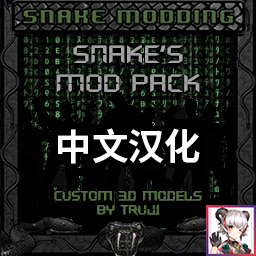
Snake's Mod Pack 中文汉化
von 76561199020860145
Snake's Mod Pack 中文汉化 基于 steamcommunity.com/sharedfiles/filedetails/?id=2885673806 修改 Workshop ID: 3345829253 Mod ID: SnakesModPackCN
![OSRS Exp Drops [B42.13.2 FIX] – Project Zomboid Mod](https://images.steamusercontent.com/ugc/10591015251198300748/4FAADDC30953E2592B5AA2A0AF72AFA2B205041C/)
OSRS Exp Drops [B42.13.2 FIX]
von 76561198821073082
Barra de XP Não Atualizando – Correção para a Build 42 Na Build 42, o evento Events.AddXP mudou de comportamento ou deixou de ser disparado de forma confiável no lado do cliente, especialmente em Multiplayer. Como consequência, o mod acabava perdendo a informação de ganho de XP, fazendo com que a barra de XP não fosse exibida corretamente. Essas falhas eram silenciosas, sem qualquer erro no console, indicando que o evento simplesmente não estava ocorrendo como esperado. Correção Aplicada A lógica antiga baseada no Events.AddXP foi substituída por um sistema de monitoramento ativo usando OnPlayerUpdate. Em vez de depender do jogo para avisar quando o XP é ganho, o mod agora verifica o XP do jogador a cada tick, comparando com um cache interno. Isso garante 100% de precisão e compatibilidade, inclusive em ambientes Multiplayer. Alterações em RUNE-EXP.lua Cache de XP Foi adicionado um sistema que armazena o XP atual de todas as habilidades no momento em que o personagem é carregado. Monitoramento Ativo (Polling) A lógica antiga baseada em onAddExp foi substituída por OnPlayerUpdate. A cada tick, o script percorre todas as skills da PerkFactory, compara o valor atual de XP com o valor armazenado no cache e, ao detectar ganho, chama a função de efeito visual (barHandle:expDrop). Filtragem e Proteções Foram adicionadas proteções para ignorar: Variações minúsculas de XP causadas por erros de arredondamento Resets inesperados ou valores inválidos de XP Resultado Ao ler diretamente os valores reais de XP do personagem, essa abordagem ignora as inconsistências da API de eventos da Build 42 e garante detecção confiável de ganhos de XP. Barra de XP funcionando corretamente em Singleplayer e Multiplayer Eliminação total de falhas silenciosas Independência de eventos instáveis Compatibilidade total com a Build 42 Essa solução garante feedback de XP consistente e preciso, independentemente das mudanças internas do jogo ou do sistema de eventos. XP Bar Not Updating – Build 42 Fix In Build 42, the Events.AddXP event changed behavior or is no longer being triggered reliably on the client side, especially in Multiplayer. As a result, the mod was losing XP gain information, causing the XP bar to not update visually. These failures were silent (no console errors), indicating that the event itself was simply not firing as expected. Applied Fix The old logic based on Events.AddXP was replaced with an OnPlayerUpdate-based monitoring system. Instead of waiting for the game to notify XP gains, the mod now actively checks the player’s XP every tick by comparing it against an internal cache. This guarantees 100% accuracy and full compatibility, even in Multiplayer environments. Changes in RUNE-EXP.lua XP Cache A cache system was added to store the current XP of all skills when the character is loaded. Active Monitoring (Polling) The previous onAddExp logic was replaced with OnPlayerUpdate. Each tick, the script iterates through all skills from PerkFactory, compares the current XP with the cached value, and when an increase is detected, triggers the visual drop handler (barHandle:expDrop). Filtering and Safety Checks Additional safeguards were added to ignore: Extremely small XP changes caused by rounding glitches XP resets or invalid values Result By reading the actual XP values directly from the character, this approach completely bypasses Build 42 event API inconsistencies and ensures reliable XP detection. XP bar updates correctly in Singleplayer and Multiplayer No dependency on unreliable XP events Silent failures fully eliminated Fully compatible with Build 42 changes This solution ensures consistent and accurate XP feedback regardless of internal engine or event system changes. Workshop ID: 3650883381 Mod ID: RUNEXP
![Old Hope Church [B41] – Project Zomboid Mod](https://images.steamusercontent.com/ugc/1823396704036913128/412B1907D31D7A26A1F14AF450EE20EDC4DC2447/)
Old Hope Church [B41]
von 76561198209492175
This Mod adds the abandoned Old Hope Church into the vanilla map The Church is North West of Rosewood, It is not on the map becuase it was forgotten long ago (in reality I dont know how to do it) also... THANK YOU DYLAN FOR THE UPDATED PREVEIW & DIRECTIONS!!!!! Dylan's workshop >> https://steamcommunity.com/id/dtmyers1995/myworkshopfiles/ =This is also my first map mod so feedback would be appreciated!= This map wont be ported to B42, apologies However if you want to port it yourself you are allowed to just give me credit. Workshop ID: 2735051711 Mod ID: MapTestHope Map Folder: OldChurch
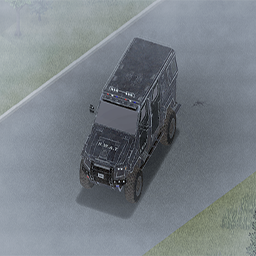
Police SUV
von 76561198129030098
Adds a new police SUV to the game This is the first time I've done a mod, so don't judge) If there are any comments, leave comments, I will try to correct them. Features: Increased cross-country ability. Strong body. 850 engine power. 6 passenger seats (2 of which are saved from zombies if you are surrounded). Known issues: Since I am still studying the creation of a new transport in Project Zomboid, bugs are possible. At the moment, the problem is with the "Mask" texture, as well as with other variations of "Damage" and "Rust". If there are people who can help, I would appreciate it!) Добавляет в игру новый полицейский внедорожник Я делал впервые мод, так что не осуждайте) Если какие то замечание будут, оставляйте комментарии, буду стараться их исправить. Особенности: Повышенная проходимость. Крепкий корпус. 850 мощность двигателя. 6 пассажирских мест(2 из которых спасают от зомби, если вас окружат). Известные проблемы: Так как я еще изучаю создание нового транспорта в Project Zomboid, то возможны баги. На данный момент проблема с "Маск" текстурой, а так же с другими вариациями "Повреждение" "Ржавчина". Если есть люди которые могут помочь, буду признателен!) Workshop ID: 3192211291 Mod ID: ArmoredBar
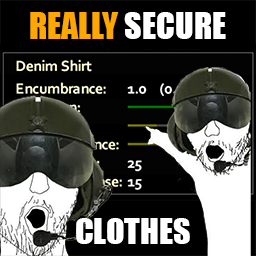
Really Secure Clothes
von 76561198432315715
Stop whining about updating mods to B42, i will not do that. Buffed Vanila Clothes that gonna actually defend you from bites! (i tired from zombies who with 1 bite go through all 4 layers of clothing - that fuсking stupid) The mod changes Bite Chance on all best tier clothes Actually Secure Clothes Workshop ID: 3107169550 Mod ID: reallysecureclothes
![RPG Skill Tree [42.17]-简中汉化 – Project Zomboid Mod](https://images.steamusercontent.com/ugc/18396401435088444497/B1B5D1D92262030AC4B7418EEF427A0F45DABDEC/)
RPG Skill Tree [42.17]-简中汉化
von 76561198836172900
请订阅前置模组RPG Skill Tree ,RPGSkillTree, Workshop ID: 3629561258 Mod ID: RPGSkillTreeCN
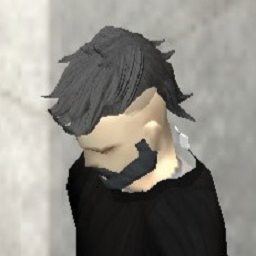
Mullet Hairs
von 76561198020323793
Some mullet hairs. - Mullet Modern Hair - Mullet Fade Hair - Mullet Wavy Hair - Mullet Medium Hair Workshop ID: 3443971074 Mod ID: Mullet Hair
Challenge Traits - SPANISH1
von 76561199592234537
Traduccion completa del mod Challenge Traits al Español para B42. Workshop ID: 3666720617 Mod ID: ocstraits_es_b42
Immersive Solar Arrays-Fix
von 76561198399354243
致各位《僵尸毁灭工程》的玩家朋友们: 首先,非常感谢大家一直以来对本 Mod 的支持与喜爱!这段时间里,收到了许多玩家的反馈和鼓励,这份认可让我倍感温暖。 由于近期工作事务日益繁忙,个人精力有限,同时也希望能抽出时间体验一些新的游戏作品,因此不得不遗憾地告知大家:本 Mod 将暂停后续的更新维护工作。 如果大家在使用过程中遇到报错或其他问题,我深感抱歉,无法再为大家提供及时的修复支持。若该 Mod 仍有后续更新需求,建议大家关注原作者的官方发布渠道,获取最新的版本和支持:https://steamcommunity.com/sharedfiles/filedetails/?id=2969478819 再次感谢每一位玩家的理解与陪伴,祝愿大家在游戏中始终拥有愉快的体验! To all Project Zomboid players: First and foremost, I would like to express my sincere gratitude for your continuous support and love for this mod. Over the past period, I have received numerous feedback and encouragement from players, and this recognition has been incredibly heartwarming. Due to the increasing busyness of my recent work and limited personal energy, I also hope to take time to experience some new game titles. Therefore, I regret to inform you that this mod will be suspended from further updates and maintenance. If you encounter any errors or other issues while using it, I sincerely apologize and can no longer provide timely fixes and support. If there is a need for subsequent updates to this mod, I recommend following the original author's official release channel to get the latest version and support: https://steamcommunity.com/sharedfiles/filedetails/?id=2969478819 Thank you again for every player's understanding and companionship. May you always have a pleasant experience in the game! -------------------------------------------------------------------------------------------------------------------------------------------------------------- **注意:此mod不能与原mod共同启用,只支持B42** 此 mod 对 ]( https://steamcommunity.com/sharedfiles/filedetails/?id=2969478819) 的一些错误和异常进行了修复,使得物品制作可以正常进行,平滑了技能等级对太阳能电池性能的影响。具体内容如下: - 修复了配方制作页面汽车电池数量异常的问题 - 修复了制作连线电池时报错问题 - 修复了制作太阳能电池时报错问题及材料消耗问题 - 修复了制作太阳能故障安全保护装置材料消耗问题 - 修复了给连线电池拆线时电池会消失的问题 - 修复了拆太阳能平板部分材料异常消失的问题 - 改进了技能对电池容量及耐久影响的算法,使其受电工等级影响更大,成长更平滑 - 修改了 DIYBatteryMultiplier(DIY 电池容量倍率):min = 0.1, max = 100, default = 1,此参数会直接倍乘在制作出的太阳能(DIY)电池容量上 **Note: This mod cannot be used together with the original Immersive Solar Arrays mod and only supports B42.** This mod fixes several bugs and glitches in ]( https://steamcommunity.com/sharedfiles/filedetails/?id=2969478819) , restoring normal functionality to item crafting and smoothing out the impact of skill levels on solar battery performance. The specific changes are as follows: - Fixed the abnormal quantity display of Car Batteries in the recipe crafting menu - Fixed the error that occurred when crafting Wired Car Batteries - Fixed the error and material consumption issues when crafting Solar Batteries - Fixed the material consumption issue when crafting the solar fail-safe protection device. - Fixed the issue where batteries would disappear when unwiring Wired Car Batteries - Fixed the abnormal disappearance of some materials when dismantling flat solar panels - Improved the algorithm for skill impact on battery capacity and durability: it now has a stronger correlation with the Electricity skill level and features smoother progression - Modified DIYBatteryMultiplier (DIY Battery Capacity Multiplier): min = 0.1, max = 100, default = 1. This parameter directly multiplies the capacity of DIY Batteries Workshop ID: 3592668881 Mod ID: ISA-Fix
Qualify to escape
von 76561199384007356
Thanks to WolfShine for allowing the creation of a sub-mod. Link to WolfShine's Wolf Extraction Quest : https://steamcommunity.com/sharedfiles/filedetails/?id=2987772693 - Spanish and Korean translations have been added (may be awkward due to GPT translation). - Three new vanilla locations have been added. (Detailed coordinates are in the discussion section.) - identified the frame drop issue and have updated the game with a code fix. (apologize for any inconvenience caused.) - item categories have been updated. (Literature -> Normal) 1. What is this? The world no longer cares about distress signals. If you seek salvation, prove your worth! Research Journals Vol 1, 2, and 3 have been added to the list of required items for escape, and they spawn in dangerous locations. If you want to escape, you'll have to risk your life to find these research journals!" Additionally, the image and text that appear at the start and exit of the game are changed when the mod is applied 2. How to use? Place this mod below the Wolf Extraction Quest mod. If you are using a translation mod for the Wolf Extraction Quest mod, make sure to position this mod below the translation mod as well. (If not followed, there may be conflicts with the translation of the required escape items.) It's recommended to simply place it at the bottom. You can adjust the spawn quantity for each location in the Sandbox Options (0-10) Depending on the setup, you might be able to get the required item by visiting just one place, but if you're unlucky, you may need to visit all five locations. Put your luck to the test! (I once set the minimum value to 0 and the maximum to 1, and had six instances in a row where nothing spawned.) 3. Do I need to install all the maps? No, it's not necessary. This mod spawns items at designated coordinates, so there shouldn't be any issues. If there's a mod map you're not using, just set the spawn rate to 0 for that location and proceed! 4. "Where is the spawn location? I'll post the detailed coordinates in the Discussions section! -------- Research Journal 1 -------- 1-1) Bedford Falls Large Education Center Left 1st Floor Garden 1-2) Bedford Falls Military Hospital Security Room 1-3) Valley Station Crossroads Mall 2nd Floor Vacant Space 1-4) Fort Rock Ridge Hospital 1st Floor Operating Room 1-5) Rosewood Prison 1st Floor Garden 1-6) Louisville Eluee Arena, 1st Floor boxing ring -------- Research Journal 2 -------- 2-1) Trelai Stadium Internal Hospital 2-2) Trelai Prison Shower Room 2-3) Raven Creek Prison Shower Room 2-4) Louisville Ohio Shopping mall Rooftop helipad 2-5) Monmouth County Movie Theater 2-6) Louisville Havisham Hotel Suites, 4th Floor Balcony -------- Research Journal 3 -------- 3-1) Louisville St. Peregrin General Hospital Morgu 3-2) Louisville General Hospital Emergency Room 3-3) Coryerdon Hospital Morgue (Left of Giga Mart Shopping mall) 3-4) Raven Creek Research Facility Staircase 3-5) Over the River Military Hospital 1st floor security office 3-6) Mach Ridge knox Military Apartments, 4th Floor Phone Booth 5. How do I check the location during the game? In-game, location information is not provided separately. (This is due to my limitations, so it's unavoidable. I apologize for this.) You'll need to use the 'Change Sandbox Options' mod to check the location mid-game, If you don't use that mod, you'll have to rely on notes and memory from when you initially set up the sandbox. You can change the spawn quantity using the 'Change Sandbox Options' mod during the game. but this only applies to locations you haven't visited yet. For places you've already explored, changing the quantity will not affect them! 6. MP SUPPORT? Not tested for multiplayer. But it should be possible If anyone tests this in multiplayer, I'd appreciate it if you could let me know in the comments! Workshop ID: 3312248752 Mod ID: Qualifytoescape
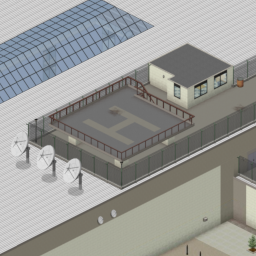
Louisville Helipad Spawn
von 76561197963582983
You just missed the last evacuation helicopter. Now you are on your own on top of the Louisville city mall. Workshop ID: 2996234091 Mod ID: louisville_helipad_spawn Map Folder: Louisville Helipad, KY
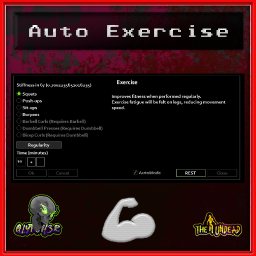
AutoExercise
von 76561199042257388
Auto Exercise A QoL mod Adds automode and sit button on the exercise panel When AutoMode is checked the character will automatically sit down sandbox option to enable stiffness check when the selected exercise has stiffness after the stiffness is back to zero then the character will stand up and do the exercise again theres something wrong with the health panel button i cant seem to hook on it so i had to trigger the panel via context menu Can be installed mid game Compatible for both SP and MP -------------------------------------------------- Mod by Glytch3r Commissioned by Josko All my mods are commissioned including this one For custom pz mod commissions contact Glytch3r discord: Glytch3r#7331 / glytch3r https://ko-fi.com/glytch3r Workshop ID: 3343489977 Mod ID: AutoExercise
![Project AVA: The Chikkie Dress [B42] – Project Zomboid Mod](https://images.steamusercontent.com/ugc/27683556126592660/E8E9BB66B0473B88EB6D00A4D1E0D719FB1D4A67/)
Project AVA: The Chikkie Dress [B42]
von 76561198068788655
ASH 2025: Back To Nature AVA: Chikkie Dress The Chikkie Feather Dress Get Back to Nature, Quite Literally. I realised the Farms had an abundance of Feathers. Why shouldnt i make that Into Armor. >:D You Must Craft this Item! some feathers, rope, etc, And off you go! This New Feathery Fit, works on the following - Project AVA: NPDM V17+ V2961+ - All Male & Female Body Types ( vanilla etc ) MOD PERMISSIONS ON LOCKDOWN This mod can only be added to, and extended with the express permission from the original creator. Having received permission, credit must be given to the original creator, both within Any / All Of the files of the posted edit / mod and wherever the mod roams online. If no permission is received you may not alter the mod, and it must be treated as a mod that is 'On Lockdown'. My Ko-Fi Purely Optional, These are hard times. Please Only do this if you can Afford to do so My Discord Found Bugs? Got New Feature Idea's? Wondering Whats Coming Next?, Jump in My Discord! My Other Mods Click Me! I do tons of other great mods Workshop ID: 3399560932 Mod ID: AVA_SoManyFeathers
![[B42] Infinite Irrigation Pipes – Project Zomboid Mod](https://images.steamusercontent.com/ugc/14164867450269182369/34D3DDA37A8C68654CCEF1B4ADF576372295FA0E/)
[B42] Infinite Irrigation Pipes
von 76561199190194269
Infinite Irrigation Pipes — Farming, Water and Power in One Pipe A Build 42 utility system that combines configurable crop automation, infinite clean water and native electrical power in one zero-weight pipe item. Quick Start - Craft 16 Infinite Pipes from 1 Ripped Sheet anywhere, even in the dark. No table, crafting surface, workstation, or tool is required. - Right-click and choose Place Infinite Pipe. - Select an initial preset: Irrigation Only, Water Supply Only, Irrigation + Water Supply, Power Supply Only, or All Functions. - Select a line, cross, corner, or T-junction shape and place the pipe. - Right-click any placed pipe to switch Irrigation, Water Supply and Power Supply independently, or change that pipe's irrigation range. All three functions can be combined freely. Switching everything off leaves a reusable inactive floor pipe; removing it returns the item. Configurable Infinite Irrigation - Global and Per-Pipe Farming Range: Choose a global 1x1, 3x3, 5x5, or 7x7 default. Each placed pipe can follow the global value or use its own range. - Smart Watering: Maintains a suitable water level for each crop instead of blindly setting every plant to 100. - Immediate Response: Covered crops receive care when newly seeded and immediately after vanilla harvesting; they do not need to wait for the maintenance cycle. - Crop Protection: Optional pest and disease removal, free composting, health recovery, mature-crop protection and no-rotting behavior. - Recovery and Growth: Optional revival can restore dead, rotten, or harvested crops; instant growth can advance living crops to harvestable maturity. - Per-Pipe Auto-Plowing: Each pipe can follow the global setting, force auto-plowing on, or force it off. Auto-plowing depends on irrigation: disabling irrigation preserves the preference, and clicking Auto-Plowing: Off on the pipe menu restores both in one action. - Existing-Save Repair: Mature crops affected by the previous rotting issue are repaired when they enter active irrigation coverage. - Harvest XP Ownership Repair: Ownerless legacy or mod-created crops inherit the nearest pipe owner when cared for. Existing vanilla ownership is never overwritten. - Explicit Legacy-Pipe Claiming: Ownerless multiplayer pipes show a Claim Pipe action. Function switches and irrigation-range changes never claim a pipe automatically. Irrigation works without barrels, rain collectors, pumps, plumbing, electricity or consumable water. Infinite Clean Water - Enable Water Supply on any placed pipe. - Use the pipe directly for vanilla drinking, filling water containers and cleaning actions. - To supply a sink, washing machine, or another plumbable appliance, place an enabled supply pipe one floor above the appliance within its upper 3x3 area. - Hold a Pipe Wrench, right-click the appliance and use the vanilla plumbing action. - Water access and appliance lookup use Build 42's native fluid behavior; the mod does not run a refill polling task. Infinite Native Power - Enable Power Supply on any placed pipe. Refrigerators, lights and other vanilla electrical devices then use the game's native electricity check. - Horizontal and vertical coverage follows the world's vanilla generator range sandbox settings. - Power is infinite and silent: no fuel, wiring, noise or exhaust fumes, and no visible or interactable generator to maintain. - Overlapping powered pipes are compressed per loaded chunk while preserving the same powered tiles, keeping dense pipe fields out of long vanilla power-query lists. Designed for Low Runtime Cost - No per-frame crop, water, or appliance scan. - Crop maintenance follows a low-frequency cycle; planting, harvesting, placement and per-pipe range changes use targeted immediate paths. - Coverage maps are rebuilt incrementally with work limits and a small time budget, so 5x5 and 7x7 farms do not create one large update spike. - Coordinate indexes provide direct pipe lookup, and adaptive processing chooses between covered tiles and the smaller native plant list. - Power-source registration occurs on placement, switching, chunk loading and low-frequency safety refreshes; dense overlap is deduplicated by chunk. Single-Player, Multiplayer and Saves - Supports Project Zomboid Build 42 single-player and multiplayer. - Multiplayer placement, removal, function switches and per-pipe range changes are server-authoritative and distance-validated. - Pipe modes, direction, shape, power state and custom irrigation range survive mode switching and save loading. - Compatible with existing saves; no new world is required. - Supports vanilla crops and most modded crops registered through the standard farming system. Languages - English - Simplified Chinese - Russian — fully integrated for items, recipes, sandbox settings, Mod Options and all pipe menus. Settings - The default irrigation range, global auto-plowing behavior, revival, revival destination, pest care, composting, no-rotting protection and instant growth can be configured separately. Each placed pipe can override auto-plowing independently. - The current world's values are also shown in the in-game Mods settings. They are editable in single-player and read-only for multiplayer clients, where the server owns them. Recipe - 1 Ripped Sheet → 16 Infinite Pipes - The recipe is unlocked by default and can be made by hand anywhere, even in the dark. It requires no table, crafting surface, workstation, or tool. Credits Continued from the work of: - Irrigation Pipes by ttr & Aragon - Irrigation Pipes — Build 42 Fix by Si'rrakx Thanks to @兮去来兮 and @notaname for compatibility help, and to everyone who reported issues or suggested improvements. Workshop ID: 3548529064 Mod ID: InfiniteIrrigationPipes
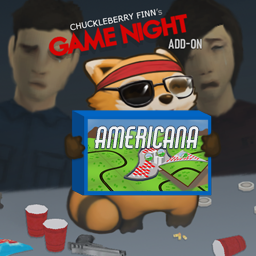
Game Night: Americana
von 76561198016533771
Add-On for GameNight. A legally distinct reskin of Carcassonne for Game Night. Rules are exactly the same, just with new tiles. To rotate the tiles use the scrollwheel after grabbing the placed tiles. :) Made for the Game in a Game in a Week Jam Carcassonne is a registered trademark of Z-Man Games. Copyright Z-Man Games. All rights reserved. Meeple made by Delapouite for game-icons.net under CC BY 3.0 - https://creativecommons.org/licenses/by/3.0/ Copyright 2026 Celene and Chuckleberry Finn. This item is not authorized for posting on Steam, except under the Steam account(s) named Celene and Chuckleberry Finn. Workshop ID: 3289537326 Mod ID: gamenight_cmg_americana
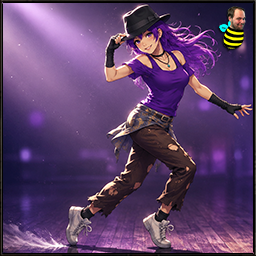
Nimble XP Rebalance
von 76561197960296580
TwisTonFire - Nimble XP Rebalance Usually, I only create quality-of-life mods that do not change core gameplay. This is one of the very few balance adjustments I wanted to make, because I believe the vanilla system is simply broken. What does this mod do? This mod rebalances how Nimble XP is gained. Instead of relying almost entirely on vanilla's random XP lottery, this mod adds predictable, distance-based Nimble XP while moving in combat stance. In simple words: - Move in combat stance. - Actually cover distance. - Gain steady Nimble practice over time. - Nearby zombies increase the XP rate. - Very close zombies give the best XP rate. Why does this mod exist? Vanilla Nimble XP is painfully slow and extremely inconsistent. In vanilla, Nimble XP is only checked when: - You are in combat stance / aiming. - You are moving. - You are not in a vehicle. But even if all of that is true, the game does not reward you based on how much you actually moved. It simply rolls the dice. At normal game speed, the vanilla chance is roughly: - Singleplayer: 1 chance in 700 per valid movement check. - Multiplayer: 1 chance in 100 per valid movement check. If the roll succeeds, you only get: - +1 base Nimble XP That +1 base XP is still affected by the usual vanilla learning multipliers from traits, professions, and XP settings. Example: No multiplier in nimble = 0.25 final XP every 1/700 chance on player movement in aim mode. The problem is that most valid movement checks still give you nothing. You can move in combat stance for a long time and make no visible progress at all, simply because the hidden XP roll did not succeed. The problem with vanilla Nimble Nimble is one of the most important long-term combat skills, but without a starting bonus it levels absurdly slowly. The reason I started looking into this was my own long-term character: - No Nimble skill bonus. - More than 5 years survived. - Over 1,000,000 zombie kills. - Still only around Nimble level 8. At that point, this no longer felt like difficult progression. It felt like broken progression. A skill that is used constantly during combat should not feel almost impossible to train naturally. How this mod changes Nimble XP This mod keeps the idea of Nimble as combat footwork, but makes the progression more logical. Instead of only asking: Did the random XP roll succeed? The mod asks: How much did the player actually move in combat stance? XP is based on real movement distance. - Combat stance movement gives measured Nimble progress. - Zombies nearby increase the XP reward. - Very close zombies count as higher threat and give the best reward. - Teleporting or large position jumps do not grant huge XP. - Singleplayer and Multiplayer are both supported. Sandbox Option This mod intentionally keeps sandbox settings simple. There is only one admin-facing option: - Require nearby zombie - If enabled, Nimble XP is only gained while moving in combat stance with a zombie nearby. Multiplayer Multiplayer is supported. In Multiplayer, the client measures local combat-stance movement, but the server validates the movement before XP is awarded. This means: - XP is still handled server-side. - Teleport or lag-spike movement is protected against. - Nearby zombie threat is checked by the server. - The system remains lightweight and performance-friendly. Is this a cheat mod? No. This mod does not instantly level Nimble. It does not hand out free XP for standing still. It simply replaces a frustrating random progression system with a more predictable one based on actual combat-stance movement. Characters with Nimble-related traits or profession bonuses still benefit from vanilla XP multipliers. Characters without bonuses still learn slower, but they are no longer completely at the mercy of random chance. Summary - Rebalances Nimble XP gain. - Distance-based combat-stance XP. - Nearby zombie threat bonus. - Works in Singleplayer and Multiplayer. - Server-side XP validation in Multiplayer. - Teleport and large movement jump protection. - Simple sandbox setup. - Designed to make Nimble progression feel fair, not free. I have been using my mod for quite some time now, and I currently have a long-term character alive with a survival time of 9 months. My character has a small Nimble bonus from the Gymnast trait, over 150,000 zombie kills, and has reached Nimble level 8. It feels a hundred times better than the vanilla Nimble roll system. I can honestly recommend this rebalance mod to everyone. It really does feel great. Compatibility Mode 42.18 42.19 42.20 Singleplayer ✅ ✅ ✅ Multiplayer ✅ ✅ ✅ Your support helps me keep going — thank you very much in advance! Workshop ID: 3732469752 Mod ID: twistnimblexp
![Forced Endless Broadcast Radio TV [B42] – Project Zomboid Mod](https://images.steamusercontent.com/ugc/46831914198289408/21B40C580D3E7C6497534DC121D79A1564C120E0/)
Forced Endless Broadcast Radio TV [B42]
von 76561198410133704
The updated version for B42.7 has been released. Please unsubscribe and resubscribe, then copy and paste the zombie folder as before. This mod keeps radio and TV broadcasts running endlessly in B42, ensuring all channels to continuously loop their content without ever going permanently off-air. My previous mod, "Never-Ending TV and Radio Broadcast " does something similar, but it only loops vanilla channels. This mod, however, loops every radio and TV channel, regardless of whether or not they were originally intended to loop. Moreover, the biggest issue with my previous mod is that it no longer works due to recent vanilla updates or conflicts with newer radio/TV broadcasting mods uploaded after mine. That's because of limitations in script file modifications. Aside from their general performance issues, script-based mods have numerous other problems, one of which is their vulnerability to conflicts with newer mods that utilize the same script functions or alter similar behaviors. Such conflicts aren't uncommon, since the game engine doesn't offer a wide variety of script functions for modders to use to implement a certain behavior, forcing many mods to rely on the same functions over and over as a result. Due to these issues, it's no longer possible for my previous mod to reliably keep radio and TV broadcasts looping using scripts only. To address this, I've directly modified the game's Java files, resulting in this mod, the ultimate version that forcibly loops all channels endlessly. Features 1. It makes every radio and TV channel loop forever, including non-vanilla channels. 2. This mod does not impact game performance and can be safely added to existing save files. 3. This mod will work even with heavily modded saves. How to Install This mod modifies vanilla Java files, so it requires manual installation. Follow the installation instructions below carefully to manually install the mod. Uninstallation can be done by verifying the integrity of game files through Steam (However, be aware that this process removes ALL mods that modify Java code, "the Java mods", so you’ll need to copy and paste them again afterward for any you want to keep.) 1. Subscribe to the Mod - First, make sure your game version is B42, not B41, and that the game is fully closed. - Then, subscribe to Forced Endless Broadcast Radio & TV on the Steam Workshop. 2. Locate the Mod Folder In File Explorer, navigate to your Steam Workshop directory, which by default is: C:\Program Files (x86)\Steam\steamapps\workshop\content\108600\3459256755\mods\ForcedEndlessBroadcastRadioTV\42 (You may copy and paste the above path into the Windows search bar or File Explorer to quickly open it.) 3. Copy the “zombie” Folder Within the 42 folder, locate a folder named “zombie.” Right-click this folder and select “Copy.” 4. Find the Project Zomboid Installation Directory Open a File Explorer window and navigate to your Project Zomboid installation folder. Typically, this can be found here: C:\Program Files (x86)\Steam\steamapps\common\ProjectZomboid Make sure you see an existing “zombie” folder in this directory. 5. Paste and Replace Files Paste the “zombie” folder from Step 3 into your main Project Zomboid folder. When prompted with a warning message indicating that 3 files already exist, choose “Replace the files in the destination.” This will overwrite the necessary files. You have successfully installed Forced Endless Broadcast Radio TV . Now you can enjoy every episode on every channel without missing a single one. Tips 1. If you add this mod to an existing save after the broadcast has already ended (for example, after day 9 for Life & Living TV channel), you must load the save and exit, and then load it again for the mod to activate. 2. There's a chance that some modded TV or radio channels may have a very long downtime, potentially lasting about a month, before their broadcasts loop again, especially if they're based on some template scripts that have broadcast schedules spanning more than a month. If this is the case, there won't be continuous back-to-back looping; you'll simply have to wait. 3. It's very common for TV/radio mods to conflict with each other: one might work while the other doesn't, or perhaps neither will work at all. Unfortunately, there's no real solution for this issue, and my mod can't resolve conflicts between other mods, so you'll need to choose one mod over the other. 4. If you increase the Maximum Media XP Level in Sandbox Options, using either vanilla settings or mods like "(Change) Sandbox Options", you can gain XP beyond level 3 by simply staying indoors and doing nothing but watching TV. Credits The following mods were used to create the screen shot for the poster: * Character models: VSkin v2 https://steamcommunity.com/sharedfiles/filedetails/?id=3444516315&searchtext= * Hair models: Ash & Mae's Hair Salon: New Frontier V6 https://steamcommunity.com/sharedfiles/filedetails/?id=3026307069&searchtext=ash+%26+mae * Zombie models: 【B42】 Waifu Zombie https://steamcommunity.com/sharedfiles/filedetails/?id=3389203112&searchtext=waifu Waifu Zombie Re-Textured https://steamcommunity.com/sharedfiles/filedetails/?id=3434803060 Super Girl Zombie (B42 only) https://steamcommunity.com/sharedfiles/filedetails/?id=3402496217 Workshop ID: 3459256755 Mod ID: ForcedEndlessBroadcastRadioTV Mod ID: ForcedEndlessBroadcastRadioTV
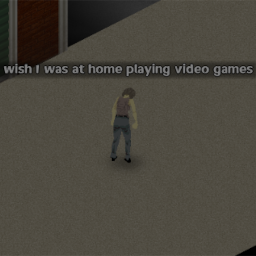
Talking Dead
von 76561198014705377
Mostly meant as a joke mod. Zombies will now start complaining about all kinds of things. - "state-sensitive" lines. There are new lines that are said only when a zombie is in a specific state - Optional respondToSound toggle in settings.lua which will make the zombies react to the to the talking of fellow dead in the same way they do with shouts from players. - Does apparently work in multiplayer - Custom zombie lines. https://www.dropbox.com/s/o4yltzcjks3rzvl - Download the above file, talkingDeadCustomLines.lua. Place it in the USERSNAME/Zomboid/Lua folder. - Set customLines = true in settings.lua - Add lines into the talkingDeadCustomLines.lua, more detailed instructions in the talkingDeadCustomLines file. Workshop ID: 1135650782 Mod ID: Talking Dead
Project Zomboid Details →
Project Zomboid Guides
Project Zomboid Mods installieren - Workshop Guide
Installiere Project-Zomboid-Mods sauber per Steam Workshop: IDs eintragen, Reihenfolge prüfen, Server neu starten und typische Fehler beheben.
Project Zomboid Build 42 auf dem eigenen Server: Umstieg, Spielstände und Mods
Build 42 ist Stable: Spielstände aus Build 41 sind nicht kompatibel. Umstieg, legacy41-Zweig, neue Serveroptionen, Anti-Cheat und der Hotfix 42.20.1 gegen Serverlag.
Project Zomboid Server mieten – Multiplayer Guide
Project Zomboid Server einrichten: RAM, Sandbox-Einstellungen, Workshop-Mods, Admin-Rechte und typische Fehler sauber prüfen.
Project Zomboid Server mit Mod-Support
Kompatible, unterstützte Mods über das Server-Dashboard installieren.
Project Zomboid Server mieten