Mods & Plugins für Project Zomboid
Dieser Katalog listet 52.000+ Project Zomboid-Projekte von Steam Workshop. Einträge können serverseitig, clientseitig oder auf beiden Seiten erforderlich sein und auch Karten oder andere nutzergenerierte Inhalte umfassen. Prüfe vor der Installation die verlinkte Quellseite, Spielversion und Abhängigkeiten.

猪圈音乐包4.0
von 76561198319806625
本音乐包为4.0版本,更新内容如下: 1、补上了音乐包2.0缺失序号为1-27的歌曲, 2、添加了2次元,PHONK,蒸汽波,梗曲,狗隼歌曲合集以及一部分喵服群友添加歌曲, 3、一共116首歌曲,主打一个量大管饱。 Workshop ID: 3055794629 Mod ID: 11451411
ZKMod Engine Repair
von 76561197978043663
Lets you define how much a spare engine part repairs and whether to use only one spare engine part from your inventory per repair. Multiplier and inventory behaviour can be configured in sandbox settings. If you don't configure anything you get a 3% bonus per engine repair, and only one spare engine part from your inventory is used per engine repair. Click here for full documentation Tested and working on 41.78 SP and MP. Please leave a thumbs up if useful. Does NOT work with Build 42. Workshop ID: 2759637097 Mod ID: ZKModEngineRepair
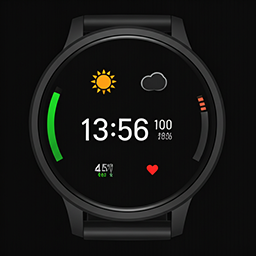
Smart Watch B42
von 76561198001557727
Add Smart Watch Clocks with Status and GPS. Workshop ID: 3415326807 Mod ID: SmartWatchMod
![[COS] Colphne – Project Zomboid Mod](https://images.steamusercontent.com/ugc/2419067507445509676/44D437C1B72989BE3CF42C47E7A993C32D028B40/)
[COS] Colphne
von 76561199178116693
How Do I Use It? - You can go to the link below to see how to use it. - Link Recommended mode - Fashionoid - Gear Transmog - Hide All Attached Items - Clipping animation Fix How to use COS mode in build 42. - Navigate to the path where the mod is installed. - Create a 42.0 folder. - Create a common folder. - Paste the media folder / mod.info / preview.png into the 42.0 folder. The recipe code writing method has been changed in 42Build. Since COS (Costume) mode has approximately over 200 modes, converting to 42Build's recipe code is an extremely laborious task. In 42Build, you cannot create costumes in (42 build) the crafting tab. There are two methods: Spawn items in cheat mode. Select items in the clothing selection screen when creating a character. Like My Mode? - Join Our Discord If You Want Commission
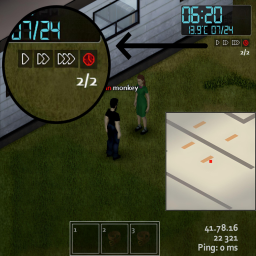
Fast Forward (MP) - Build 42
von 76561198055099593
Original mod: https://steamcommunity.com/sharedfiles/filedetails/?id=2968318536&searchtext=Fast+forward. Fast forward (MP) mod updated to Build 42. Mod allows to pause and fast forward time in multiplayer. I am not the original author. Build 42 changed the way the progress of timed actions is calculated. This mod is compatible with the new changes but it hasn't been thoroughly tested. I will fix issues as I play and find them, please comment if you encounter any issues. Workshop ID: 3623959321 Mod ID: FastForwardMP_B42
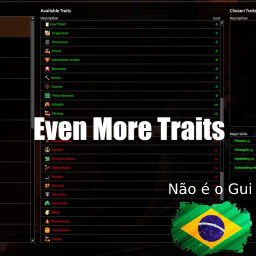
Even More Traits
von 76561199131666750
Tradução para PTBR o Mod Even More Traits. Este mod é independente. Deixando bem claro que não tenho nenhuma intensão de roubar os créditos dos criadores originais é apenas uma forma que encontrei para trazer para nosso idioma ou seja todos os direitos vão para os criadores originais dos mods: @Dr. lalaoz Workshop ID: 2980256567 Mod ID: LazoloTraitsPTBR

RAboi's'92 AM General M998 + M101A3 Cargo trailer SkinNV Balance Version
von 76561198119721204
新车皮的属性过于OP, 考虑游戏平衡做了调整 playerDamageProtection 玩家所受伤害保护(原版数值) engineForce 引擎马力(原版数值1.5倍) maxSpeed 最高速度(原版数值) engineQuality 引擎最高品质(原版数值1.5倍) frontEndHealth 前方血量(原版数值1.5倍) rearEndHealth 后方血量(原版数值1.5倍) GasTank 油箱容量(车皮修改数值不变) GloveBox 手套箱容量(原版数值) Workshop ID: 3116310358 Mod ID: RAboi92amgeneralM998_balance Workshop ID: 3116310358 Mod ID: RAboi92amgeneralM998_balance

HydeCo. Unlimited Cars 42.16.3
von 76561198076382626
✨ HydeCo. Unlimited Cars ✨ Default behavior: VANILLA If you never touch the mod's sandbox settings, it will not change your game. When you do want a different world, this mod gives you a clean preset system to reshape vehicle spawns across the map. What It Does - Adjusts vehicle spawn rules by zone definitions (the game's vehicle distribution tables). - Applies presets globally to every vehicle zone (including zones and vehicles added by other mods). - Optional variety setting: equalize vehicle-type chances inside each zone (more variety, same total count). - Optional trailer support: inject common trailers into most zones, and/or bias trailer odds (also affects modded trailers). Sandbox Presets (1–19) Set HydeCo Unlimited Cars → Preset to one of these: 1. Vanilla (no changes) 2. More Cars (x2 spawn rate) 3. Insane Cars (x6 spawn rate) 4. No Cars (disable zone spawns) 5. Burnt World (mostly burnt, damaged cars) 6. Pristine Cars (better condition, normal counts) 7. Custom (use Advanced tab) 8. Max Cars + Pristine (max spawns, perfect-ish parts) 9. Max Cars + Wrecks (max spawns, heavily damaged mix) 10. Rare Pristine (few cars, great condition) 11. Keyless Horde (max cars, almost no keys) 12. Jalopy World (normal counts, very damaged, not burnt) 13. Burnt Horde (max cars, mostly burnt + wrecked) 14. Showroom No Keys (pristine cars, no keys) 15. Trailer Town (normal-ish counts, trailers show up a lot) 16. Trailerpocalypse (max spawns, very trailer-heavy) 17. Van World (VANPOCALYPSE: max spawns, vans only) 18. Unique Fleet (max spawns, unique-only pool) 19. Emergency Only (max spawns, police/fire/ambulance only) Notes: - Preset 17 forces vans-only and disables special/emergency mixing. - Preset 19 preserves town/region-specific police pools (Rosewood/Louisville/etc) if a zone already has its own local emergency vehicles. Custom Preset (Advanced Tab) If you choose Preset 7 (Custom), you can fine-tune: - Spawn rate multiplier - Vehicle quality - Part damage chance - Burnt chance - Key chance - Trailer bias (multiply trailer odds inside zones) - Inject trailers (adds common trailers into most zones so they can actually spawn) - Emergency/special vehicle chance (police/fire/ambulance frequency via vanilla special-vehicle logic) - (Advanced emergency chance uses vanilla special-vehicle logic; it's not a strict whitelist like Preset 18) - Van bias (make vans more likely in every zone) - Unique bias (boost branded/service vehicles like Spiffo/Radio/Butchers/Mail etc) - Inject unique vehicles + percent (makes “unique” vans show up in common zones) - Optional: equalize vehicle-type chances per zone (variety mode) Important: Base Game “Vehicles” Sandbox Settings This mod edits zone spawn rules, but the vanilla sandbox settings under the Vehicles tab still apply on top of everything. If you want a specific “vision,” make sure your base settings match it too: - Global vehicle spawn settings can reduce/increase results even if you pick “Max Cars” presets. - Global condition/repair settings affect how “pristine” or “wrecked” things feel. - Global key/lock/alarm/gas settings can override the vibe you expect from a preset. Important: Crash Wrecks / “Story” Vehicles If you’re still seeing burnt wrecks, police roadblocks, or other “car crash / story” scenes even with Pristine-style presets, those usually come from the vanilla Randomized Road Stories system (not normal vehicle zones). To reduce/disable those, adjust base-game sandbox settings under the Meta tab: - Randomized Road Stories Chance (a.k.a. `VehicleStoryChance`) → set to the lowest/“Never” option - Optional: Zone Story Chance (a.k.a. `ZoneStoryChance`) → set to the lowest/“Never” option Note: changing these only affects newly-generated map chunks. Already-explored areas can keep existing story vehicles. Compatibility & Modded Vehicles - Works with vehicle mods: this mod edits zone spawn rules (not specific vehicle IDs), so vehicles added into zone tables by other mods are affected automatically. - Trailer compatibility: trailer bias detects any vehicle type containing “Trailer” (so many modded trailers get boosted too). - Stable with other spawn mods: changes are applied cleanly on top of the current zone tables (no repeated stacking every load). - Load order: load HydeCo Unlimited Cars after mods that add/modify vehicle zone distributions for best results. - Limit: if a vehicle mod spawns cars via its own custom system (not zone tables), this mod can't control those spawns. Build 42 Note This mod is updated for Build 42's vehicle zone definition changes. 💬 Feedback & Suggestions 💬 If you have ideas for new presets or spot a zone that isn't behaving, drop a comment. 🔗 Check Out My Other Mods! 🔗 - HydeCo Clay! https://steamcommunity.com/sharedfiles/filedetails/?id=3551124480 - HydeCo. Fillable Gas Tanks! https://steamcommunity.com/sharedfiles/filedetails/?id=3451542660 - HydeCo. Automatic Garage Doors + Gates! https://steamcommunity.com/sharedfiles/filedetails/?id=3594285774 - HydeCo. Bees! https://steamcommunity.com/sharedfiles/filedetails/?id=3430224478 💬 Discord - Join / Support / Updates: https://discord.com/widget?id=1465902362697928940&theme=dark If you enjoy this mod, please rate and favorite — it helps others find it. Workshop ID: 3438759949 Mod ID: hydecounlimitedcars
![Too Heavy To Tow [B42.12 compatible, B42.13 unsure] – Project Zomboid Mod](https://images.steamusercontent.com/ugc/18041673302621501398/610716A74548FC8F33B421995B3C6B3B67822331/)
Too Heavy To Tow [B42.12 compatible, B42.13 unsure]
von 76561198044148998
Prevents the player from towing certain vehicles Towed vehicles with a total weight over the set threshold will automatically detach after the specified amount of time. This is a utility mod created for Sunday Drivers server where overpowered vehicles (such as APC) are initially in a very bad condition, it ensures that players have to fix those in place instead of towing into safety Notes - Doesn't affect trailers - The rope is imaginary, we have to use imagination, it is Project Zomboid after all - Should work with everything (to use with Offroad Go Brrr either add Custom Entries or disable Towing in Sandbox Options) - Can be added/removed to/from existing saves A thumbs up helps with the mod's discoverability, thank you if you left one Check my other mods, maybe you'd like some of them Modpacking or reuploading is not allowed as long as the original version is present. PZ Modding Community Discord Workshop ID: 3473433218 Mod ID: TooHeavyToTow
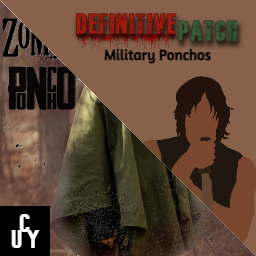
DefinitivePatch for Military Ponchos
von 76561199393301482
What is DefinitivePatch This standalone patch adds several features and fixes using Military Ponchos as the base mod. Don't use the original mod while using this one. Adds 25 new Camos, 1 new plain color Poncho, new Painting recipes, new Crafting recipes, balanced Bite and Scratch defense stats, lower Spawn rates, Neck protection fixes and more! Enjoy the Definitive way to play with Military Ponchos! Features & Fixes: Defense stats & Neck protection: Since the original mod was OP in terms of protection, all Ponchos are now balanced giving the same protection as the Denim Shirt. -Bite defense: 7 -Scratch defense: 15 Neck protection modifier was fixed. Before, it reduced your neck area's total protection by 20% even when using your hoodie up. Now it only reduces it by 10% if your hoodie is down. Having your hoodie up doesn't affect your total neck's protection in any way. Spawn rates: All Ponchos spawn rates were reduced to half or more in all its variants. Lore friendly Camos: Camos can't be crafted and will spawn as any other item inside the game. You can also get them by painting over plain color Ponchos (items that spawn around the world or can be crafted) -Woodland Precursor Telo Mimetico (1929): Developed by Italy, being the oldest mass-produced camouflage in the world. -Splittermuster (1931): Developed by Germany in the late 20s and put into service in 1931. -Flecktarn Platanenmuster (1937): Developed by Germany. -Frog Skin Spot (1942): Developed by USA in World War II. -Flecktarn Erbsenmuster (1944): Developed by Germany. -Woodland Leibermuster (1945): Developed by Germany, being the last German camouflage during World War II. -Lizard (1947): Developed by France until the late 80s. -Flecktarn Blumentarn (1956): Developed by Germany until 1967. -Jigsaw (1956): Developed by Belgium. -Flecktarn Erbsentarnmuster (1957): Developed by Austria until 1978. -Tigerstripe (1962): Developed by USA during the Vietnam War. -Strichtarn (1965): Developed by East Germany until 1990. -Brushstroke Rhodesian (1965): Developed by Rhodesia, an unrecognised African state known today as Zimbabwe since December of 1979. -Worm Moro (1969): Developed by Poland until 1989. -Woodland Desert (1980): Developed by USA until mid 90s. -Splinter M90 (1980): Developed by Sweden, being put into active service in late 80s. -Woodland M81 (1981): Developed by USA. -Woodland TAZ 83 (1983): Developed by Switzerland. -Flecktarn M84 (1984): Developed by Denmark. -Frog Skin (1986): Developed by Australia. -Reptile Puma (1989): Developed by Poland until 1993. -Woodland Desert Three Color (1991): Developed by USA, being almost identical to the Woodland Desert camo. -Flecktarn Tropentarn (1993): Developed by Germany. -Woodland Flora (1993): Developed by USA. -Woodland Pantera (1993): Developed by Poland. Crafting recipes: Needs Tailoring skill level 1. You can only craft plain color Ponchos, using them as a base for painting: Military Poncho (White) -Kitchen Knife, Hunting Knife, Scissors or Scalpel -Needle or Suture Needle -Paintbrush -White paint bucket -Tarp (1) -Thread (3) Military Poncho (Green) -Kitchen Knife, Hunting Knife, Scissors or Scalpel -Needle or Suture Needle -Paintbrush -Green paint bucket -Tarp (1) -Thread (3) Military Poncho (Black) -Kitchen Knife, Hunting Knife, Scissors or Scalpel -Needle or Suture Needle -Paintbrush -Black paint bucket -Tarp (1) -Thread (3) Military Poncho (Brown) -Kitchen Knife, Hunting Knife, Scissors or Scalpel -Needle or Suture Needle -Paintbrush -Brown paint bucket -Tarp (1) -Thread (3) Painting recipes: Doesn't need any skill level. You can only paint over plain color Ponchos. Once painted, the resulted skin can't be reverted or painted again to change its Camo. Woodland Precursor Telo Mimetico Camo: -Paintbrush -Light Brown paint bucket -Yellow paint bucket -White paint bucket Splittermuster Camo: -Paintbrush -Black paint bucket -Brown paint bucket -White paint bucket Flecktarn Platanenmuster Camo: -Paintbrush -Purple paint bucket -Pink paint bucket -Green paint bucket Frog Skin Spot Camo: -Paintbrush -Brown paint bucket -Green paint bucket Flecktarn Erbsenmuster Camo: -Paintbrush -Brown paint bucket -Orange paint bucket -Green paint bucket Woodland Leibermuster Camo: -Paintbrush -Orange paint bucket -Grey paint bucket -White paint bucket Lizard Camo: -Paintbrush -Light Brown paint bucket -Green paint bucket Flecktarn Blumentarn Camo: -Paintbrush -Turquoise paint bucket -Green paint bucket -White paint bucket Jigsaw Camo: -Paintbrush -Turquoise paint bucket -Light Brown paint bucket -Yellow paint bucket Flecktarn Erbsentarnmuster Camo: -Paintbrush -Light Brown paint bucket -Green paint bucket -Pink paint bucket Tigerstripe Camo: -Paintbrush -Purple paint bucket -Grey paint bucket -White paint bucket Strichtarn Camo: -Paintbrush -Brown paint bucket -Light Brown paint bucket -White paint bucket Brushstroke Rhodesian Camo: -Paintbrush -Light Brown paint bucket -Green paint bucket -White paint bucket Worm Moro Camo: -Paintbrush -Blue paint bucket -Grey paint bucket -White Brown paint bucket Woodland Desert Camo: -Paintbrush -Red paint bucket -Pink paint bucket -White paint bucket Splinter M90 Camo: -Paintbrush -Purple paint bucket -Green Brown paint bucket -White paint bucket Woodland M81 Camo: -Paintbrush -Light Brown paint bucket -Green paint bucket -White paint bucket Woodland TAZ 83 Camo: -Paintbrush -Orange paint bucket -Green paint bucket -Light Brown paint bucket Flecktarn M84 Camo: -Paintbrush -Black paint bucket -Green paint bucket Frog Skin Camo: -Paintbrush -Blue paint bucket -Orange paint bucket -White paint bucket Reptile Puma Camo: -Paintbrush -Grey paint bucket -Light Brown paint bucket -White paint bucket Woodland Desert Three Color Camo: -Paintbrush -Brown paint bucket -Grey paint bucket -White paint bucket Flecktarn Tropentarn Camo: -Paintbrush -Green paint bucket -Brown paint bucket -White paint bucket Woodland Flora Camo: -Paintbrush -Light Brown paint bucket -Turquoise paint bucket -White paint bucket Woodland Pantera Camo: -Paintbrush -Brown paint bucket -Green paint bucket Other fixes: -Blood was drawn over the Poncho's hoodie area even when not wearing it up. Now draws correctly. -Blood wasn't drawn over the Poncho's neck area. Now draws correctly. -Ponchos with down hoodies had different values for Insulation, Wind resistance and Water resistance. Now all variations share the same values. -Yellow Poncho was renamed to Brown Poncho to match its actual texture color. -Brown paint bucket wasn't needed when crafting or painting a Brown Poncho. Now it's needed. -Paint buckets were lost after crafting or painting Ponchos. Now you'll keep them, with the remaining paint. -Time required when crafting Ponchos was 3 seconds. Now it's 20 seconds. -Time required when painting Ponchos was 3 seconds. Now it's 5 seconds for plain colors and 15 seconds for Camo skins. Translations: Spanish/Español: 100% Workshop ID: 3210388169 Mod ID: DefinitivePatchMP
Core for Sir Z PZ Chile Server
von 76561198087456830
Esta es una extensión creada con ayuda del mod Content Tweaker para el Servidor Sir Z - PZ Chile. Todos los derechos a su respectivo autor/colaborador. Credits to @Aristine. https://steamcommunity.com/sharedfiles/filedetails/?id=2731875387 No se dará soporte a este mod puesto que solo fue pensado para utilizarse en mi servidor... Workshop ID: 3111201582 Mod ID: SirZCore
![[B42] Dylan's tiles – Project Zomboid Mod](https://images.steamusercontent.com/ugc/10437007376176423168/0A4BE87DD86C5BF3C1CD3A948E92389E439F3454/)
[B42] Dylan's tiles
von 76561197960301016
Build 42 compatibility for Dylan's tiles. Original tile pack by Dylan. Converted to B42 by The Chosen from THE , the best PVP clan in Project Zomboid. Republished as a Build 42 compatibility version with credit to the original creator. Looking for B41 to B42 full conversions? Hit me up for commissions. First come first serve. Workshop ID: 3754850359 Mod ID: DylansTiles
![[B42] PZK Animeboid - Cell shading and anime style core resources – Project Zomboid Mod](https://images.steamusercontent.com/ugc/24313916045814795/F0552874B0A5FC51613D8C3E534E4737927D5E06/)
[B42] PZK Animeboid - Cell shading and anime style core resources
von 76561198074835140
This pack contain 5 submods: Cell shading water shader QoL assets Player Skins Player Skins - nude version Cell shading - shader with true cell shading. Shading is affected by light and color. Perfect for anime/toon experience Shader affect on player, clothing, zombies, 3d world objects, animals water shader - Anime Water shader - convert water to look more toony QOL Assets (WIP)- Replacing some images with anime versions like newspaper pictures. Not all are completed, still WIP. If you got "AJI"-phobia dont use. Player skins - Blend between vanilla and anime - 2 versions: for generic Vanila model enjoy! Warning! To get it properly working, you must enable this mod in main menu and restart game. There may be or not future updates. If you want to support me, check my youtube channel https://www.youtube.com/watch?v=pe4U-PN6tZY&list=PLyC9R-J20zjeAHdlLts8KvLLwEfnjLDdZ Join Discord server https://discord.gg/mPWXu5f Consider support If you need 3d model or automotive mod, you can hire my skills for $ FAQ: https://pzk-vlc.fandom.com/wiki/FAQ 2. Can i repack mod? - NO! Mod is intellectual property of PZK Forge. Due to License terms & rights of PZK Forge and 3rd parties licences, this mod can only be added to and extended with the express permission from the original creator. If no permission is received you may not alter the mod, and it must be treated as a mod that is 'On Lockdown'. You are not allowed to repack this mod under any circumstances, ever. 3. Car skins/reskin You can freely make retextures of models, new variants etc, you can make it only by adding this mod as dependency to yours. 4. List of other mods that fully supports VLC https://pzk-vlc.fandom.com/wiki/PZK_VLC_Wiki Workshop ID: 3457364806 Mod ID: PzkAnimeSkins Mod ID: PzkAnimeSkinsNSFW Mod ID: PzkAnimeQoL Mod ID: PzkAnimeShader Mod ID: PzkAnimeWater
Fix Double Water Consume for More Builds
von 76561198164339567
Works on 41.78.16 SP/MP Safe to add to/remove from existing saves You may need this mod if you use More Builds or its variations. Fix the issue that taking water always consumes double amount of water. Workshop ID: 2965158268 Mod ID: FixDoubleWaterConsume Check out my other mods
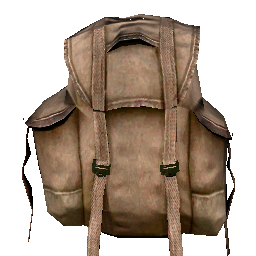
School Bag of Holding!
von 76561198001552114
*Works in Single Player B41. Does not seem to work in Multiplayer B41 *Edit. There is a newer and bigger bag. I also added larger fanny packs if you'd like. Take a look under: School Bag of Holding 2 Electric Boogaloo School Bags with 100% Reduced Carry Weight and 4000 Capacity. Enjoy! *Edit. It looks like this mod will only work with Build 41 *Edit. Just as a heads up. If you are using this mod in a current game. This mod will only work on any NEW school bags you find. It will not fix any that you currently have. Just want to make sure everyone knows. Hey everyone I made this mod mostly for myself because I got tired of having to run back and forth for resources, I like to go one place, kill some Zed, loot, then come back home and do some building. So, I made it so that all School Bags in the game have 100% Reduced Carry Weight and 4000 capacity. The bag itself is cheating, no question, but the bags themselves (in my experience) are hard to find. If you can find some or if you can start with one, they will aid you tremendously. Play however you want and if you like this mod then enjoy it! 😊 Workshop ID: 2218023712 Mod ID: SchoolBagofHolding
![[B41] Clean Bandages with dirty water – Project Zomboid Mod](https://images.steamusercontent.com/ugc/2088038980358058020/66EC6C2300AAFB40E3644288FF797F7D15586A2F/)
[B41] Clean Bandages with dirty water
von 76561198993860470
깨끗하지 않은 물로(옷도 씻는거 보면 2급수임ㄹㅇ..) 붕대 및 천 종류 세척하기 42버전에서는 바닐라에 이 기능이 포함 되었으므로 42버전으로 업데이트는 진행하지 않습니다. Workshop ID: 3046456711 Mod ID: Clean Bandages with dirty water
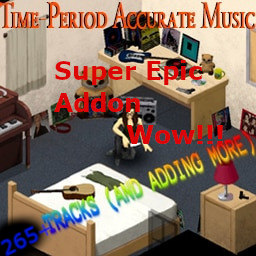
True Music Addon: My Pre-93 Music (Time-Period Accurate Music Addon)
von 76561198069453218
My addon for True Music, designed to be used alongside the mod Time-Period Accurate Music by east. Adds 275 tracks to the game by itself, formatted in the same way, all from early 1993 (I won't put anything released past April in) or earlier. I am likely done adding tracks for now but if you suggest music and I like it I might add it in the future. The choice of tracks is ultimately my personal taste, but I have attempted to paint as broad a stroke as possible in my choices. Time Period Accurate Music isn't required, but I specifically avoid overlap with that mod and have designed this list to be used in conjunction with it Tracklist is here: https://rentry.co/qsc98 Cassette only version: https://steamcommunity.com/sharedfiles/filedetails/?id=2746753995 Workshop ID: 2742536847 Mod ID: penis_music
![NoirSlings [B42] MP Patch – Project Zomboid Mod](https://images.steamusercontent.com/ugc/15952723036342074481/ACDA42BB2D21650039470DF1507199F4382FE289/)
NoirSlings [B42] MP Patch
von 76561198003048289
Updates Noir's Rifle Slings for Build 42.20 (verified against 42.20.3) and makes attaching work again in single-player, co-op and on dedicated servers. Requires Noir's Rifle Slings. This item contains two patches - pick the one matching the base mod you run: - noirrslingSinglePatch - for noirrsling (one sling at a time) - noirrslingMultiplePatch - for noirrslingMutiple (several slings at once) Only ever enable one of the two. Load order is base mod, then the patch, then Hide Sling if you use it: noirrslingMutiple noirrslingMultiplePatch noirrsling_HideSling Updating from 2.0.1 or earlier Both patches were renamed in 2.1.0. The old ids carried a game version that no longer matched what they patch. Steam replaces the files for you, but your save and your server's Mods= line still name the old ids, so the patch sits inactive until you re-enable it: - noirrslingSingle-42.20patch is now noirrslingSinglePatch - noirrslingMultiple-42.13MPpatch is now noirrslingMultiplePatch Re-tick the patch in the mod list, and on a server swap the old id in Mods=. Nothing is lost - body location names are unchanged, so slings already being worn stay exactly where they are. On a server, do not leave this half-done: updated clients against a server still running the old id will look correct locally and desync for everyone else. Fixed - Nothing attached to the sling. The previous release did the attach inside complete() behind an isServer() check, but Build 42.20 does the whole attach in perform() and leaves complete() as a no-op. In single-player and on multiplayer clients the item left the hotbar slot and was never put on the model. This is the cause of the reports about items vanishing from inventory. - Servers crashed when an attach was interrupted. Vanilla's stop() reads the hotbar table, which does not exist on a dedicated server, and the mod never overrode it. Walking away mid-animation could take the server thread down. - Attaching with a backpack on could put the item in a slot called "null". The rerouting of back-slot attachments to their with-bag positions had been dropped; slings that a bag suppresses entirely are now handed back to your inventory instead. - The sling style submenu did nothing. The alternate styles were listed by bare name rather than as Base.SlingAalt and friends, which Build 42.20 does not resolve. - Two copies of the mod's code shipped in common/ and 42/ and had drifted apart, so which version ran depended on load order. There is now one copy. - Hotbar attaching was still running Build 41 era code. ISHotbar:attachItem is resynced to 42.20.3, including the guards it gained for slots that resolve to nothing. - Body locations were declared with BodyLocation.new, an API Build 42 no longer uses. They are registered properly through registries.lua now. - Item scripts used the old Type = Clothing form and unnamespaced crafting tags. - Every sling showed up as Base.SlingA and friends, and the Wear submenu listed raw ContextMenu_SlingStyle1 keys. Build 42 loads translations only from media/lua/shared/Translate/LANG/File.json - the legacy File_LANG.txt form the base mod ships is never opened, so none of its strings have ever loaded. The patch ships JSON translations for English, Spanish, Korean, Brazilian Portuguese and Russian, and the item scripts keep a DisplayName fallback for every other language. - The Attach menu labelled all four sling slots simply Sling, so there was no way to tell where the gun would end up. They now read Right Shoulder, Left Shoulder, Chest and Sling (Back). The same labels fix the hotbar slot tooltips. - The style names were single punctuation marks. The Wear menu now says where the sling will sit in words. - All four slings are called plainly "Rifle Sling". Position is not baked into the name on purpose: choosing a position in the Wear menu converts the item into that variant, so a name carrying a position could end up contradicting where the sling actually is. - The Tailoring crafting category showed as a raw IGUI_CraftCategory_Tailoring key. Fixed along the way. Hide Sling noirrsling_HideSling works with either patch and needs no patching of its own - it only swaps a texture. Load it after the patch. Multiplayer Attachments are applied server-side and synced, so the patch has to be installed on the server as well as the client, in the load order above. A client-only install will look right locally and desync for everyone else. Known issues A worn sling strap draws through body armour. The strap mesh sits at the same depth as the vest, and the proper fix needs new inflated meshes rather than a script change, so it is not in this release. Notes Safe to add to an existing save. Body location names are unchanged from the previous release, so slings already being worn stay put. The single-sling patch uses the same body location name as pimat.studios' patch, so switching between them keeps worn slings too. Inspired by and using code from pimat.studios' patch: https://steamcommunity.com/sharedfiles/filedetails/?id=3629526754 Base mod: https://steamcommunity.com/sharedfiles/filedetails/?id=3388107363 Workshop ID: 3640102532 Mod ID: noirrslingMultiplePatch Mod ID: noirrslingSinglePatch
Utils for Sir Z PZ Chile Server
von 76561198087456830
No se dará soporte a este mod puesto que solo fue pensado para utilizarse en mi servidor... Workshop ID: 3128896665 Mod ID: SirZUtils
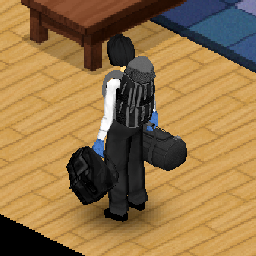
Dark and Black Bags Retexture (Build 41)
von 76561198060208392
This changes the bags to black and grayscale THIS DOES NOT CHANGE BAGS THAT CAN BE TINTED SUCH AS DUFFLE BAGS, THAT IS OUT OF MY CONTROL Works with all 41.x builds as this only modifies textures: "ProjectZomboid\media\textures" Workshop ID: 2105366959 Mod ID: BlackBag
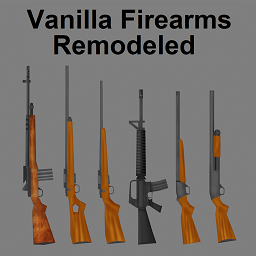
Vanilla Firearms Remodel (Unofficial B42 Port)
von 76561198926105720
This is an unofficial B42 port of Vanilla Firearms Remodel. All credit goes to veightyfive on Steam. None of this mod is mine, I just ported it to Build 42. A link to the original version: https://steamcommunity.com/sharedfiles/filedetails/?id=2980923427 If an official port is released, this mod will be deleted. This mod attempts to mimic the old (pre 42.15) art style, while also fixing some bugs. I have also opted to change some of the names to be more consistent while still being "lore-friendly" I have now seperated the mod into two different versions: - Vanilla Firearms Remodel - Vanilla Firearms Remodel + Since a few people were asking for a version without any of the new weapons, I have gone ahead and added one bundled in with this mod, My apologies for not doing that from the start. Vanilla Firearms Remodel + is the version with the new guns that I added. This update WILL NOT break your save, don't worry. It should also be safe to change from VFR+ to the standard VFR mid save. ONLY USE ONE VERSION OF THE MOD Workshop ID: 3676723264 Mod ID: VFR42Vanilla Mod ID: VFR42
Down But Not Out
von 76561197989607267
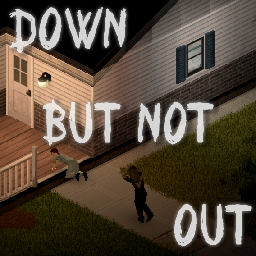
Down But Not Out : Alternate Death and Revival Mechanics A Multiplayer oriented, Roleplay First, highly customisable mod for knockdowns, wounds and revival. Tired of bleeding out after a nasty scratch to your neck or being pumped full of lead? Now, instead of dying, you'll drop to your knees. You can wait, you can crawl to safety. But someone will have to pick you up, or you'll die all the same. Knockdowns Fatal damage puts you on the ground with a timer instead of killing you. You can still crawl, use some of your gear, and give up if nobody is coming. On the floor, you're impervious to damage from players and zombies alike. If you get picked up, you'll carry a Knockdown Moodle. Each one fades after five minutes. Get knocked down three times in quick succession and the fourth one will kill you instead of knocking you down. Getting dragged down is the exception, that will kill you on the spot. How long you can survive without being picked up, how long knockdowns take to fade amongst others can be modified and the system itself can be turned off. Wounds Every real death leaves a Wound behind, and they take an hour to fade. Die three times in a short span and the fourth is permanent. Just like knockdowns, fade time continues while you're offline, so you don't have to AFK in-game for it to pass. How long Wounds take to fade, carrying your injuries through a revive, amongst other things can be adjusted, and the system can be turned off. Saving and respawning You can use a bed to save and restore your progress, and to set a respawn point. You can toggle the respawn mechanic and adjust what can be used for saving, restoring and respawning, instead of a bed. Loot You leave behind a loot cache where you die. For a while, nobody else can open it and take it away. You'll have a window of opportunity to get your items back before the cache unlocks, and eventually despawns. Whether or not the cache is locked, how long it'll be locked for, and how long the cache exists before despawning can be adjusted. Works in co-op and on dedicated servers, singleplayer not yet supported. Requests, suggestions, comments, bugs? Feel free to post in the comments. Looking for a place to RP? Come join us on Deadline Update 1.4: Fixed an issue causing non-vanilla traits and skills not being saved and loaded properly, causing the loading to break Fixed a rare issue causing the knockdown screen to persist after death. Update 1.3: Potential fix for rare cases where respawning with the sandbox setting 'Clothing Only' doesn't spawn bags/containers in inventory. Added a new moodle that makes it more obvious if you are on your final Wound / Life Added Sandbox options for the following: - Revive with entire inventory / Disable Loot Cache - Wound Amount / Life amount. Set to 0 for no lives. If set to 0, any full death is a permanent death. Alternatively disable the 'Enable Wounds' setting if you want permanent deaths with no lives. - Count knockdowns. If disabled, the mod no longer puts a limit on how many knockdowns you can have in a short period of time. - Bleedout timer. If disabled, there's no timer when knocked down. Update 1.2: Potential fix for rare cases where moodle data isn't loaded from the server Added Sandbox options for the following: - Health Drain when knocked down - Death Cache never unlocks - Death Cache never despawns Keep clothes on revival or set a custom outfit that is spawned and worn when revived Update 1.1: Skill XP from Books are now properly calculated. Books and Recipes read, VHS watched are now stored when saving your character Added two new Sandbox Options, allowing you to enable being attacked by zombies or players while downed. Credit where it's due This mod can be added to and extended by anyone in the community, but credit must be given to the original author within the files of the mod - and posted alongside the mod wherever it roams. Workshop ID: 3774055538 Mod ID: DBNO_DownButNotOut Workshop ID: 3774055538 Mod ID: DBNO_DownButNotOut
No Jam Gun
von 76561199020860145
No Jam Gun Workshop ID: 3222050674 Mod ID: NoJamGun
TRUE MooZIC O.G jampack B42+ MP
von 76561198382202648
True MOOZIC JAMPACK B42+ MP THIS IS JAMPACK JUST ADDS MOOZIC song list - 1249 songs HOW TO USE IN SERVERS: \\\\\\\\\\\\\\\\\\\\\\\\\\\\\\\\\\\\\\\\\\\\\\\\\\\\\\\\\\\\\\\\\\ locate server.ini file and paste the workshop id 3633774715 into "workshop=" E.G -------- # List Workshop Mod IDs for the server to download. Each must be separated by a semicolon. Example: WorkshopItems=3632610172;3633774715 \\\\\\\\\\\\\\\\\\\\\\\\\\\\\\\\\\\\\\\\\\\\\\\\\\\\\\\\\\\\\\\\\\ also # Enter the mod loading ID here. It can be found in \Steam\steamapps\workshop\modID\mods\modName\info.txt Mods=\TrueMoozic;\truemoozicjampack Workshop ID: 3633774715 Mod ID: truemoozicjampack
Project Zomboid Details →
Project Zomboid Guides
Project Zomboid Mods installieren - Workshop Guide
Installiere Project-Zomboid-Mods sauber per Steam Workshop: IDs eintragen, Reihenfolge prüfen, Server neu starten und typische Fehler beheben.
Project Zomboid Build 42 auf dem eigenen Server: Umstieg, Spielstände und Mods
Build 42 ist Stable: Spielstände aus Build 41 sind nicht kompatibel. Umstieg, legacy41-Zweig, neue Serveroptionen, Anti-Cheat und der Hotfix 42.20.1 gegen Serverlag.
Project Zomboid Server mieten – Multiplayer Guide
Project Zomboid Server einrichten: RAM, Sandbox-Einstellungen, Workshop-Mods, Admin-Rechte und typische Fehler sauber prüfen.
Project Zomboid Server mit Mod-Support
Kompatible, unterstützte Mods über das Server-Dashboard installieren.
Project Zomboid Server mieten