Mods & Plugins für Project Zomboid
Dieser Katalog listet 52.000+ Project Zomboid-Projekte von Steam Workshop. Einträge können serverseitig, clientseitig oder auf beiden Seiten erforderlich sein und auch Karten oder andere nutzergenerierte Inhalte umfassen. Prüfe vor der Installation die verlinkte Quellseite, Spielversion und Abhängigkeiten.
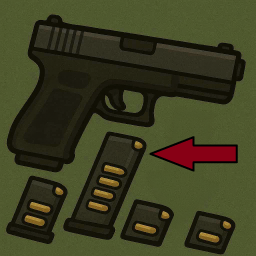
Prioritize Full Magazine
von 76561198084367932
📦 Prioritize Full Magazine (Build 41/42)📦 Prioritize Full Magazine (Build 41/42 & MP) 🔫 What it does Tired of reloading with R only to get the empty mag you just ejected? This mod changes reload logic so that your character will always prioritize the magazine with the most ammo available in the inventory. ✨ Features Overrides the default reload action (R key). Picks the fullest compatible magazine instead of the first one in your inventory. Works with vanilla Build 41/42 weapons and most mods. Prints debug info to the console if something goes wrong, so it can be easily fixed/adapted. 📂 Installation Subscribe on Steam Workshop (or copy into your mods folder manually). Enable the mod in the game’s Mods menu. Equip a firearm, carry multiple magazines, and press R — your character will now grab the fullest mag. ⚠️ Notes & Limitations Project Zomboid’s API for magazines varies across versions and mods. This script uses multiple methods to detect ammo count. If you use a weapon/magazine mod with different logic, you may need a small patch. Multiplayer compatibility has not been heavily tested — feedback is welcome! Workshop ID: 3575072717 Mod ID: PrioritizeFullMagazine

10 Years Later Professions and Occupations REBALANCED
von 76561198036314488
I found the professions in the original mod to be too overpowered. This version has reduced skill points for each profession in order to make it more suitable for a hardcore mod list. Rebalanced skill point values on each profession and their costs Added Nimble to Sharpshooter profession Added Strength and/or Fitness to some professions Removed spawning with bags and bullet proof vests, as well as Welder Mask Original mod created by Harrison https://steamcommunity.com/sharedfiles/filedetails/?id=2856961307&searchtext=10+years+later Workshop ID: 3049836817 Mod ID: 10YearsLaterOccupations Mod ID: 10YearsLaterOccupationsSpawnItems
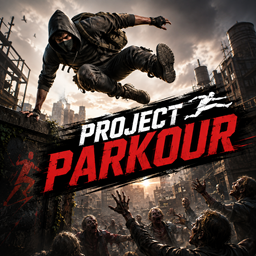
Project Parkour
von 76561198079270621
Project Parkour Project Parkour expands movement in Project Zomboid with a dedicated Parkour skill, new traversal mechanics, and a large collection of animations for both vanilla and entirely new actions. The mod does not turn a fresh survivor into a skilled runner. New moves and mechanics are unlocked through progression, consume endurance, and require suitable conditions. Main Features - Randomized vaults/climb animations - separate animation pools for walking, running, and sprinting. Every animation unique not only visually they have different speed and distance. - Window Dive - You can sprint to a window for a fast and stylish dive instead of breaking it first. Great move if you trying to escape unwelcoming friends. - Directional Dodge - a dedicated dodge button with directional dodges! Outside combat stance it performs a dodge in direction your character looking. While aiming(combat stance), movement input selects from direction (WASD and where character looking) forward, backward, left, or right. Every direction have their own animations. - Free Jump - An actual jump in Project Zomboid! Jump anything (that makes sense). Distance depends on movement: 2 tiles while standing, 3 while running, and 4 while sprinting. - Free Jump can clear low fences, furniture, rocks, small stationary cars, rooftop gaps, and roof edges. - Full walls, tall fences, trucks, and other oversized obstacles cannot be jumped. - Wall Run Up — run vertically up a wall and climb onto a clear roof one level above. - Landings and recovery — fast fall rolls and get-up animations. Progression The mod adds a 10-level Parkour skill. XP is earned by actually moving through the world: low- and high-fence traversal, windows, Free Jump, Wall Run, and genuine sprinting. Every 30 tiles travelled while sprinting awards 5 XP. Built-in anti-farm rules reduce rewards from repeatedly using the same obstacle. Move to another part of your route to earn the full reward again. - Level 1 — basic parkour animations: controlled vaulting, window traversal, and fall/stumble recovery. - Level 2 — the full 2–4 tile Free Jump system, jumps over small vehicles, landing rolls, Dash Vault, and Corkscrew Vault. - Level 3 — four-direction dodge system and the low-fence Dive Roll, Cat vault - Level 4 — sprint window vaulting, new sprint vaults, and an advanced high-fence animation, Webster low fence vault. - Level 5 — Front Flip, Backflip Vault, advanced dodge variants, and a high-fence Front Flip. - Levels 6–7 — mastery bonuses that gradually reduce endurance costs. - Level 8 — Wall Run Up by default, plus further endurance improvements. - Levels 9–10 — maximum stamina efficiency for Wall Run, jumps, and dodges. You may find that high levels quite empty content wise and you are correct. I'm planning to add more mechanics and animation later on. Controls The Dodge, Forward Jump, and Climb onto Roof keys are unassigned by default. Configure them under: Options → Mods → Parkour General Info - Manual jumps mechanics validate their route and require a safe landing area. - Parkour mechanics are unavailable while overloaded. Low endurance and serious injuries may also block specific moves. - Dodges do not grant invulnerability and have no I-frames. - Mods that replace the same player AnimSet branches may conflict. Higher compatibility priorities are included for common animation replacements. - Every animation can be toggled in sandbox settings if you don't like specific one. If there is no alternative - default vanilla animation will play or no animation at all if vanilla does not support it I'm not 3D animator and most of the animations were retargeted to PZ human rig. So some animations will vary in quality. You will definitely see where is mine 🙃 ❗You should really check the videos if you didn't already. Build/MP ✅42.20 Singleplayer 🟡Multiplayer There are currently some sync issues in MP. These will require more time to fix, but the core mechanics are working fine. My Other Mods: Dynamic Horde Events Extensive Health Rework Evolved Survival Planner List (TO DO List) Cut That Tree! (Tree Chopping Minigame) One Clean Jaw Stab Workshop ID: 3783989538 Mod ID: Parkour

大毒蛇不刷新
von 76561198408285292
原版自带刷新沙盒似乎有时不生效 Workshop ID: 2942995330 Mod ID: 97bushmaster_C

NoMoneyWeight
von 76561197982444018
NoMoneyWeight No money weight so i can loot more! Workshop ID: 2742676917 Mod ID: NoMoneyWeight

Mildly Moldy Zombies
von 76561199262415918
This is a mini creation of mine, it is meant to make the damage textures of the zombies look similar to the mold of Resident Evil 7 and it is meant to be a sort of extention to any zombie Re-Texture you wish to pair it with As it only effects the damage textures it's compatable with everything that doesn't also edit the damage textures Workshop ID: 3246834256 Mod ID: Mildly Moldy Zombies

Hayase Yuuka voice
von 76561198239757142
Added a new voice type, select it in the character creation interface,from blue archive,modification in Cute girl voice: https://steamcommunity.com/sharedfiles/filedetails/?id=3393919250&searchtext=anime+voice Workshop ID: 3652225146 Mod ID: Hayase Yuuka voice
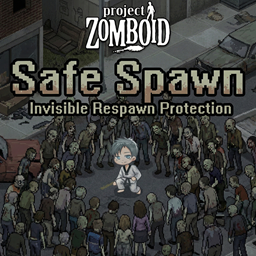
🛡️ Minidoracat Safe Spawn for B42
von 76561198033176898
🛡️ Minidoracat Safe Spawn for B42 By Minidoracat ✨ What is this Grants players a short invisibility protection on login or respawn: while the countdown runs, zombies cannot see or hear you and will not attack, so you can safely take over your character and leave a dangerous spawn point. Works for all players — no admin privileges required. 🧰 Features - Login / respawn protection: activates automatically when joining a server or respawning, ends when the countdown expires - Real-time countdown: measured in REAL seconds (independent of the server's game-clock speed), starts only after loading finishes - New character bonus: fresh characters get longer protection (default 60s); returning characters get shorter (default 30s) - Countdown hints: overhead text every 10 seconds, per-second for the last 5 (no sound that attracts zombies) - Visual feedback: protected players appear semi-transparent - Admin tools: right-click menu to toggle invisibility instantly and view protection status - Fully configurable: everything adjustable through Sandbox Options - Singleplayer & multiplayer: full support for dedicated servers and multiplayer ⚙️ Sandbox Options - Enable Ghost on Spawn: enable/disable spawn protection (default: ON) - Veteran Ghost Time: protection for returning characters (REAL seconds, default 30, range 1-600) - New Character Ghost Time: protection for new characters (REAL seconds, default 60, range 1-600) ⚠️ Upgrading a server from pre-v1.5.0: the time unit changed from in-game minutes to real seconds and the sandbox options were renamed — old values are ignored and fall back to the new defaults (30/60s). Re-configure once if you had customized them. 📝 Known limits - In multiplayer, zombies simulated by another player's client right next to your spawn may still notice you (engine limitation) - Protected players briefly keep vanilla ghost movement traits (no terrain/tree slowdown) 🌐 Language Support - Traditional Chinese (CH) - Simplified Chinese (CN) - English (EN) - Japanese (JP) 📋 Mod info - Mod ID: MinidoracatSafeSpawn - Mod version: 42.20.2-1.5.0 - Supported version: Build 42.16.1+ - Works in singleplayer / multiplayer (MP requires the server to enable the mod) 💬 Feedback & Community 👉 Join the Discord server 📺 Follow the author 🎬 Twitch channel #safespawn #spawnprotection #Minidoracat Workshop ID: 3653490664 Mod ID: MinidoracatSafeSpawn
Scrap Weapons (Corvid's Rebalance)
von 76561198079103175
A personal rebalancing of the Scrap Weapon's mod by djvirus, the original creator of the mod. This rebalance is purposed for Apoc, a popular roleplaying server on Zomboid. Workshop ID: 3041823115 Mod ID: ScrapWeapons(Corvid's Rebalance)

Hello There
von 76561198294617581
Mod that adds Obi Wan's "Hello There" as the jumpscare sound. Workshop ID: 2946714117 Mod ID: HelloThere
AddSprinters
von 76561198167650346
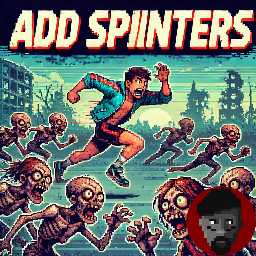
Grazie a questa mod potrete settare un numero preciso di corridori, camminatori lenti e camminatori veloci, potrete in oltre settare la vita massima di ogni categoria. La Resistenza https://discord.gg/uGn5Ex6uyb Workshop ID: 2808950290 Mod ID: AddSprinters
CDC Rapid Response Community
von 76561197966821738
CDC Rapid Response Community is a complete overhaul of CDCRR that is for B41 MP servers. Workshop ID: 3476274022 Mod ID: CDCRRCommunity

Female Zombies Only
von 76561198186034417
A simple mod to make almost every zombie female. This mod would not affect the guaranteed zombie spawns in certain designated zones. I am not very familiar with Java/Lua. I made this in my own playthrough. Please let me know if this can be done better. Work great with weeb mods. The preview is generated using Stable Diffusion.
NightVisionGoggles
von 76561199237299662
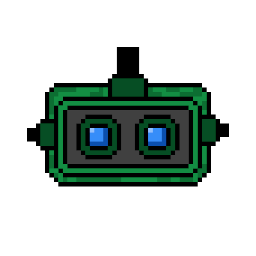
Adds Night Vision Goggles to the game and a new (double) battery that you should use to power them up (alongside with recipes to craft them). Trough sandbox options you can decide how long the battery will last, the frequency of the spawn inside military containers/vehicles. They'll be turned on automatically when weared and they'll be powered off while unequipped. Thanks to Scimmia for the models and graphics. Workshop ID: 2904845538 Mod ID: NightVisionGoggles
More Traits Rebalance
von 76561197963943841
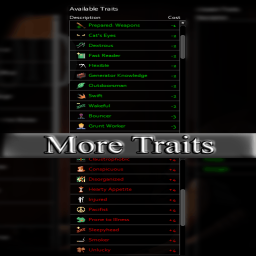
MoreTraitsRebalance for NerdServer Workshop ID: 2724538785 Mod ID: ToadTraits

Random sounds pack Random Pack b41
von 76561198119902941
Random Sound Events Mod Sound Pack This mod is a pack of various sounds for the Random Sound Events mod, which adds 70 new sounds to the game. Features: - Planes and helicopters flying by - Cars passing by - Barking dogs - Zombie growling - Broken glass - Various trash - Thunder - And other doesn't work on ver 42 Workshop ID: 2930287824 Mod ID: RandomSoundEvents_Random

CAMINHÕES BRASILEIROS - BRASIL
von 76561198121845674
Substitui as texturas originais do jogo. OBS: No meu CHEAT MENU só tinha o caminhão comum e o caminhão de "correios". Então testei um de cada vez na textura do caminhão de correios. BRINKS = stepvan_kentuckyheraldshell (Não sei do que se trata esse caminhão) BRAHMA = vehicle_stepvan_scarletdist (Caminhão de destilaria/bebidas) CASAS BAHIA = vehicle_stepvanmailshell (Caminhão de correios) Alguma sugestão? Workshop ID: 2869220907 Mod ID: ModTemplate
![[B42.14]Yui's XM7 – Project Zomboid Mod](https://images.steamusercontent.com/ugc/17297658648579985166/C11505543FC38E45708EF79299F55E9C810C06FE/)
[B42.14]Yui's XM7
von 76561199079163723
This is the B42.14 update for Yui's XM7, following the previously released B42.12 version. This mod adds the XM7 rifle to the game, along with its 6.8x51mm ammunition, magazines, and a suppressor. Yes, you'll be wielding 21st-century weaponry in a 20th-century setting—it's definitely not realistic, but if you've clicked on this, I know exactly what you're looking for. This is a military-grade firearm, so you'll find it more commonly in military barracks and installations. While it's theoretically compatible with other gun mods and shouldn't cause conflicts on its own, it's not recommended to use too many weapon mods simultaneously to avoid potential compatibility issues. If you encounter any problems, please leave a comment below. Thanks for your support, and happy gaming! Workshop ID: 3671459143 Mod ID: SIG XM7

Immersive CD Players (text version)
von 76561198186843834
The development of the mod has been suspended in favor of the version with sound. Attention! There are bugs in the mod - which are completely fixed in the sound version. It also lacks many of the features and capabilities that were included in the version with sound. All vanilla cd players and cds in the game are working. - Realistic functionality of CD-players and CD-disks. == Everything is written in the instructions ... Please read before asking a question. == ! Forgive me my English (I use google translate). The original lyrics of the artists presented in this mod belong to their copyright holders and are used solely for atmospheric conditions without the pursuit of material, or any other benefits from their use. The author of the mod does not in any way claim authorship of the texts. All used texts are from open sources. • Attention! Some tracks, such artists as - Metallica, Nirvana, etc., contain profanity... • There is no sound. All playable "music" is presented in the form of text above the character - like all other devices in the game. Version with sound in a separate mod - iCDPlayers (sound version) Instruction: - Find the CD, take it to your inventory and examine it (Context Menu > “Inspect Disc”), so you get a disc suitable for playback (the CD may be scratched and will not play in the player). - Find the CD player and battery. - Insert the battery and the CD in any order. - Turn "Play" the CD player. - The CD you found may be scratched ... The CD player will not play it, and when you try to play it will turn off. - To listen, you must have Earbuds (headphones) in your inventory, otherwise you will not “hear” the "music" being played. - A deaf character will not hear music and will not receive a mood boost. - You can switch the playing tracks - previous and next, when the last track on the disc ends, the first track will automatically start playing. - The CD player will remember where you clicked “Stop”, and will continue to play from this point, provided that you did not remove the disc, did not remove the battery, and did not run out of power. - When listening, boredom decreases. - One full battery should last about 5-6 hours of playing time. - To get the vanilla cd player back, eject the disc, remove the battery. - The mod also changes the weight of the CD players, CDs and batteries in the game to a more realistic one. All the “music” presented on CDs in this mod corresponds to real albums of artists released by 1993. Enjoy the silence... :) The mod was created for version 41.? Languages: English Workshop ID: 2025319303 Mod ID: iCDPlayers

FRUsedCars-RV only
von 76561198412348907
FRUsedCars-RV only Workshop ID: 2945772107 Mod ID: FRUsedCars-RV only
No Burnt Vehicle
von 76561199443899150
"The survivors in their vehicles were fleeing a city filled with people who had turned into monsters. Then they got stuck somewhere and left, abandoning their vehicles." That's all. There's no logical explanation for why all the cars were on fire. - This should work with other mods that add vehicles. - The mod used in the screenshot is "Filibuster Rhymes' Used Cars!" - If you use the Project Summer Car, read the discussions Workshop ID: 3595636919 Mod ID: tyNoBurnVehicle
![Yandere's Hair Salon [B41] – Project Zomboid Mod](https://images.steamusercontent.com/ugc/2385307813706377399/2E123F5066A831DF1D2F6C66F5B1006DC76C2D6C/)
Yandere's Hair Salon [B41]
von 76561198926475201
Adds 9 hairstyles for male and female characters in the game. Hairstyle names: Bob With Bangs, Long Bob, Hedgehog, Long Hair, LongHair 2, Short hair, Short hair 2, Emo guy\Emo girl, Pudding. --- A hair mod similar to this one, delivering higher quality and more hairstyles: https://steamcommunity.com/sharedfiles/filedetails/?id=3555677825 If you need skins from the screenshots: https://steamcommunity.com/sharedfiles/filedetails/?id=3318281567 If you liked my work and would like to thank me: https://boosty.to/yandere_love/donate Workshop ID: 3323039083 Mod ID: yandere'shairsalon

Vectrex Playable Console (B41)
von 76561198013951836
WHEN ARE YOU UPDATING FOR B42??? AUGUST 2026 UPDATE: Target date for B42 version release is SEPTEMBER 5 2026. The old B41 will be forked and saved as a SEPARATE mod. I will post the link here when that happens, so server hosts and players who still use B41 should subscribe to the B41 version. THIS workshop item will become the B42 version and will be the one maintained moving forward. Vectrex: The High-Performance Machine We are proud to present the most complete Vectrex mod ever added to the Steam workshop. The mod is fully lore-friendly and adds a playable Vectrex to Project Zomboid. The console, game cartridges, screen overlays, Vectrex Light Pen, Vectrex 3D Imager, and ALL retail packaging can all be found as extremely rare loot in garages, wardrobes, living rooms, storage units, toy chests, electronics stores, and pawn shops. We've included a few easter eggs as well that are also lore-friendly (both for Zomboid as well as for Vectrex fans). Loot rates (adjustable in the sandbox settings) are similar to those found in Video Game Consoles: Insanely Rare. About the Vectrex Vector Graphics: The Vectrex utilized vector graphics, generating smooth lines and shapes similar to arcade games of the time by moving an electron beam around. This gave it a distinct, futuristic look and feel to the gameplay. Short-Lived: Unfortunately, the Vectrex's release timing around the 1983 video game crash led to its discontinuation in 1984. However, home-brew games made by Vectrex die-hards have kept the console alive. Mod Features - Vectrex Console and Original Retail Packaging: Fully 3D modeled and textured using their real-life physical versions. The box, once opened, can be used like any other container. - Built-in Monitor: No need for a TV! The Vectrex featured a compact black and white CRT monitor built right into the console, making it self-contained and "portable" (playable on any powered tile). - 27 Collectible Cartridges, cartridge boxes, and 28 Playable Games: Playing games reduces boredom and unhappiness and only requires player to be on a powered square - no TV is required (just like in real life!). All games, with the exception of Mine Storm, require a cartridge to play (Mine Storm was programmed directly into the Vectrex). - 22 Screen Overlays: As Vectrex graphics used an electron beam, they were in black and white. A colored overlay came packaged in 22 of the 28 games released and enhanced the graphics on-screen. Now you can collect and swap out screen overlays for your Vectrex! - Wearable Vectrex 3D Imager: A set of special "3D glasses" was also available for the Vectrex, which, using alternating spinning disks in front of the viewer's eyes, gave the illusion of a 3D experience for certain games. The headset won't really protect you against zombies but you will look really cool wearing it! - Vectrex Light Pen : Traditionally used for games like Melody Master, you can also try to poke zombies with it in a pinch. - Real Vectrex Audio : No emulation has been used - all audio included in the mod has been meticulously sampled not from one, but TWO Vectrex consoles: a 1982 version which has the famous "Vectrex buzz" (due to poor wire shielding and improper grounding) and a 1983 version which has a much cleaner sound. If you find a 1982 version and hate the buzz, level your electrical skill to 6, get some spare electrical components, and fix it! If you regret this decision or find a 1983 version and want to experience the buzz, the process works also in reverse. (Note: You must first remove the overlay, if any, from the Vectrex before you can modify it.) - Realistic Loot Rates (adjustable in the sandbox settings): Unfortunately the Vectrex was not a commercial success, and the console was discontinued in 1984, just two years after its launch. While estimates vary, based on serial numbers for Vectrex units, a safe guess for the number of Vectrexes produced is between 100,000 to 800,000. Compared to the 30 million Atari 2600s sold, this makes Vectrex a fairly rare console. - Lore-Accurate Easter Eggs for Die-Hard Vectrex Fans! Installation: Subscribe and add it to your mod list. This mod does not overwrite any game files so it shouldn't interfere with other mods. Compatibility: Tested using 41.78, works in both singleplayer and multiplayer. Safe to use with existing saves. A new save is recommended due to the low spawn rate of the Vectrex. October 2024 Update: added new "Dusty Vectrex Game box" to improve compatibility with "Item Stories". Found in pawn shops, it can be opened to receive a random Vectrex game (95% chance), its overlay (80% chance), and a second random overlay (20% chance). All dummy items used for spawning now look and function like the "Dusty Vectrex Game box" item - thus if "Item Stories" spawns them into the world, no admin intervention is needed - players will be able to receive some Vectrex items from it. Authors: Spenglerian: Code and scripts, audio, textures, playtesting Zhamul: 3D modeling, textures and UV mapping, certified dual Vectrex ownership, Vectrex lore consultation Workshop ID: 3310855080 Mod ID: VectrexPlayableConsole
![Show Key Origin [B42] – Project Zomboid Mod](https://images.steamusercontent.com/ugc/12530935491911706378/E965D74FD5D59897F5193C04382CFB580103464D/)
Show Key Origin [B42]
von 76561199133259679
Compatible with Build 42 up to Build 42.20+ Show Key Origin helps you identify what a key belongs to by showing the distance and direction to its origin directly in the inventory tooltip. It can also display a visual origin line in the world, pointing from your character toward the related building or the original spawn position of the linked vehicle. This makes keys much easier to identify, sort and keep organized. Main Features - Shows the distance to a key’s origin. - Shows the direction toward that origin. - Adds a context-menu option to show or hide a visual origin line. - For house/building keys, the line points toward the related building. - For vehicle keys, the line points toward the vehicle’s original spawn position. - Optional compass requirement through Sandbox settings. - Optional thicker origin line when TchernoLib is enabled. How It Works - Hover over a key in your inventory to see its origin information. - Right-click a key and use the context menu to show or hide the origin line. - Use the information to identify duplicate keys, sort useful keys, and figure out which building or vehicle each key belongs to. Optional Sandbox Setting You can enable a Sandbox option that requires having a compass in your inventory. When enabled: - Tooltip origin information only appears if you have a compass. - The visual origin line can only be shown if you have a compass. Optional TchernoLib Support If you enable TchernoLib, the origin line can be displayed thicker for better visibility. TchernoLib is optional. Show Key Origin works without it. Compatibility - Works from Build 42 up to Build 42.20.0+. - Safe to enable or disable in both new games and existing saves. - Lightweight, UI-focused mod. - Compatible with most mod setups. - Possible conflicts are mainly expected with mods that heavily modify inventory tooltips or key/item context-menu behavior. Localization Show Key Origin includes expanded localization support with: - Legacy TXT translations for earlier Build 42 versions. - JSON translations for Build 42.15+. - Updated and reviewed wording for key origin, distance, direction, compass requirements and display-line options. Currently supported languages include: AR, CA, CH, CN, CS, DA, DE, EN, ES, ES_CL, ES_MX, FI, FR, HU, ID, IT, JP, KO, NL, NO, PL, PT, PTBR, RO, RU, TH, TR and UA. More Mods & Feedback You can find my other Project Zomboid mods here If you find Show Key Origin useful, please consider leaving a thumbs up and adding it to your favorites. Feedback, suggestions, compatibility reports and bug reports are always welcome. Bug Reports If you hit errors or see odd behavior, please post the details in the Bug Reports discussion. Please include: - Project Zomboid build. - Show Key Origin version. - Singleplayer, MP Host or Dedicated Server. - Steps to reproduce the issue. - Console errors or logs, if available. - Mod list/load order, especially mods that change inventory tooltips or context menus. ESPAÑOL Compatible desde Build 42 hasta Build 42.20.0+ Show Key Origin te ayuda a identificar a qué pertenece una llave mostrando en el tooltip del inventario la distancia y dirección hacia su origen. También puede mostrar una línea visual de origen en el mundo, apuntando desde tu personaje hacia el edificio relacionado o hacia la posición original donde apareció el vehículo vinculado. Esto hace mucho más fácil identificar, ordenar y conservar las llaves útiles. Funciones principales - Muestra la distancia hasta el origen de una llave. - Muestra la dirección hacia ese origen. - Añade una opción en el menú contextual para mostrar u ocultar una línea visual de origen. - En llaves de casa/edificio, la línea apunta hacia el edificio relacionado. - En llaves de vehículo, apunta hacia la posición original donde apareció el vehículo. - Opción Sandbox para exigir tener una brújula. - Soporte opcional para una línea de origen más gruesa si TchernoLib está activado. Cómo funciona - Pasa el cursor sobre una llave en el inventario para ver su información de origen. - Haz clic derecho sobre una llave y usa el menú contextual para mostrar u ocultar la línea de origen. - Usa esa información para identificar llaves duplicadas, ordenar llaves útiles y saber a qué edificio o vehículo pertenece cada llave. Opción Sandbox opcional Puedes activar una opción Sandbox que exige tener una brújula en el inventario. Si está activada: - La información de origen en el tooltip solo aparece si tienes una brújula. - La línea visual de origen solo puede mostrarse si tienes una brújula. Soporte opcional para TchernoLib Si activas TchernoLib, la línea de origen puede mostrarse más gruesa para mejorar su visibilidad. TchernoLib es opcional. Show Key Origin funciona sin él. Compatibilidad - Funciona desde Build 42 hasta Build 42.20.0+. - Se puede activar o desactivar con seguridad tanto en partidas nuevas como en partidas guardadas. - Mod ligero y centrado en la interfaz. - Compatible con la mayoría de configuraciones de mods. - Los conflictos más probables serían con mods que modifiquen mucho los tooltips del inventario o el comportamiento del menú contextual de llaves/items. Traducciones Show Key Origin incluye soporte ampliado de traducciones con: - Traducciones TXT legacy para builds antiguas de B42. - Traducciones JSON para Build 42.15+. - Textos revisados para origen de llave, distancia, dirección, requisito de brújula y opciones de la línea visual. Idiomas incluidos actualmente: AR, CA, CH, CN, CS, DA, DE, EN, ES, ES_CL, ES_MX, FI, FR, HU, ID, IT, JP, KO, NL, NO, PL, PT, PTBR, RO, RU, TH, TR y UA. Más mods y feedback Puedes ver mis otros mods de Project Zomboid aquí Si te resulta útil Show Key Origin, considera dejar un me gusta y añadirlo a tus favoritos. Los comentarios, sugerencias, reportes de compatibilidad y reportes de errores son siempre bienvenidos. Bug Reports Si ves errores o comportamientos extraños, deja los detalles en el hilo de Bug Reports. Por favor, incluye: - Build de Project Zomboid. - Versión de Show Key Origin. - Singleplayer, MP Host o Dedicated Server. - Pasos para reproducir el problema. - Errores de consola o logs, si están disponibles. - Lista de mods/orden de carga, especialmente mods que cambien tooltips del inventario o menús contextuales. Workshop ID: 3501701205 Mod ID: ShowKeyOrigin
Project Zomboid Details →
Project Zomboid Guides
Project Zomboid Mods installieren - Workshop Guide
Installiere Project-Zomboid-Mods sauber per Steam Workshop: IDs eintragen, Reihenfolge prüfen, Server neu starten und typische Fehler beheben.
Project Zomboid Build 42 auf dem eigenen Server: Umstieg, Spielstände und Mods
Build 42 ist Stable: Spielstände aus Build 41 sind nicht kompatibel. Umstieg, legacy41-Zweig, neue Serveroptionen, Anti-Cheat und der Hotfix 42.20.1 gegen Serverlag.
Project Zomboid Server mieten – Multiplayer Guide
Project Zomboid Server einrichten: RAM, Sandbox-Einstellungen, Workshop-Mods, Admin-Rechte und typische Fehler sauber prüfen.
Project Zomboid Server mit Mod-Support
Kompatible, unterstützte Mods über das Server-Dashboard installieren.
Project Zomboid Server mieten